[Merchant Webapp/Member Card] How to Top Up a Member Card

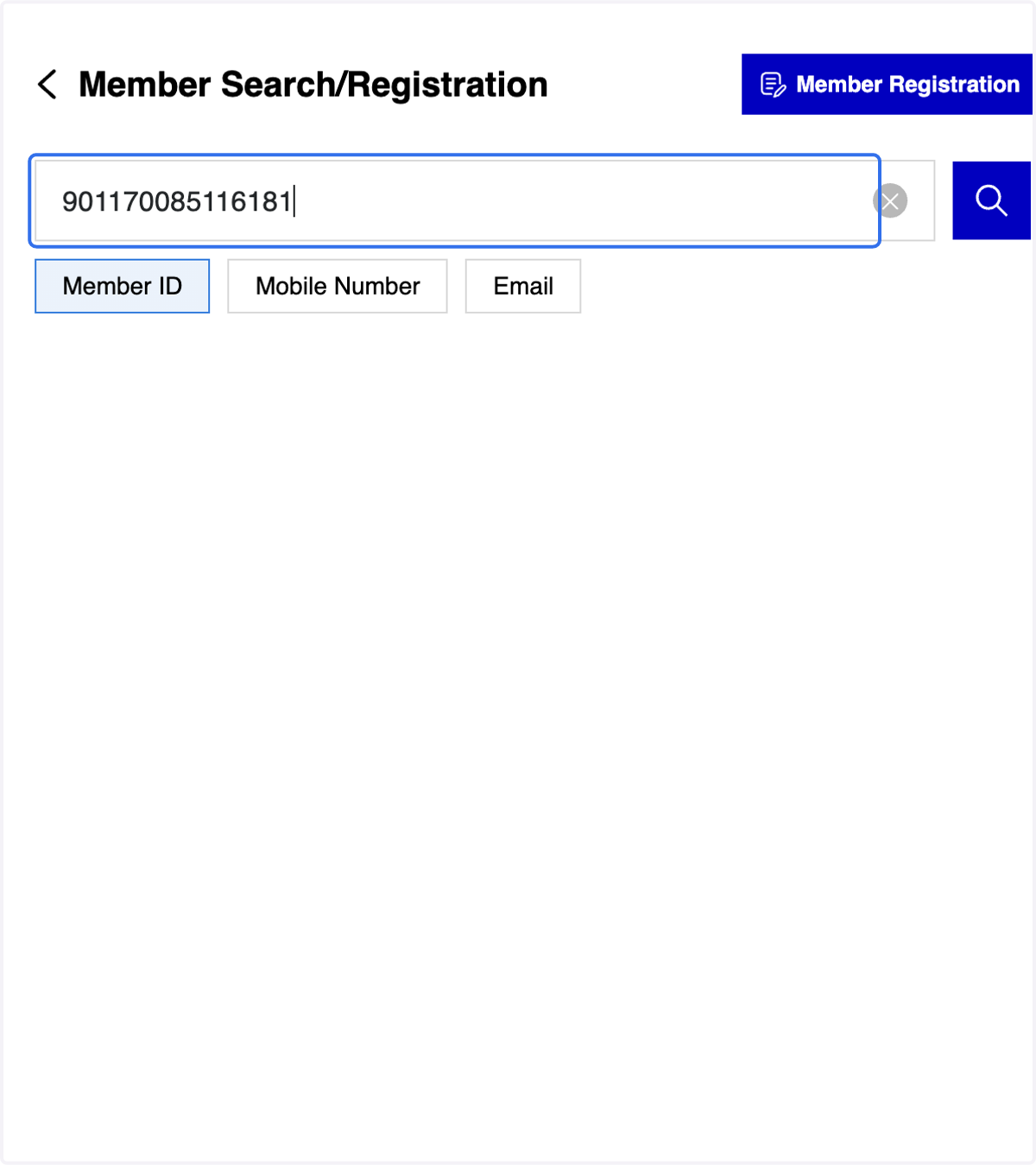
  1. 1. Click on Member Search/Registration
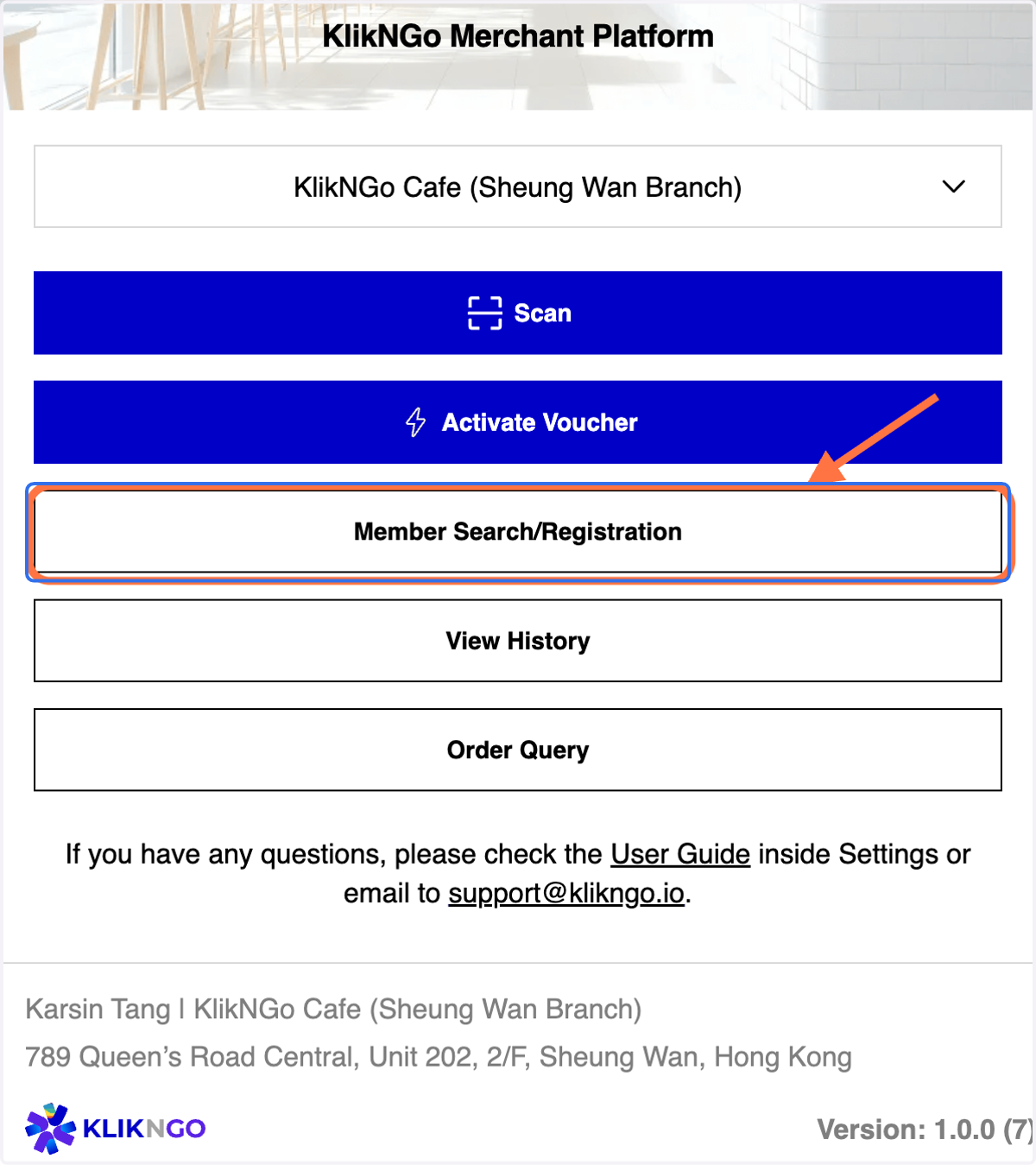
    Click on Member Search/Registration
    1. 2. A. You may search member via member ID/ mobile number /email

    2. 2. B. Click on Member ID tab

    3 Methods for Member Search (A)
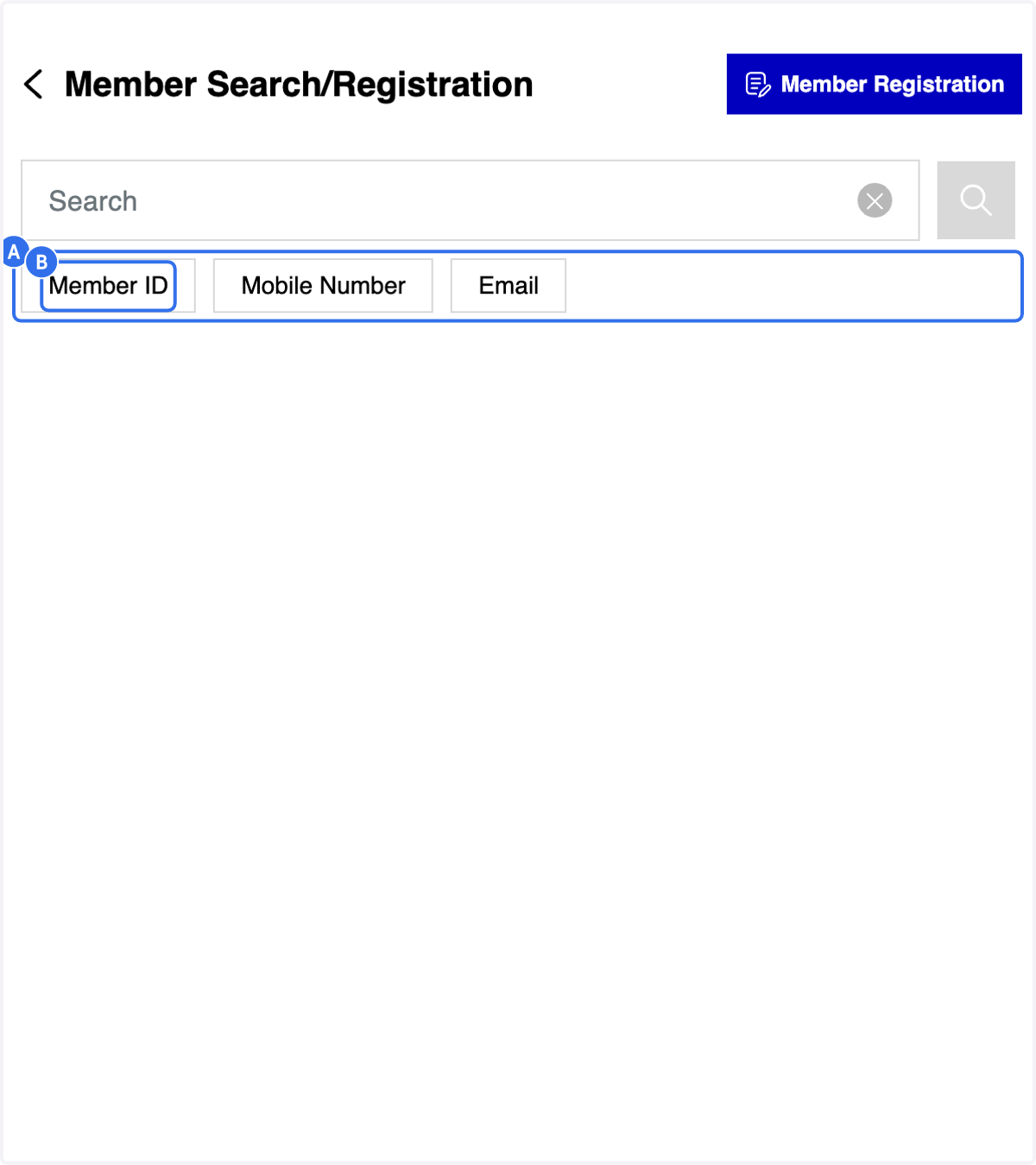
    A. You may search member via member ID/ mobile number /email B. Click on Member ID tab
  2. 3. Fill in the member ID

    Fill in the member ID
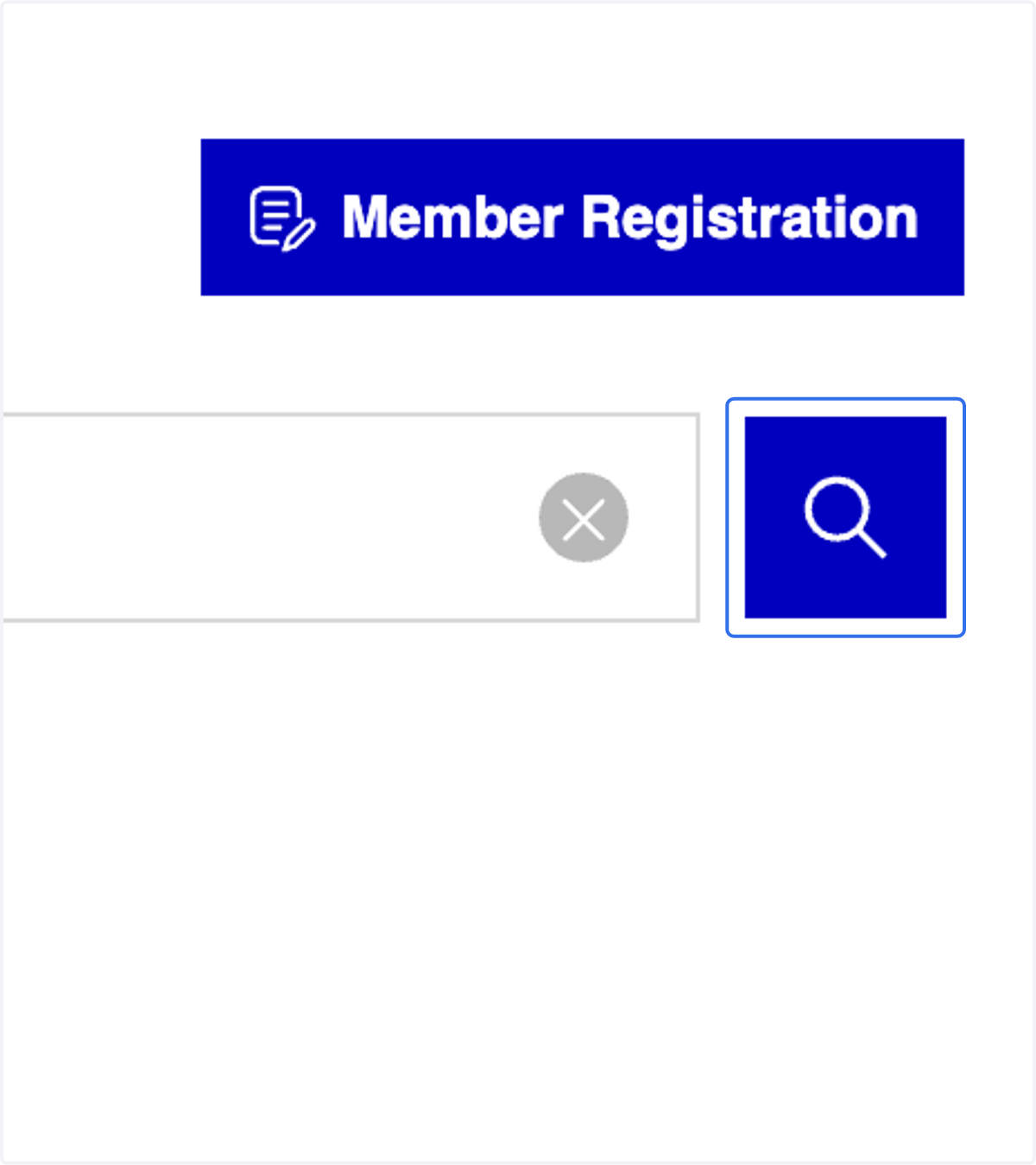
  3. 4. Click on "Search" icon

    Click on "Search" icon
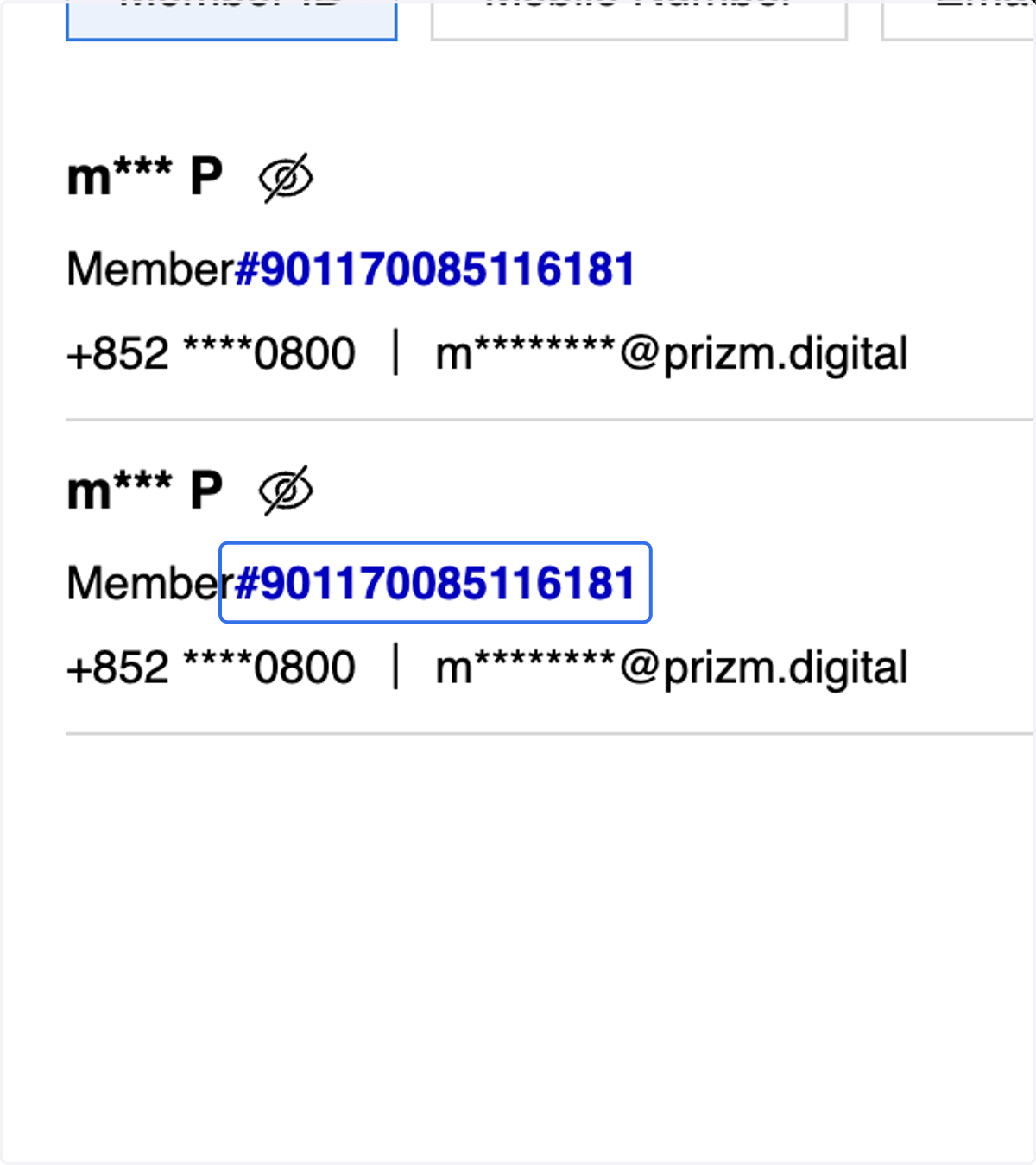
  4. 5. Click on the selected member ID

    Click on the selected member ID
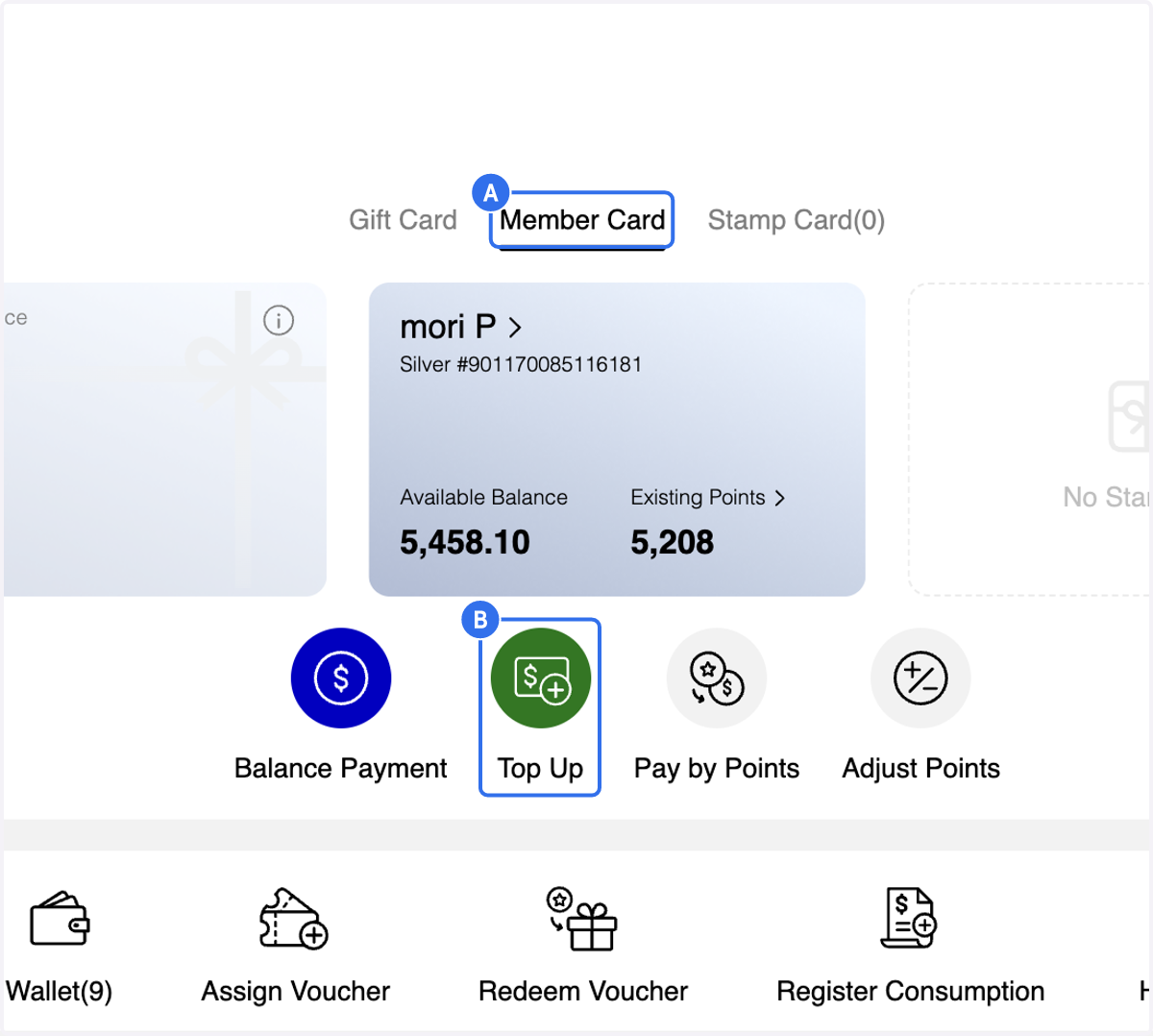
  5. 6. After selecting the Member ID, you will be directed to the Member Profile Overview page
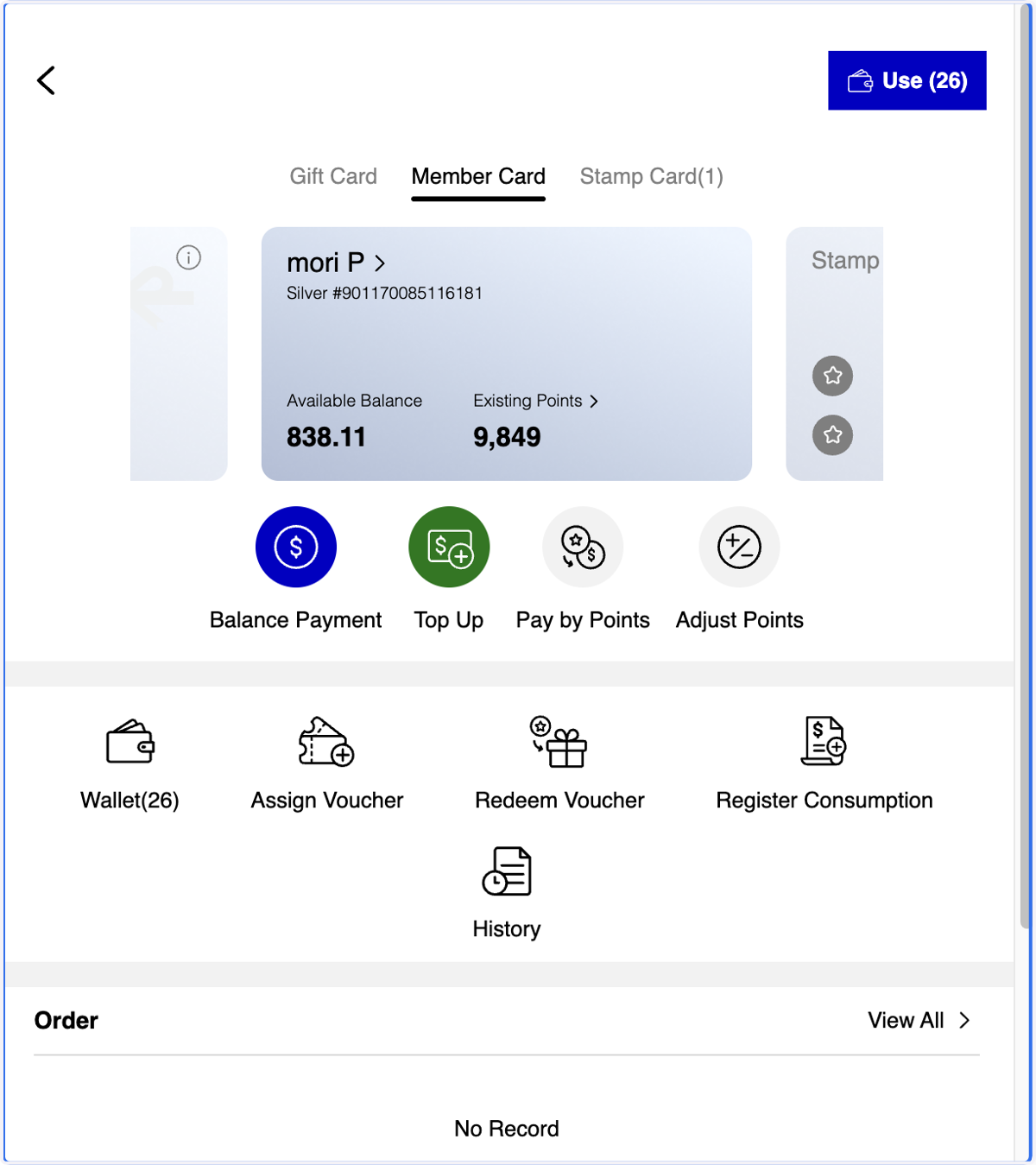
    After selecting the Member ID, you will be directed to the Member Profile Overview page
    1. 7. A. Click on Member Card

    2. 7. B. Click on Top Up

    A. Click on Member Card B. Click on Top Up
    1. 8. A. Click on the required amount

    2. 8. B. or Input a specific amount

    3. 8. C. Select payment method

    A. Click on the required amount B. or Input a specific amount C. Select payment method
    1. 9. A. Enter the Receipt Number. This field is mandatory.

    2. 9. B. Click on Camera icon to upload the receipt for a record if needed.
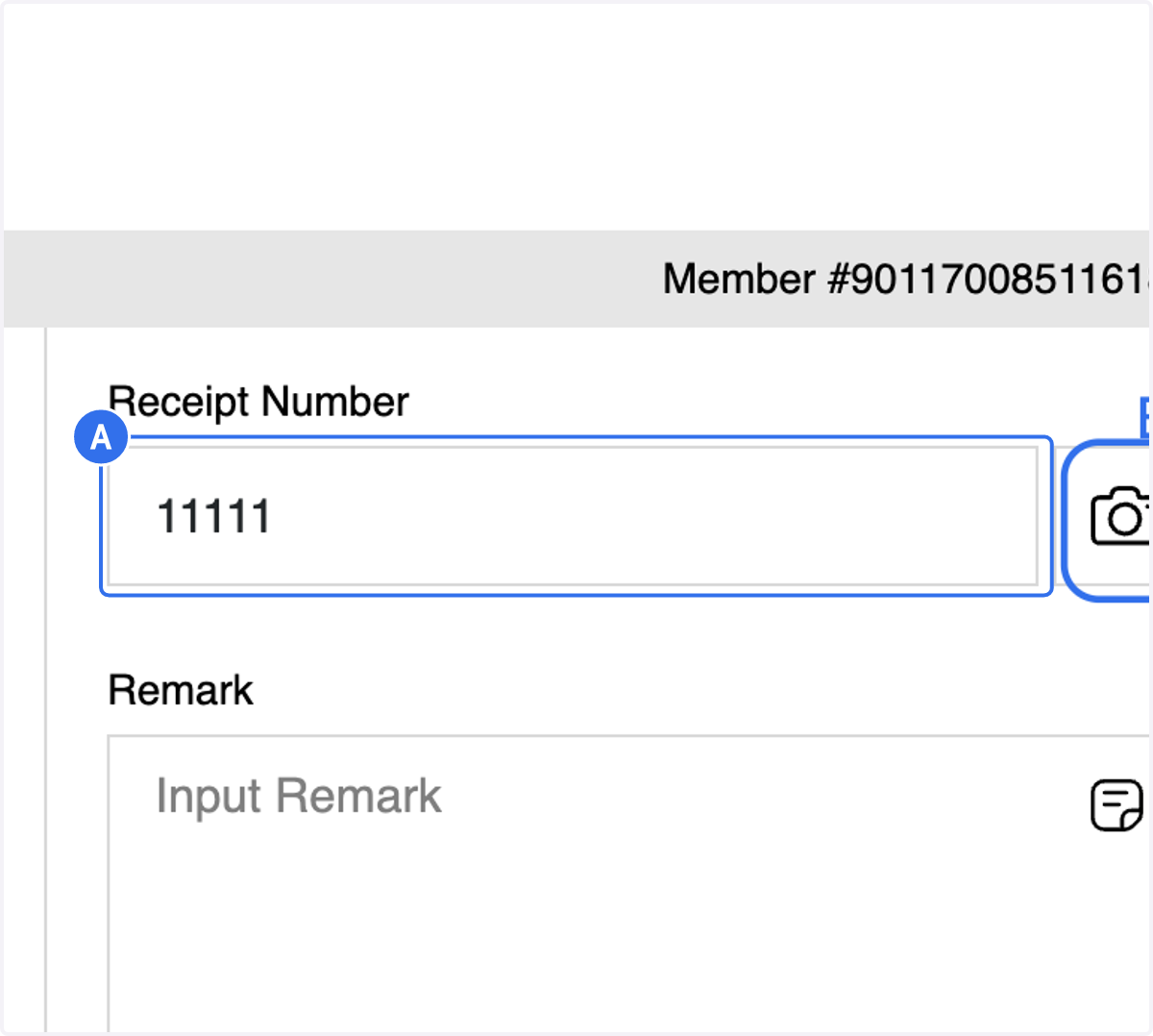
    A. Enter the Receipt Number. This field is mandatory. B. Click on Camera icon to upload the receipt for a record if needed.
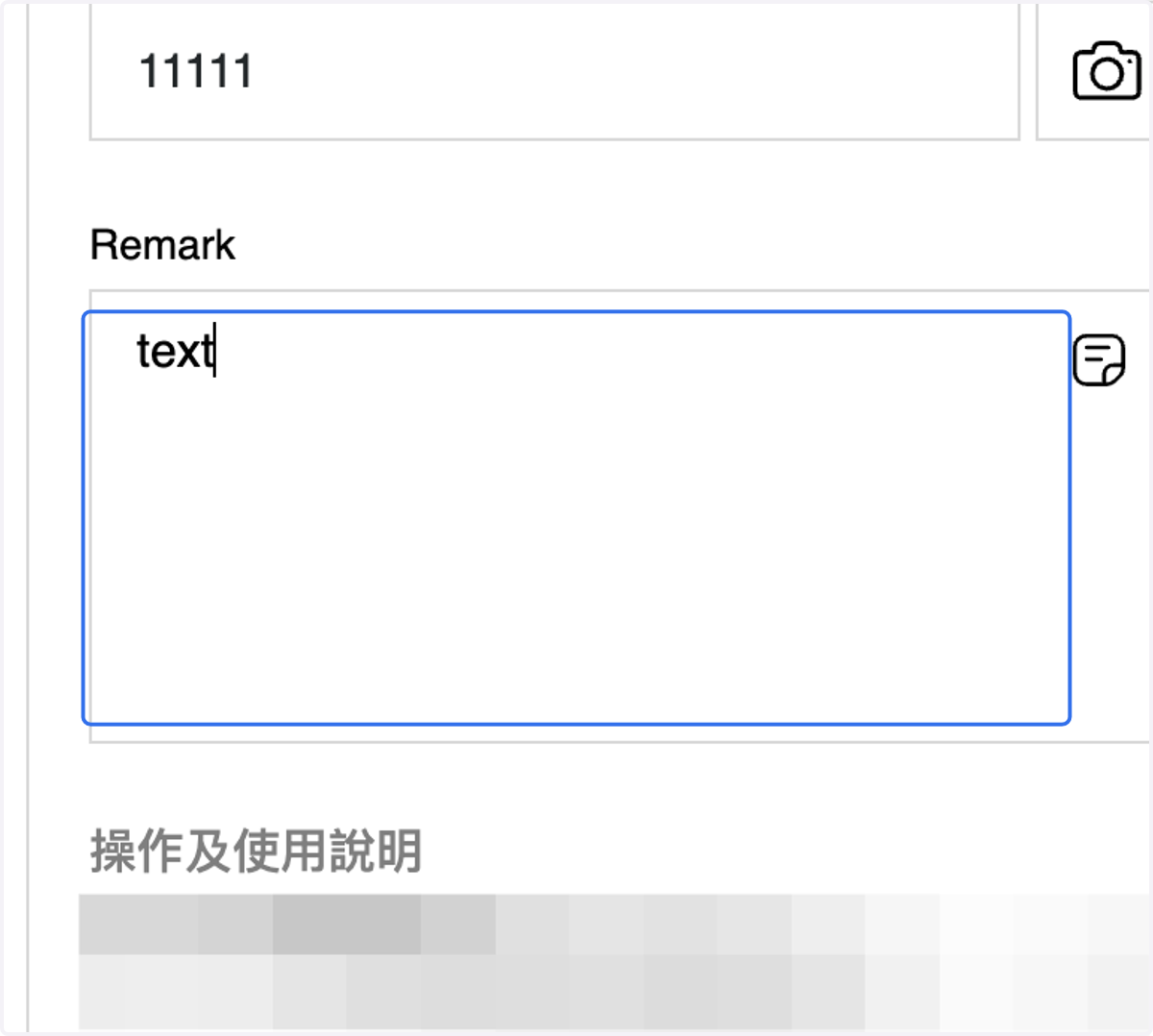
  6. 10. Add a Remark if needed.

    Add a Remark if needed.
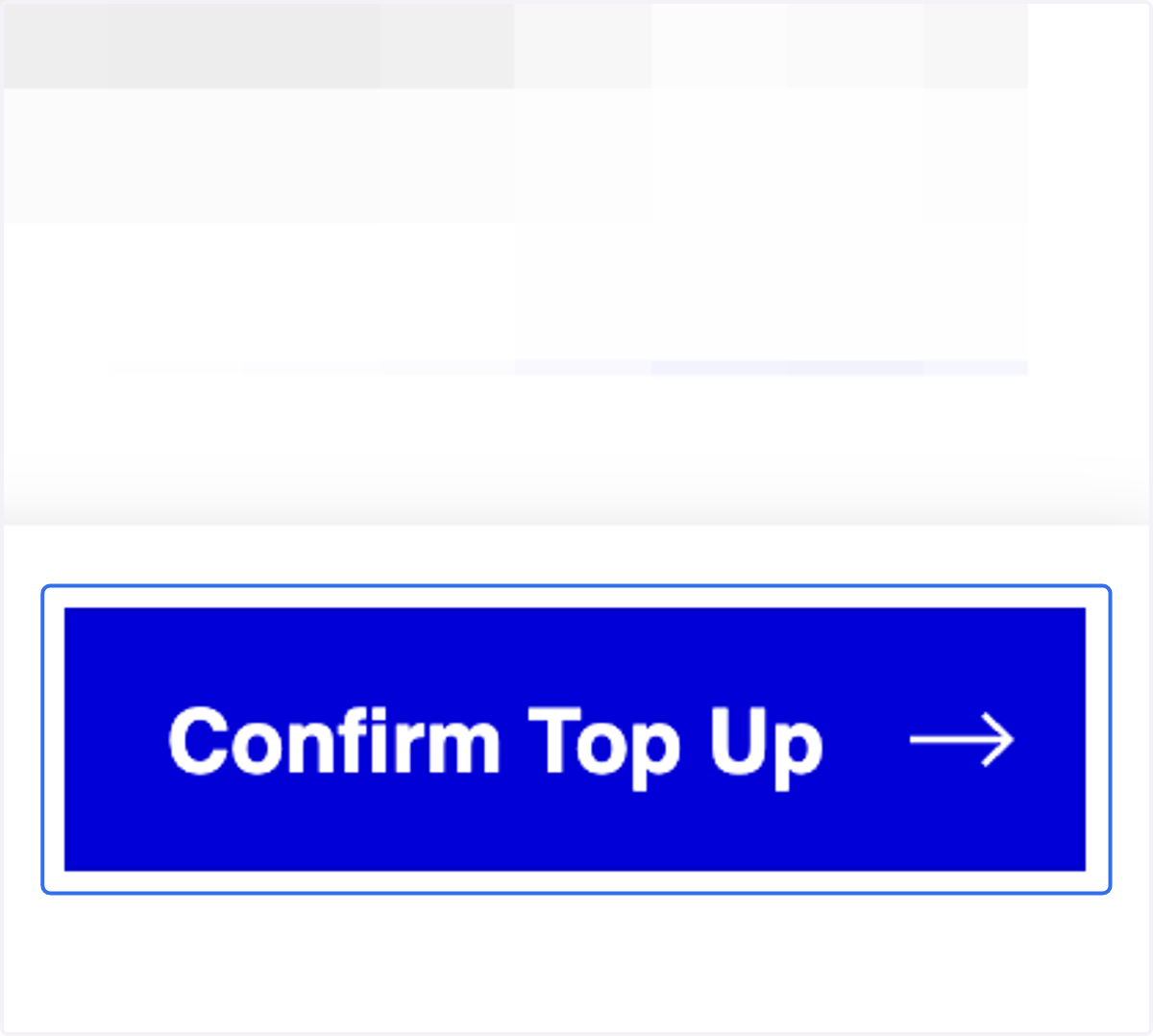
  7. 11. Click on Confirm Top Up

    Click on Confirm Top Up
    1. 12. A. Check the Information

    2. 12. B. Click on Confirm to proceed with Top Up

    A. Check the Information B. Click on Confirm to proceed with Top Up
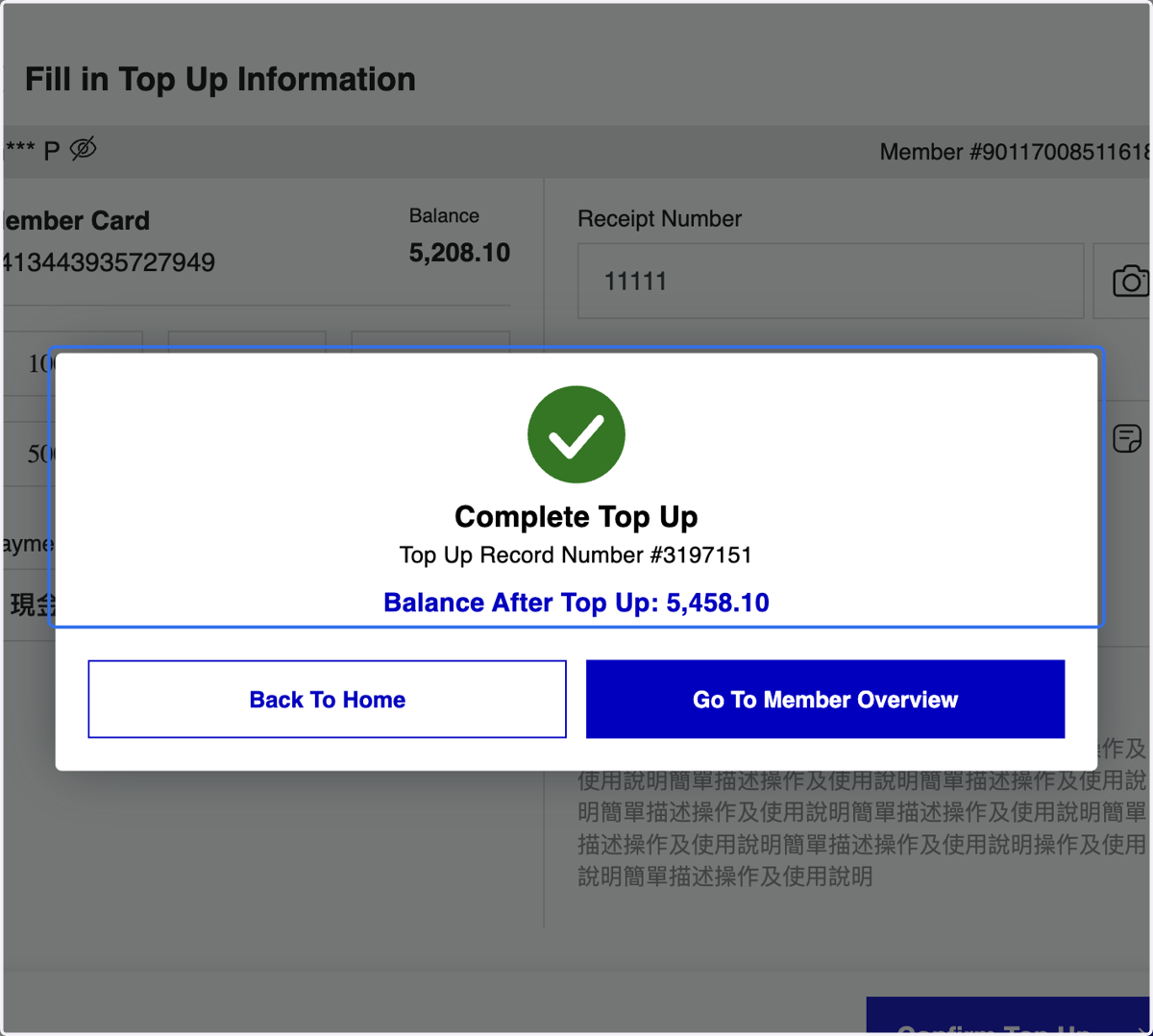
  8. 13. Top Up Completed

    Top Up Completed