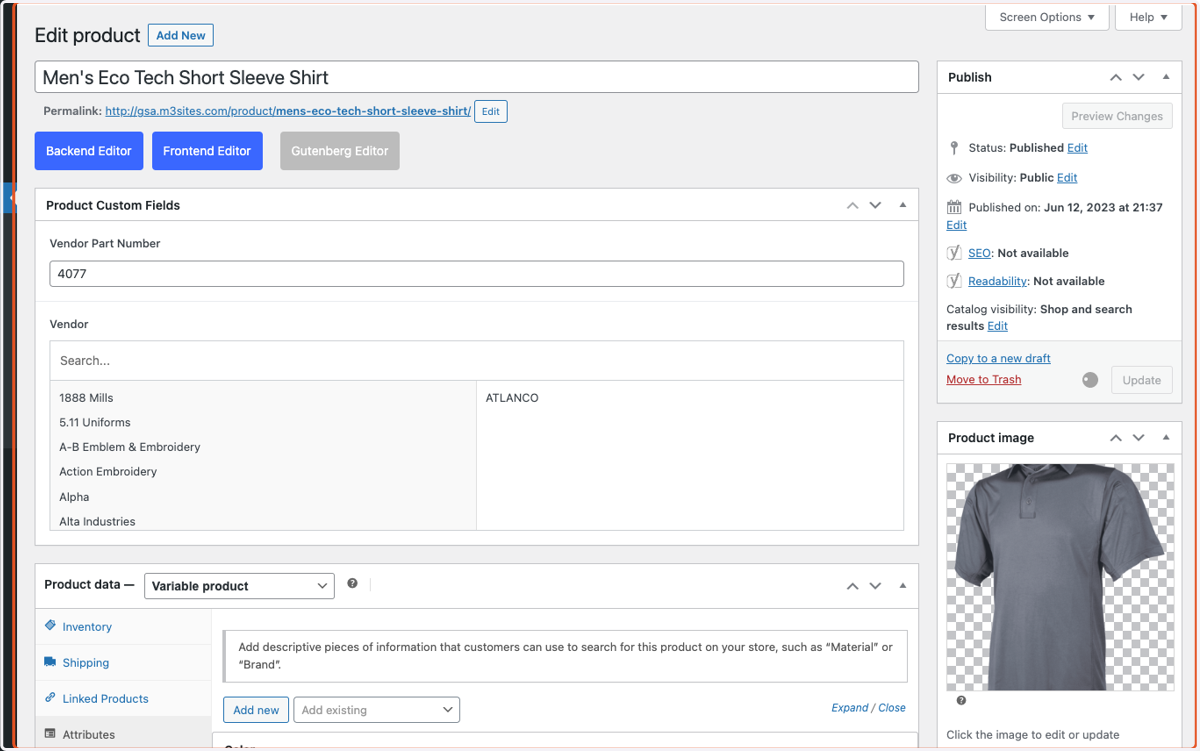
Configuring Attributes for a Specific Product
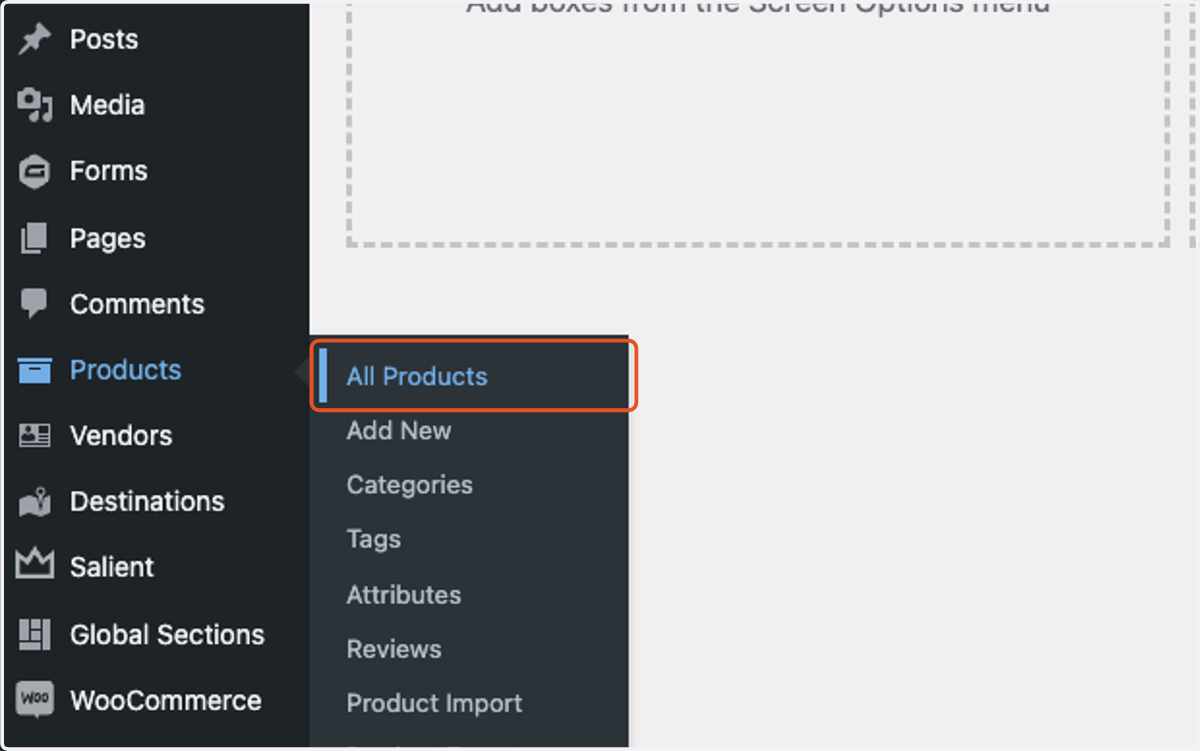
1. Click on All Products.
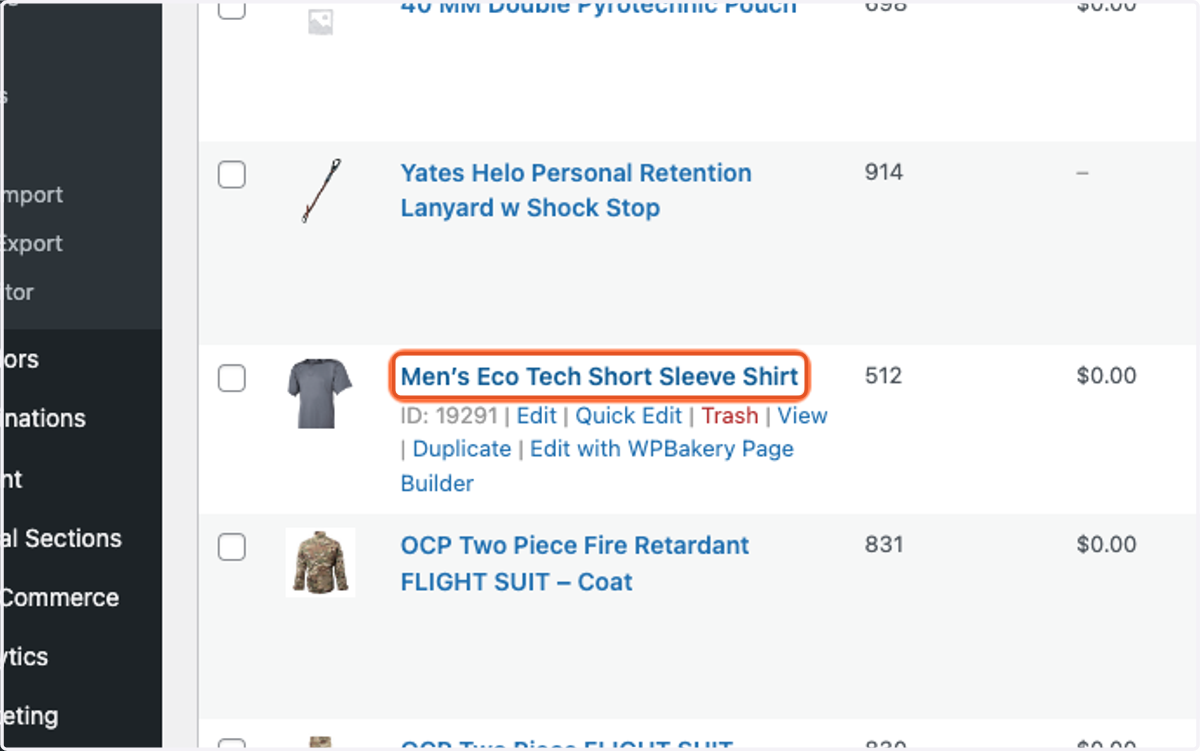
2. Find the product you would like to edit and click on the blue title. You can use the search bar in the top right to search by GSA # or title.
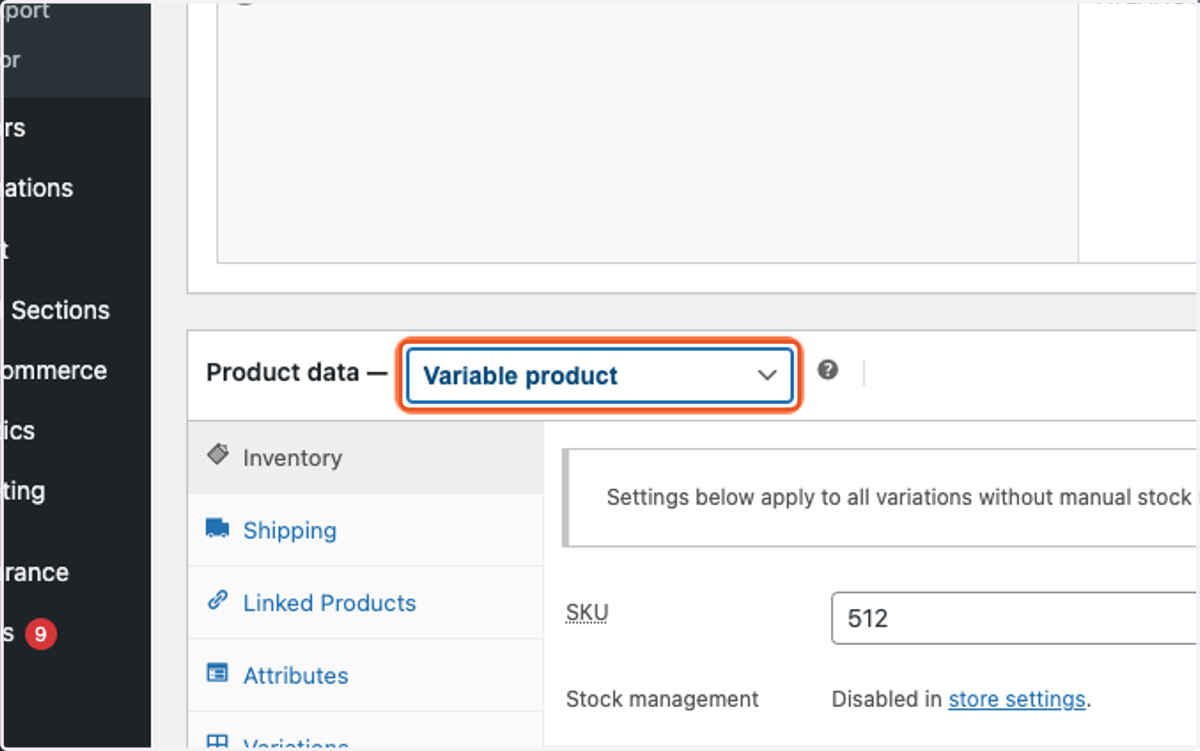
3. Click on the Product date - dropdown and select Variable product.
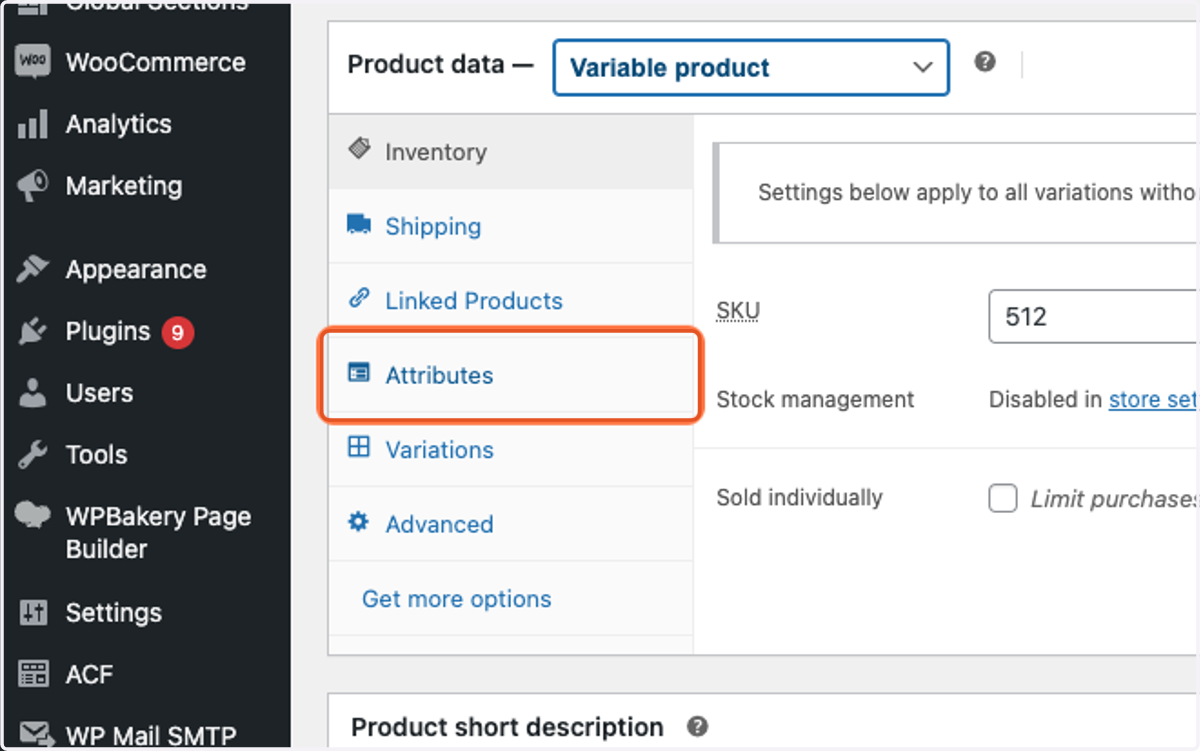
4. Click on Attributes.
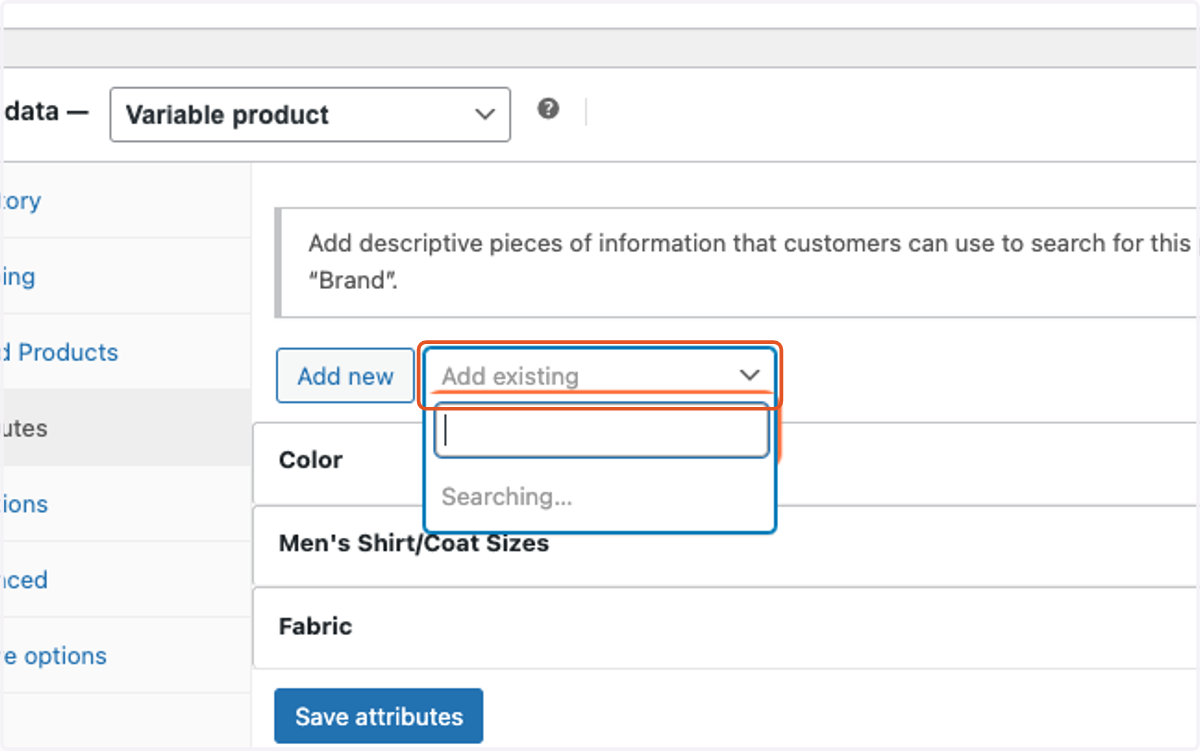
5. Click on Add existing and select the attribute that you would like to add to the product.
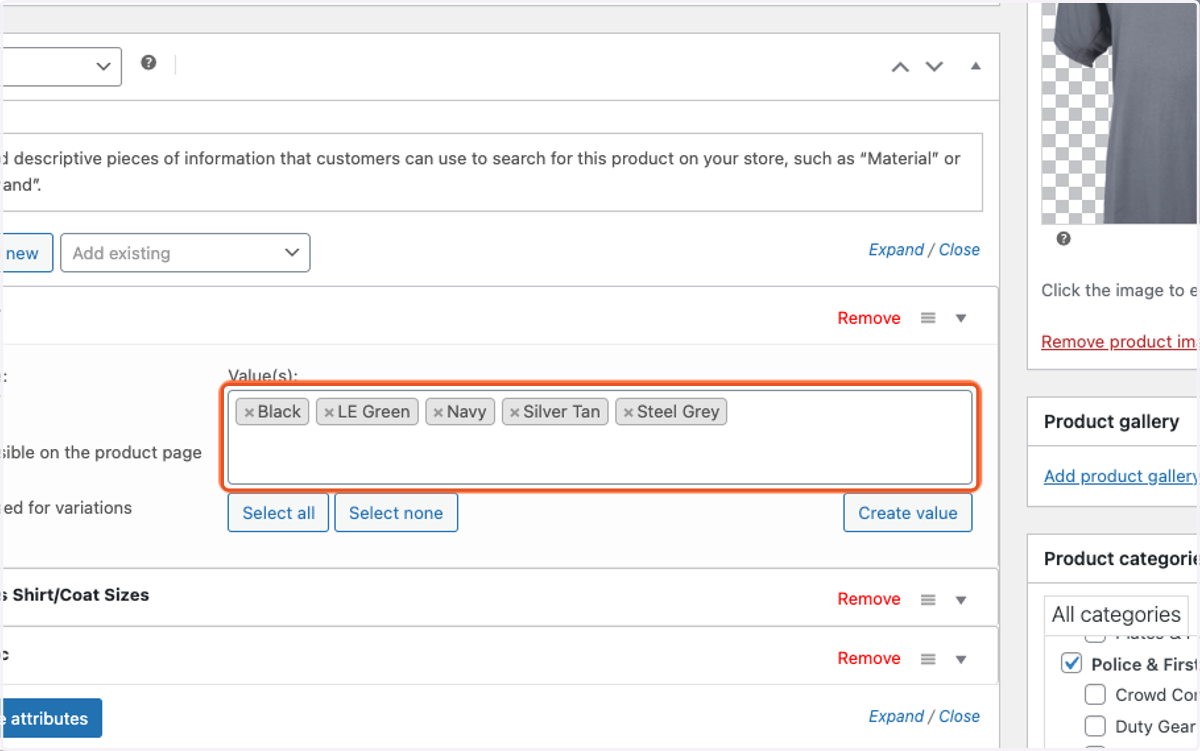
6. Click inside the Value(s): box and select all the different configurations that apply to the product.
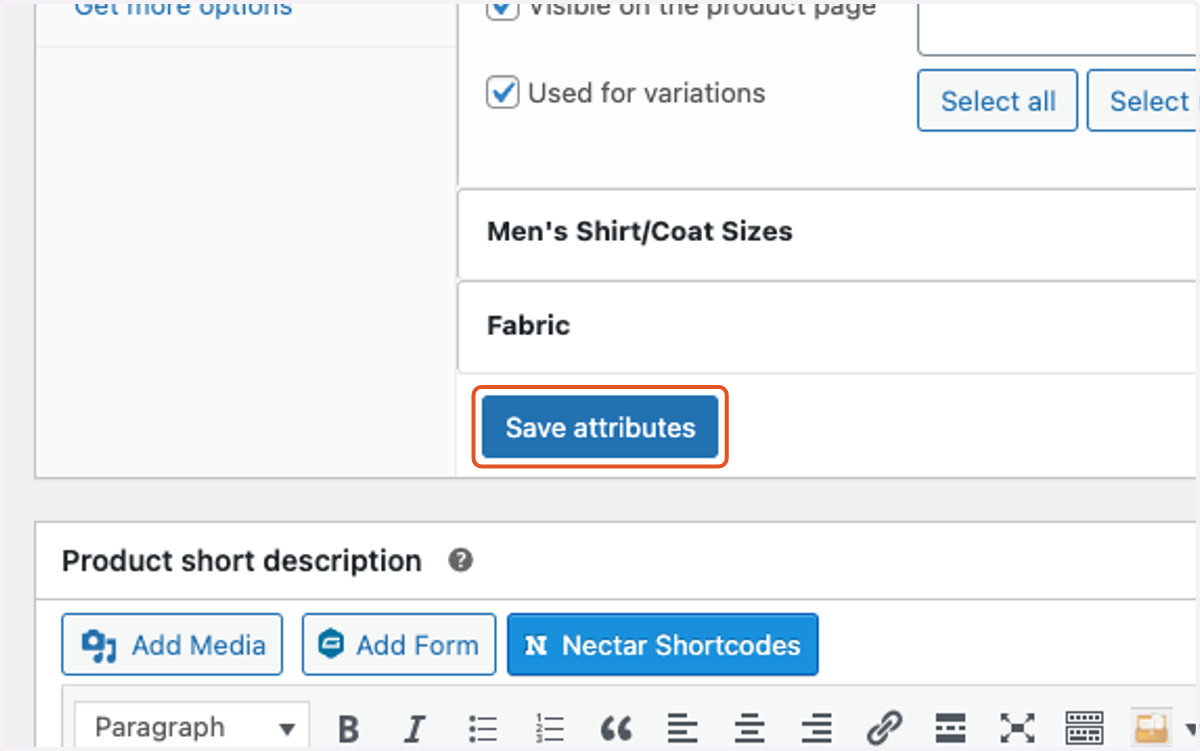
7. Repeat the above steps until all necessary attributes are added, then click on Save attributes.
8. Click on the blue Update button in the top right to update the entire product page.