📌 Pin a Post on Your Business Facebook Page
Pinning a post to the top of your Facebook Page is a great way to highlight important information like updated trading hours, special promotions, events, or announcements. When you pin a post, it stays at the top of your page’s timeline, making sure it’s the first thing visitors see.
This is especially useful for drawing attention to time-sensitive or high-priority content without having it get lost in your regular updates.
This quick guide will show you how to pin a post to your page in just a few clicks.
✅ Tips for Using Pinned Posts:
Highlight key updates: Pin important changes like holiday hours, store renovations, or service changes.
Promote offers or events: Got a sale or upcoming event? Pin the post to keep it top-of-mind for visitors.
Keep it fresh: Don’t forget to unpin or replace posts once they’re no longer relevant.
Use a great image: Visual posts catch more attention, especially when pinned at the top.
Pinning helps make sure your most important message doesn't get missed.
Let’s walk through the steps to pin a post to your Facebook Page.
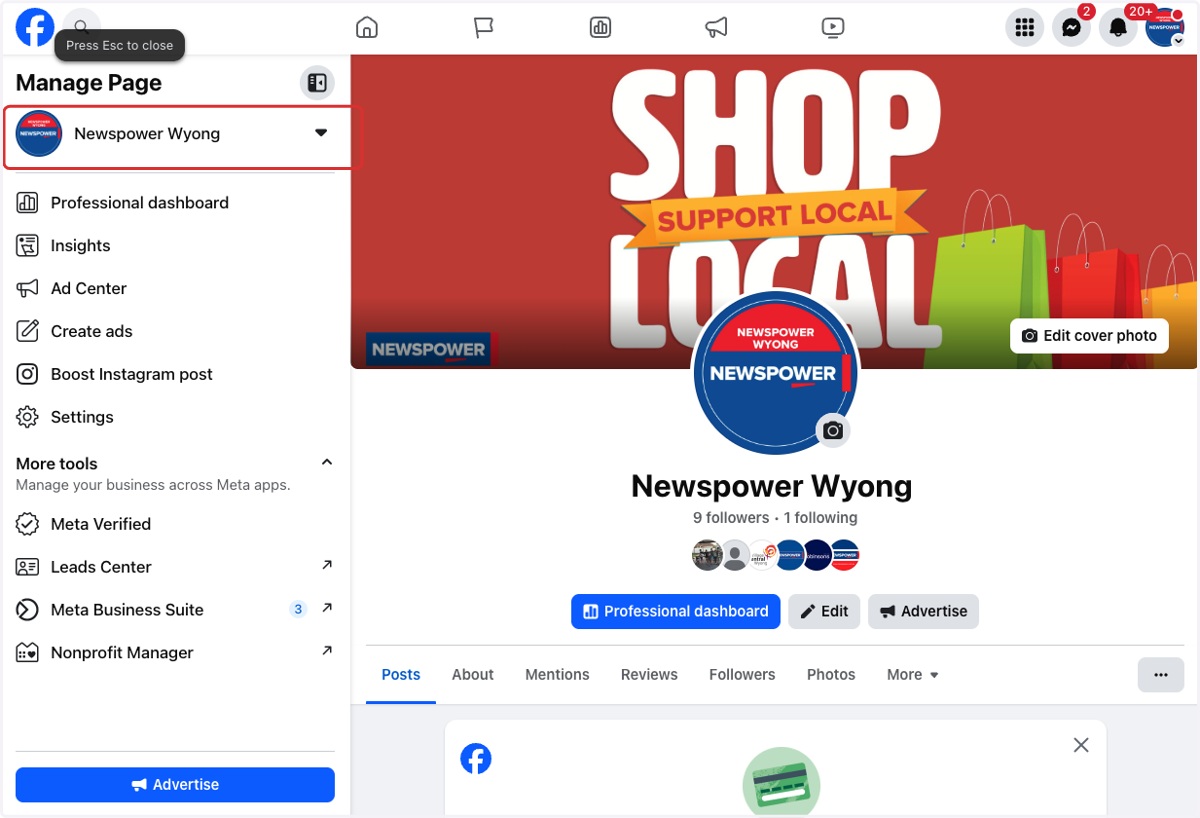
1. Go to your business page
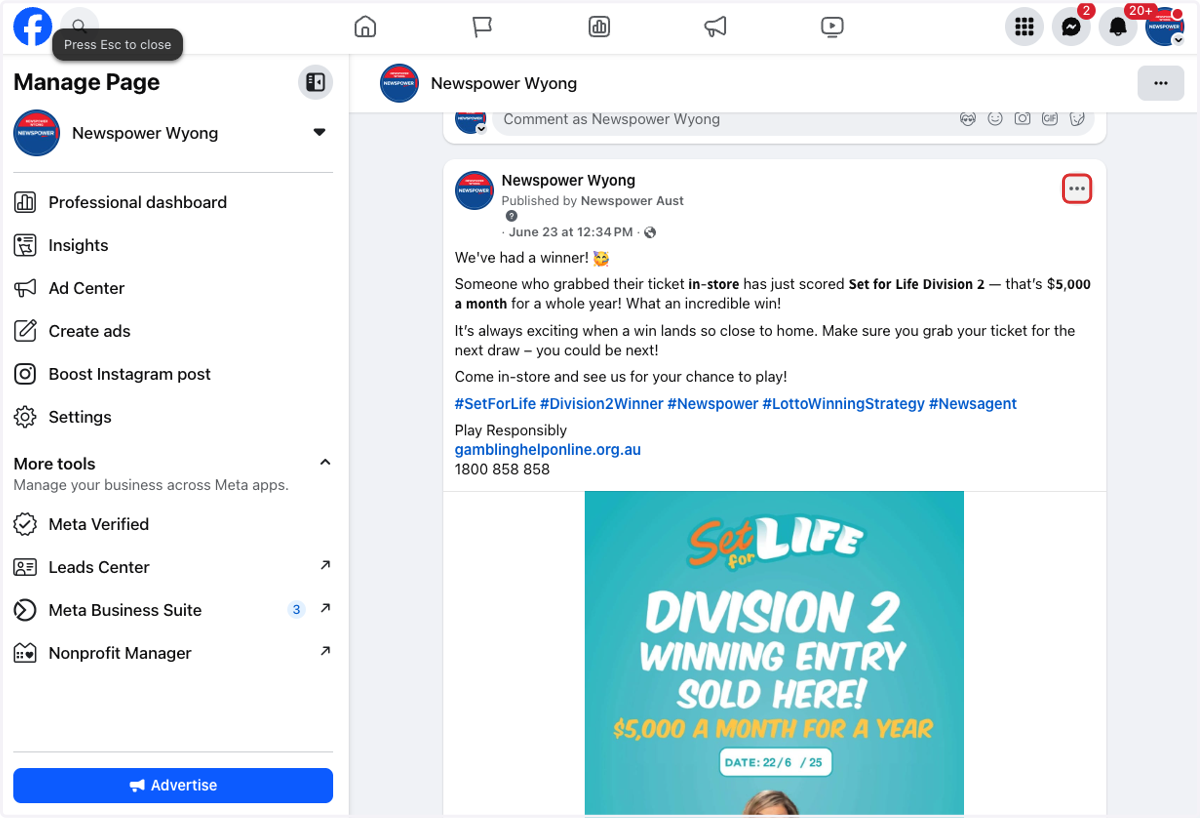
2. Find the post you want to pin and select the 3 dots in the top righthand corner.
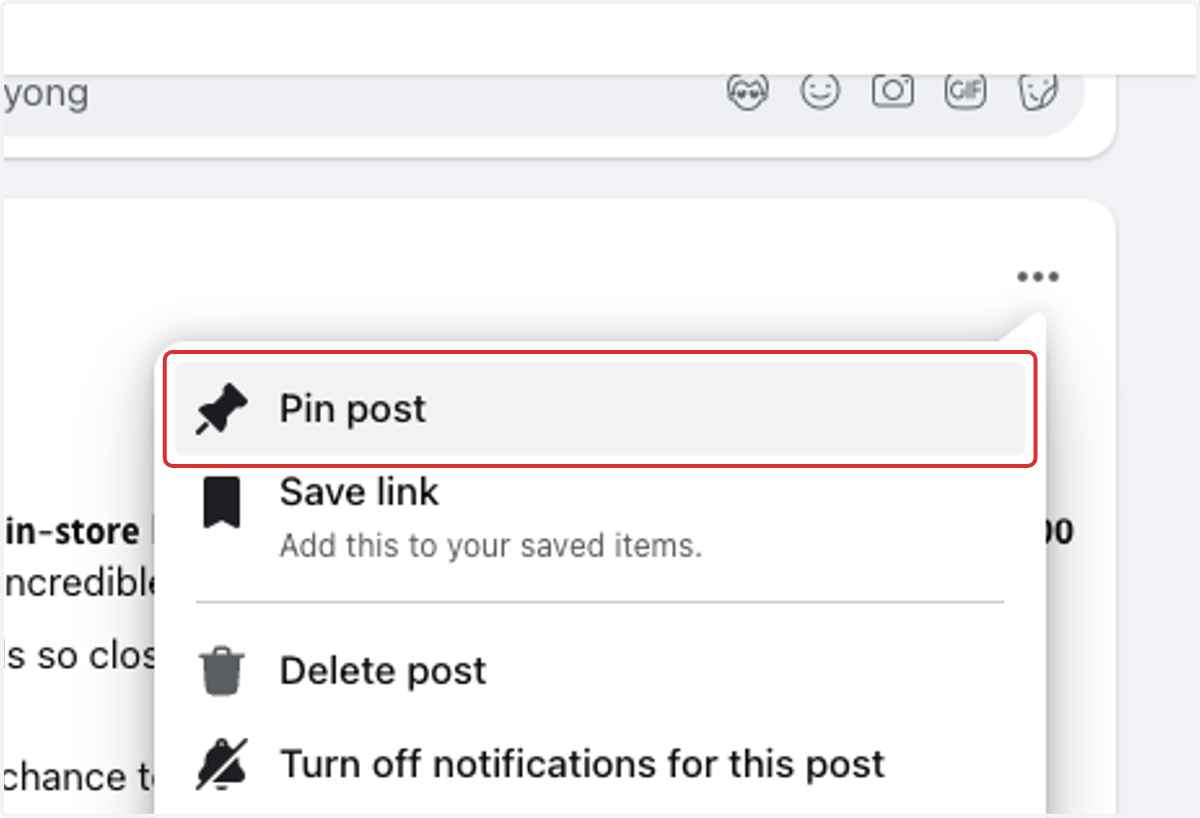
3. Click on Pin post