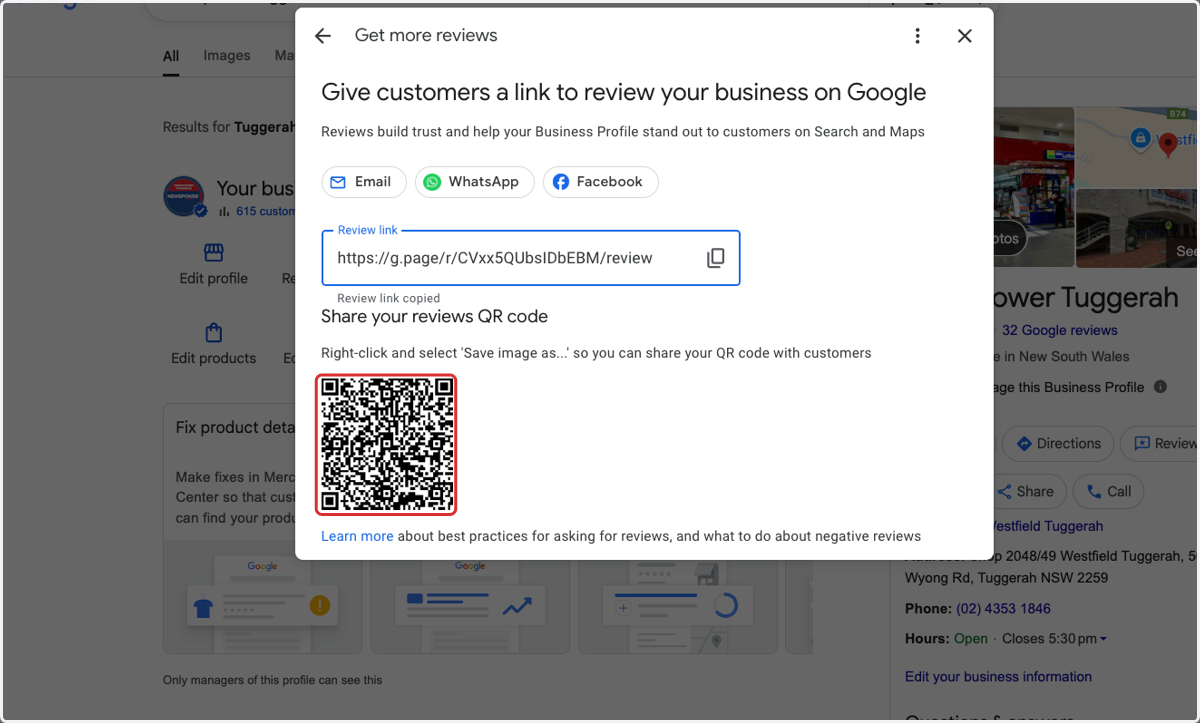
⭐️ How to Get a Review Link or QR Code for Your Google Business Profile
Online reviews are one of the most powerful tools for building trust with new customers. When someone searches for your Newsagency on Google, those star ratings and reviews often appear before your website or Facebook Page. So making a good impression here really matters.
Encouraging happy customers to leave reviews helps boost your visibility in local search results, builds credibility, and shows that you’re an active, trusted local business.
This guide will show you how to easily get your Google review link or create a QR code you can display in-store, print on receipts, or share online.
✅ Why Reviews Matter for Newsagents:
Improve your local ranking: More positive reviews can help your store appear higher when someone searches for “newsagency near me.”
Build trust with new customers: Real feedback from other locals makes your business feel more reliable and approachable.
Support your services: Reviews aren’t just for products, ask customers to mention your helpful service, lotto availability, or gift range.
🛠 Ways to Share Your Review Link:
QR Code: Print it and display it at the counter or on your window.
Direct Link: Send it in a follow-up message after a great customer interaction or include it in your email signature or Facebook posts.
Asking for a review is easy and most happy customers are glad to support their local Newsagent. Just make it simple for them.
Let’s go through the steps to get your link or QR code.
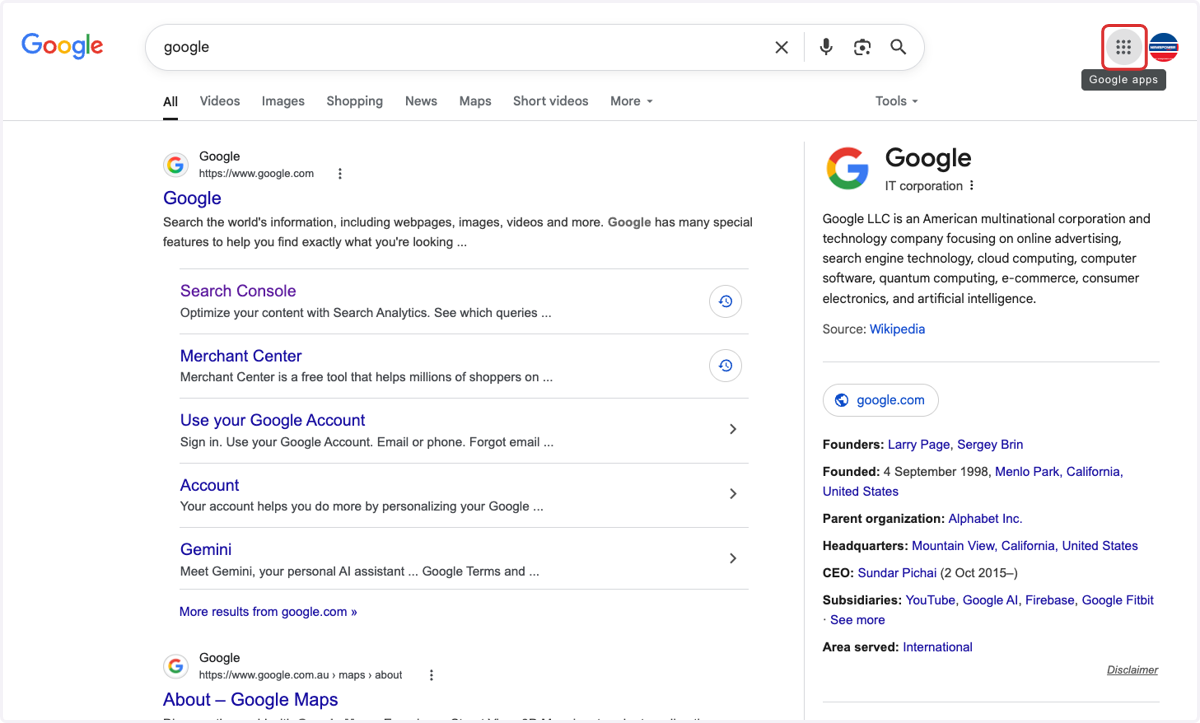
1. Go to Google and click the 9 dots in the top righthand corner
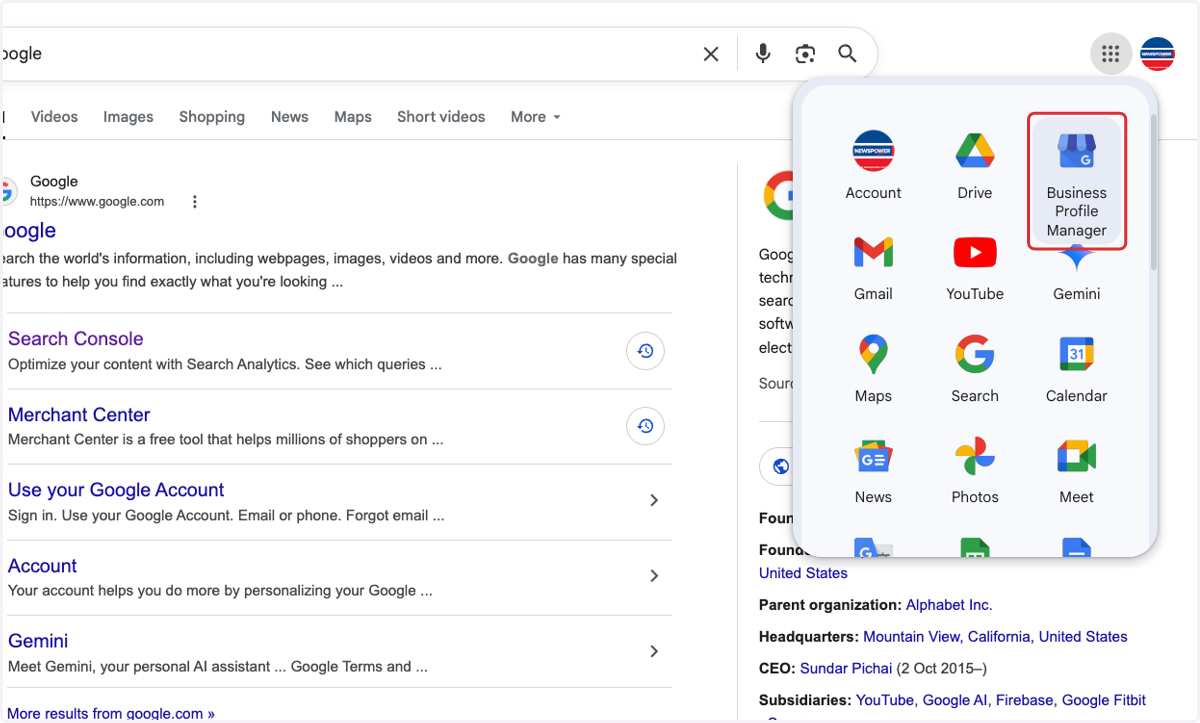
2. Click on Business Profile Manager
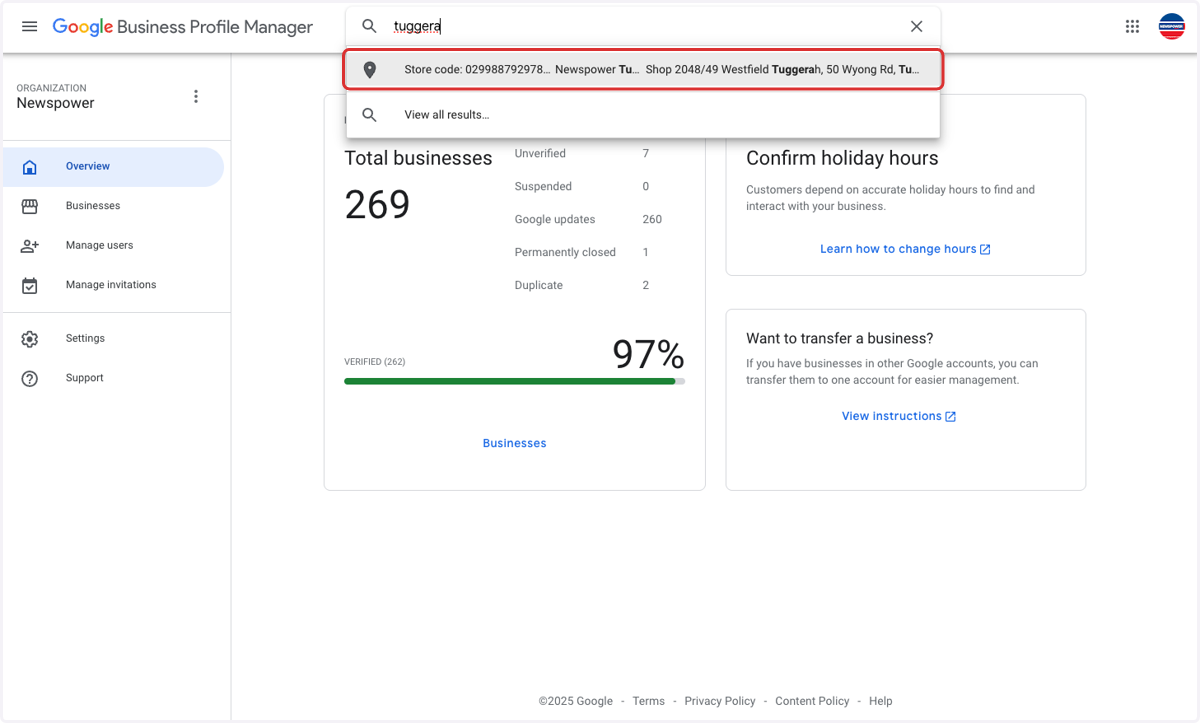
3. Search to find your store
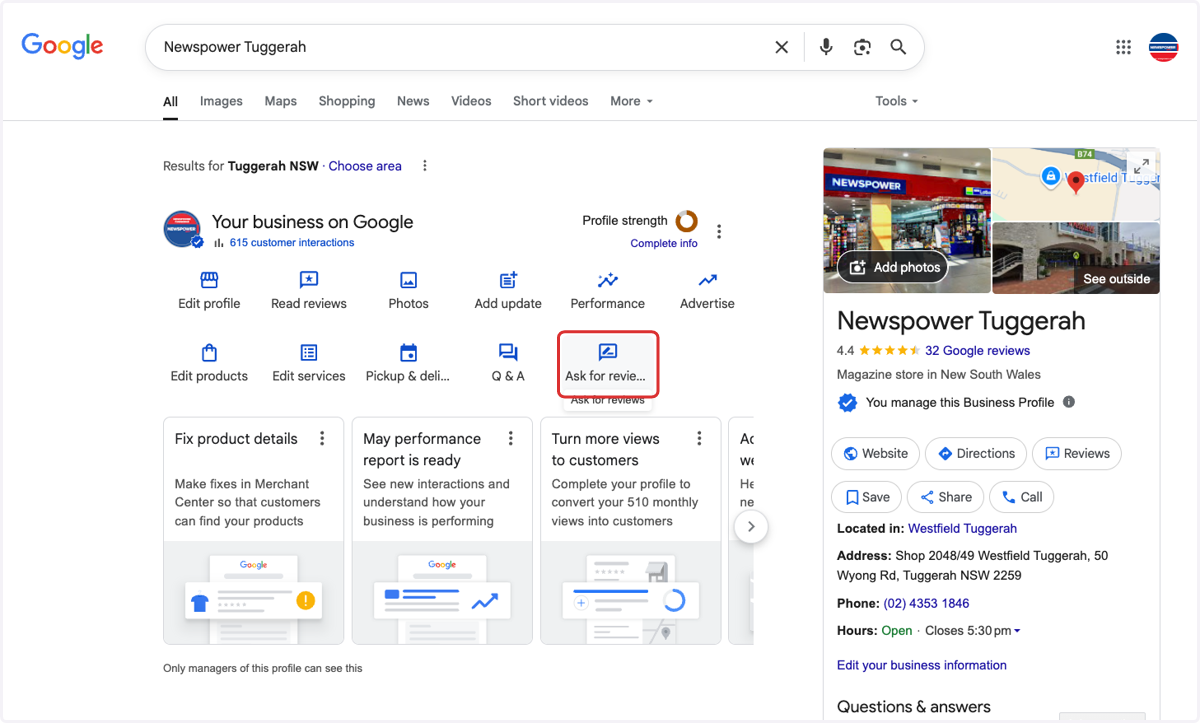
4. Click on Ask for reviews
5. Click on Review link
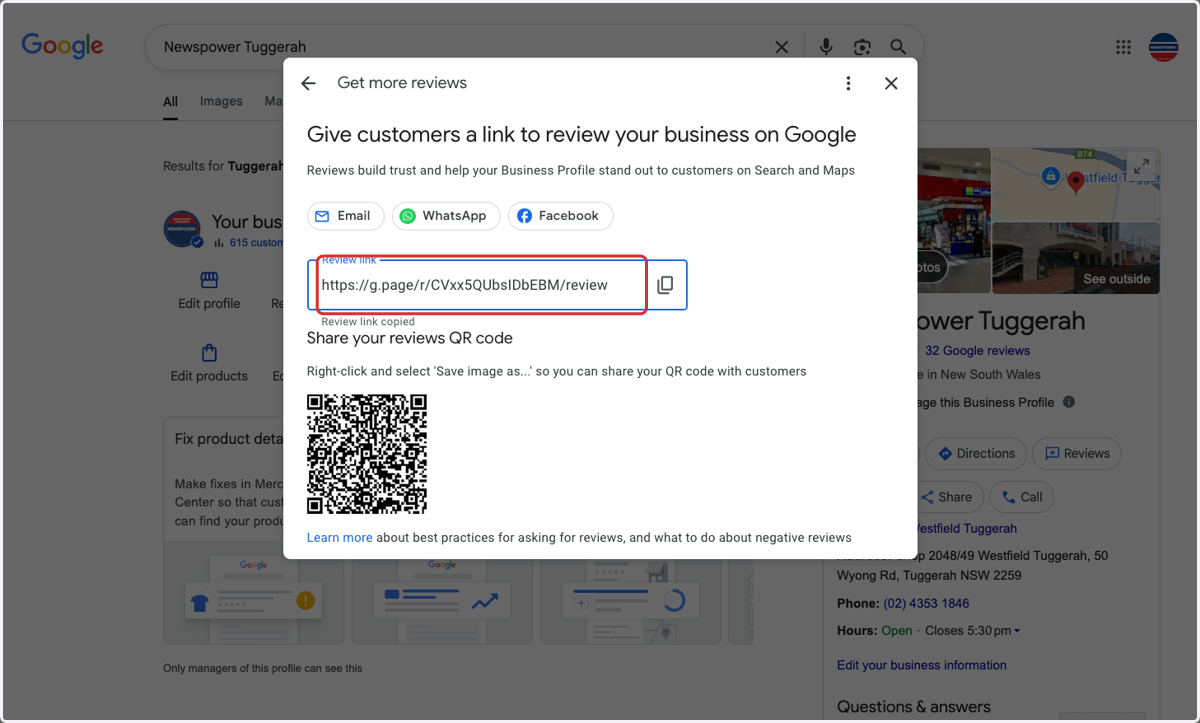
6. Or download the QR code