📊 How to Check the Performance of Your Google Business Profile
Your Google Business Profile isn’t just a listing. It’s a powerful tool that helps you understand how customers are finding and interacting with your business online. Google provides built-in performance insights that show how many people viewed your profile, called your store, asked for directions, or visited your website.
For Newsagents, this data is especially valuable. It shows what’s working, what your customers are searching for, and when they are most likely to find you.
This guide will walk you through how to access and understand your Google Business Profile insights.
✅ Why It’s Important for Newsagents to Check Performance:
Track visibility: See how many people are finding your business through Google Search and Maps.
Understand customer actions: Find out how many people clicked “Call,” visited your website, asked for directions, or viewed photos.
Make smarter decisions: If you’ve updated your trading hours, posted new photos, or added a special offer, you can see if those changes increased engagement.
Plan for peak times: Knowing when people are searching for you most can help with staffing, stock planning, or marketing promotions.
Checking your Google Business Profile performance regularly helps you stay informed and spot opportunities to grow your local presence without guessing.
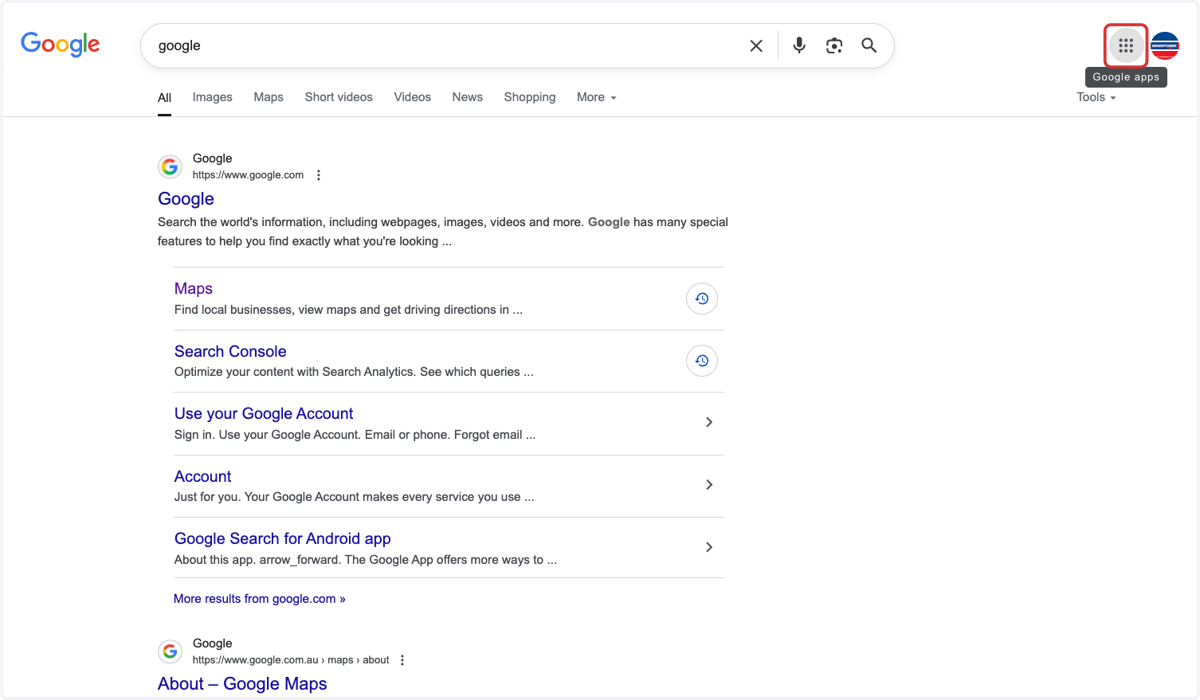
1. Open Google search & click on the 9 dots
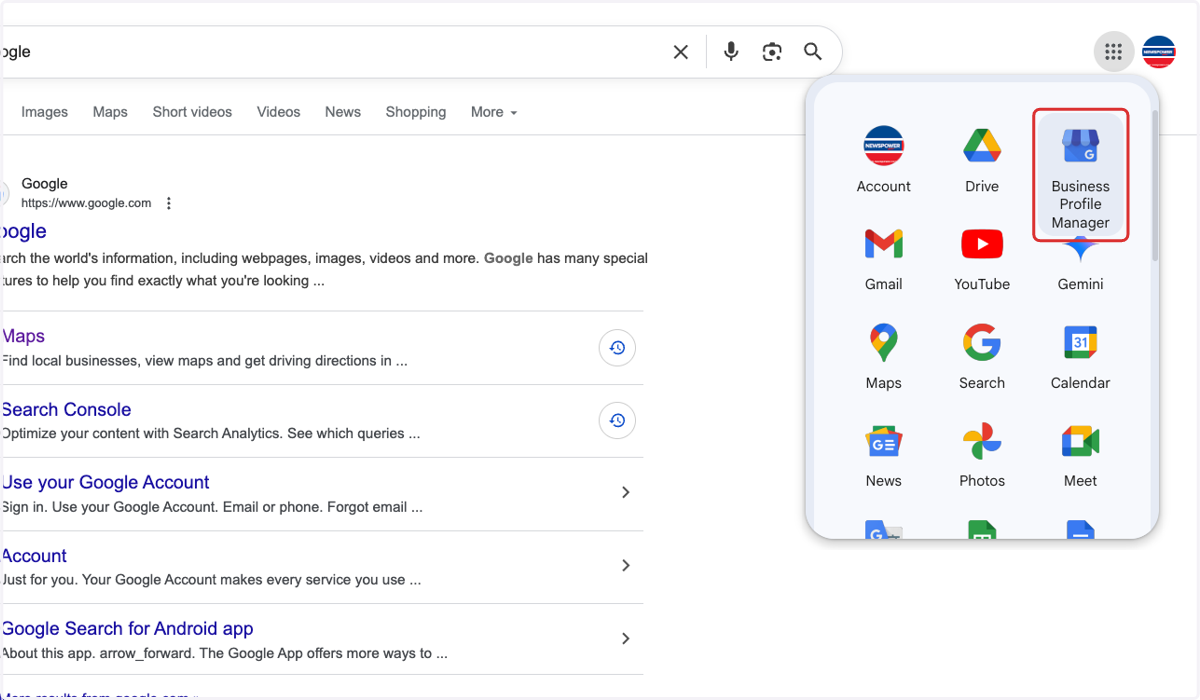
2. Click on Business Profile Manager
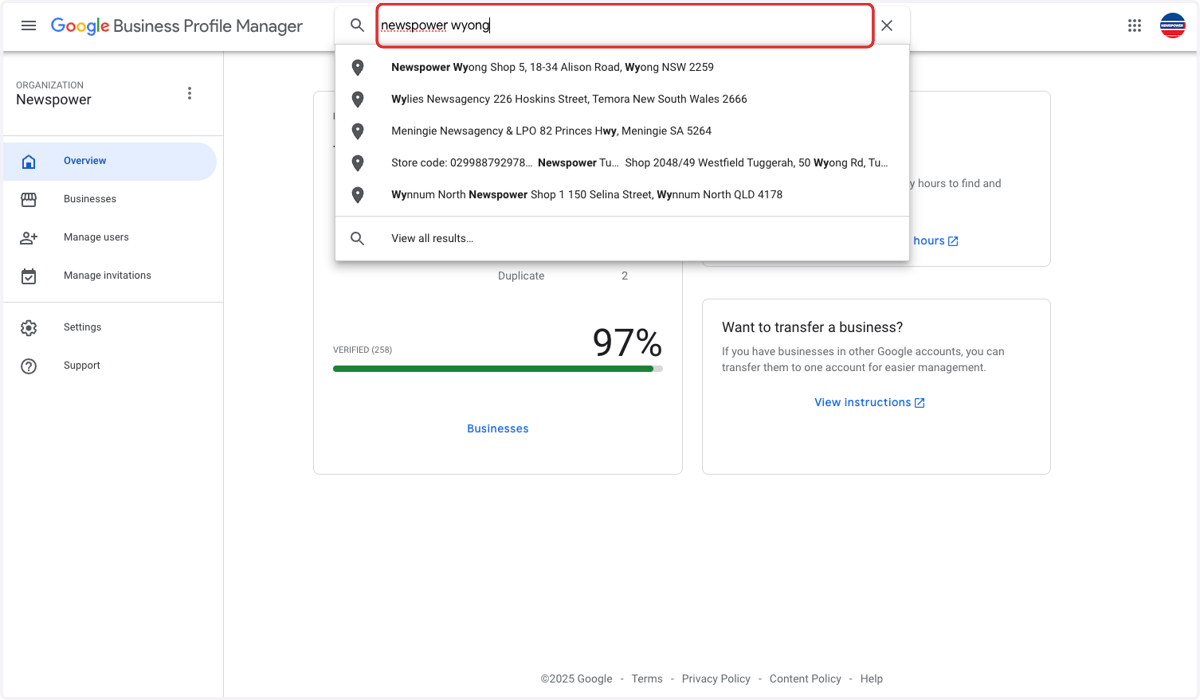
3. Search for your store
4. Click on Performance
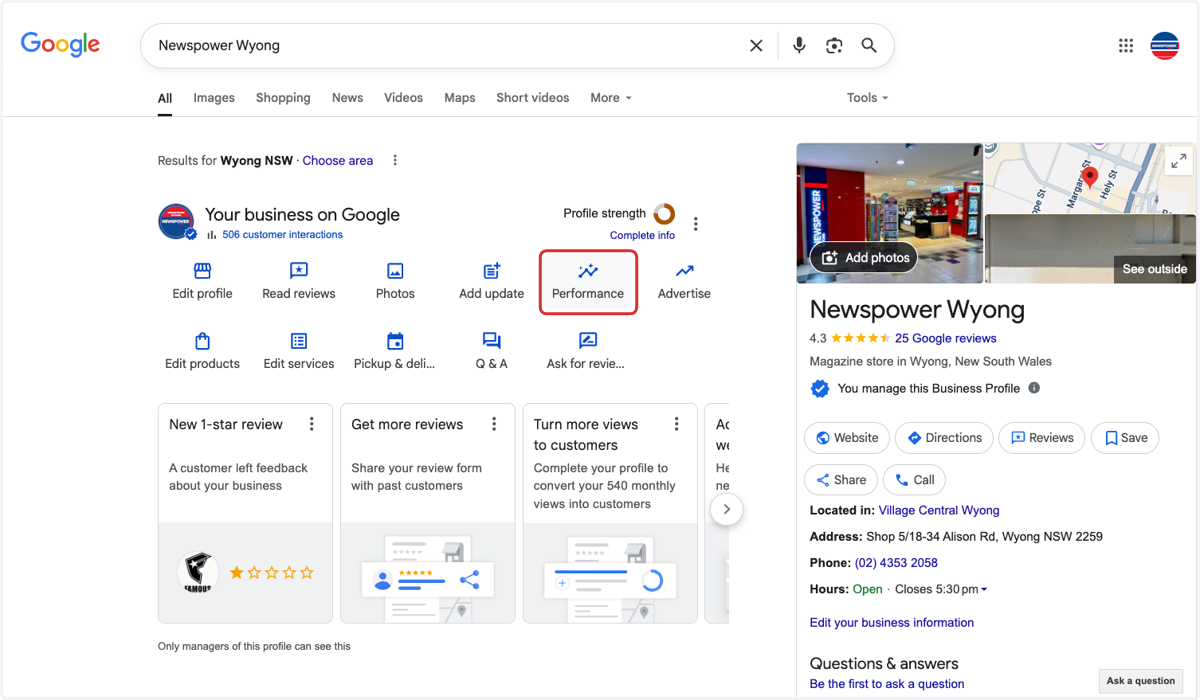
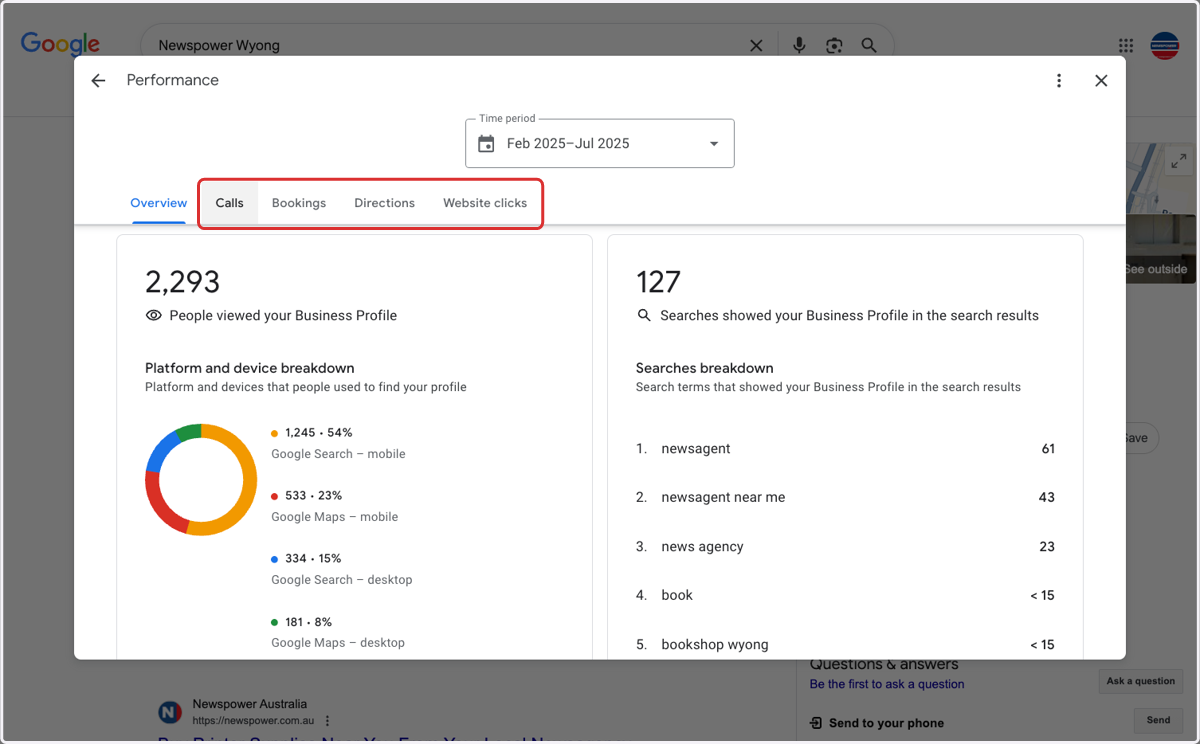
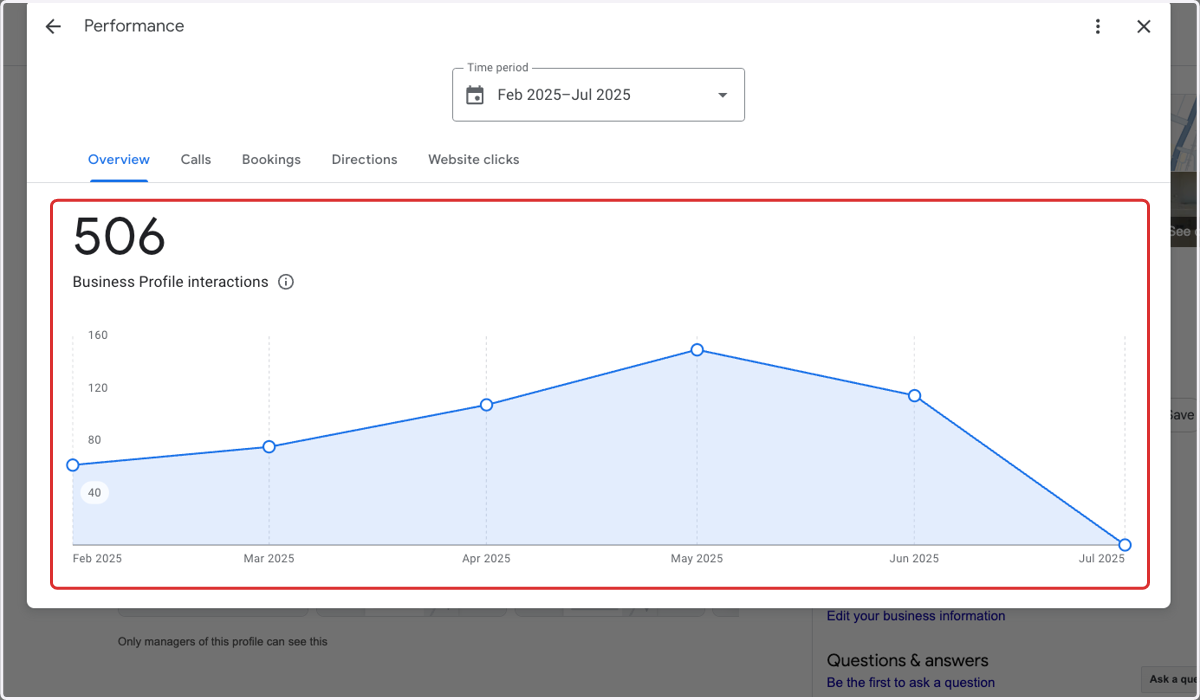
5. Here will show you a performance overview
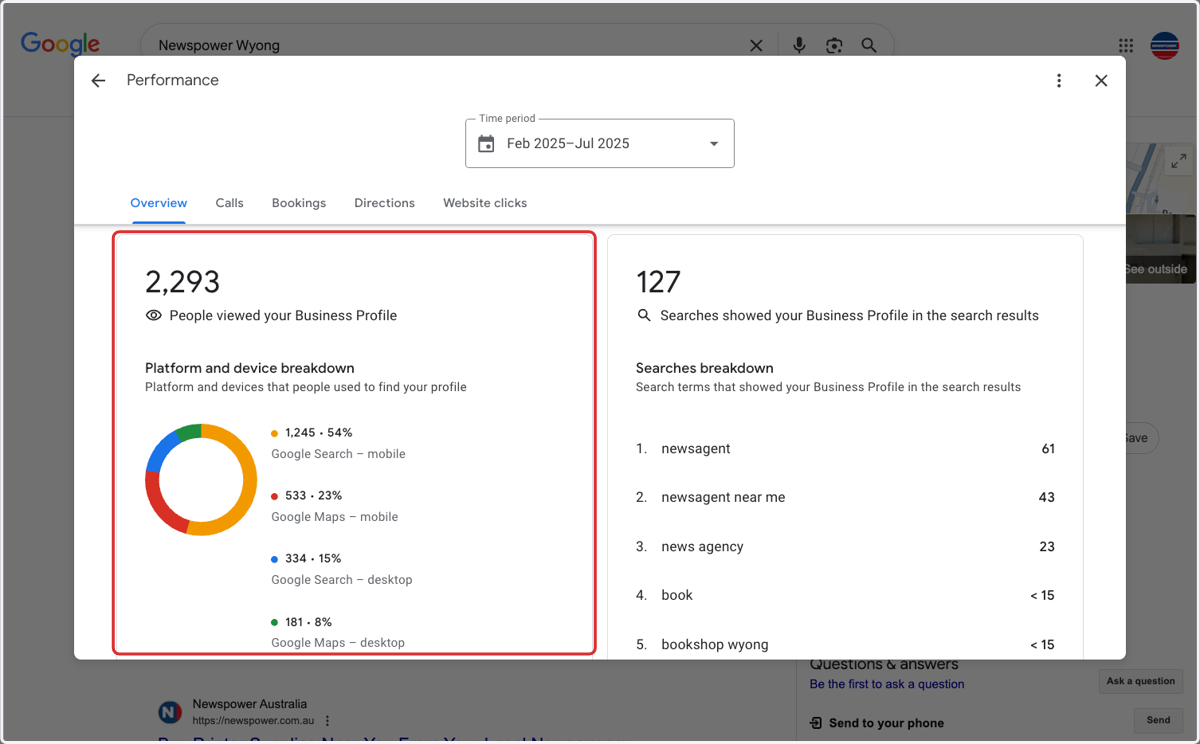
6. Here will show you how customers are finding you.
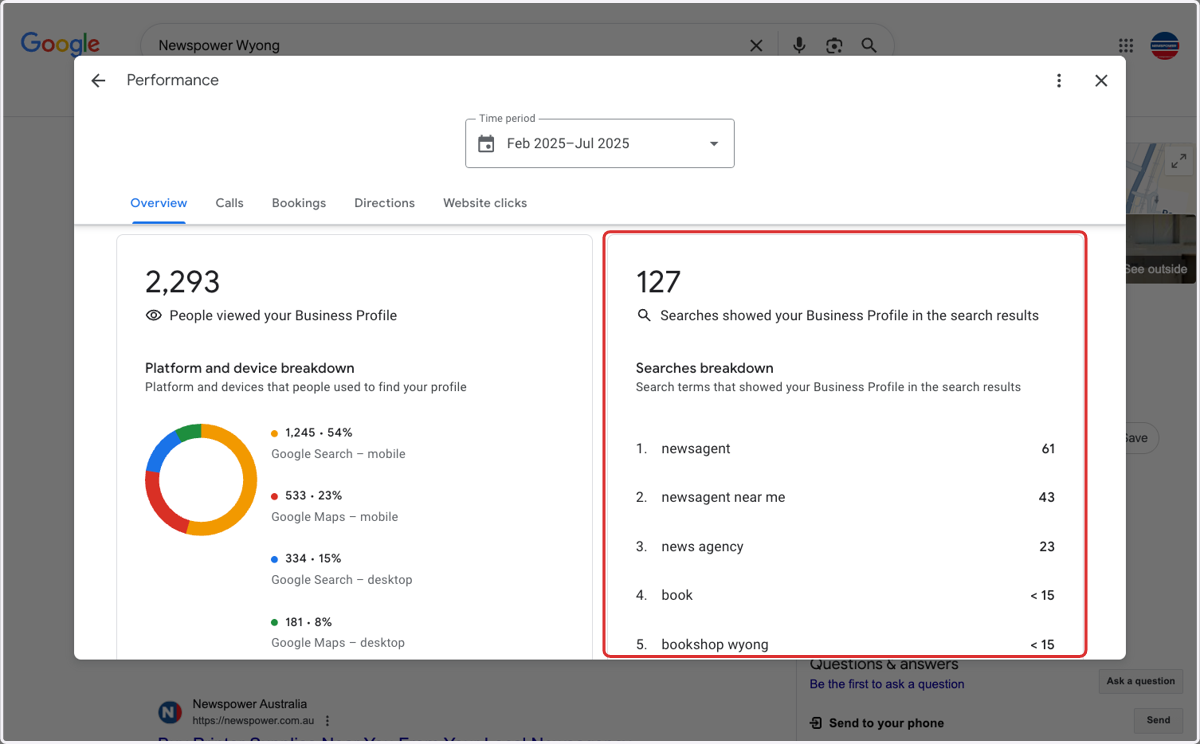
7. Here will show you what people are searching for when they find you
8. Click on these tabs for more detailed analytics