Create Launch Template

Console Home | Console Home | us-west-2

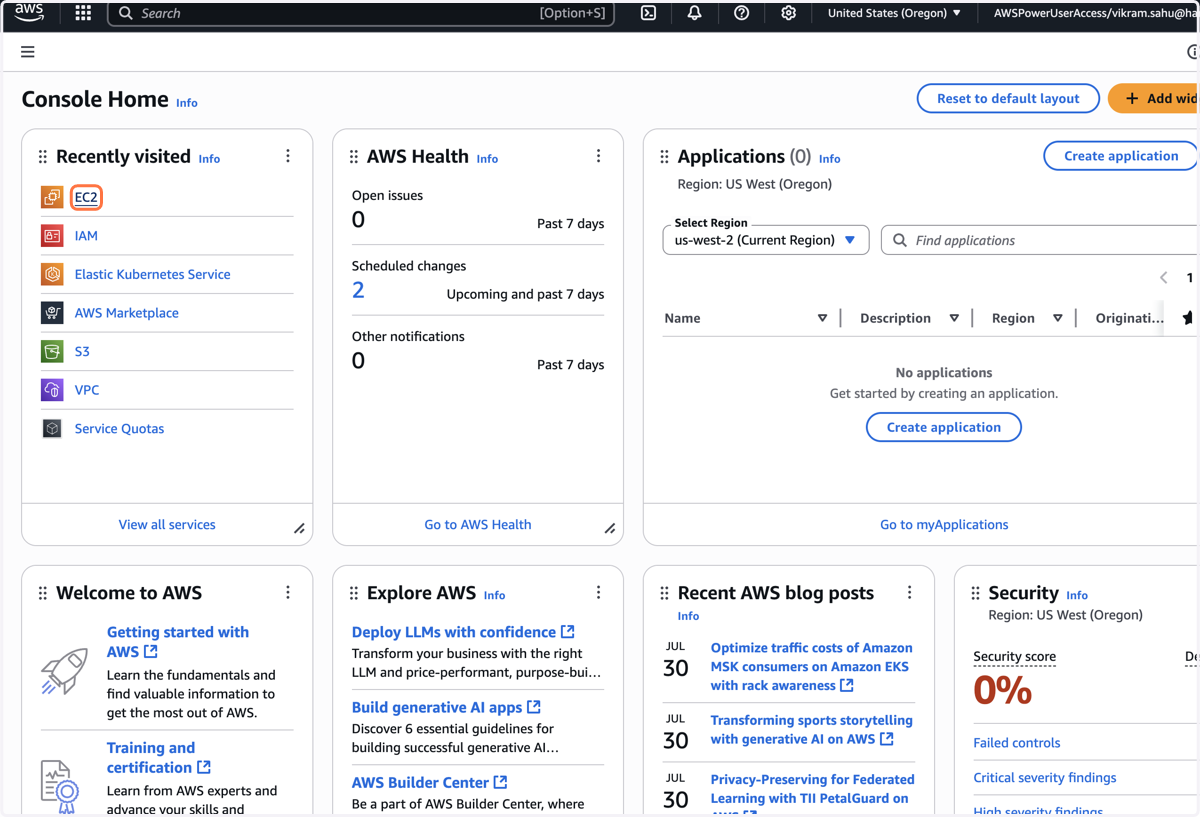
  1. 1. Click on EC2

    Click on EC2
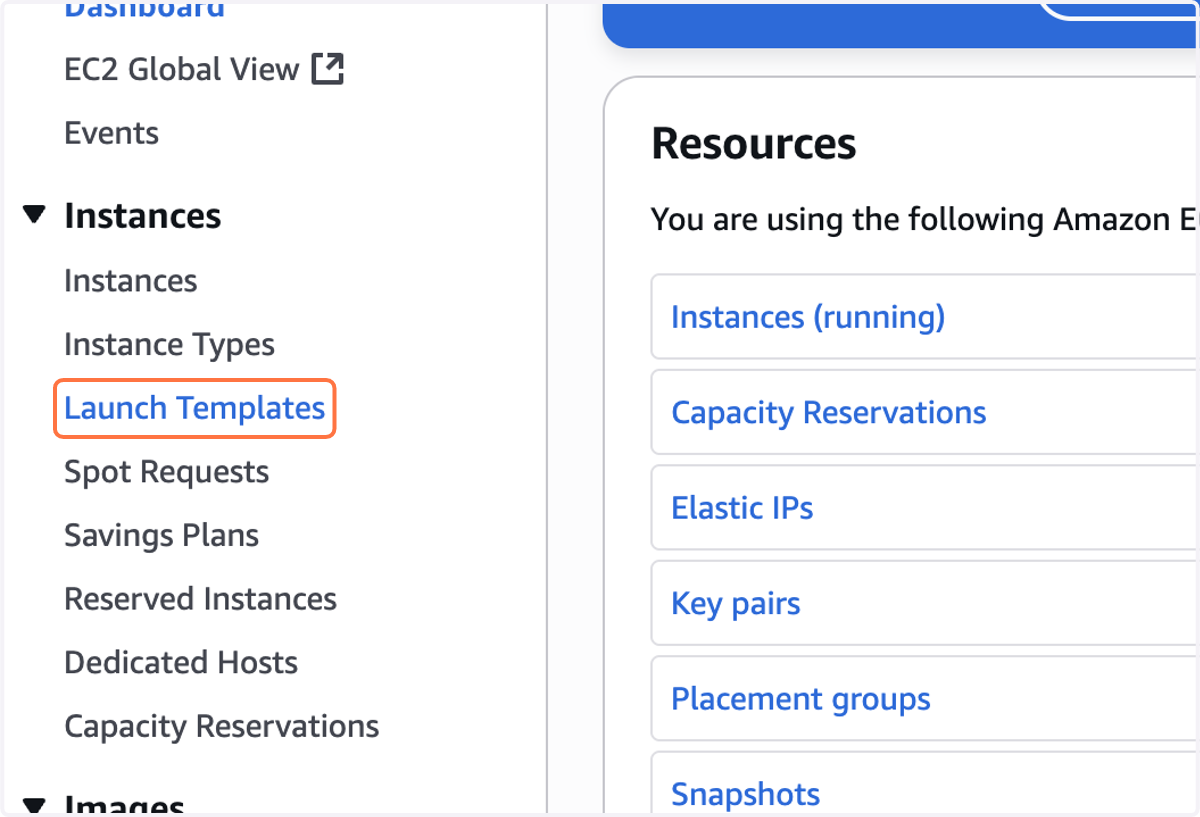
  2. 2. Click on Launch Templates

    Click on Launch Templates
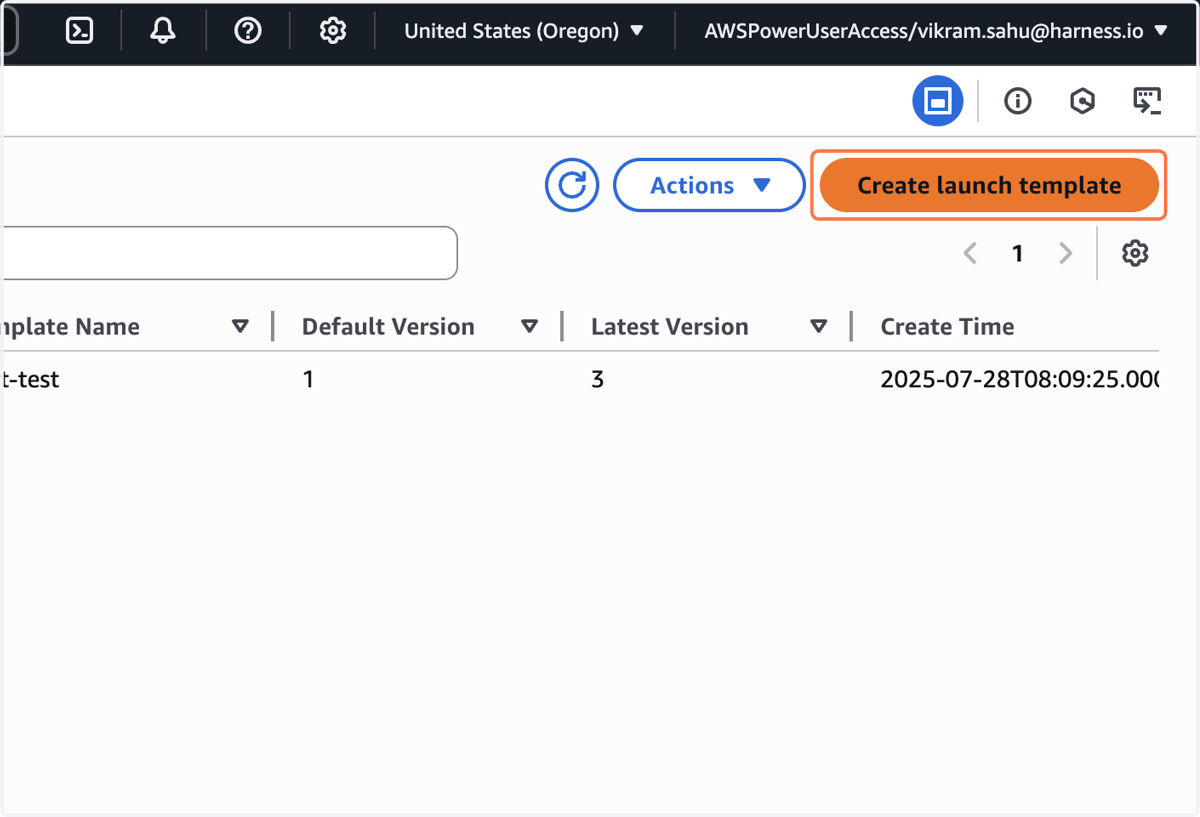
  3. 3. Click on Create launch template

    Click on Create launch template
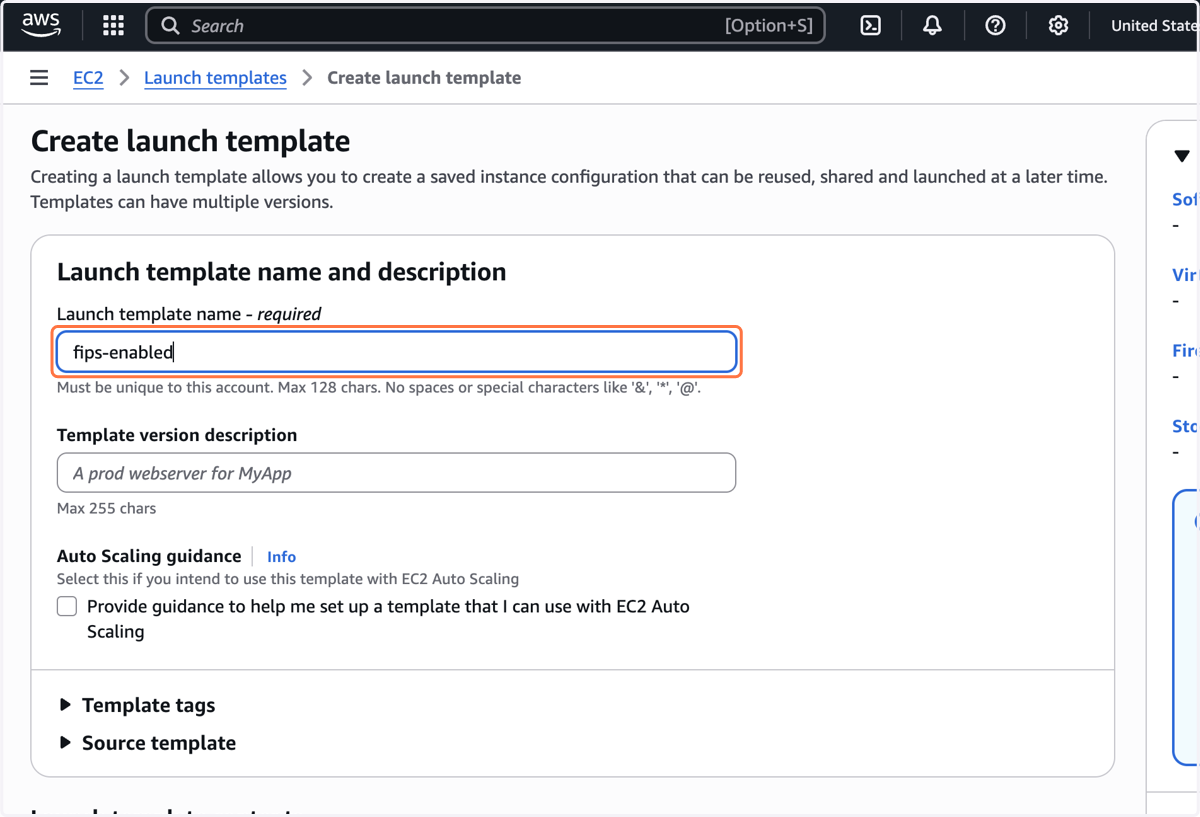
  4. 4. Type "fips-enabled"

    Type "fips-enabled"
  5. 5. Click on Template version description
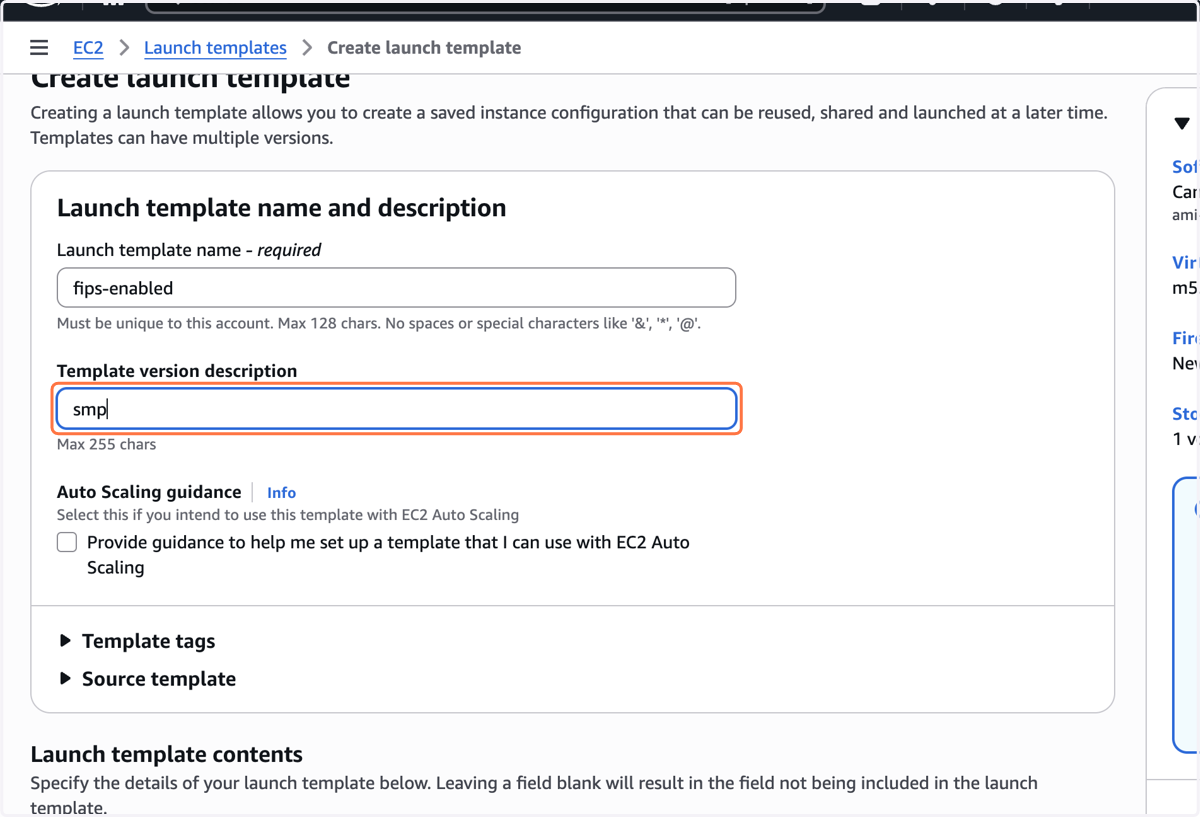
    Click on Template version description
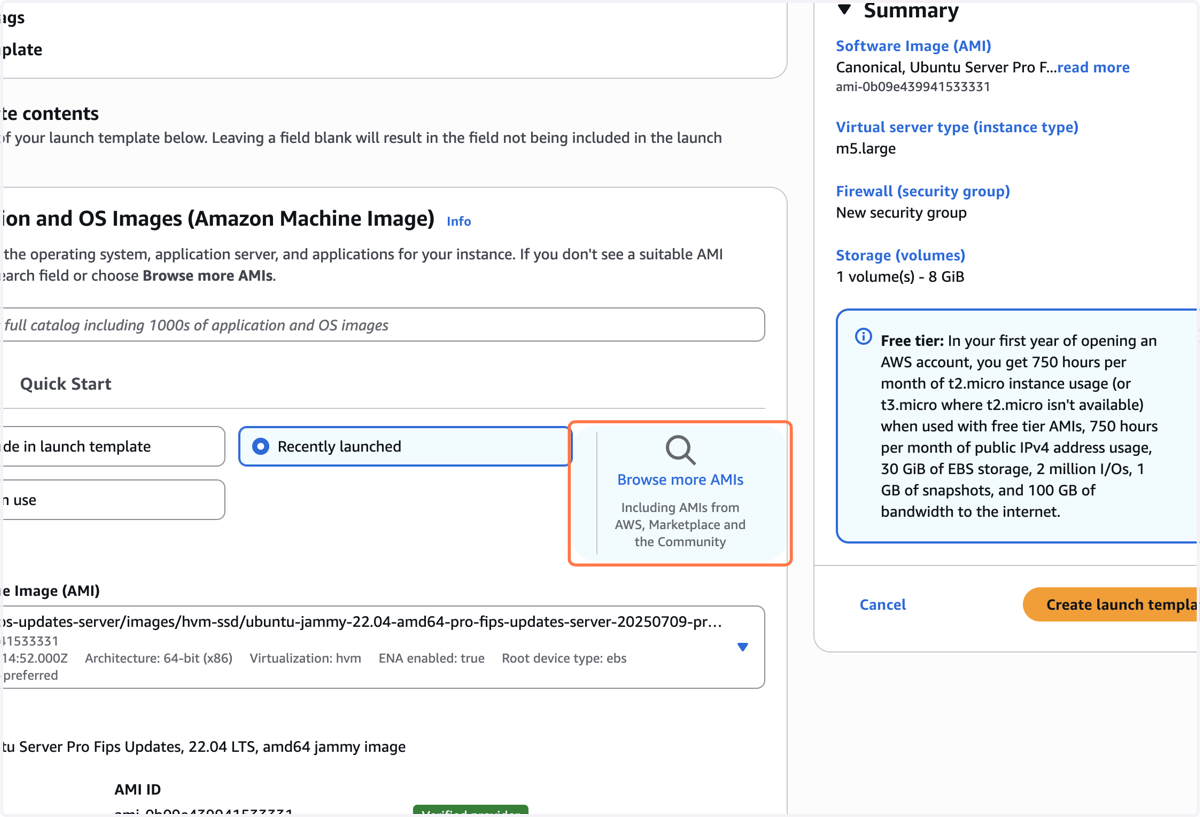
  6. 6. Click on Browse more AMIs…

    Click on Browse more AMIs…
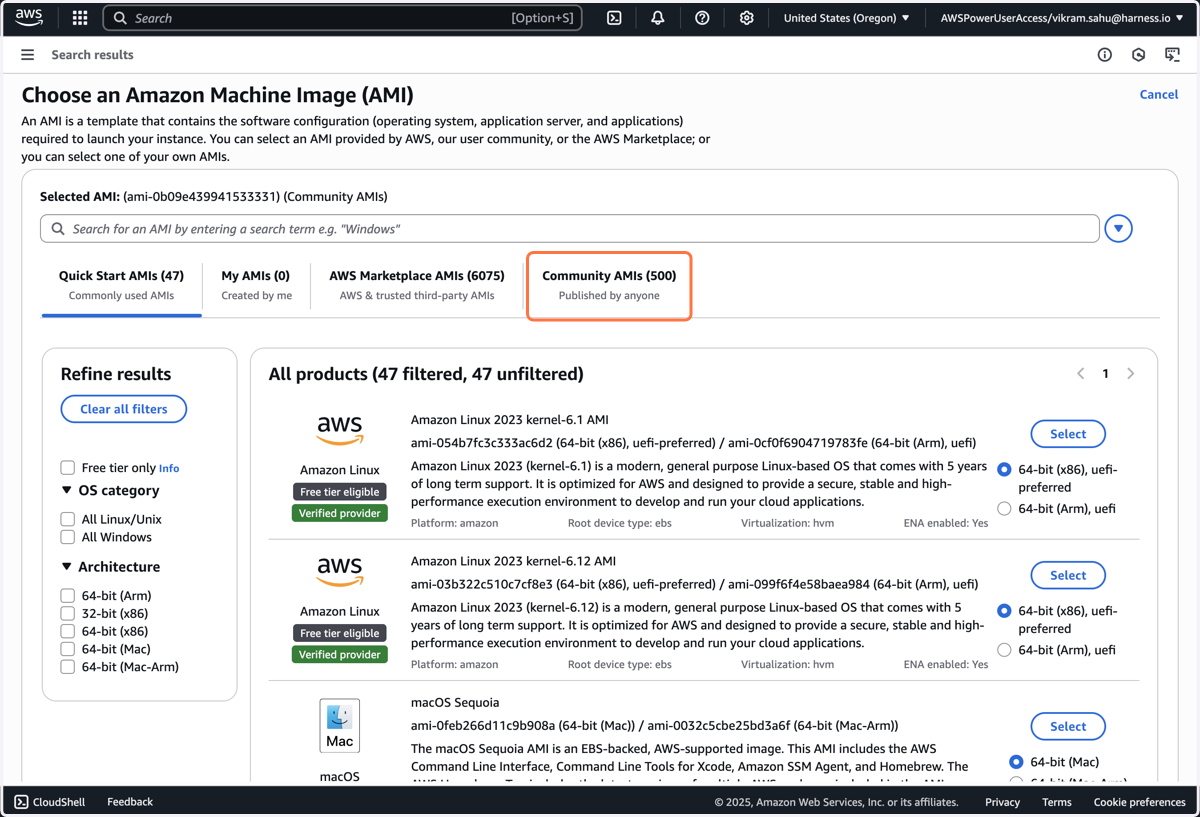
  7. 7. Click on Community AMIs (500)

    Click on Community AMIs (500)
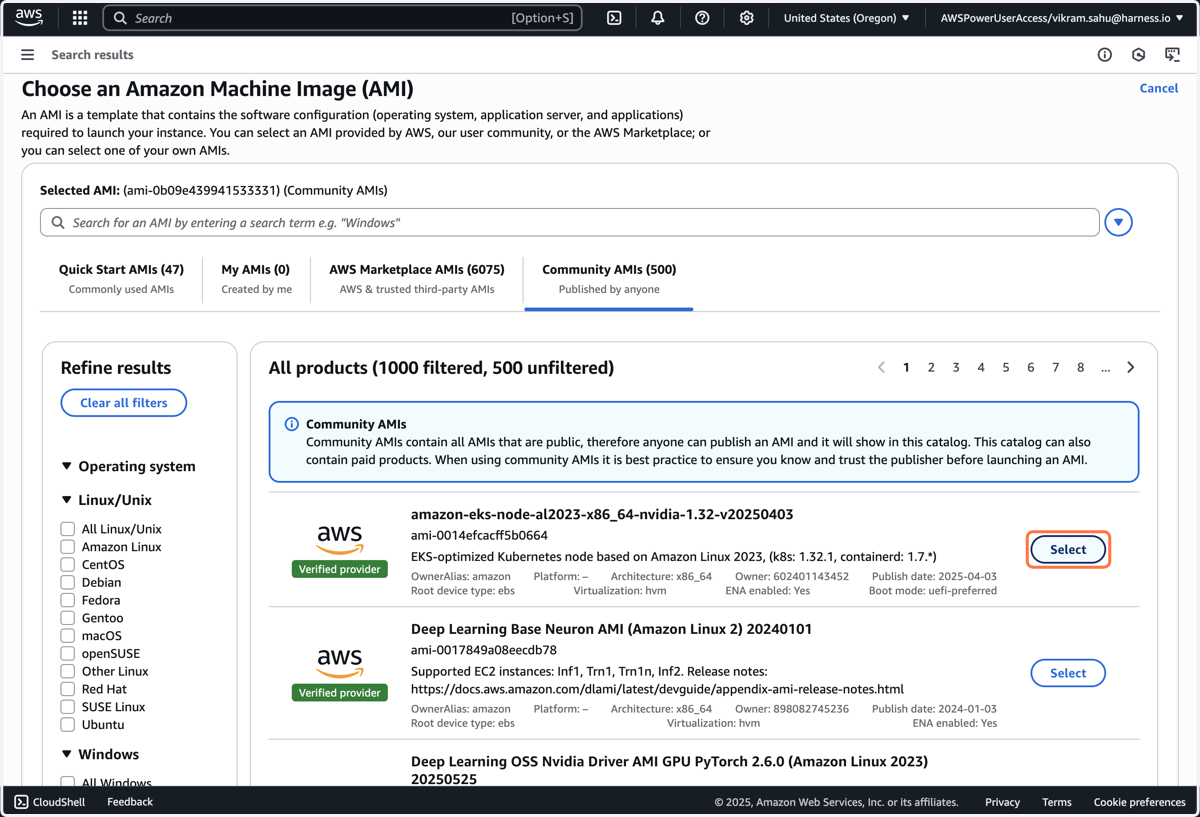
  8. 8. Select the latest

    Select the latest
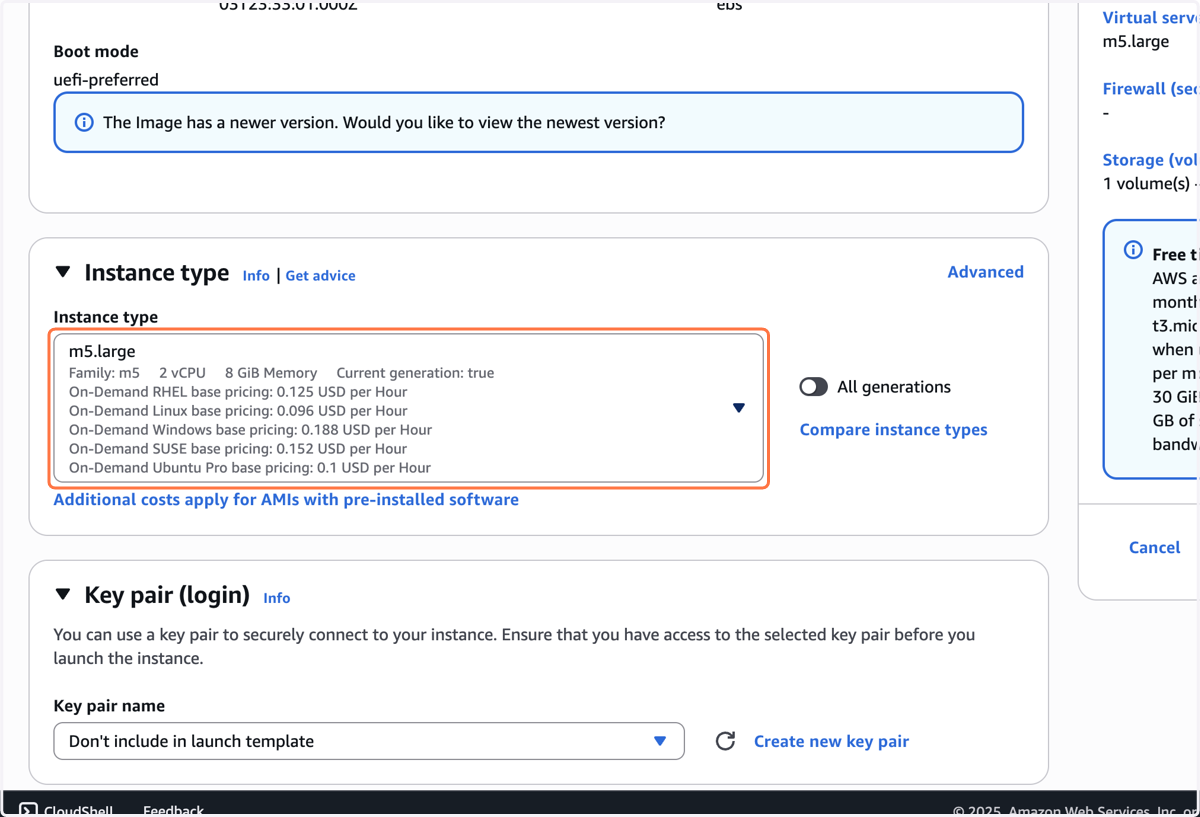
  9. 9. Click on m5.large…

    Click on m5.large…
  10. 10. Click on m5.large - Choose the option that best fits your needs
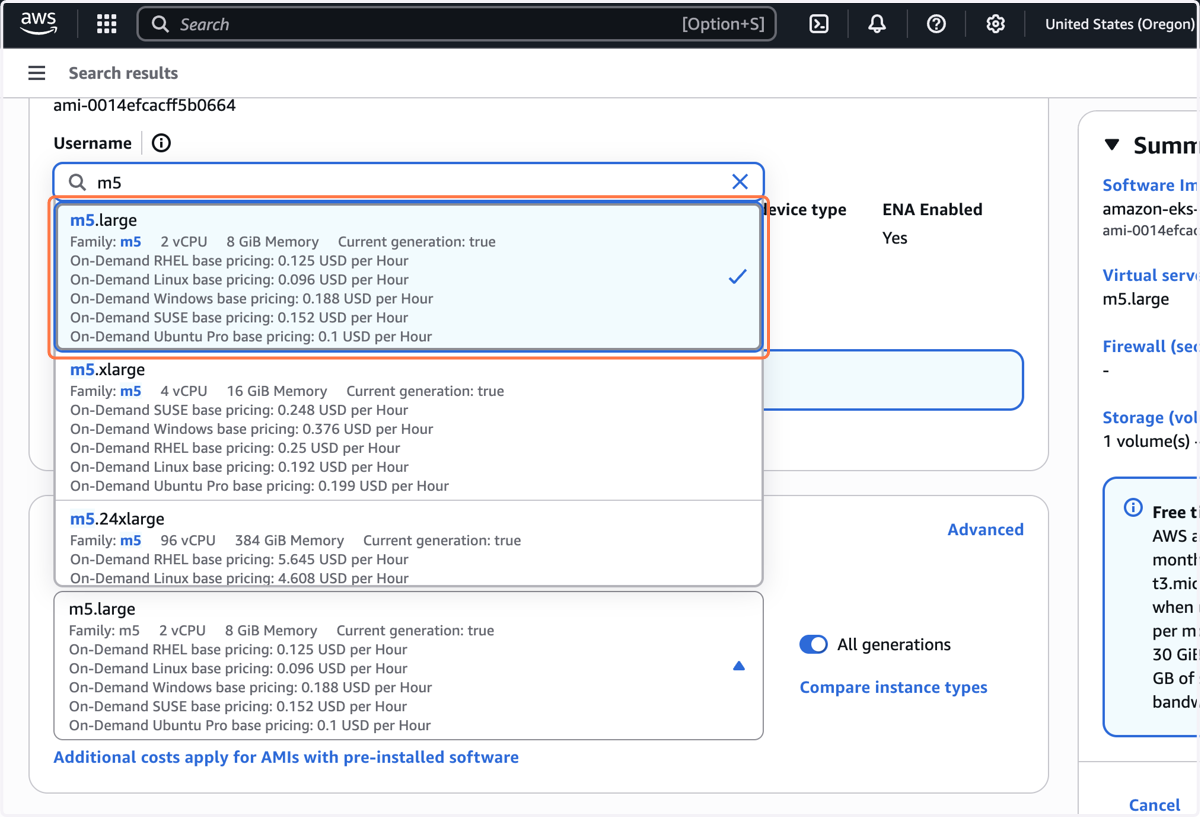
    Click on m5.large - Choose the option that best fits your needs
  11. 11. Click on Don't include in launch template
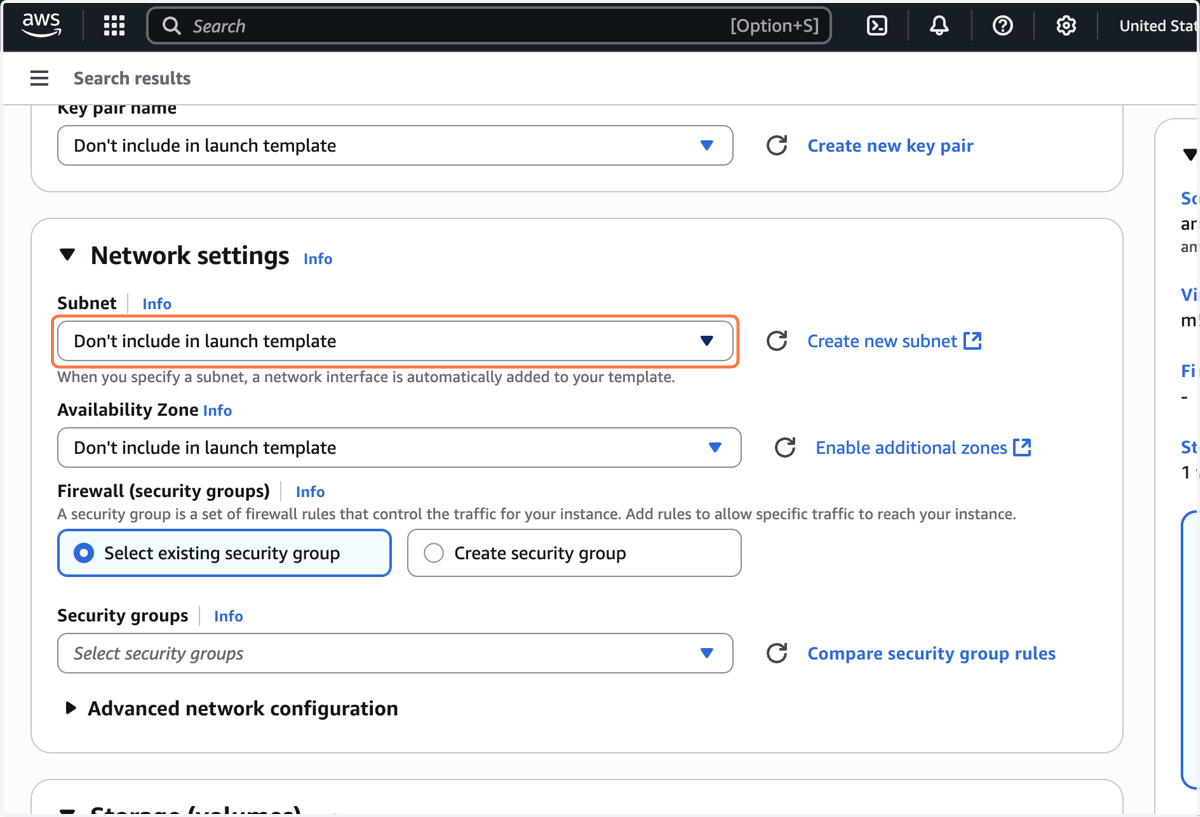
    Click on Don't include in launch template
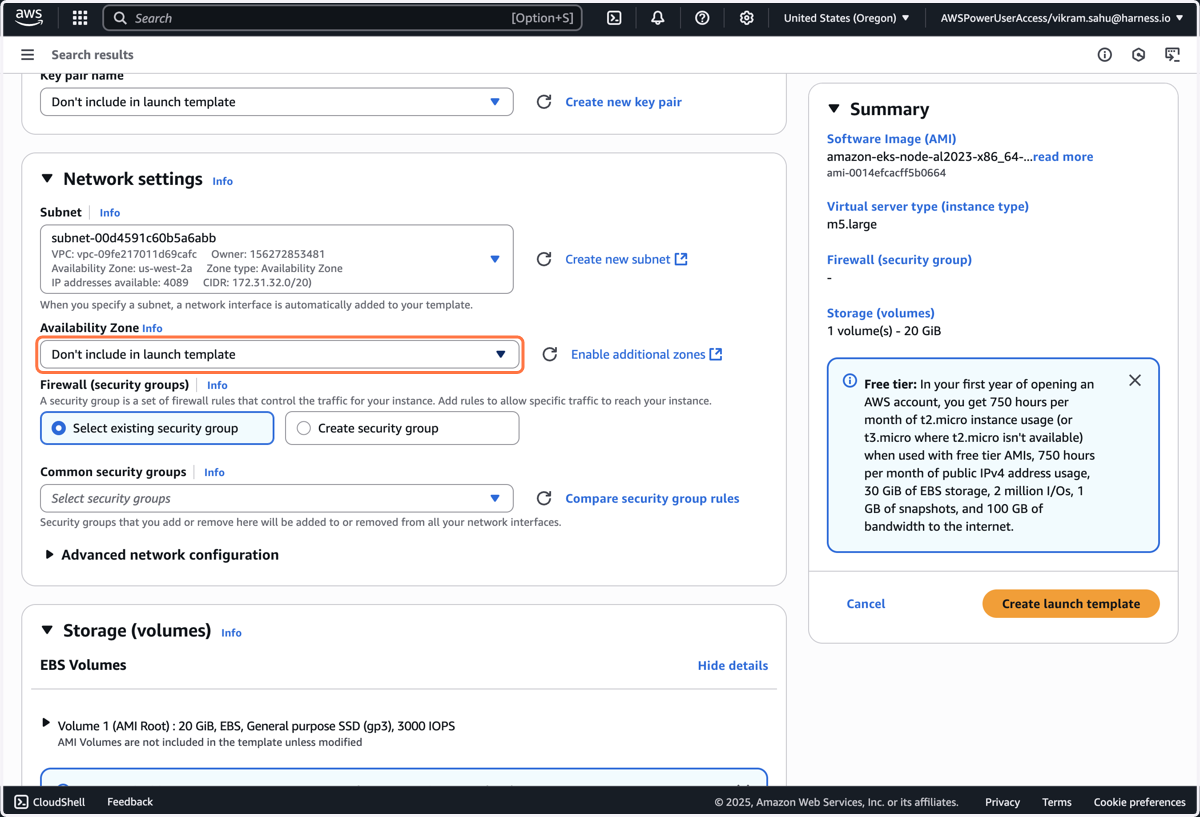
  12. 12. Click on Don't include in launch template

    Click on Don't include in launch template
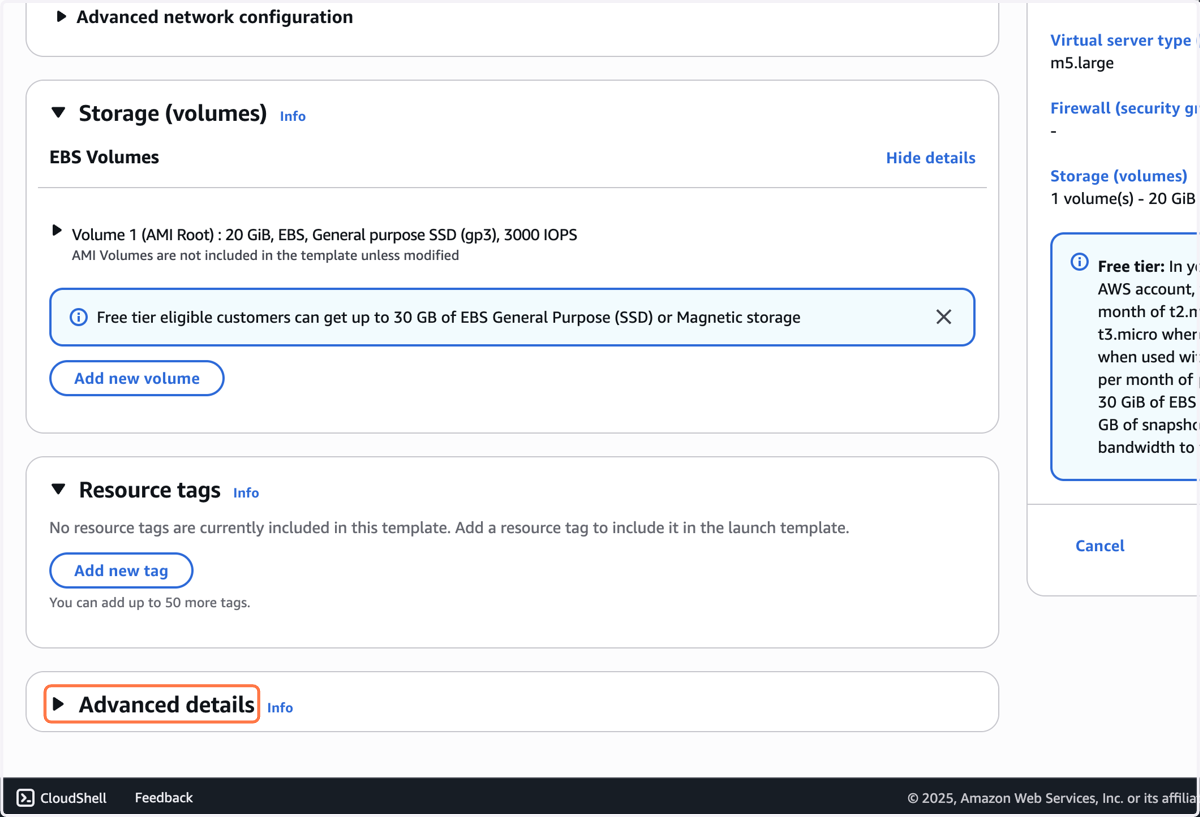
  13. 13. Click on Advanced details

    Click on Advanced details
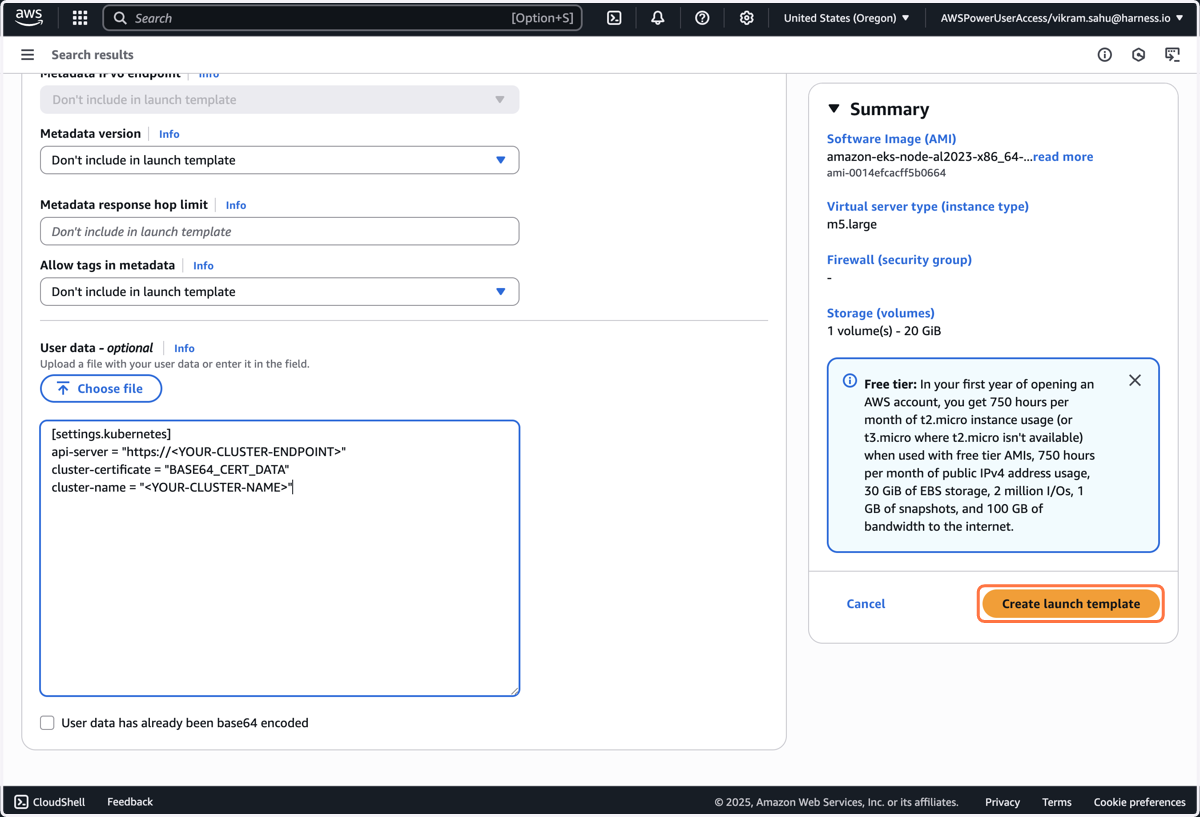
  14. 14. Paste selected text into text area
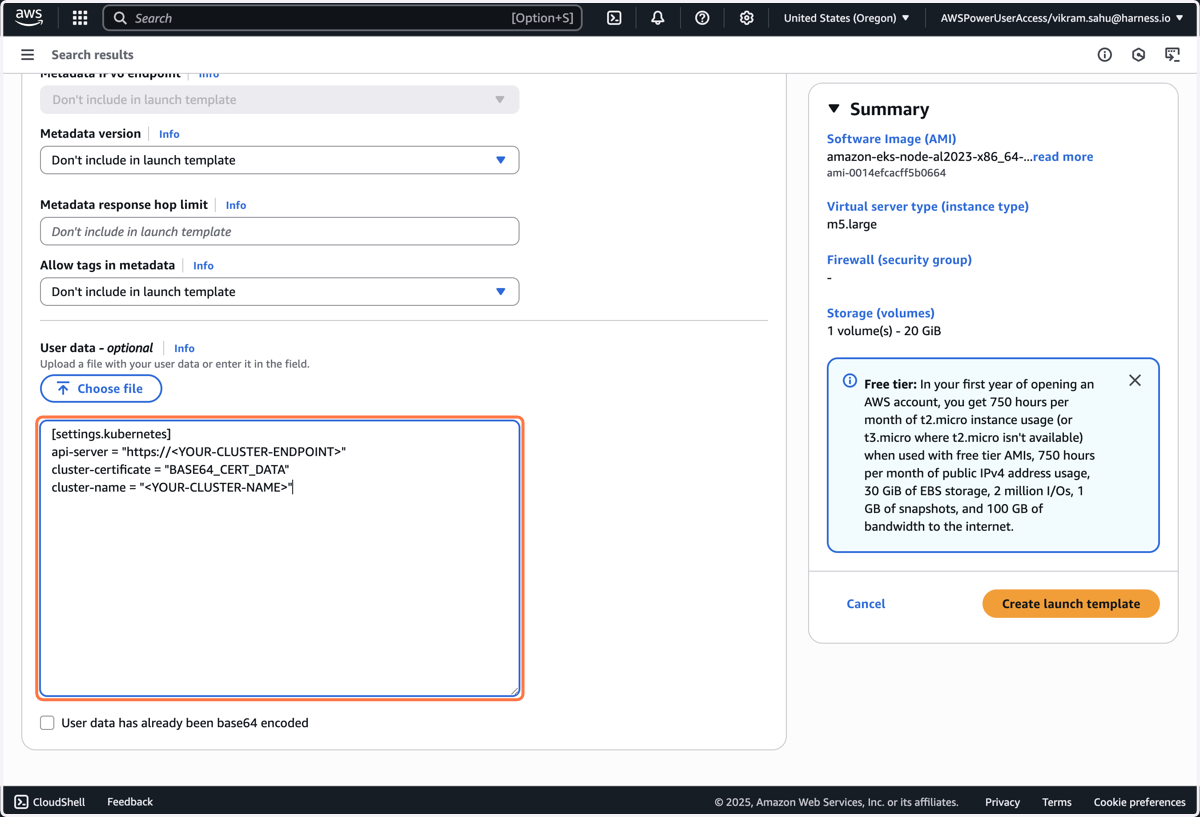
    Paste selected text into text area
  15. 15. Click on Create launch template

    Click on Create launch template