How to Grant Repli Access in Reputation.com
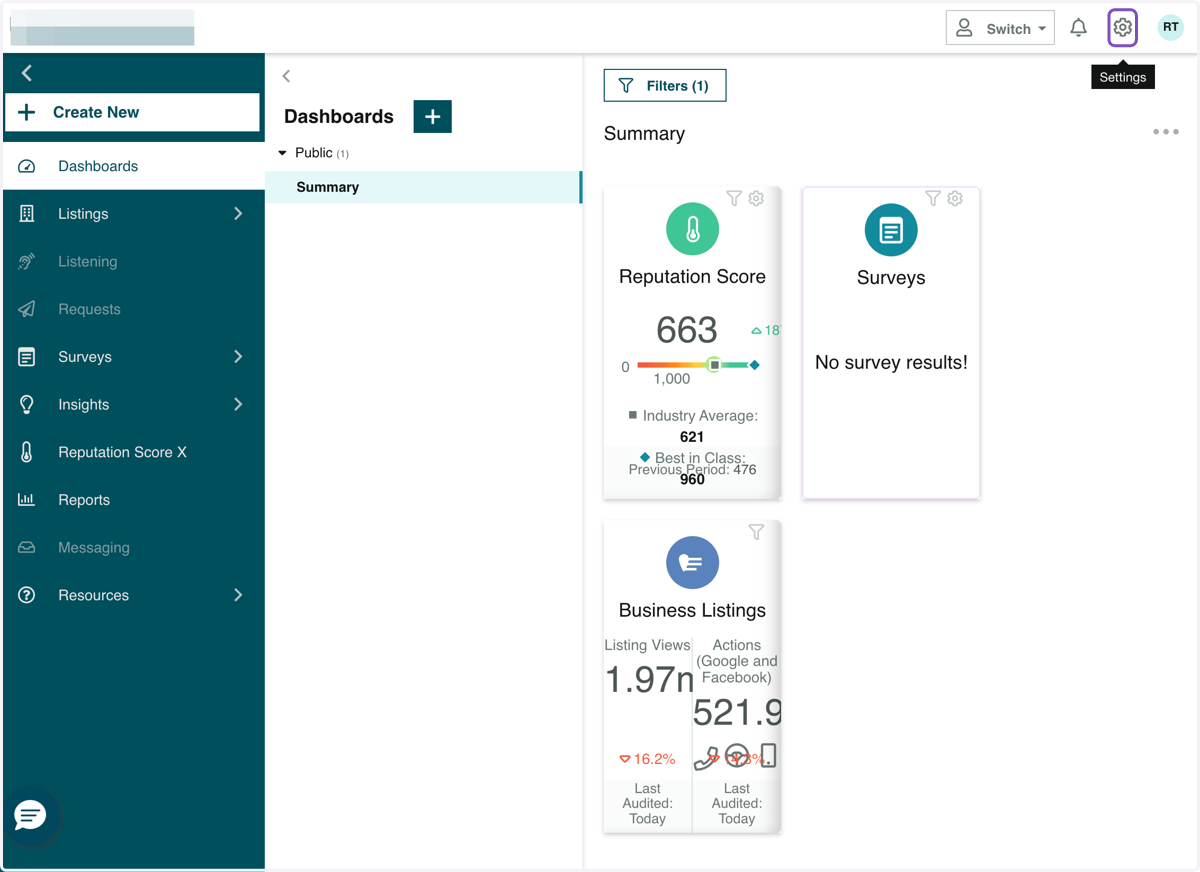
1. Click on Settings
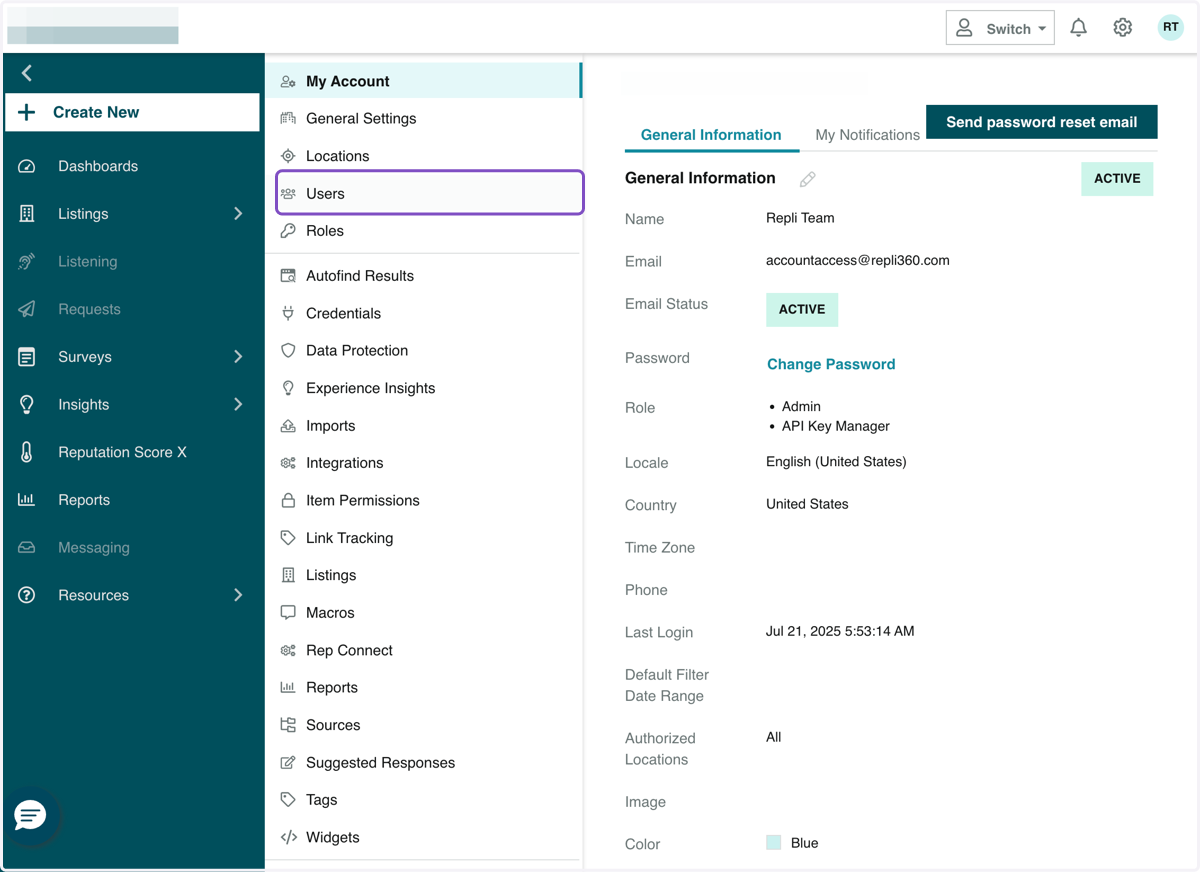
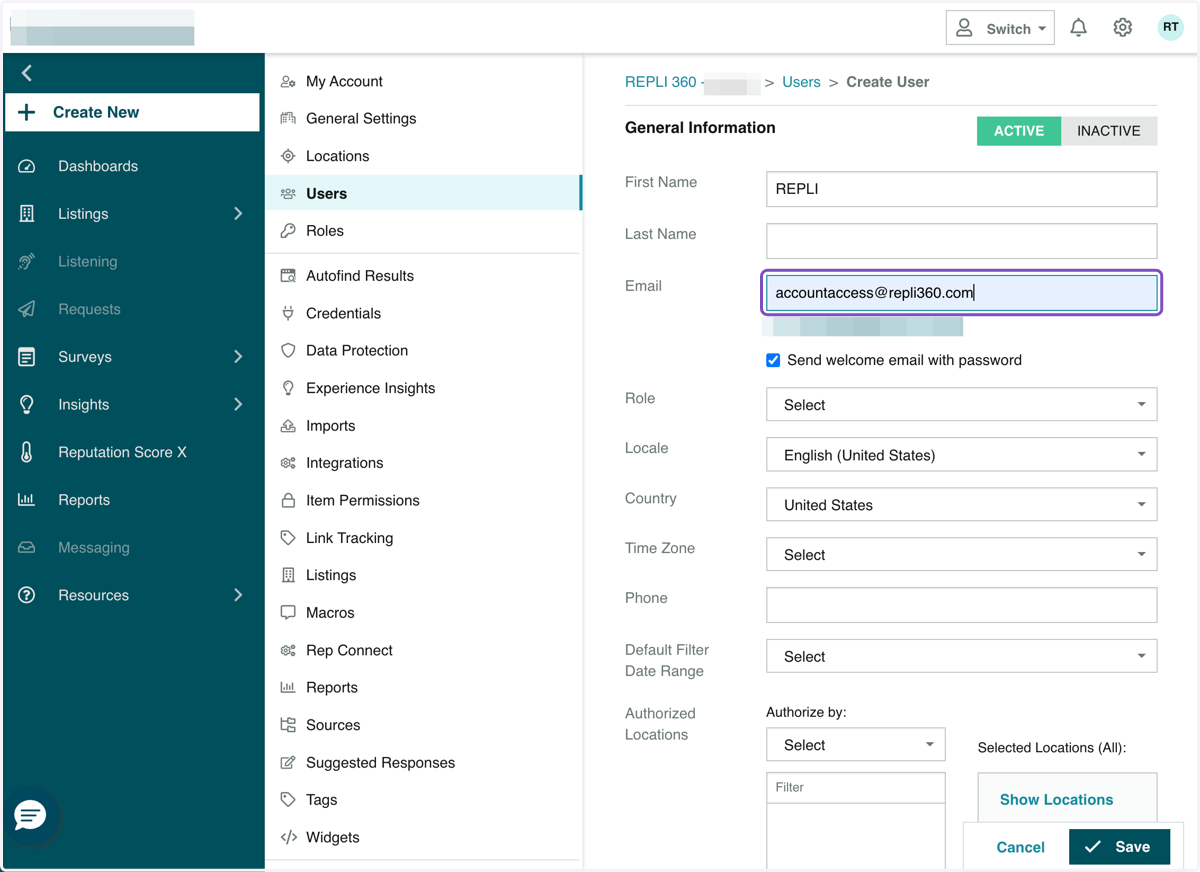
2. Click on Users
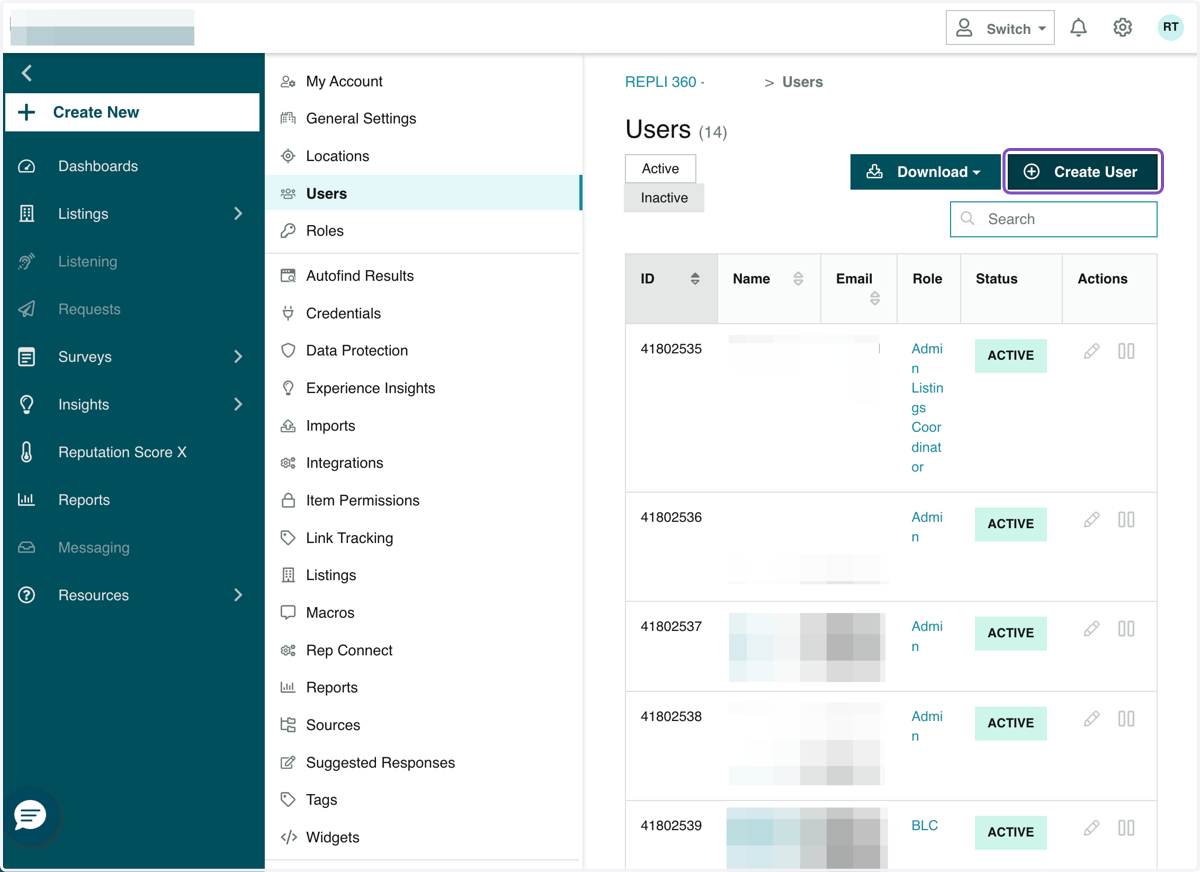
3. Click on Create User
4. Type "REPLI"
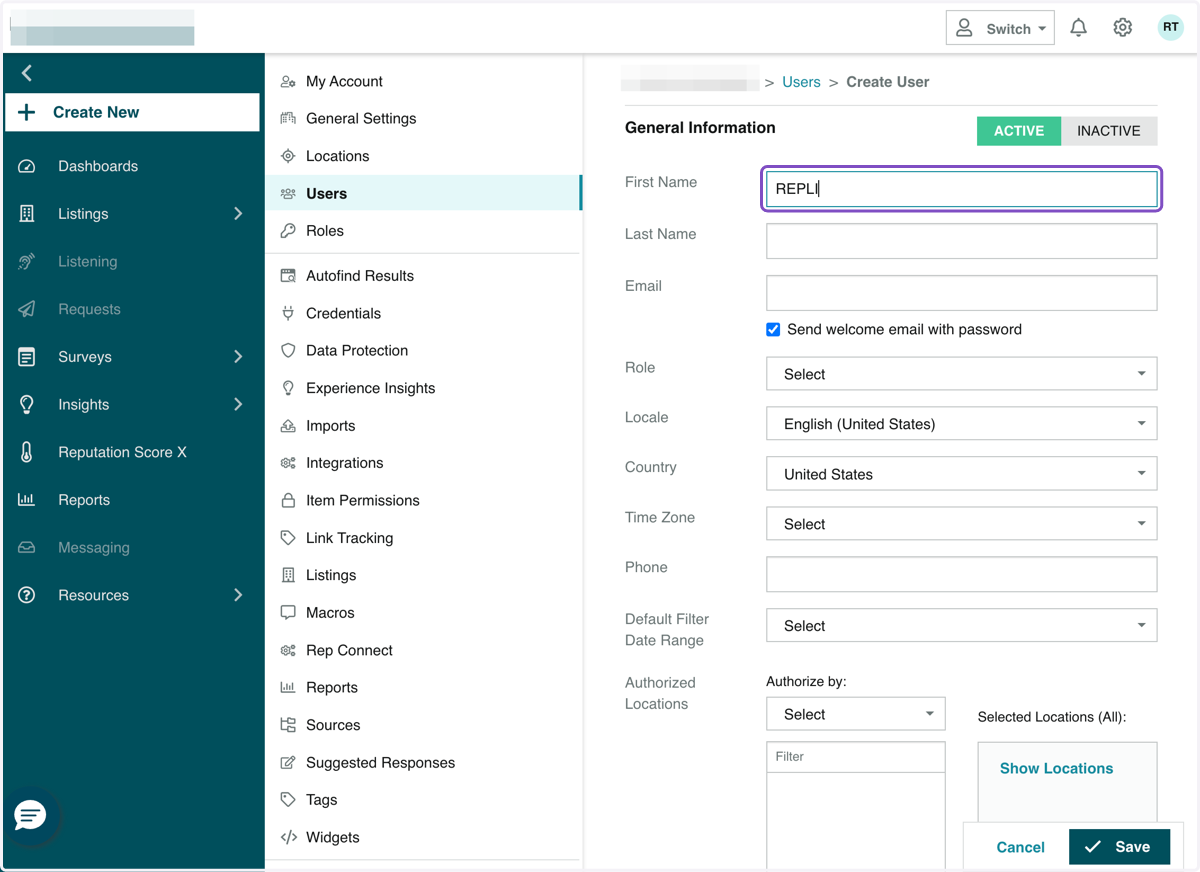
5. Under Email, type "accountaccess@repli360.com"
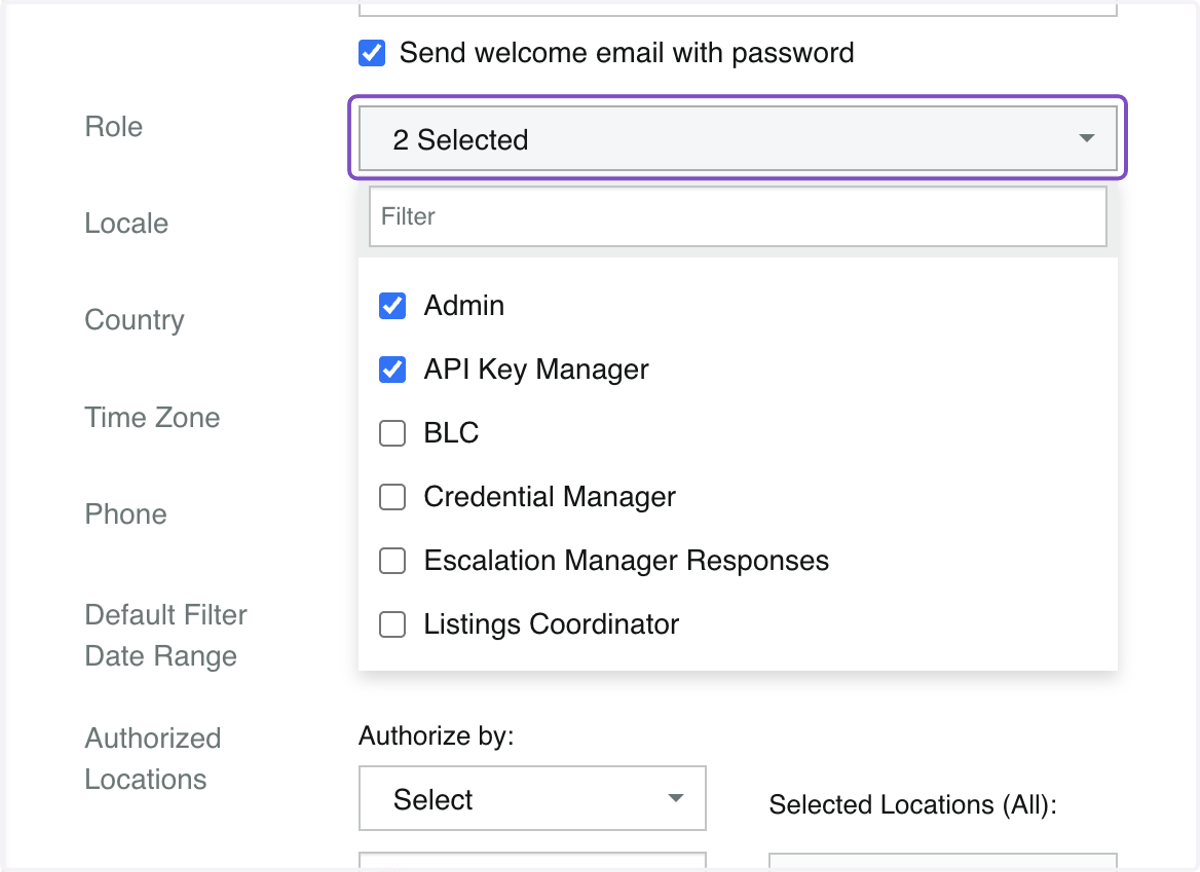
6. Under Role, click on Admin and API Key Manager
In order to sync information in our MultiHub database, we will need API Key Manager status in addition to Admin status.
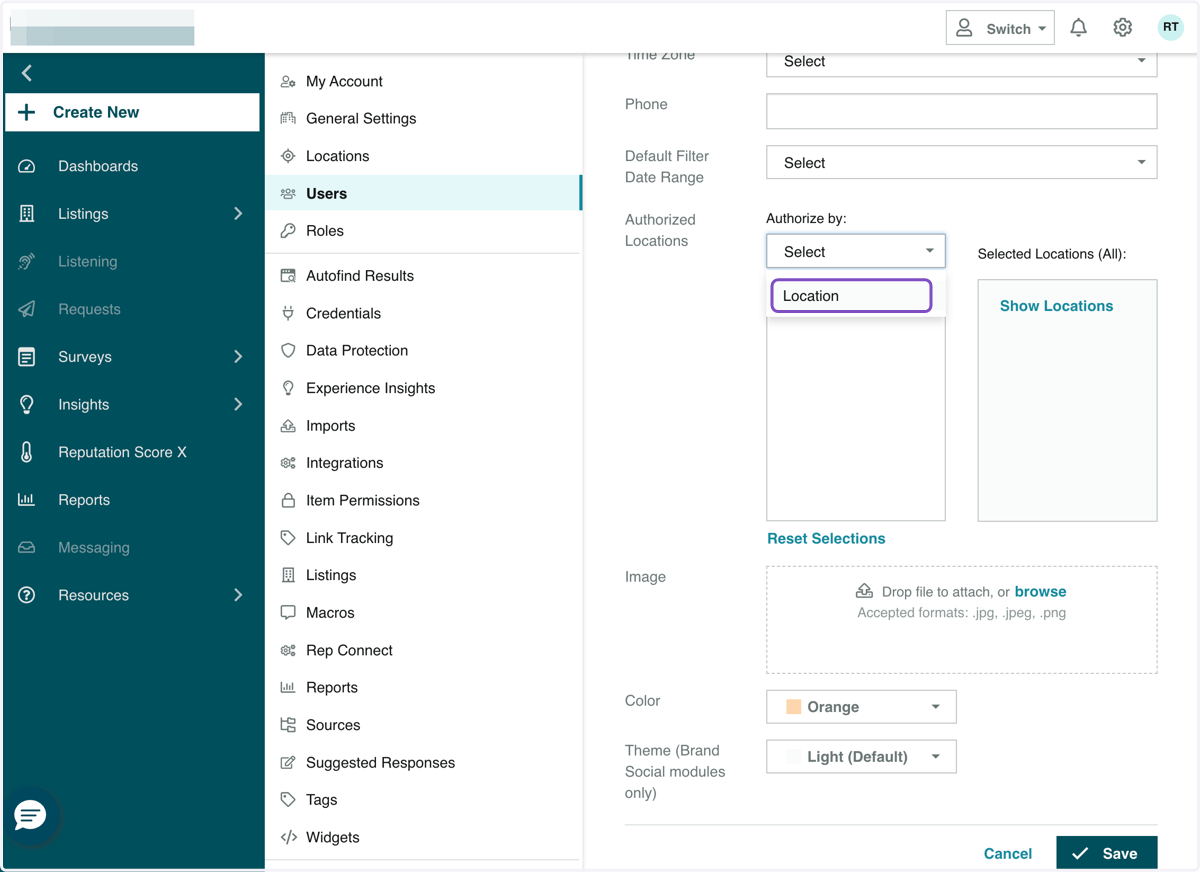
7. If you would like to grant access to a specific location, under Authorized Locations, click on Location
8. Check off the property you would like to grant access to:
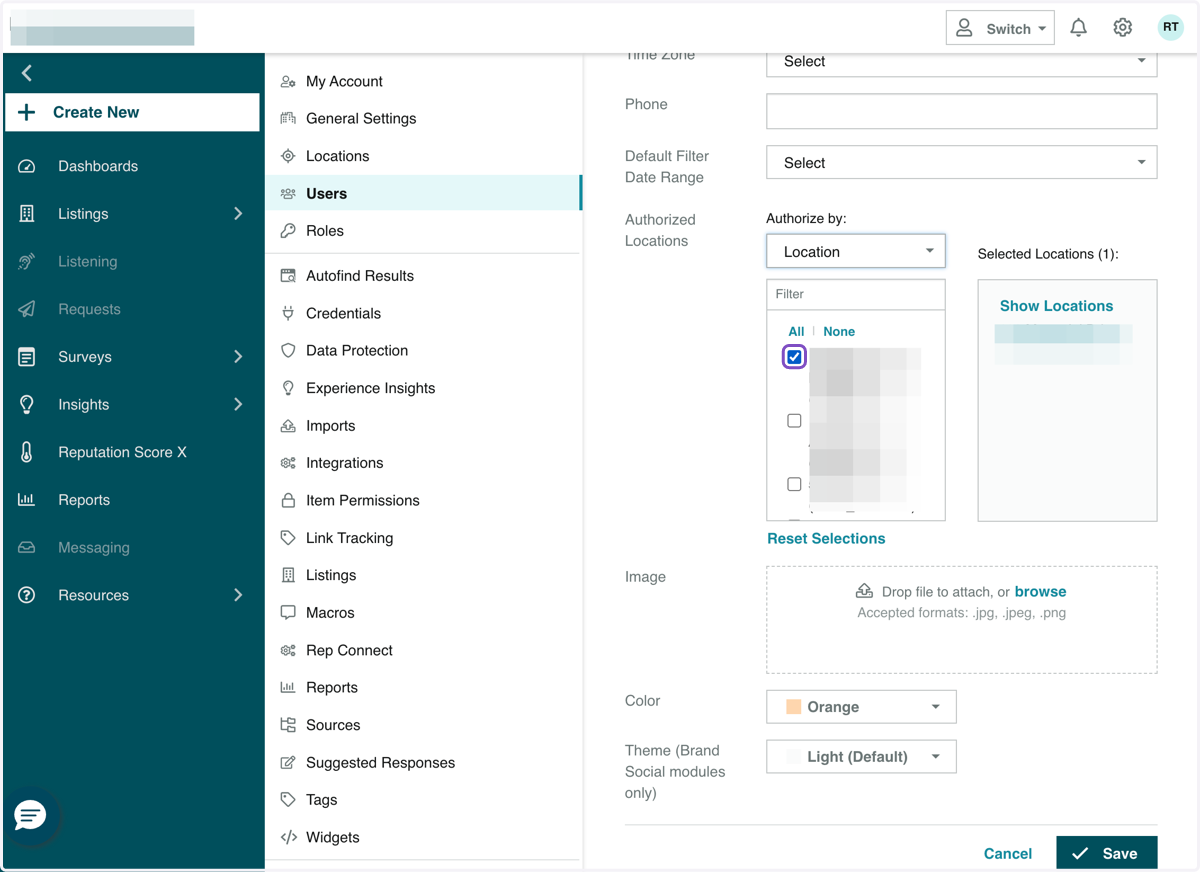
9. Click Save. Our Repli team is now granted access!