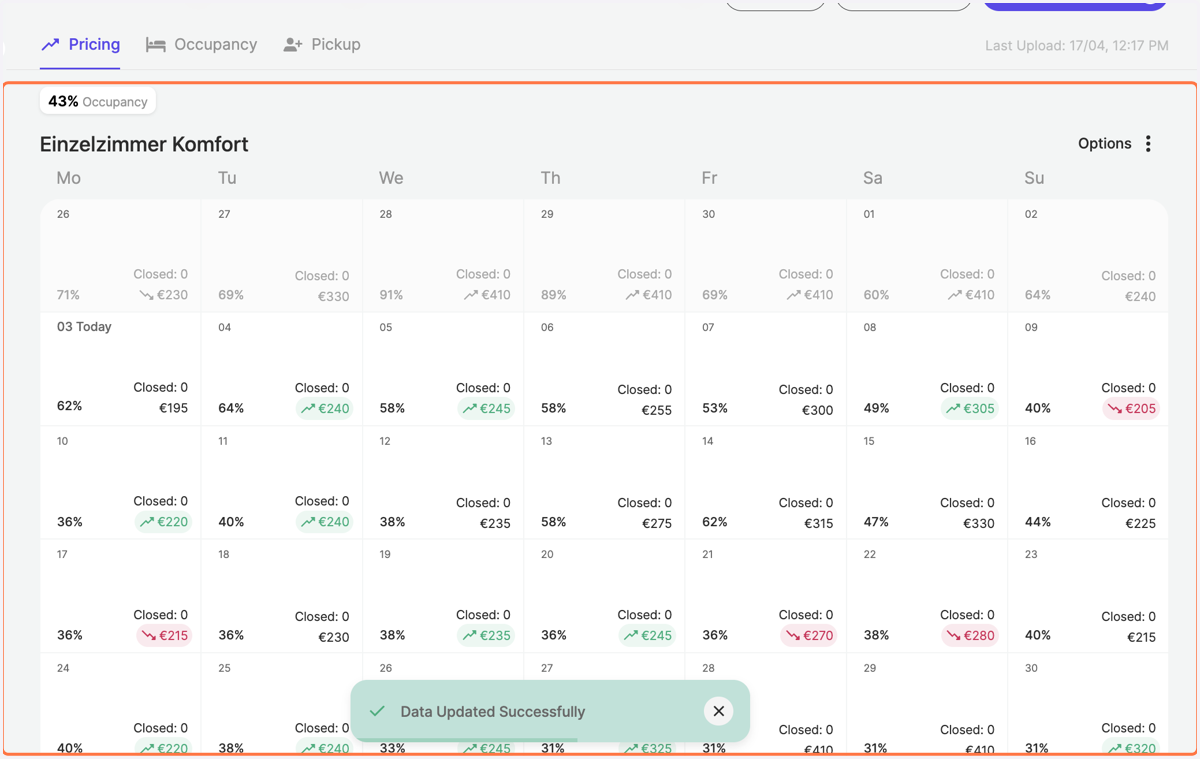
Delete closed rooms adjustments on RoomPriceGenie
1. Navigate to the options setting on the top right
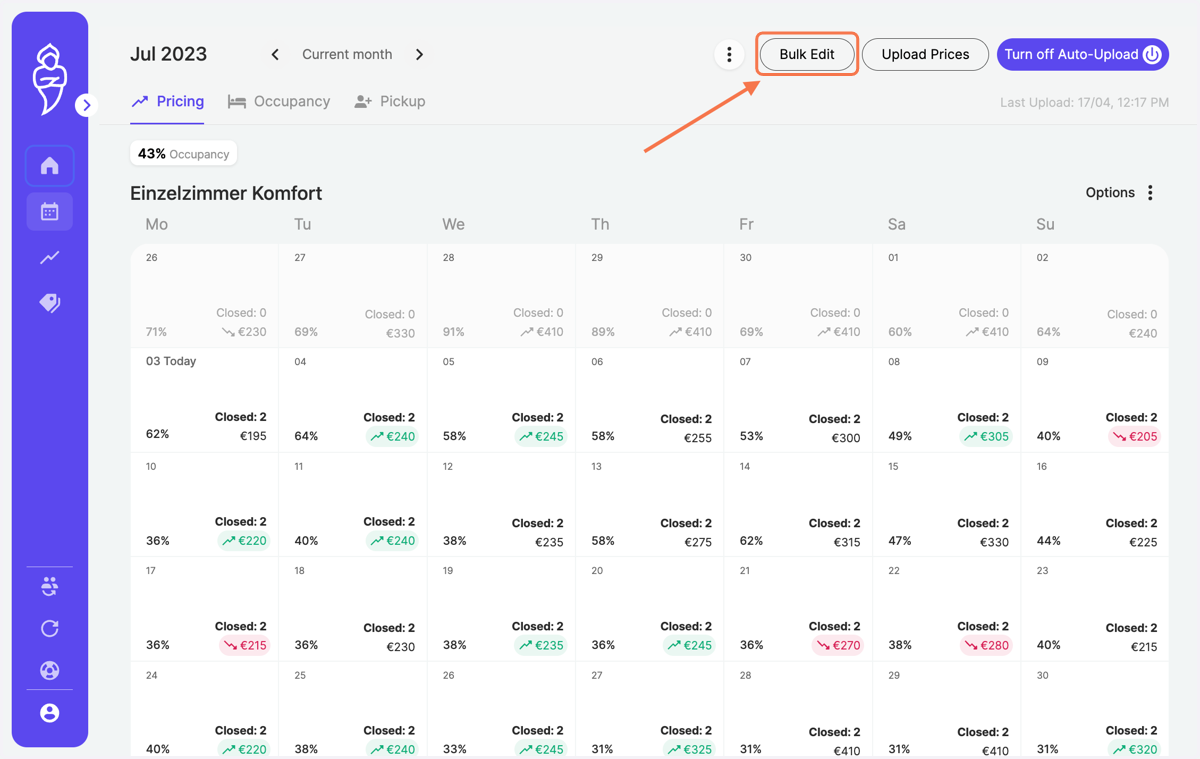
2. Click on "Bulk Remove" and select the time period with a Start and End Date
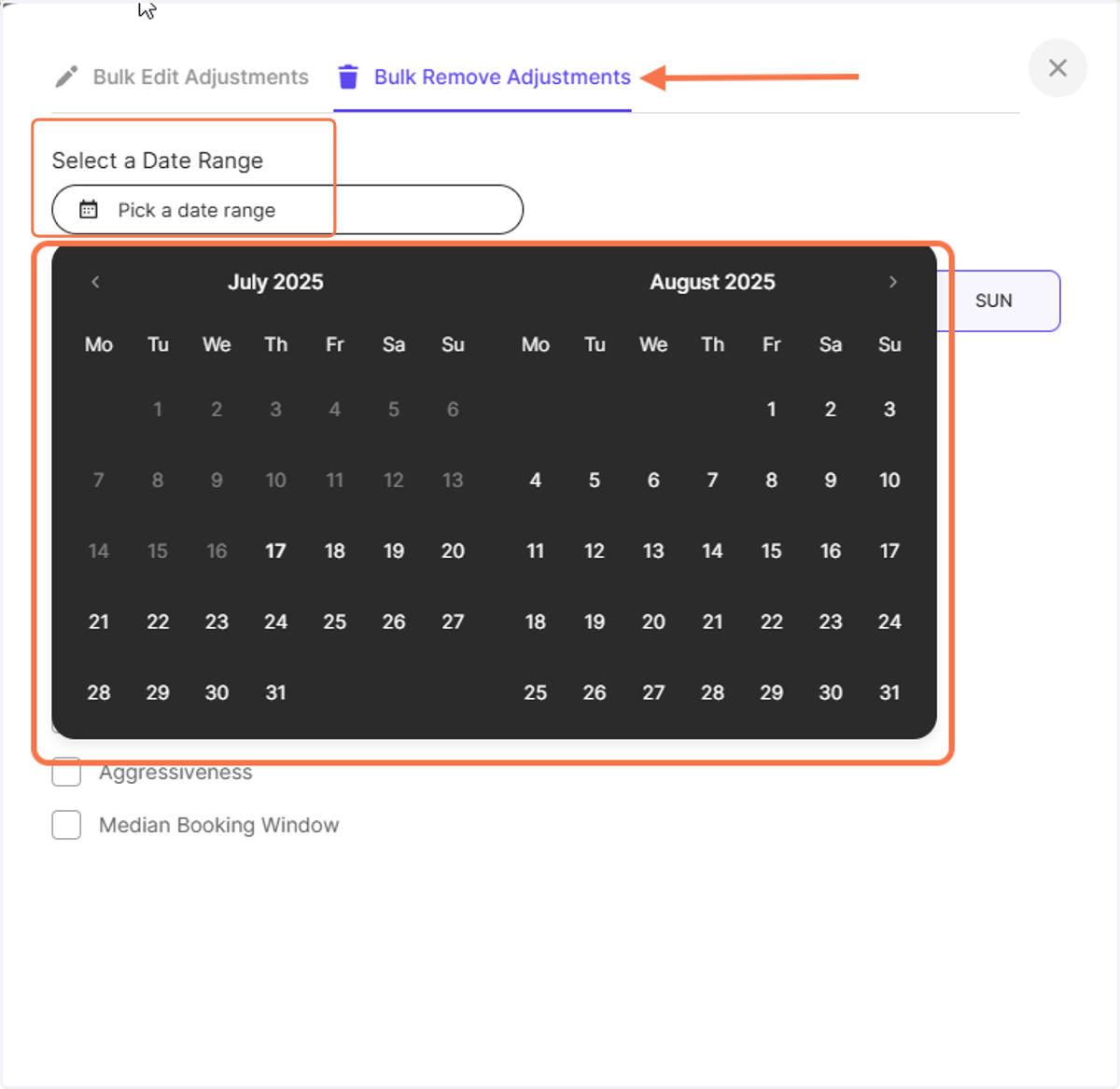
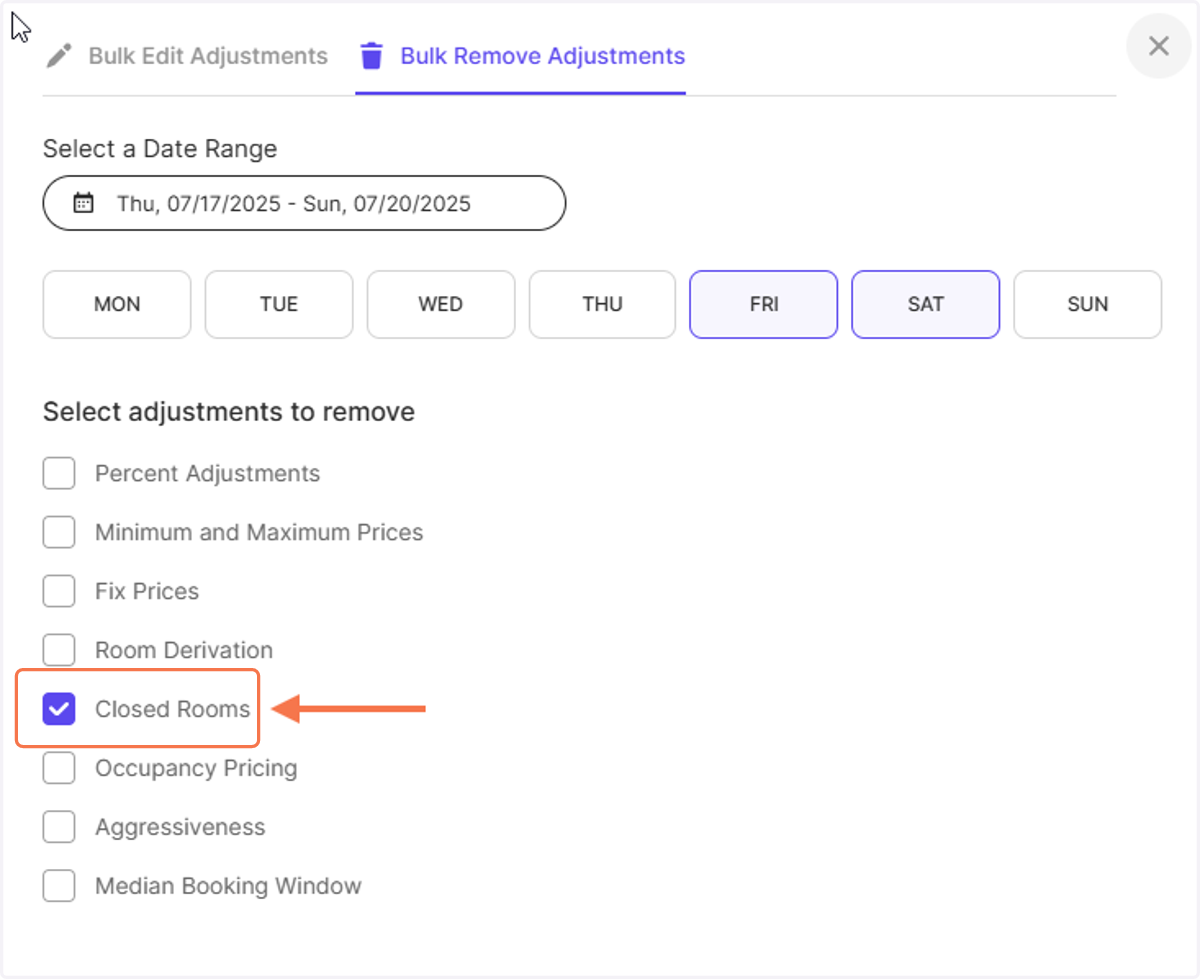
3. For a long interval, you can also choose to remove it only for certain days of the week. If its the case, select only the days of the week the closed room must be removed
Imagine you are releasing the blocks only for the weekends during the low season.
Then use this choice to select FRI and SAT, so the closed rooms will be removed on the weekends only.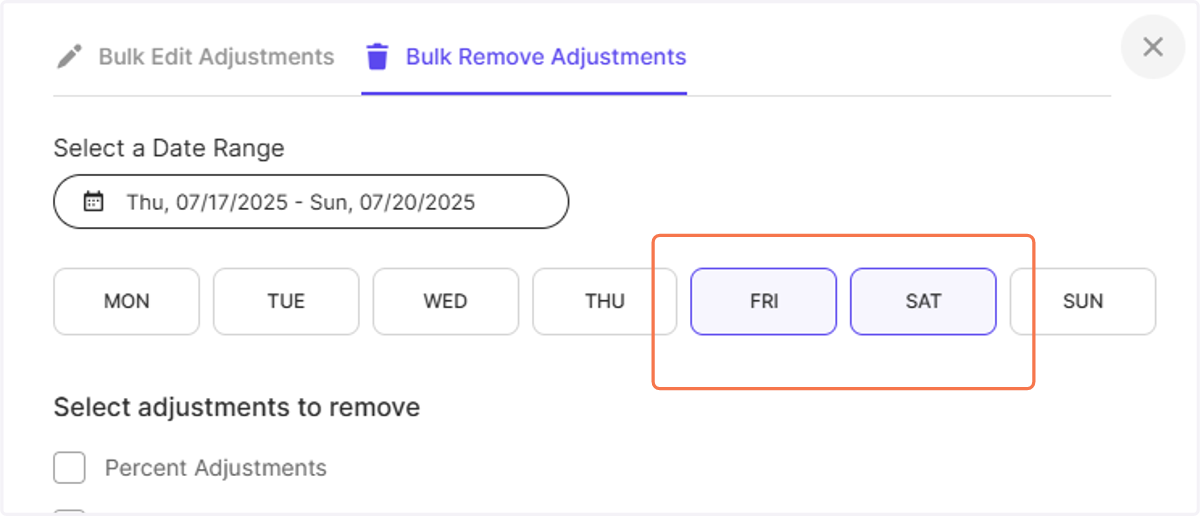
4. Tick the box on "Closed Rooms"
5. Click on "Remove" on the bottom right
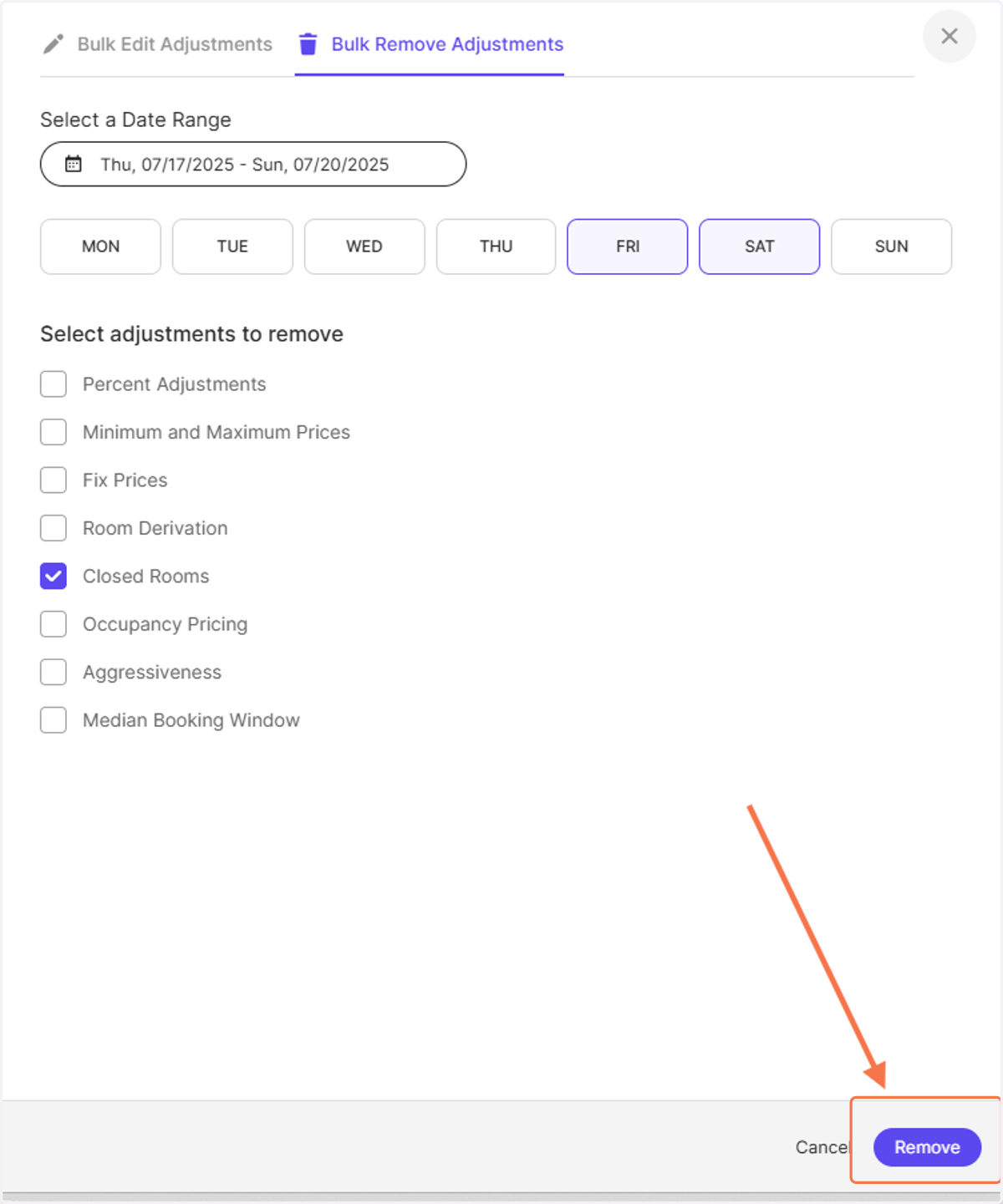
6. Notice how all previously identified closed rooms are now taken into account for pricing again?