Invite Residents to use Intercom
Whoo
1. Go to console.whoo.ai
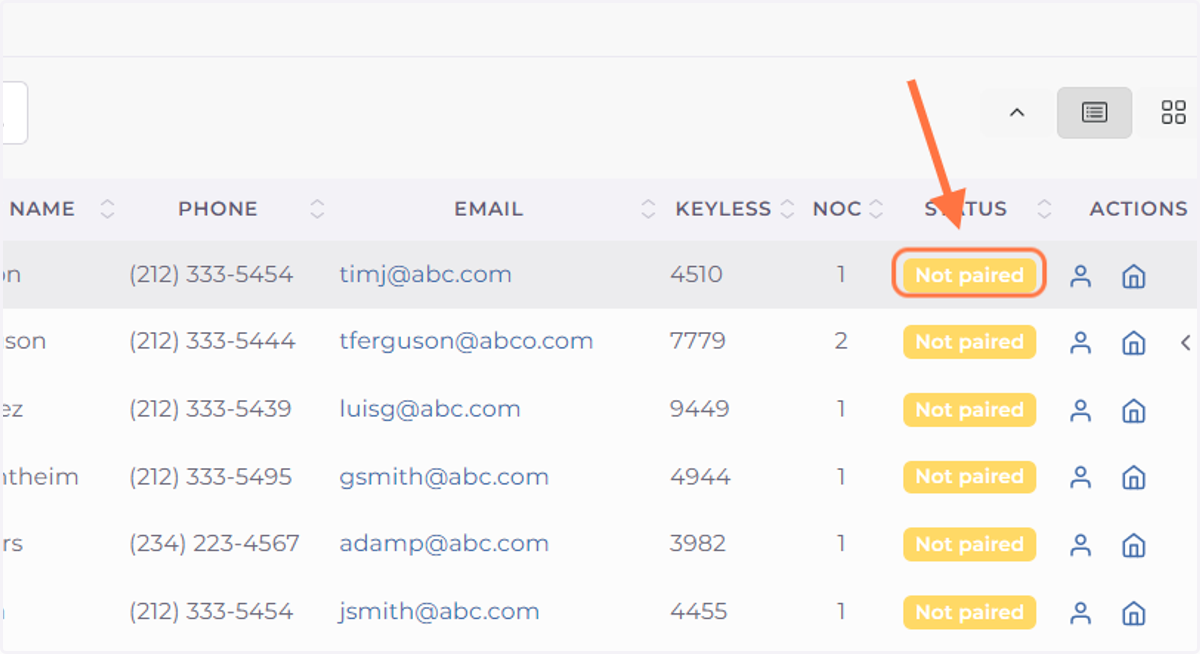
2. Find a resident and if their STATUS reads "Not paired" you can click on the label.
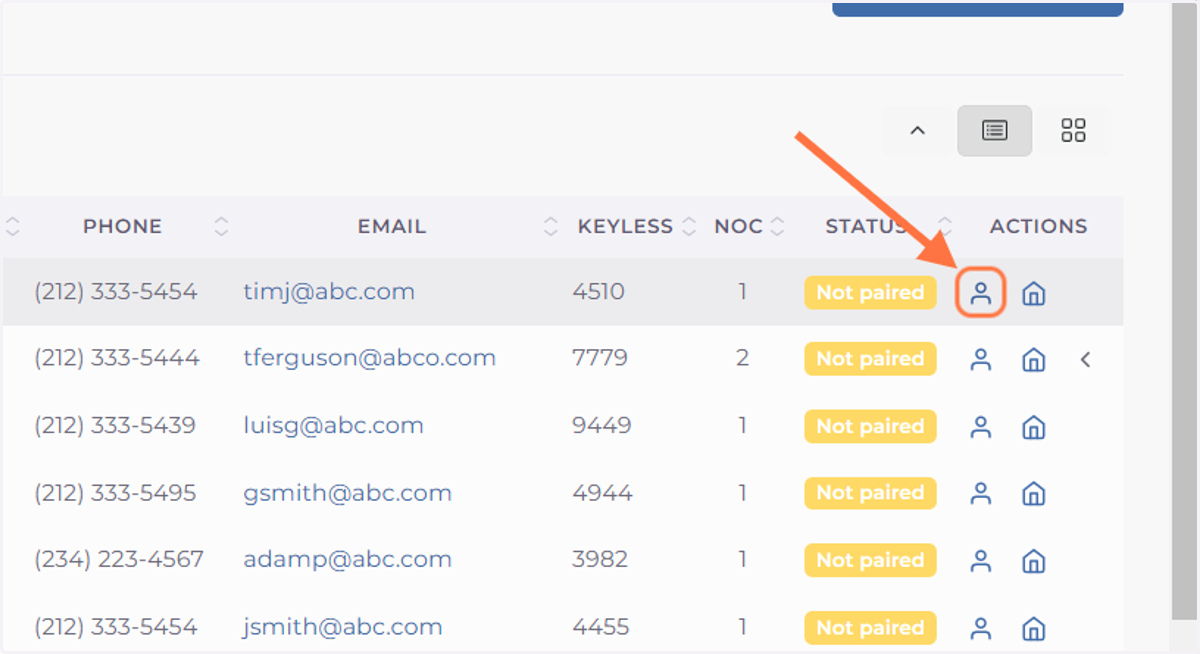
3. Alternatively you can click on the Resident Icon
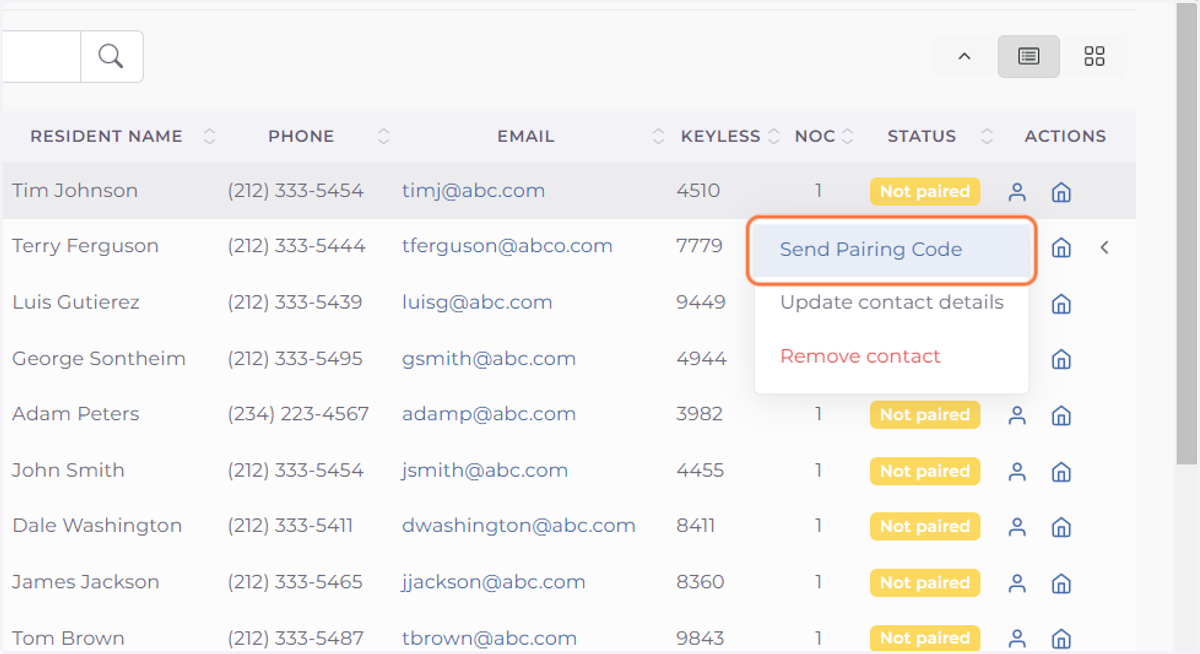
4. Click on Send Pairing Code
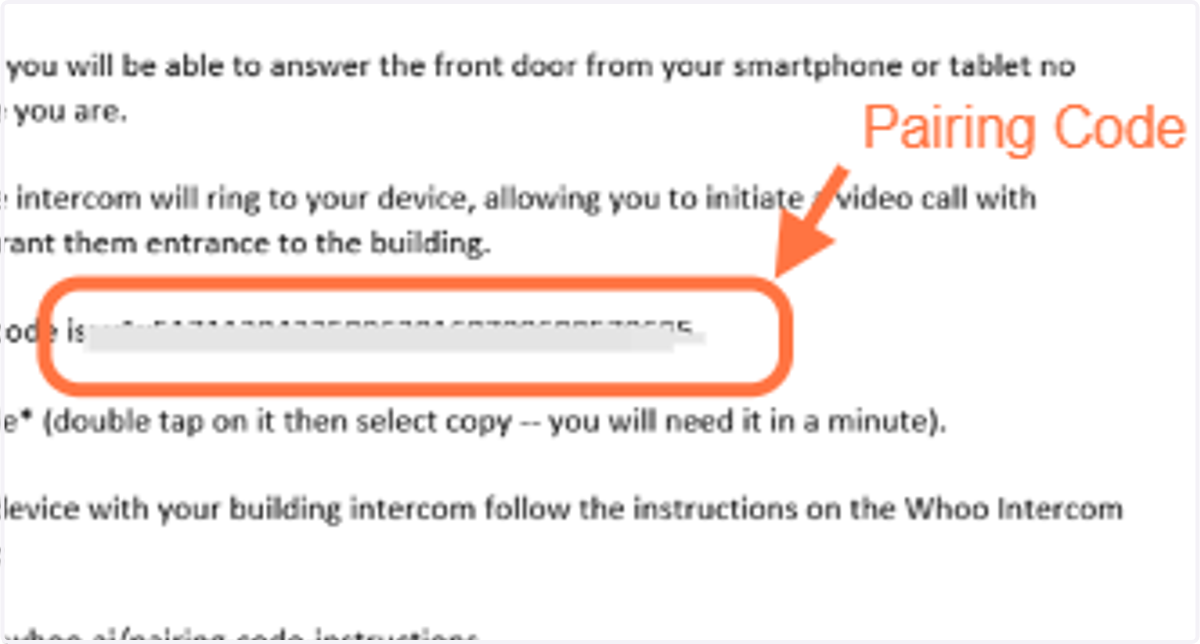
5. This will open up an email template that contains instructions you can share with the resident. It will open your email program (e.g. Outlook). You only need to fill the To: field and send.
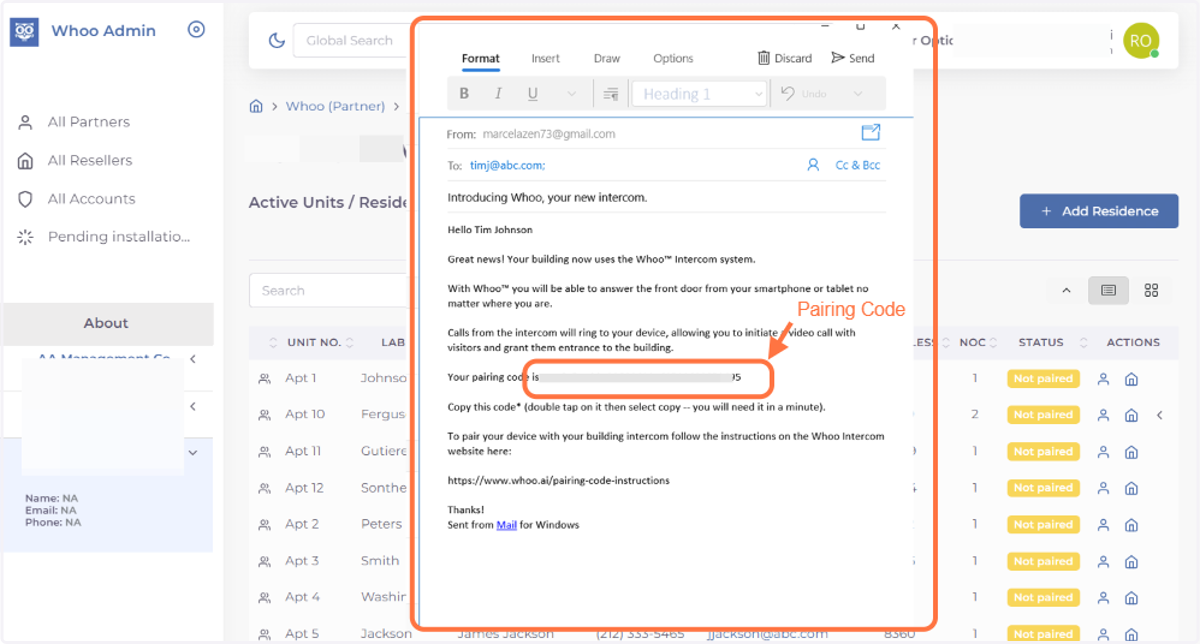
6. This email contains the "Pairing Code" residents need to connect their phone app with their intercom.