ENROLLING STUDENTS in your classroom
The Nomadic Professor
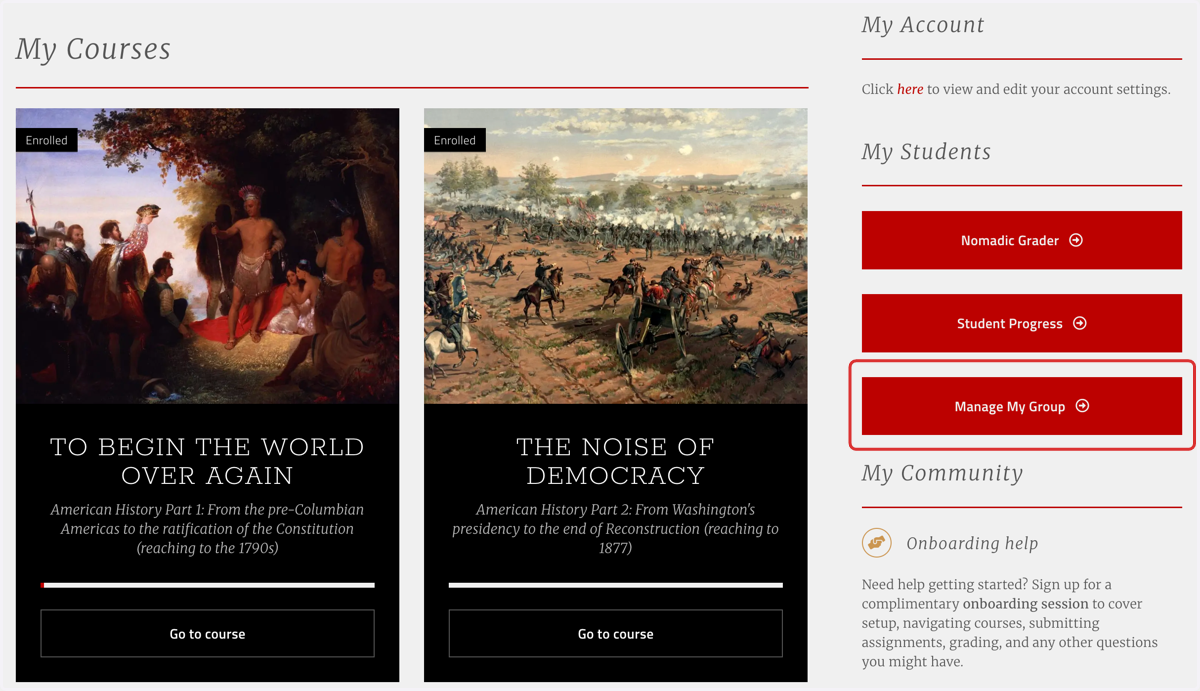
1. Click on "Manage My Group"
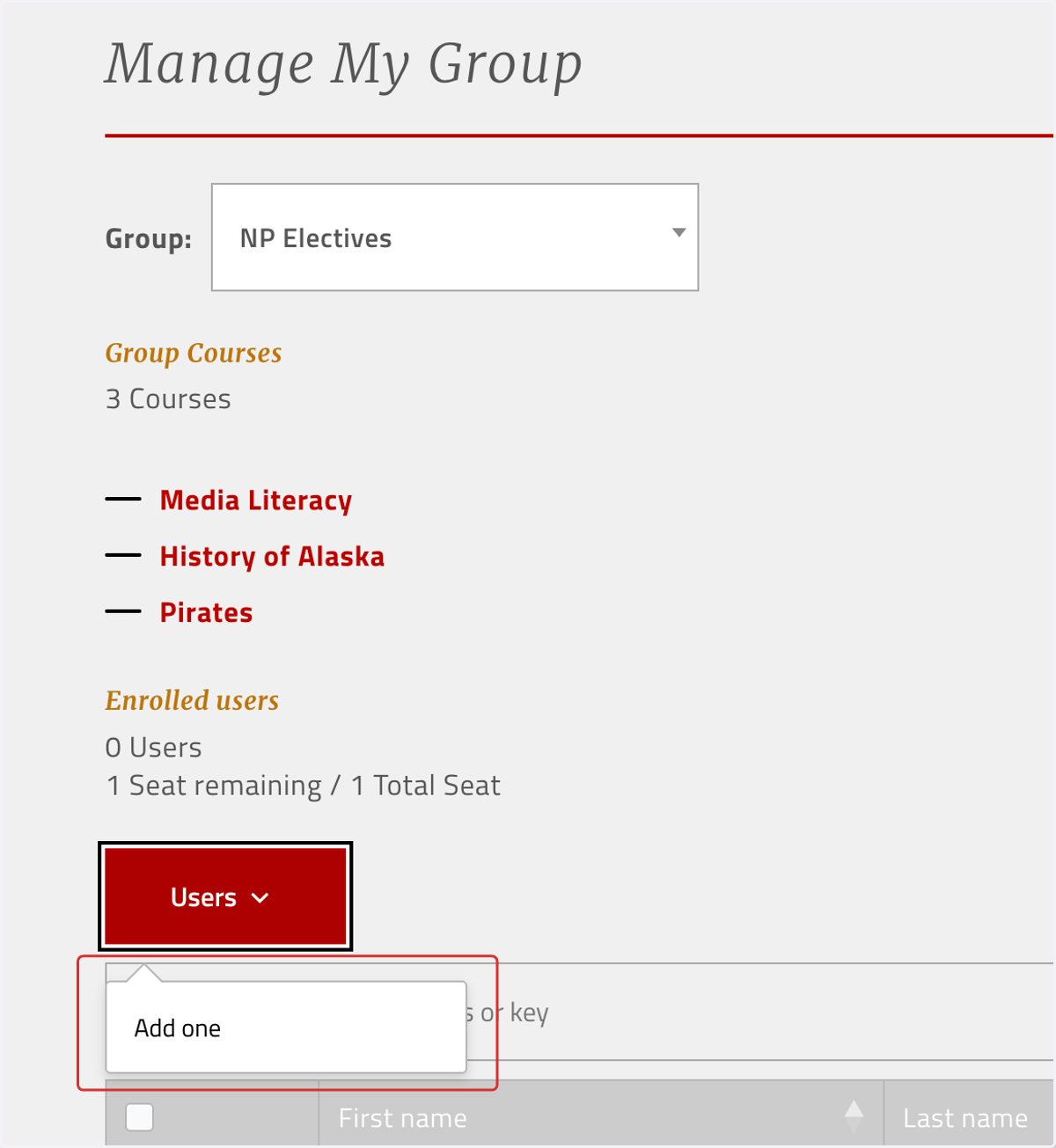
2. Click on "Users" and "Add one"
3. Enter student information
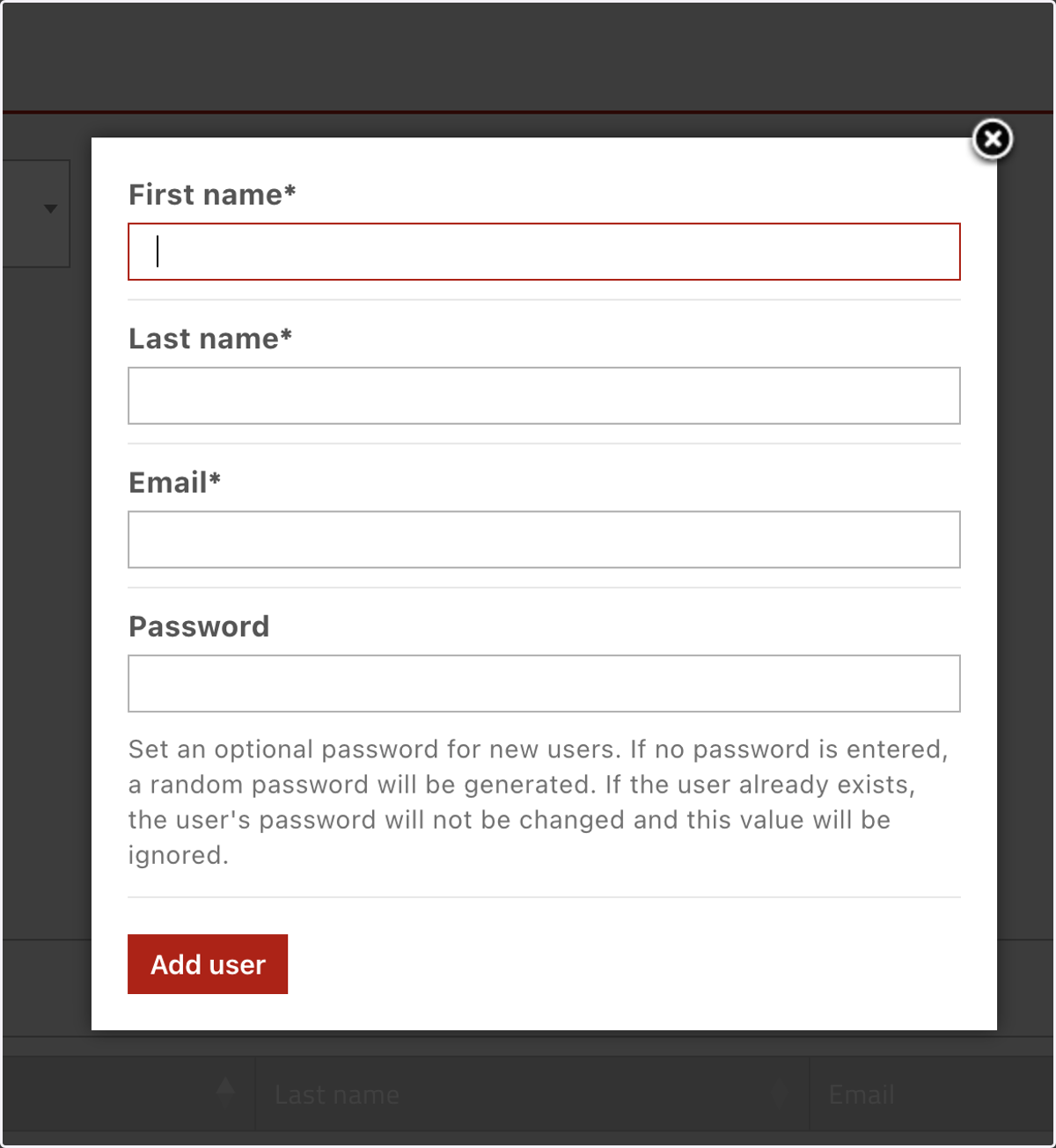
4. Click on "Add user"
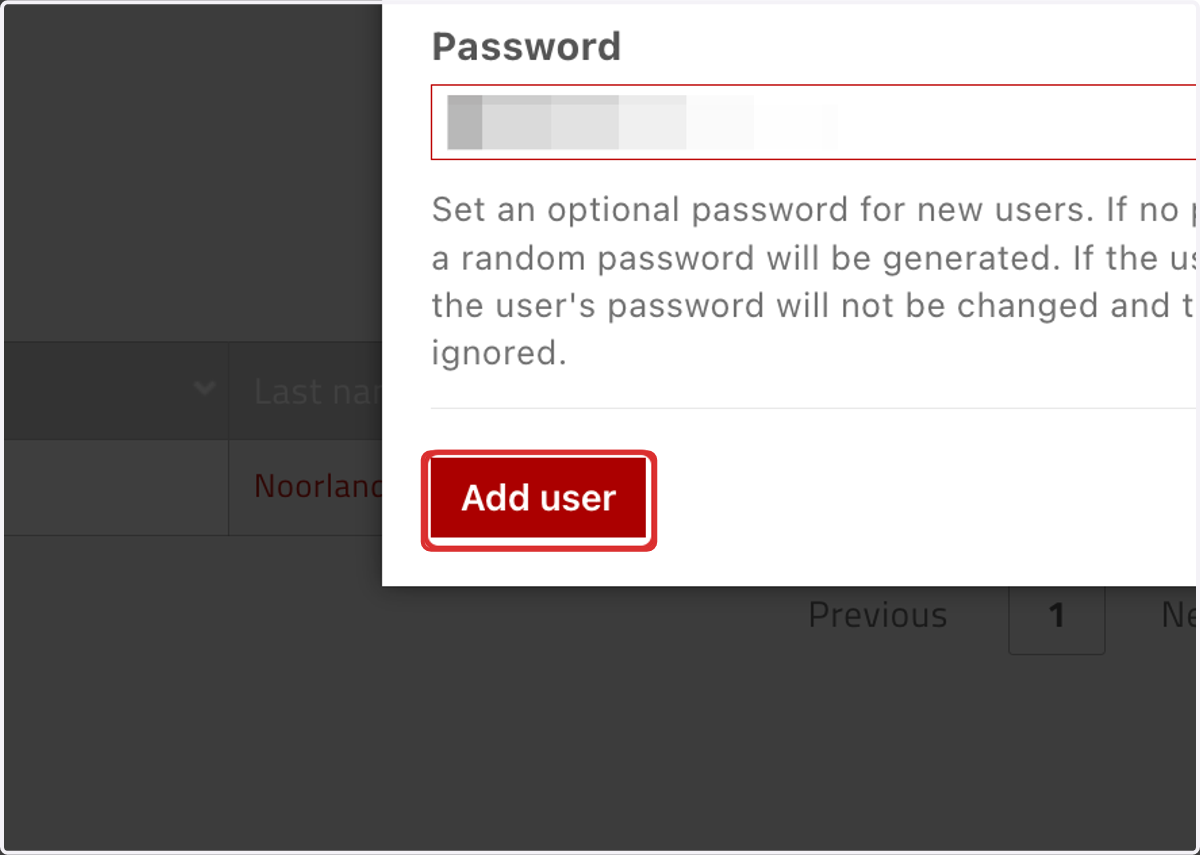
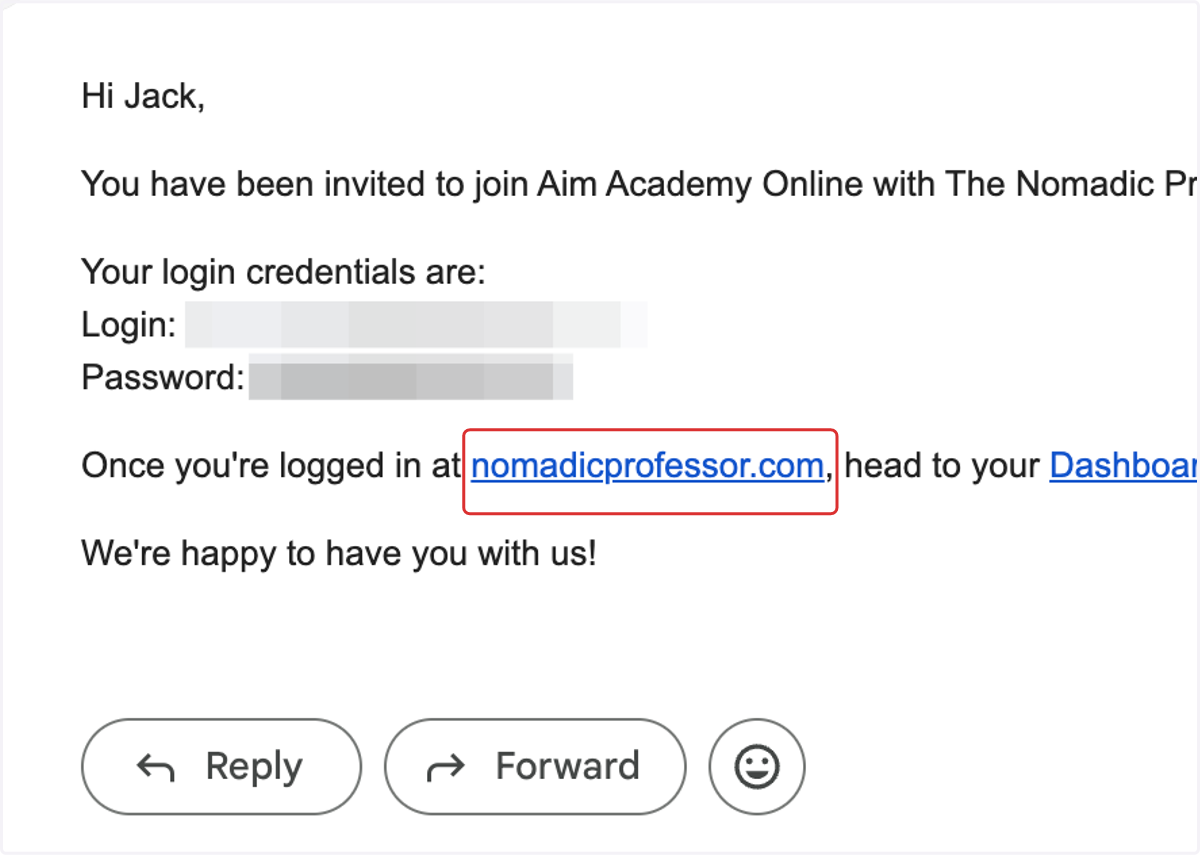
5. "Add user" will immediately create the student account and send the student login credentials they can use at nomadicprofessor.com