Change Application Status Date (Approval Date)

  1. 1. Locate the family you would like to update
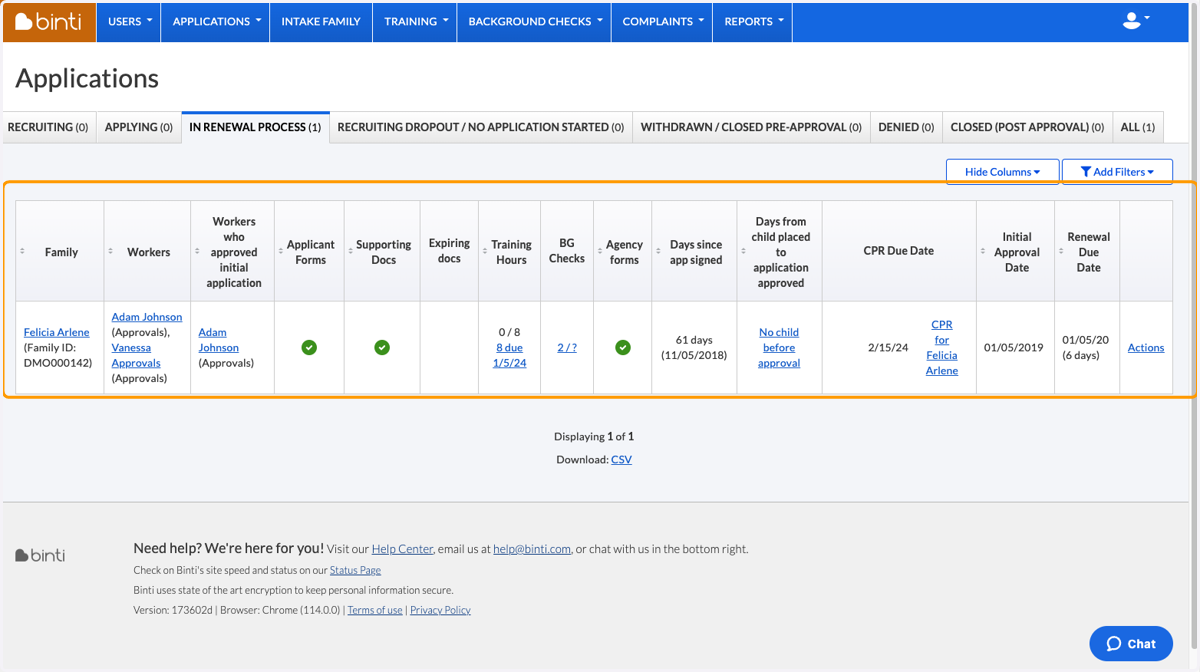
    Locate the family you would like to update
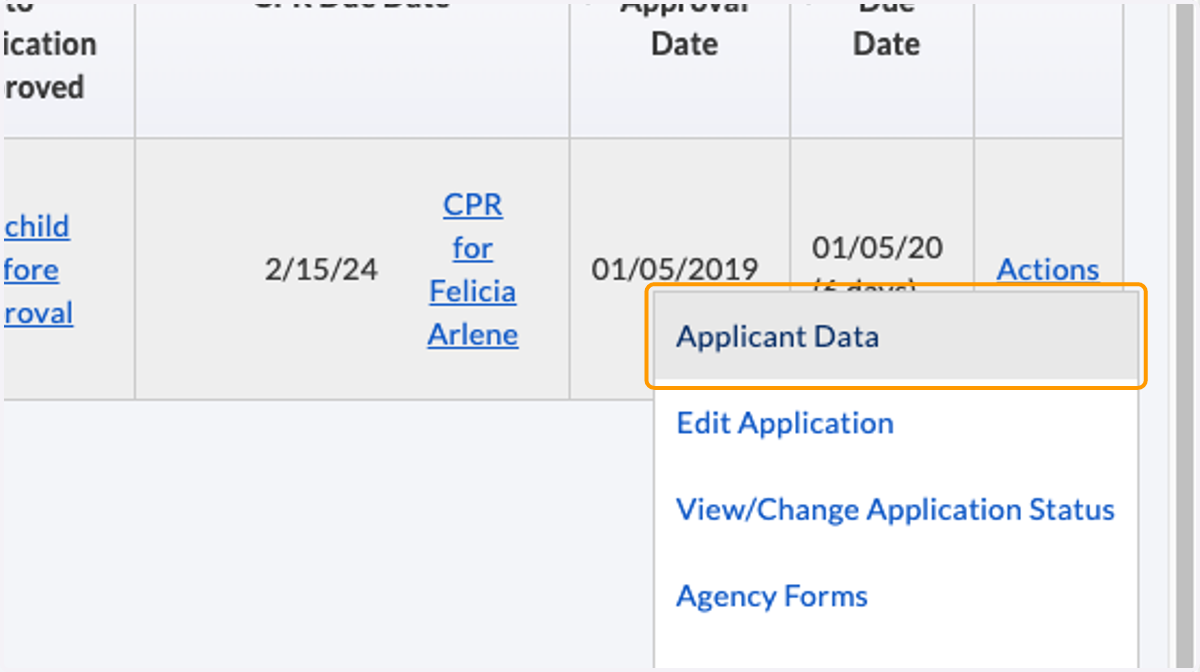
  2. 2. Click on Applicant Data

    Click on Applicant Data
  3. 3. Scroll to "Other applications for this family"
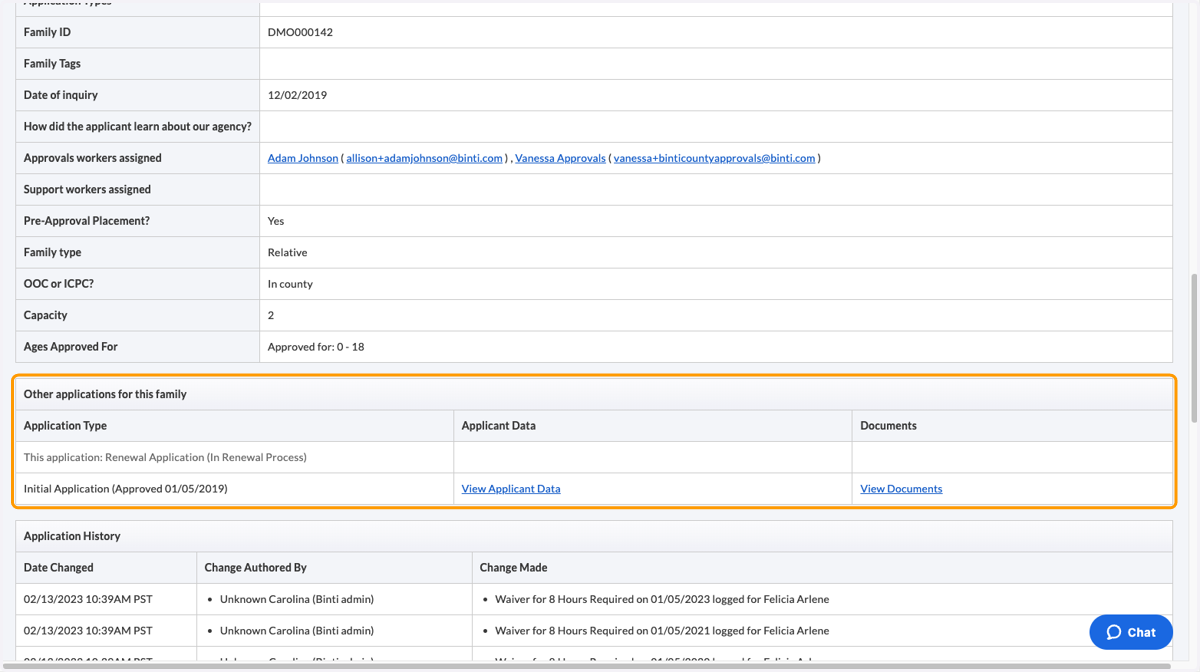
    Scroll to "Other applications for this family"
  4. 4. Click on View Applicant Data for specific application you would like to update
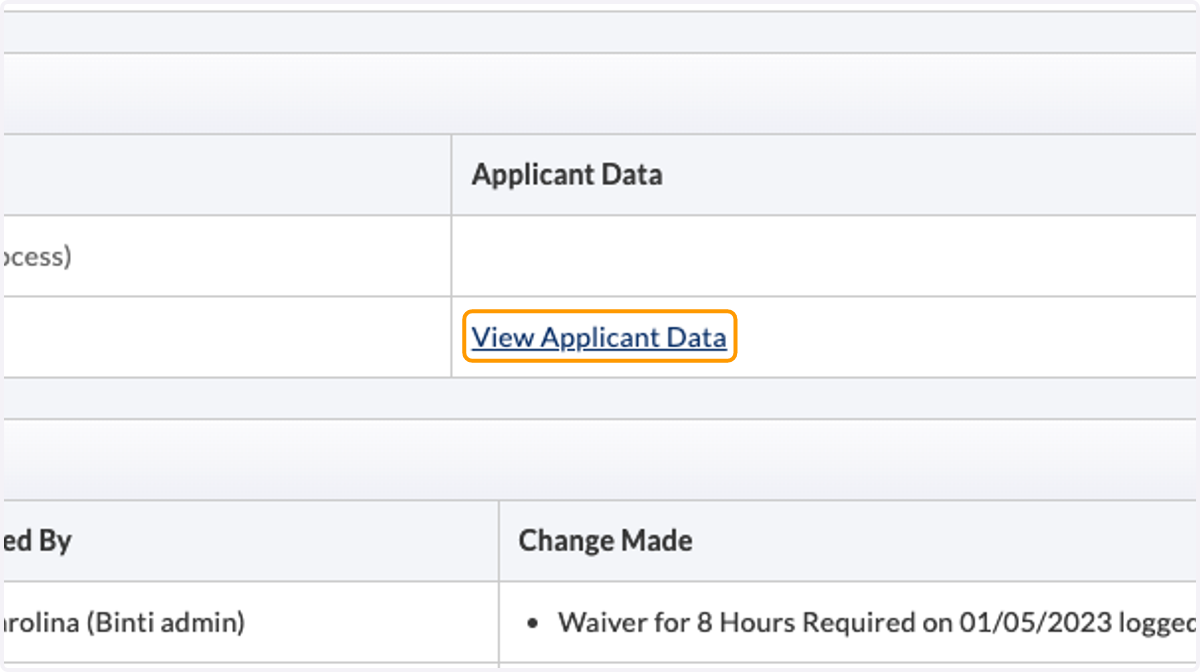
    Click on View Applicant Data for specific application you would like to update
  5. 5. After the page refreshes, click on Change Application Status
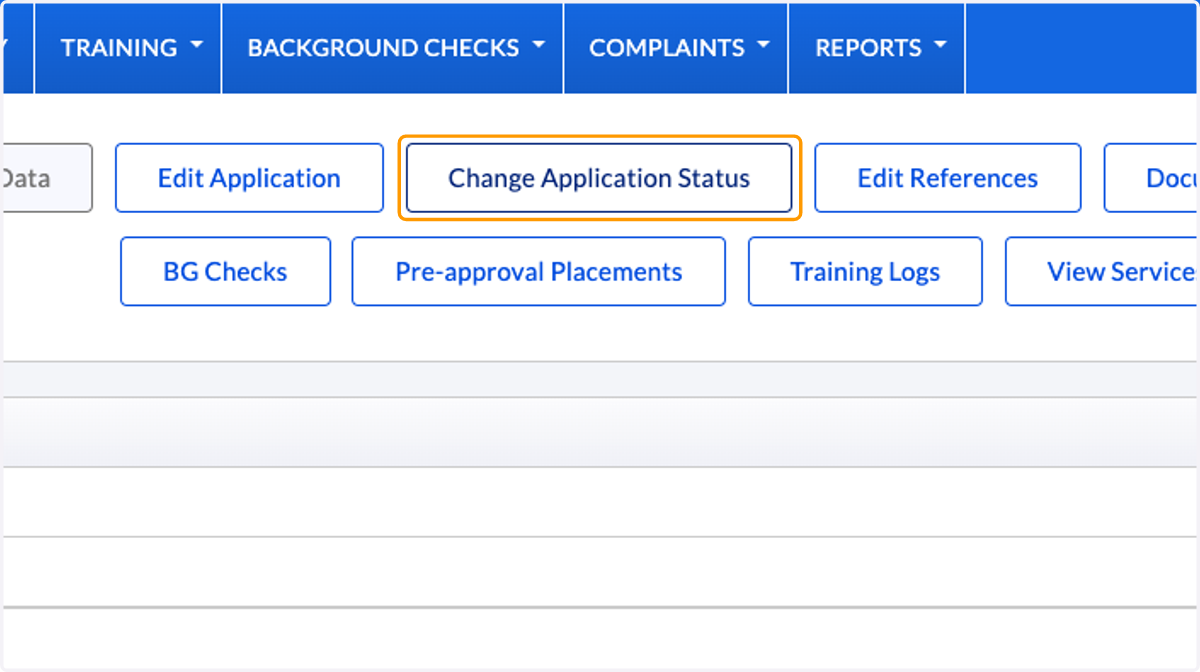
    After the page refreshes, click on Change Application Status
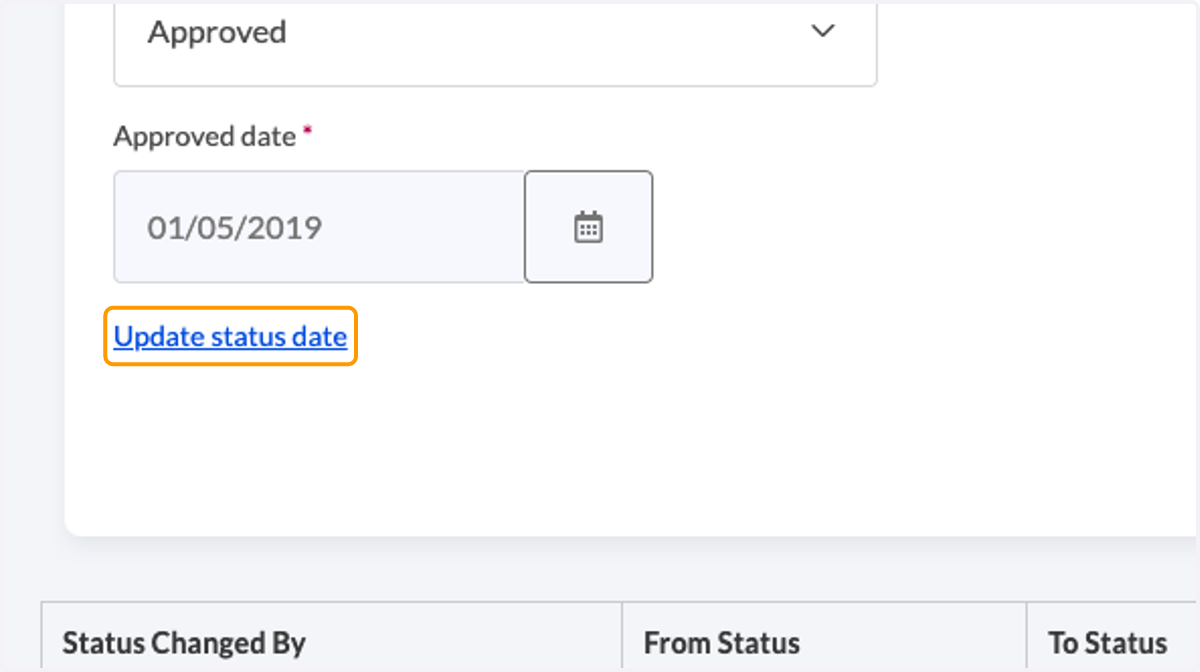
  6. 6. Click on Update status date

    Click on Update status date
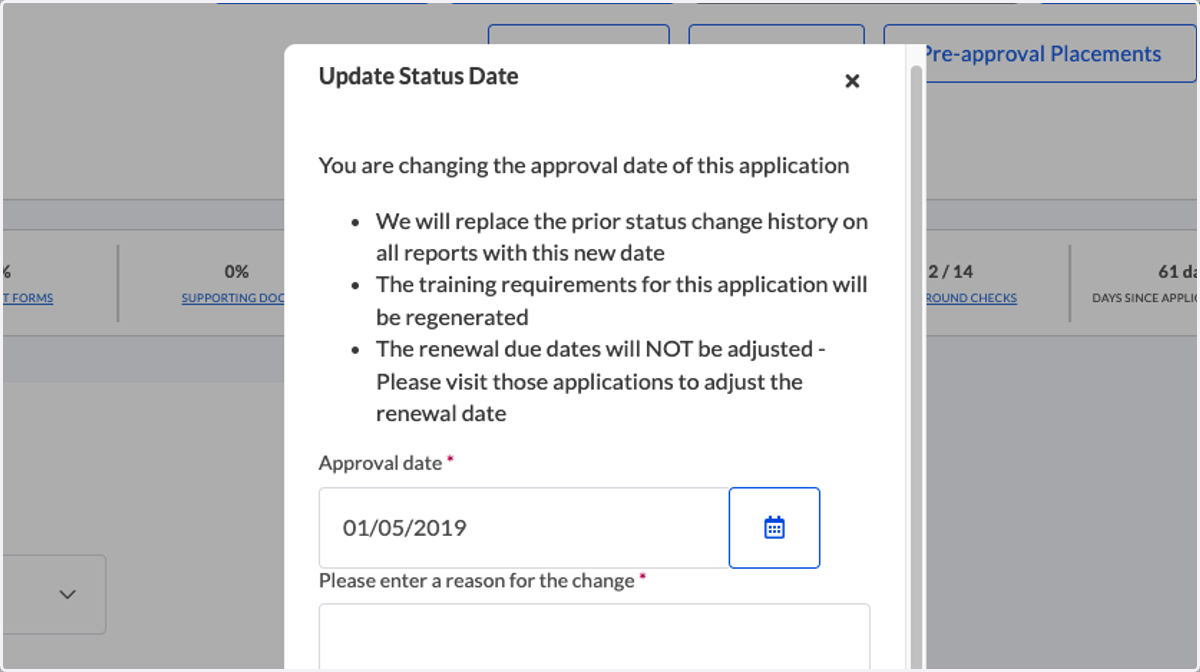
  7. 7. An update pop-up will appear

    An update pop-up will appear
  8. 8. Click on the Calendar icon to modify the date
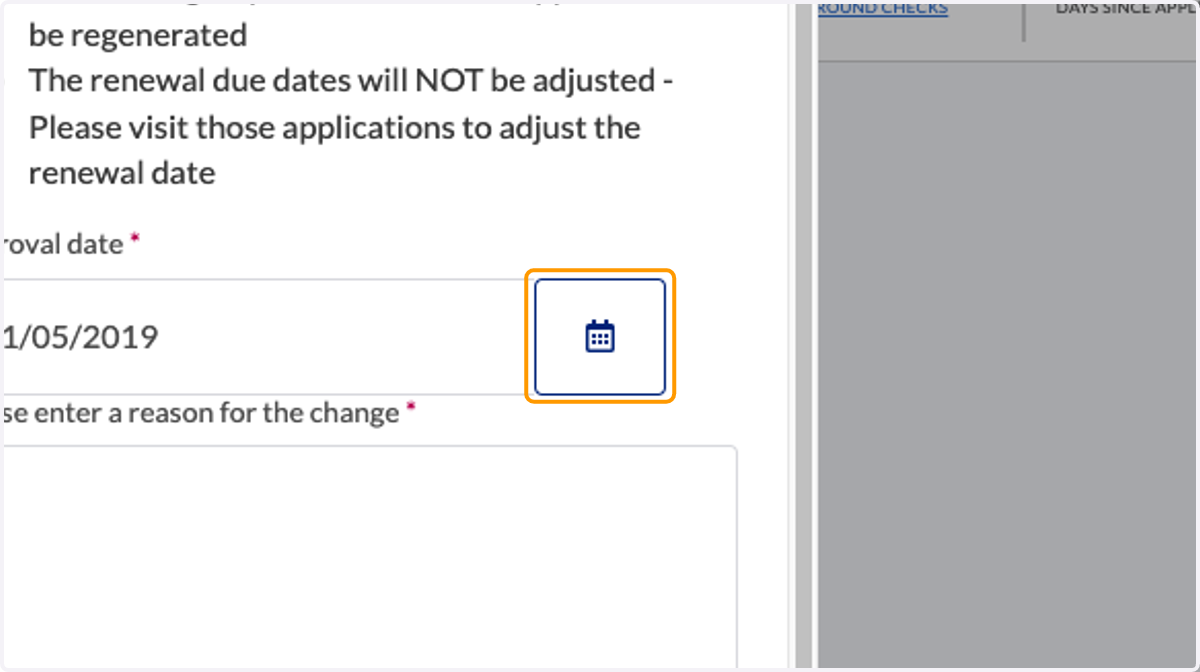
    Click on the Calendar icon to modify the date
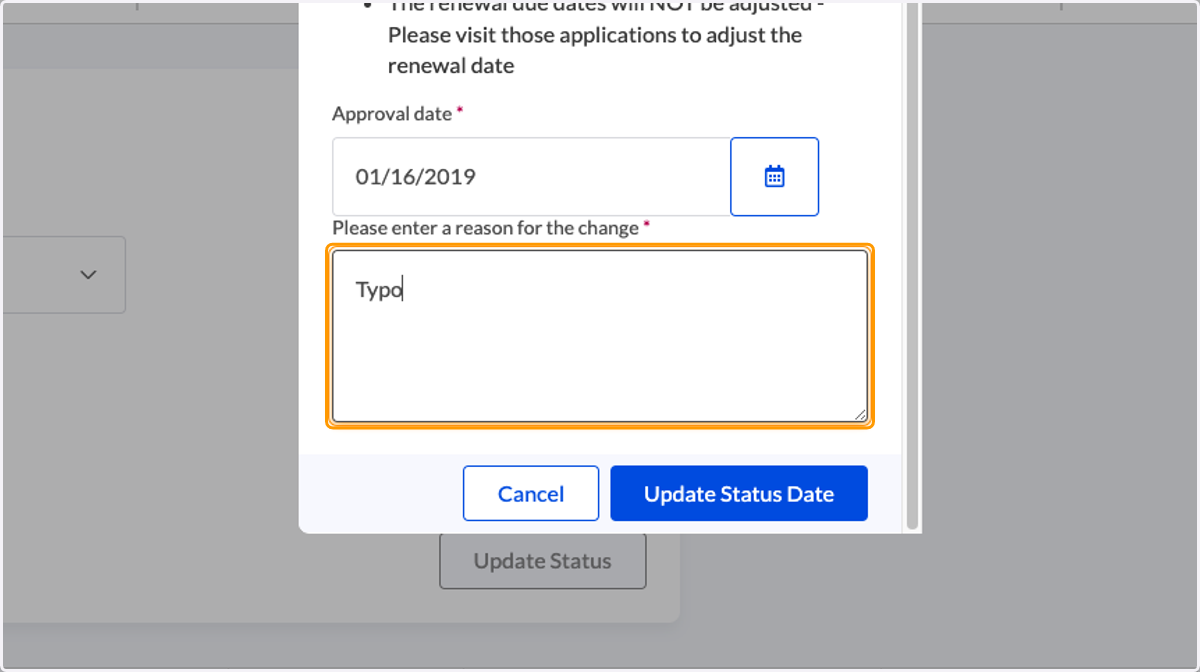
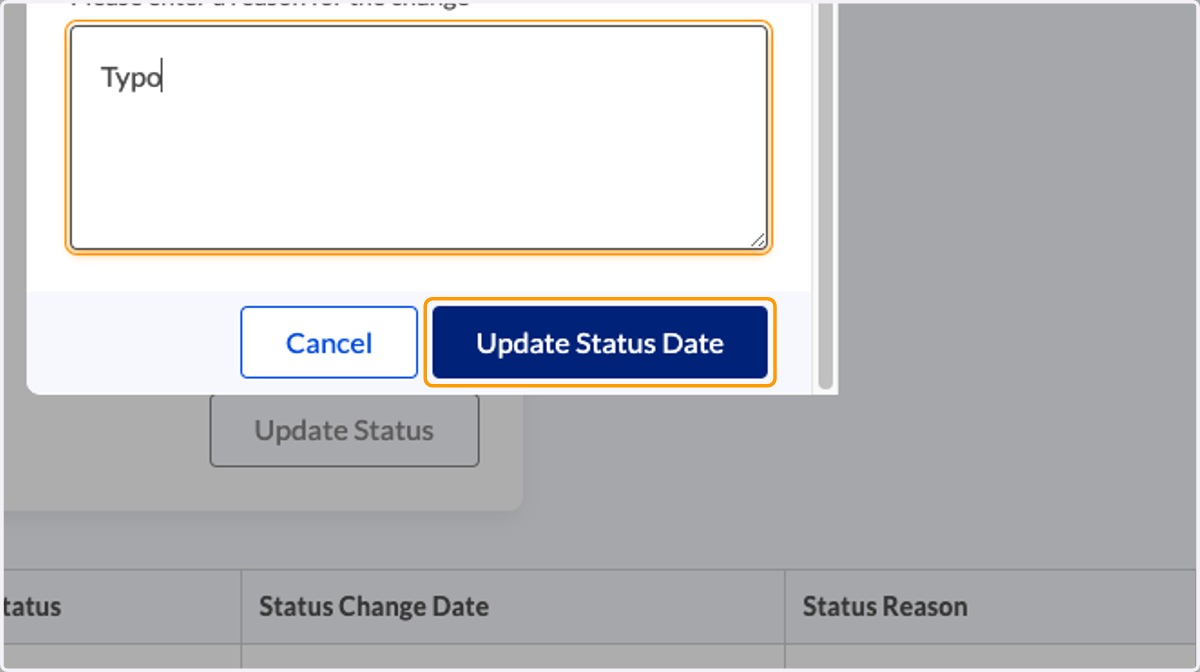
  9. 9. Enter a reason for the change

    Enter a reason for the change
  10. 10. Click on Update Status Date

    Click on Update Status Date
  11. 11. A confirmation will appear when successful
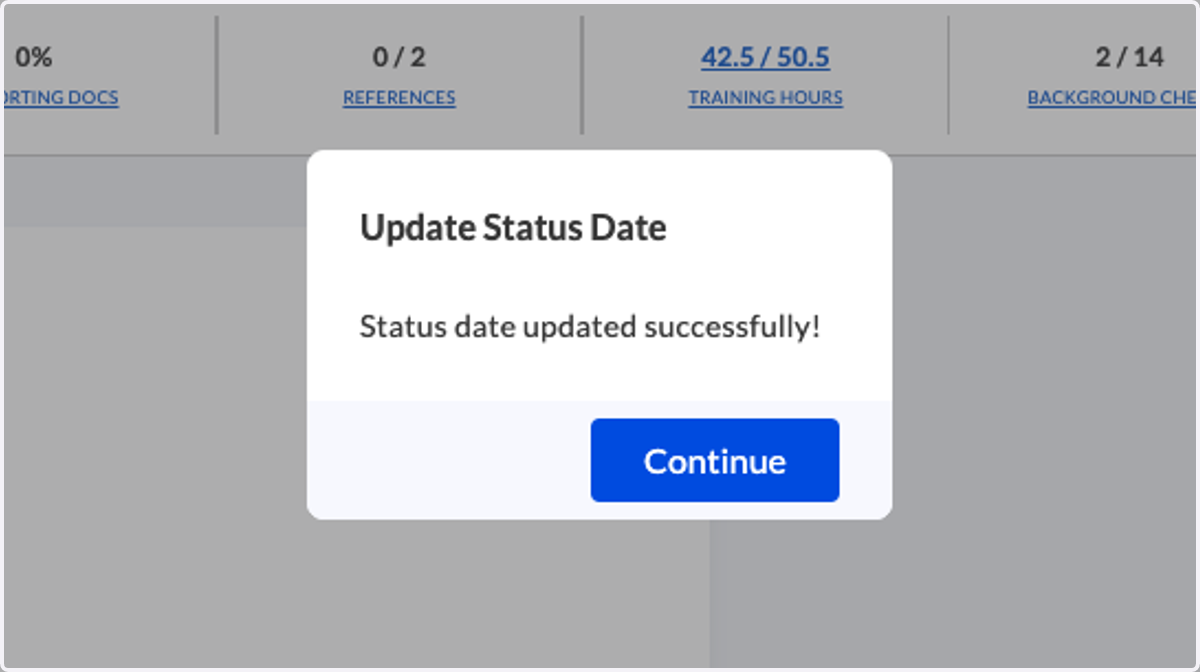
    A confirmation will appear when successful