Market Rate Update Requests [RDS]
Instructions for adding percent increases to apartment market rates. To submit mid-year price increases, send a ticket to the BV Help Desk requesting a new rate column to be added along with the effective date.
MyBrightview
1. Select Region
In the Communities dropdown, select your region.

2. Regional Pricing Sheets
Select your region's pricing sheet dashboard.

3. Market Rate % Increase Request
Select the Market Rate % Increase Request link.

Smartsheet: Market Rate % Increase Request
4. Filter your community
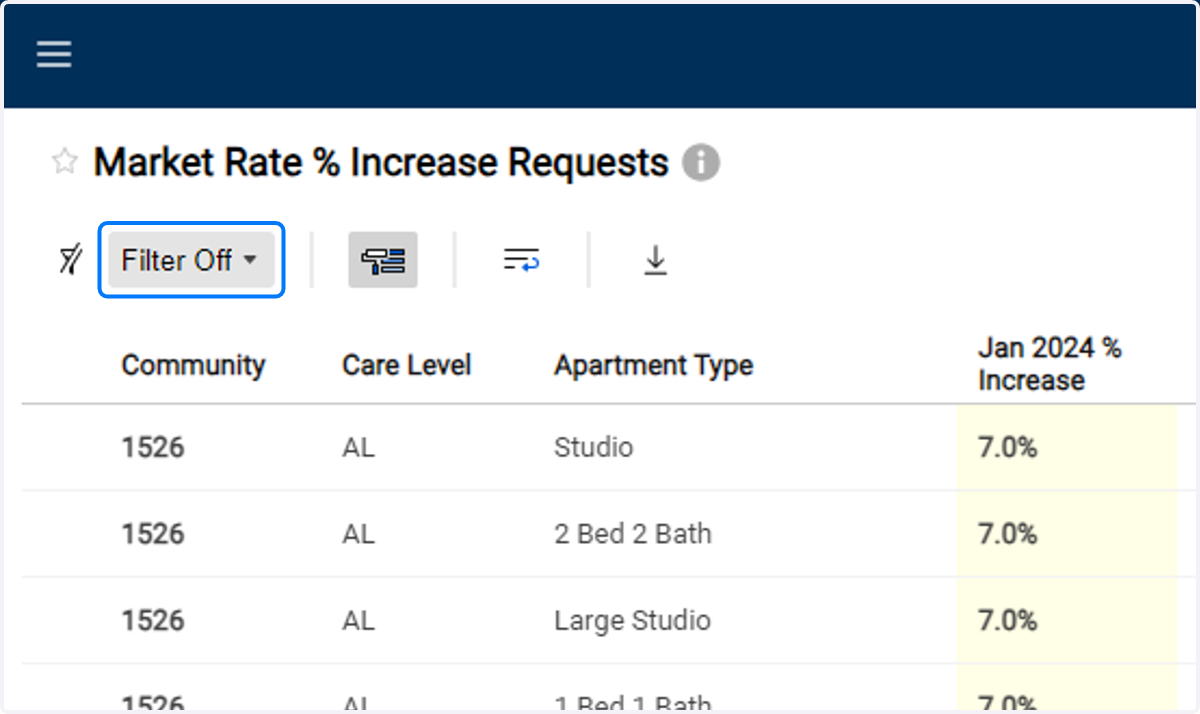
5. Select row

6. Enter % Increase
Enter the approved % increase for that apartment type.
Type only the number. Do not include the "%" sign.

7. Save
Repeat steps for all rows.

MyBrightview
8. Pricing - Market Rate Update View
Back in pricing dashboard on MyBrightview, click the Market Rate Update View link.

Smartsheet: Master Pricing Sheet Edit
9. Filter your community

10. Review Rates
Review your new market rate for each apartment.
