How to Set Up Third Row Pricing for Your Units in RevMax
Option 1: Import OTA URLs Using a CSV File
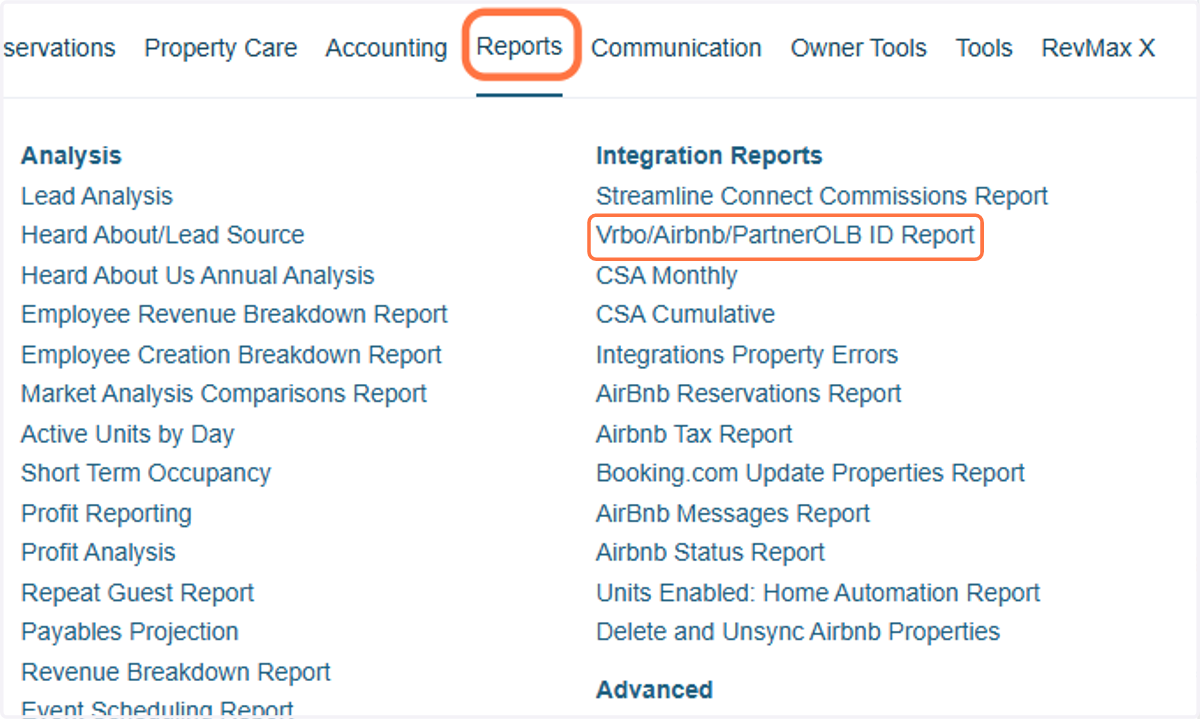
1. You can download a CSV file containing your units’ Airbnb and VRBO URLs from your Streamline account. In Streamline, go to: Reports > Integration Reports > Vrbo/Airbnb/PartnerOLB ID Report
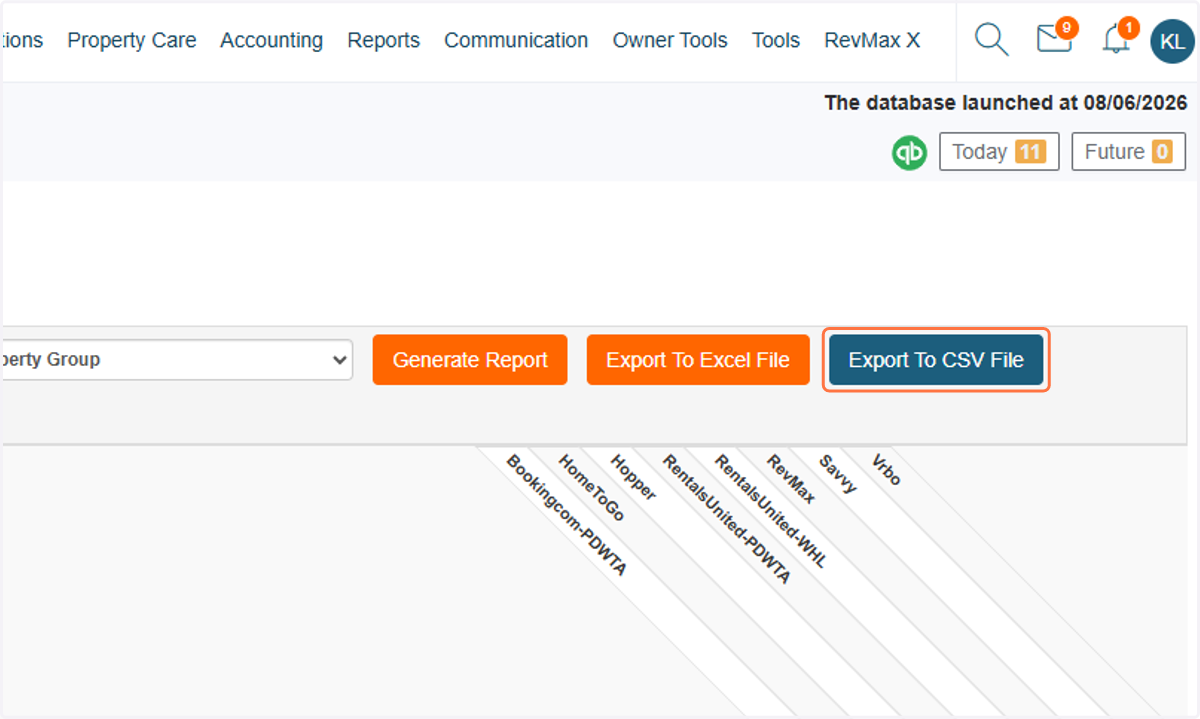
2. Then, click Export to CSV File to download the report.
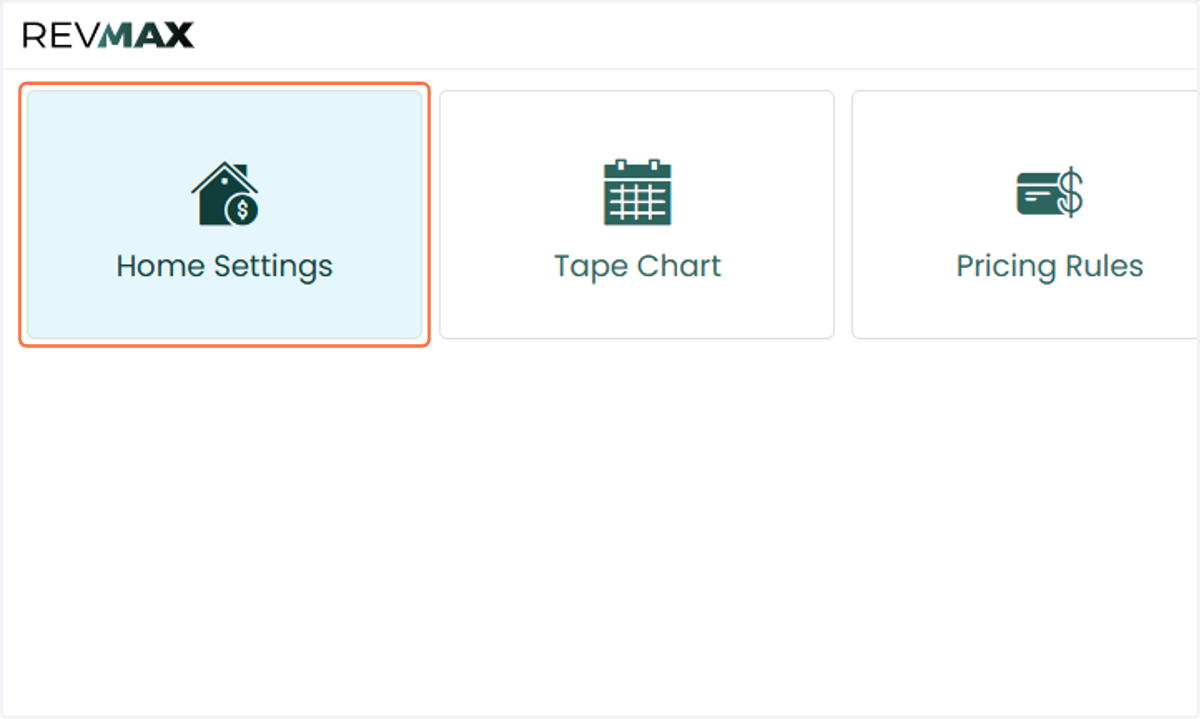
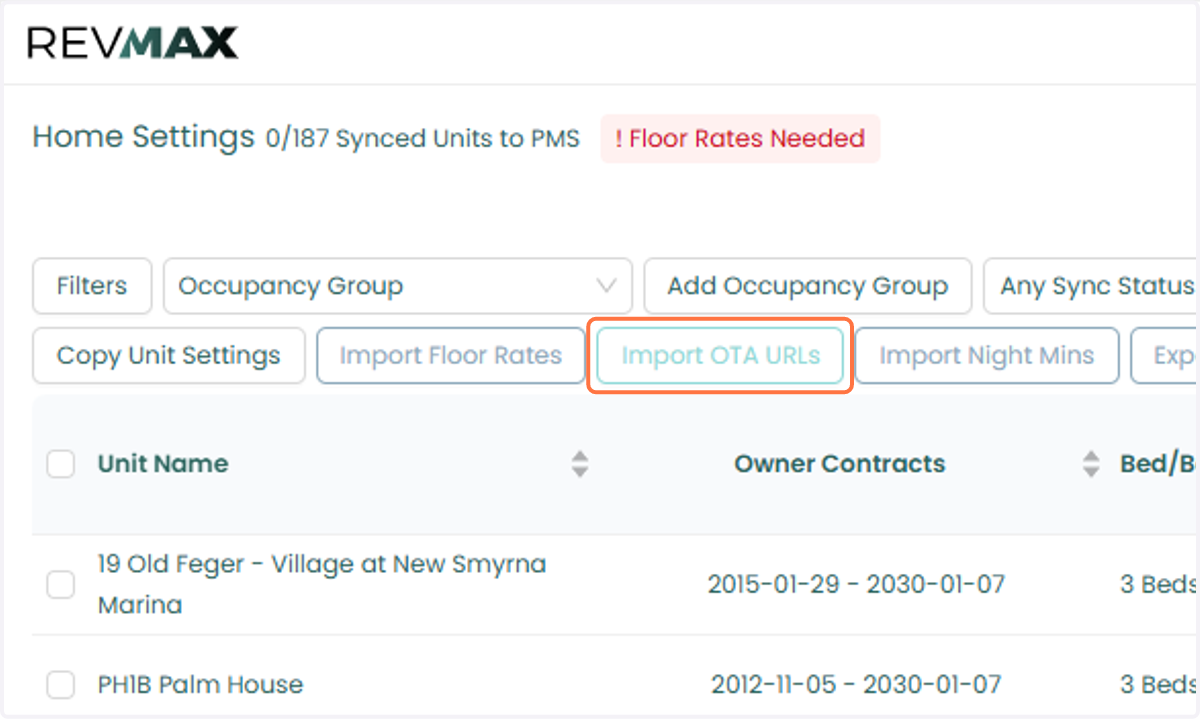
3. In RevMax, go to the Home Settings page.
4. Click Import OTA URLs, then upload the CSV file you recently downloaded from Streamline.
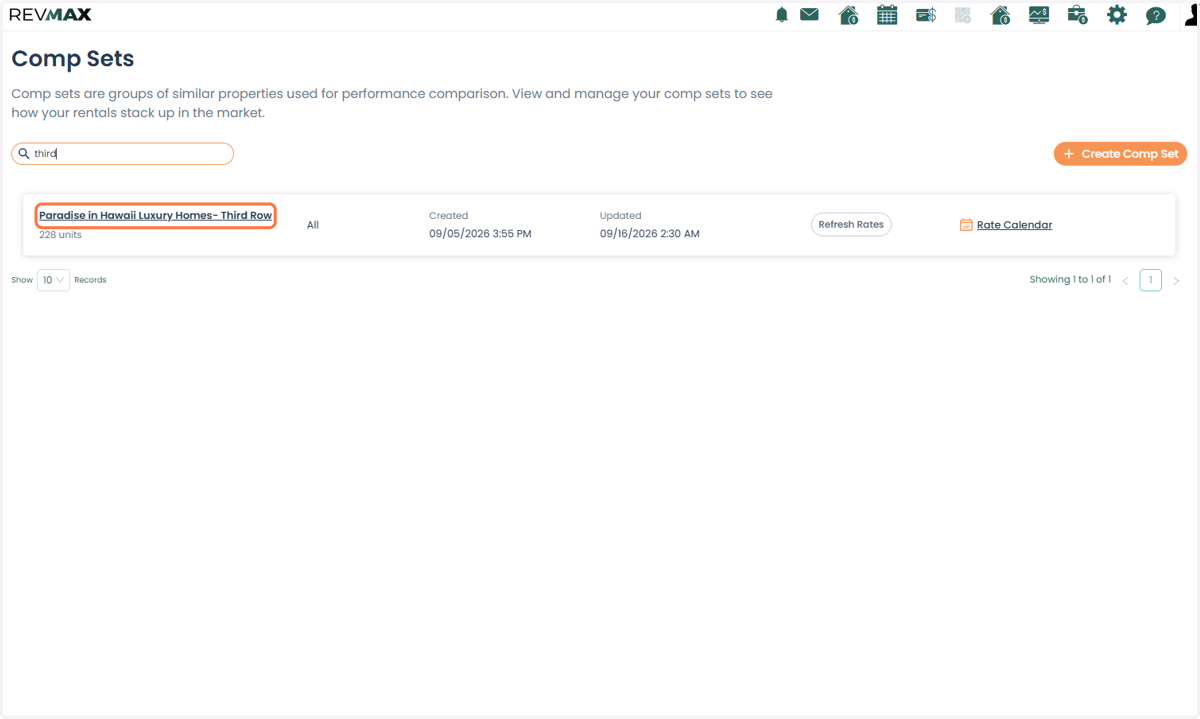
5. Once the import is complete, the OTA URLs will automatically be added to the Third-Row Pricing CompSet Group within the CompSet Builder page.
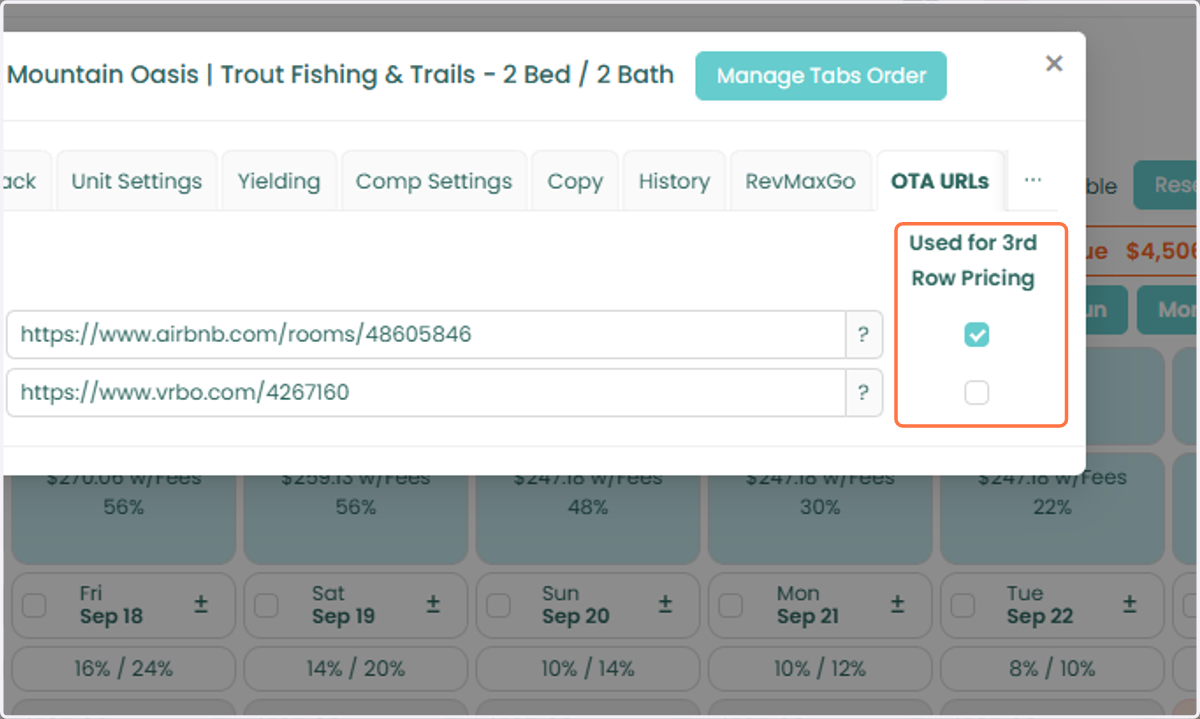
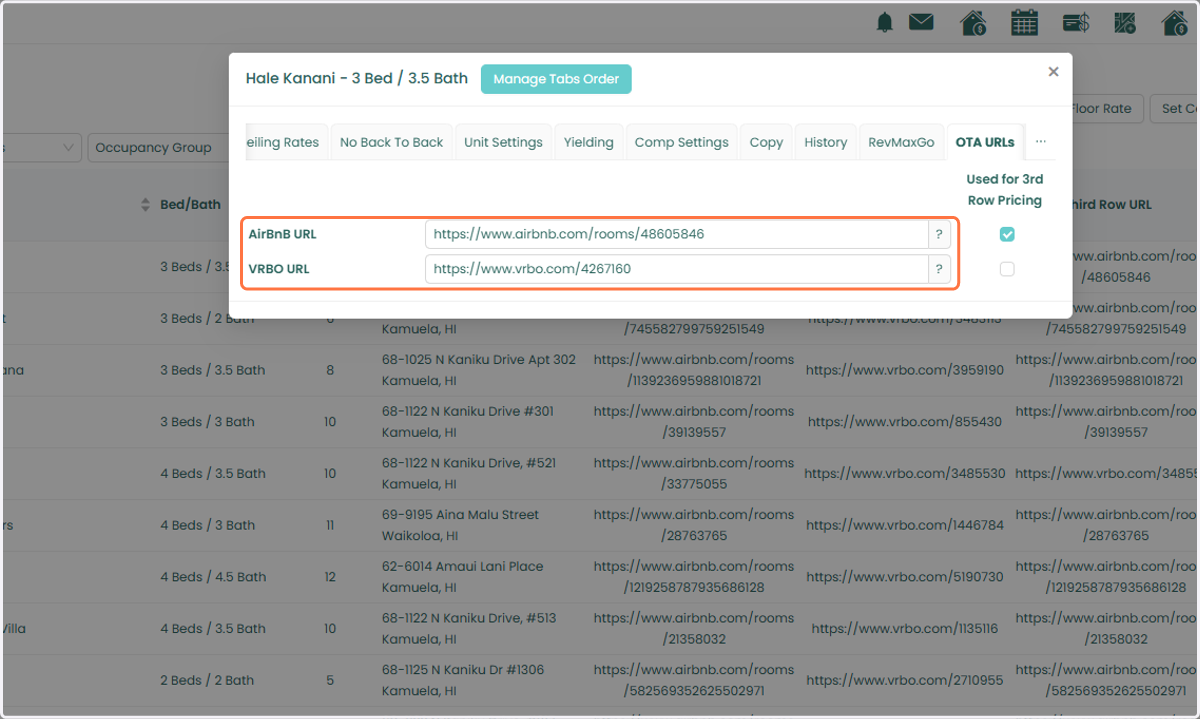
6. The URLs will also be reflected in the unit-level settings under the OTA URLs tab
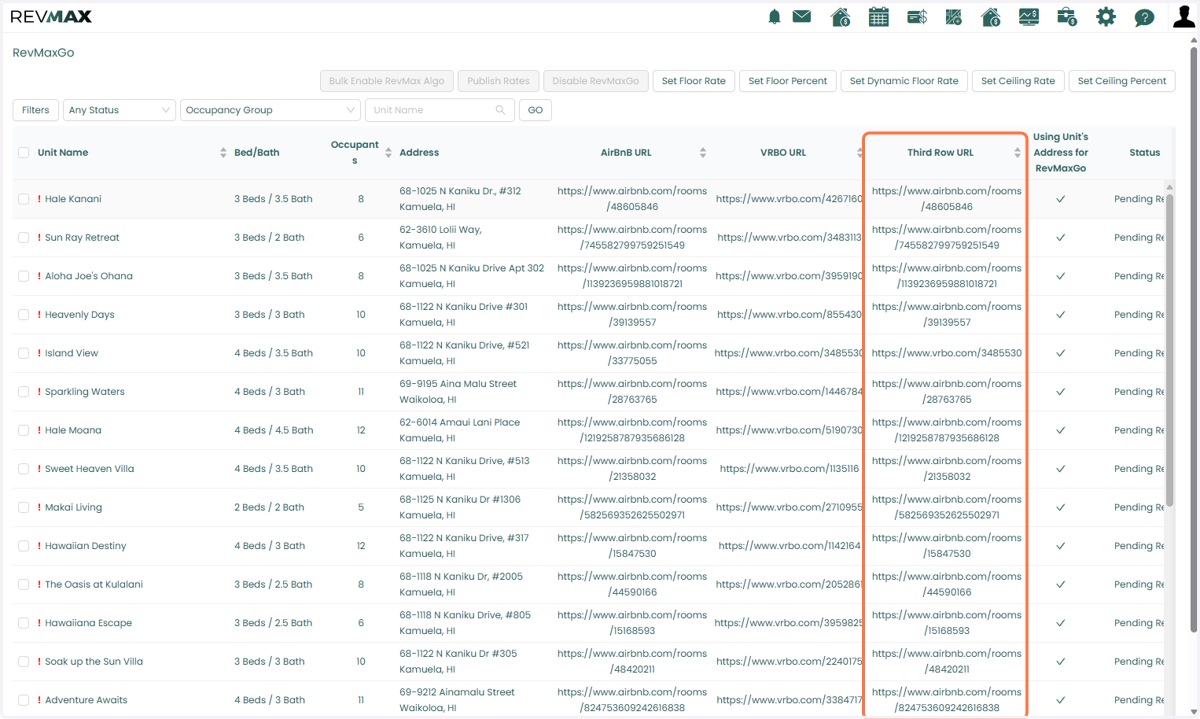
7. And will appear in the Third-Row Pricing column within the RevMax GO page.
8. If the CSV file does not have the required format and the upload fails; you can add the OTA URLs individually through the unit-level settings. Go to the unit’s OTA URLs tab and add the applicable Airbnb and/or VRBO URL.
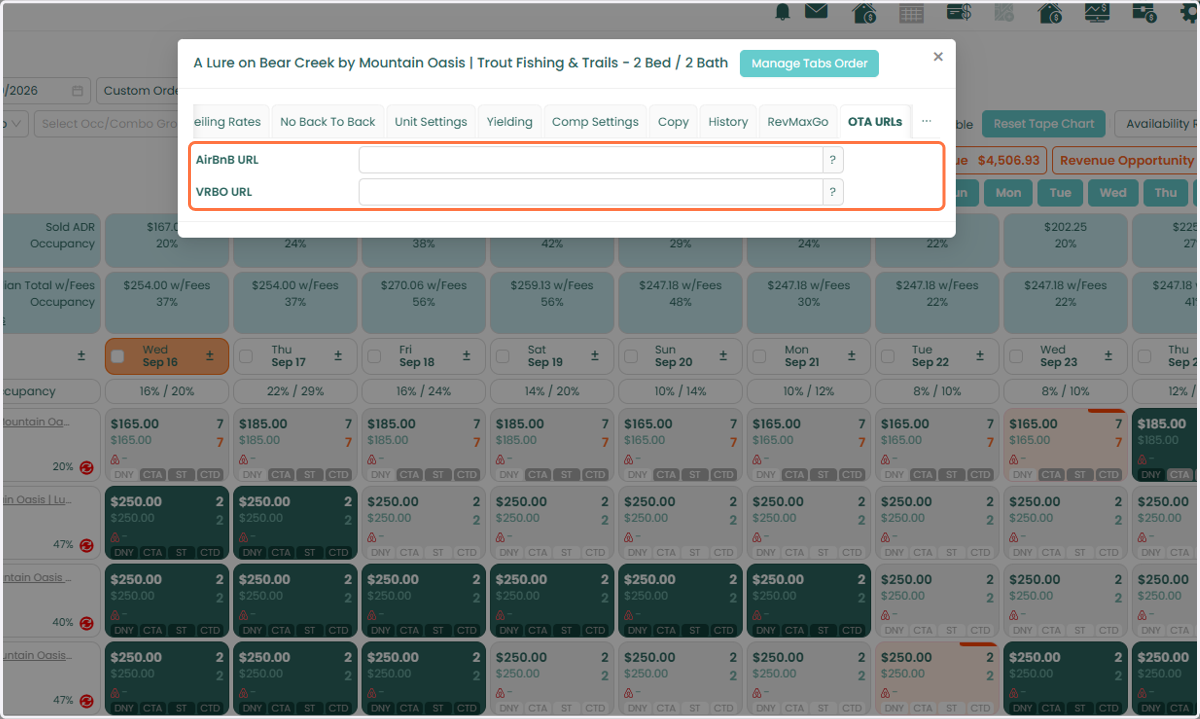
9. Once added, the URL will automatically be included in the Third-Row Pricing CompSet Group.
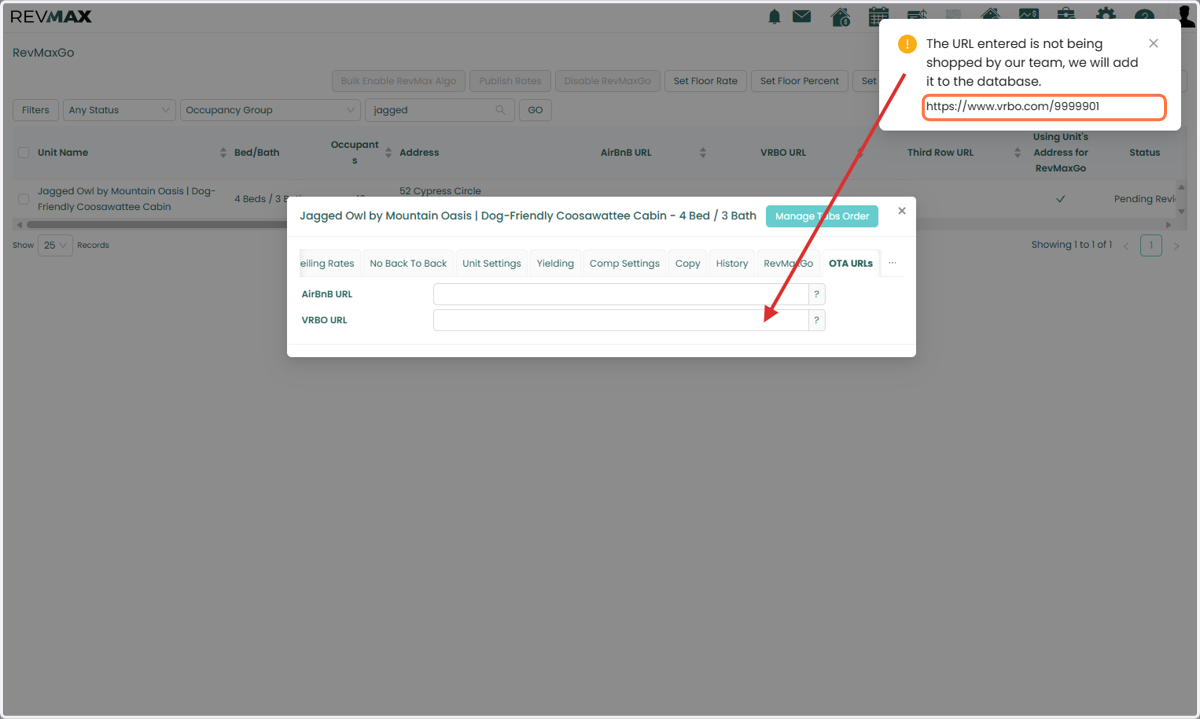
Important Reminder for New Listings: If the Airbnb or VRBO listing is new, the URL may not immediately appear in the OTA URLs tab or the Third-Row Pricing column.
10. This occurs because the new listing needs to be processed and shopped by our database. You may see an error or alert indicating that the URL is not yet available.
Please allow 7–14 days for the listing to be processed. Once the listing has been processed, you can re-add the OTA URL if it previously returned an error.
Important: Airbnb and VRBO URL Selection
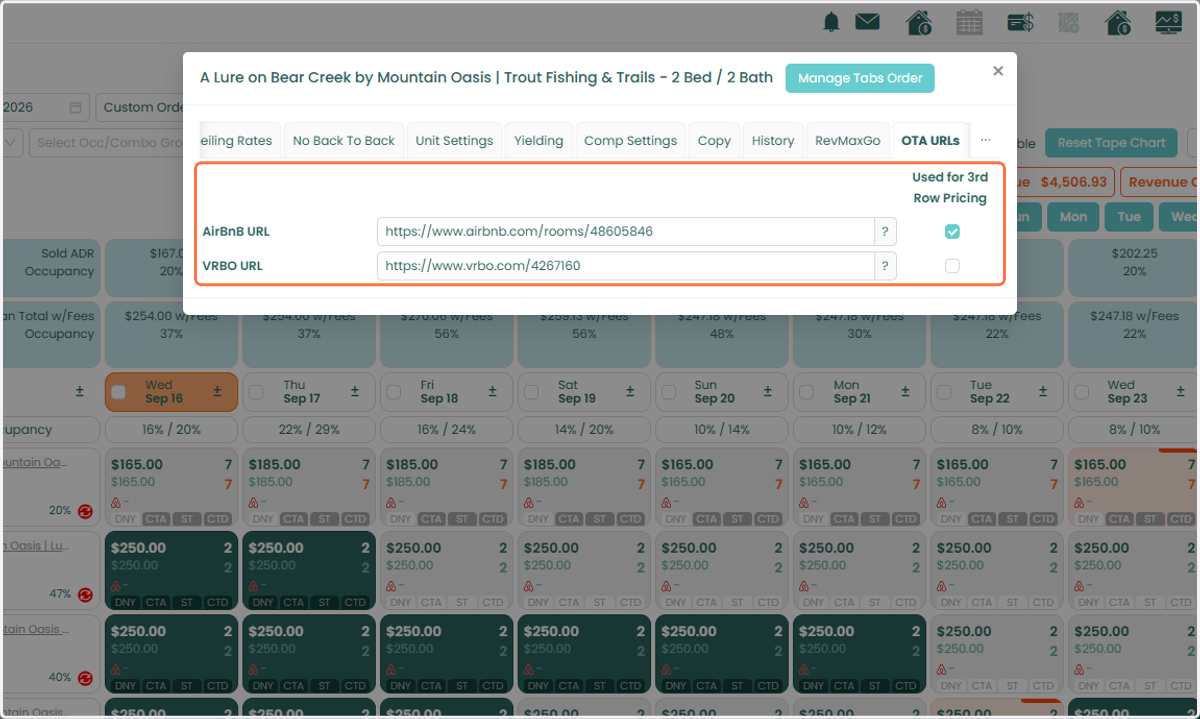
If both an Airbnb and VRBO URL are added to a unit, the system will default to using the Airbnb URL for Third Row Pricing.
11. You can change which OTA URL is used by going to the unit-level OTA URLs tab and selecting the OTA URL you want to use for the Third-Row Pricing CompSet Group.