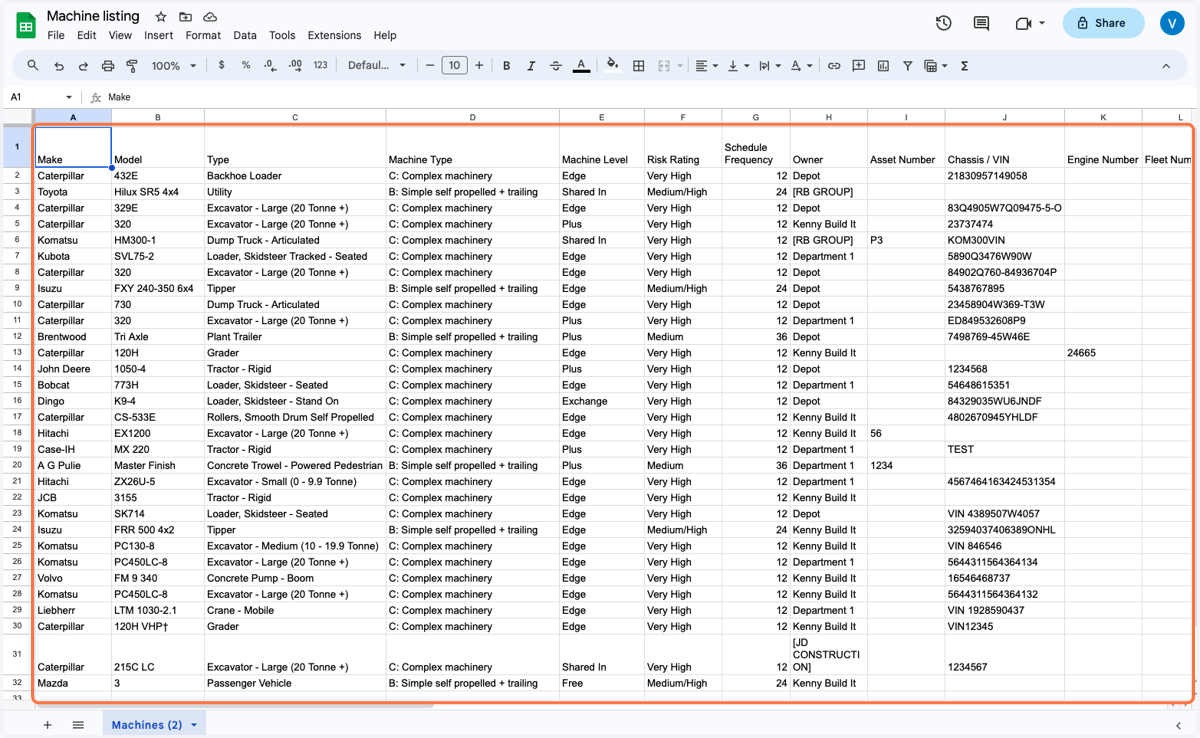
How to export your machine list
Download all of your machinery information easily into a spreadsheet
Plant Assessor
1. First, select ALL machines, or select only the machines you would like to export
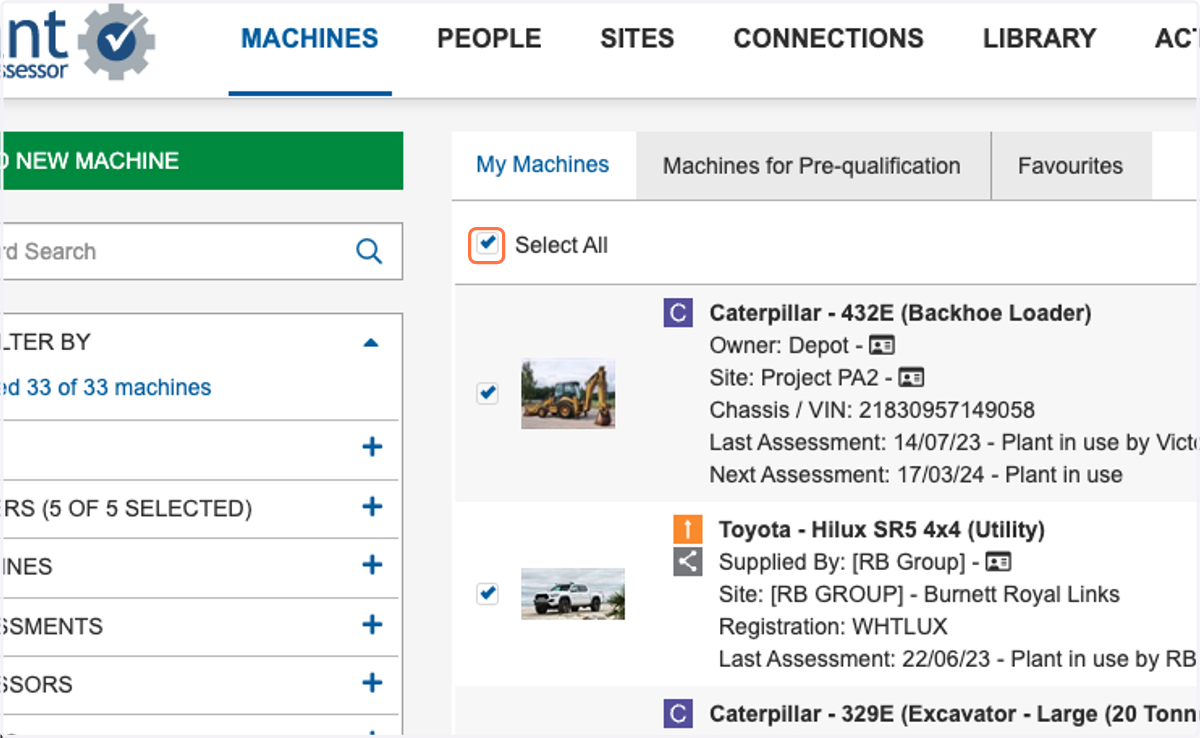
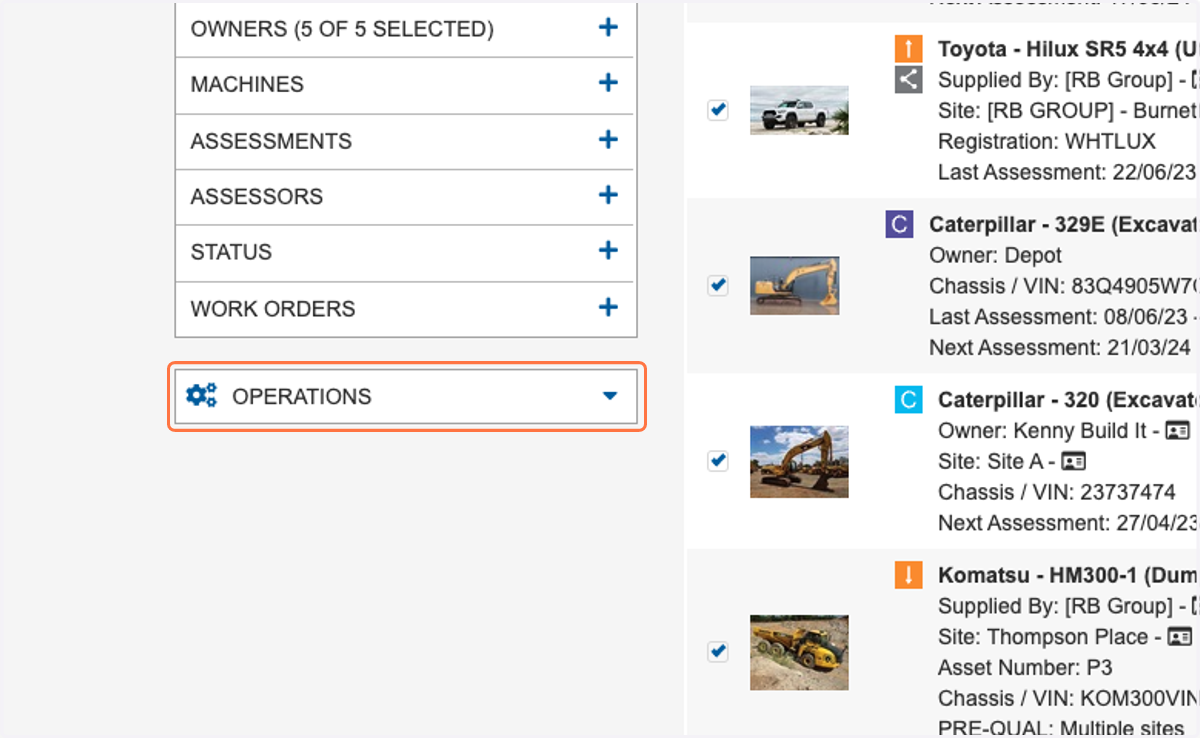
2. Next, select the Operations menu
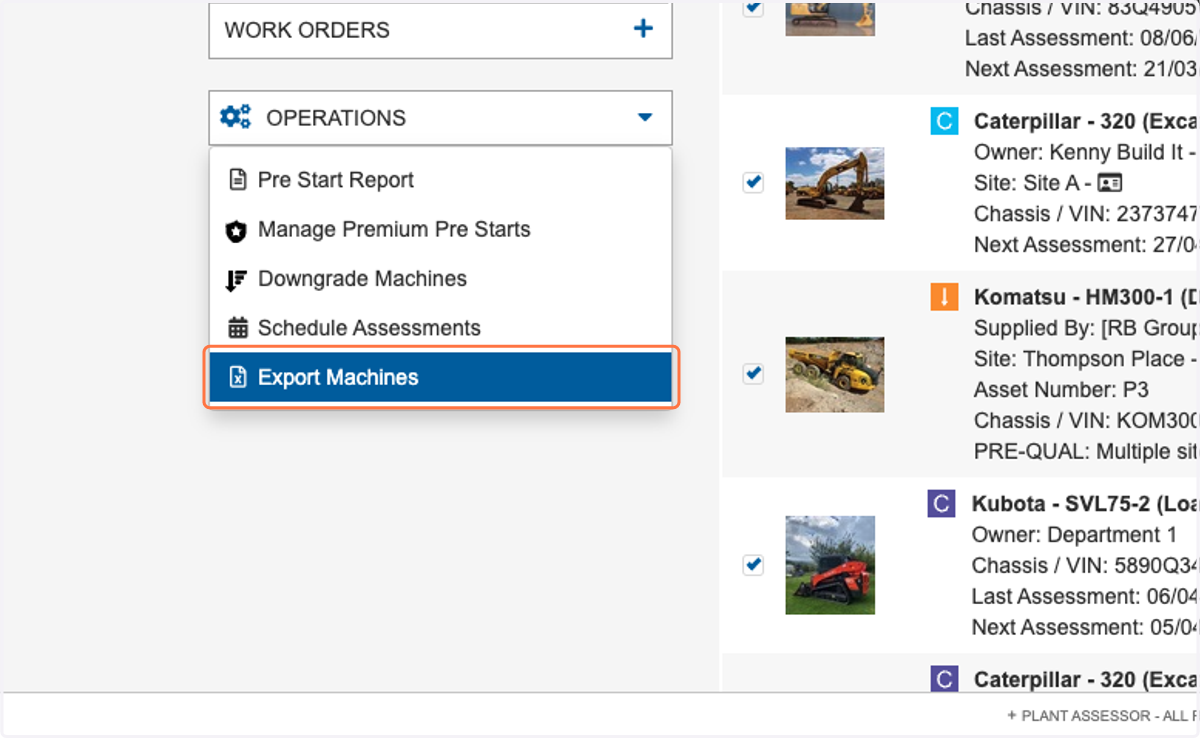
3. And click on 'Export Machines'. A csv file will automatically download.
4. Open the file in either Excel or Google Sheets. All information associated to the machine will be available for review such as identification numbers, last assessment details, service status and more.