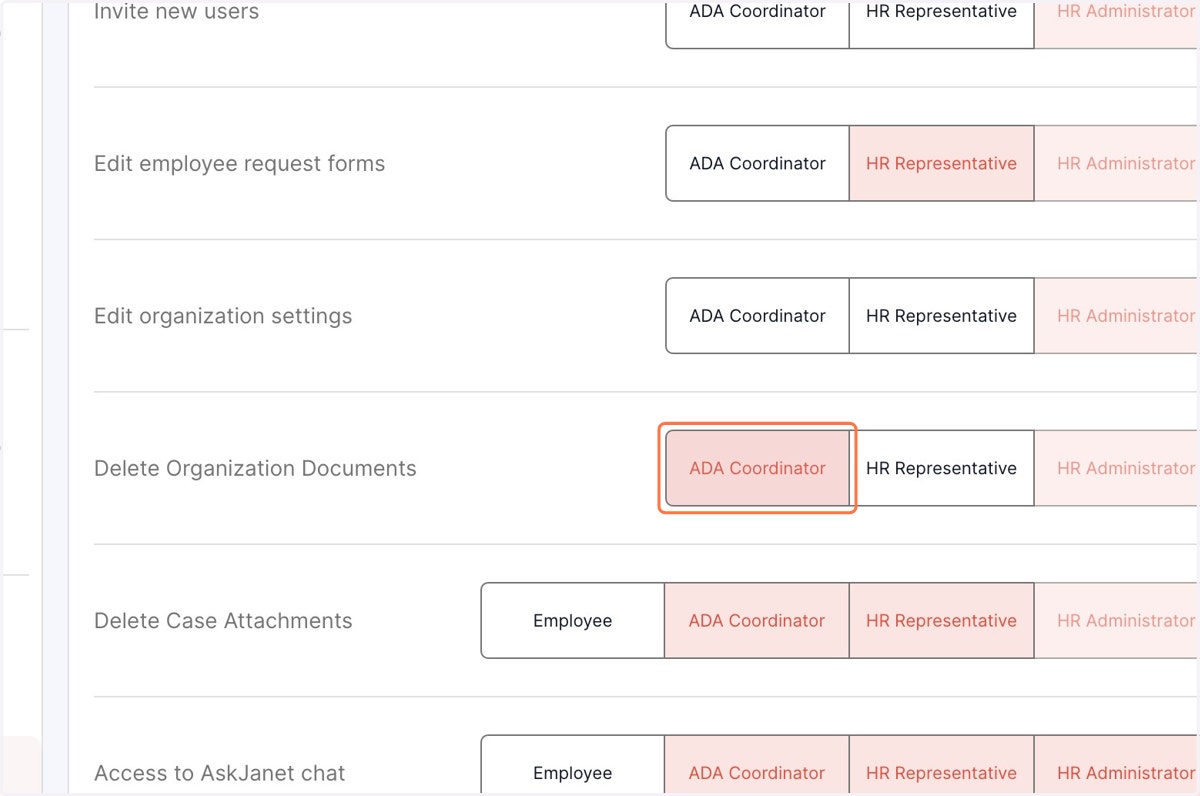
Nov 1st Release Notes: Delete Organization documents and case attachments using dynamic permission
You are now able to designate specific team members who will have the authority to delete organisation documents or case attachment uploaded in a particular case.
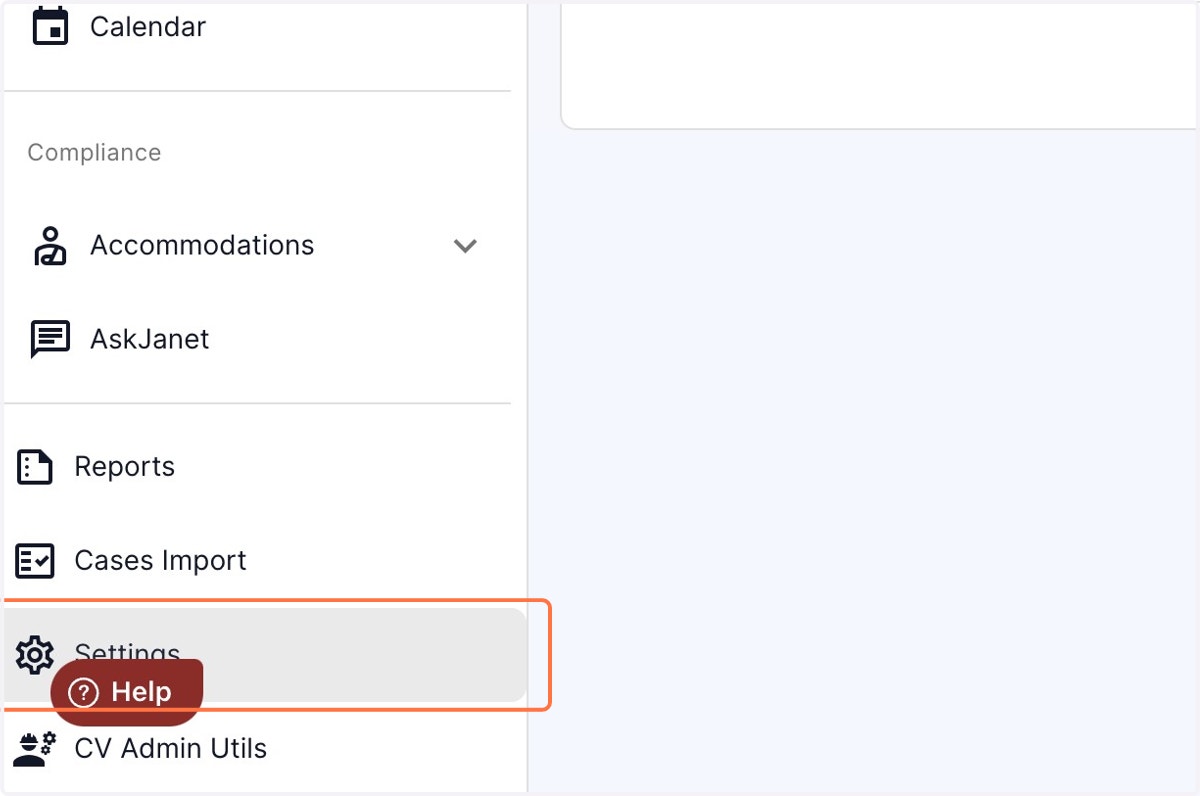
1. Click on settings in the. left panel
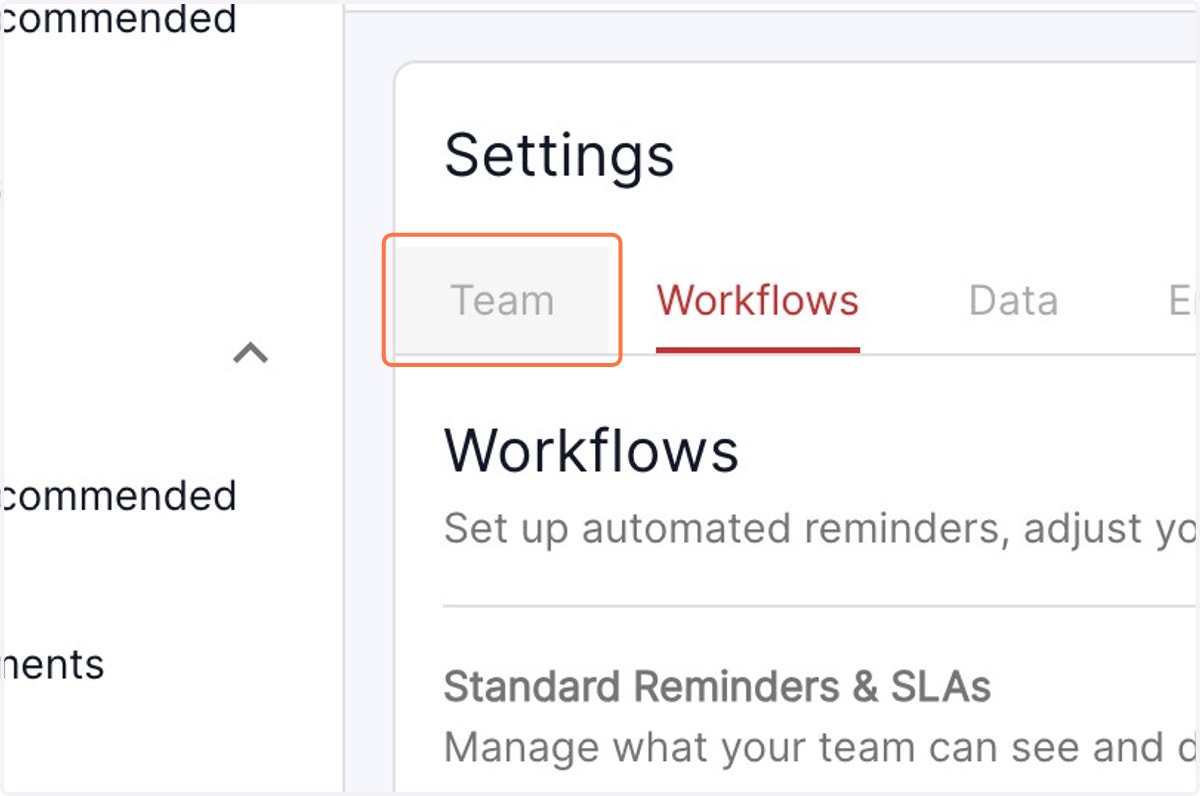
2. Under the settings menu, select Team from the available options
3. Select the designation who will have permissions to delete the organisation documents. Once the corresponding tab turns red, the selected person is granted the authority to perform document deletion."
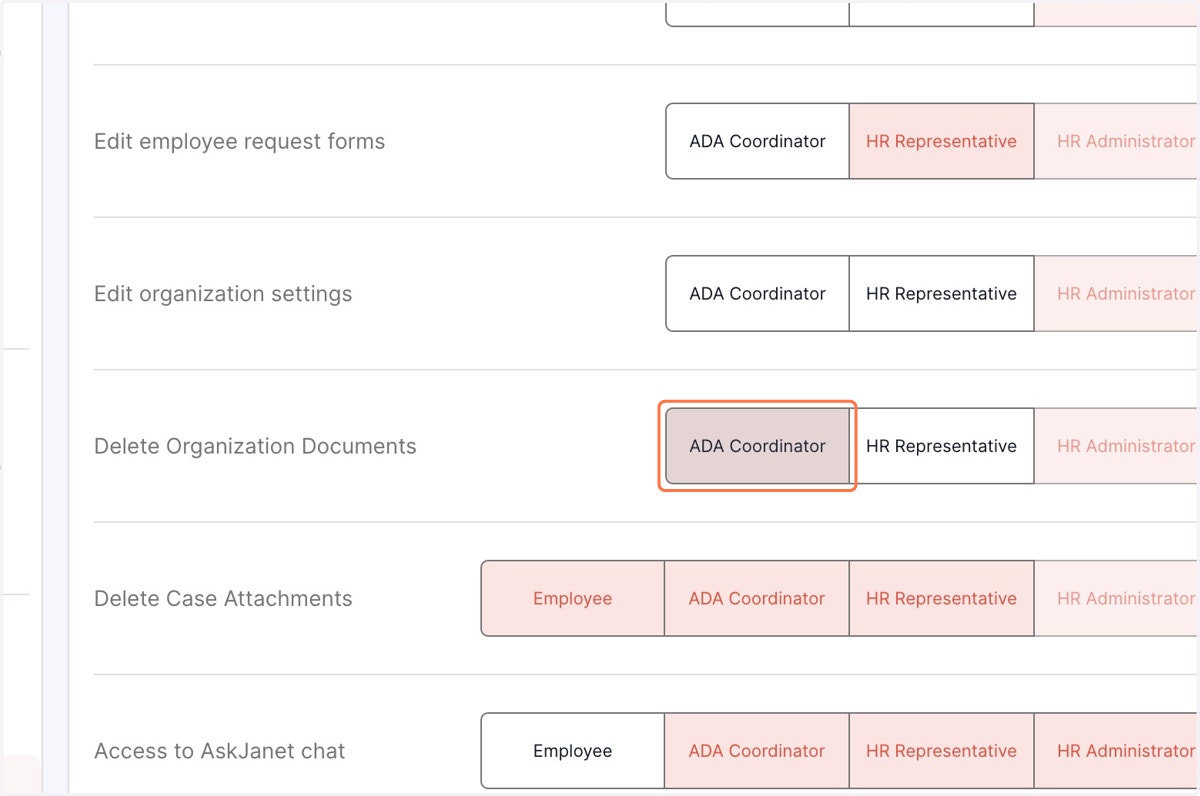
4. Select the designation who will have permissions to delete the case attachments. Once the corresponding tab turns red, the selected person is granted the authority to perform the function.
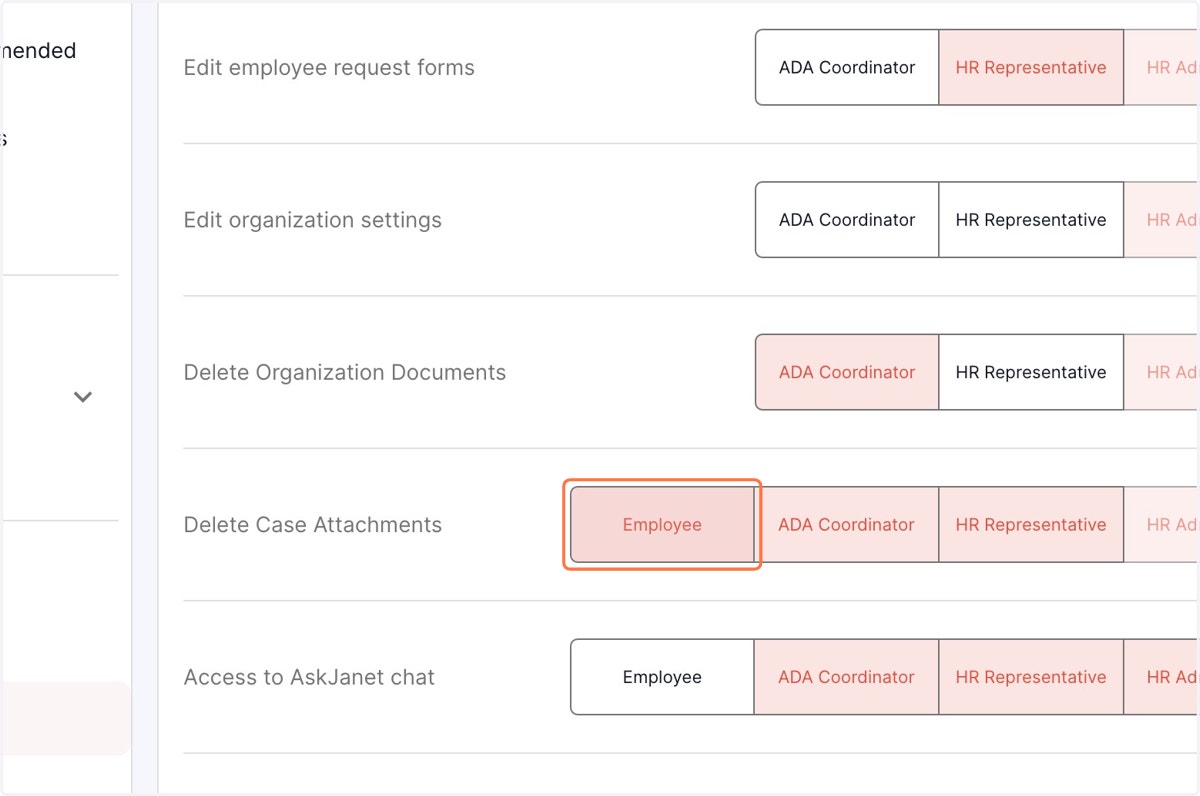
5. To remove the permissions, click on the designation and the tab turns white, indicating that the permissions have been removed.