Viewing Previous Workflow Versions
Horse Business Manager
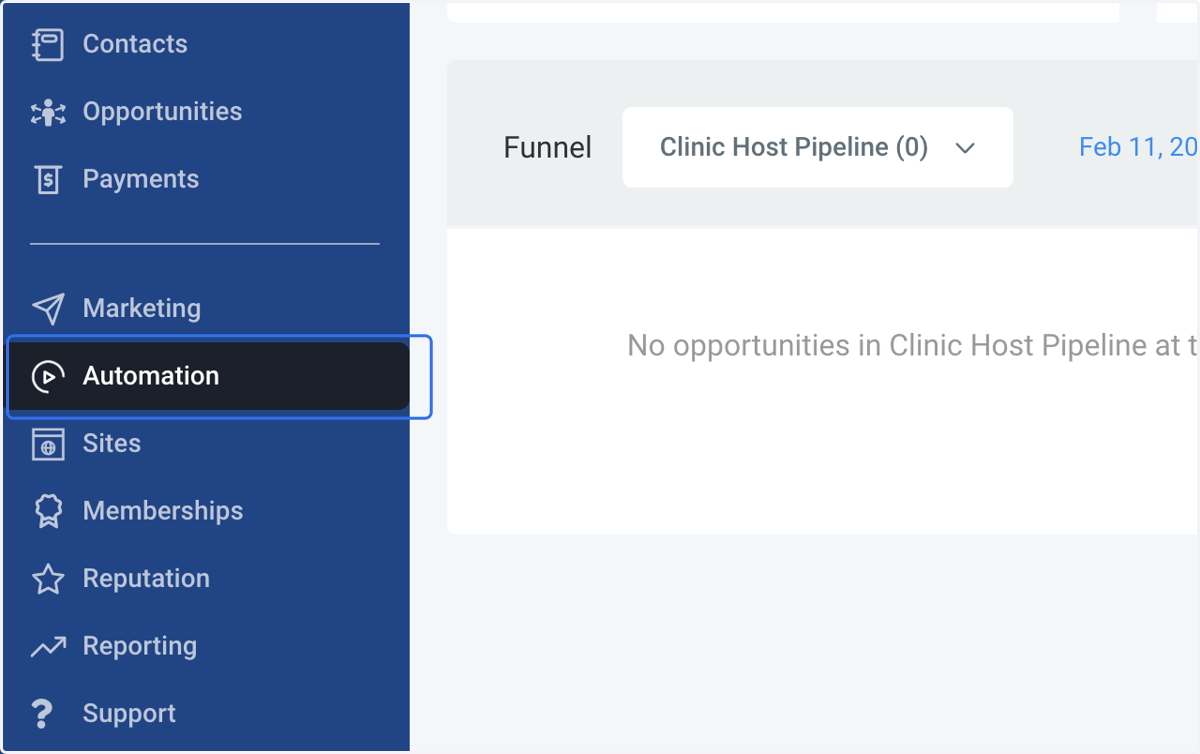
1. Click on Automation
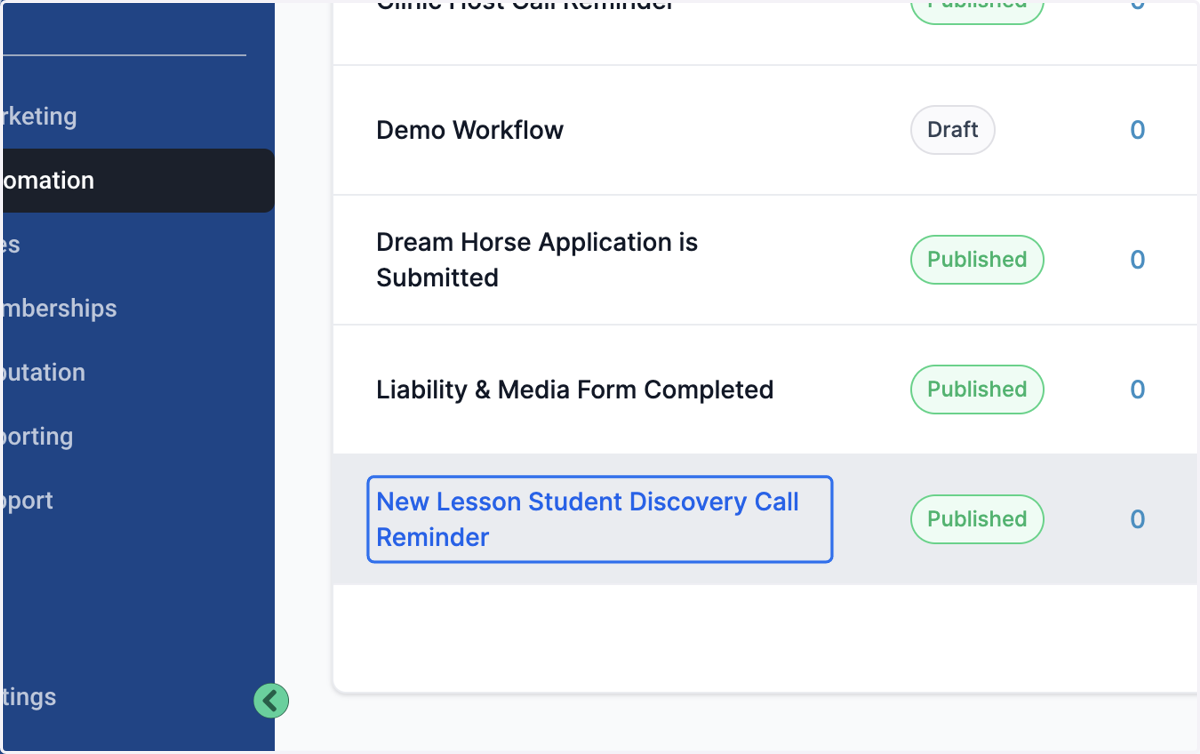
2. Click on New Lesson Student Discovery Call Reminder
Open the Workflow that you want to view the history of
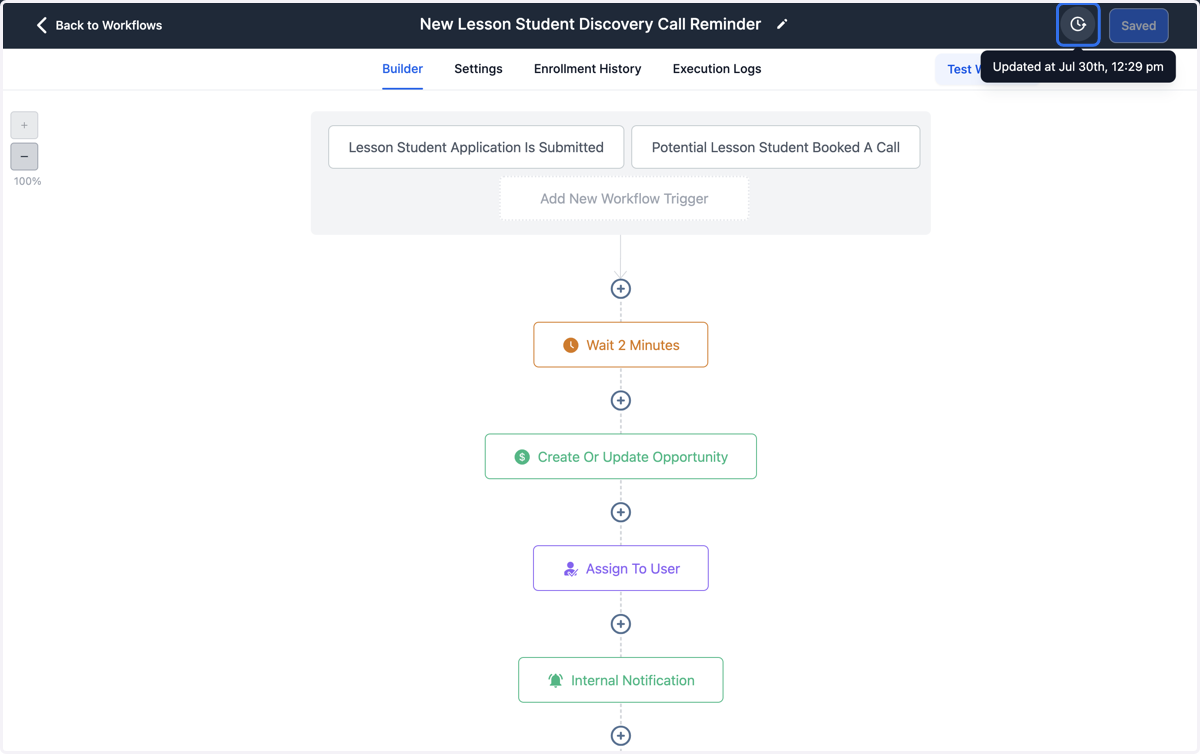
3. Click on the History button
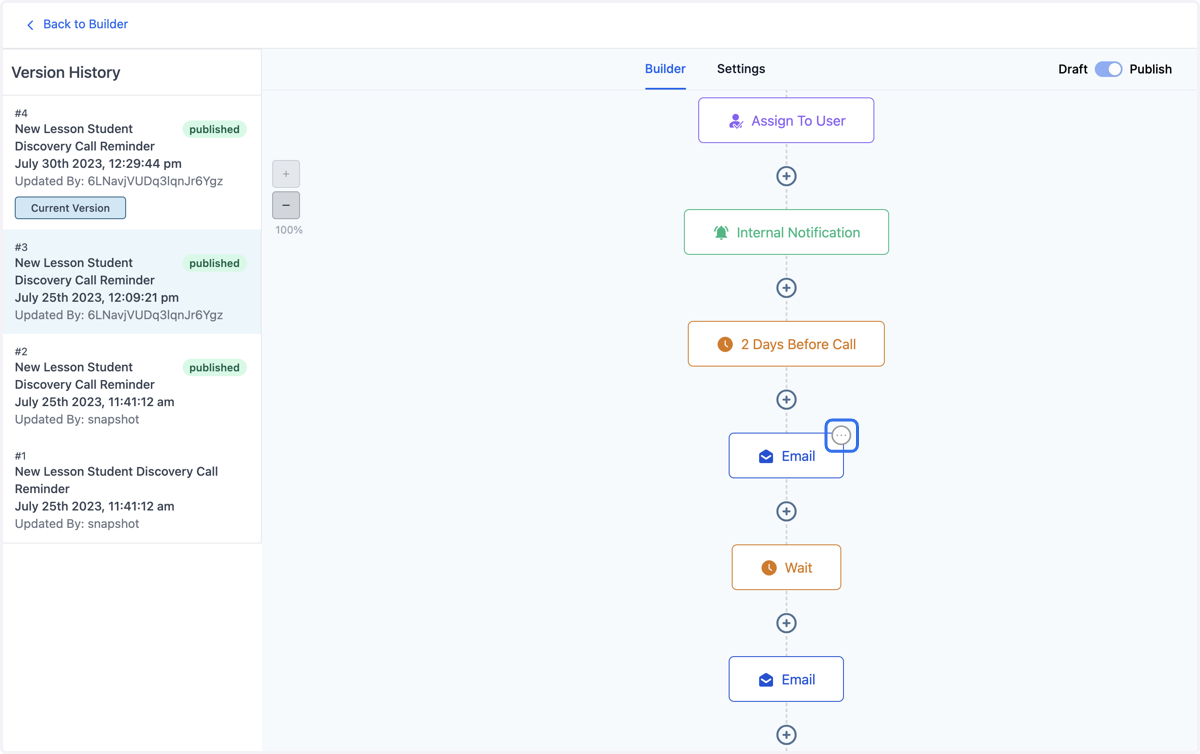
4. A log of all the saved versions of your workflow will appear on the lefthand side of your screen.
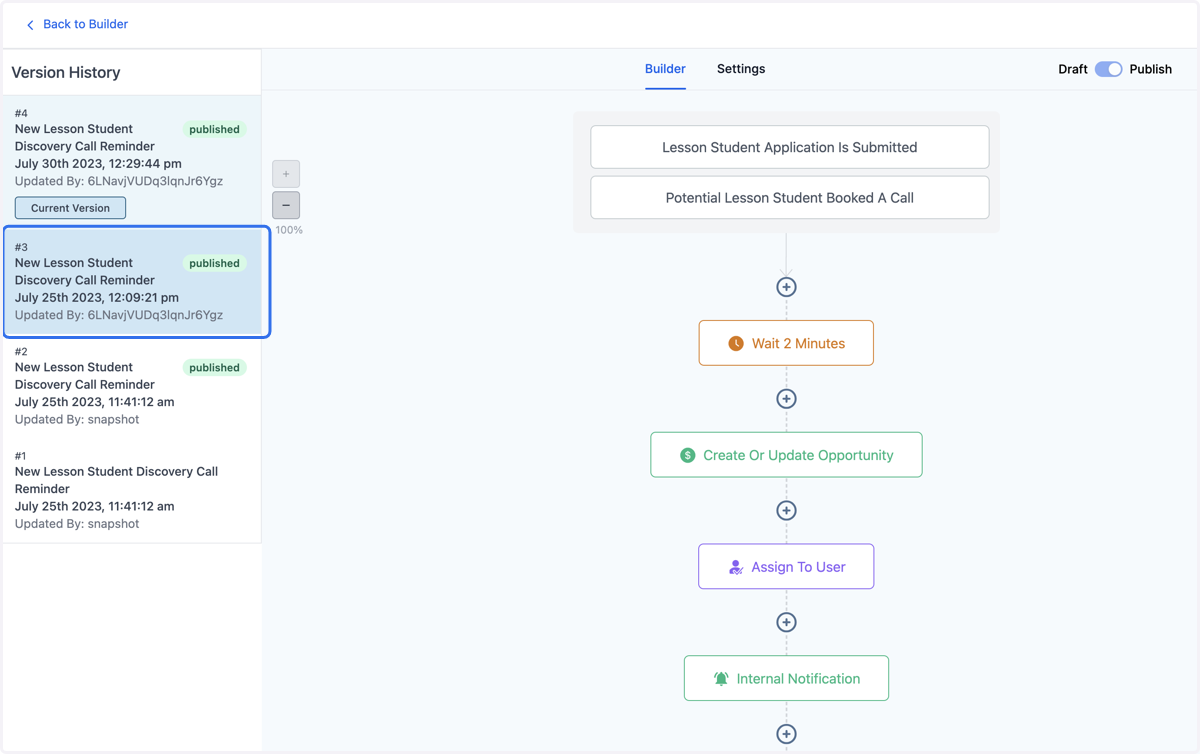
5. Select the version that you want to view and click on any of the triggers or action to review how they were set up