N-able N-Sight
N-sight Dashboard
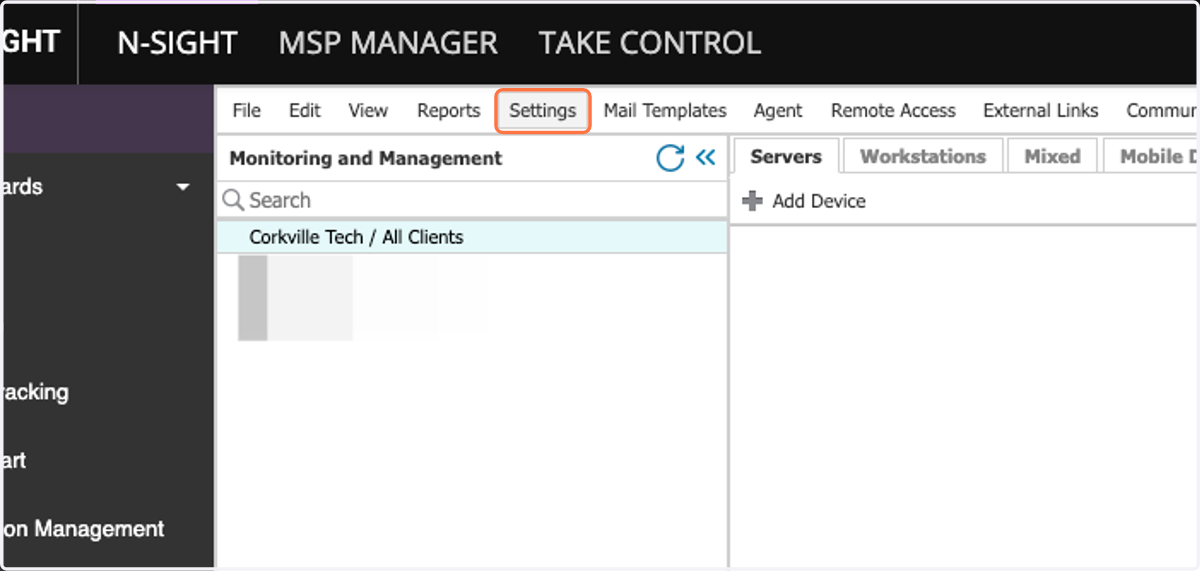
1. Click on Settings
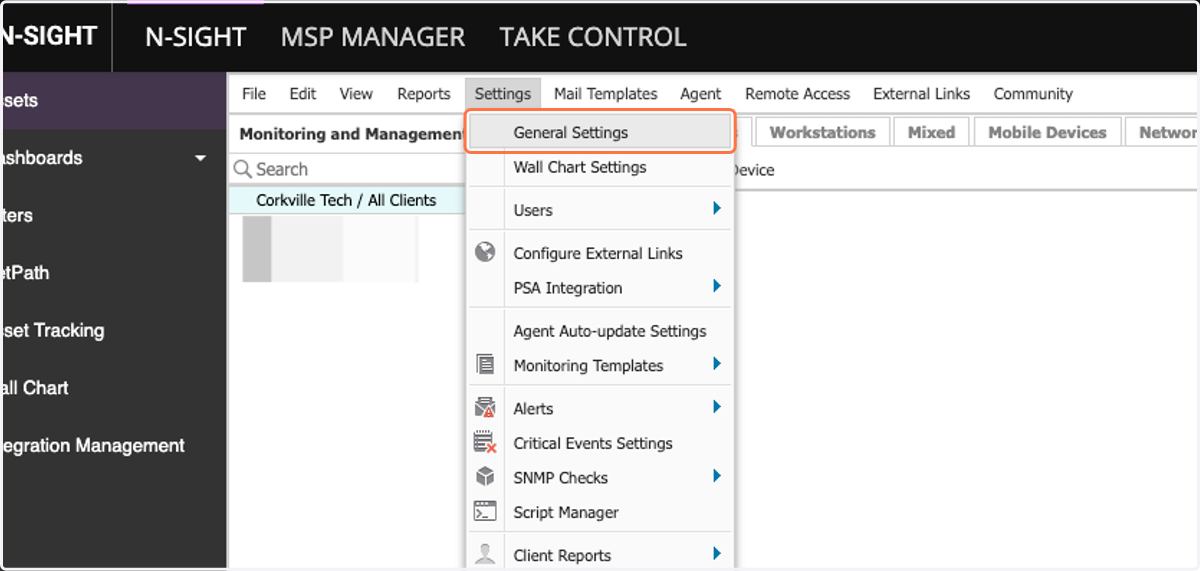
2. Click on General Settings
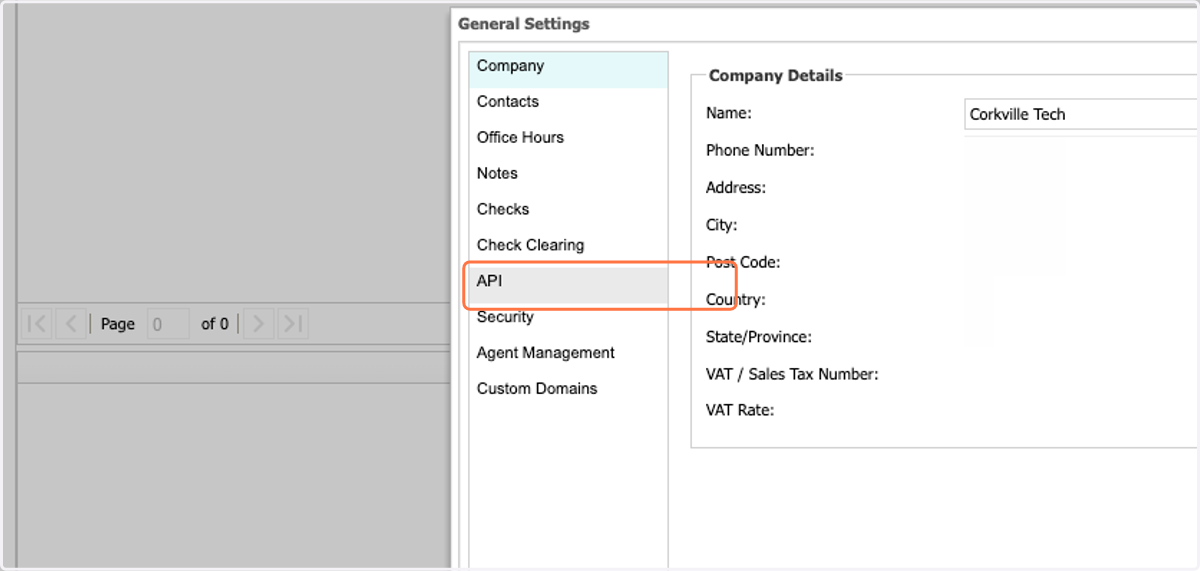
3. Click on API
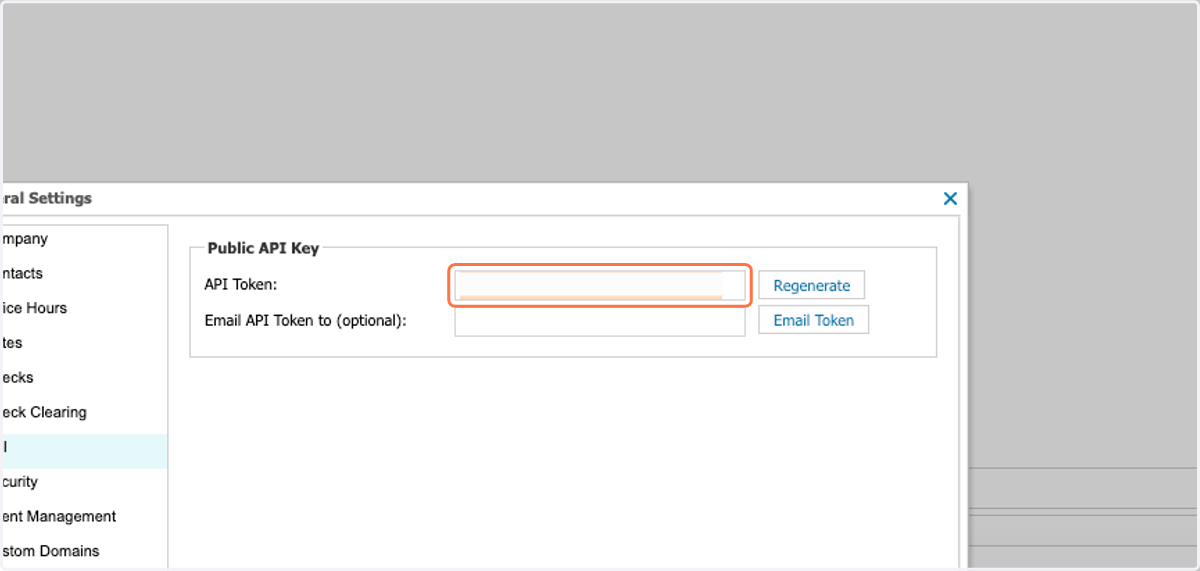
4. Regenerate or copy the existing API token
Cork
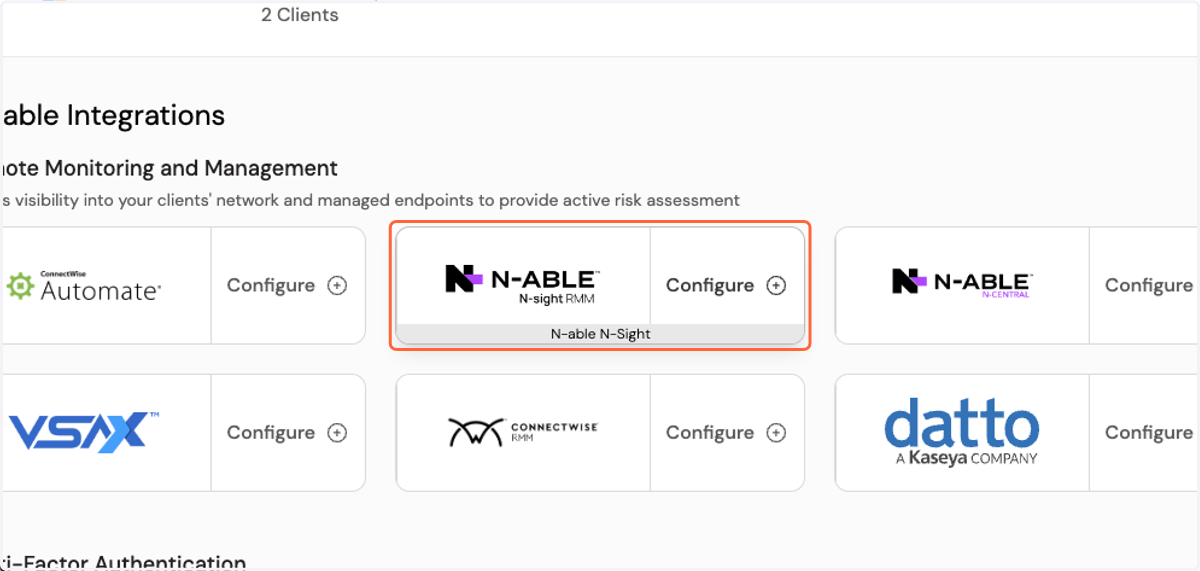
5. Click on Configure N-able N-Sight integration
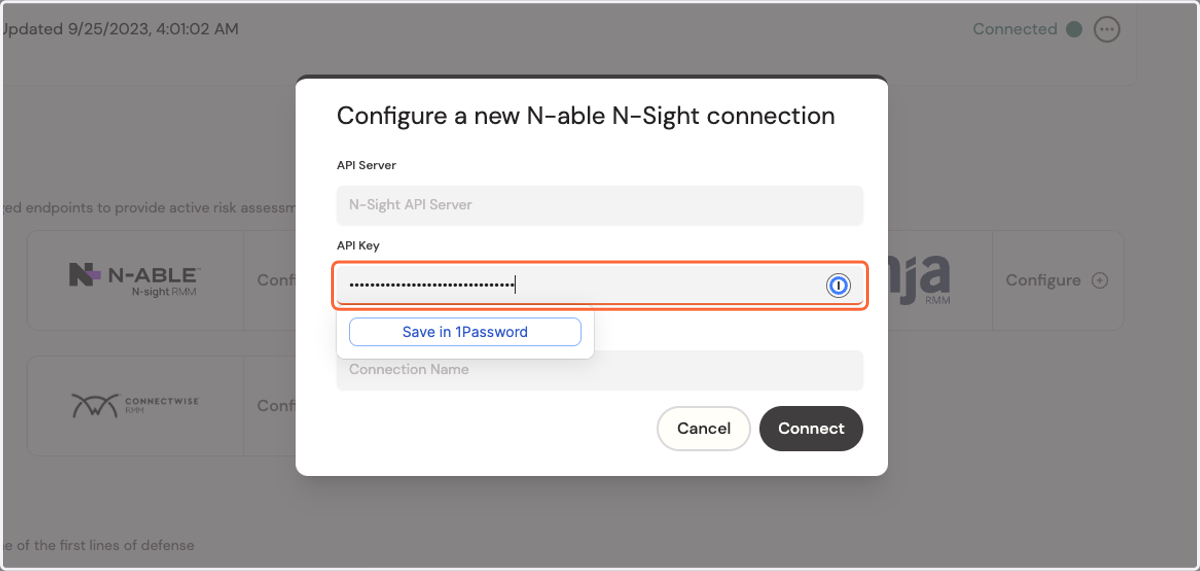
6. Paste API Key into the API Key box
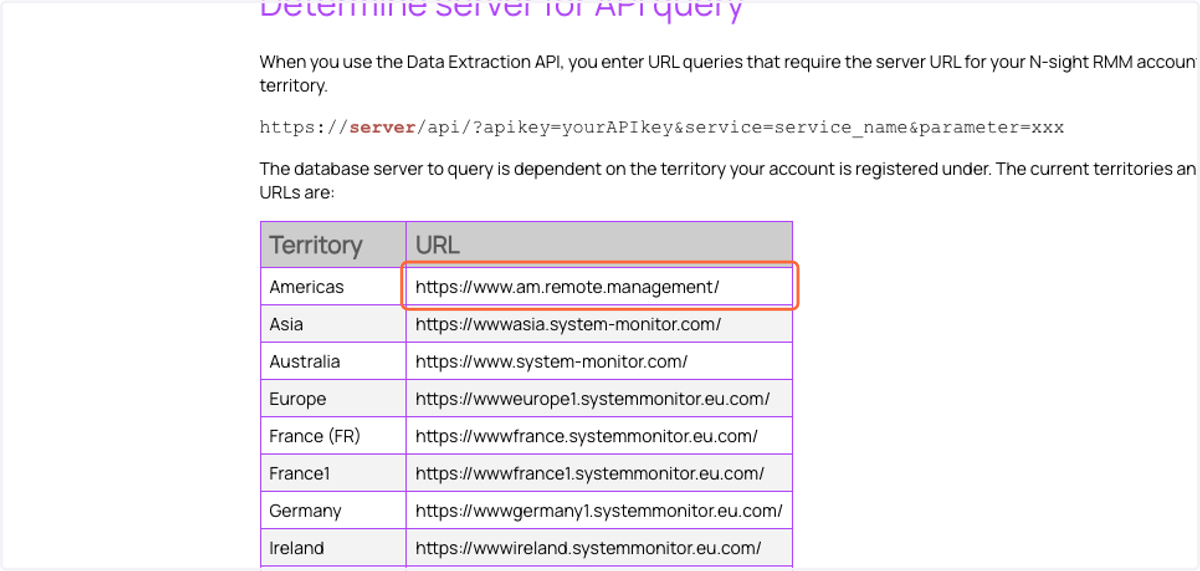
Determine server for API query
7. Copy the correct API Server depending on your N-sight dashboard server
NOTE: if you are located in the US, please try https://www.systemmonitor.us before attempting the options below.
Cork - Integrations
8. Paste the API Server address into the API Server box
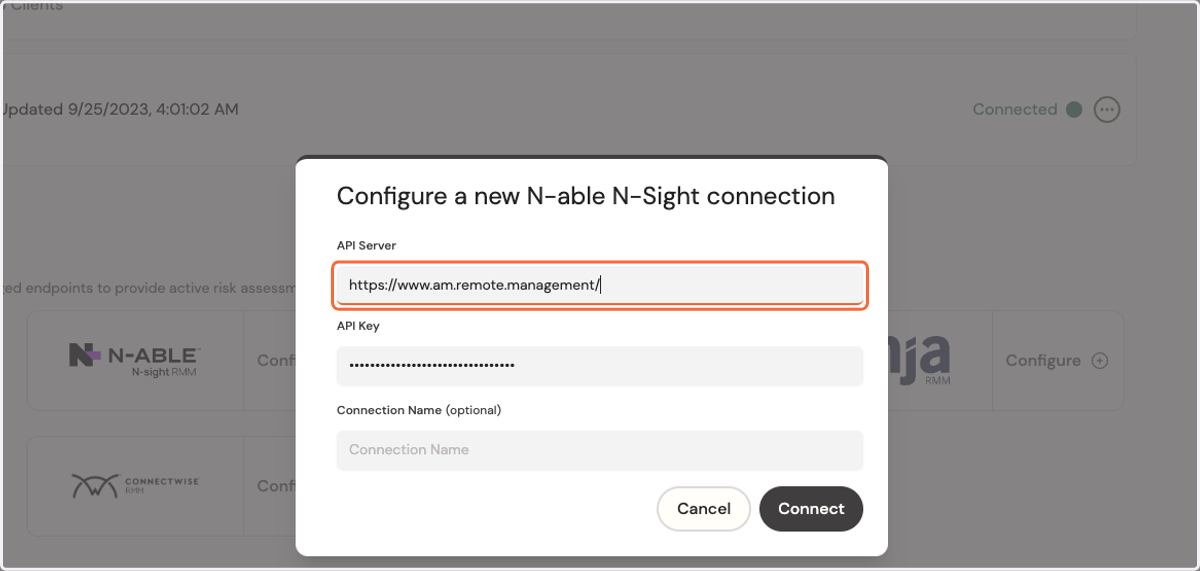
9. Press Connect