Override Pension Scheme at Pay Template or Payslip Level

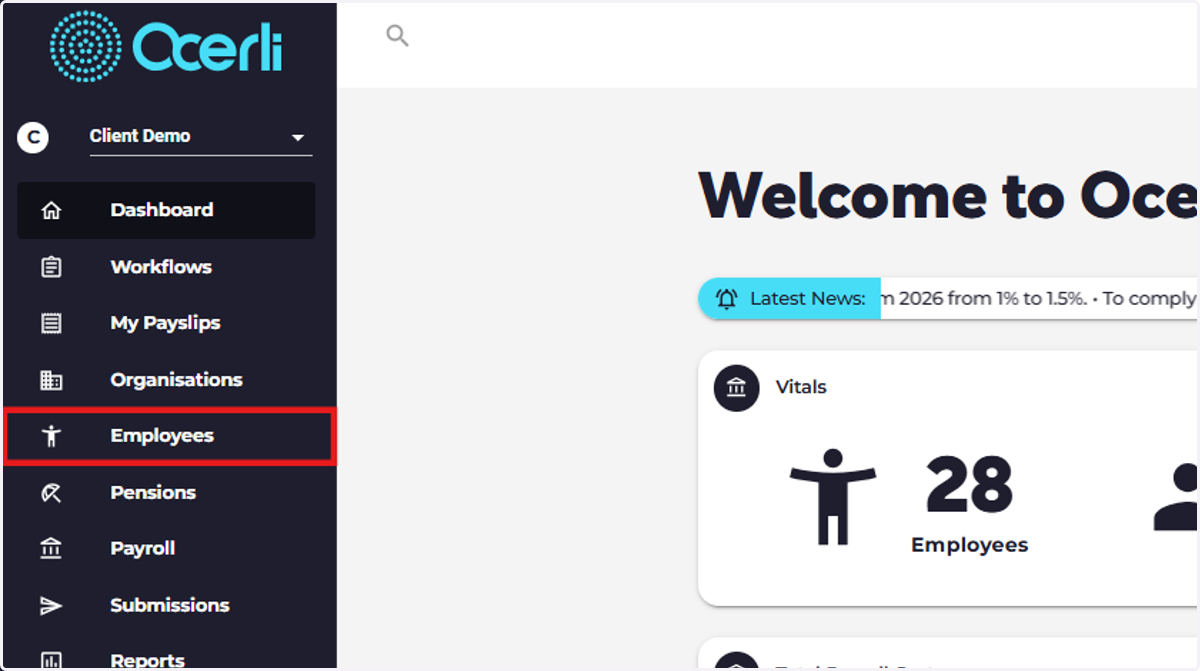
  1. 1. Click on Employees

    Click on Employees
  2. 2. Click the eye icon next to the employee you'd like to update.
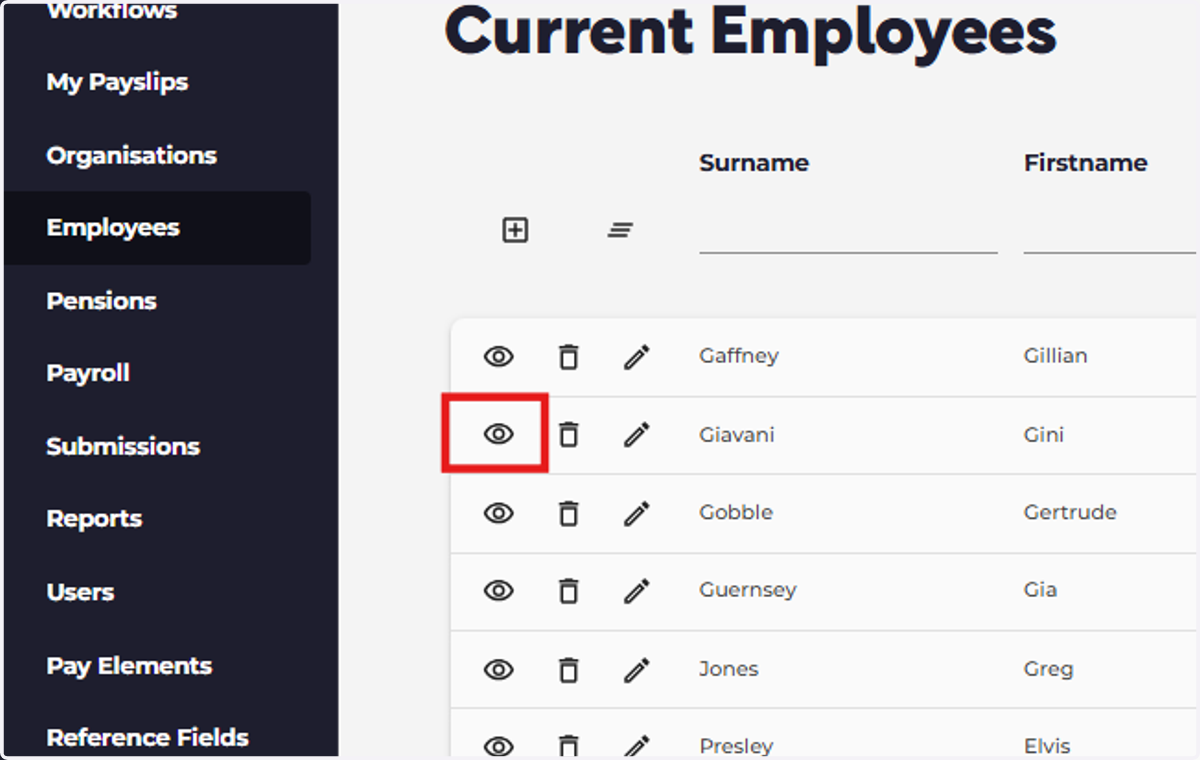
    Click the eye icon next to the employee you'd like to update.
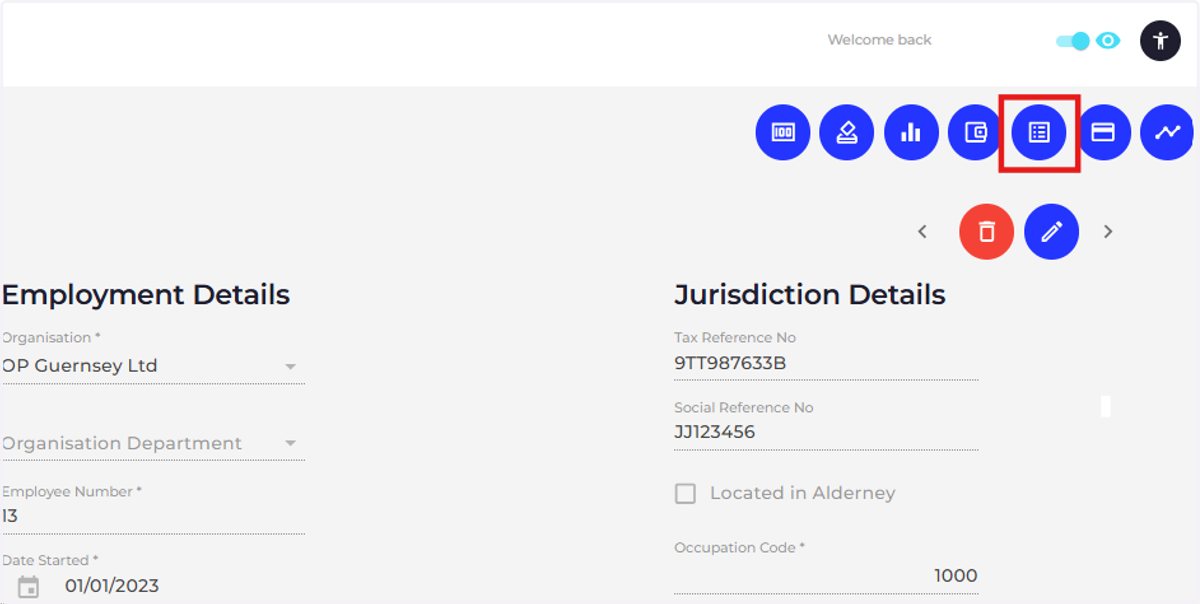
  3. 3. Click on pay template

    Click on pay template
  4. 4. Click the pencil icon next to the pay template element you'd like to update.
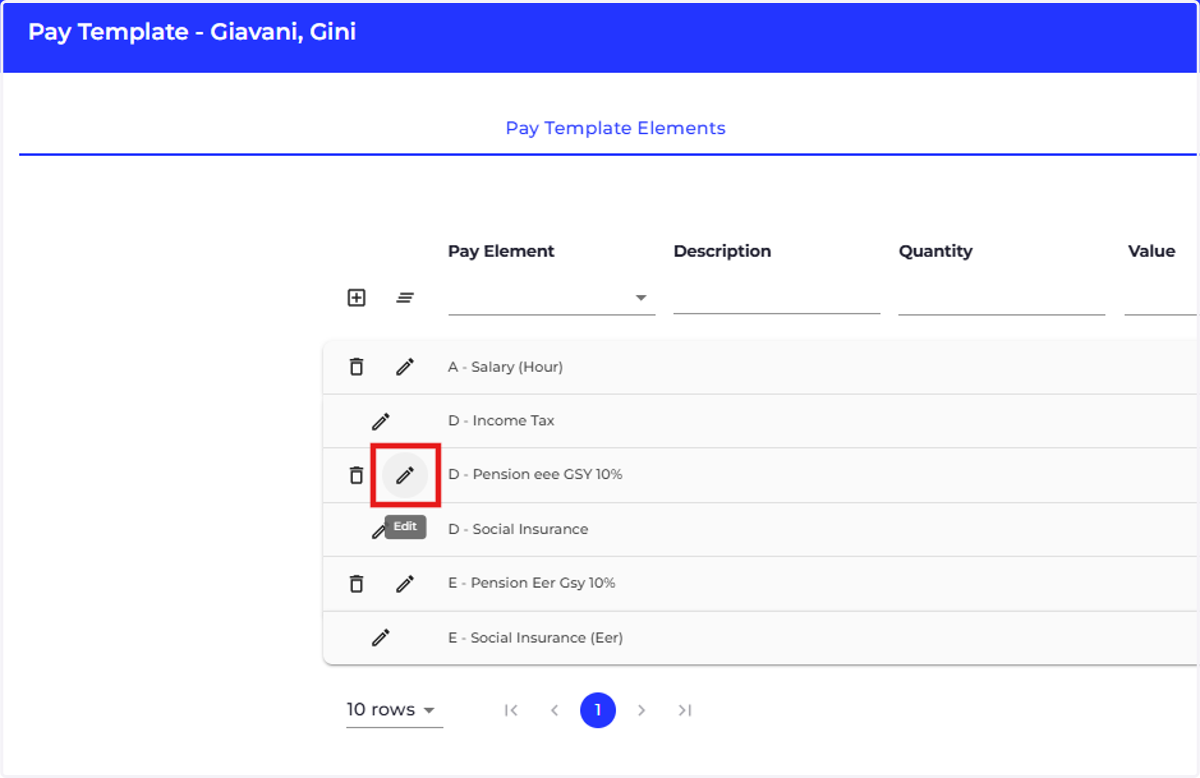
    Click the pencil icon next to the pay template element you'd like to update.
  5. 5. Choose the required pension scheme for the pay template element.
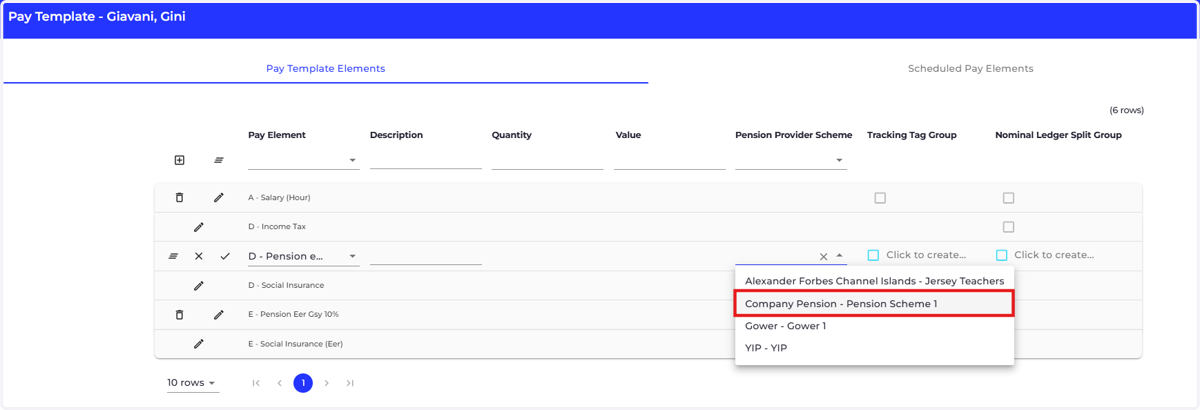
    Choose the required pension scheme for the pay template element.
  6. 6. Click the tick to save your changes.
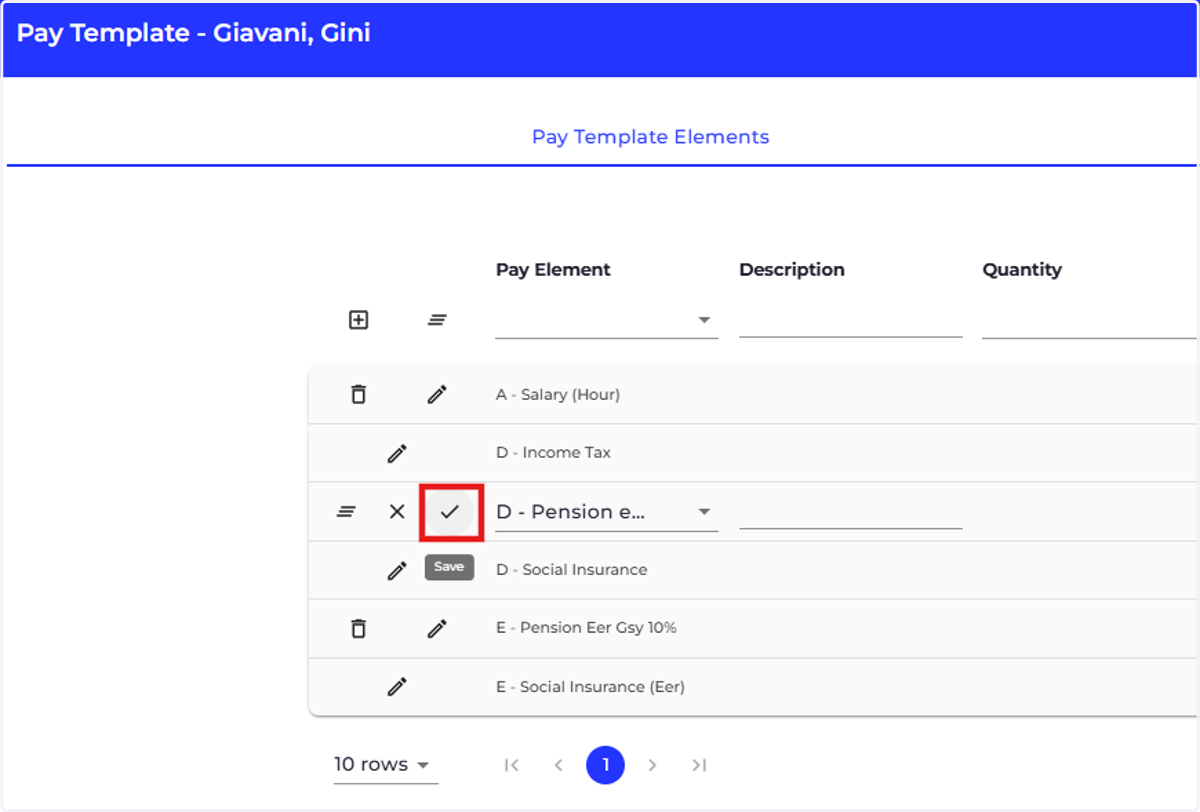
    Click the tick to save your changes.
  7. 7. You can also override the pension scheme at payslip pay element level, click on Payroll.
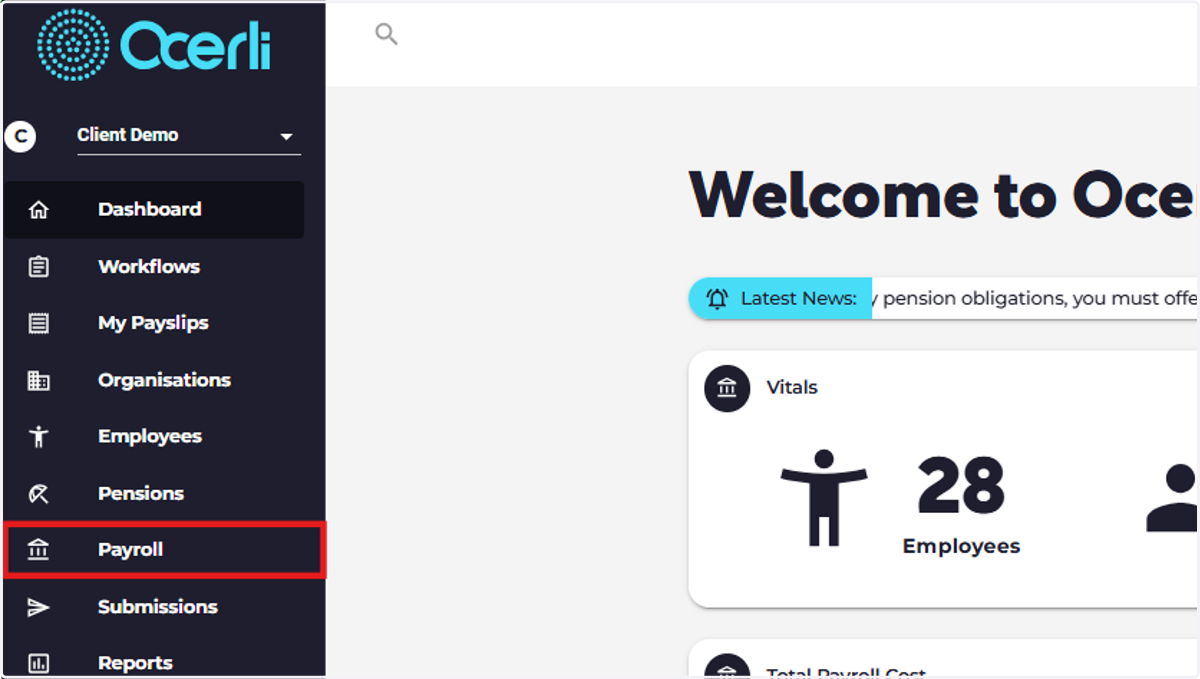
    You can also override the pension scheme at payslip pay element level, click on Payroll.
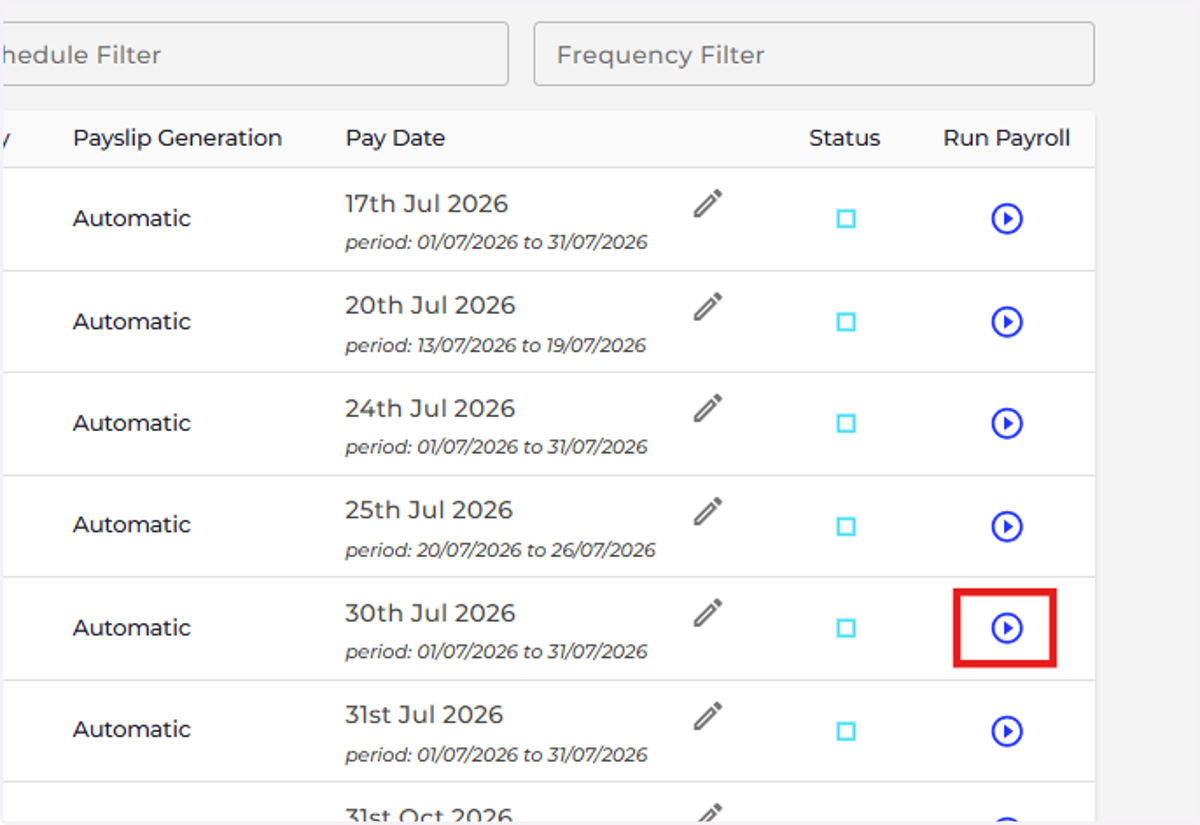
  8. 8. Click on Run Payroll

    Click on Run Payroll
  9. 9. Click on the payslip you'd like to update.
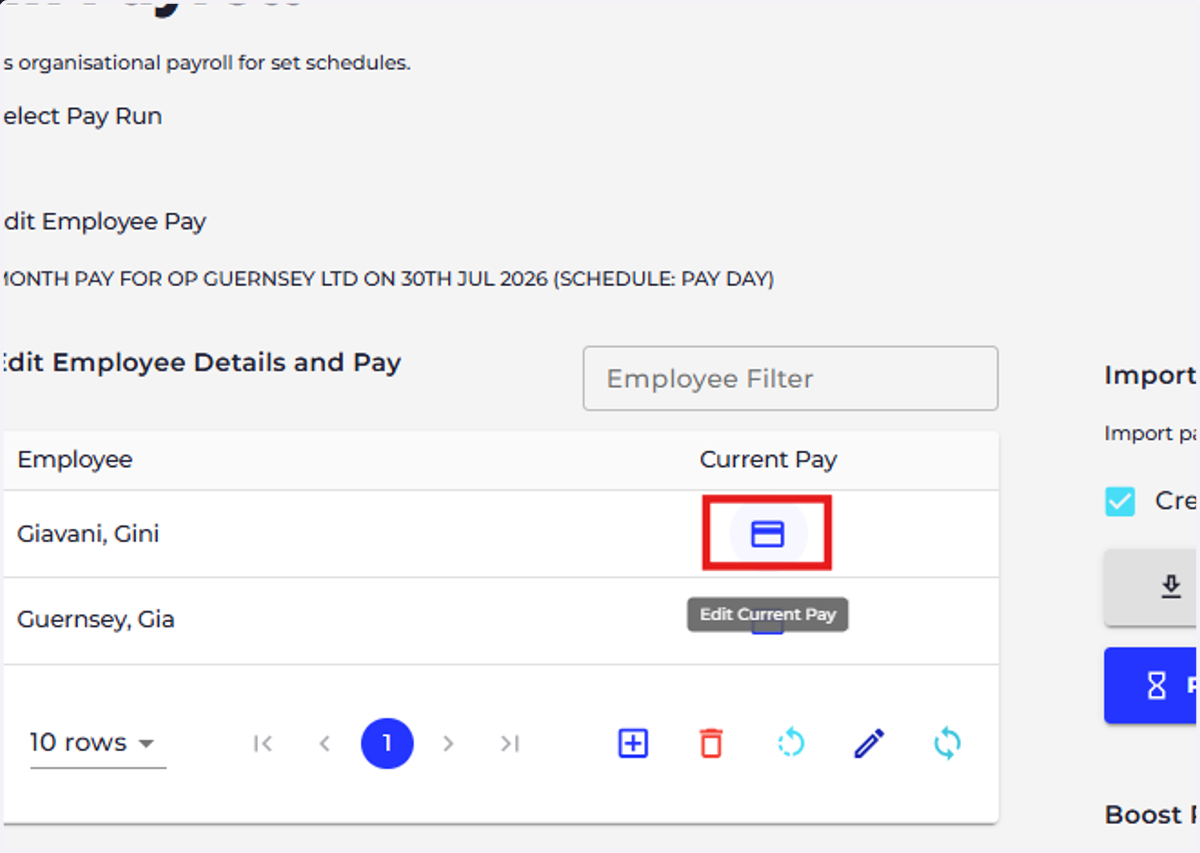
    Click on the payslip you'd like to update.
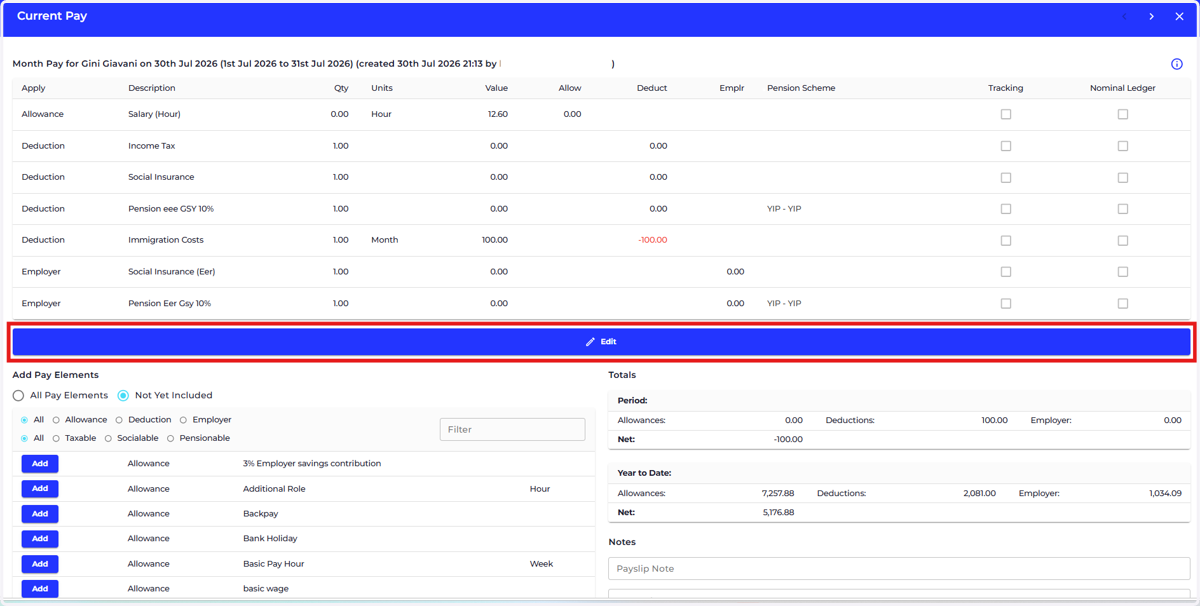
  10. 10. Click on edit

    Click on edit
  11. 11. Choose the required pension scheme for the pay element.
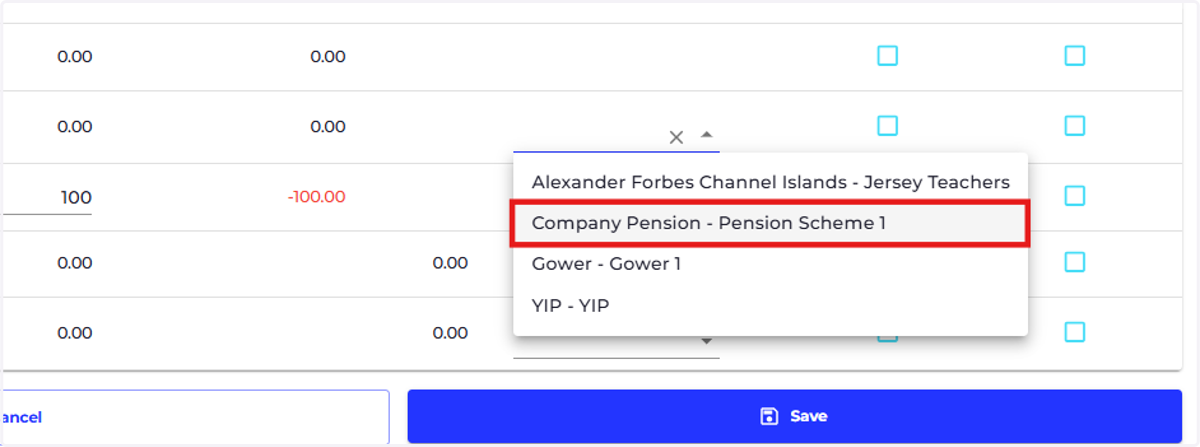
    Choose the required pension scheme for the pay element.
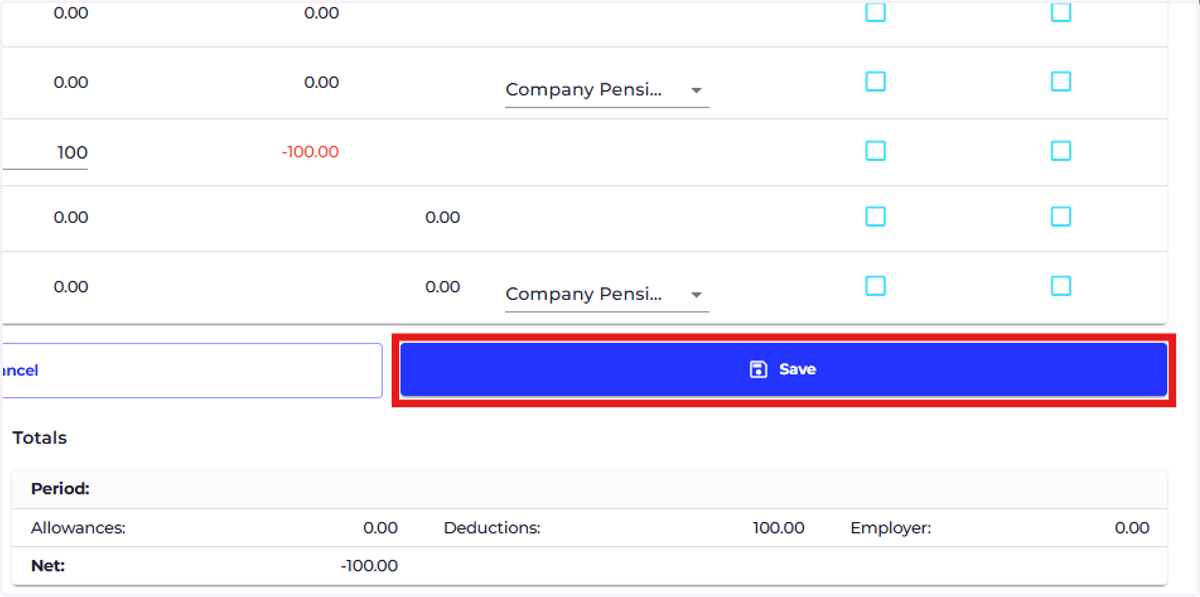
  12. 12. Click on save.

    Click on save.