How to Copy Floor/Ceiling Periods to Other Units
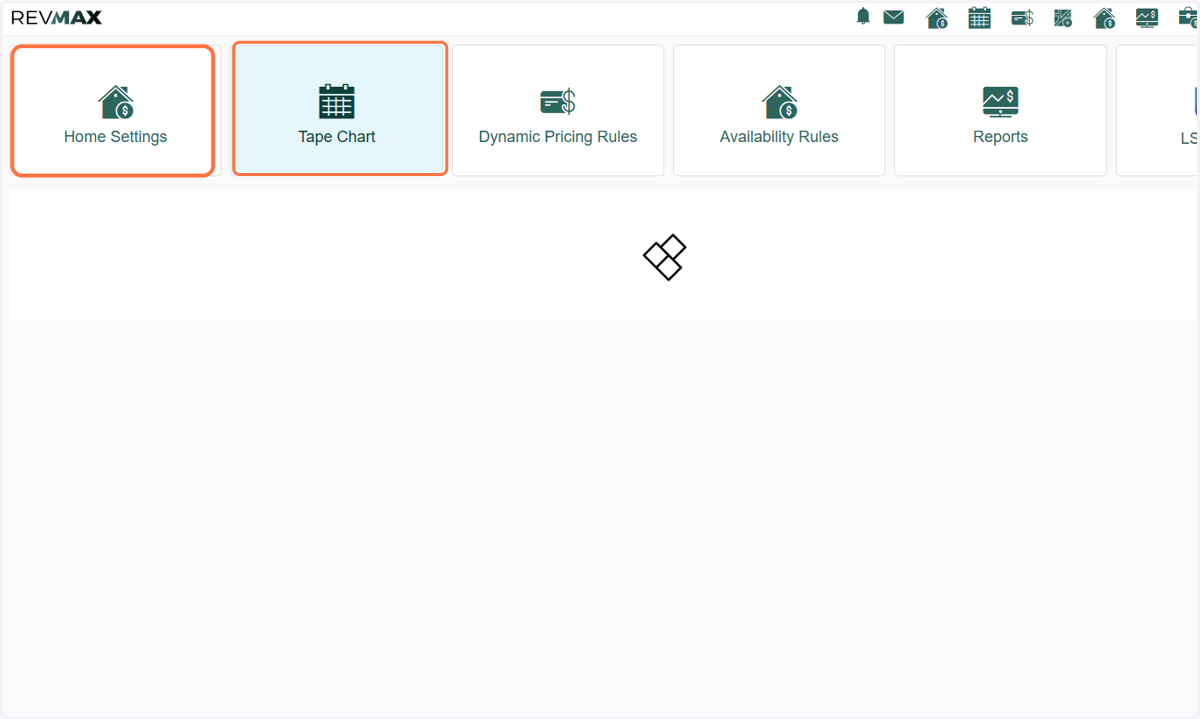
1. Navigate to any of the following pages to access unit settings: o Home Settings o Tape Chart
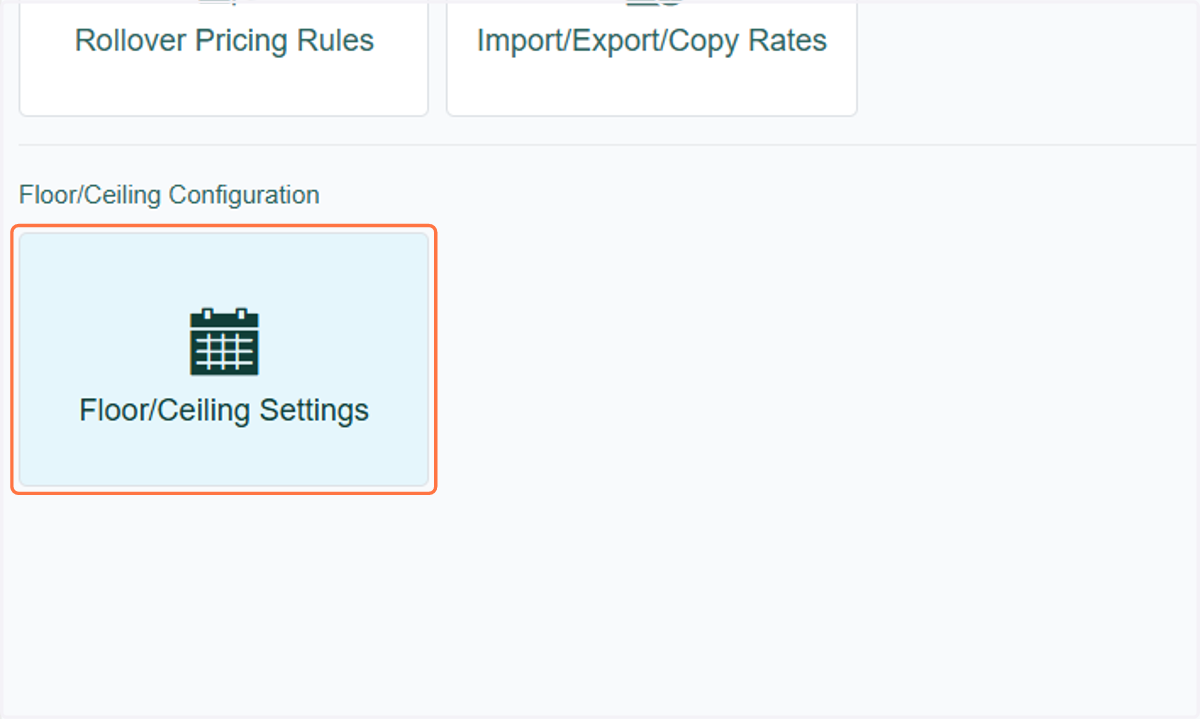
2. Or you can go to the Floor/Ceiling Settings page
3. Select the unit you want to configure, then go to Unit Level Settings > Floor/Ceiling Rates tab
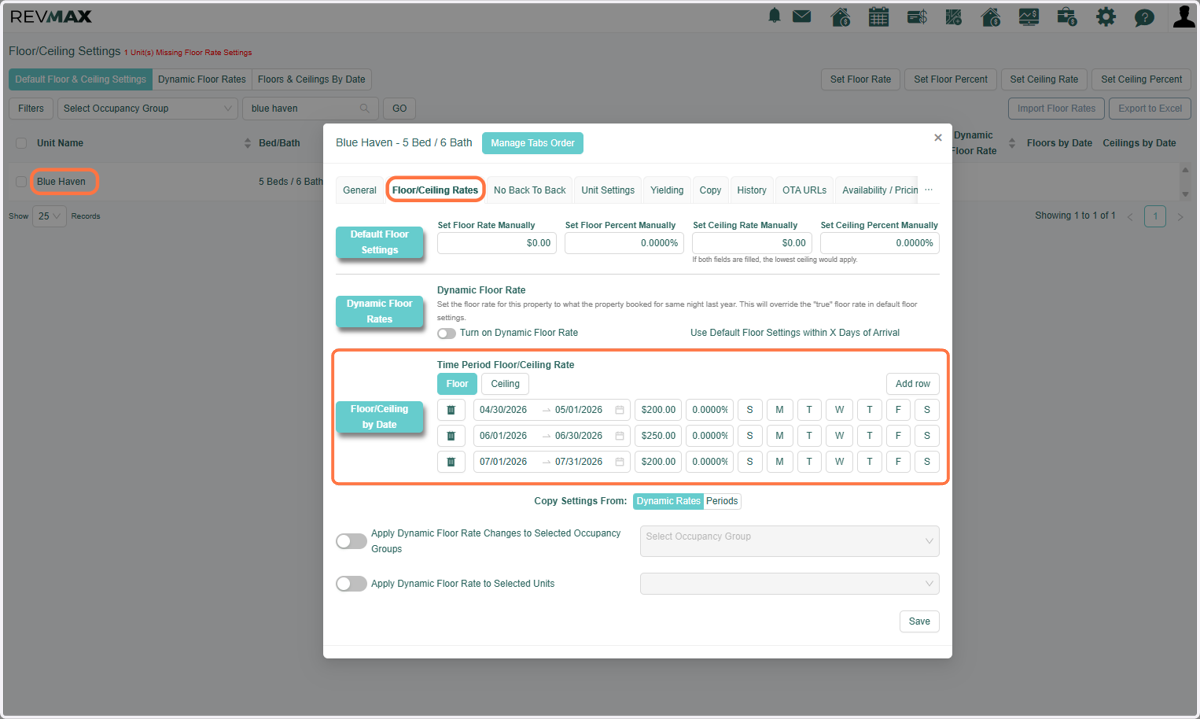
4. Once configured, select the “Periods” option. You will see the following copy options:
Apply Time Period Changes – Copies the periods as empty shells (no values).
Apply Floor Rules AND Apply Time Period Dates – Copies floor periods with values (no ceiling values).
Apply Ceiling Rules AND Apply Time Period Dates – Copies ceiling periods with values (no floor values).
Apply Floor & Ceiling Values AND Apply Time Period Dates – Copies both floor and ceiling periods with values.
Note: Only one option can be selected at a time. Use the toggle to choose your preferred action.
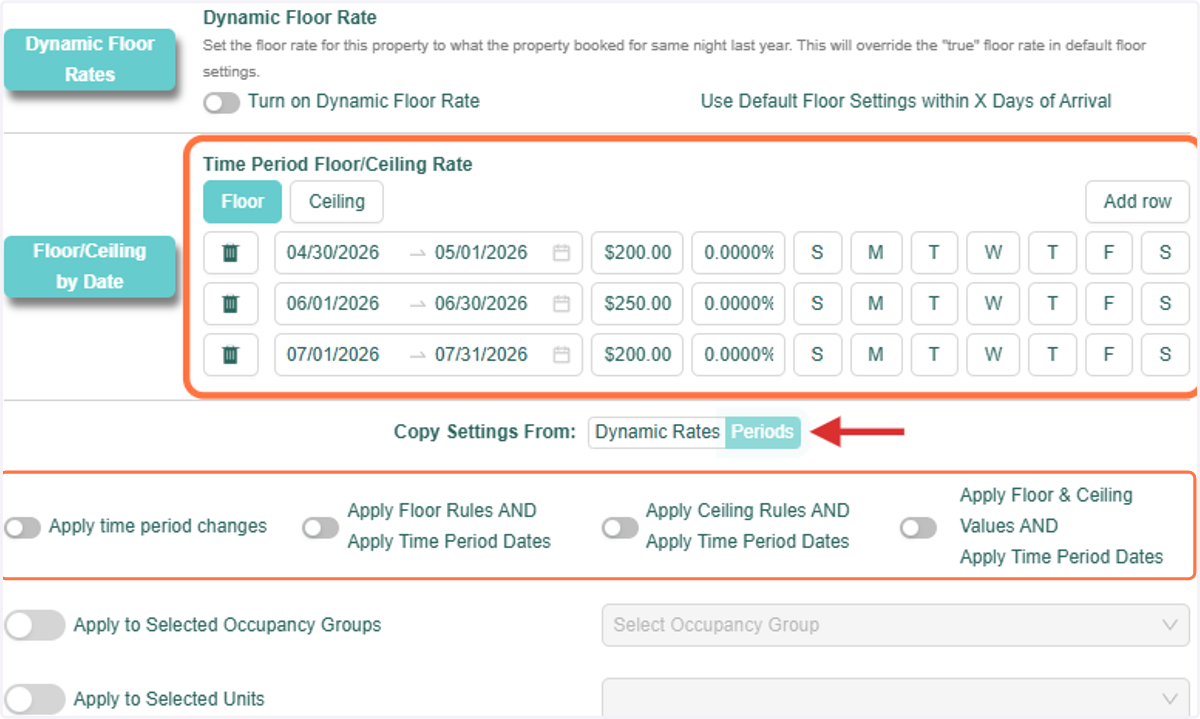
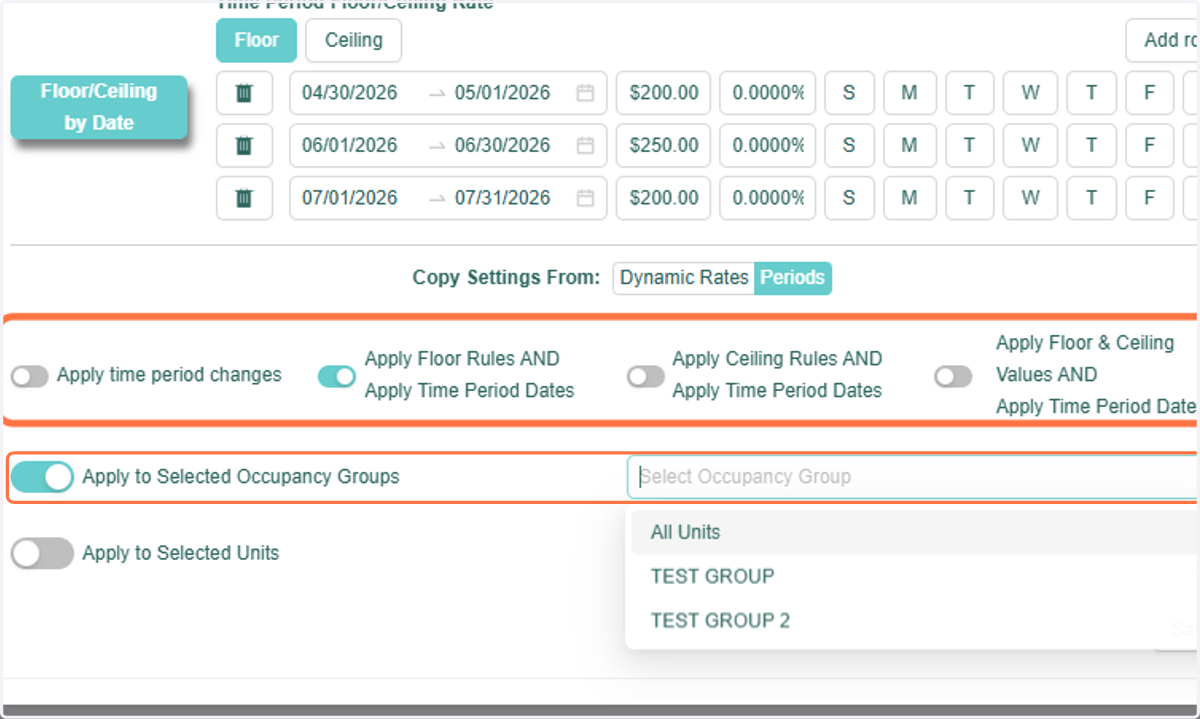
5. After selecting a copy option, choose how you want to apply the changes: o Apply to Selected Occupancy Groups – Select one or multiple occupancy groups.
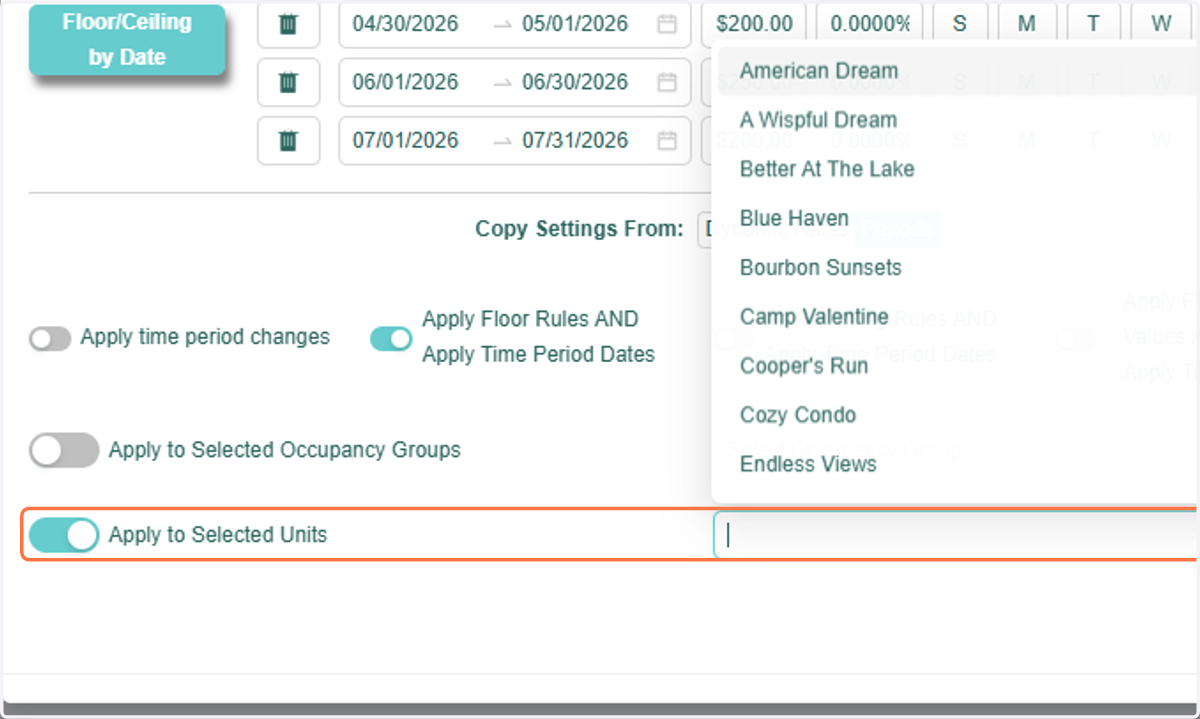
6. o Apply to Selected Units – Select one or multiple units.
7. Once everything is set, click “Save” to apply the changes.
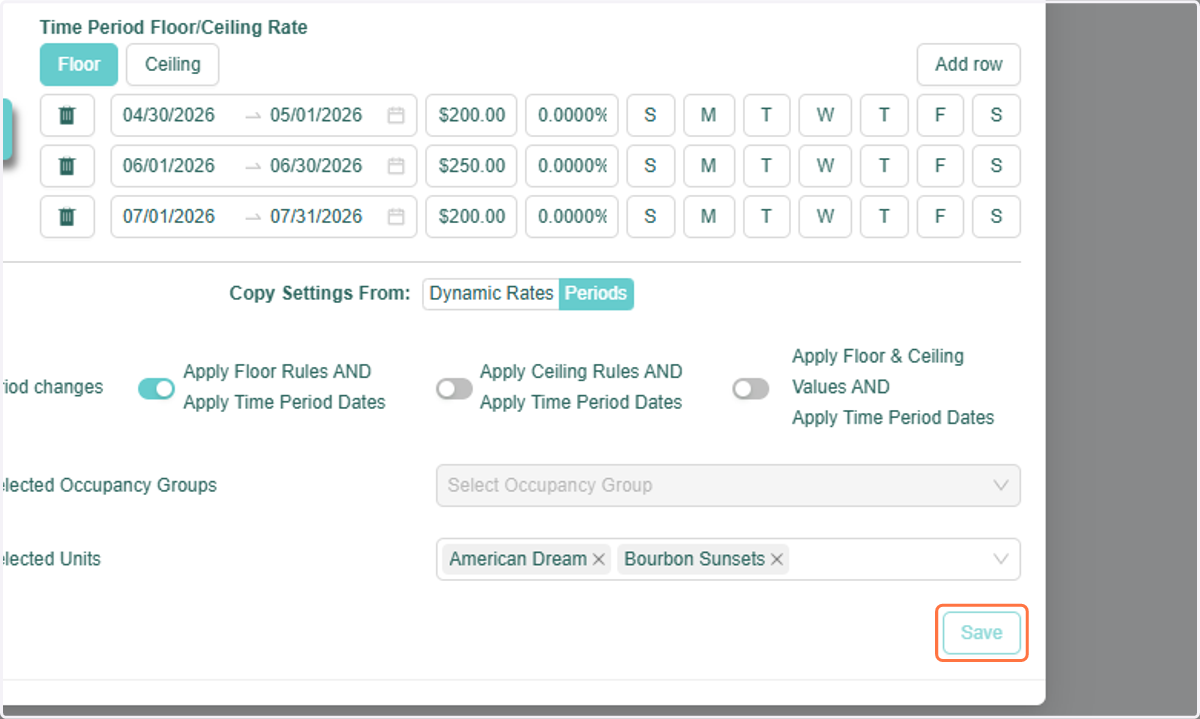
8. The Floor/Ceiling periods will then be updated for the selected units.
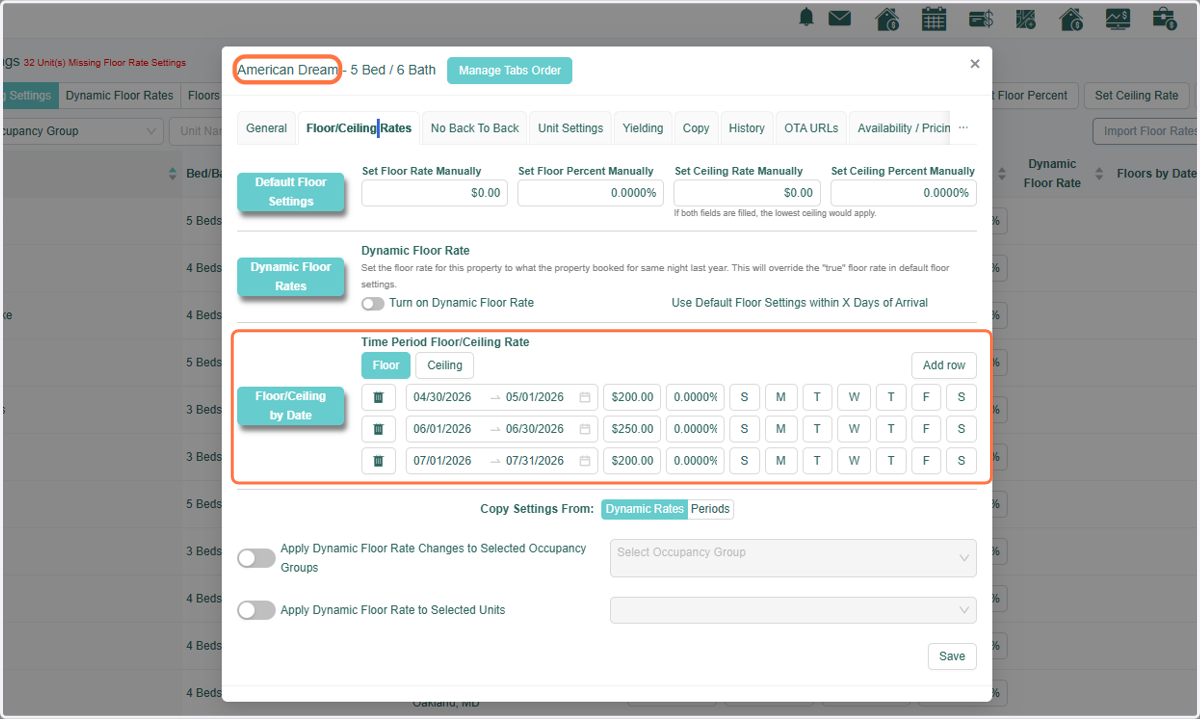
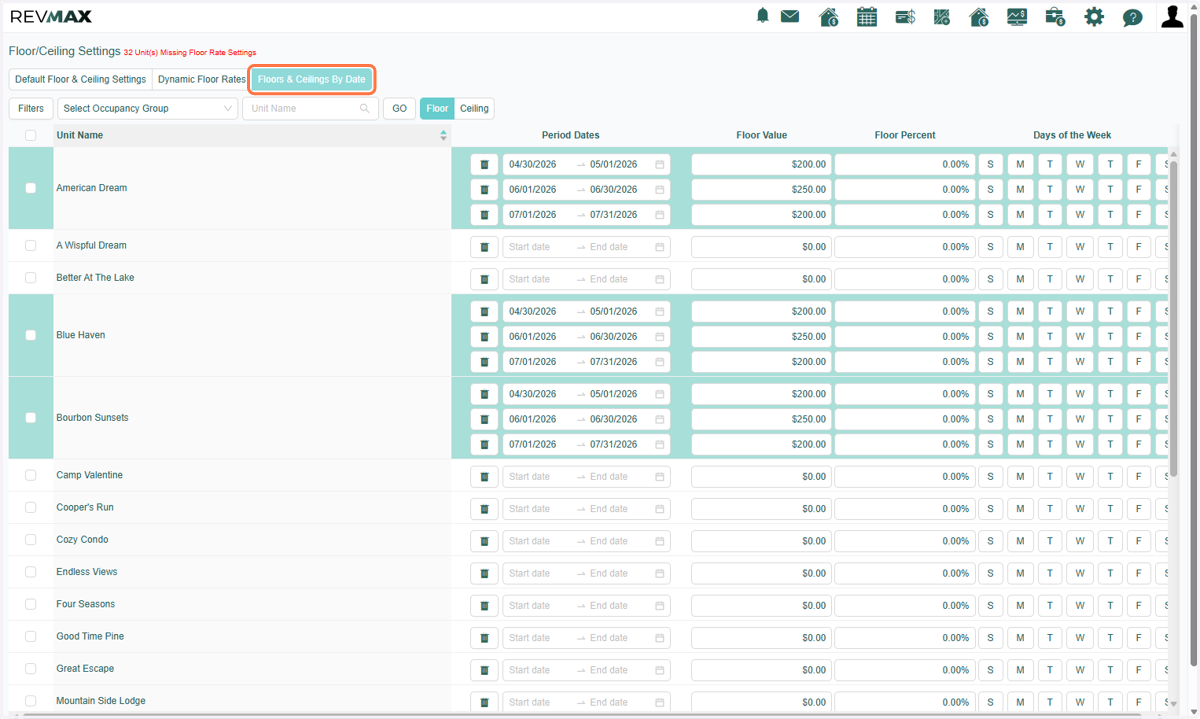
9. You can view all your units and their configured Floor/Ceiling periods by navigating to Floor/Ceiling Settings > Floor & Ceilings by Date.