Calculating Move-Ins when the Physical Move-In Date is in a different month than the Financial Ownership date
This walkthrough outlines how to count the number of move-ins in a current month when financial possession is taken in one month and the resident physically moves into the community the following month. The move in would show for the following month rather than the date financial responsibility was taken.
Open Yardi Voyager & select "Business Office" role
1. Click on Reports
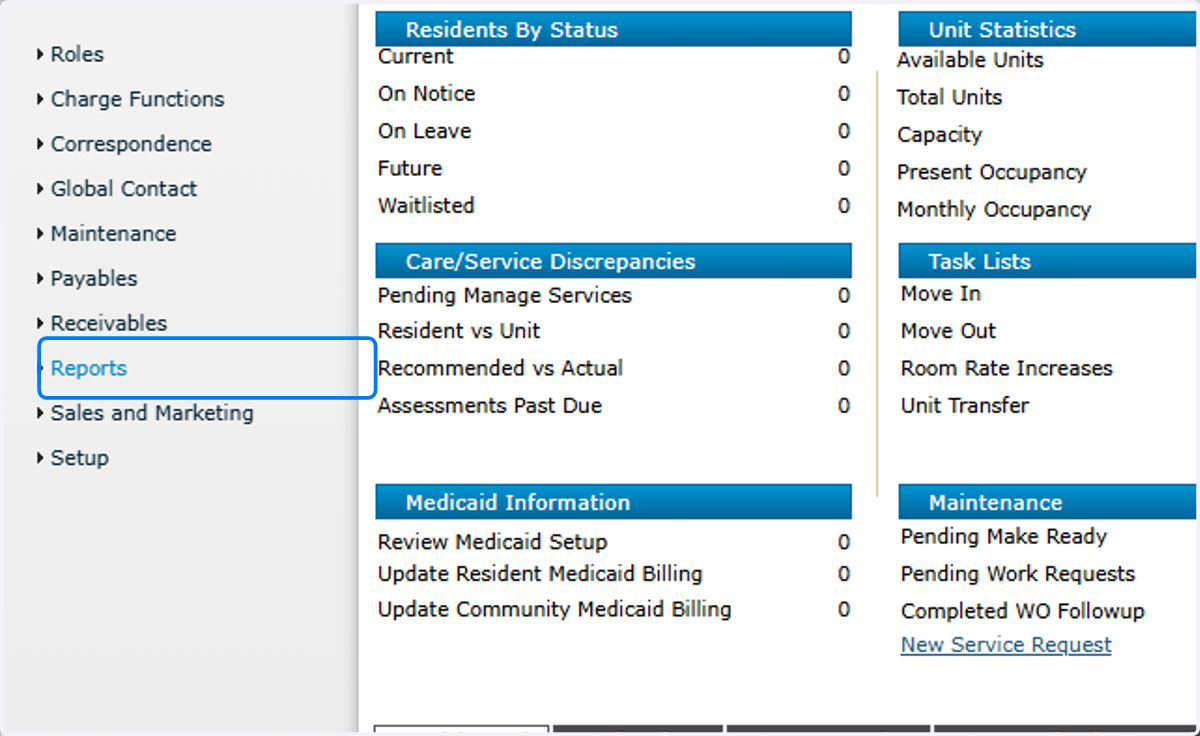
2. Click on Community

3. Click on Move-In Report

4. Community: enter your community code

5. Move-In Date: enter the beginning of the current month

6. Move-In Date: enter the end of the following month

7. Service Start Date: enter the beginning of the current month

8. Service Start Date: enter the end of the current month

9. Actual or Schedule: select "Actual"

10. Summarize By: select "Care Level"

11. Click on Submit
