Yardi Voyager ETL Export Process
For Solera CRM Exports
Yardi Systems, Inc. - Yardi Voyager
1. Click on ETL Interfaces

2. Click on Configure Foreign Database

3. Click on Submit

4. Deactivate all but the Solera Group
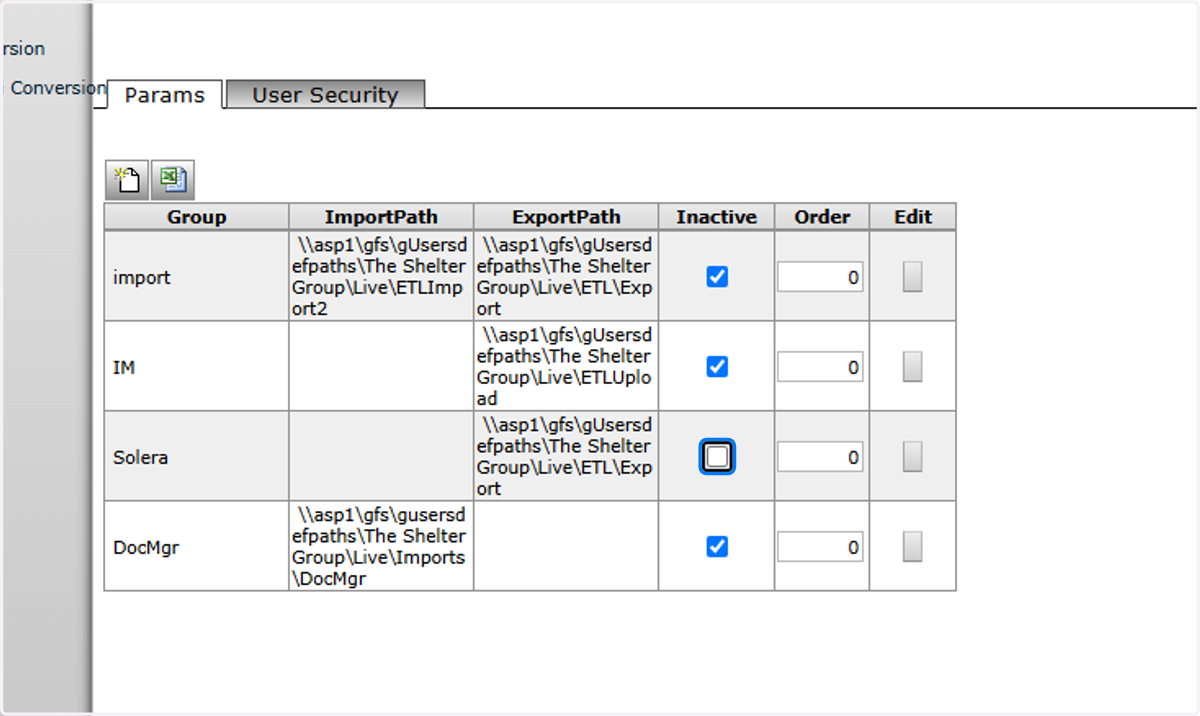
5. Click on Save

6. Click on ETL Interfaces

7. Click on ETL Export
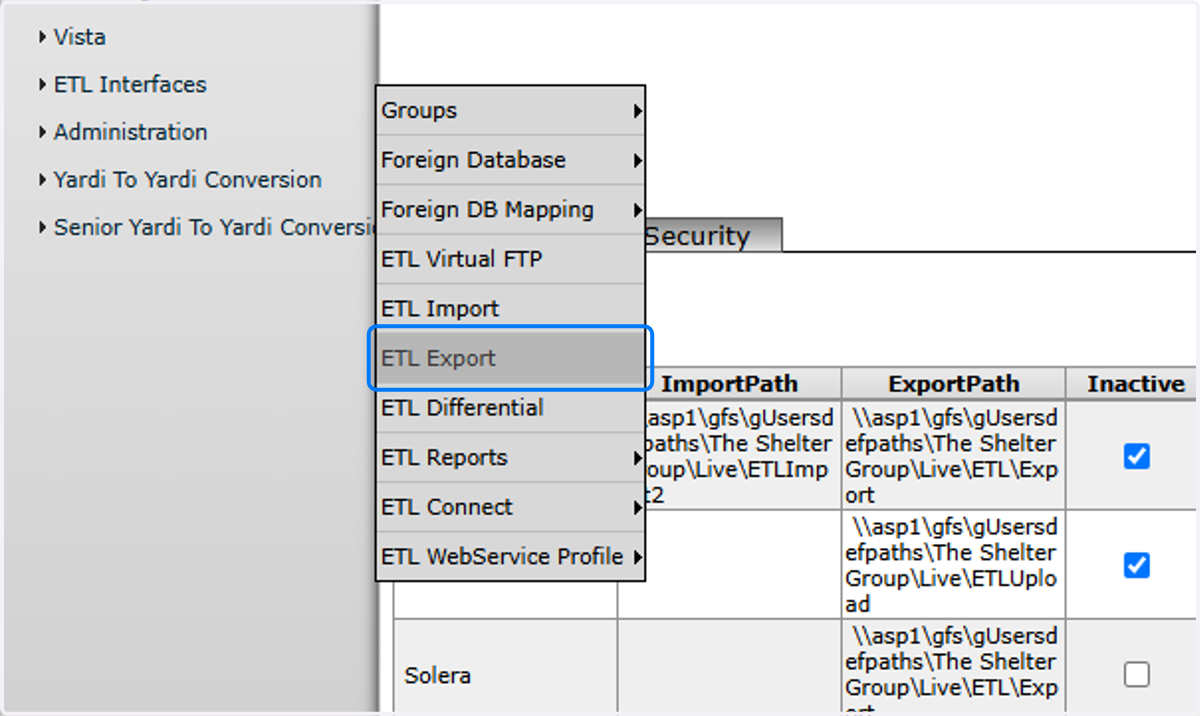
8. Click on Submit

9. Click on Download exported file(s)

10. Download the files with today's date stamp
