Syfe Onboarding

Invest Account | Finmo

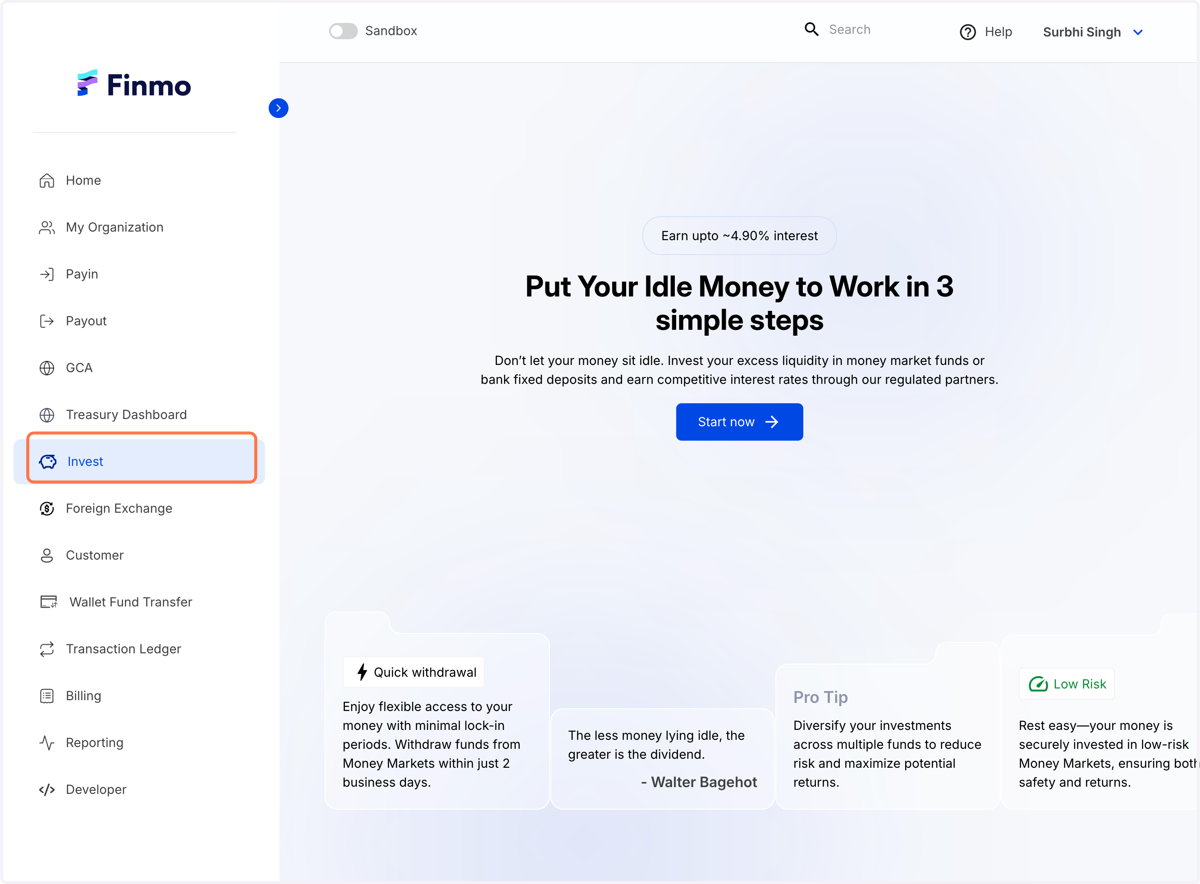
  1. 1. Click on Invest

    Click on Invest
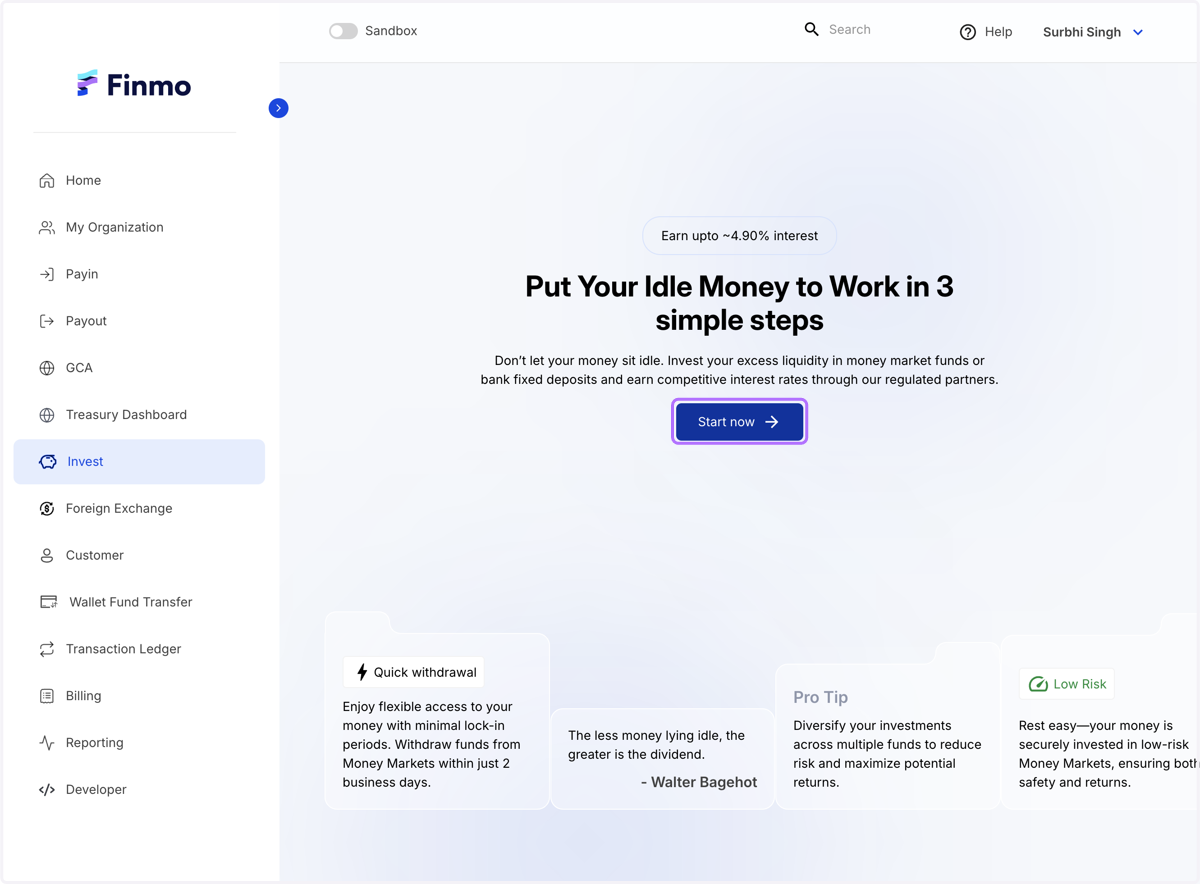
  2. 2. Click on Start now

    Click on Start now
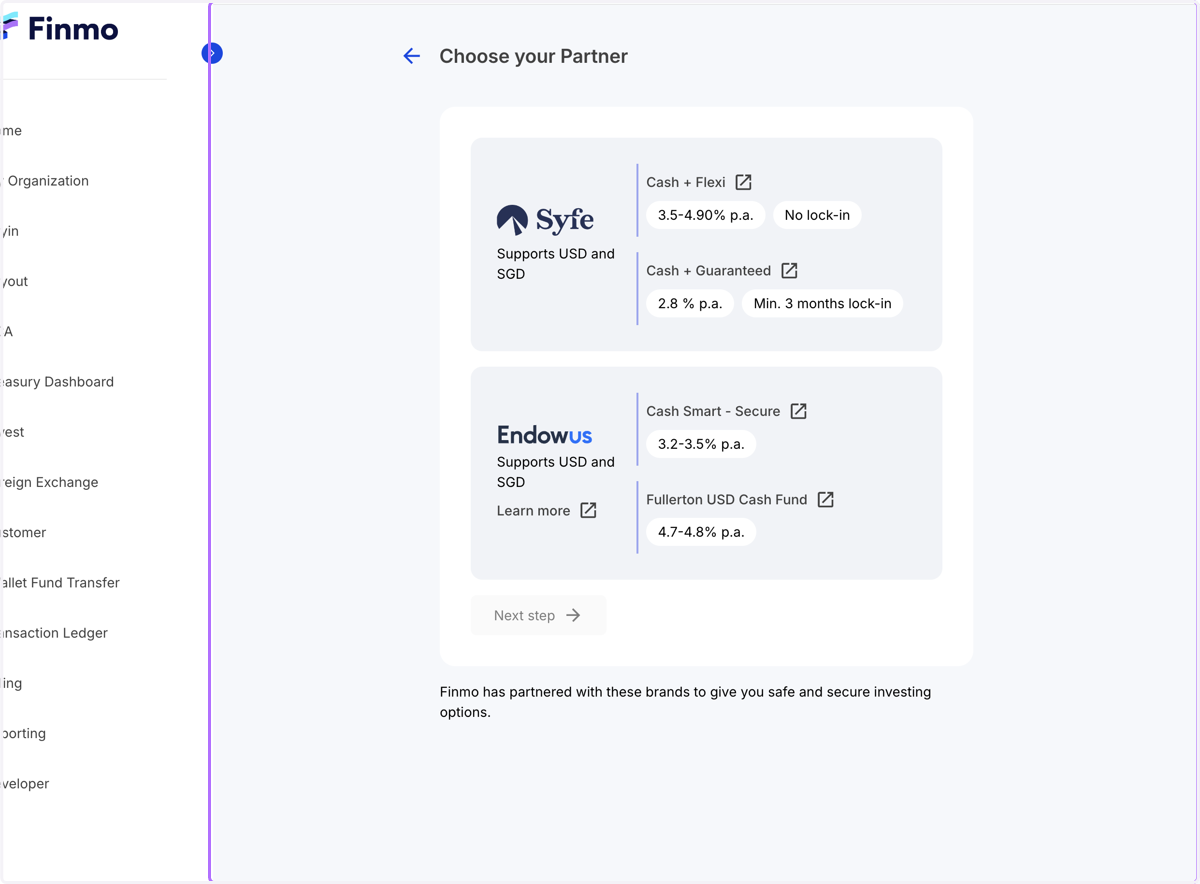
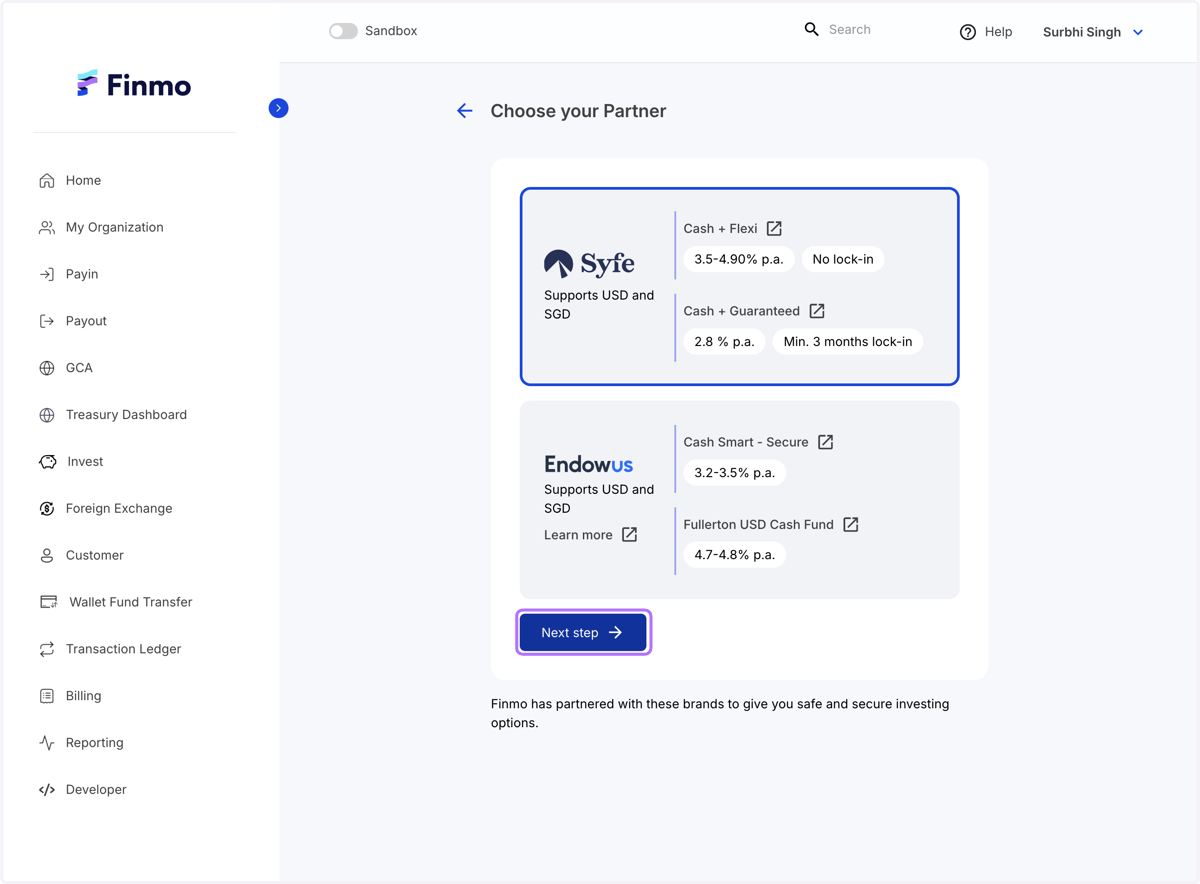
  3. 3. Choose your Partner…

    Choose your Partner…
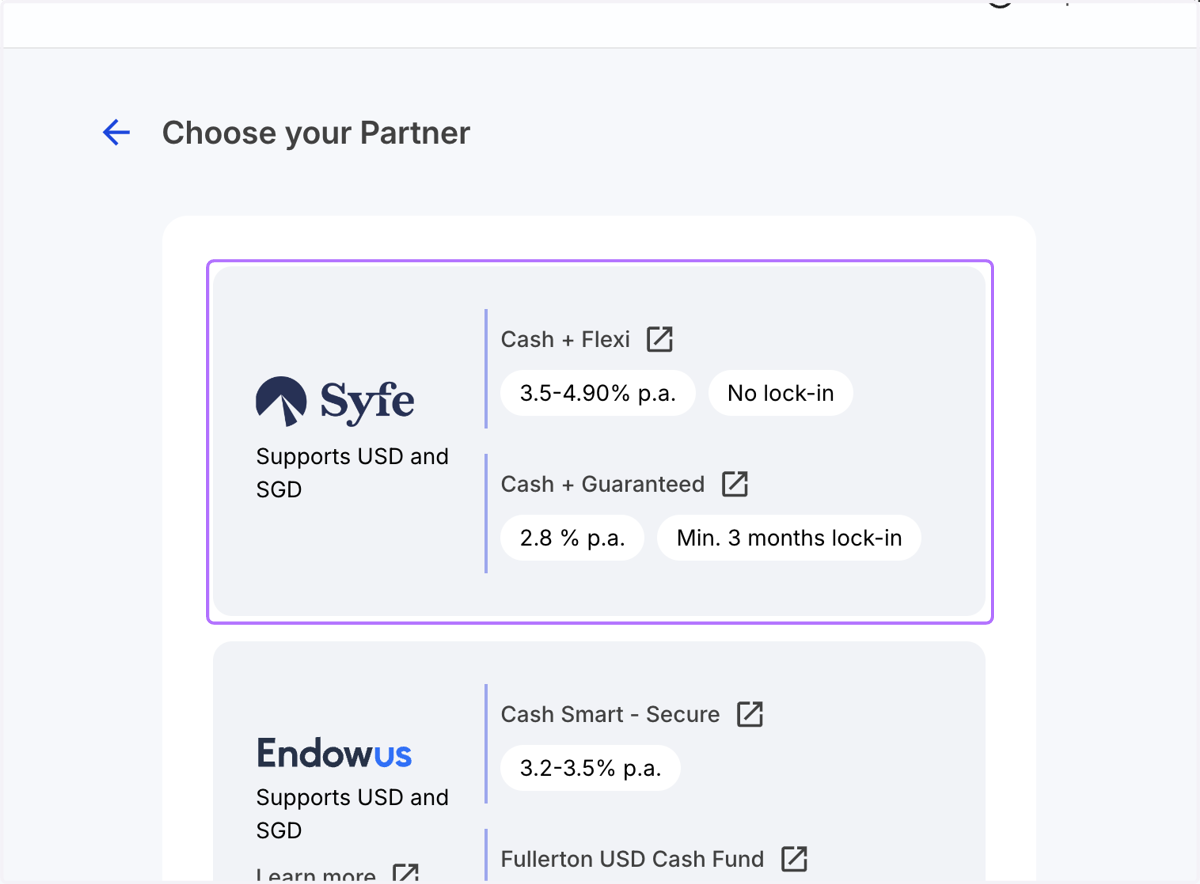
  4. 4. Click on Syfe

    Click on Syfe
  5. 5. Click on Next step

    Click on Next step
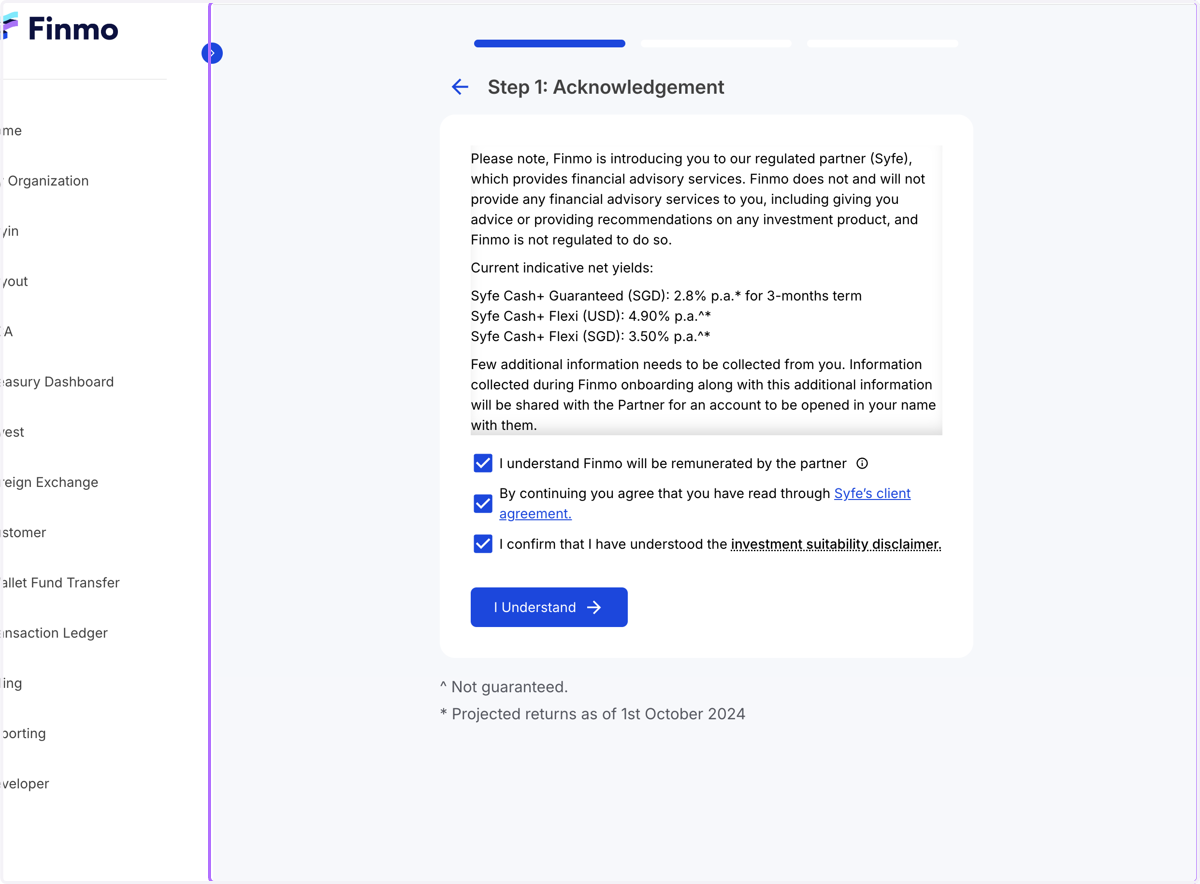
  6. 6. Step 1: Acknowledgement…

    Step 1: Acknowledgement…
  7. 7. Step 1: Click on I Understand after reading the Acknowledgement…
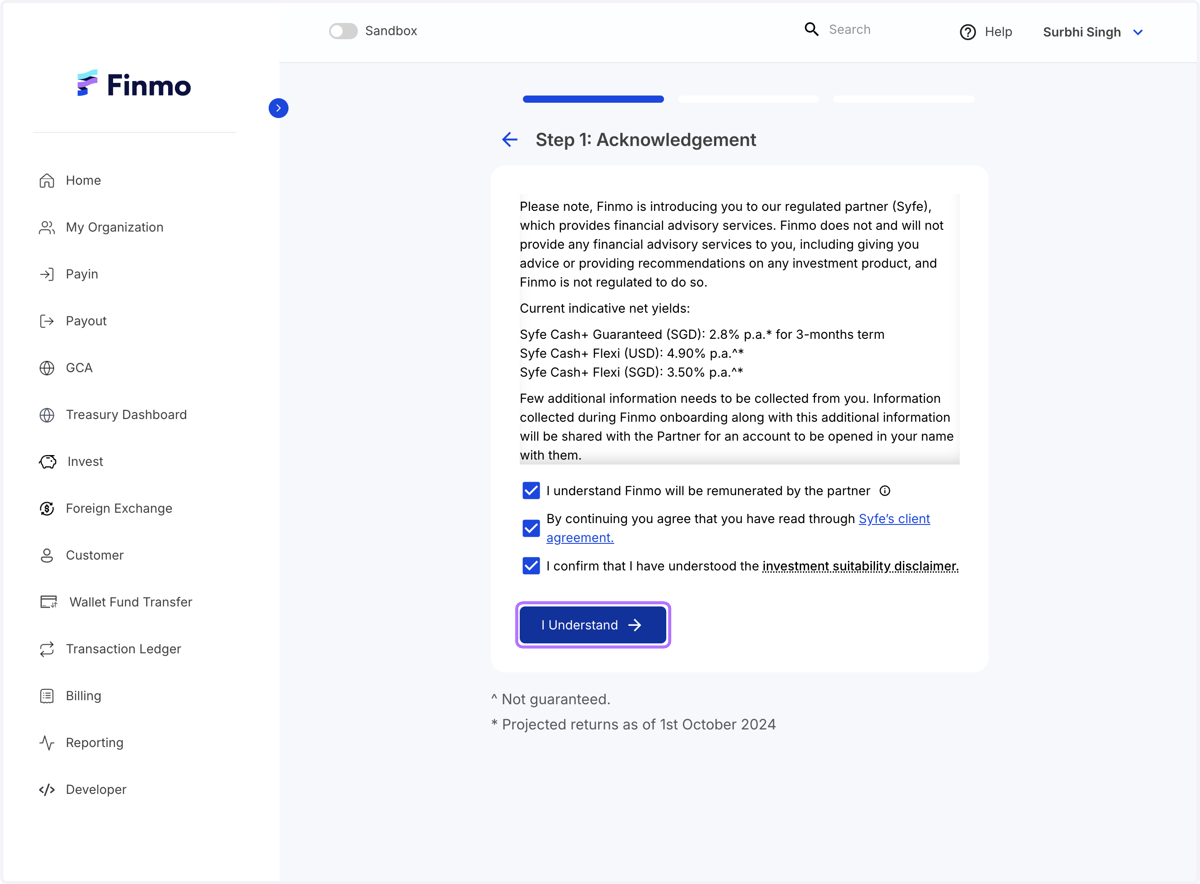
    Step 1: Click on I Understand after reading the Acknowledgement…
  8. 8. Step 2: Click on download the template and fill in the template
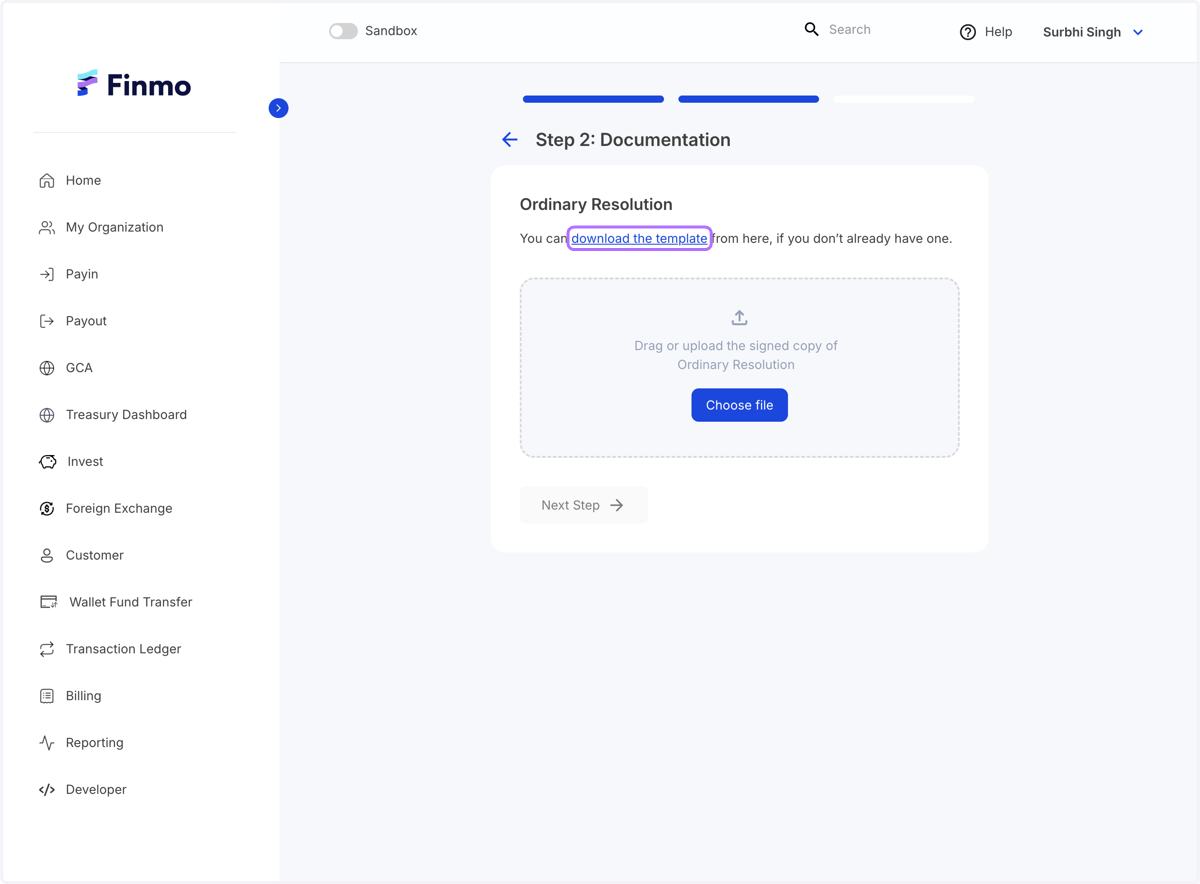
    Step 2: Click on download the template and fill in the template
  9. 9. Upload your filled template and Click on Next Step
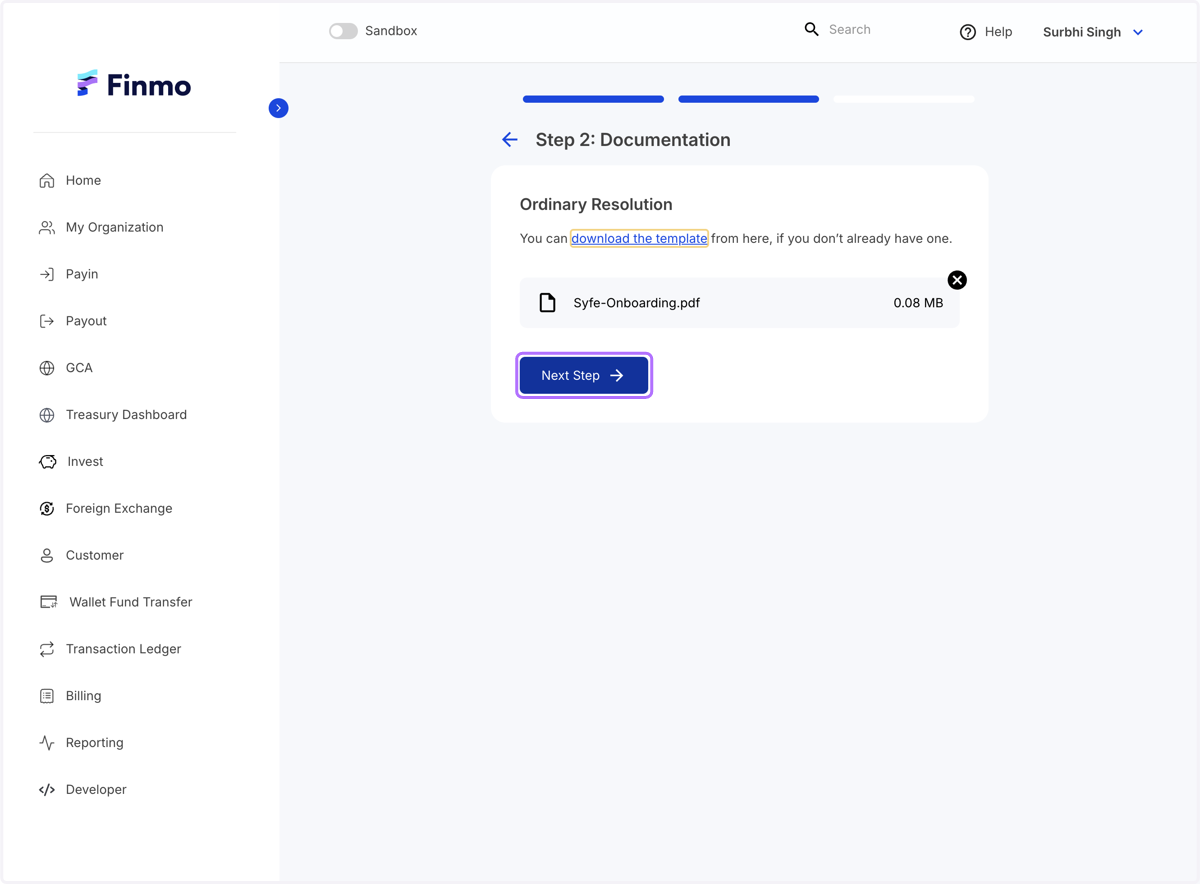
    Upload your filled template and Click on Next Step
  10. 10. Step 3: Update the Financial profile and Click on Submit
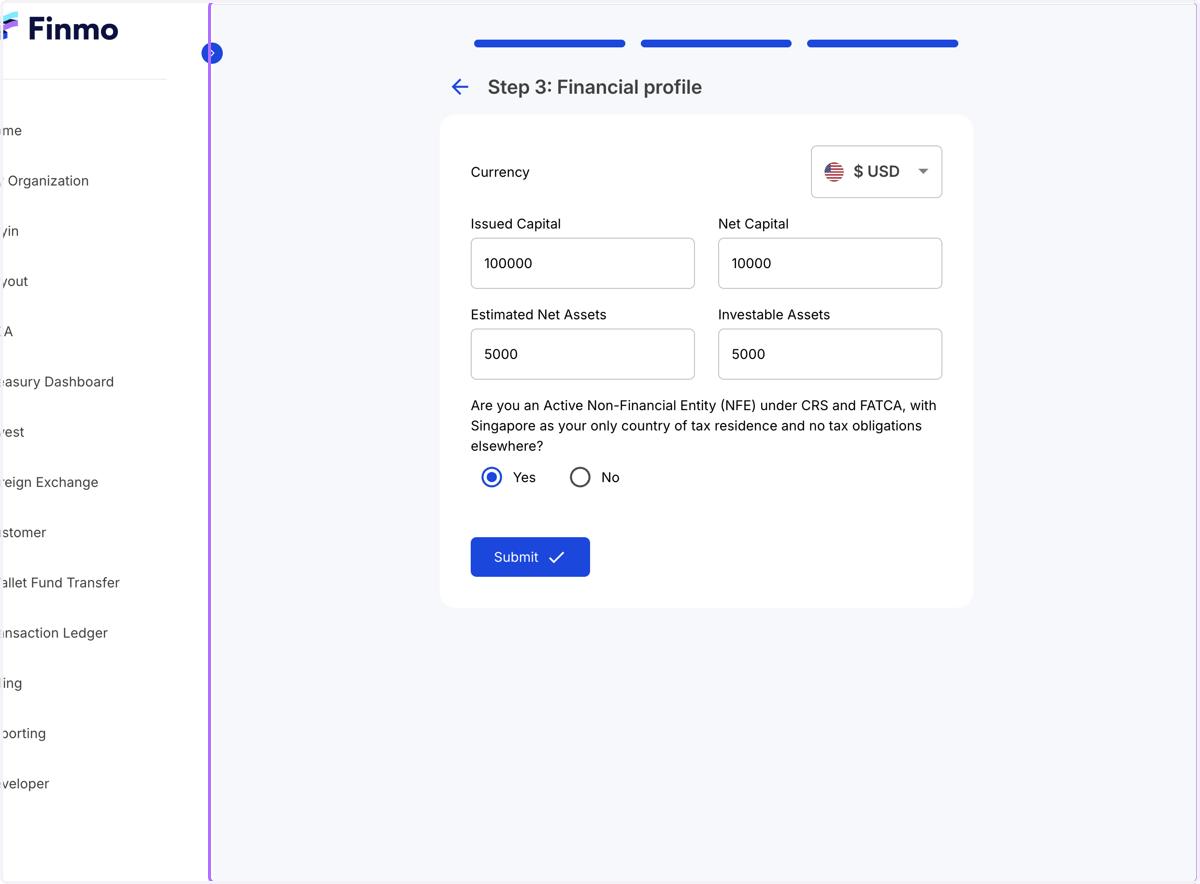
    Step 3: Update the Financial profile and Click on Submit
  11. 11. Your application for a Syfe account is under review…
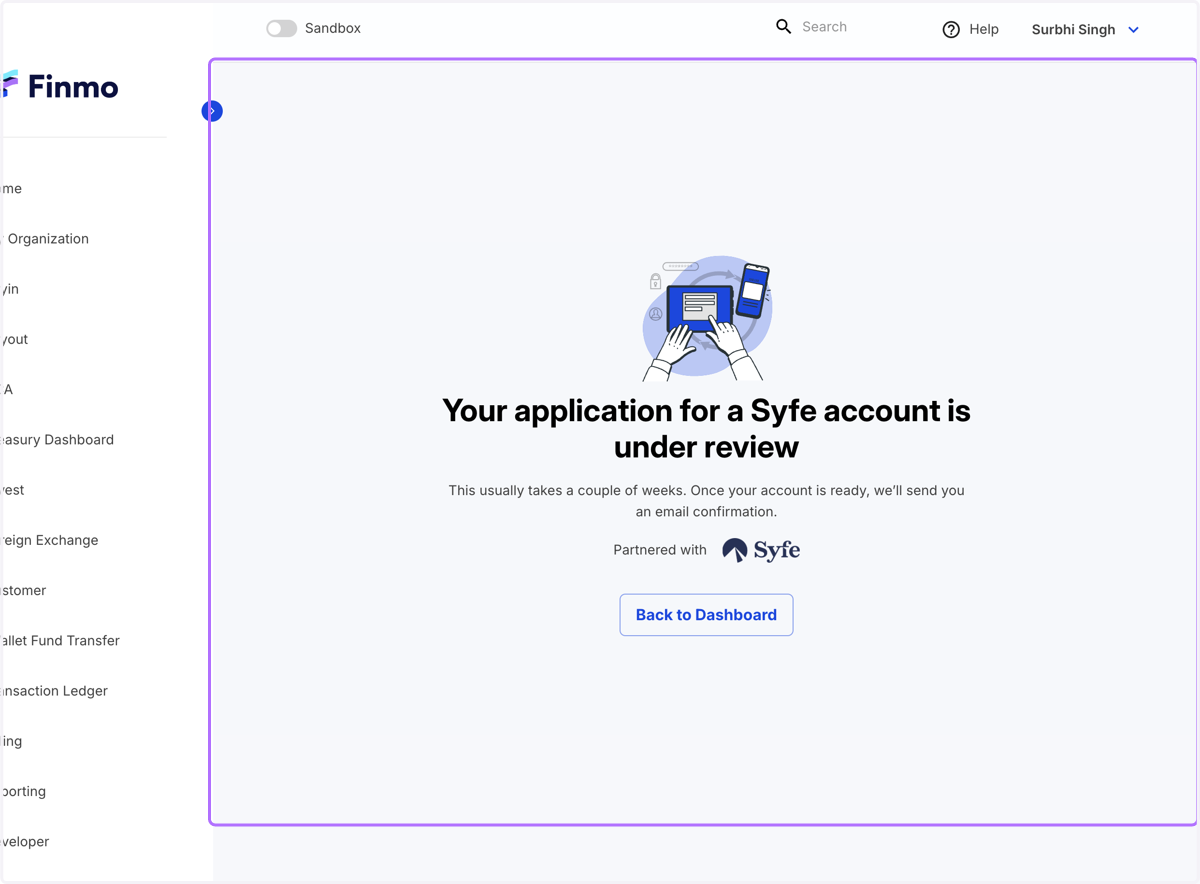
    Your application for a Syfe account is under review…