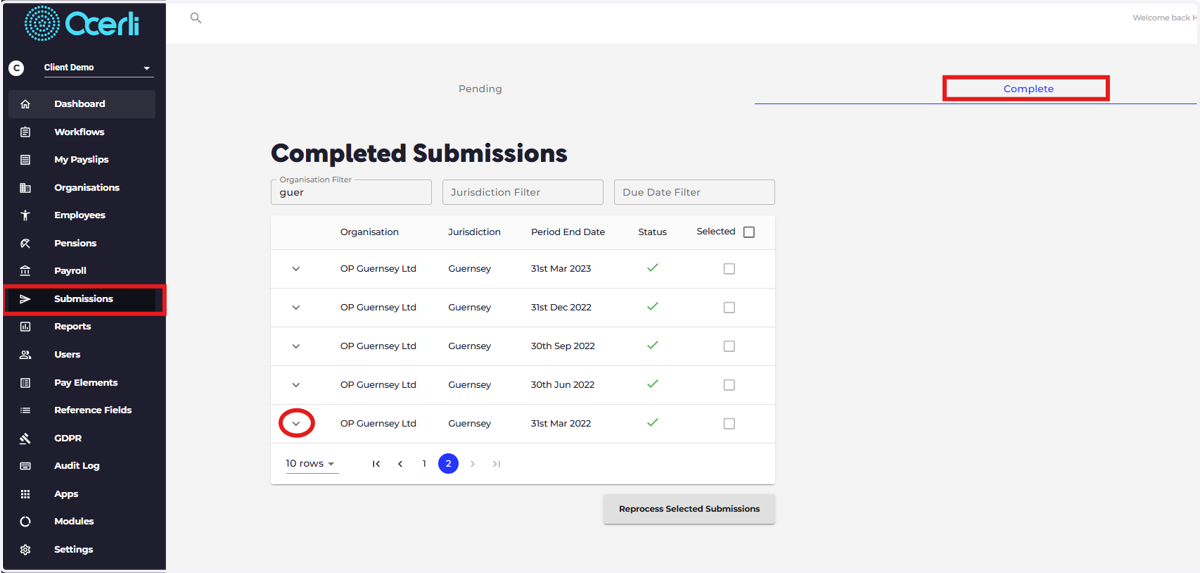
How to locate a lodgment number for a submission
Tango
1. In some cases the government may request the submission lodgment number To locate the lodgment number of your original return, please follow the instructions below.
Head to the Submissions screen on the main menu on the left
Navigate to your completed submissions by selecting 'Complete'
Select the down arrow next to the required submission
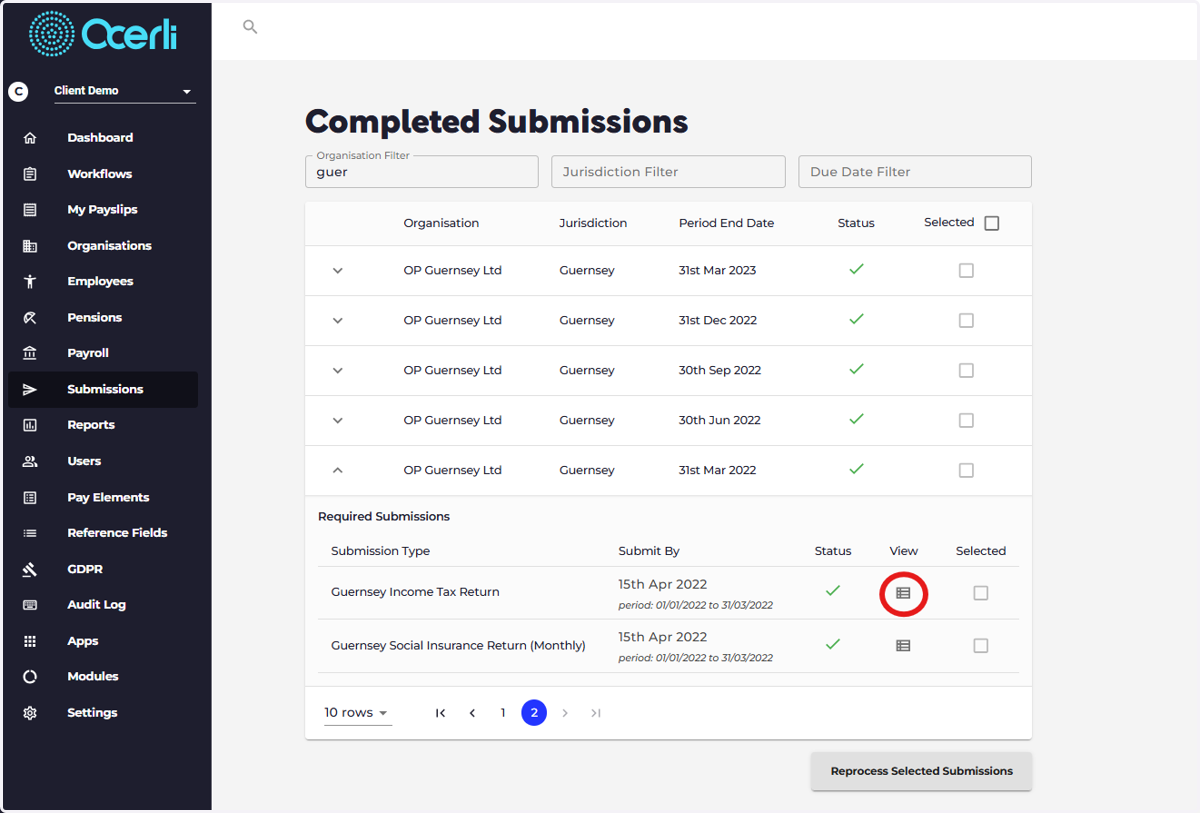
2. Select the View icon next to the return
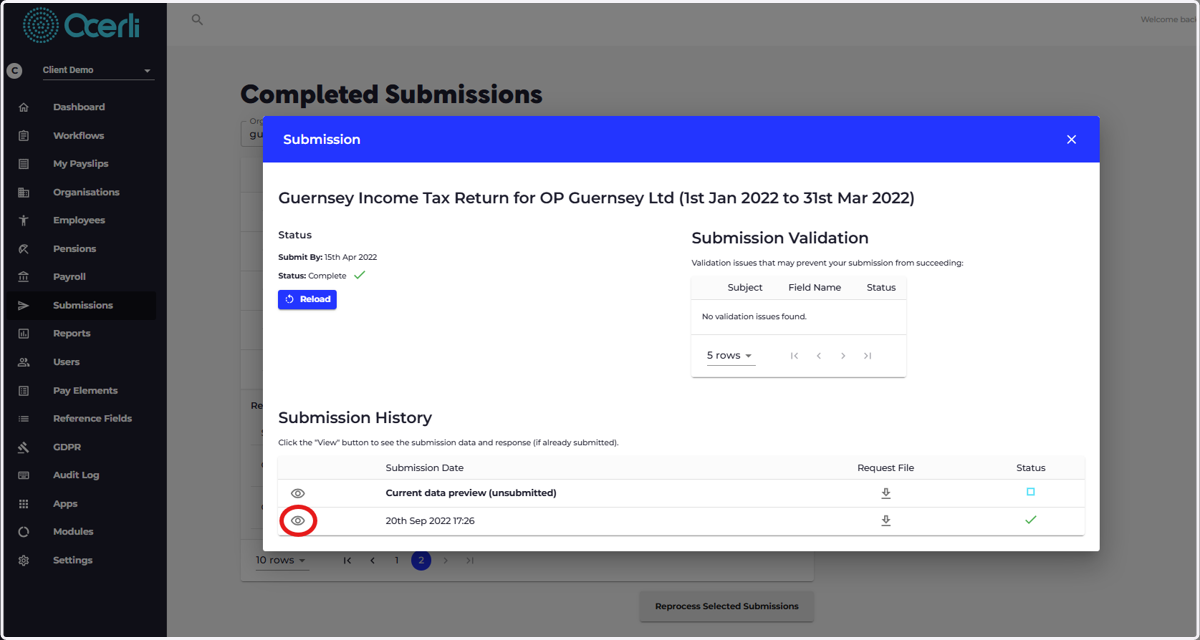
3. Select the eye icon next to the return that was successfully submitted
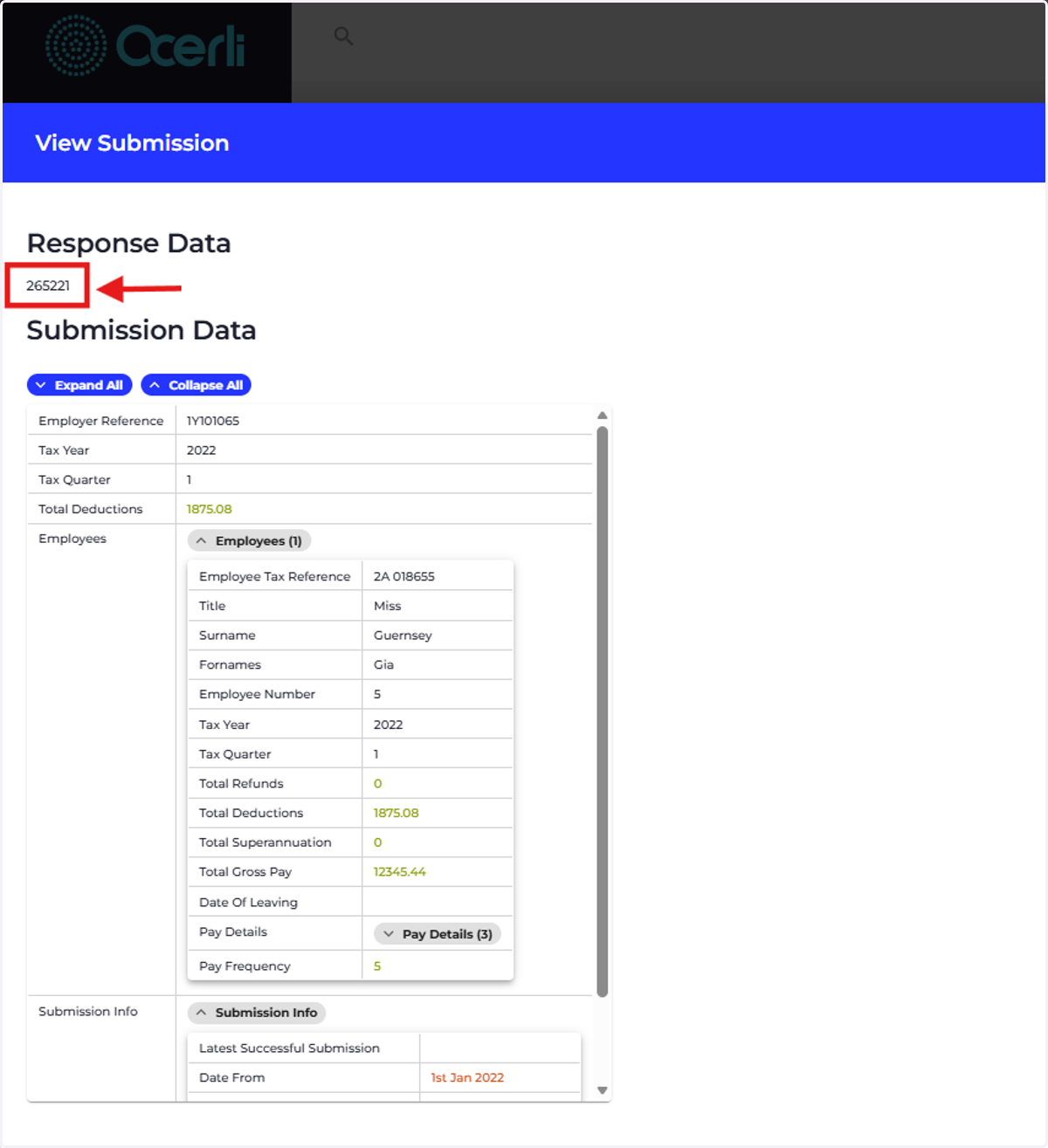
4. The lodgment number is at the top of the screen underneath 'Response Data'
Each return type has a different lodgment number