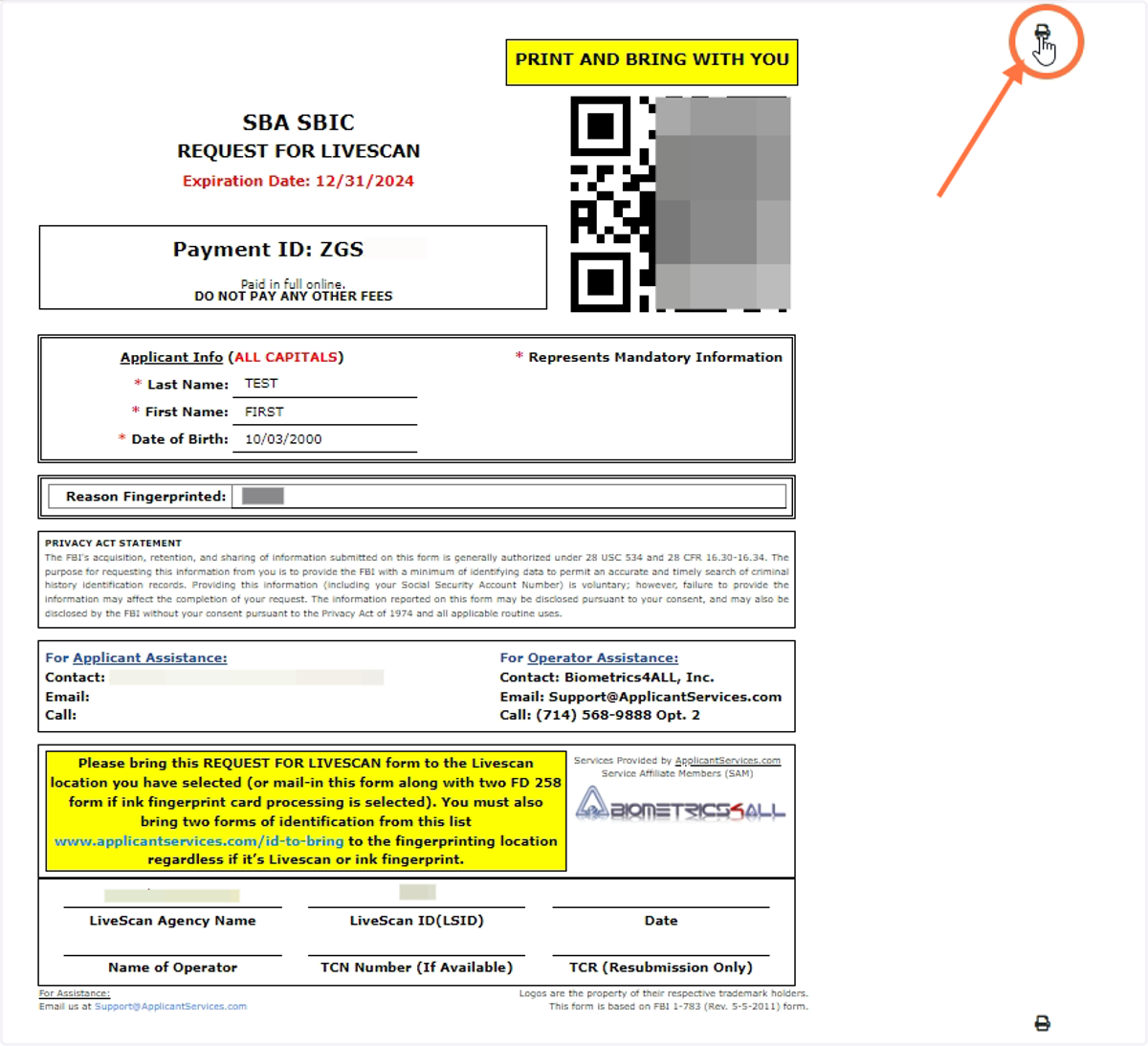
How To Find Payment ID / QR Code
Guide to retrieve Livescan form which includes Payment ID and QR code required to complete online appointment livescans.
1. Log into applicantservices.com account
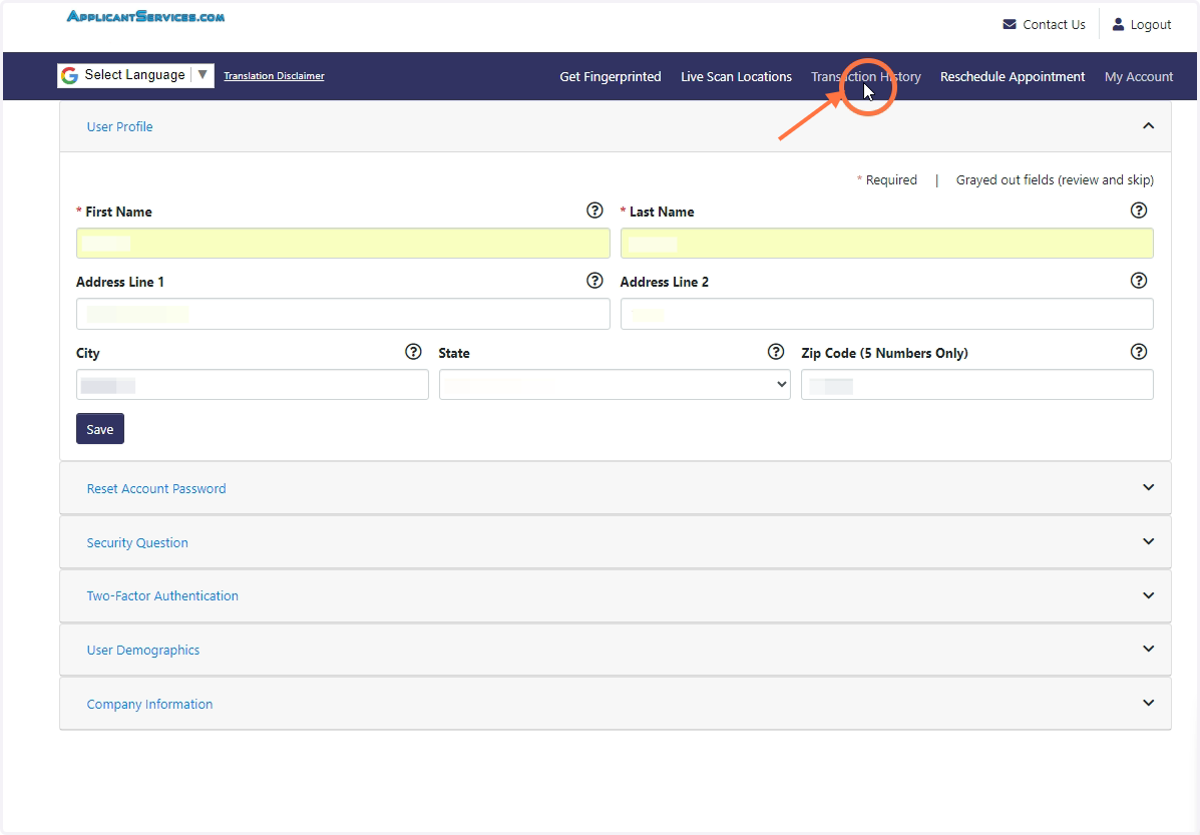
2. Click on Transaction History
Located in top navigation bar
3. Select the transaction you wish to retrieve the Payment ID or QR code of
Transaction is selected when highlighted green.
If transaction is not found, change the filter dates.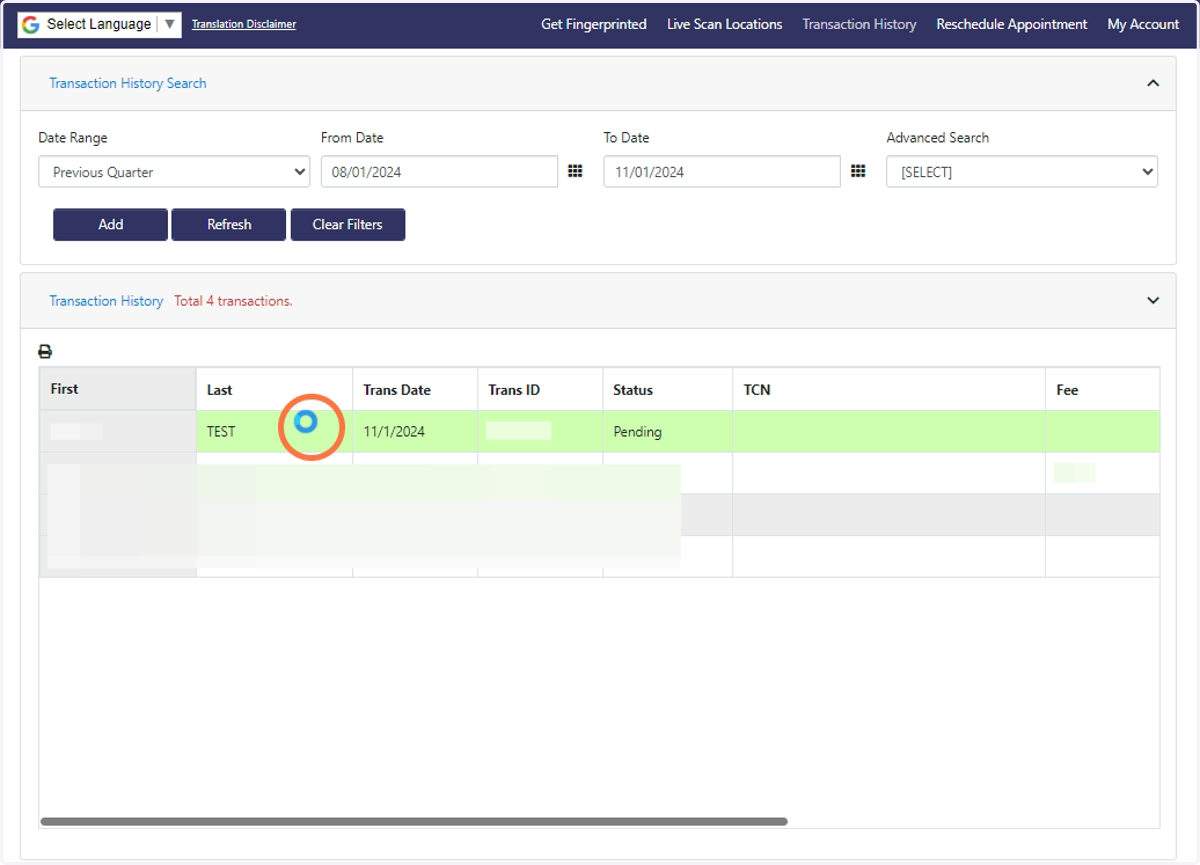
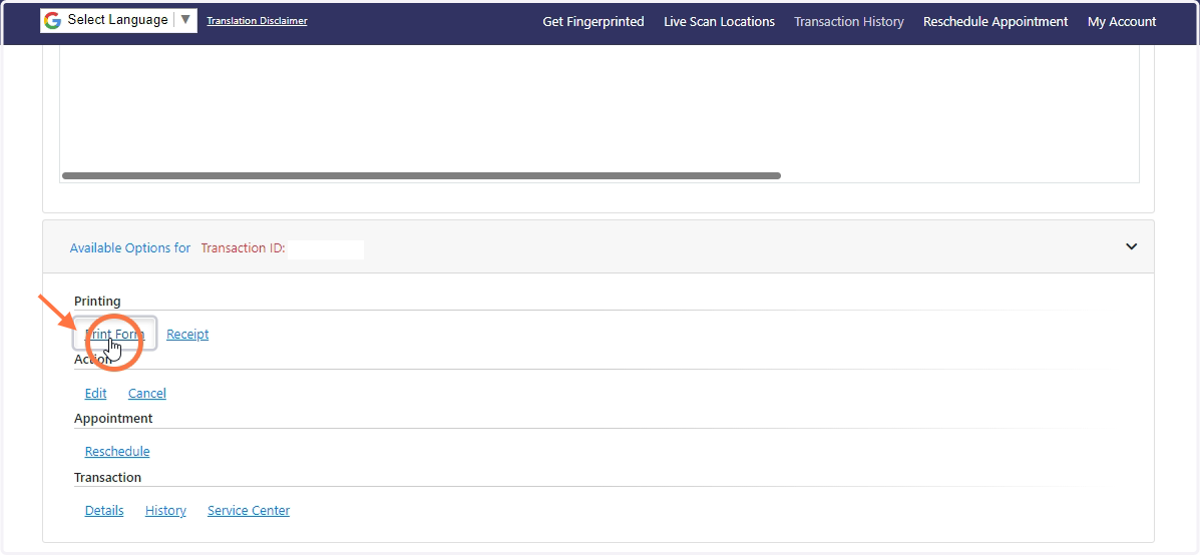
4. Scroll down and click "Print Form"
Located under "Available Options For ..."
5. This form will open and display the Payment ID and QR code
QR code contains the Payment ID
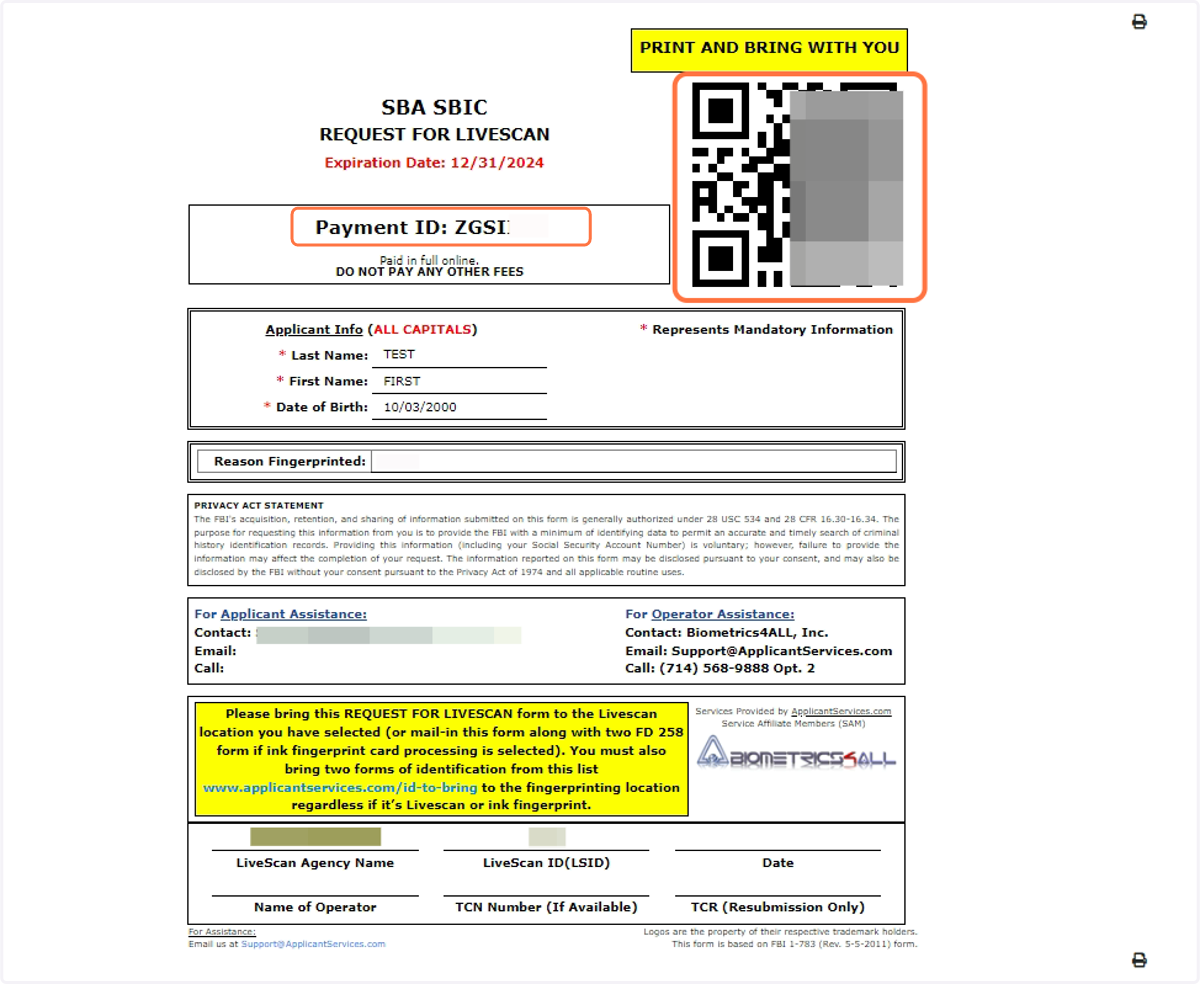
6. If you like to print a physical copy of the Livescan form, click the print button