Subscription & billing

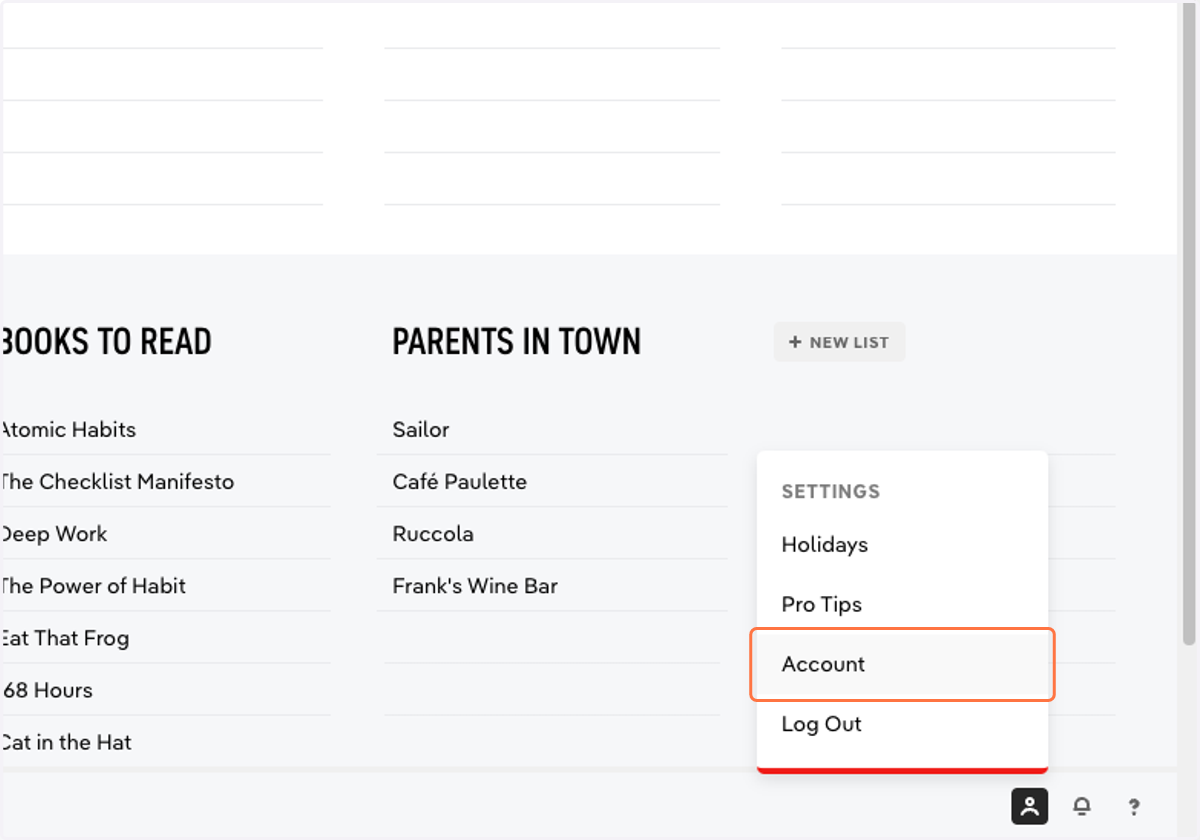
  1. 1. Click on Settings > Account

    Click on Settings > Account
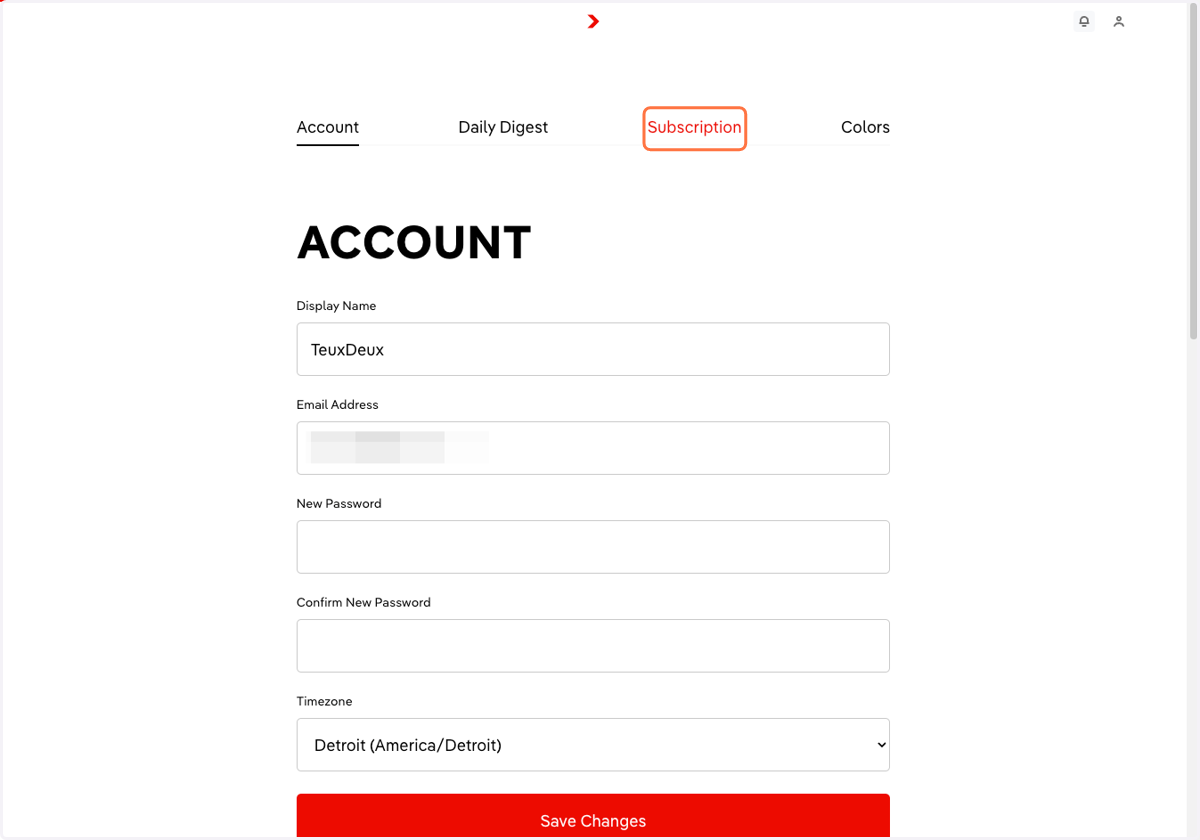
  2. 2. Click into the Subscription tab

    Click into the Subscription tab
  3. 3. From here, you can view past invoices under 'Billing history'
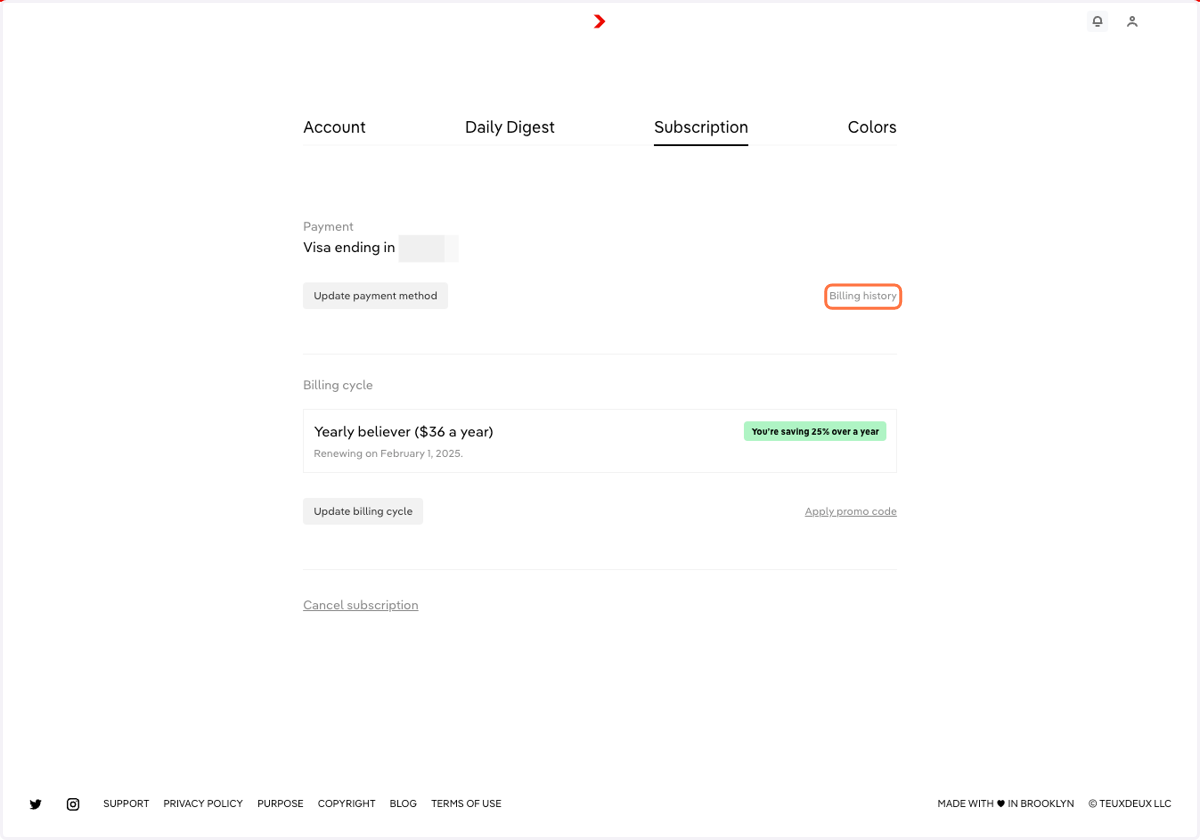
    From here, you can view past invoices under 'Billing history'
  4. 4. Click 'Update payment method' when you need to change any payment information
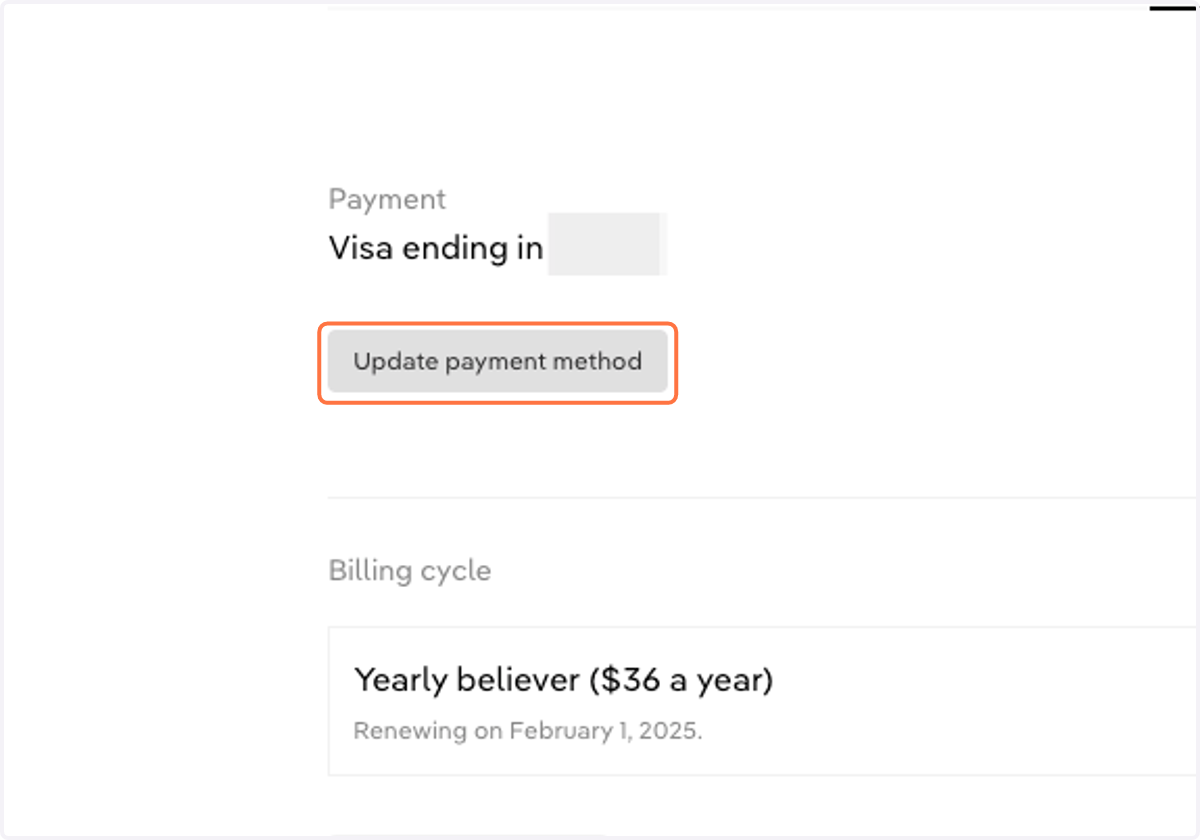
    Click 'Update payment method' when you need to change any payment information
  5. 5. Click 'Update billing cycle' to change from a Monthly to Yearly plan (or vice versa)
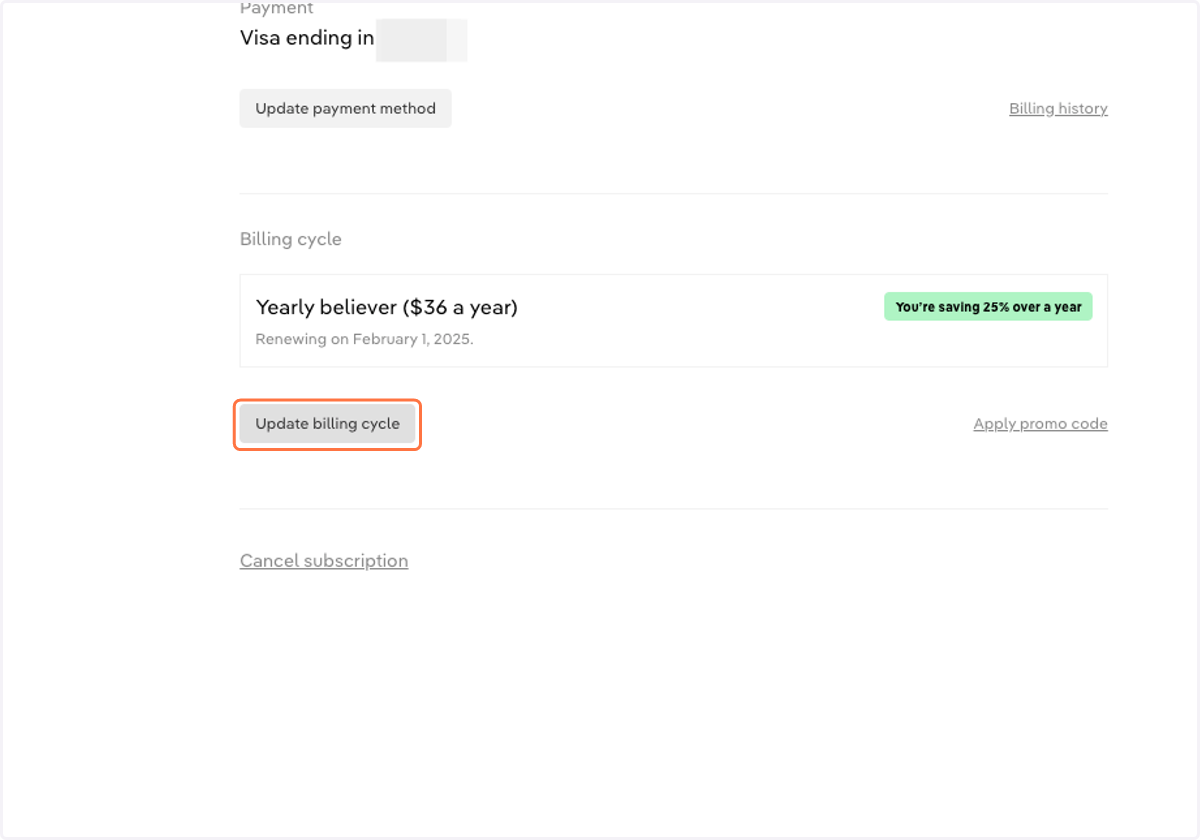
    Click 'Update billing cycle' to change from a Monthly to Yearly plan (or vice versa)