Someday lists & tabs

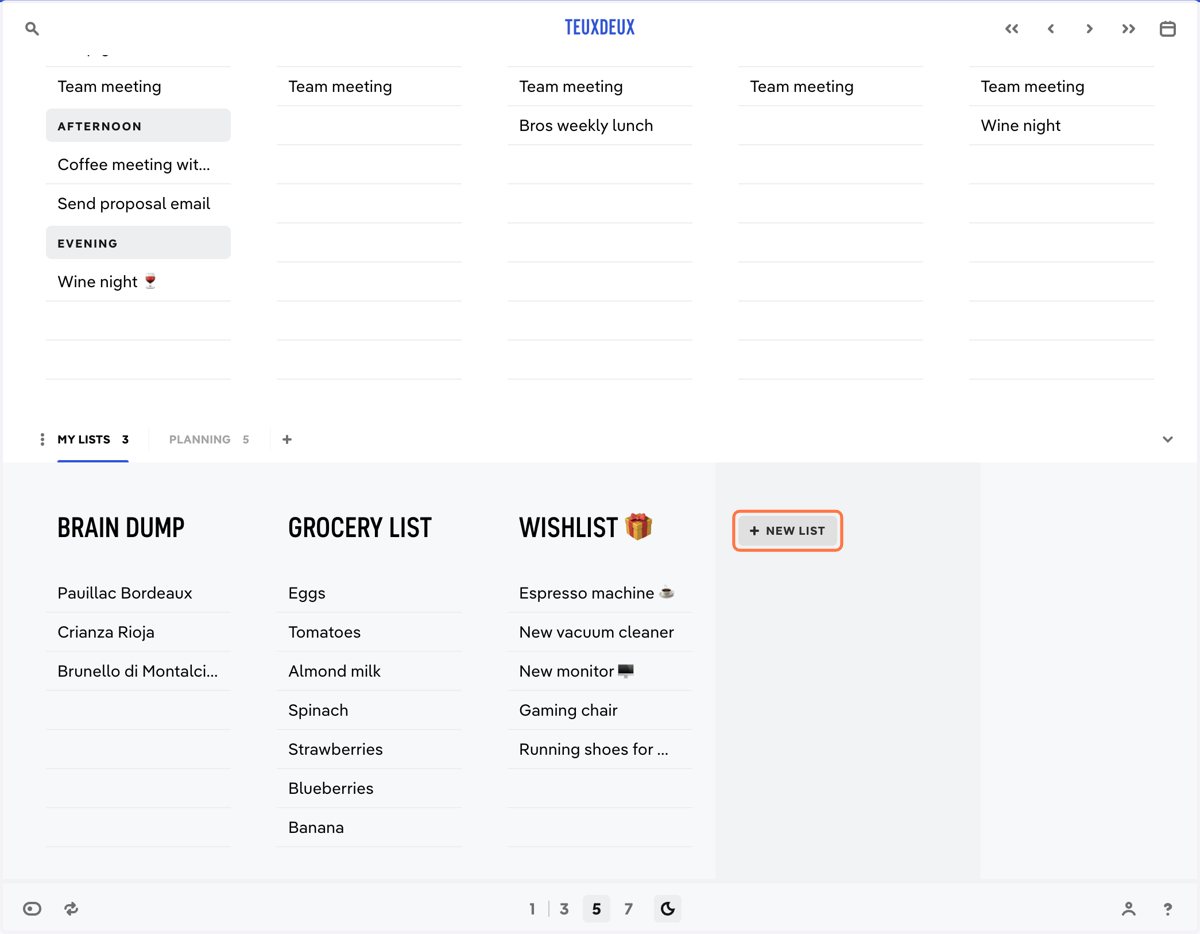
  1. 1. Click + New List

    Click + New List
  2. 2. Type in a name for your someday list.
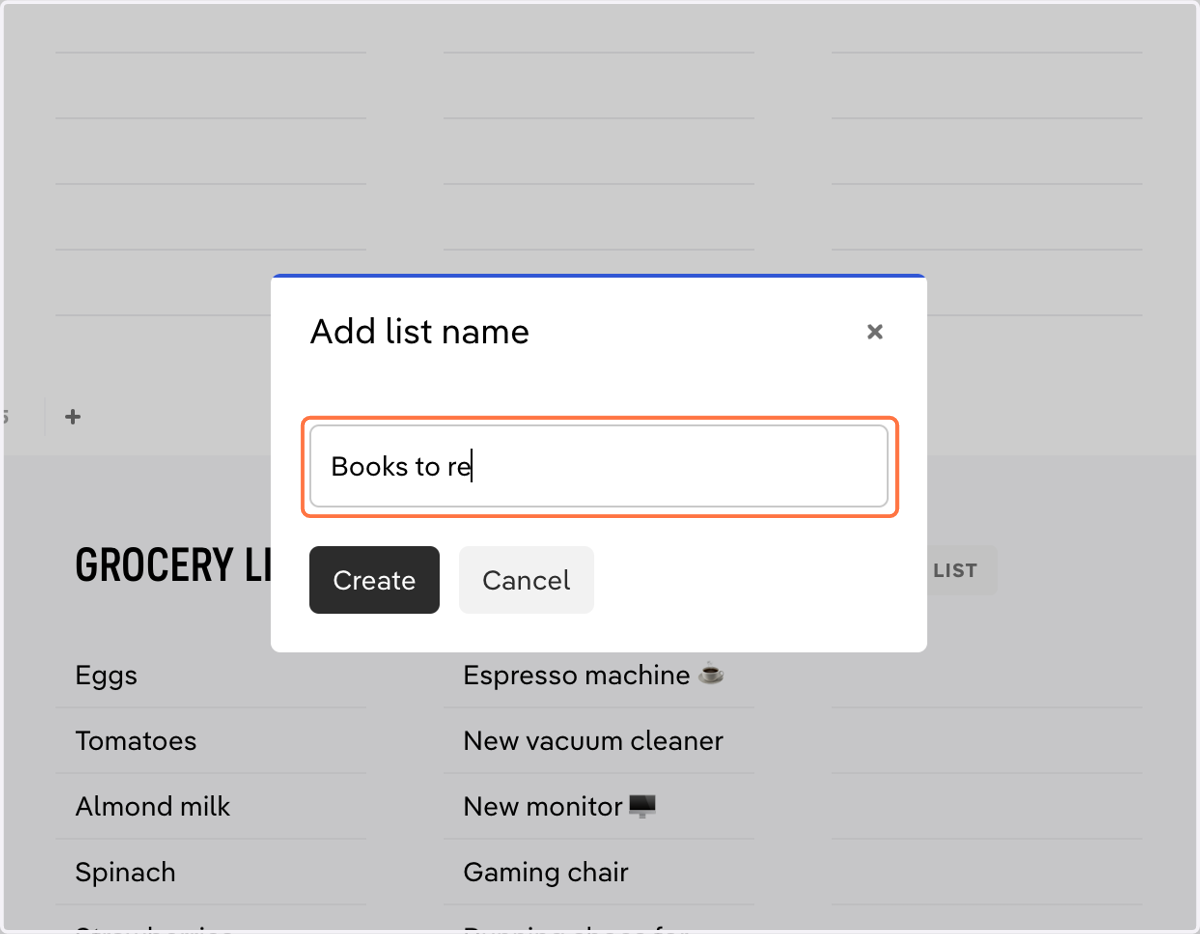
    Type in a name for your someday list.
  3. 3. Click on 'Create' to add the list.
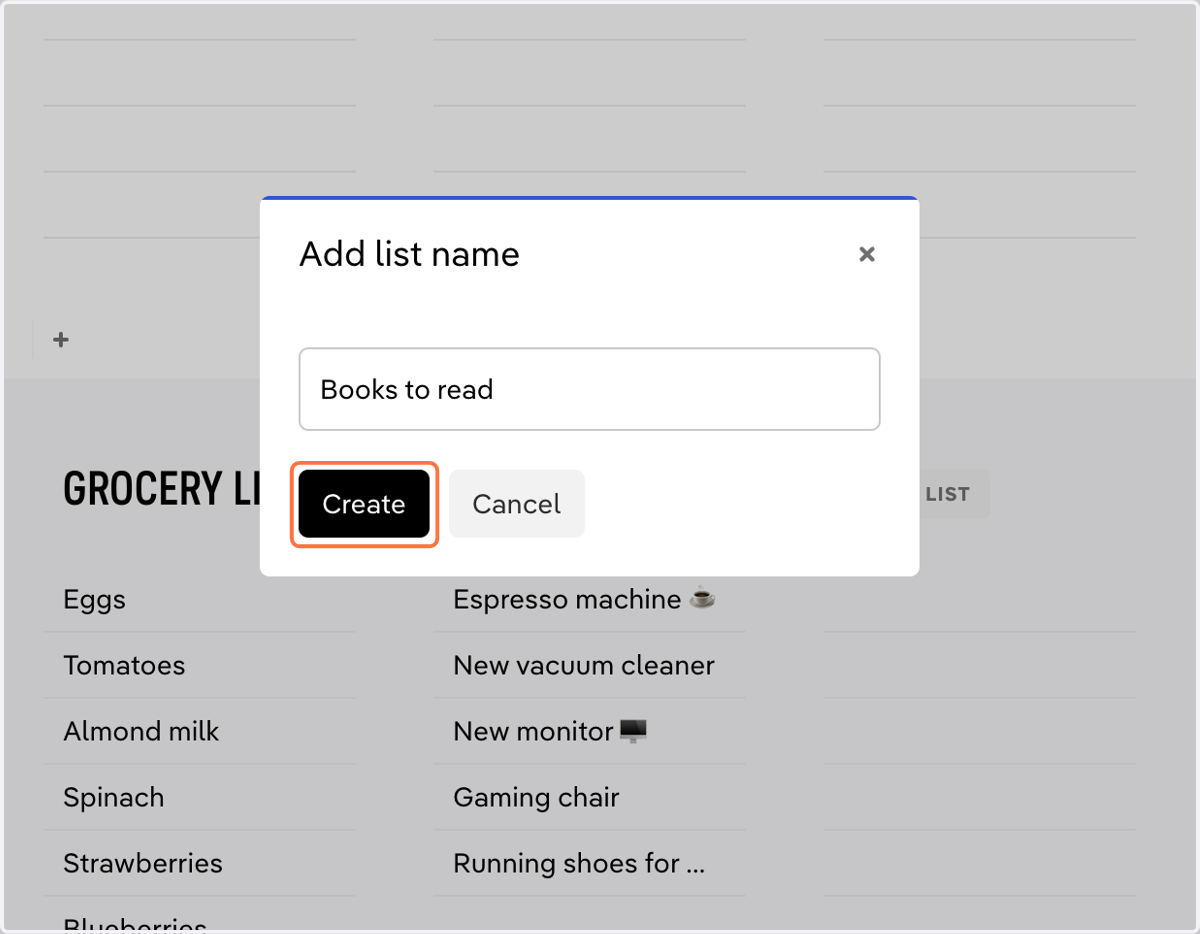
    Click on 'Create' to add the list.
  4. 4. Drag-and-drop someday lists to rearrange them.
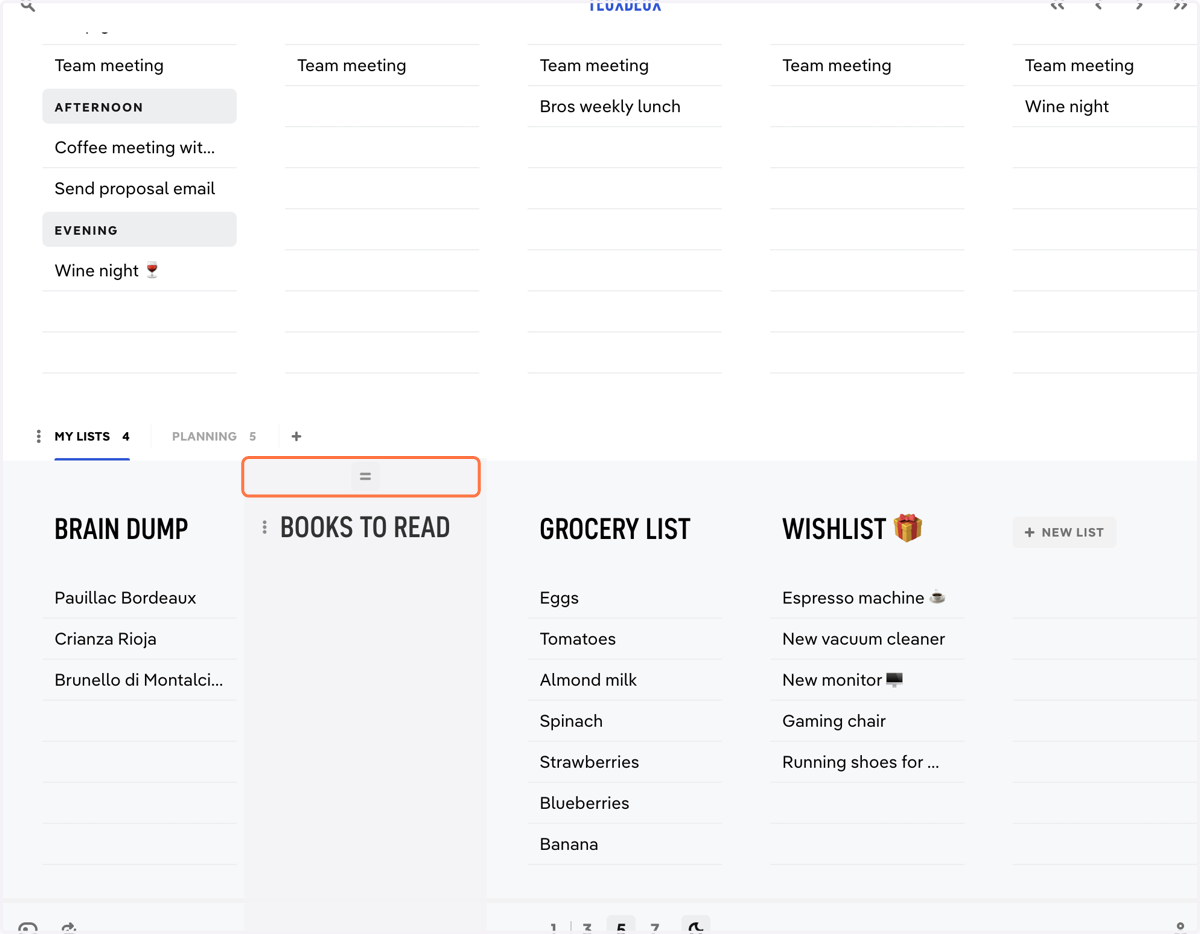
    Drag-and-drop someday lists to rearrange them.
  5. 5. Group someday lists into tabs to easily switch between contexts. Click the '+' to create a new tab.
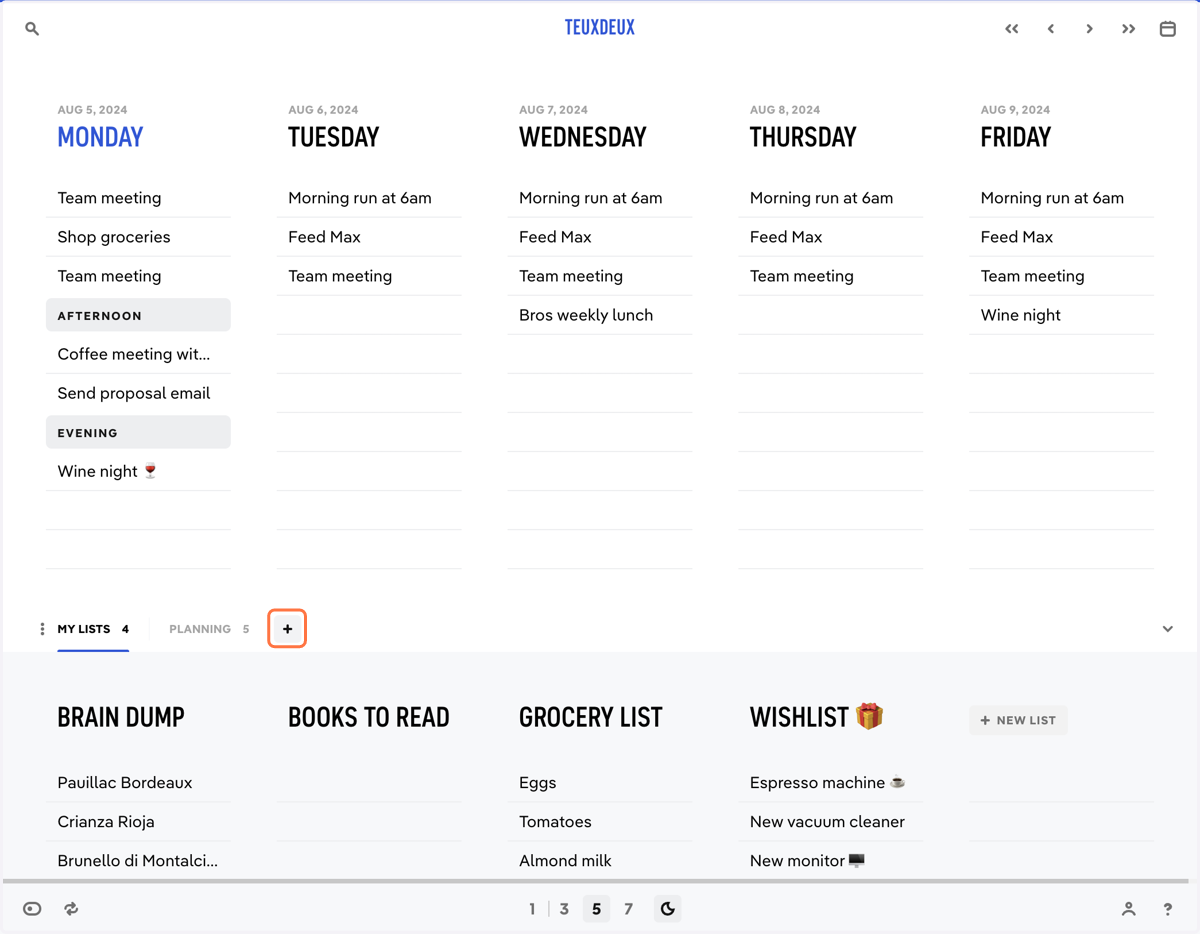
    Group someday lists into tabs to easily switch between contexts. Click the '+' to create a new tab.
  6. 6. Click the ellipsis beside the list name to manage a someday list.
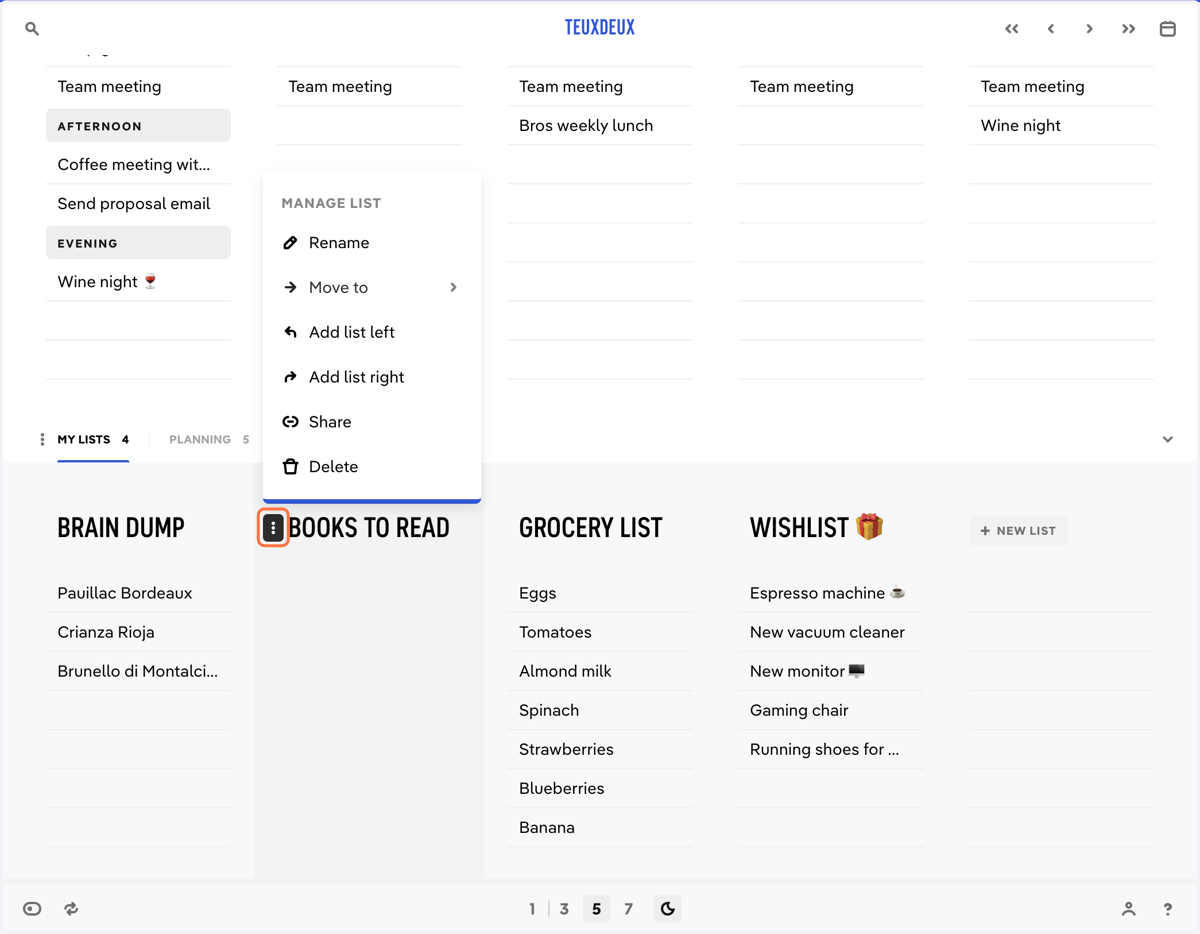
    Click the ellipsis beside the list name to manage a someday list.
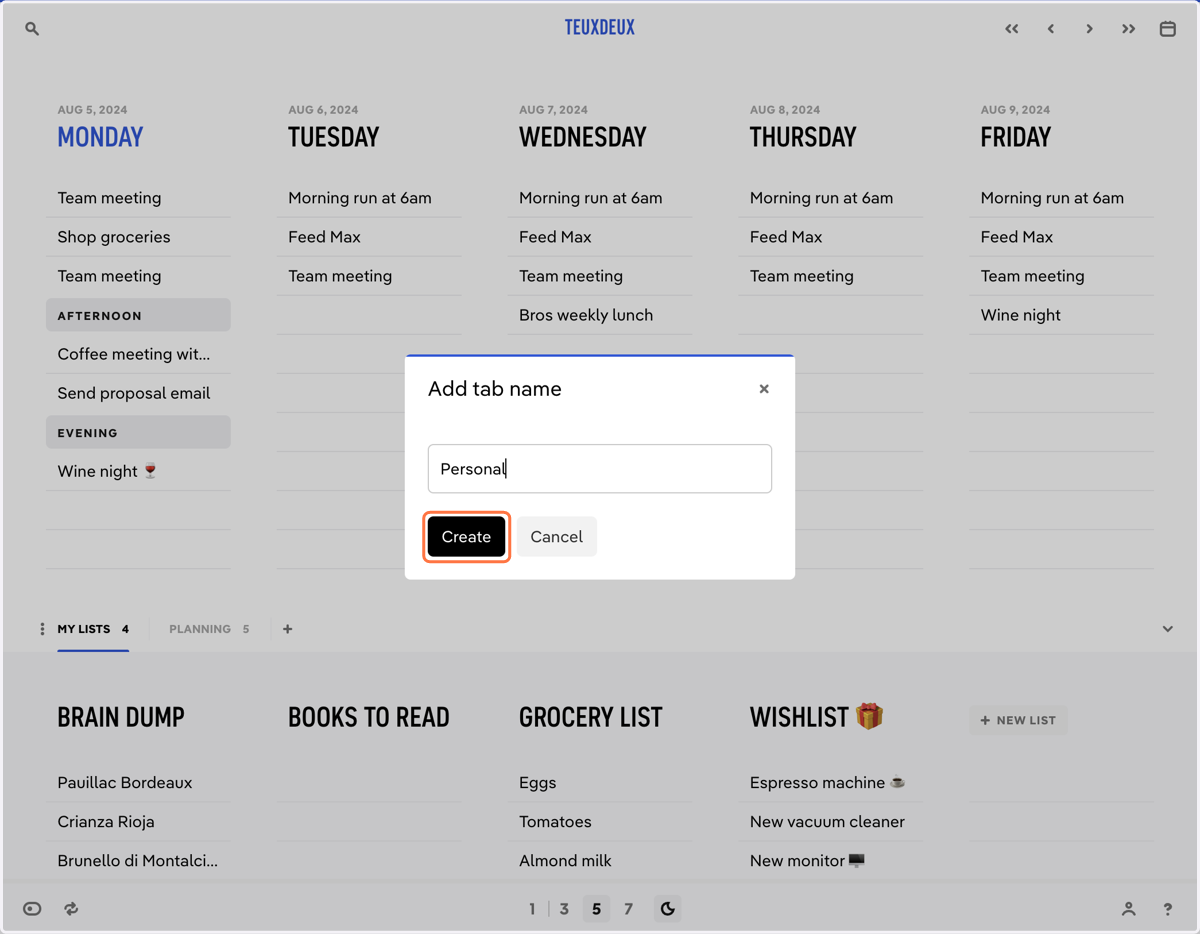
  7. 7. Name the tab and click 'Create'

    Name the tab and click 'Create'
  8. 8. Click the ellipsis on a tab to rename, delete, or arrange the lists in a tab.
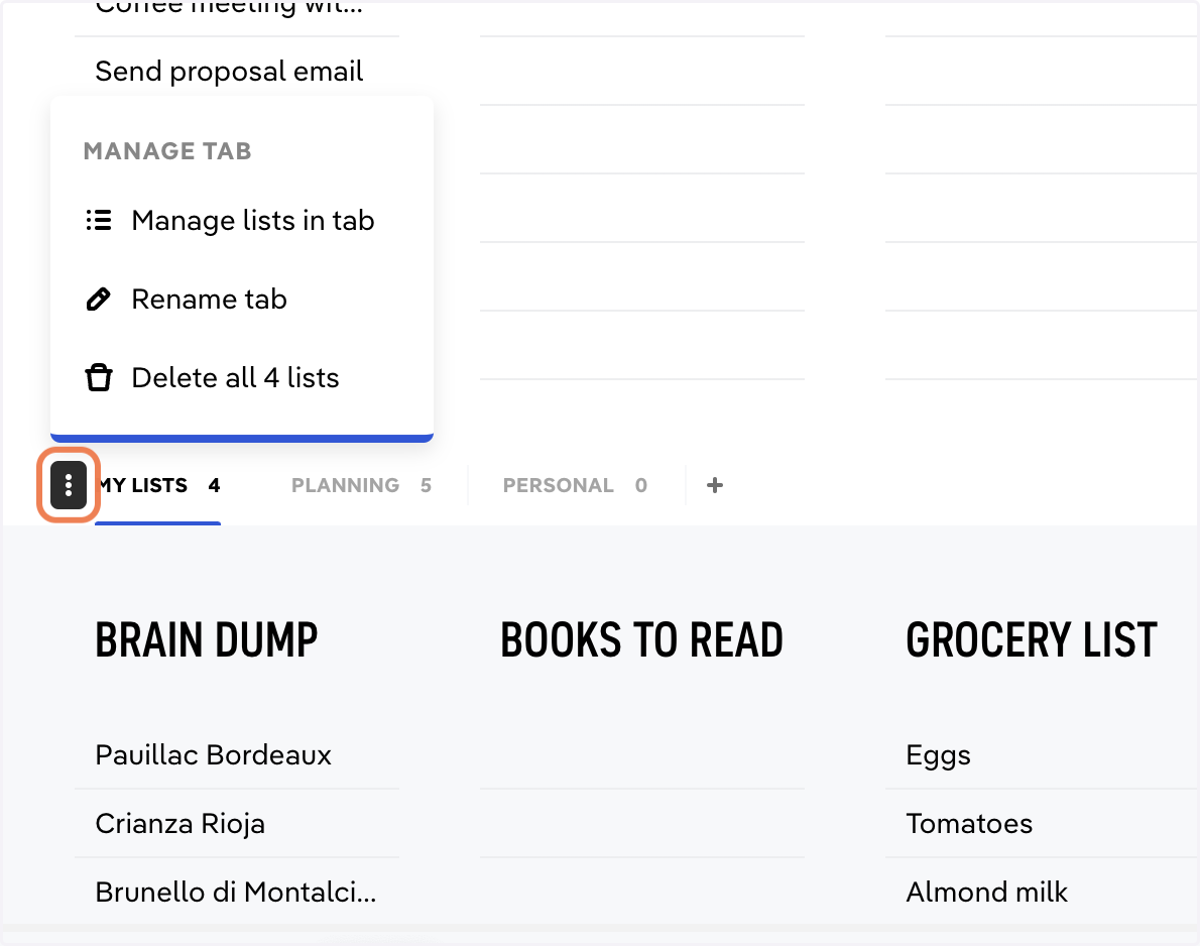
    Click the ellipsis on a tab to rename, delete, or arrange the lists in a tab.