Comprehensive Platform User Guide
A guide for first time or returning Learners
Access the Business URL (website)
This address is usually provided by your company administrator
1. Registration/logging in
Creating a login or returning to your training
Start by entering your email
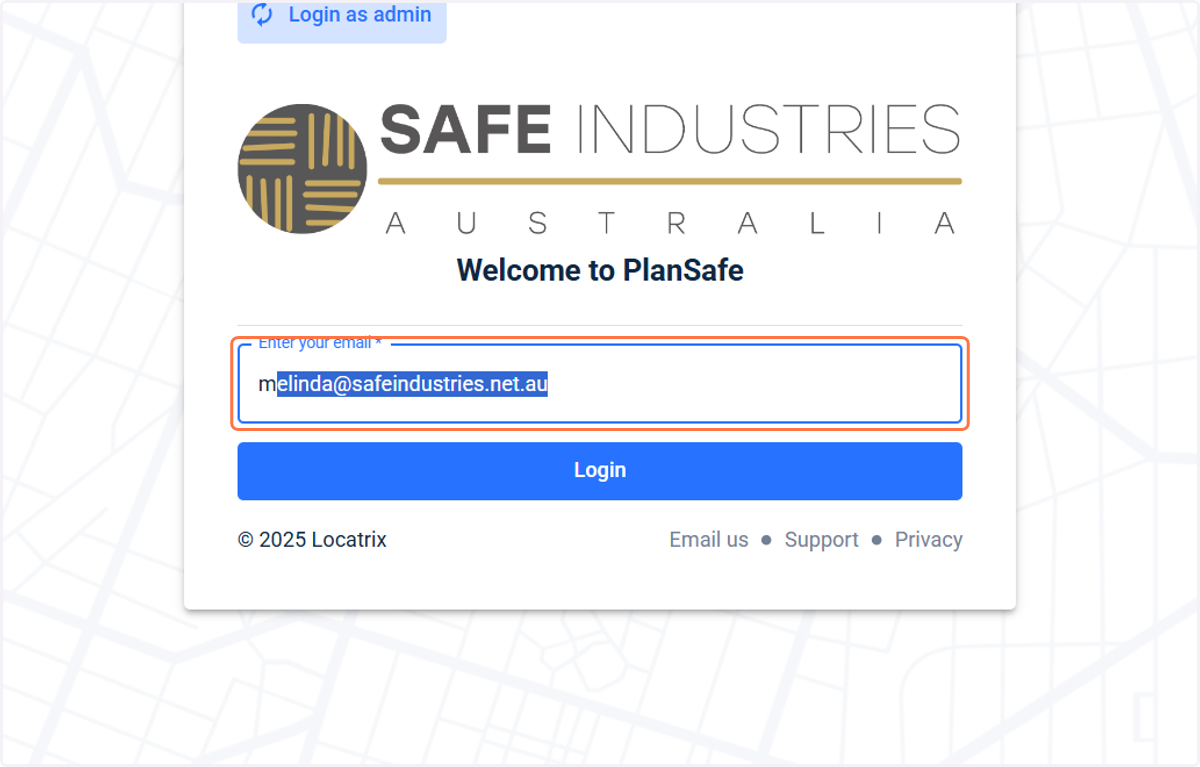
2. Click on Login

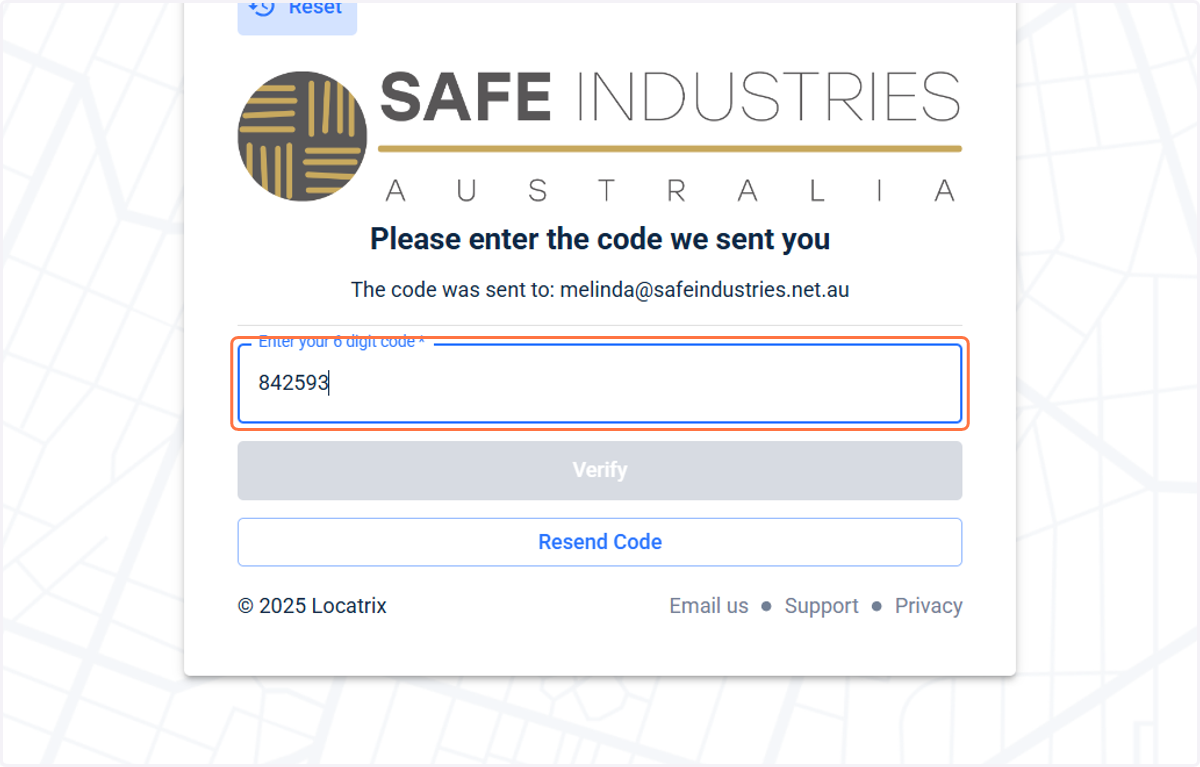
3. Security code
A verification code will be sent to your email address
Copy this number to paste into the registration field

4. Paste the verification code into the registration box
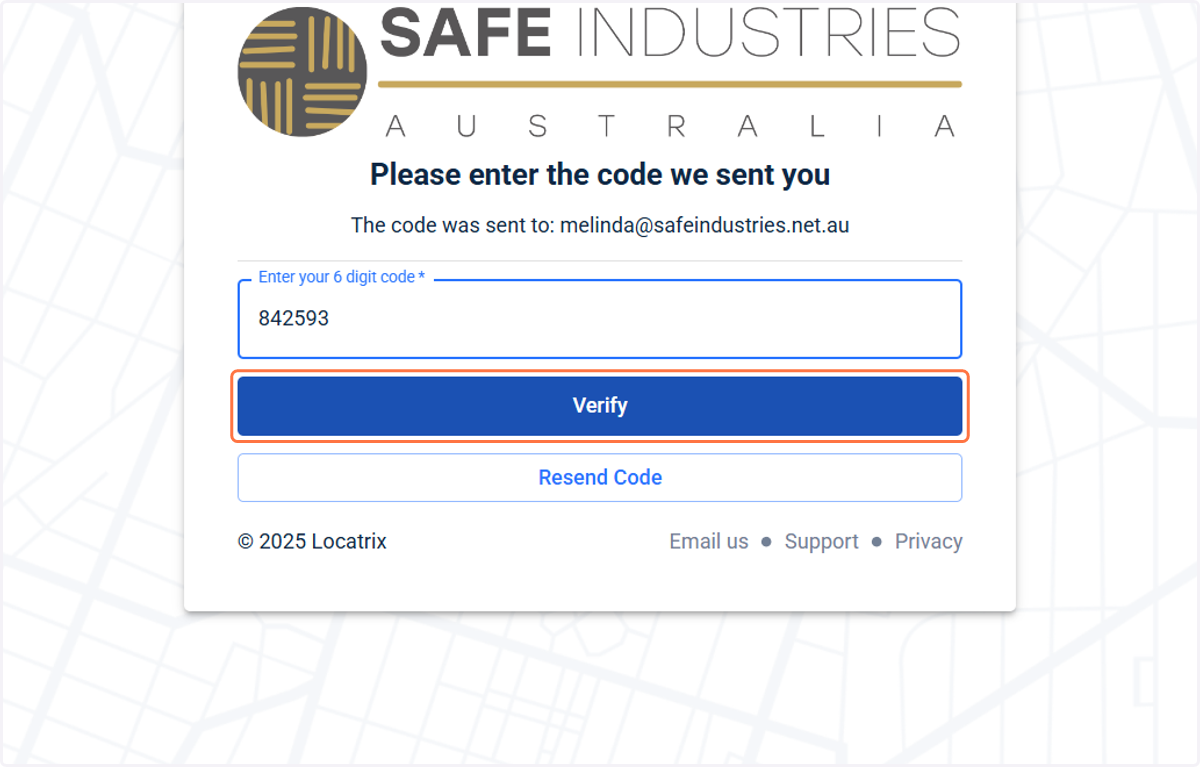
5. Click on verify
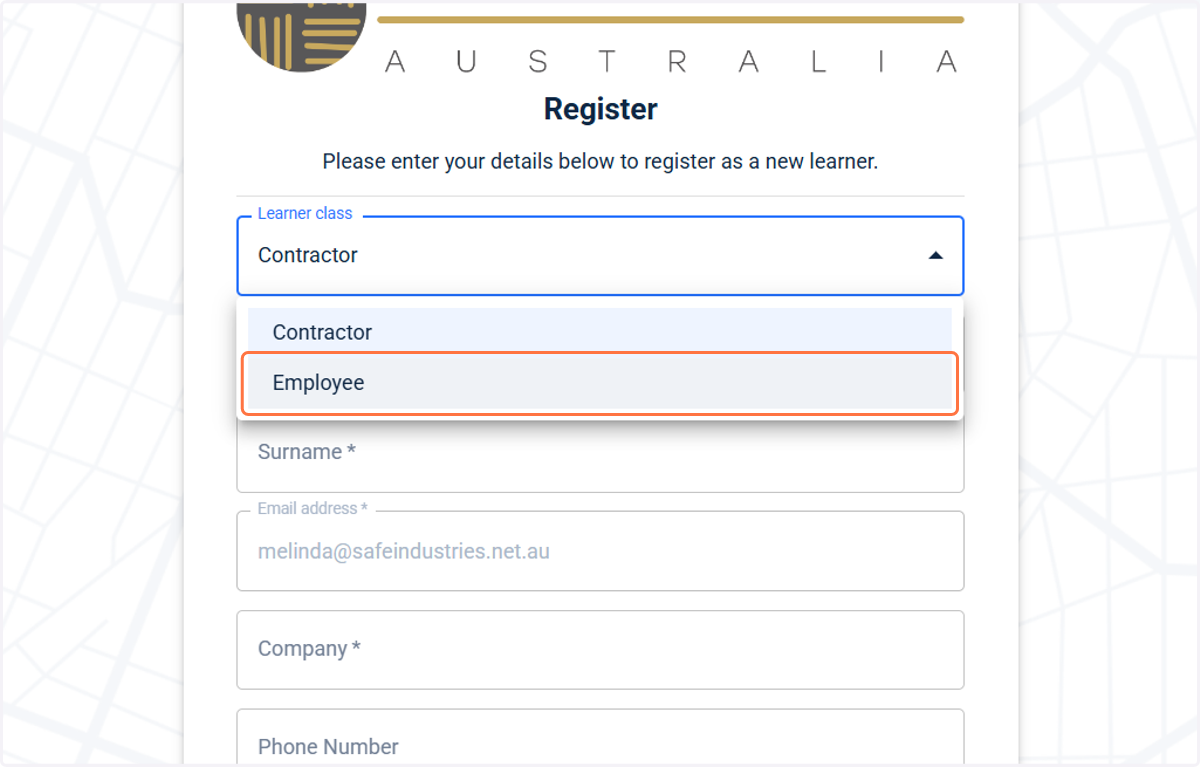
6. Select your employment type.
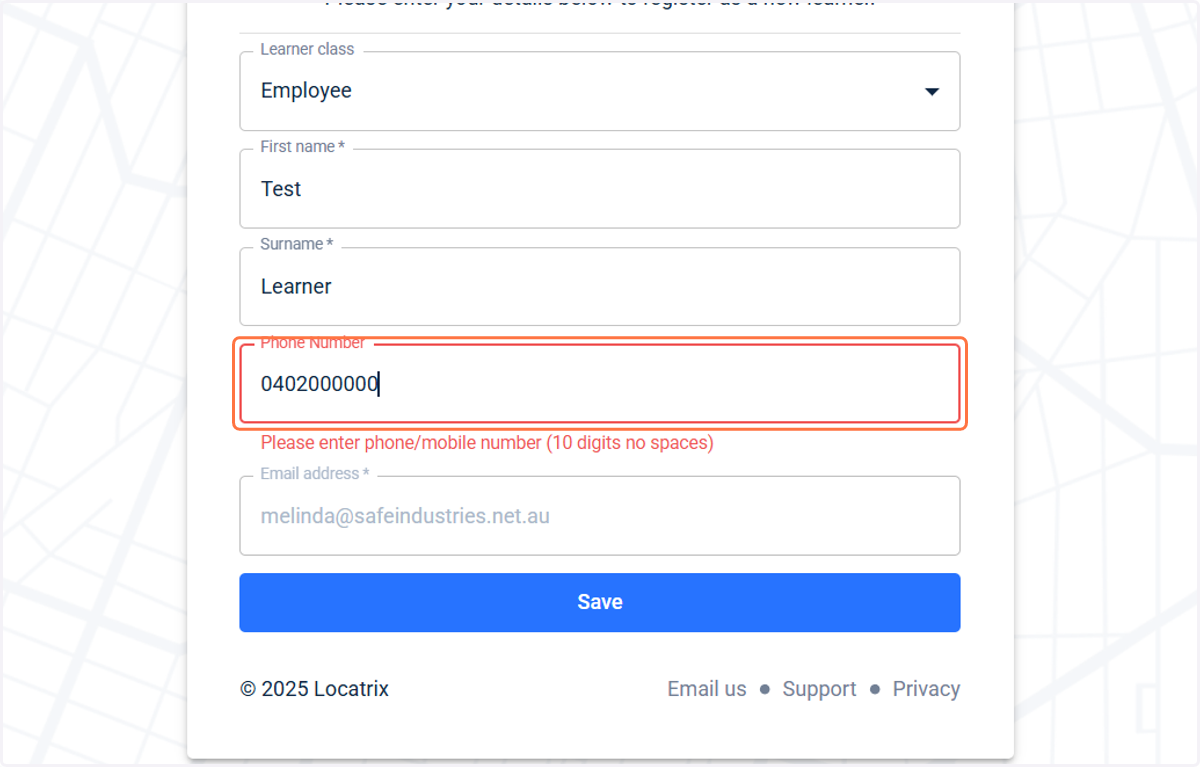
7. Fill in your First Name, Surname and add a Phone number
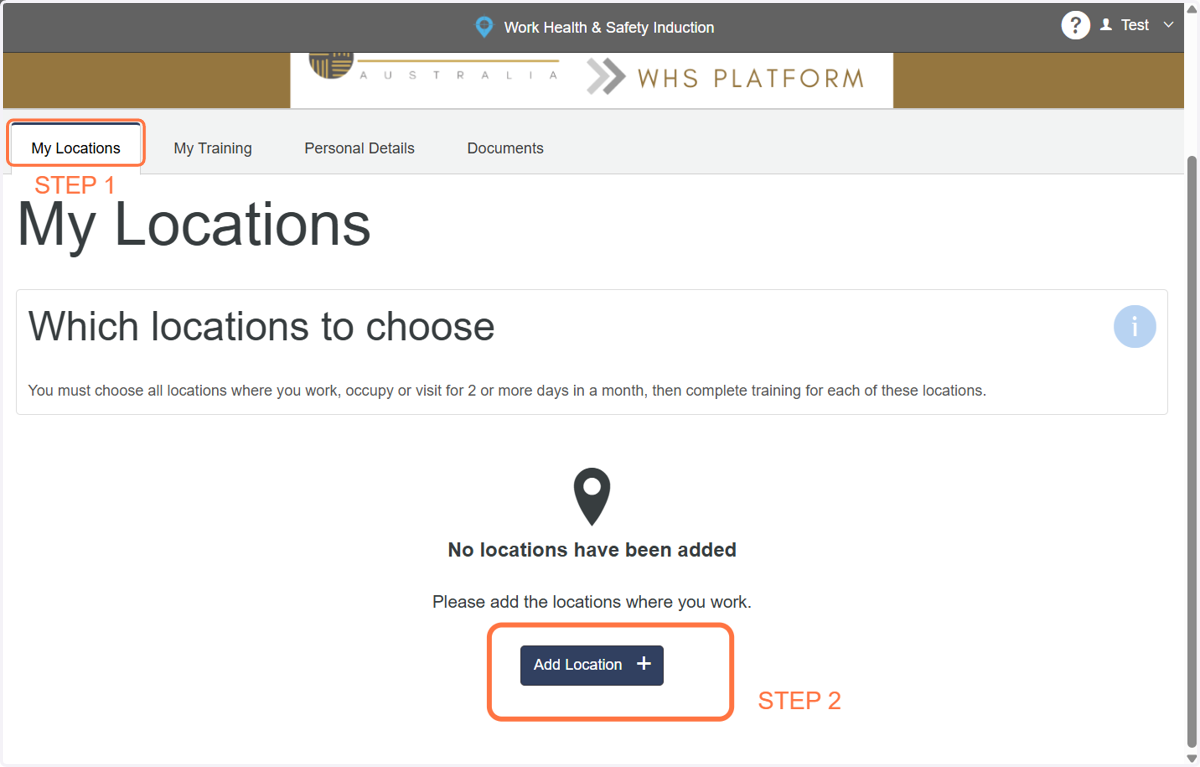
The training dashboard
Here you can:
Register for your first induction/other inductions
View completed training
Change your personal details AND
View WHS/OHS documents
8. Register for an Induction
Click my locations, then add location
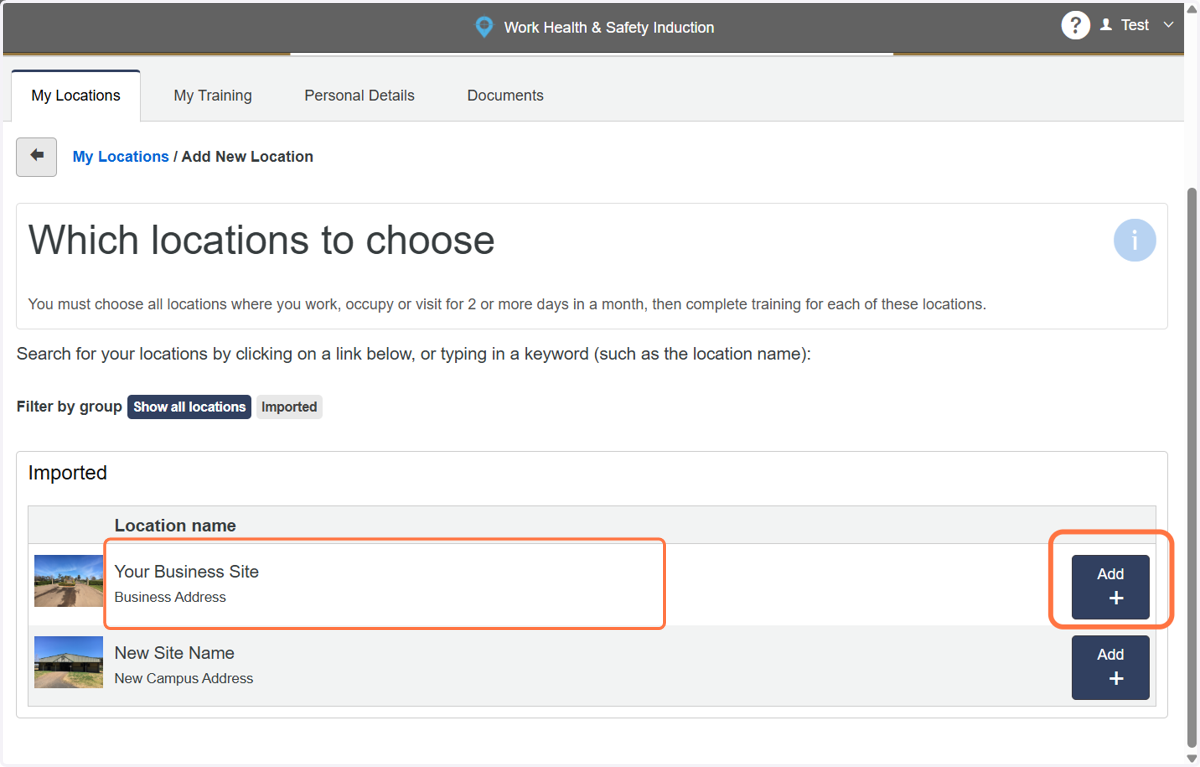
9. Look for the induction you need to select, and click add
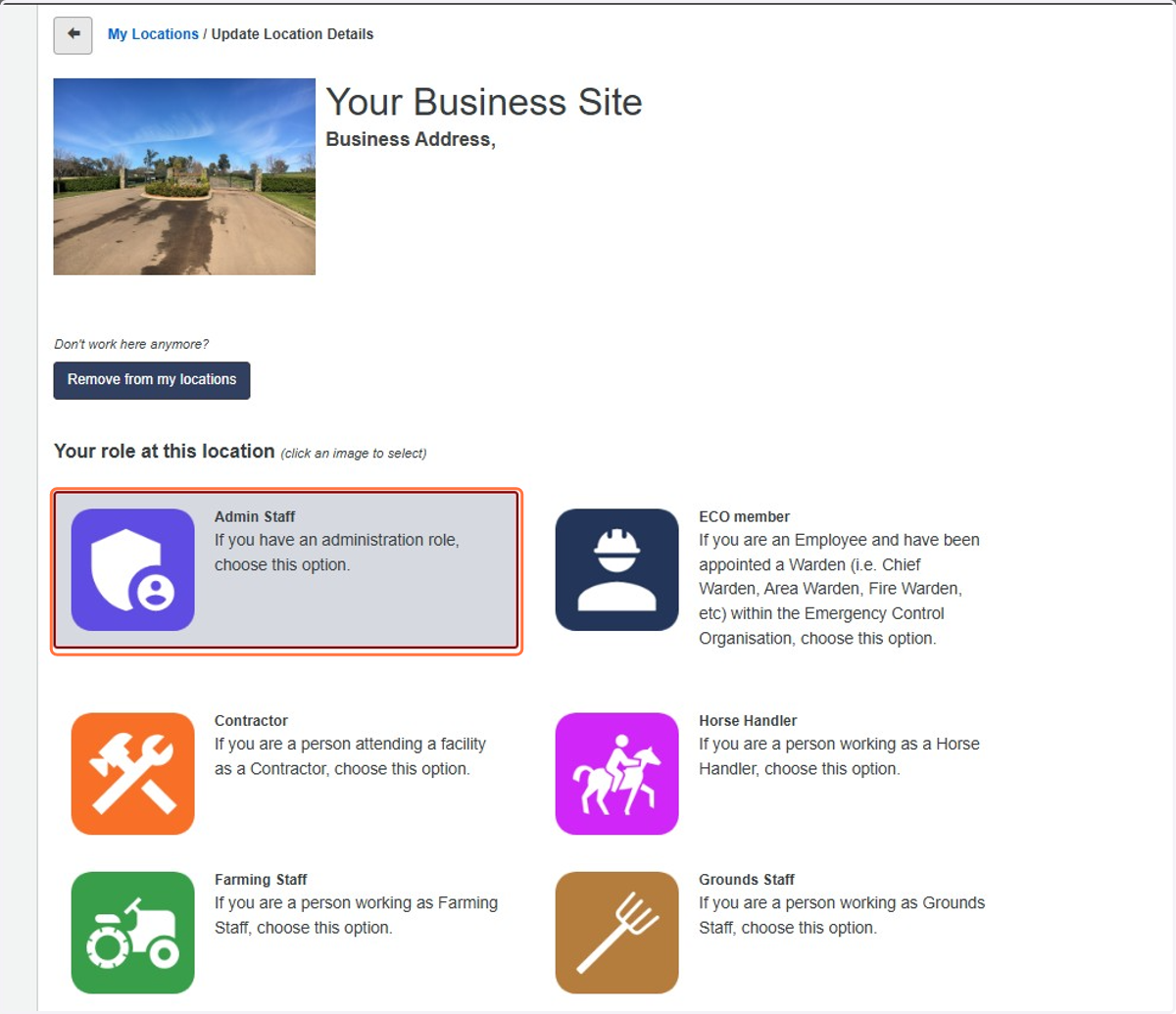
10. Select the job role most appropriate to your work
If unsure, contact your company administrator
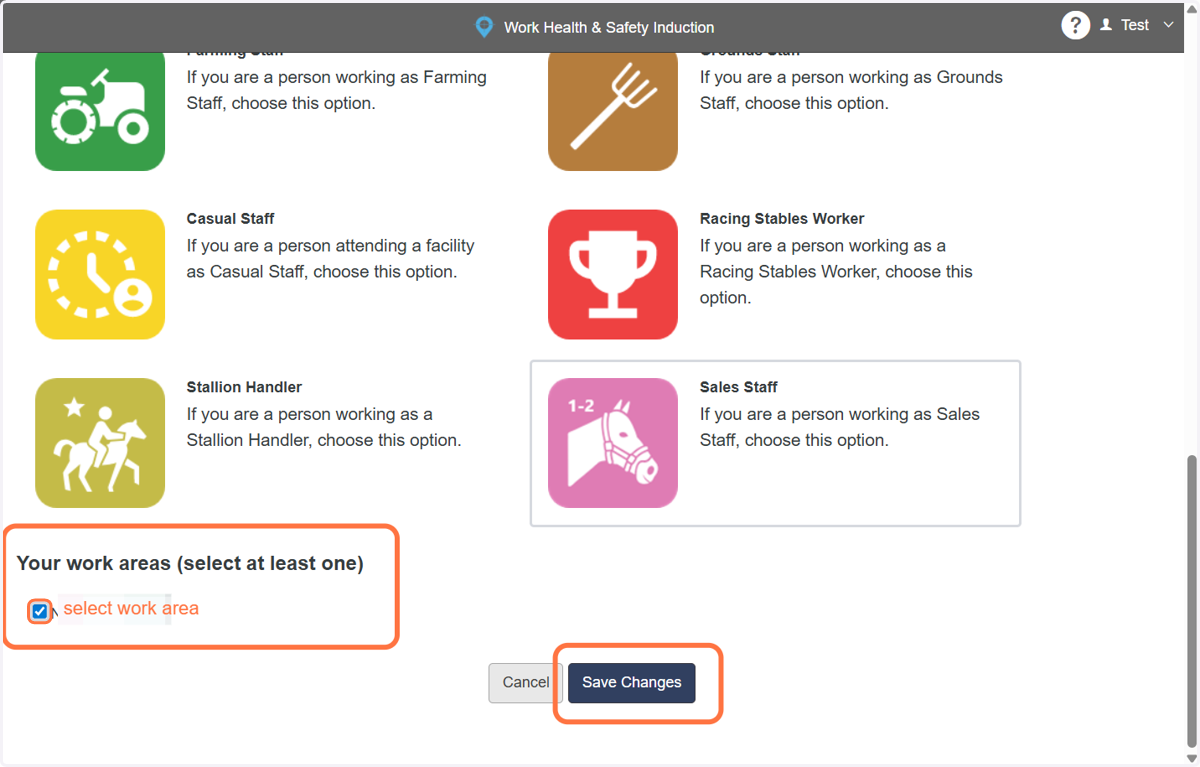
11. Then your physical work area, if applicable and click save changes
Not all inductions will have work areas to select
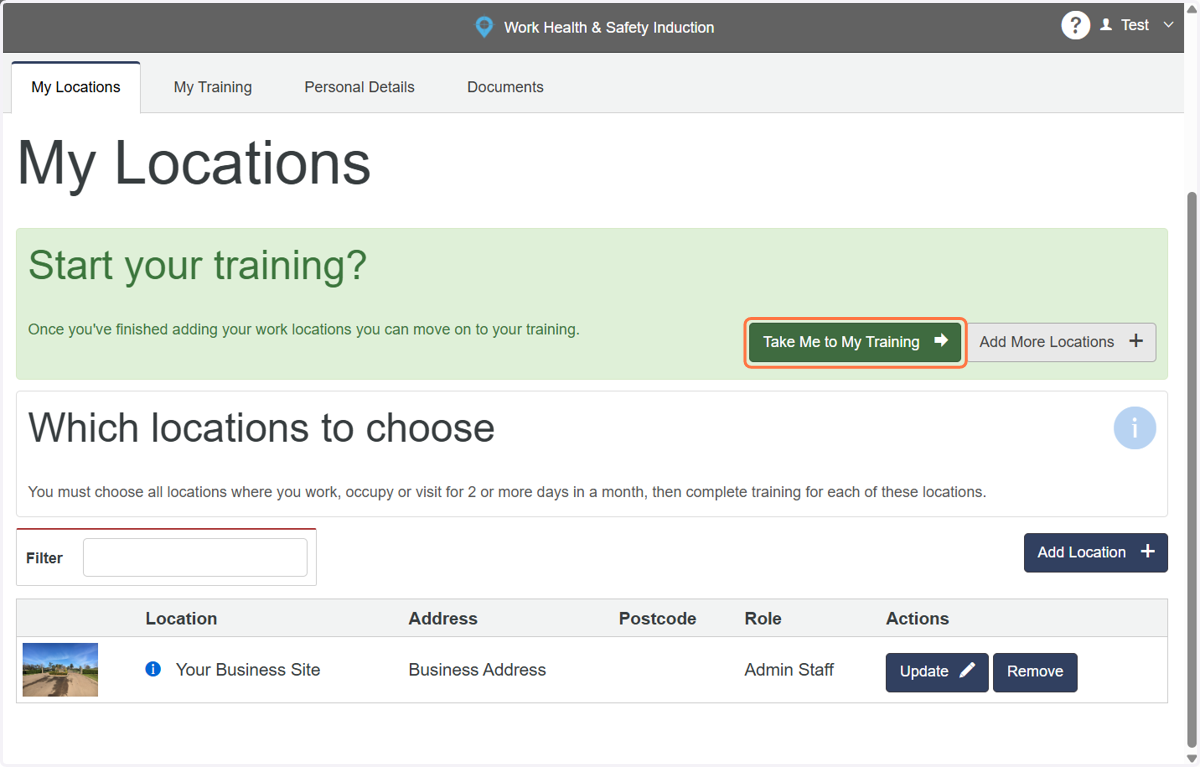
12. Starting your induction
Click on take me to my training
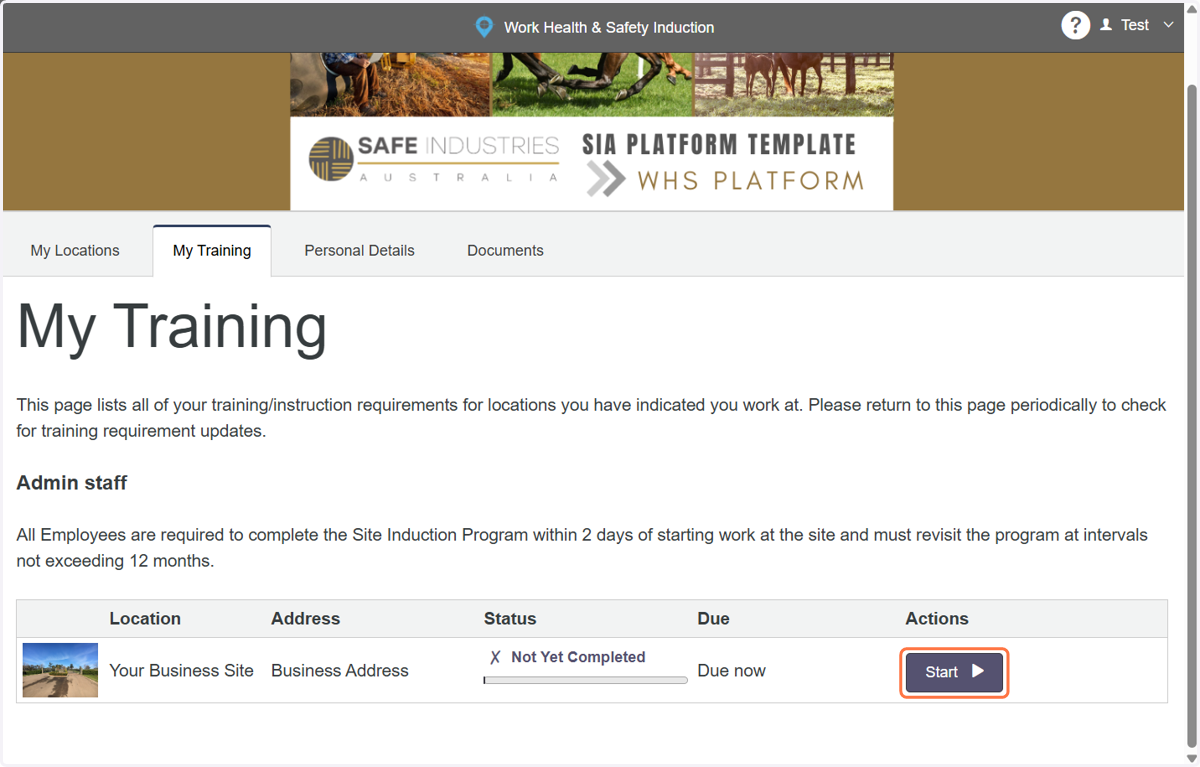
13. Click on Start to commence your induction
14. The induction will take you through a slide show of WHS/OHS topics.
The topics are based on what you need to know for your role
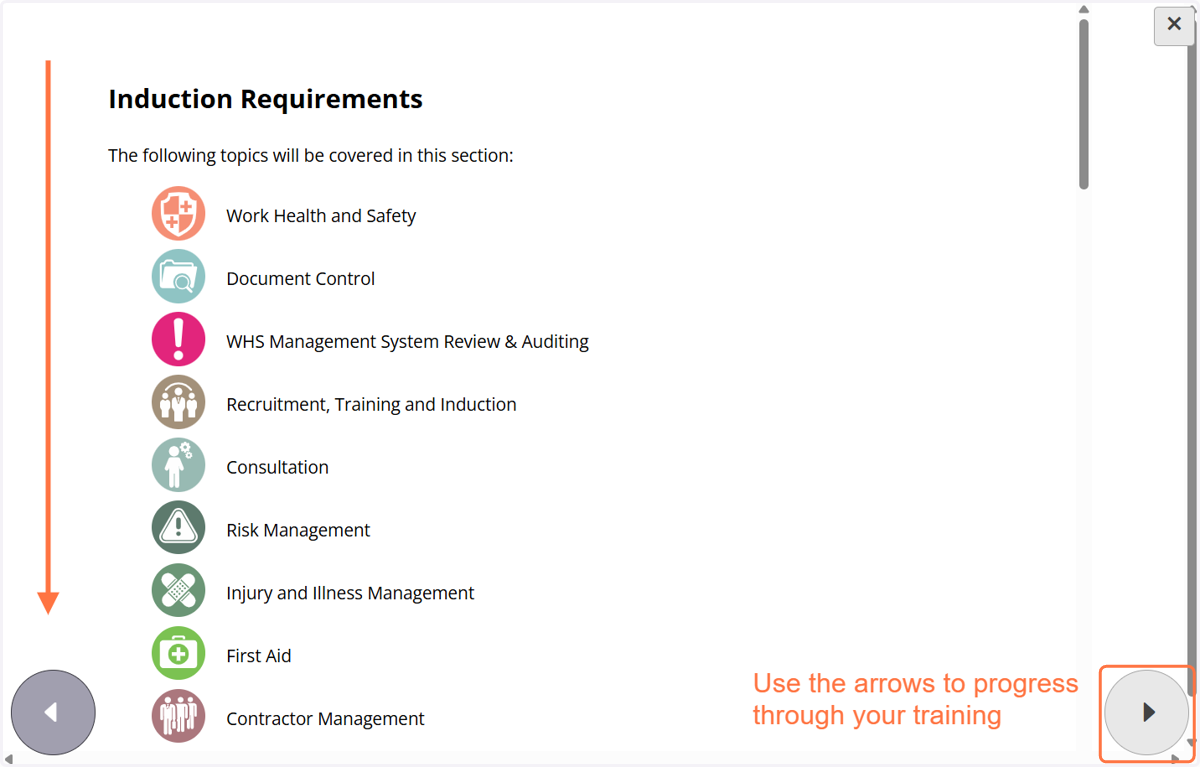
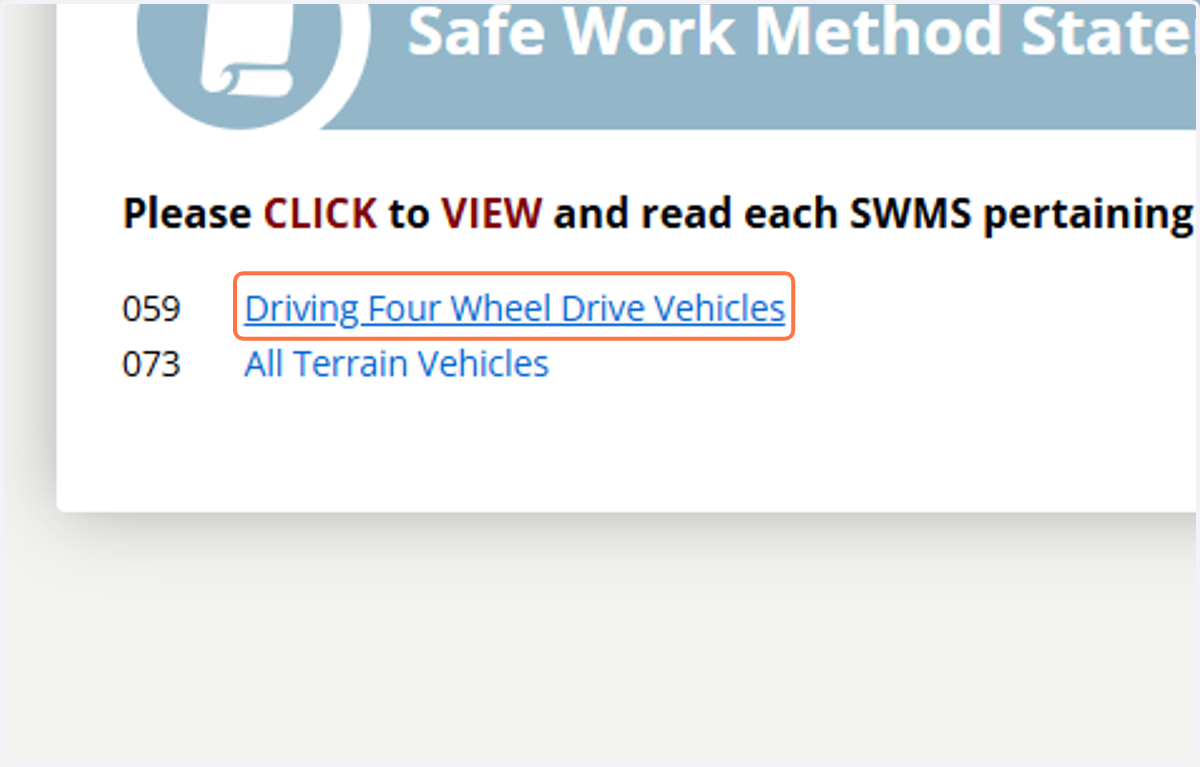
15. Open and view any hyperlinked documents where recommended to do so.
Safe work procedures(SWP/SWMS) are essential to your role
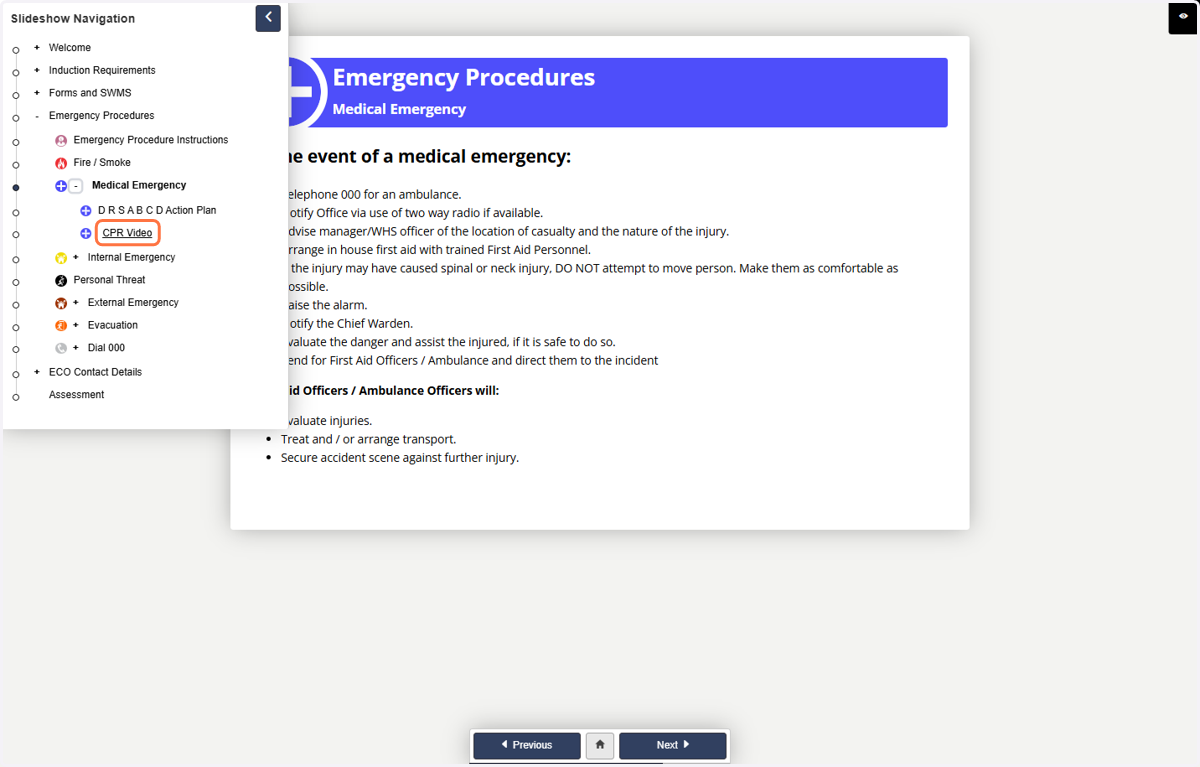
16. Read emergency procedures and watch the videos.
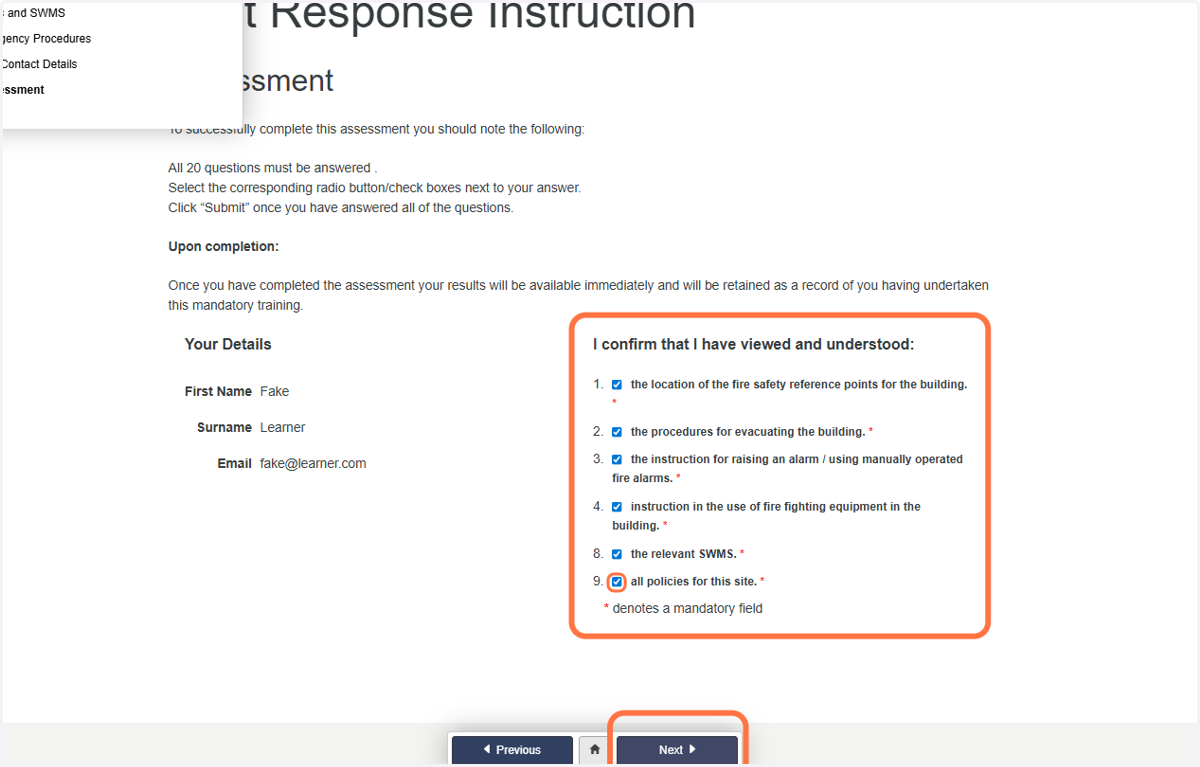
17. Declaration and final assessment
The company you work for will ask you to complete a declaration section. Click Next
This signoff may vary depending on who you work for and which induction you are doing.
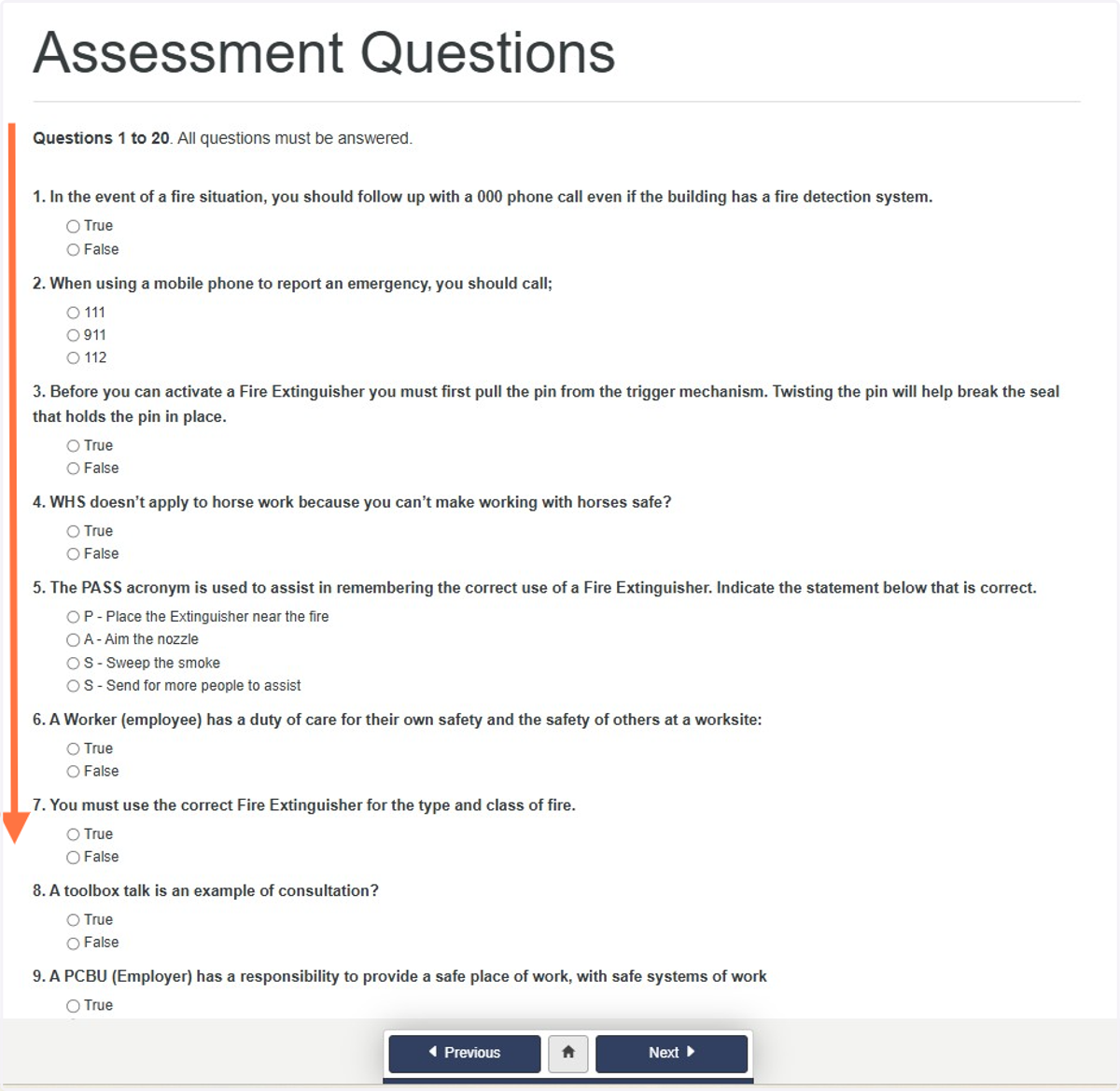
18. Assessment questions
Answer the assessment questions. Click next where applicable.
19. Induction Complete
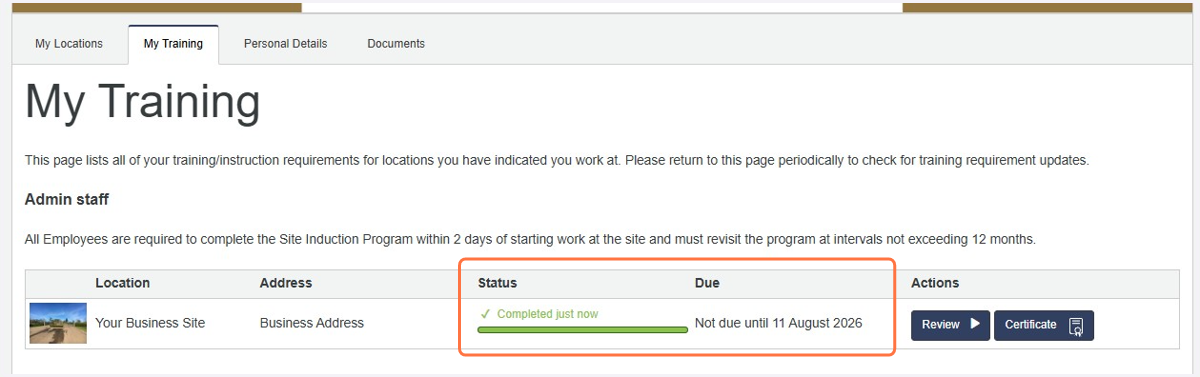
Once your pass your Assessment, a Certificate will be issued to email and to your Company Administrator.
You will be taken back to your My Training Dashboard
Inductions are valid for 12months. After 12 months you will need to re-sit the induction