Reset Brightview Sign-In Password
Brightview Senior Living - Sign In
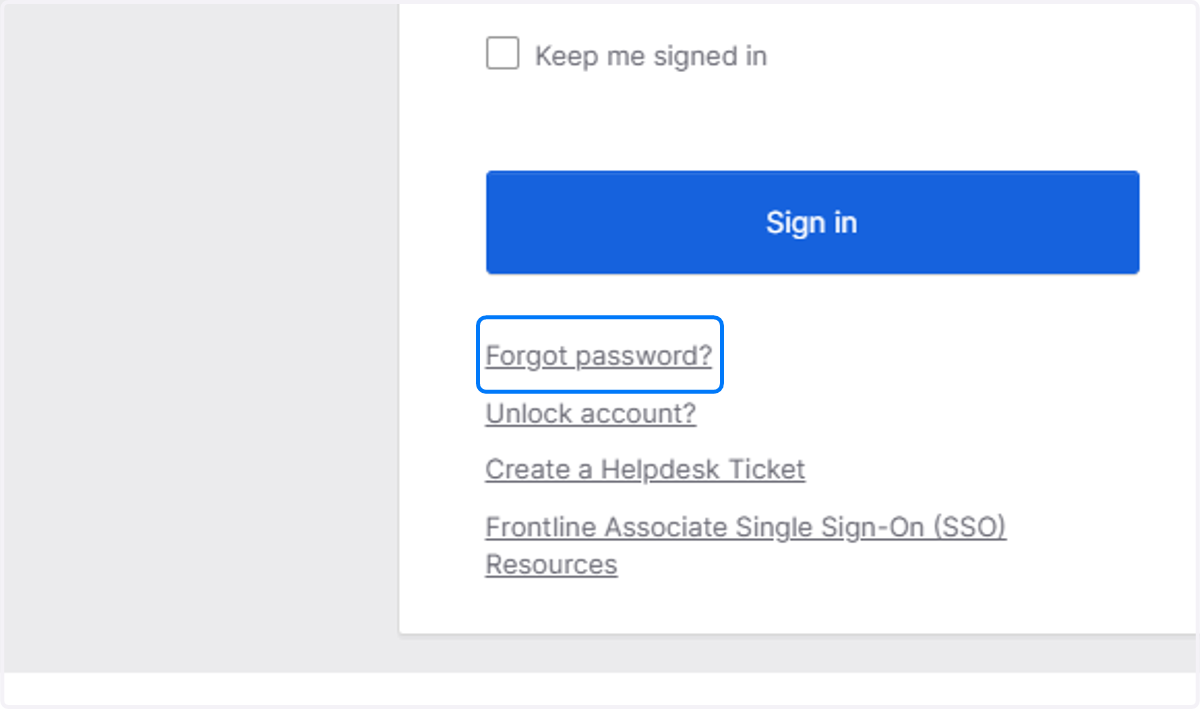
1. Click on Forgot password?
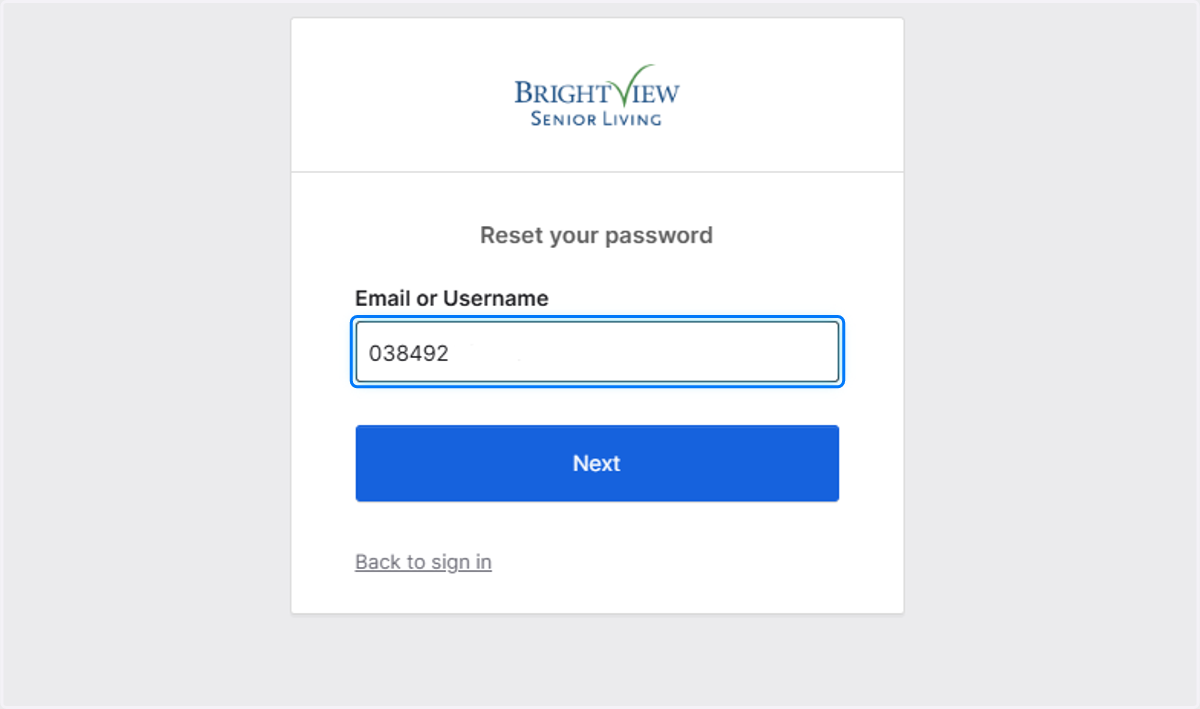
2. Type Email or Username
If you're a frontline associate enter your ASSOCIATE ID NUMBER!
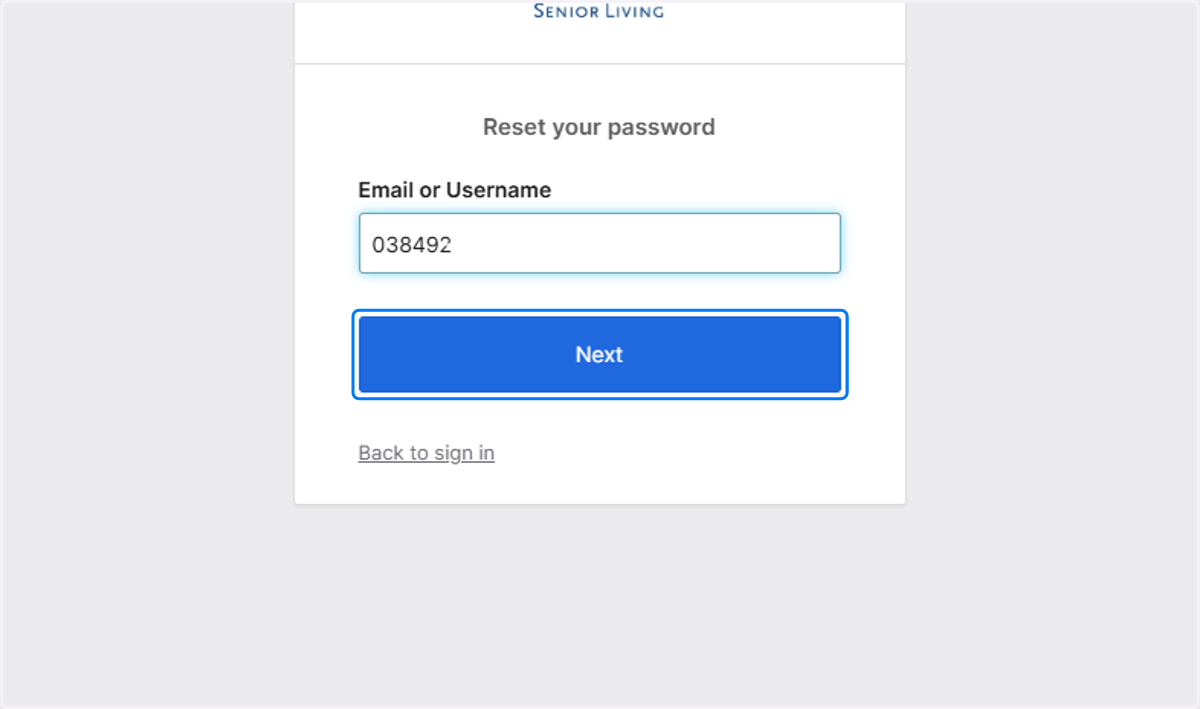
3. Click on Next
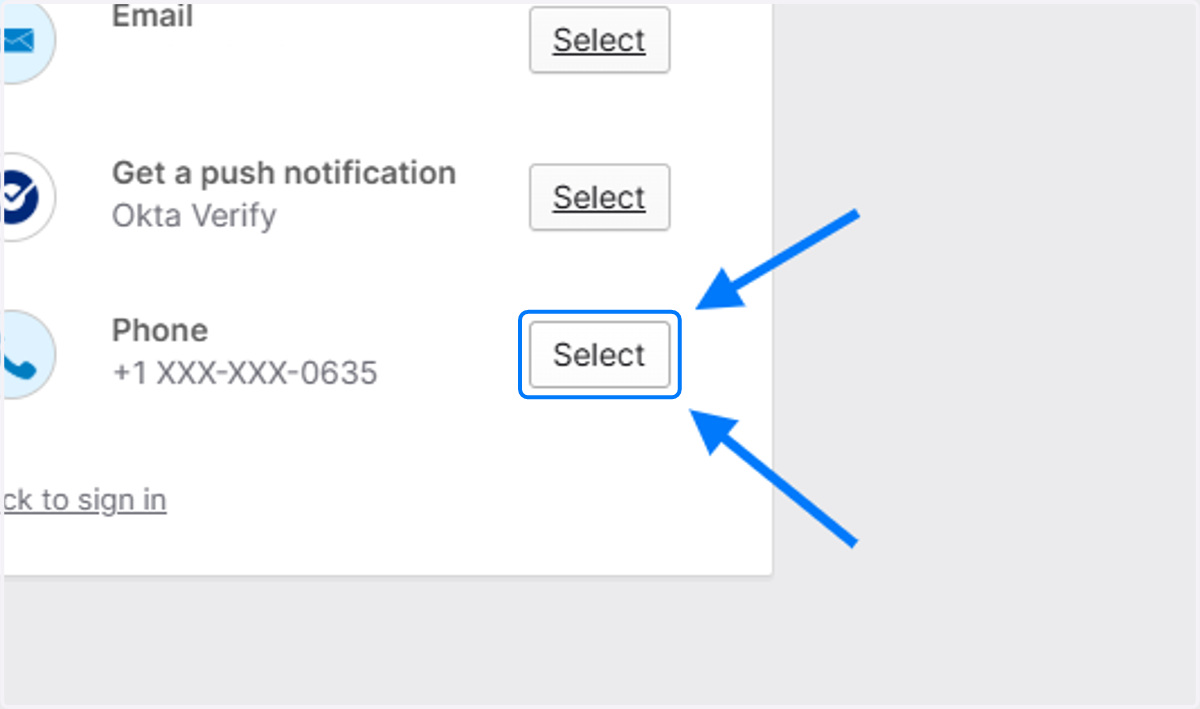
4. Click on Select next to the PHONE option
DO NOT CHOOSE THE EMAIL OPTION! THIS WILL NOT WORK!
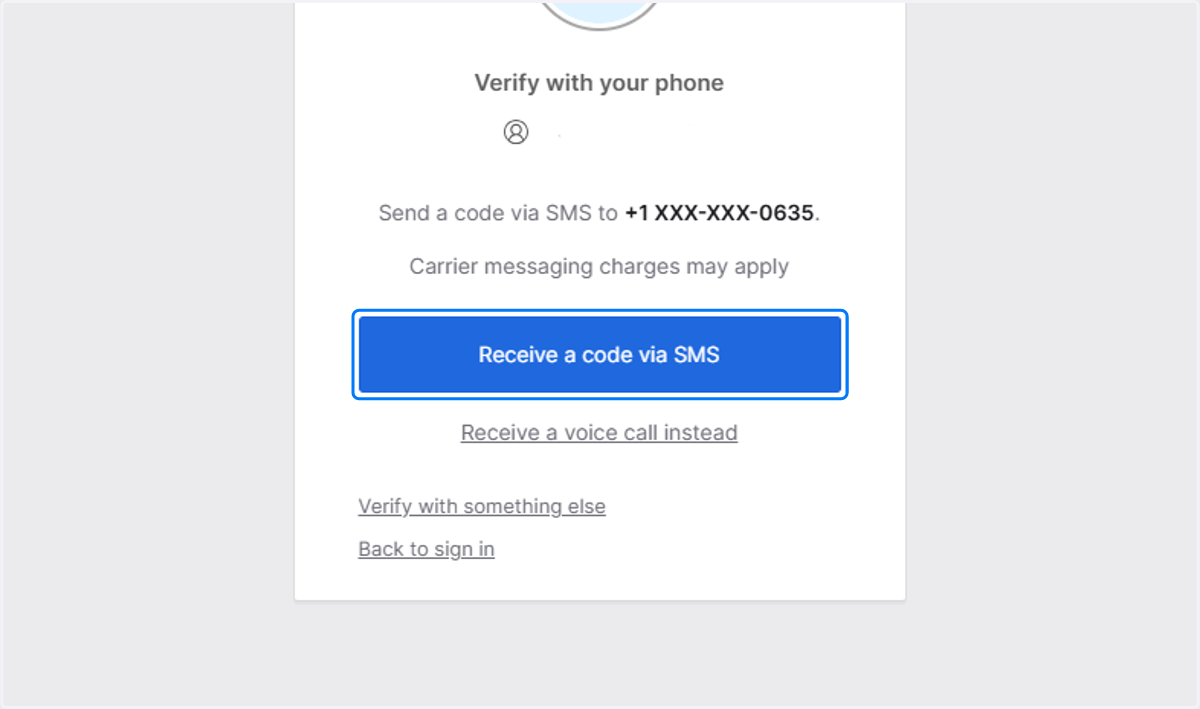
5. Click on Receive a code via SMS
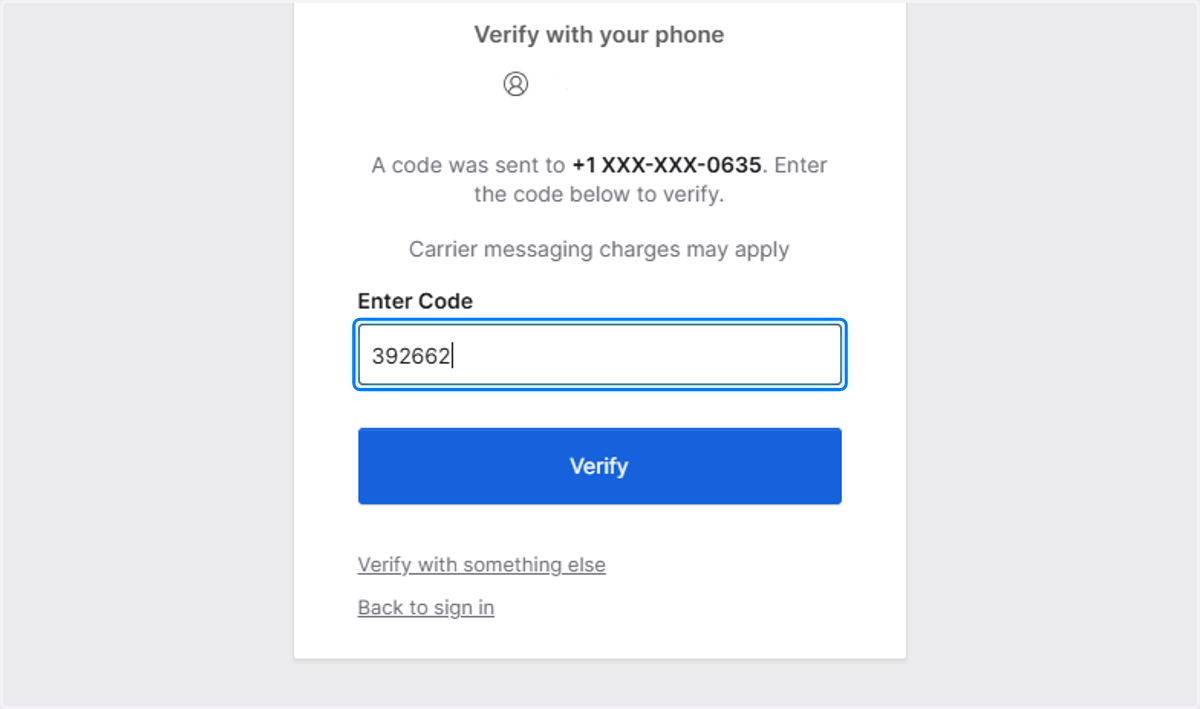
6. Type Enter Code
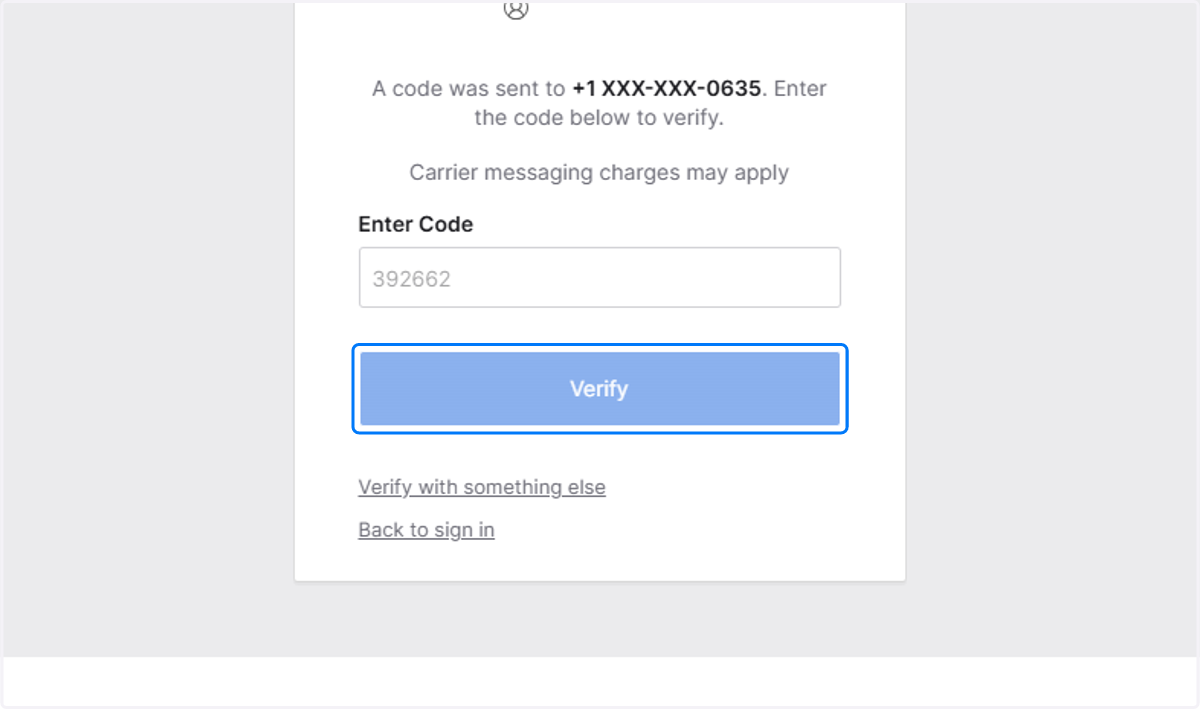
7. Click on Verify
8. Answer your security question
IF YOU'VE FORGOTTEN YOUR SECURITY QUESTION, PLEASE CONTACT THE HELPDESK AT HELPDESK@BVSL.NET
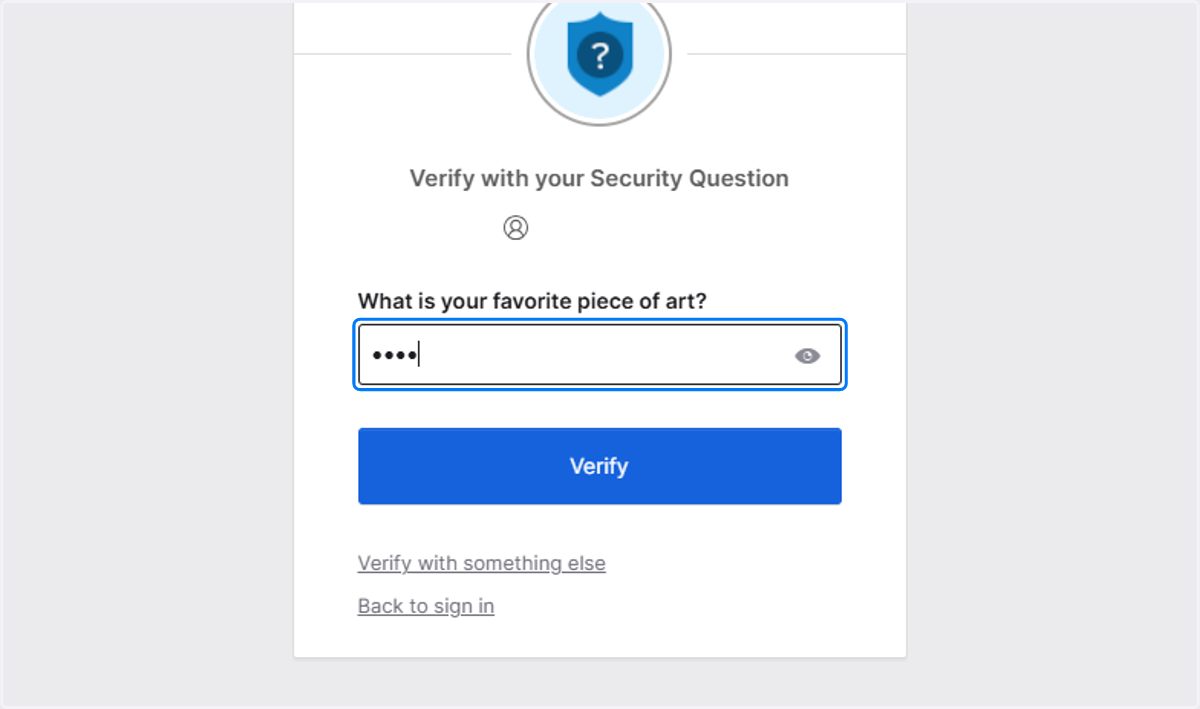
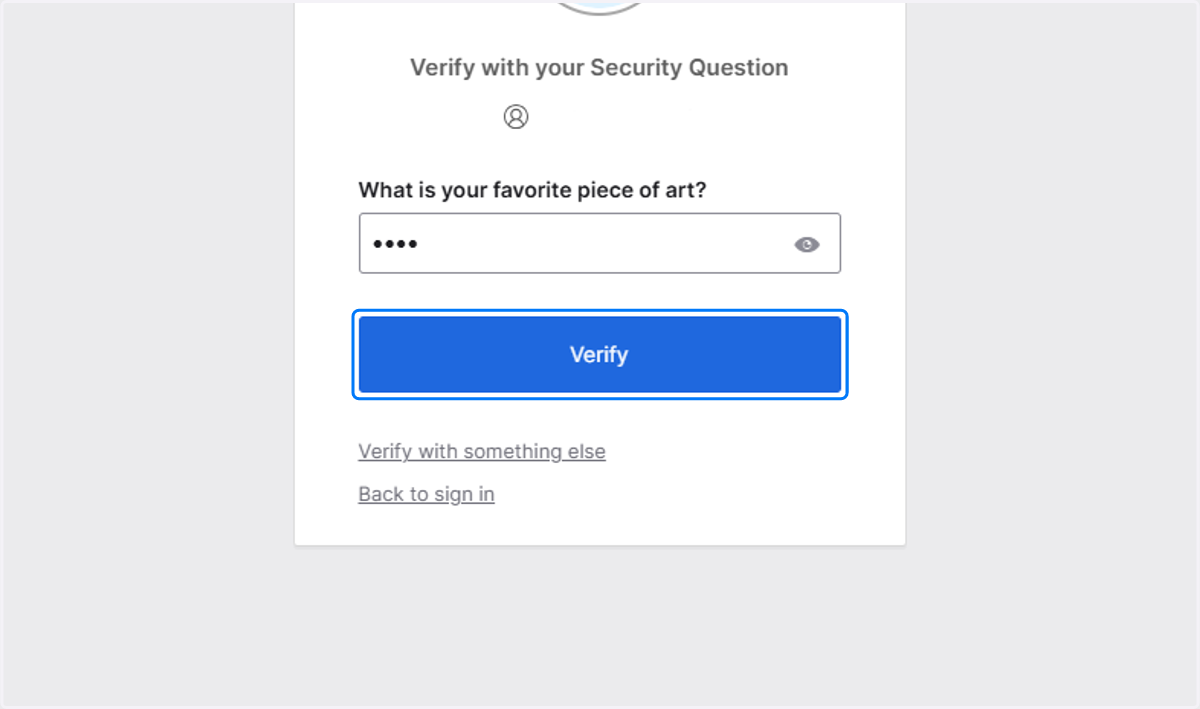
9. Click on Verify
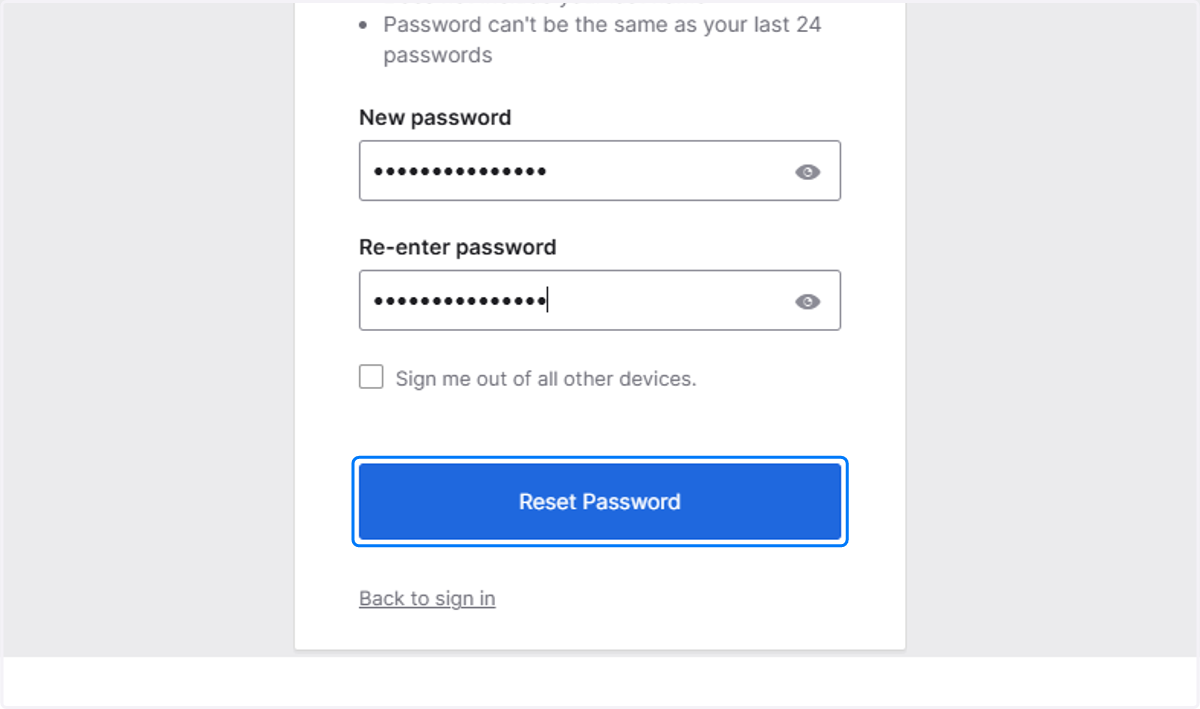
10. A. Type new password
10. B. Confirm new password
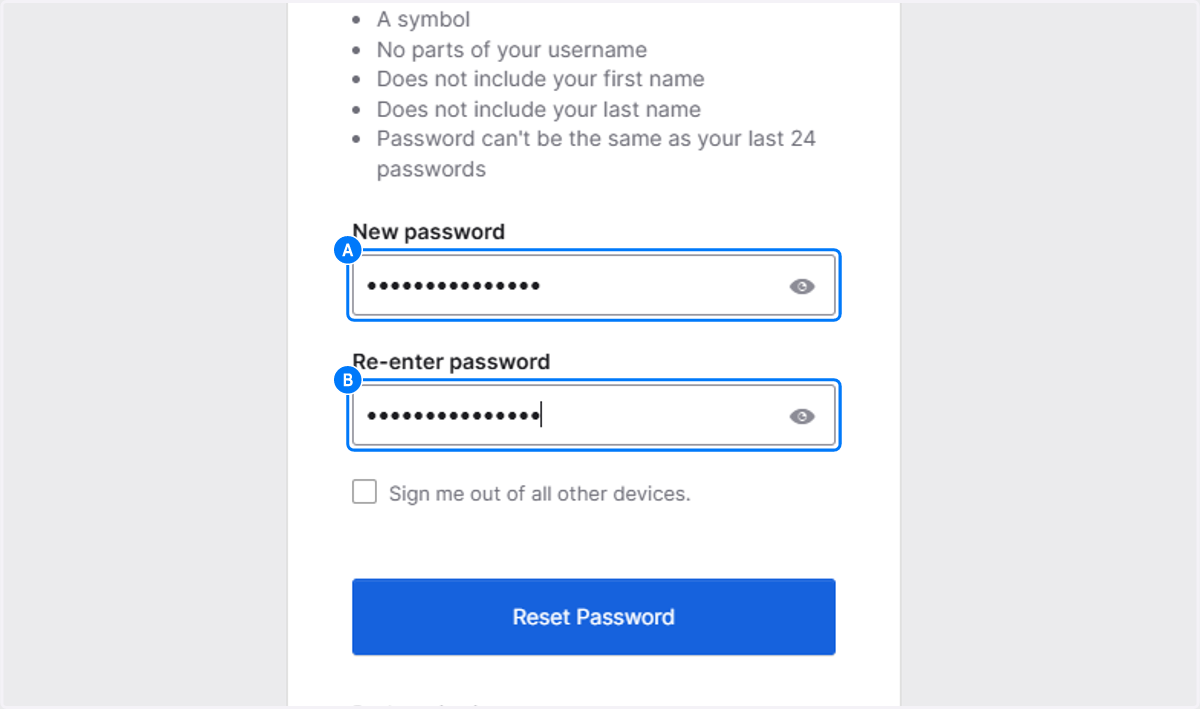
11. Click on Reset Password