Adding a Sensor to a New Machine with MachineMax
Machine Max
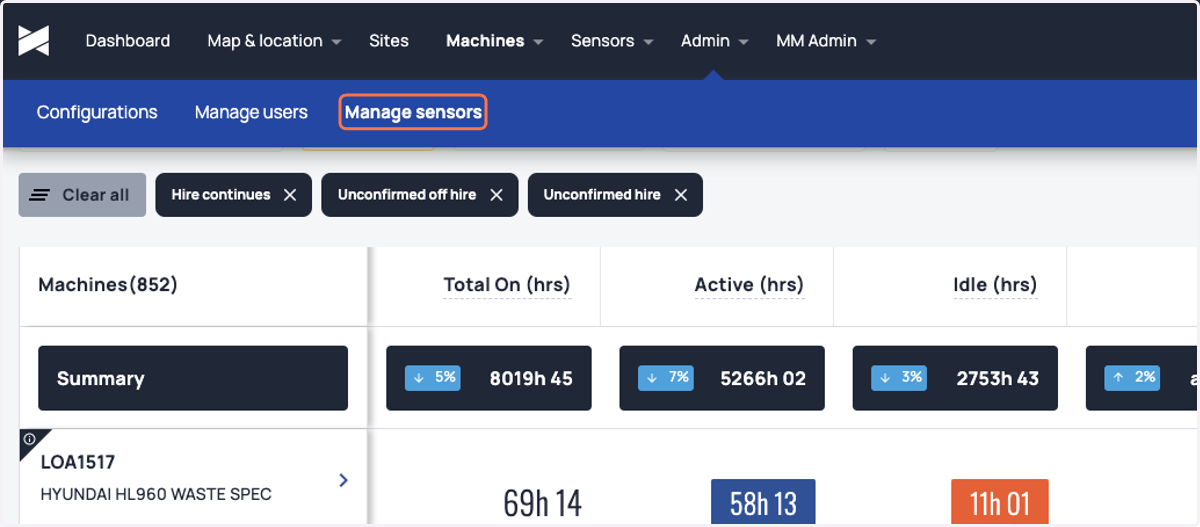
1. Navigate to 'Admin' area on your platform and choose 'Manage sensors'
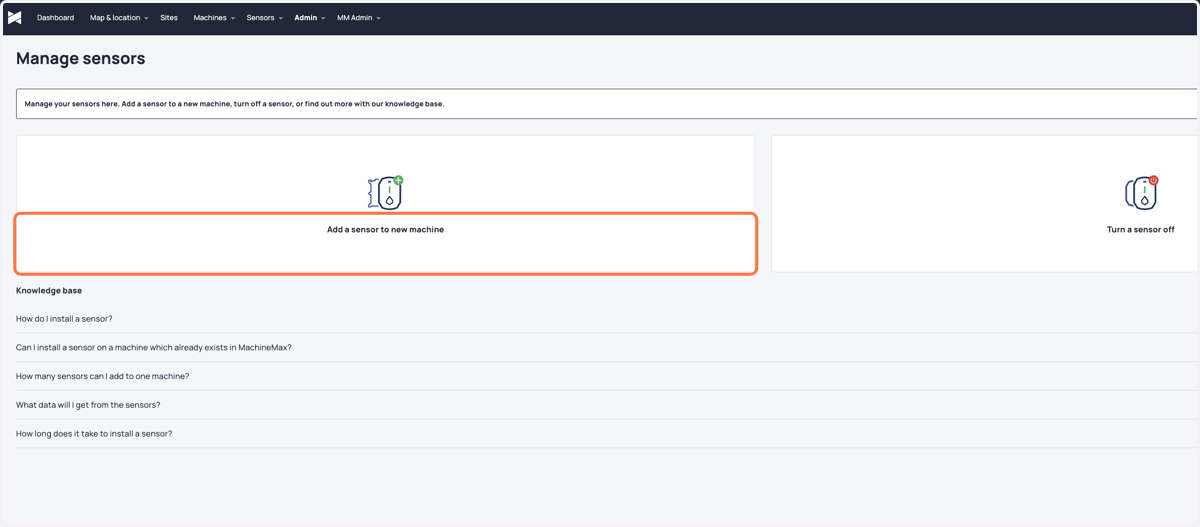
2. Select "Add a sensor to a new machine"
3. Fill in the machine name
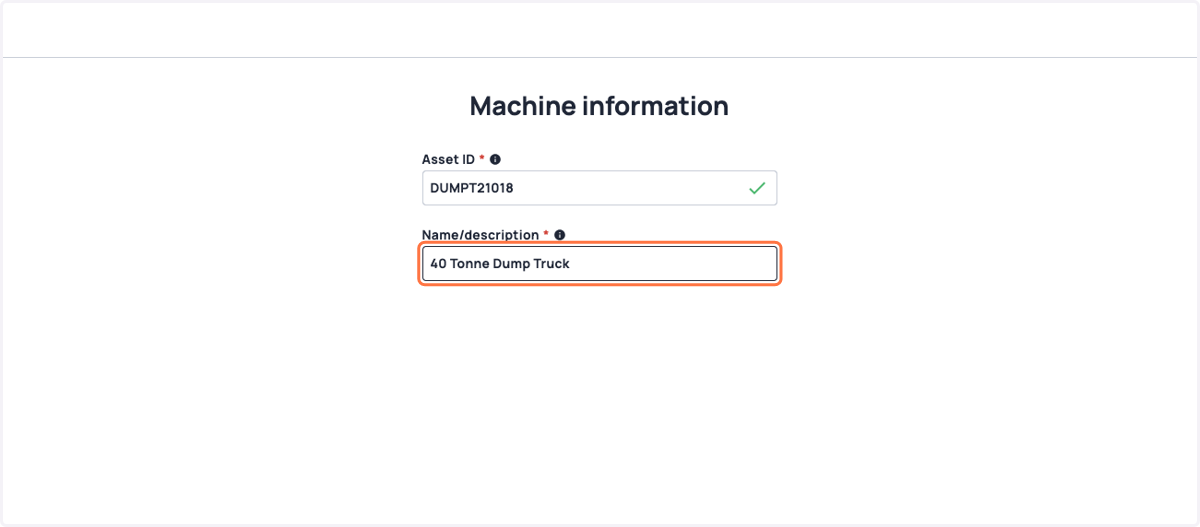
4. Add extra information to complete the machine profile and enhance filtering and reporting
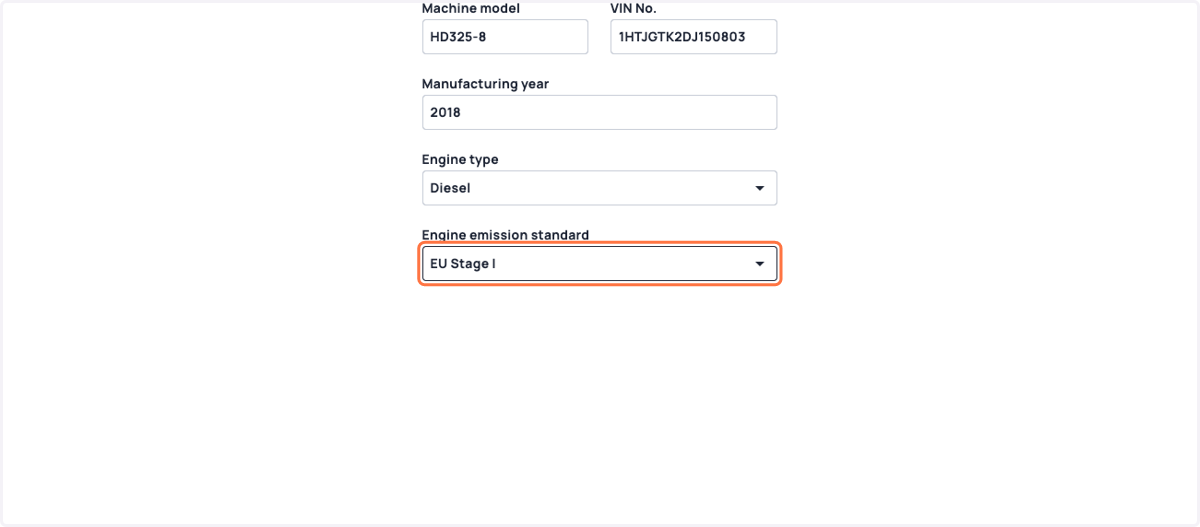
5. Further details if needed can be entered
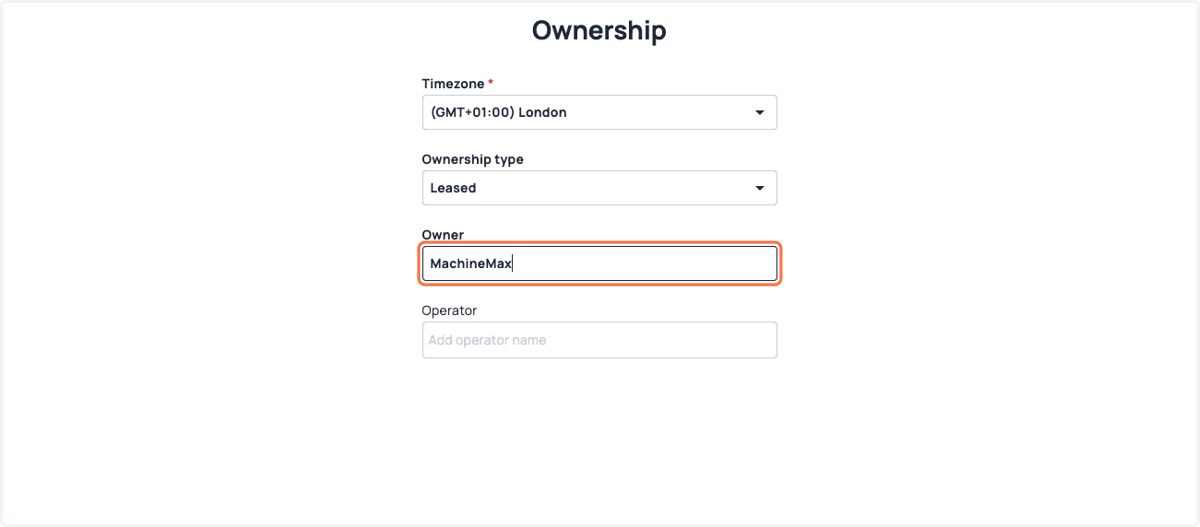
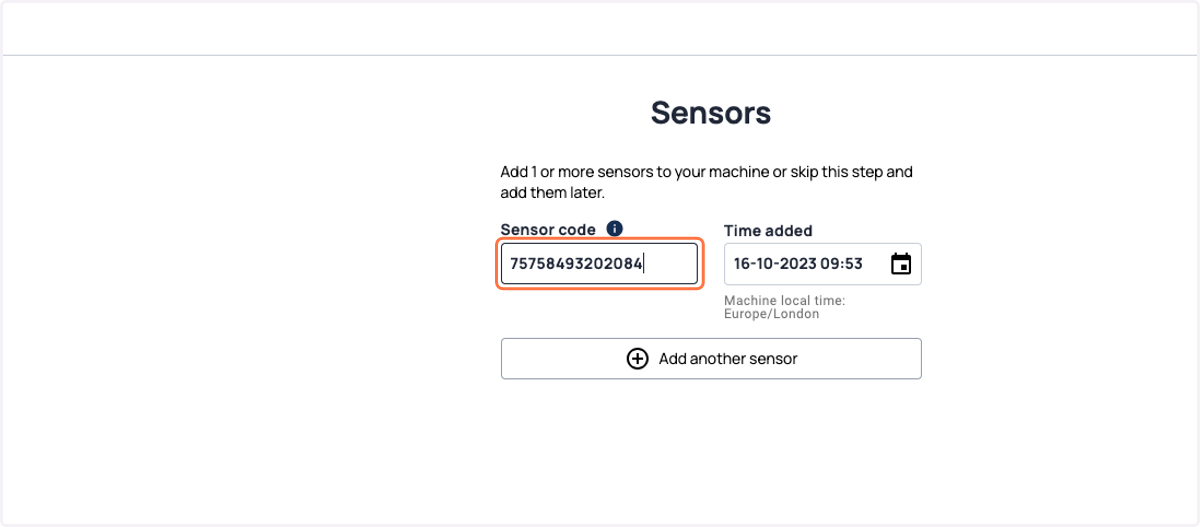
6. Enter sensor information, click complete and its done. We'll start collecting data on this machine as soon as the first connection is made