Checking your GRADES and FEEDBACK as a student

The Nomadic Professor

  1. 1. Click on Report Card

    Click on Report Card
  2. 2. Click on the assignment category you're interested in—in this case we're looking at submitted Guided notes
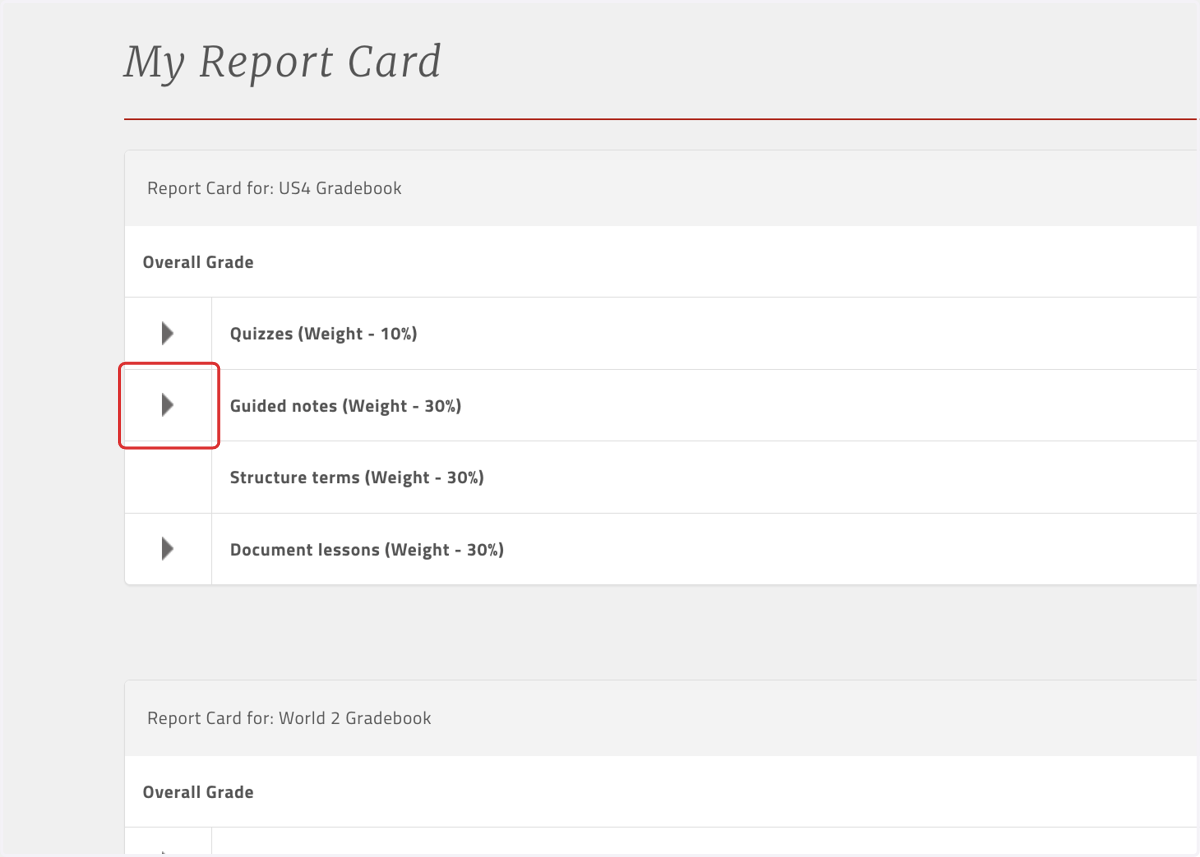
    Click on the assignment category you're interested in—in this case we're looking at submitted Guided notes
  3. 3. Click on the assignment that has been graded, for which you want to see your instructor's comments and/or rubric reasoning
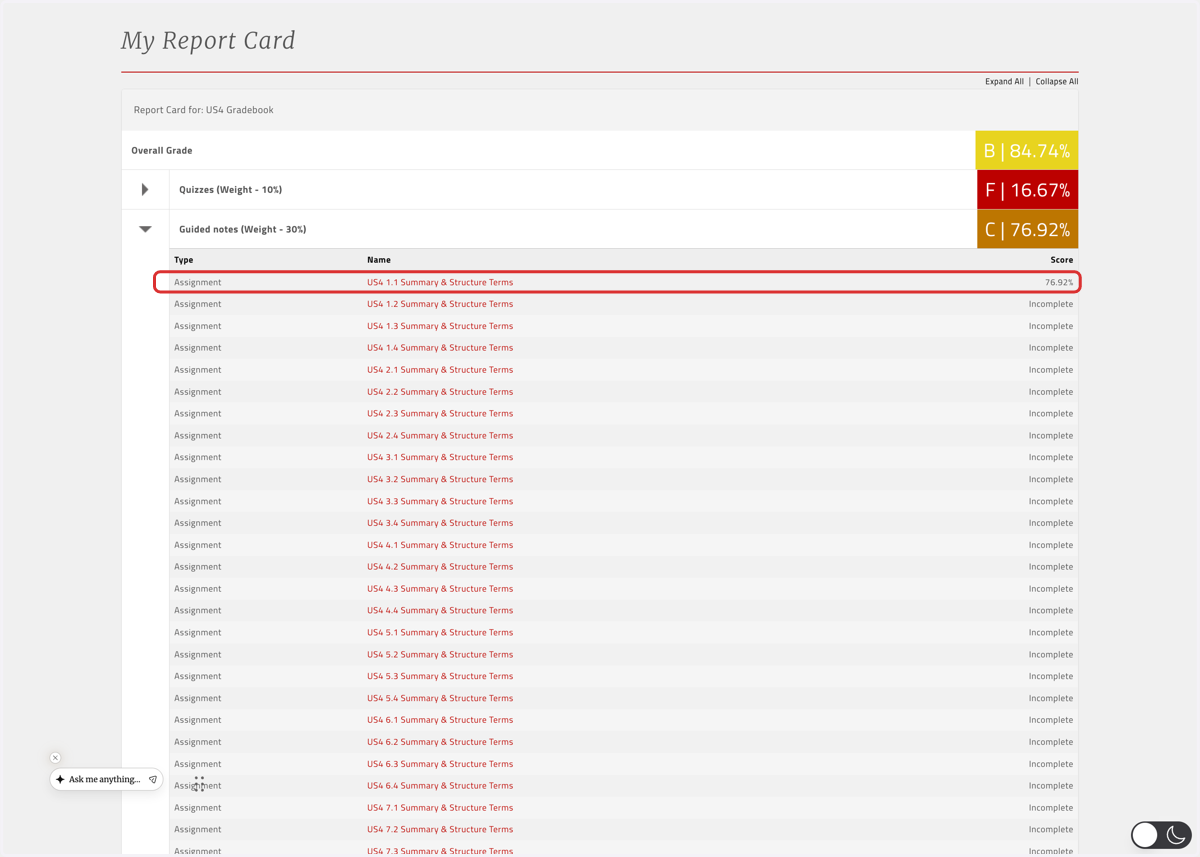
    Click on the assignment that has been graded, for which you want to see your instructor's comments and/or rubric reasoning
  4. 4. If your instructor has left comments or offered feedback based on the rubric criteria, those comments will show up here
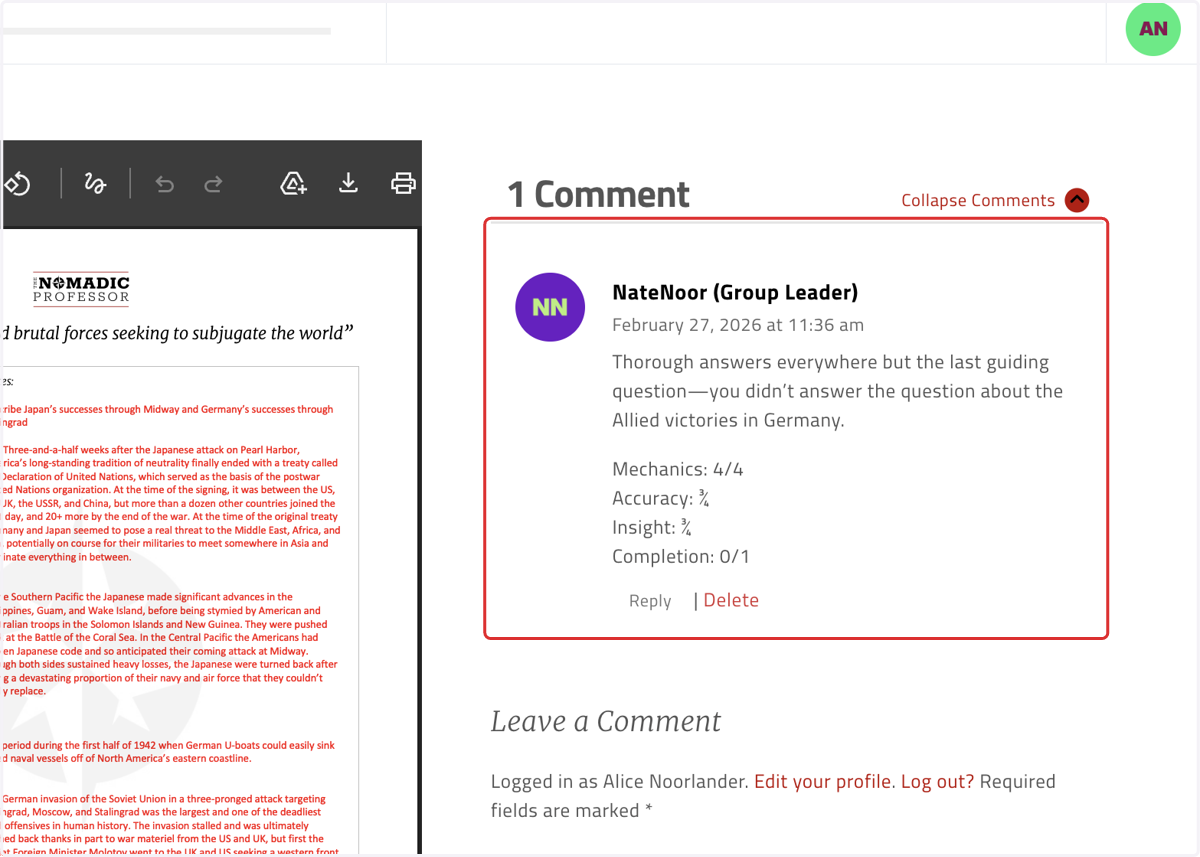
    If your instructor has left comments or offered feedback based on the rubric criteria, those comments will show up here
  5. 5. You can respond here if this is the best means of communication between you and your instructor
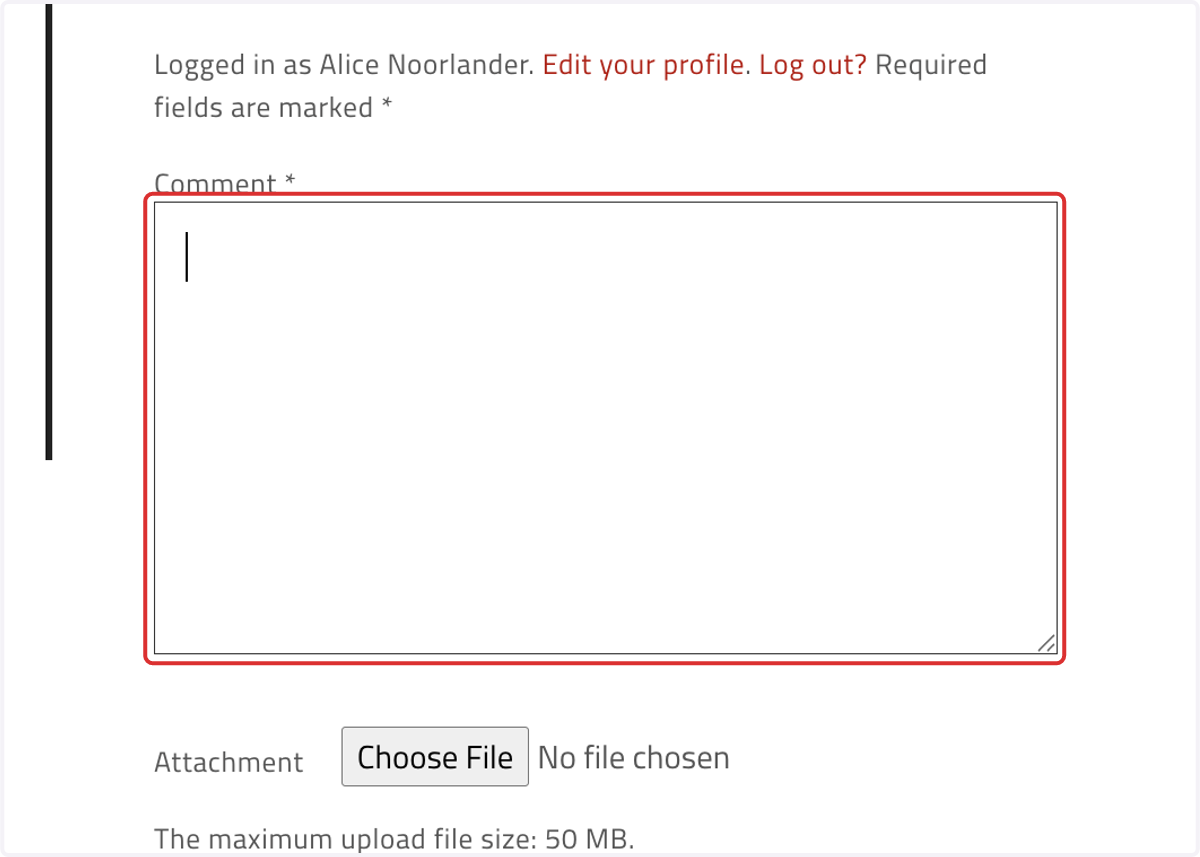
    You can respond here if this is the best means of communication between you and your instructor