How to Cancel Upcoming Appointments in the Patient Portal
1. Log-in to the CARE Counseling Patient Portal webpage: https://carecounseling.portal.opusehr.app/welcome
2. Please review CARE's Consent and Financial Agreement regarding late canceled appointments as a there is an associated fee for appointments scheduled less than 24 hours in advance. Some services require more than 24 hours notice, as noted in the Consent and Financial Agreement.
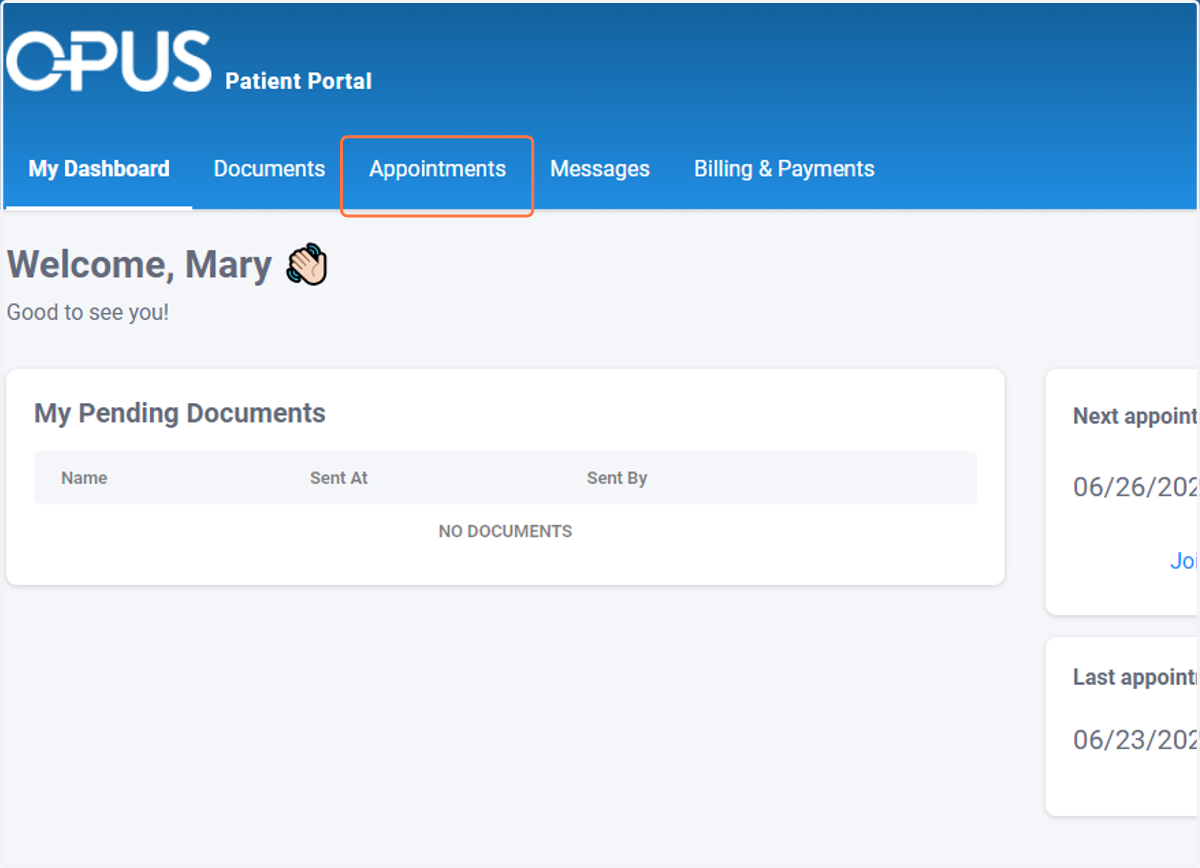
3. Click on Appointments
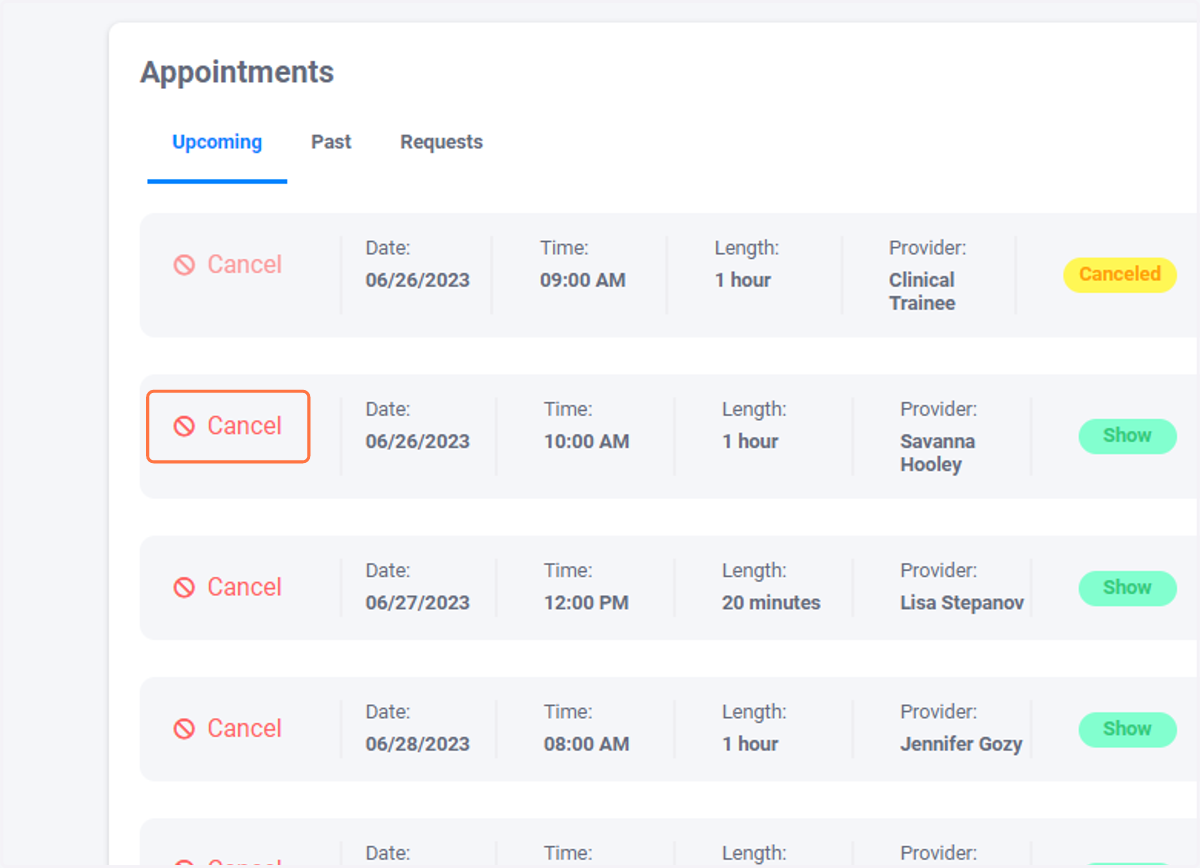
4. Click on Cancel
Find the appointment you need to cancel and click cancel
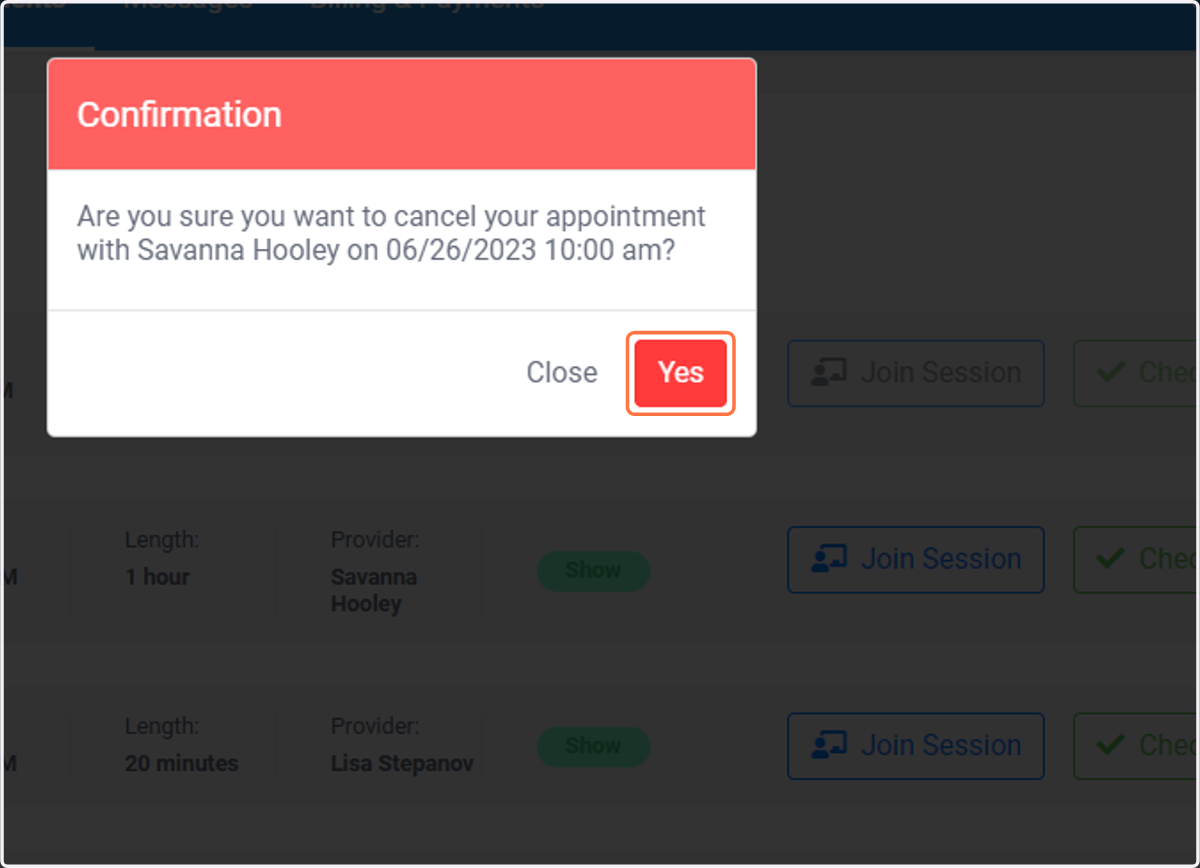
5. Click on Yes
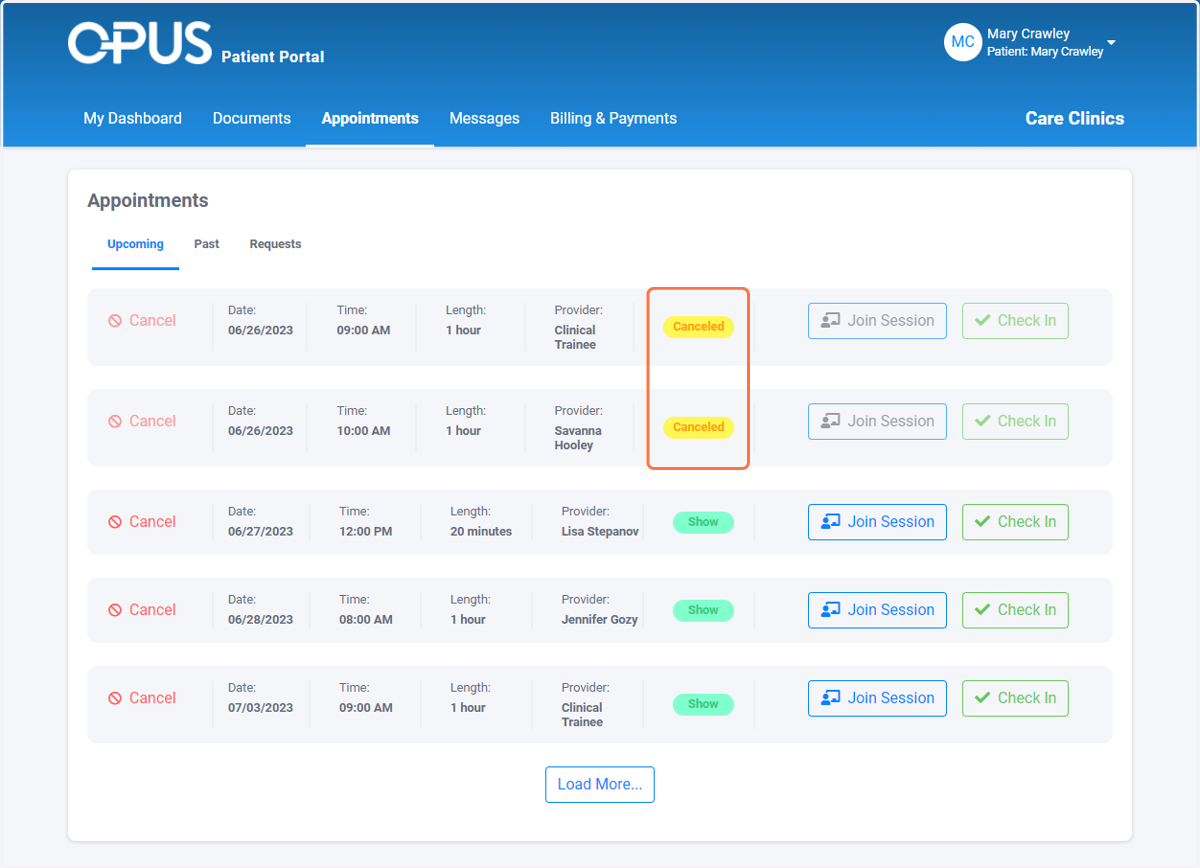
6. Your appointment has been canceled
If the appointment is not marked with the yellow "canceled" status, try refreshing your screen.