Configure Zap Trigger on WordPress

Tychesoftwares

  1. 1. Add New Product

    Add New Product
  2. 2. Give the Product a name

    Give the Product a name
  3. 3. Enter the Product Price

    Enter the Product Price
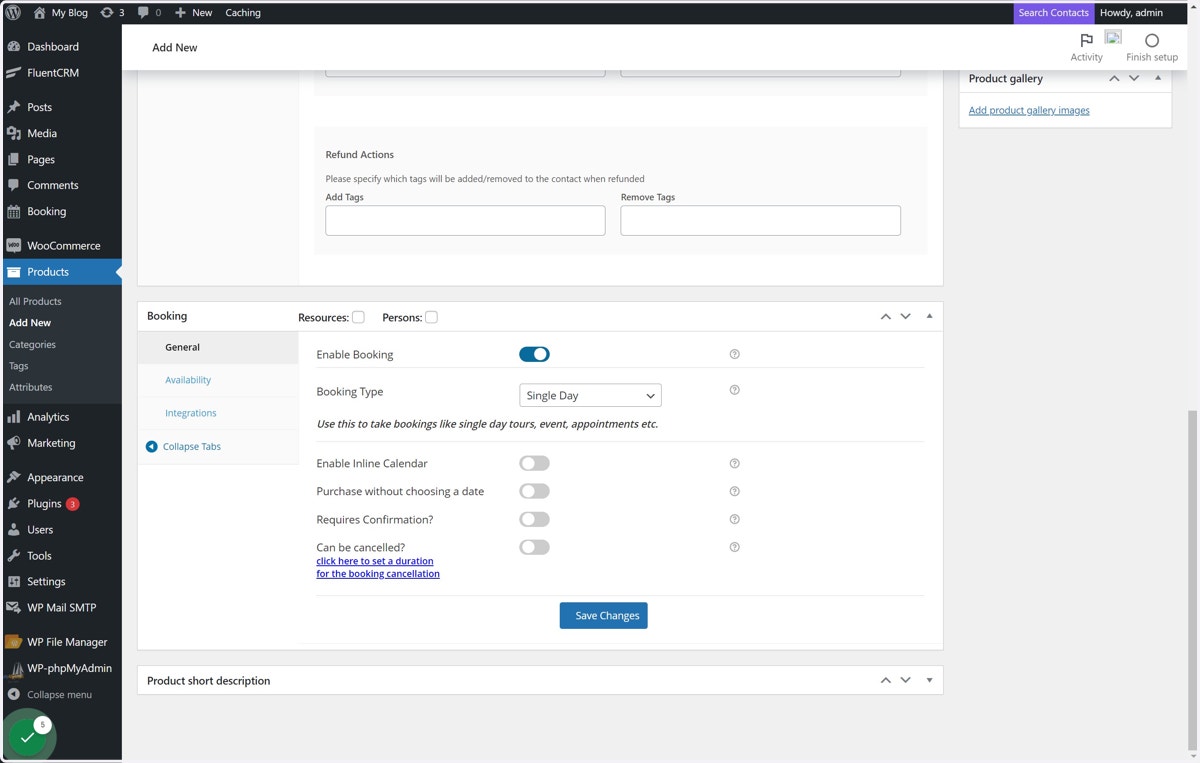
  4. 4. Enable Booking for the Product and configure other Booking properties

    Enable Booking for the Product and configure other Booking properties
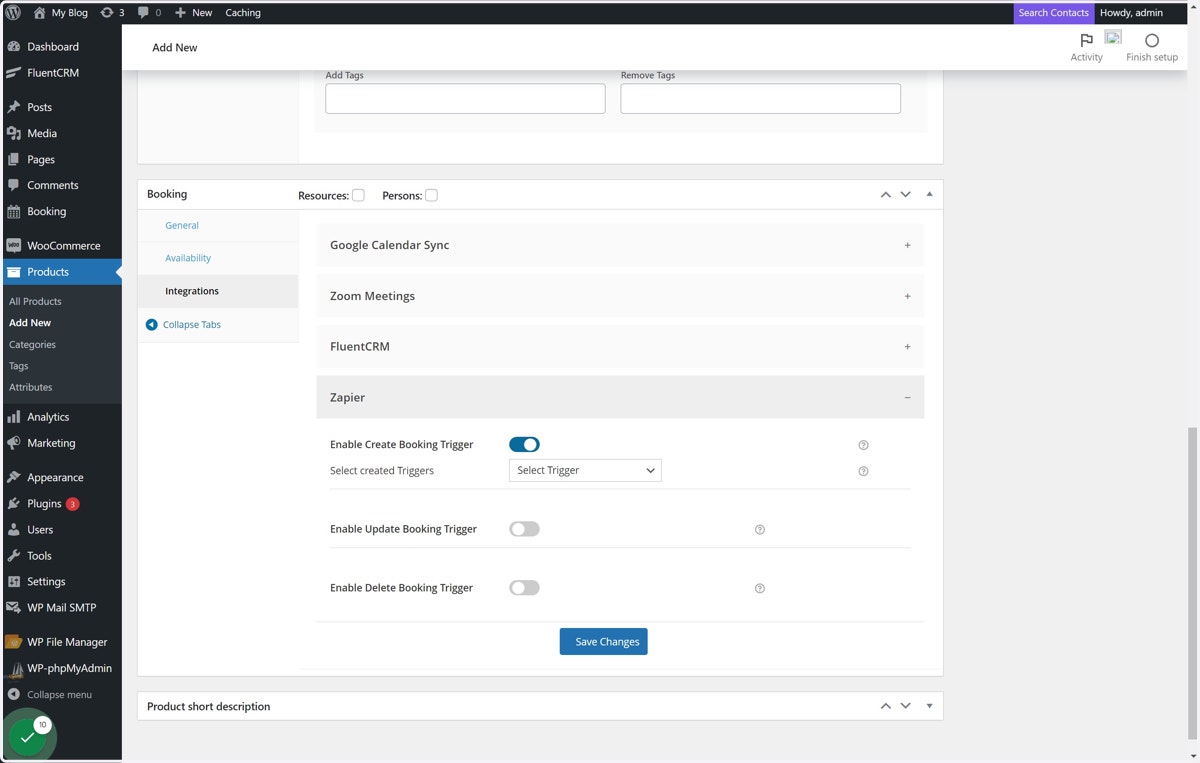
  5. 5. Click on the Integrations tab

    Click on the Integrations tab
  6. 6. Click on Zapier

    Click on Zapier
  7. 7. Enable the Trigger based on its configuration on Zapier. In this case, we have used Create Booking Trigger.

    Enable the Trigger based on its configuration on Zapier. In this case, we have used Create Booking Trigger.
  8. 8. Select Trigger Label ( earlier entere while creating Trigger on Zapier )

    Select Trigger Label ( earlier entere while creating Trigger on Zapier )
  9. 9. Click on Save Changes button

    Click on Save Changes button
  10. 10. Publish Product

    Publish Product