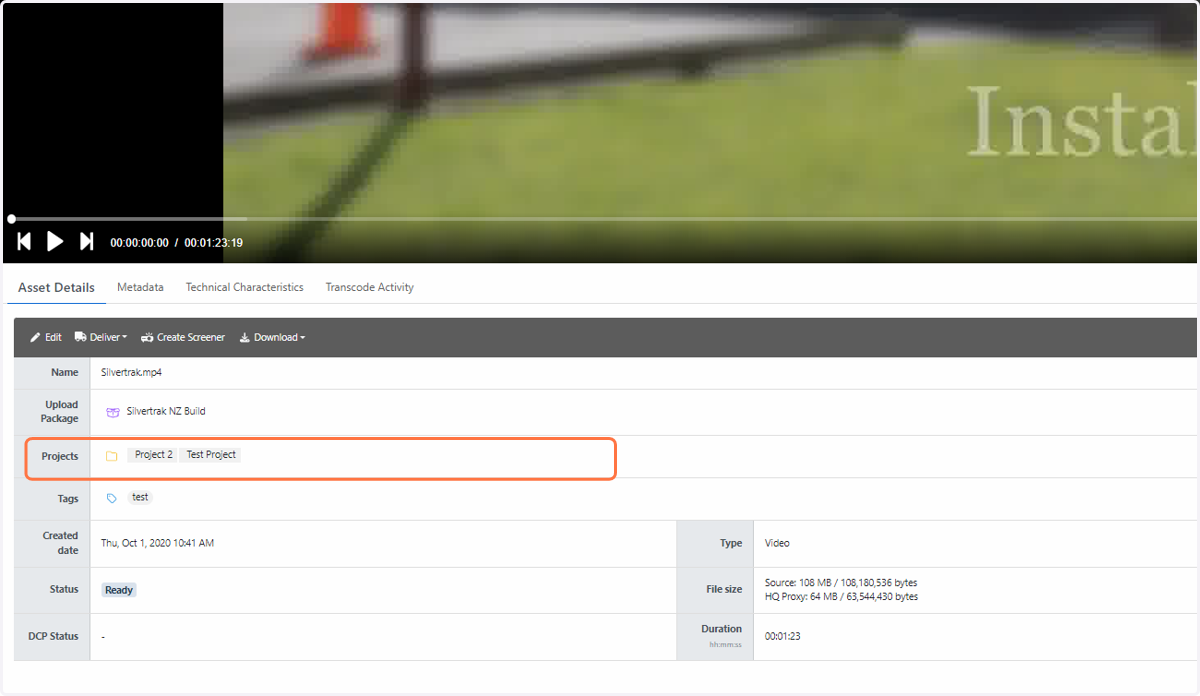
How do I assign an asset to a project?
There are two ways to assign an asset to a project.
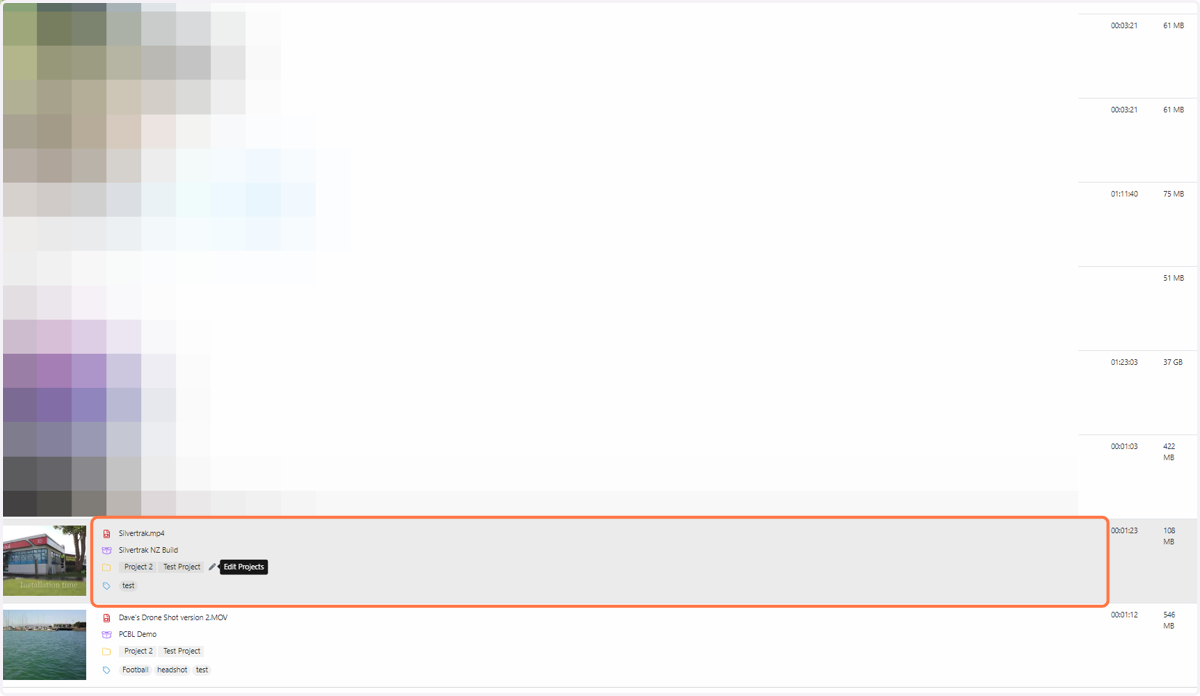
1. Move your cursor to the asset you wish to assign a project to. Hover to the right of the yellow folder icon and click on the edit pen
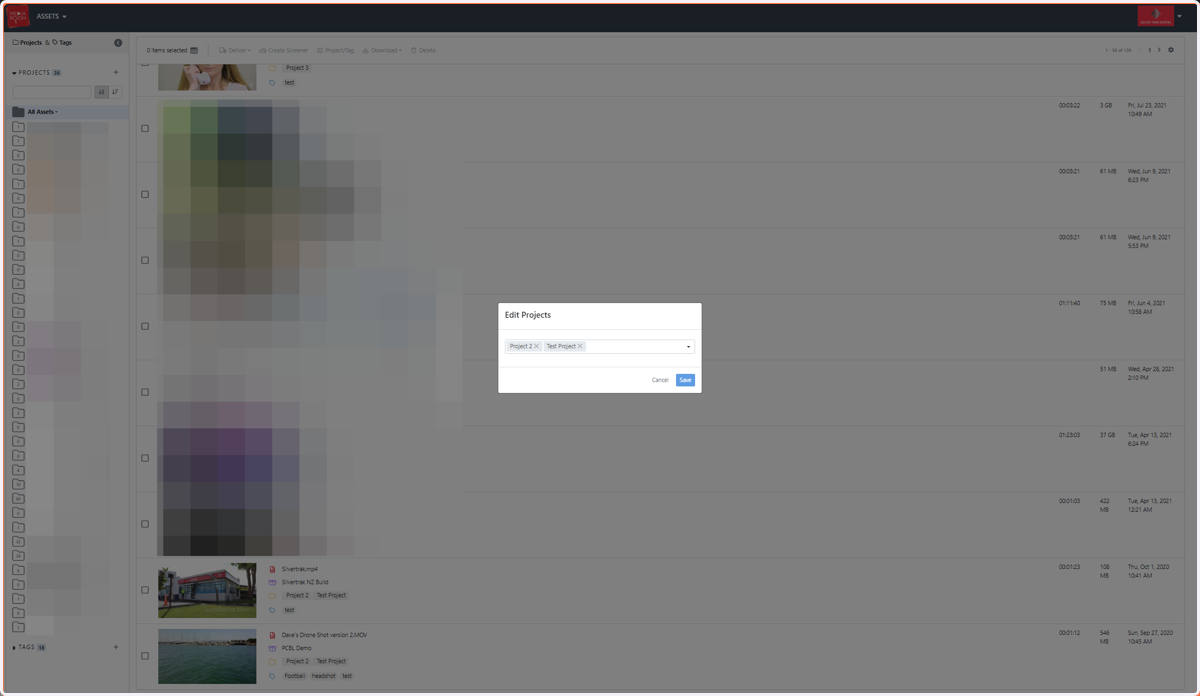
2. Select a project by choosing the name from the list of available projects
3. Alternatively, go to the Assets page and click on the asset you wish to assign a project to. Click on the “Asset Details” button underneath your file
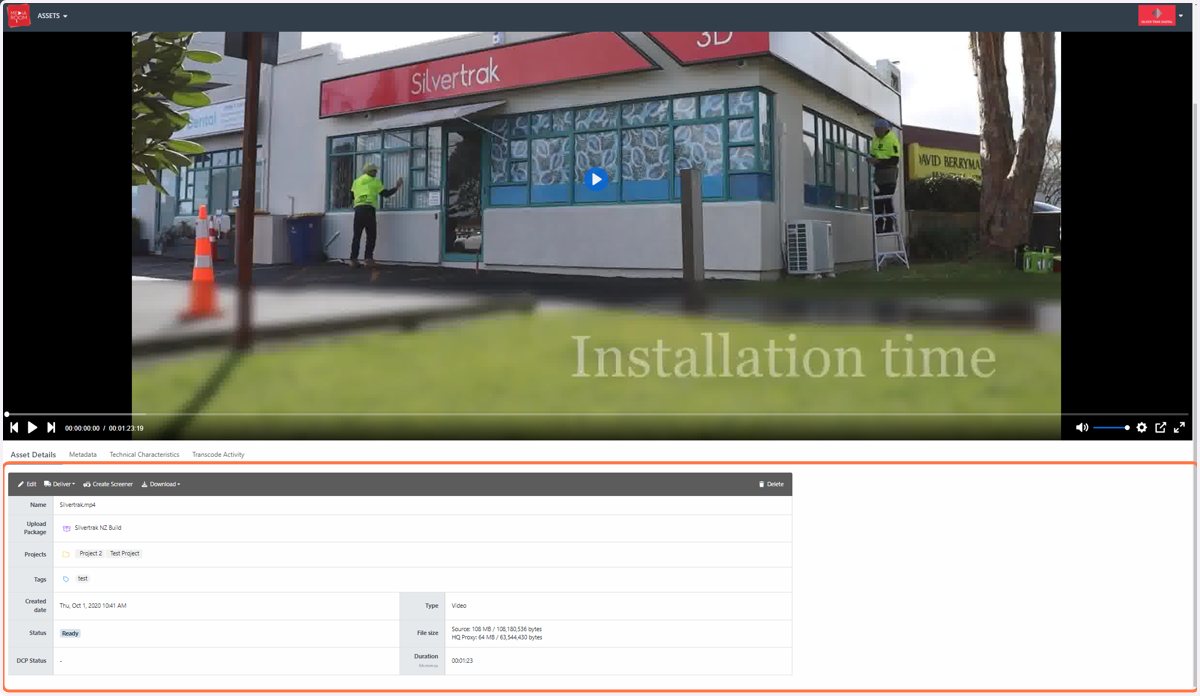
4. Scroll down to the “Projects” section of the table. Move your cursor into the field and click the edit pen to select a project