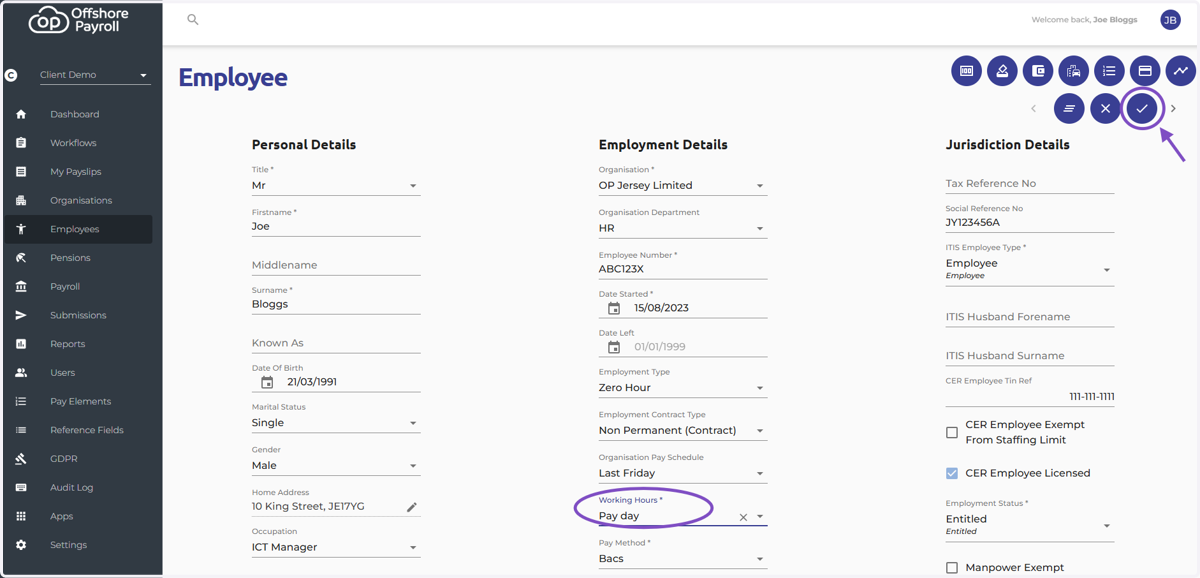
Add New Working Hours Pattern
Tango
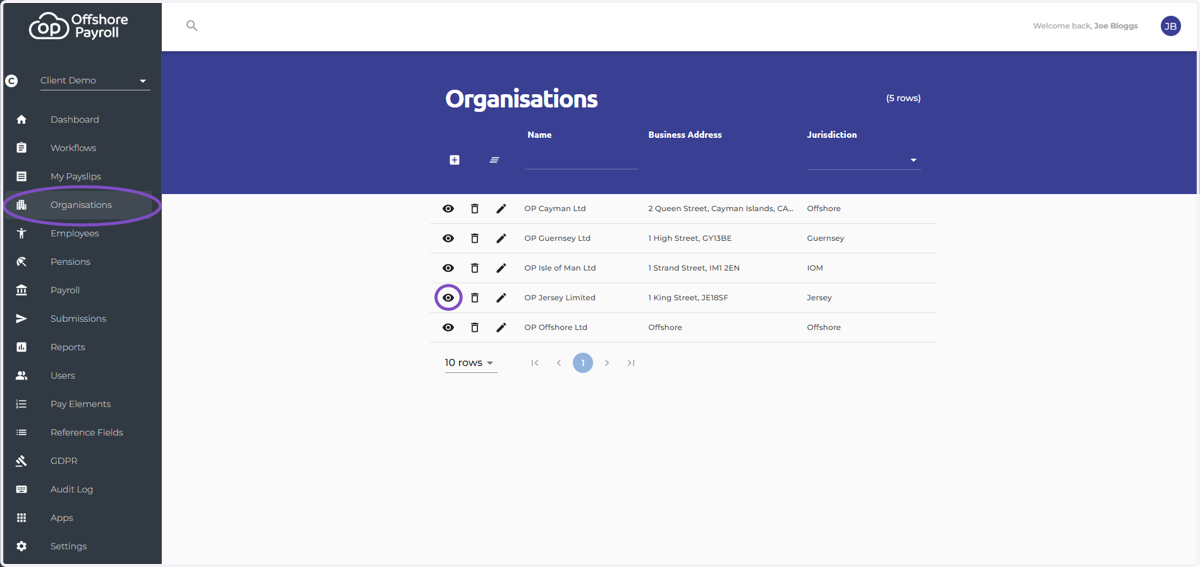
1. Navigate to the organisation screen and select the eye icon next to the organisation
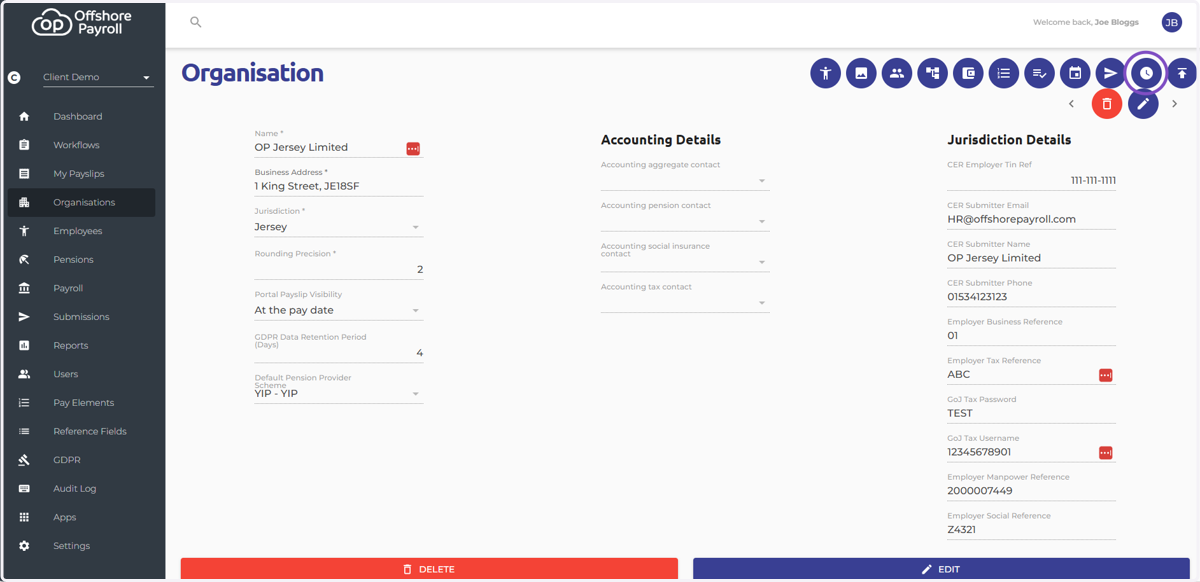
2. Select the 'Working Hours' icon at the top right of the screen
3. Select the add new record icon
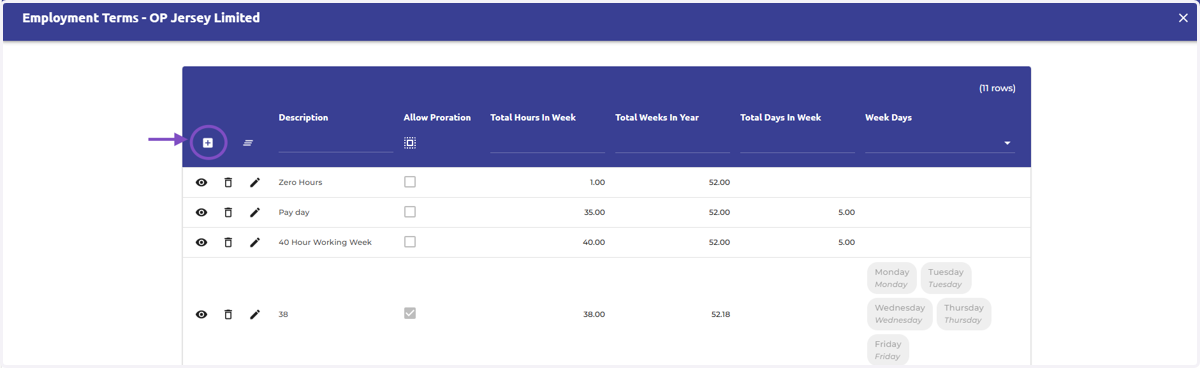
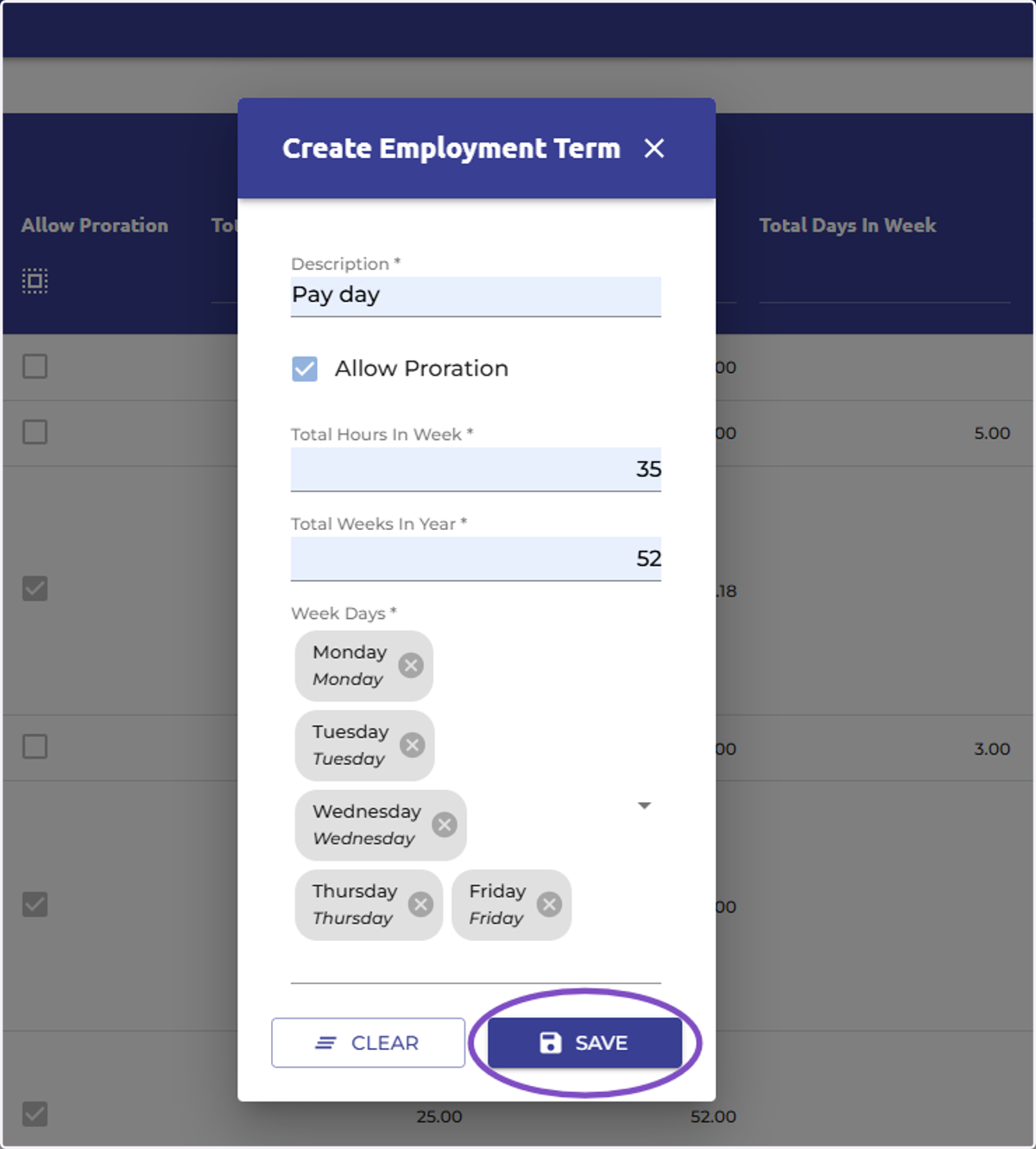
4. Type the working hours employment terms and press 'Save'
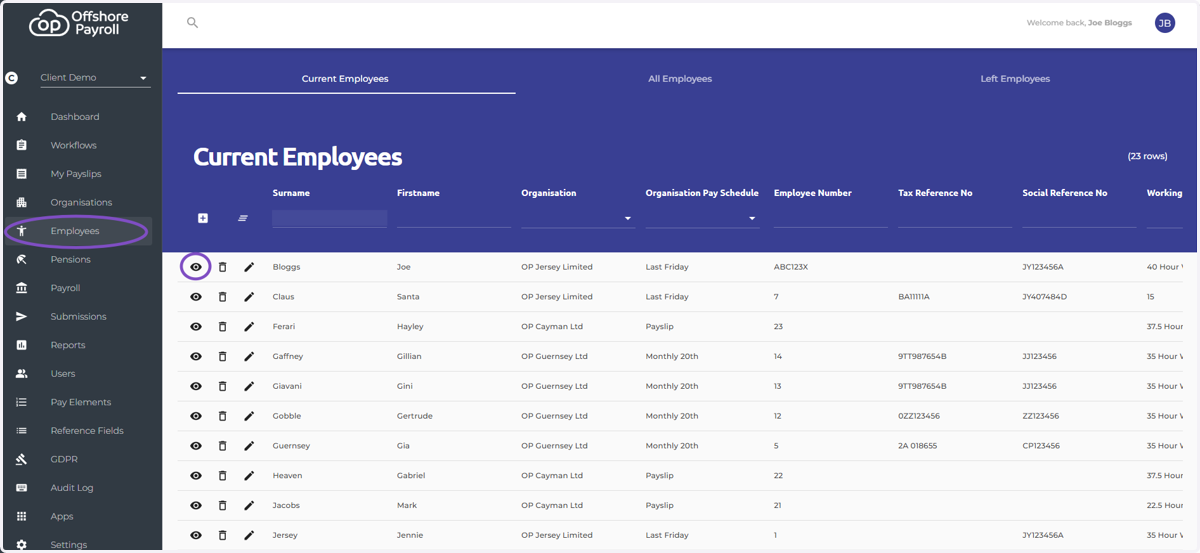
5. Navigate to the employee screen and select the eye icon next to the employee you wish to change the working hours pattern for
6. Select the edit icon and then the dropdown menu under 'Working Hours'
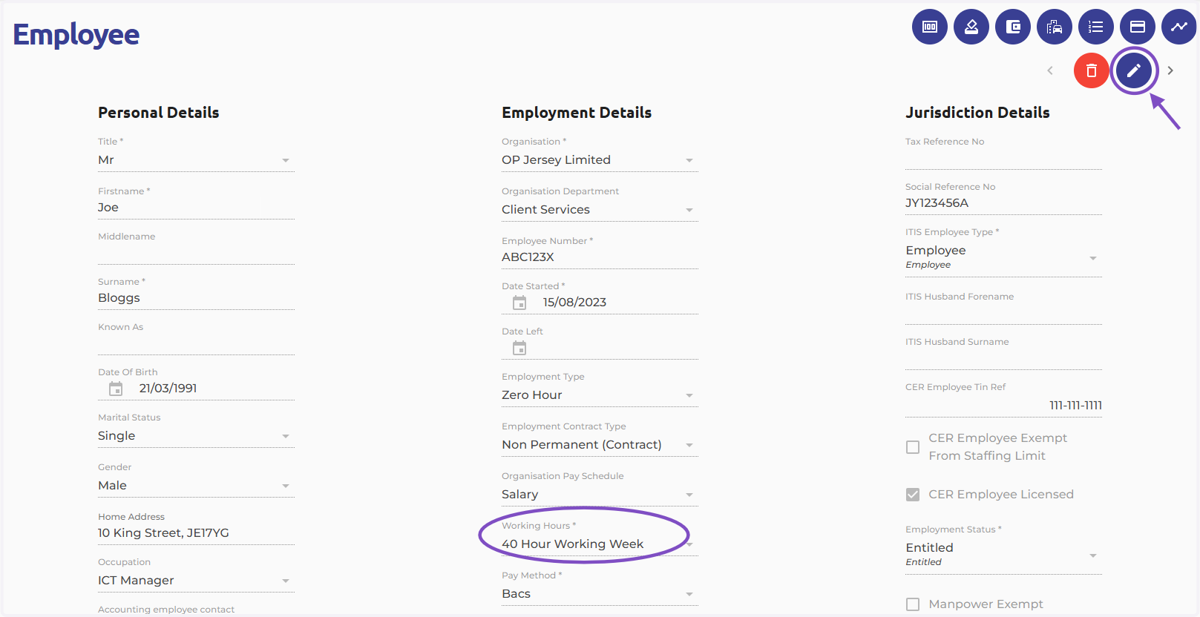
7. Select the new working hours pattern and select the tick icon at the far right of the screen to save your changes
You have successfully created a new working hours pattern for an your employee!