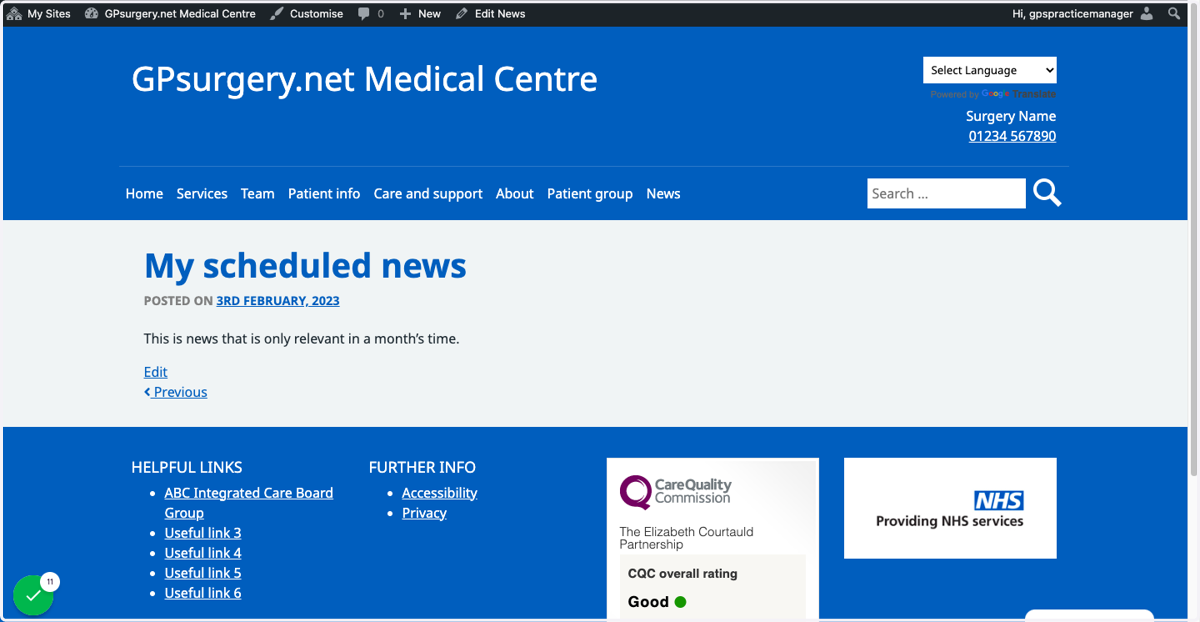
Schedule your news
This tutorial will show you how to schedule your news, so that it is published at a specific later date. You can move through the the tutorial at your own pace using the NEXT button below.
Gpsurgery
1. Ensure that you are logged in to your website. You should be able to see the black admin toolbar at the top of your screen.
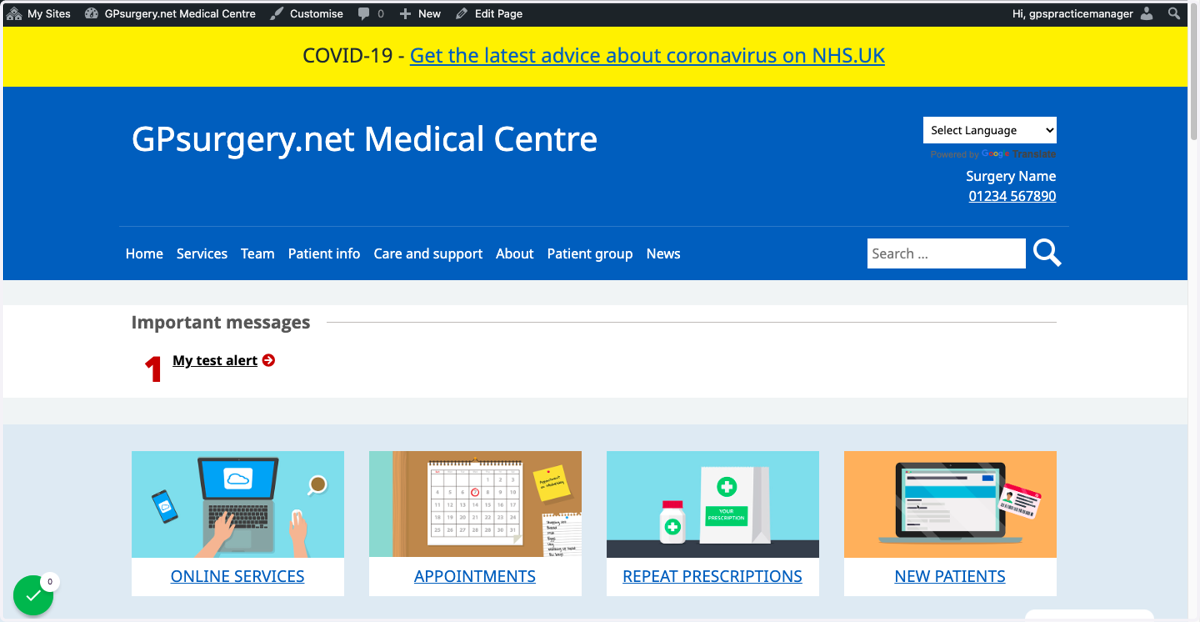
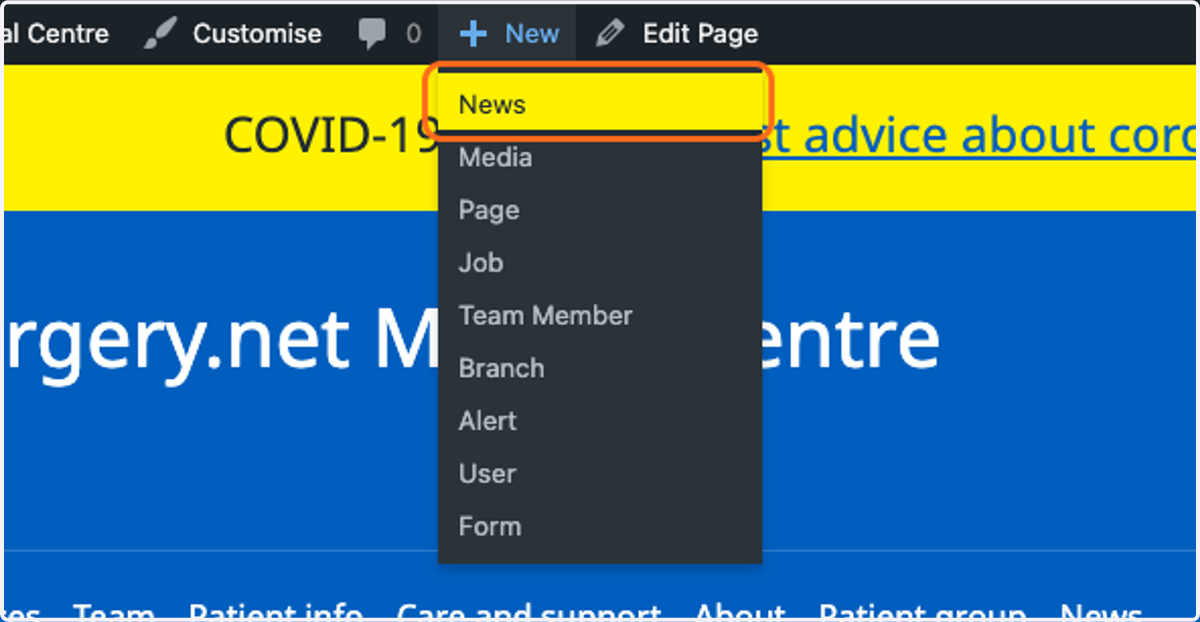
2. Hover your mouse over the + New button on the admin toolbar. Select News from the drop-down menu.
Gpsurgery
3. Write your news item as usual.
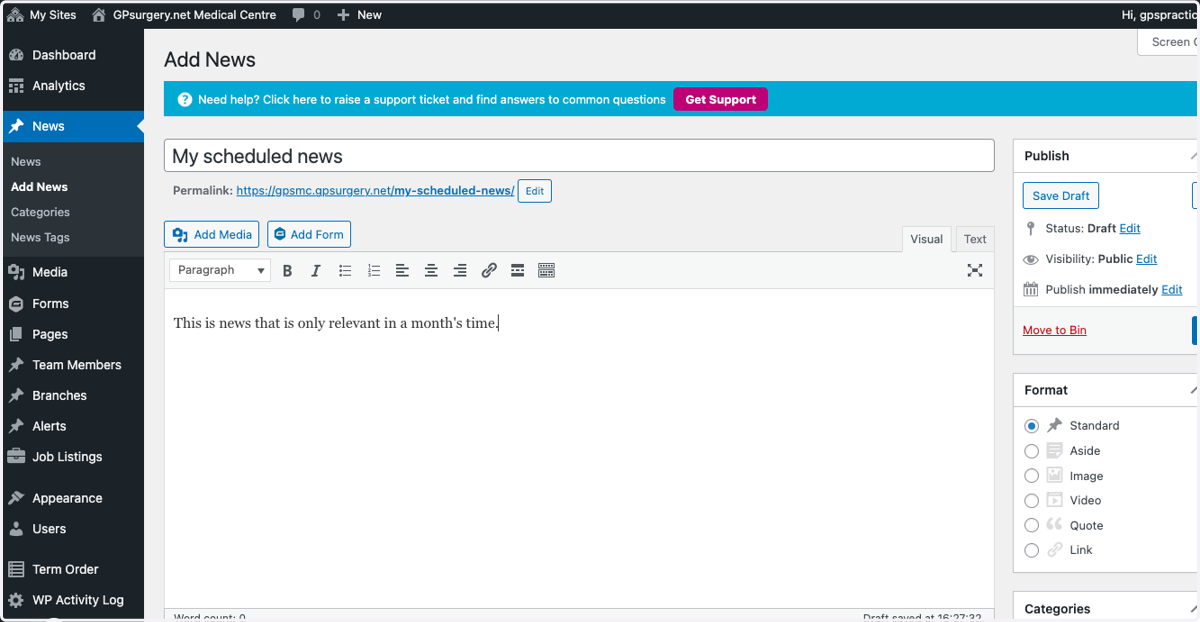
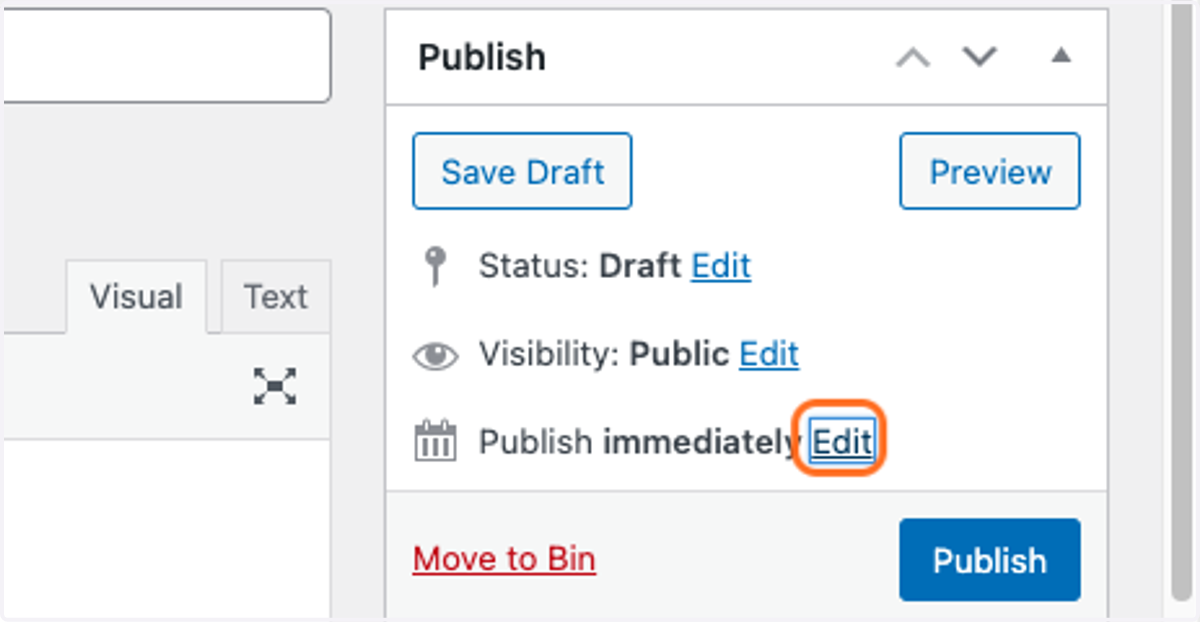
4. In the Publish box, click Edit next to the Publish date section.
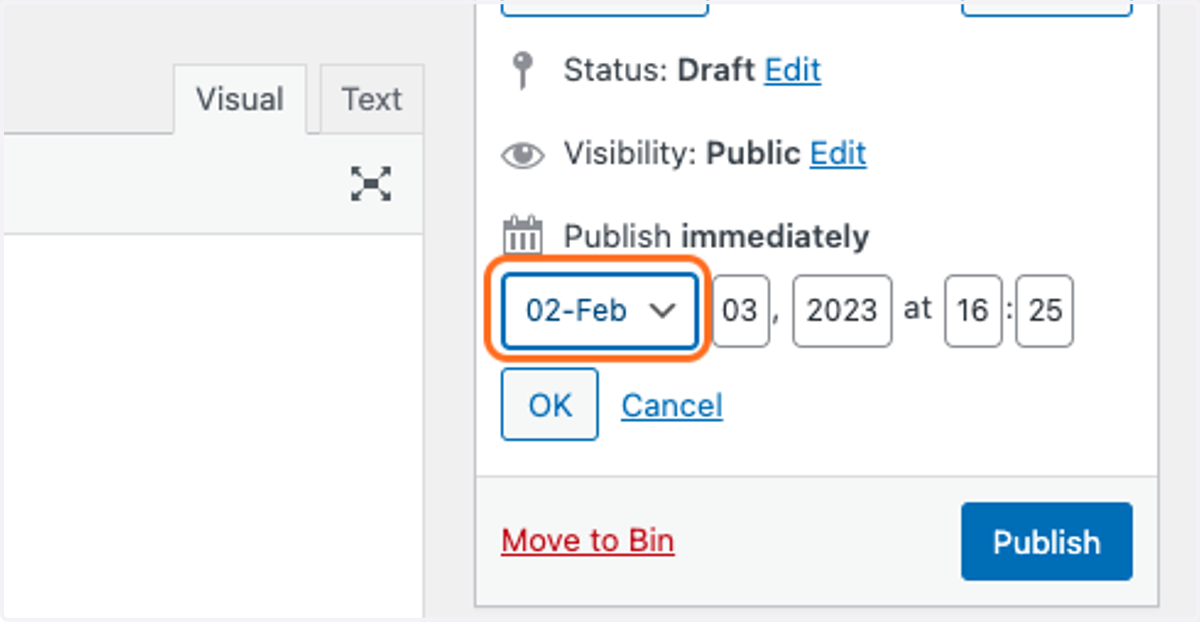
5. Select the date and time you would like to publish your news.
Take note: you choose the month first, then the day of the month and finally the year.
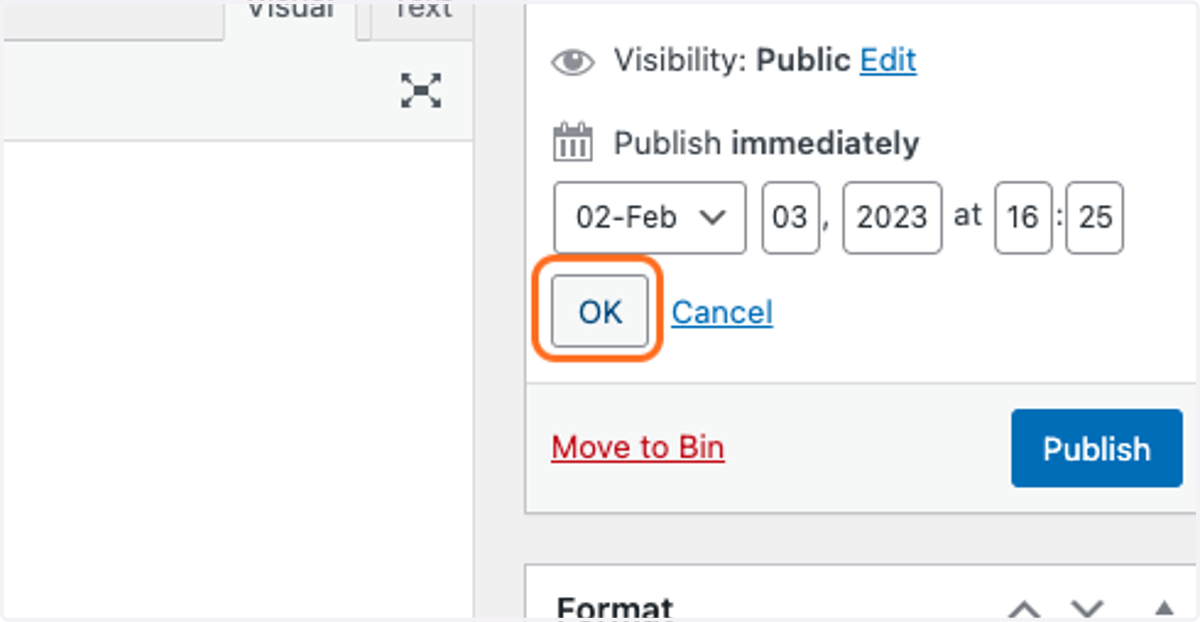
6. Click on OK. This will save your publish date.
7. Click the blue Schedule button. This saves your post and schedules it to be posted on your chosen date.
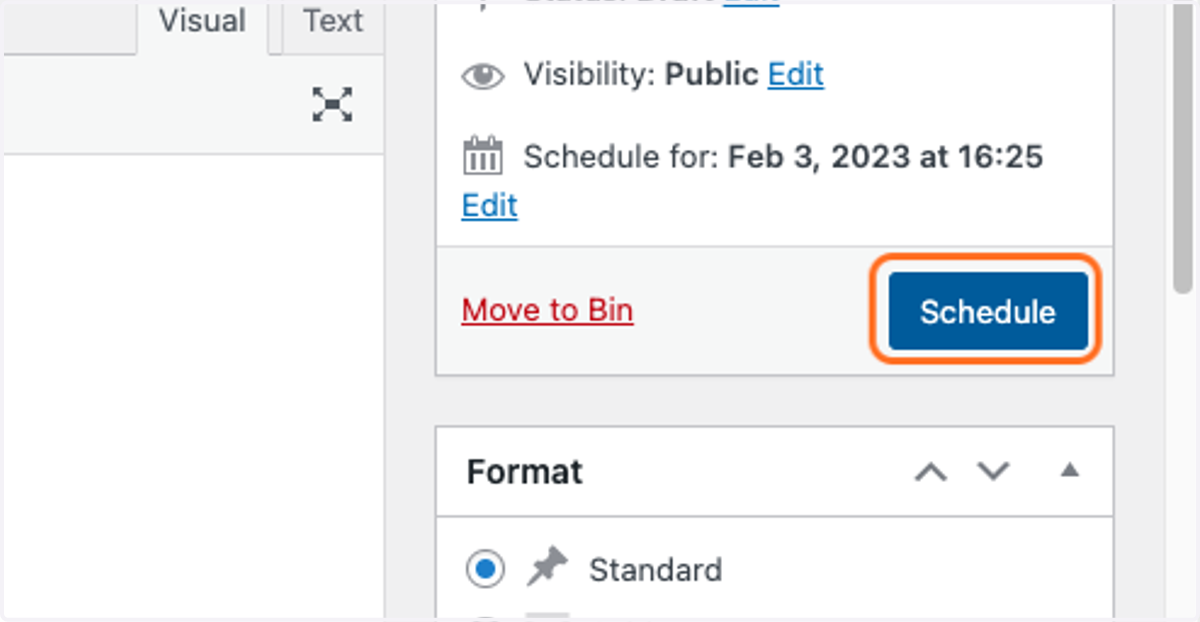
8. When you click Schedule, a box appears confirming when your post is scheduled to be posted. You can also Preview the post from this box.
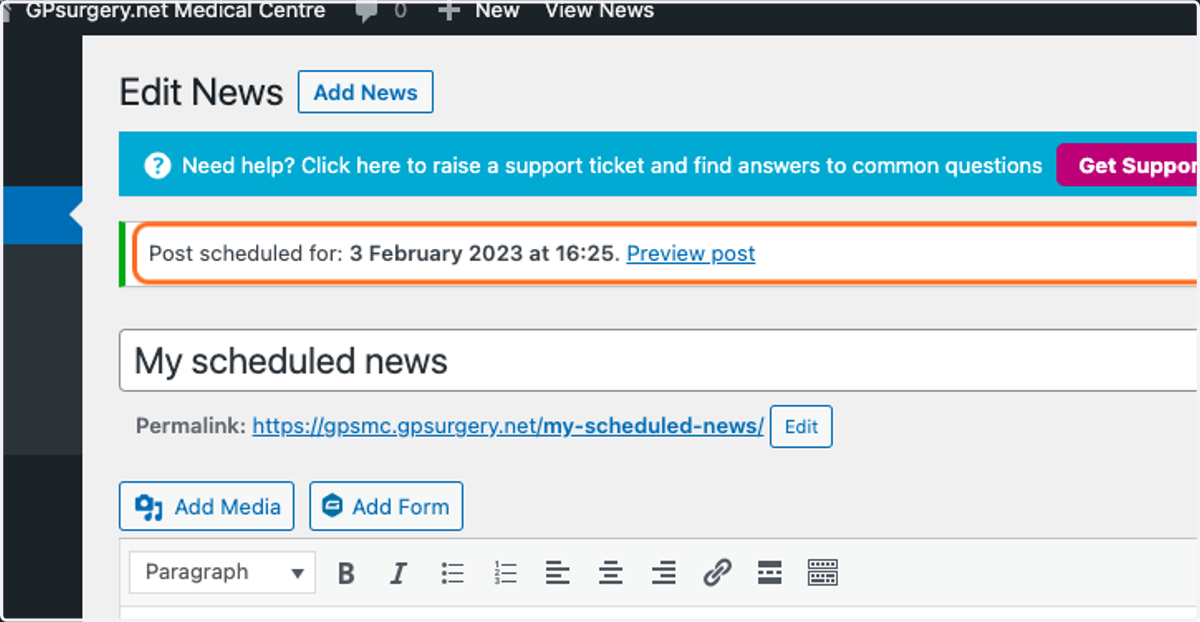
9. Your post will now be scheduled, and will be posted automatically on the day you selected.