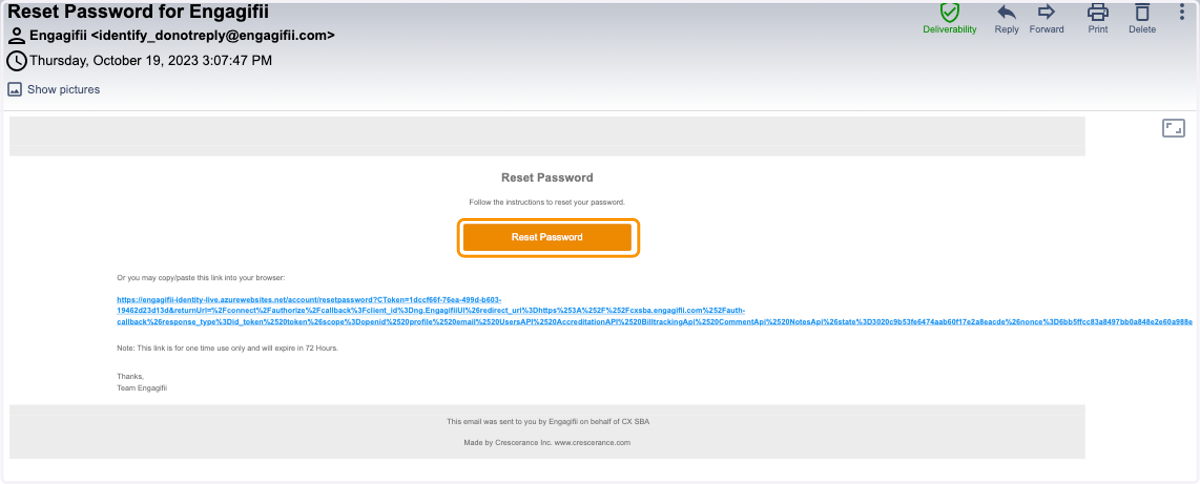
Request a new password on Engagifii
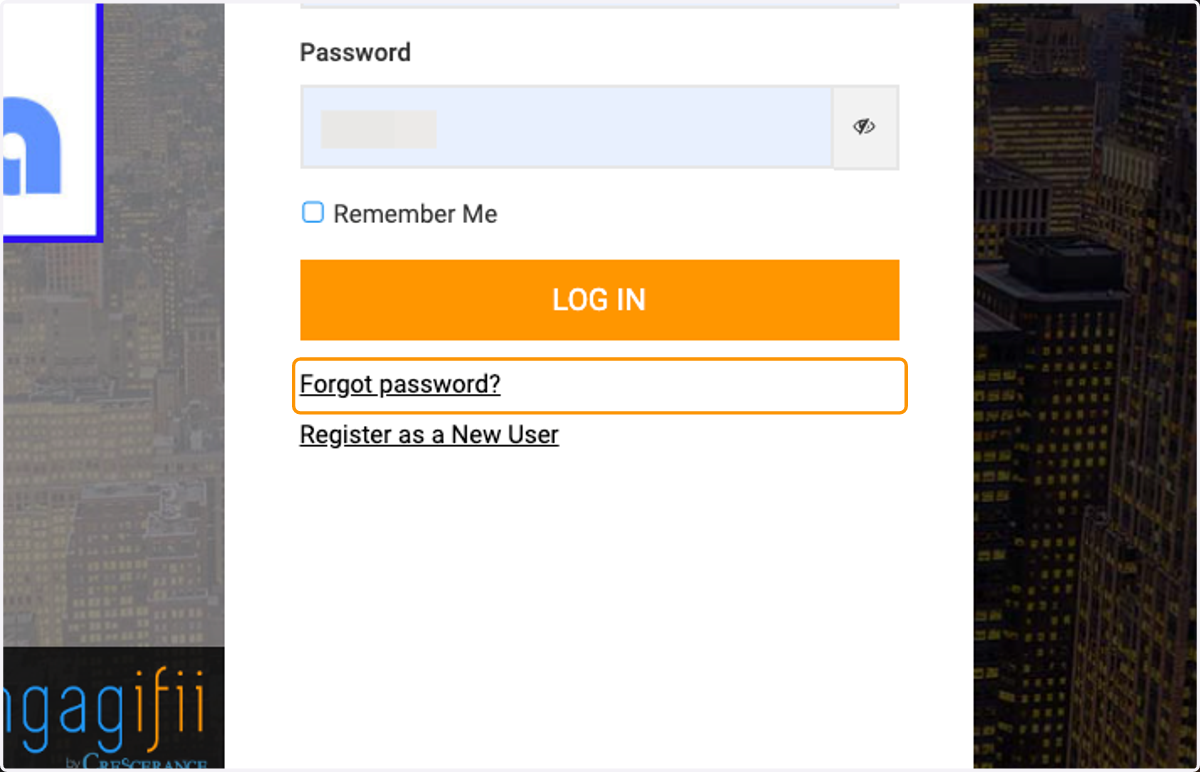
1. From the login page, click on Forgot password?
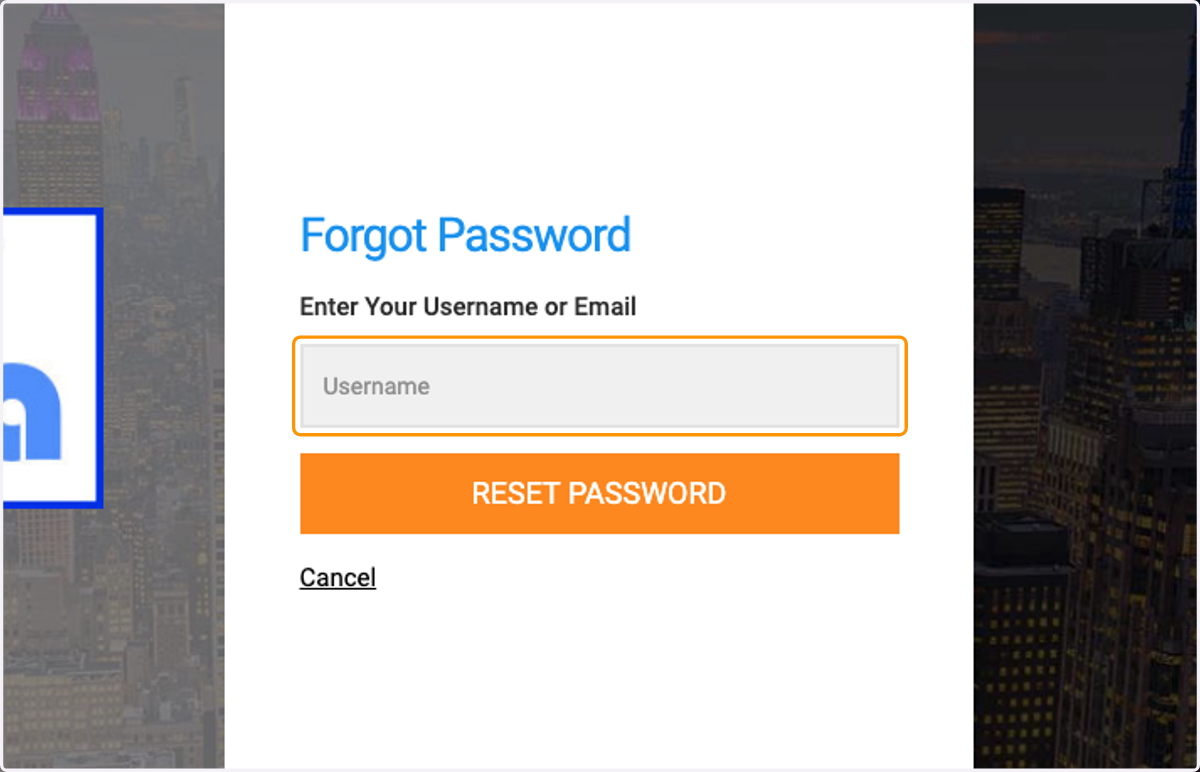
2. Enter your username
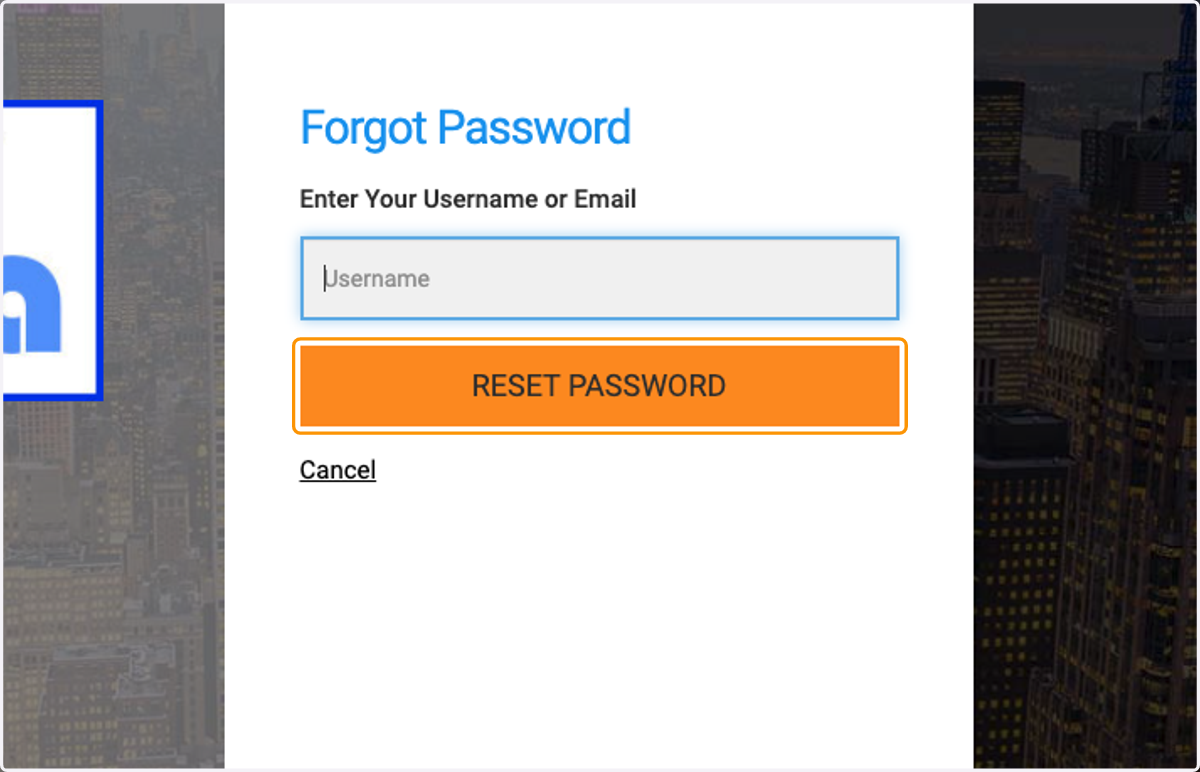
3. Click on RESET PASSWORD
4. A password reset link will be sent to your email address. Be sure to check your spam filter if you don't receive it.