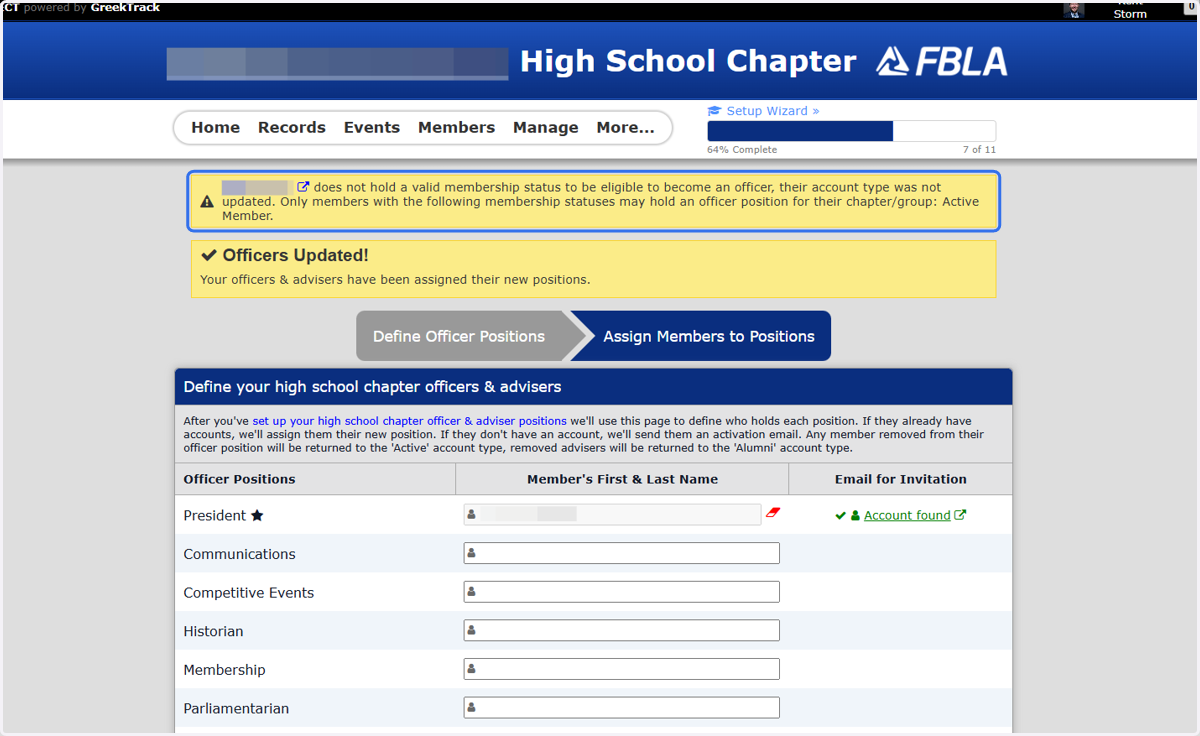
Error when Upgrading Officer Status
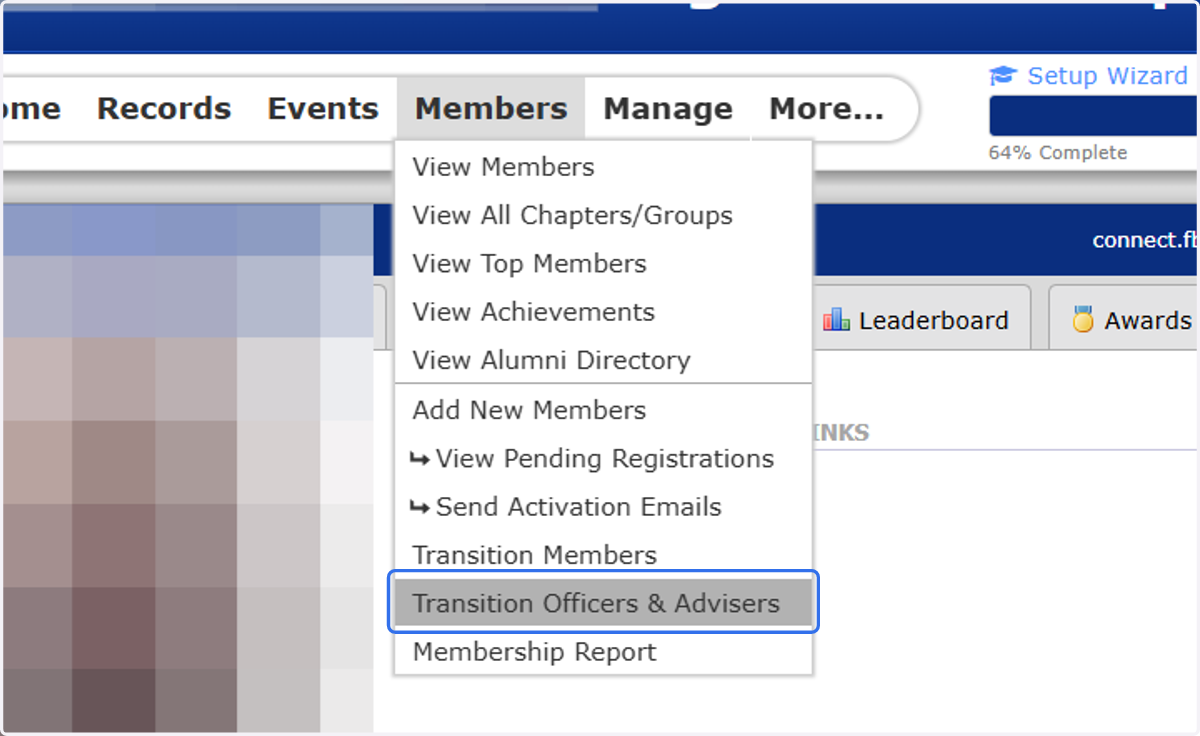
1. Click on Transition Officers & Advisers under Members
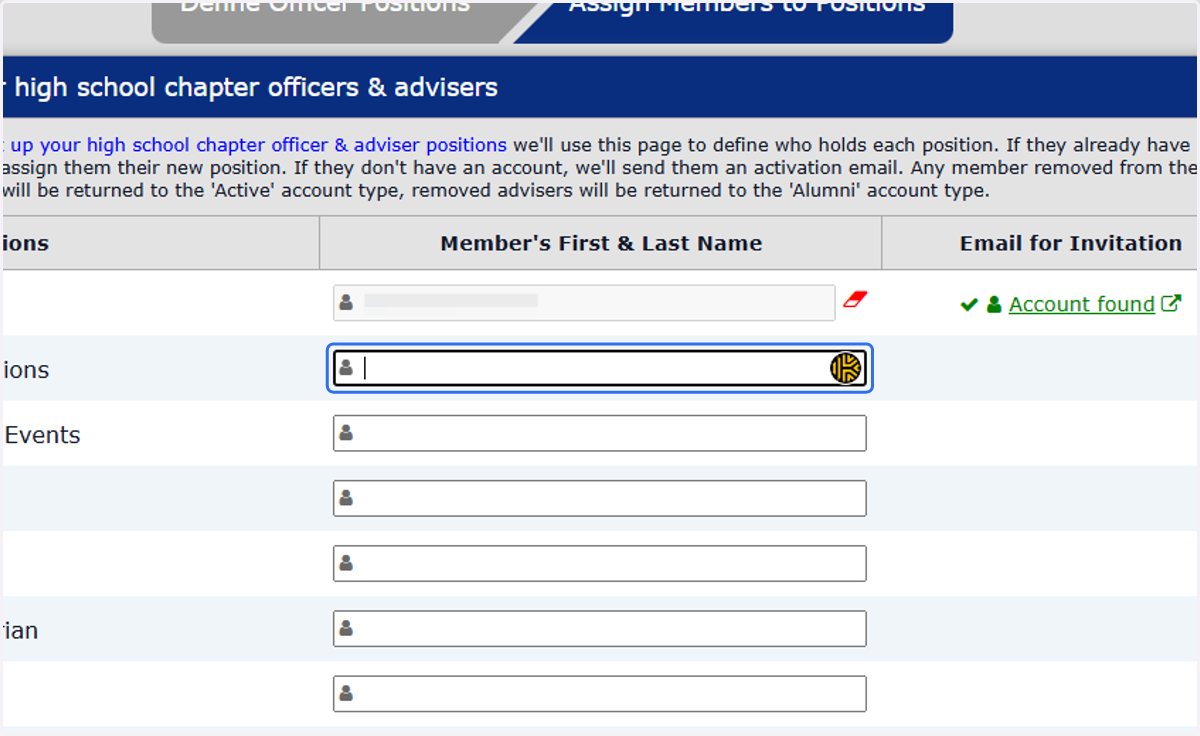
2. Add a member to become an officer
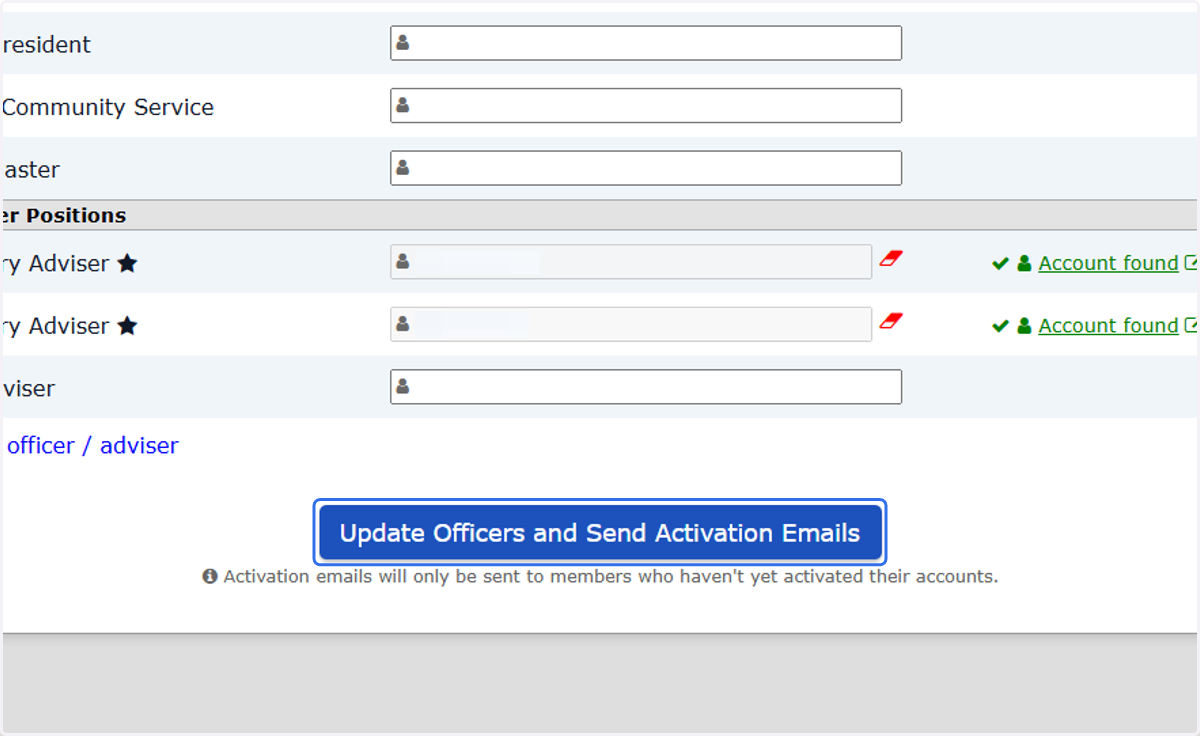
3. Click on Update Officers and Send Activation Emails
4. Error Message when Adding Member
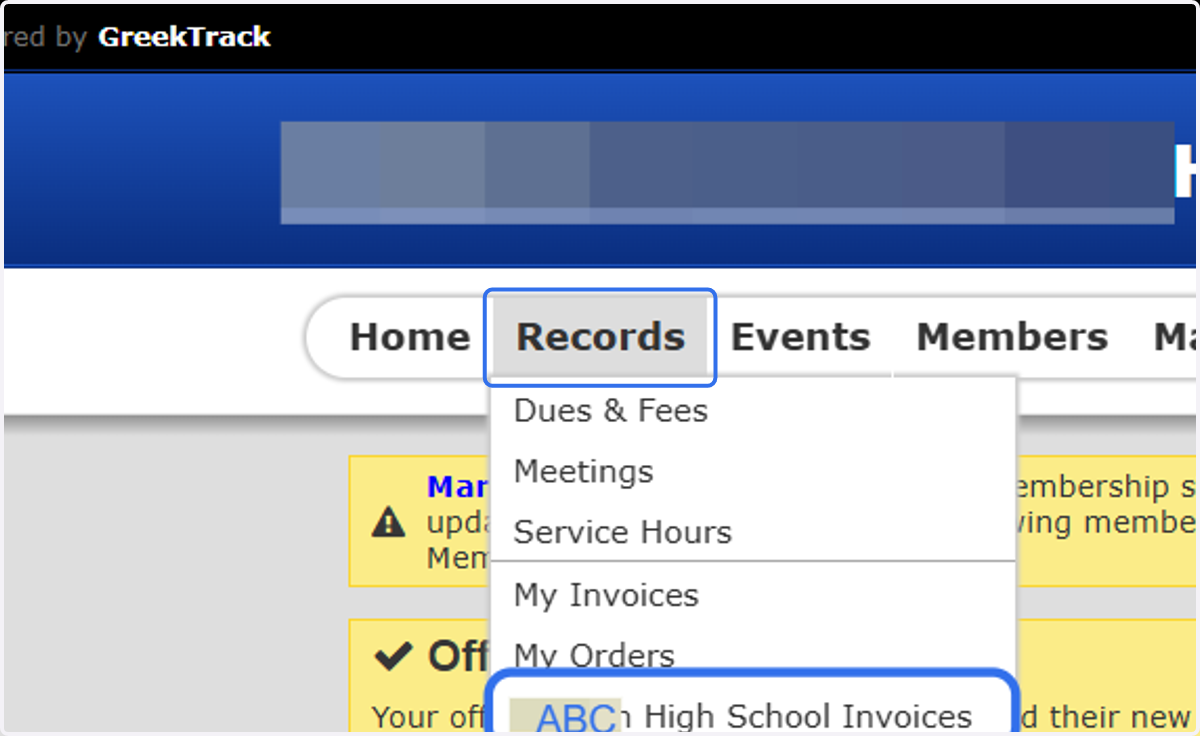
5. Click on Records and then 'Chapter Name Invoices'
The last option in the drop down
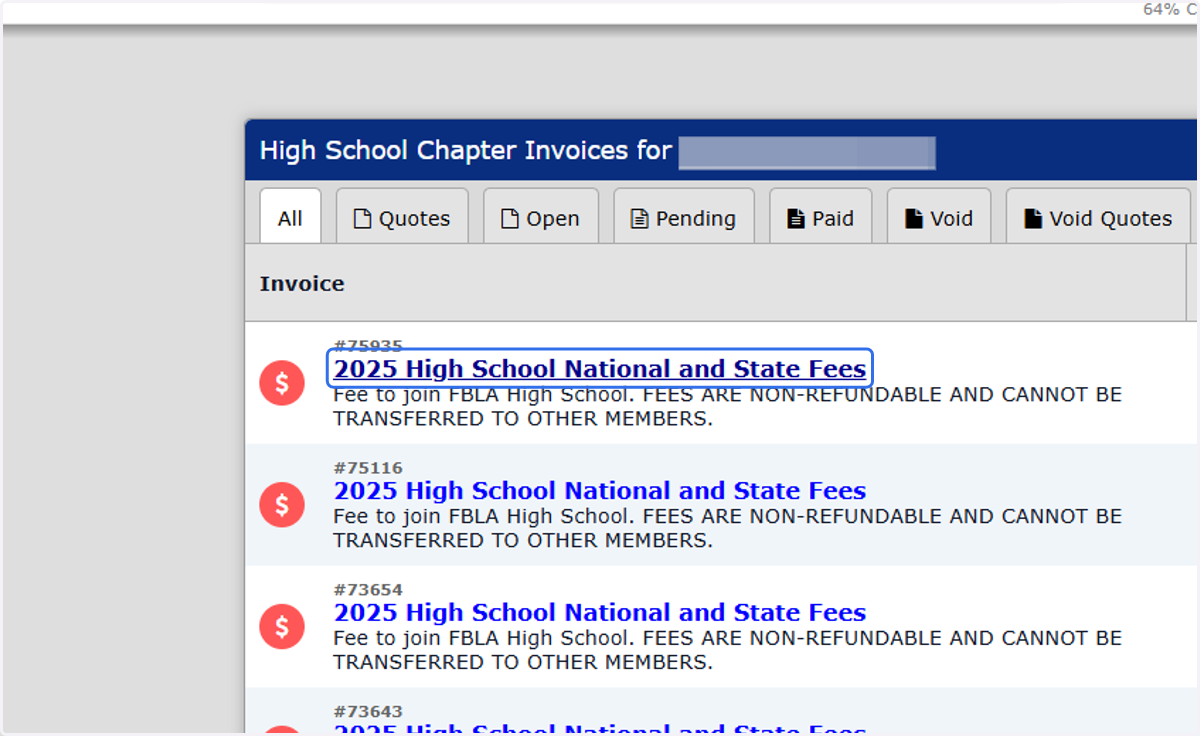
6. Invoices with a Red icon are in Open Status
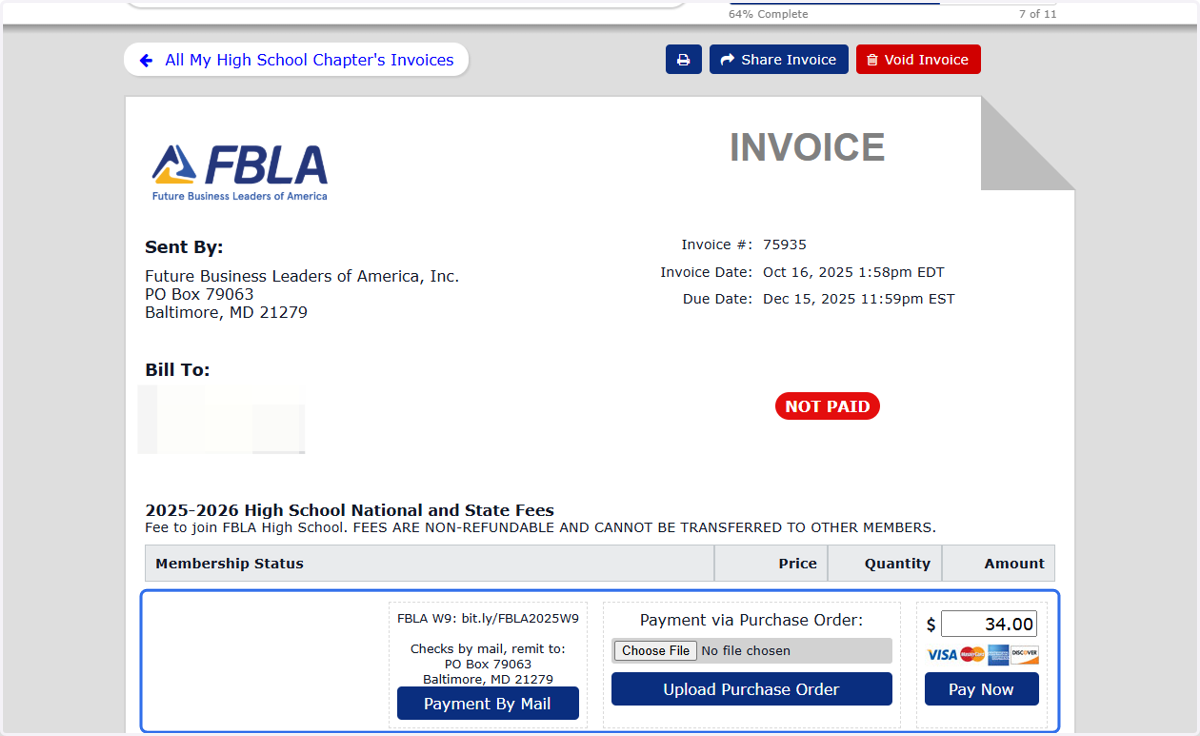
7. Select a Payment Method at the Bottom of the Invoice Screen
8. Go Back and Complete the Officer Upgrade Process.