Creating a Saved Search

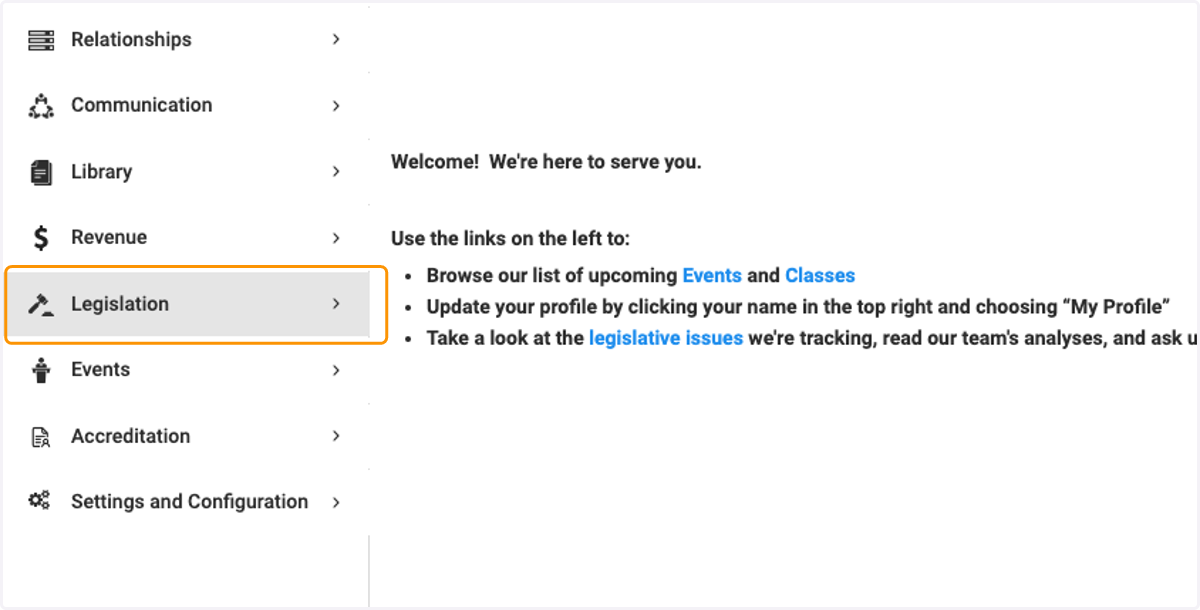
  1. 1. Click on Legislation

    Click on Legislation
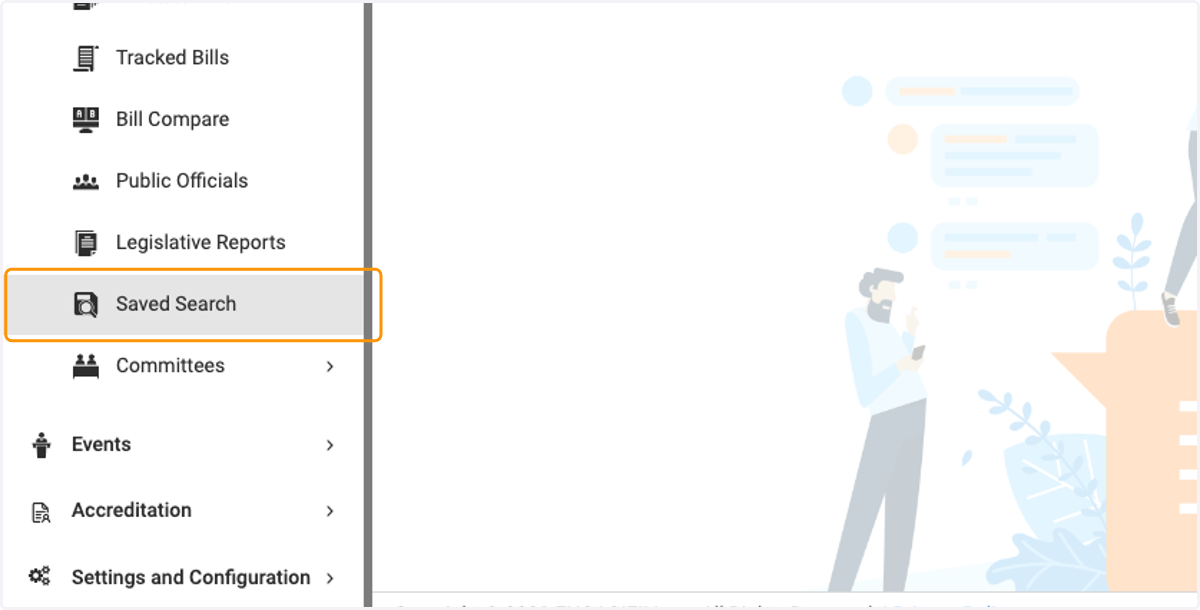
  2. 2. Click on Saved Search

    Click on Saved Search
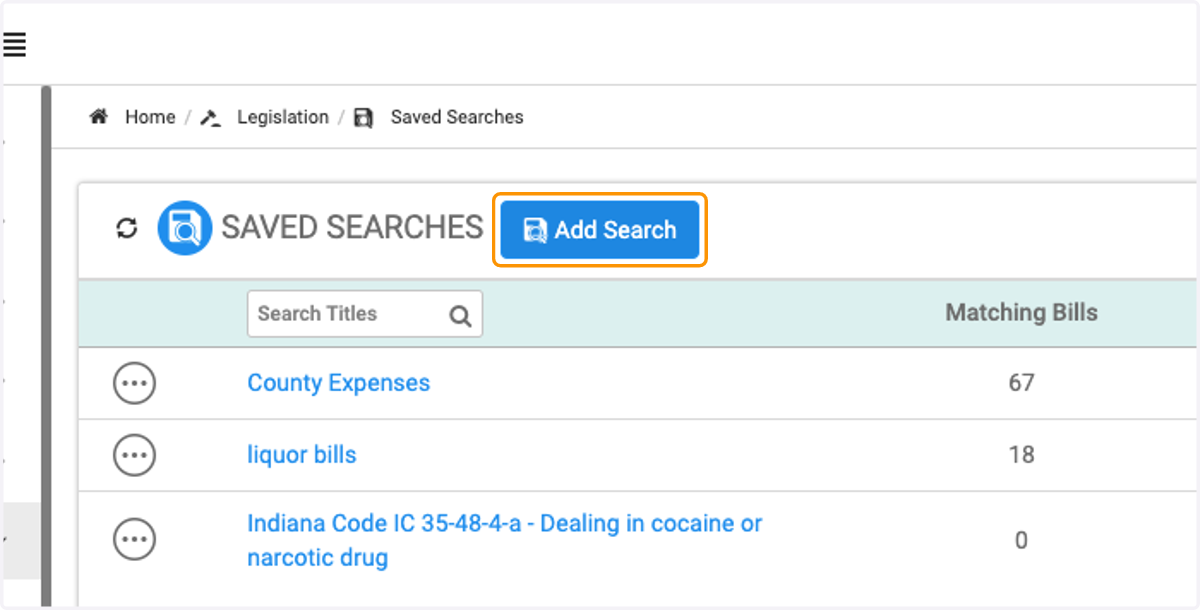
  3. 3. Click on Add Search

    Click on Add Search
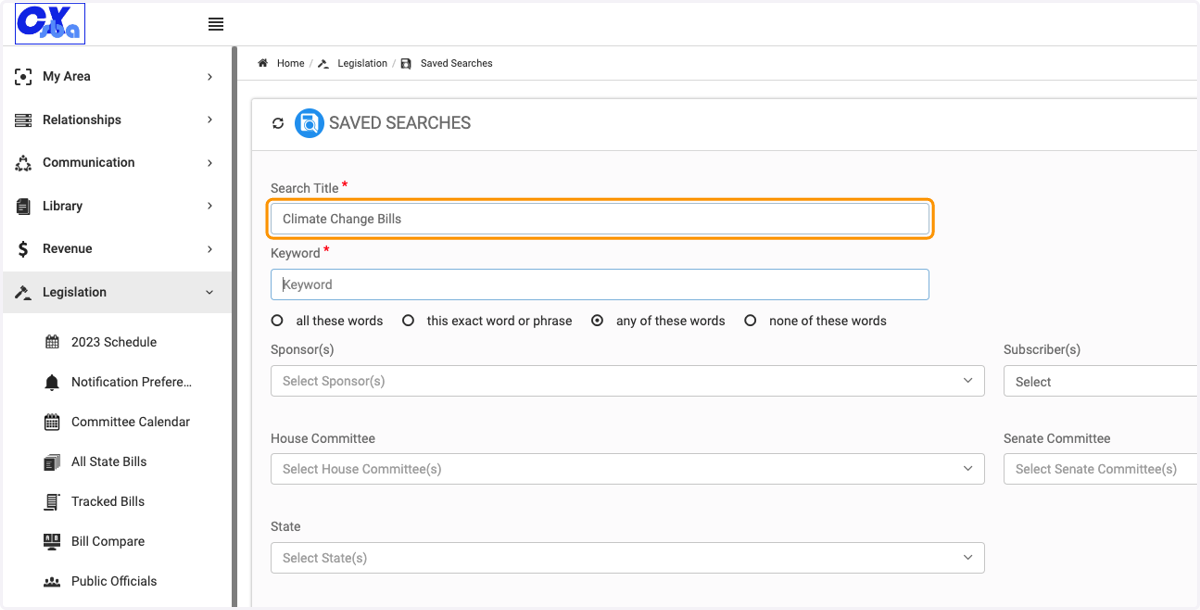
  4. 4. Type the name for your search

    Type the name for your search
  5. 5. Type in keyword(s), separate multiple words with a comma
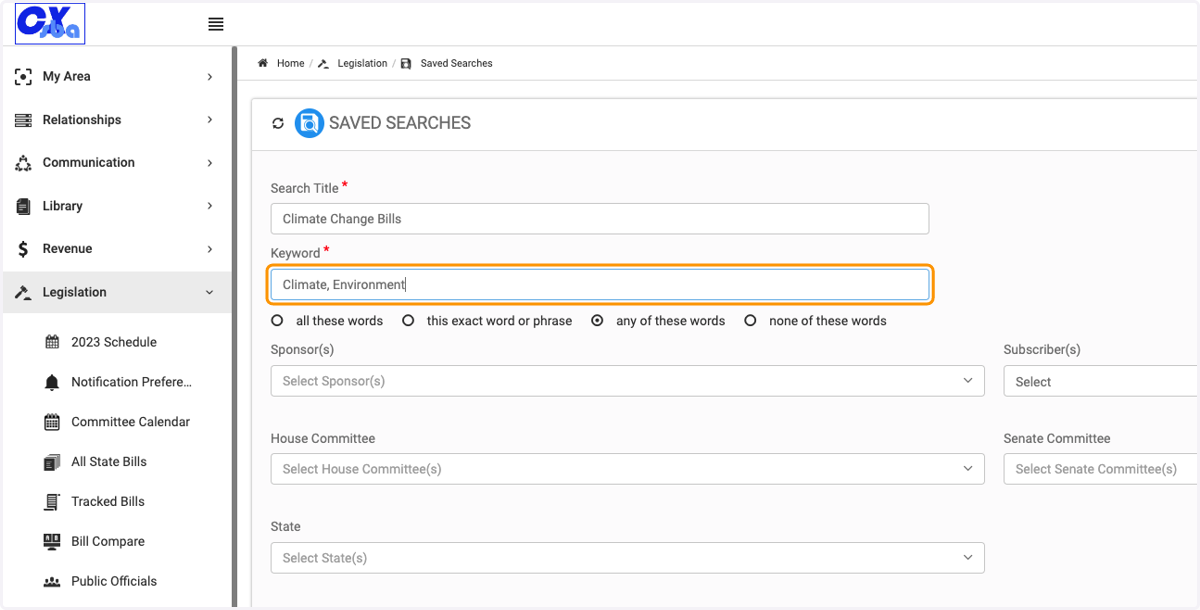
    Type in keyword(s), separate multiple words with a comma
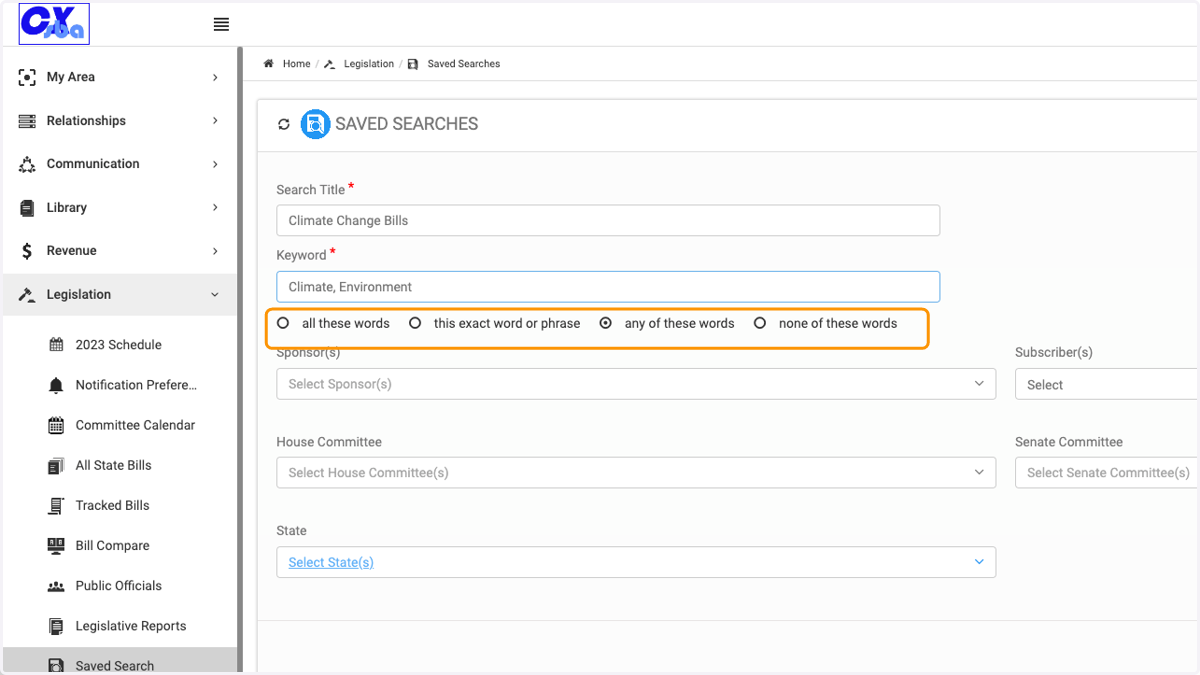
  6. 6. Click on your search criteria

    Click on your search criteria
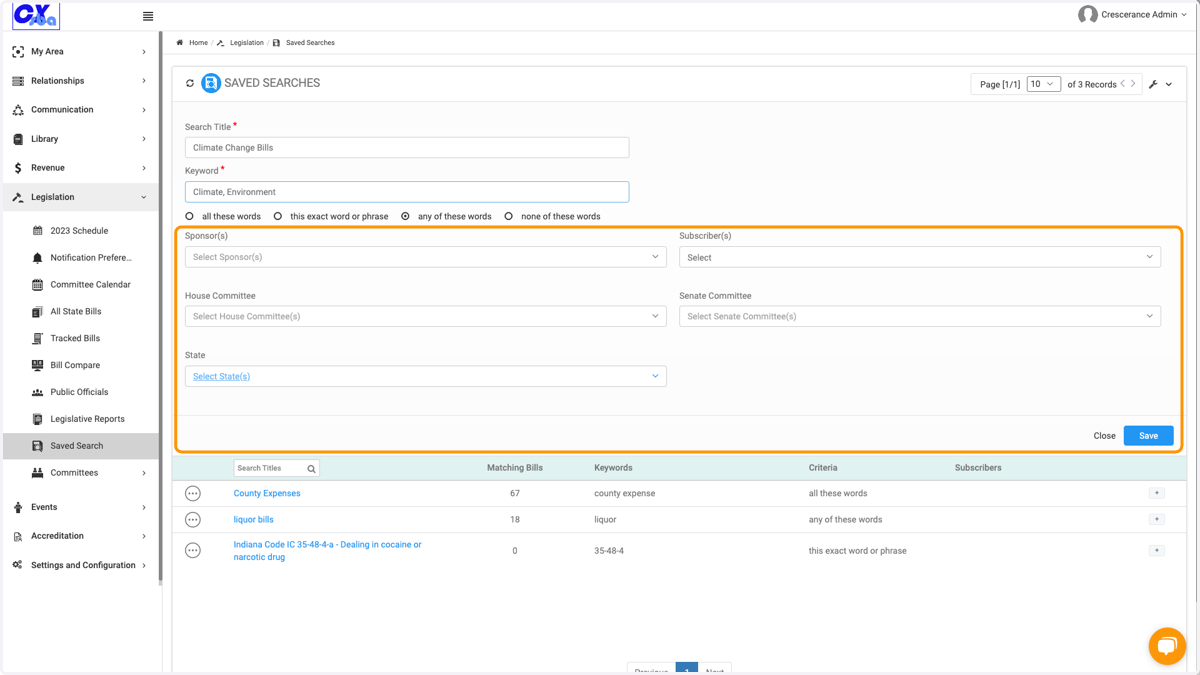
  7. 7. Select additional search criteria

    Select additional search criteria
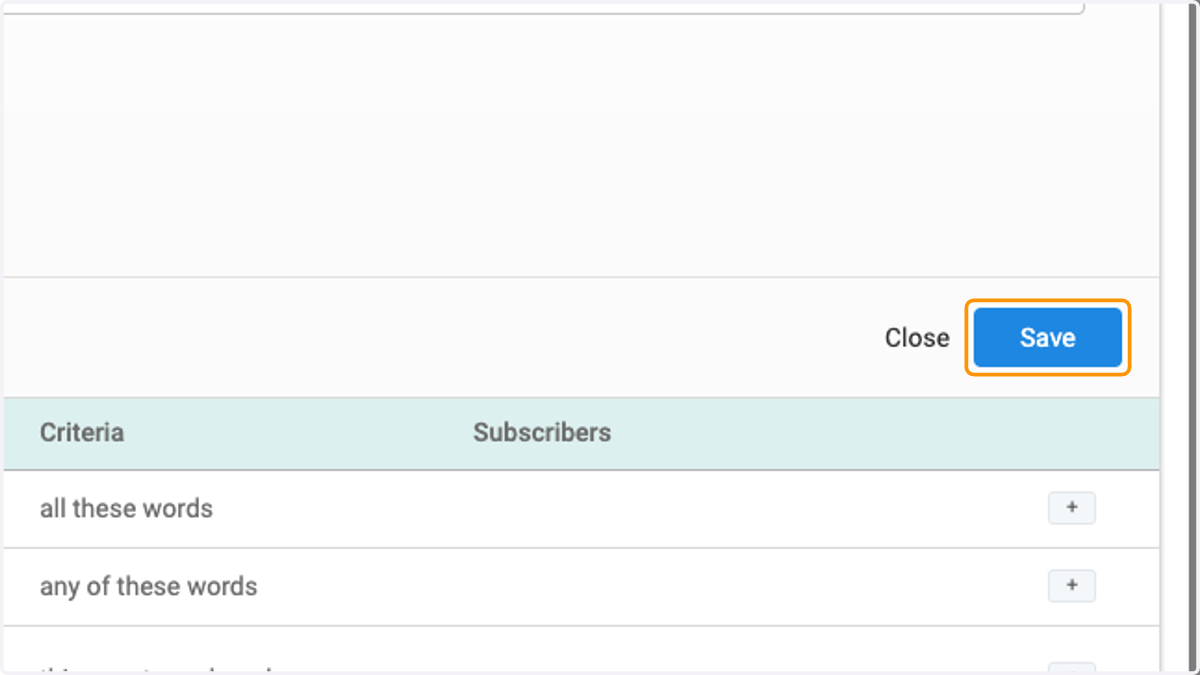
  8. 8. Click on Save

    Click on Save
  9. 9. Your new search appears first in the list, with the number of bills found that meet your criteria.
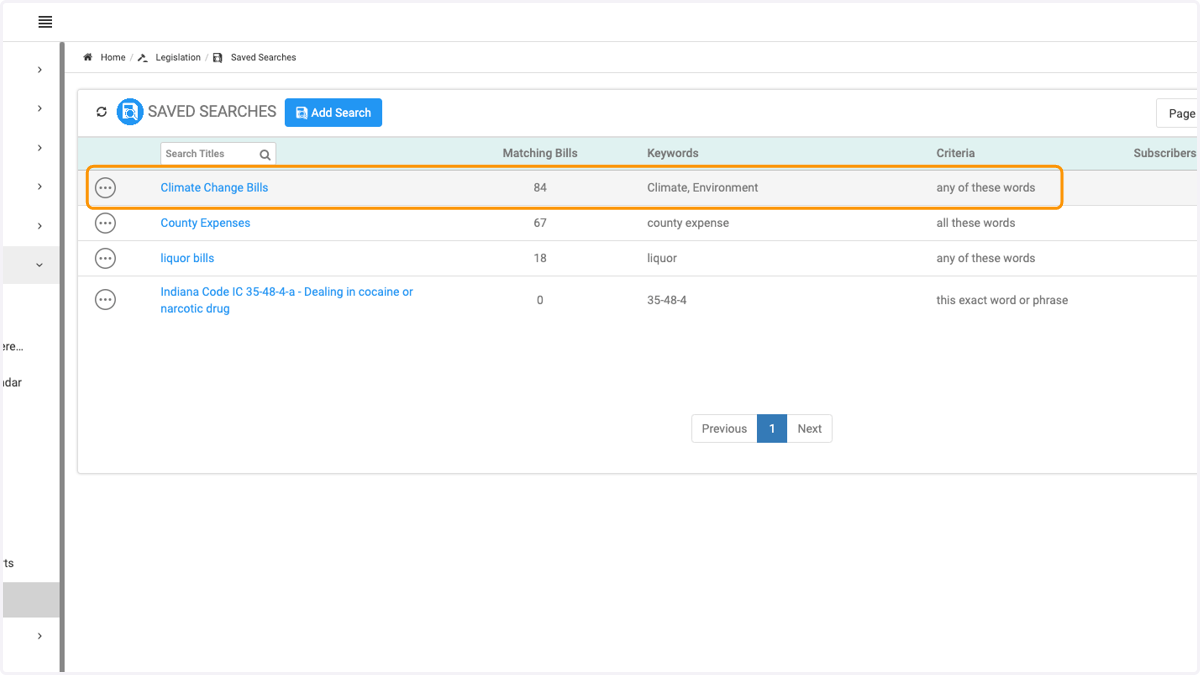
    Your new search appears first in the list, with the number of bills found that meet your criteria.
  10. 10. Click on the three dots to Edit, Delete or Duplicate your search
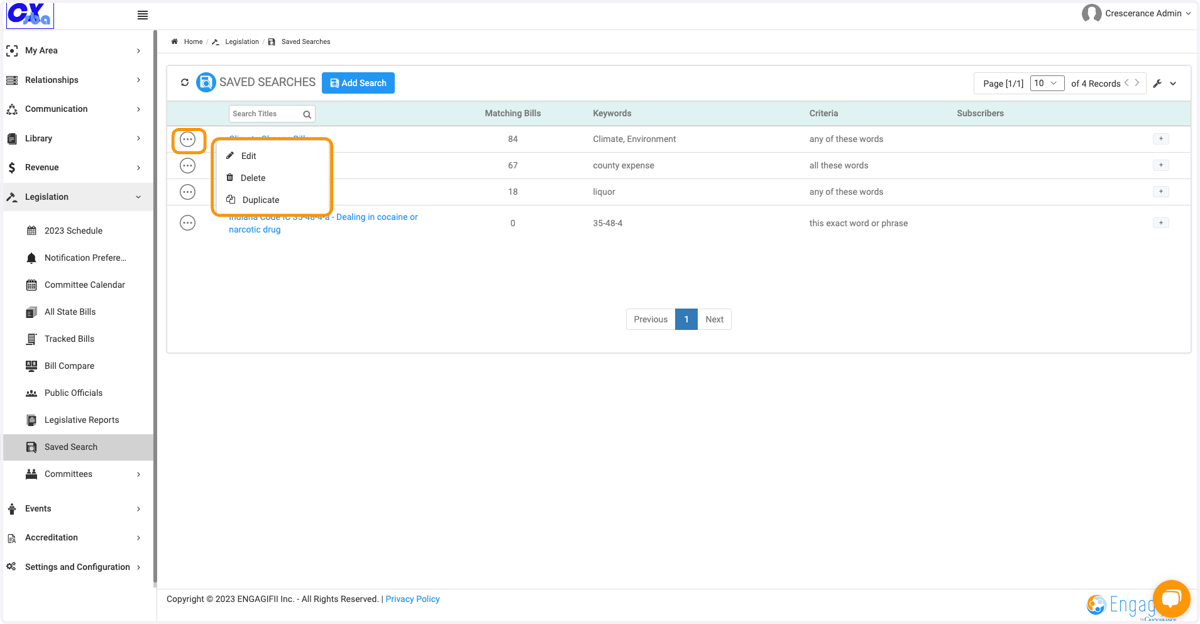
    Click on the three dots to Edit, Delete or Duplicate your search