Courses - Session

Appanzee

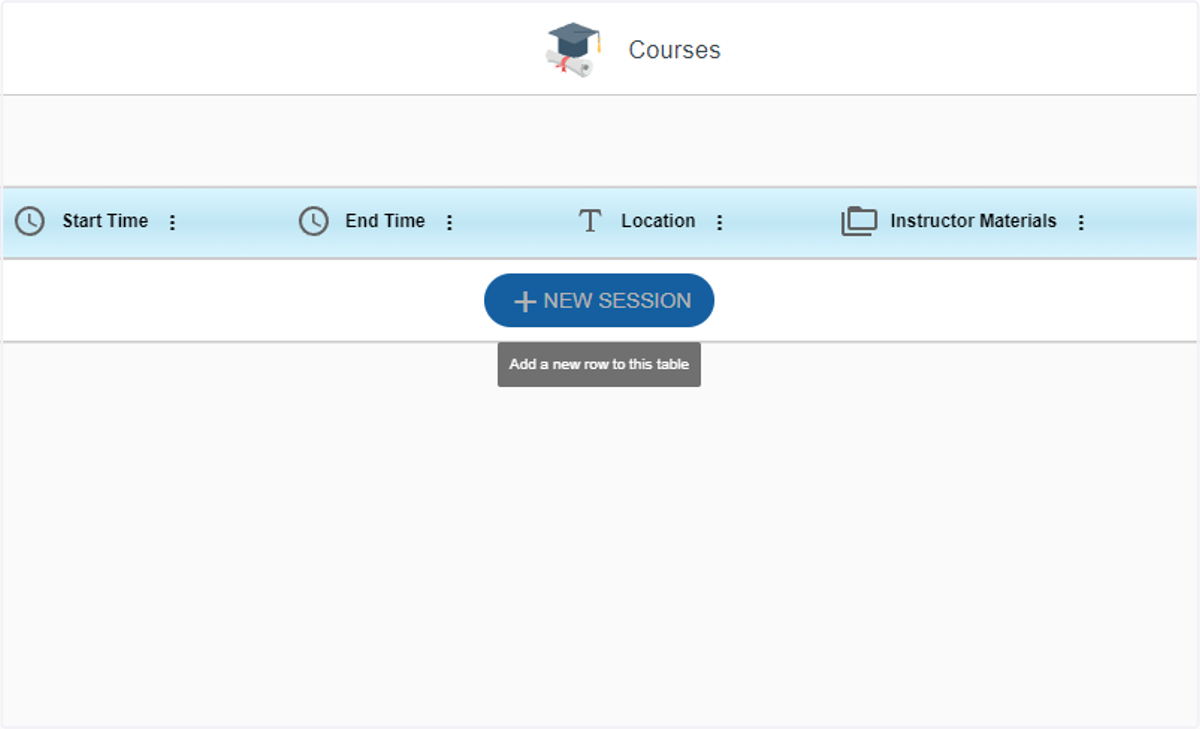
  1. 1. Click on New Session

    Click on New Session
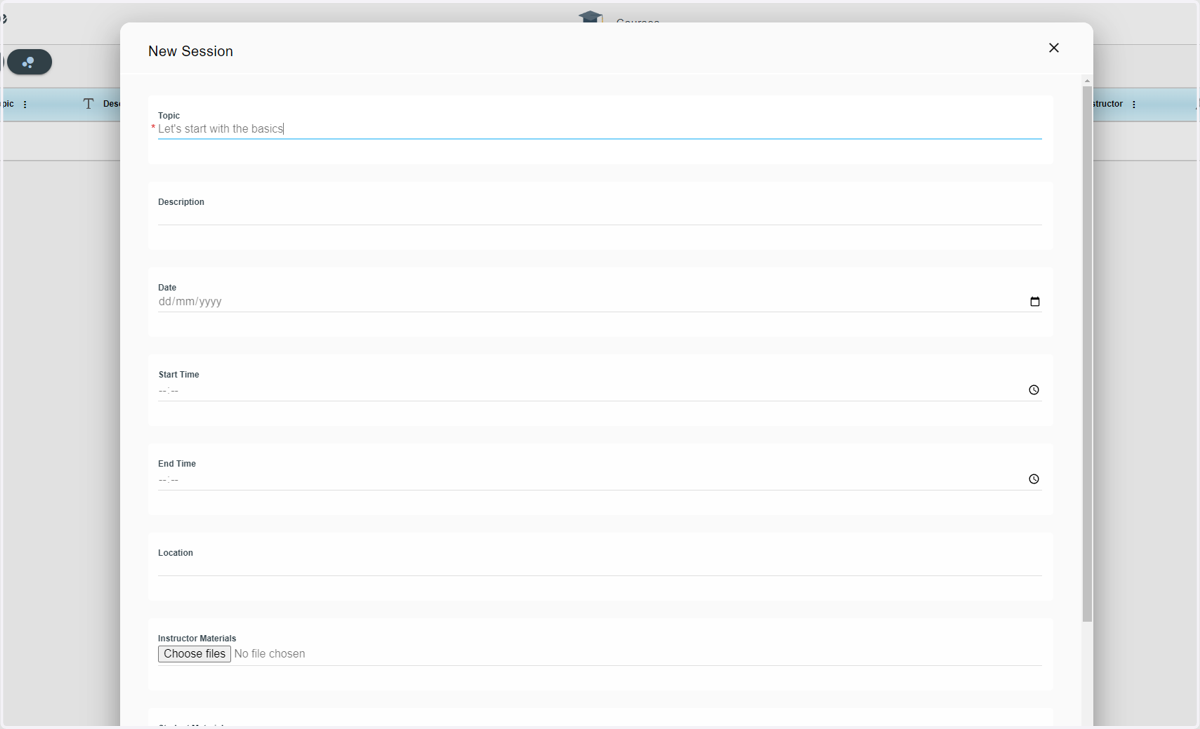
  2. 2. Give the session a name

    Give the session a name
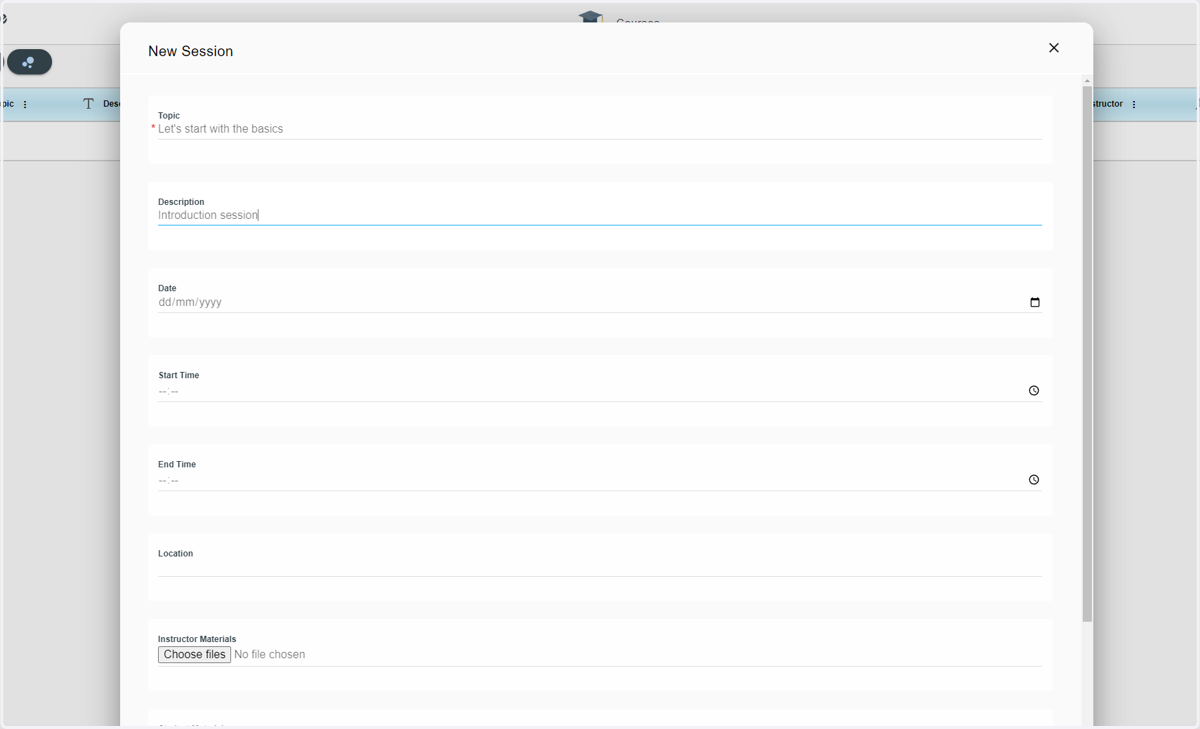
  3. 3. Add a description

    Add a description
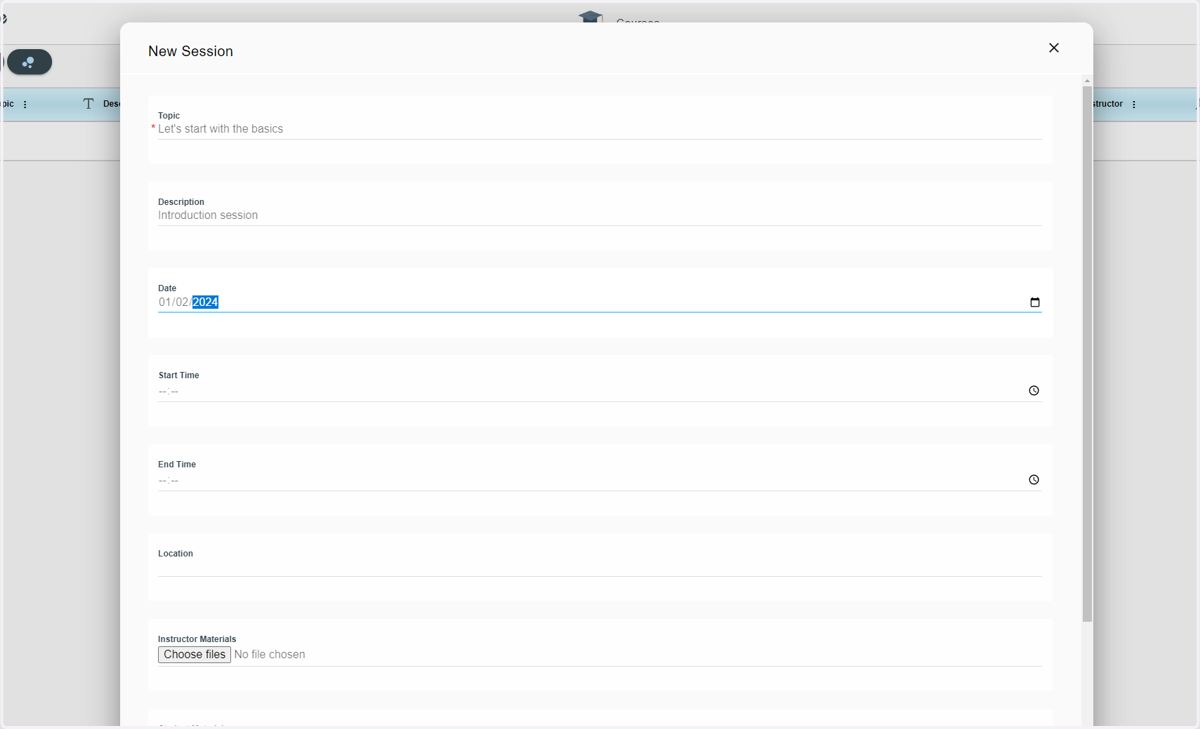
  4. 4. Type in the date of this session

    Type in the date of this session
  5. 5. Type in when the session is going to start
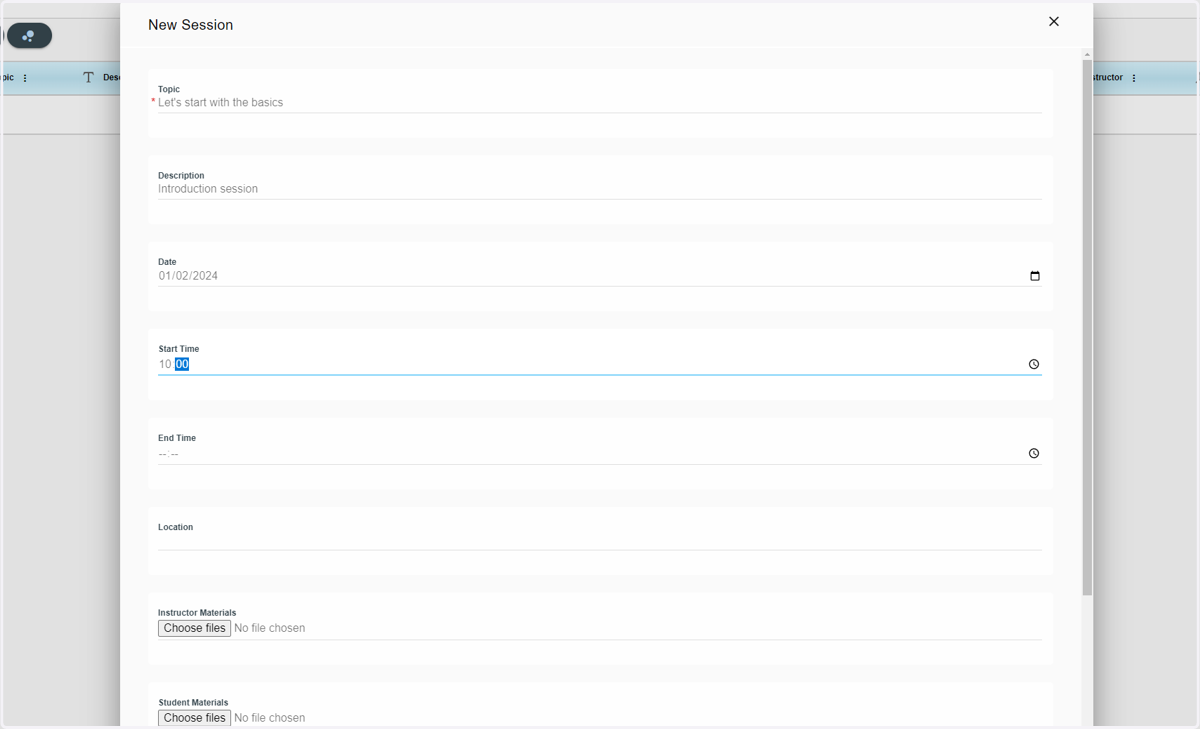
    Type in when the session is going to start
  6. 6. Type in when the session is going to end
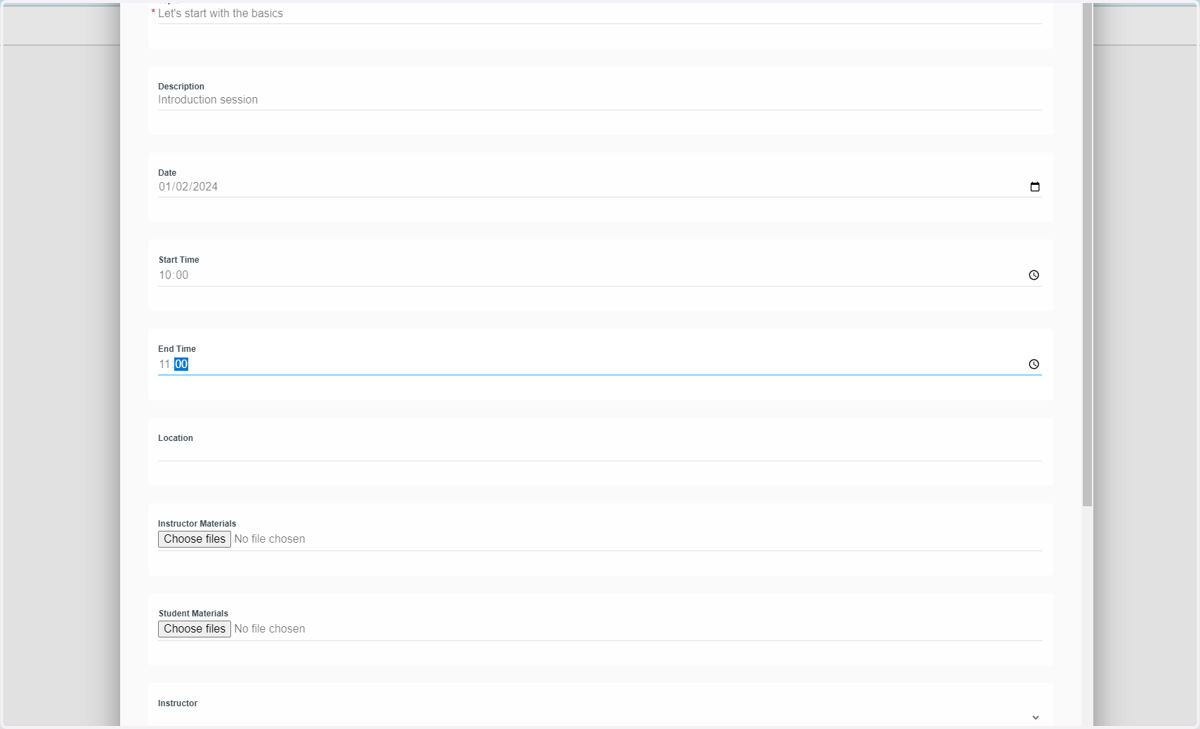
    Type in when the session is going to end
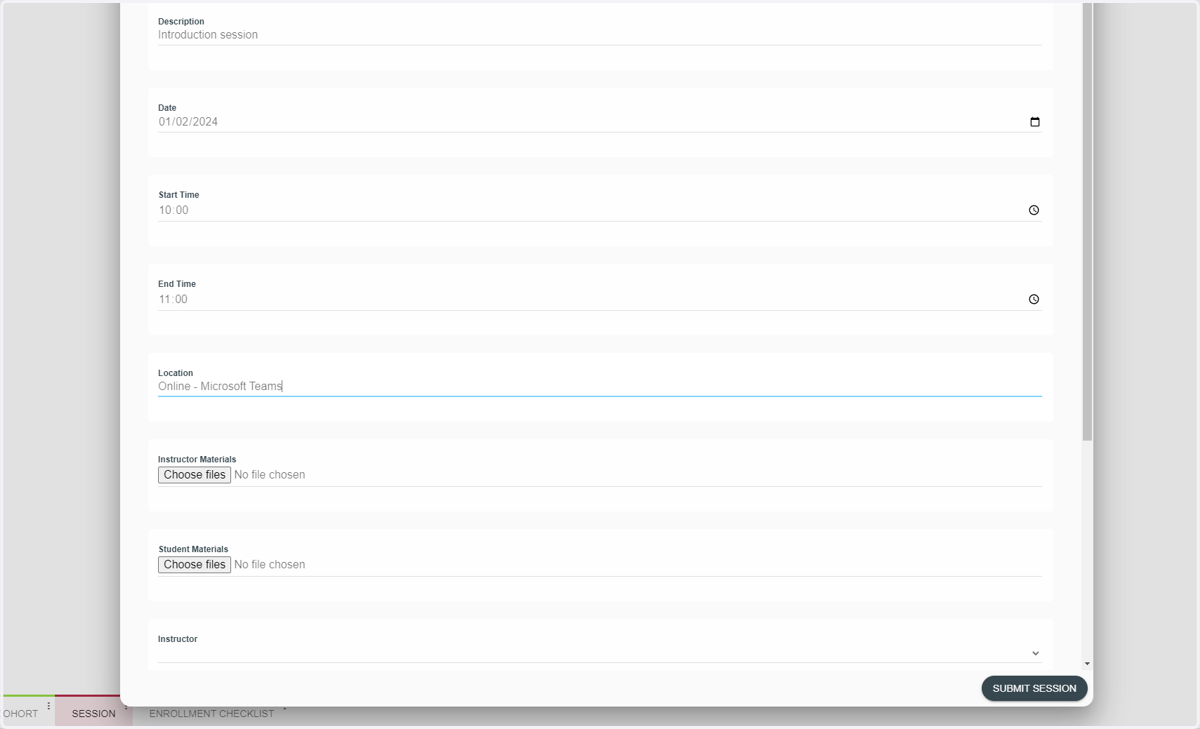
  7. 7. Write in the location

    Write in the location
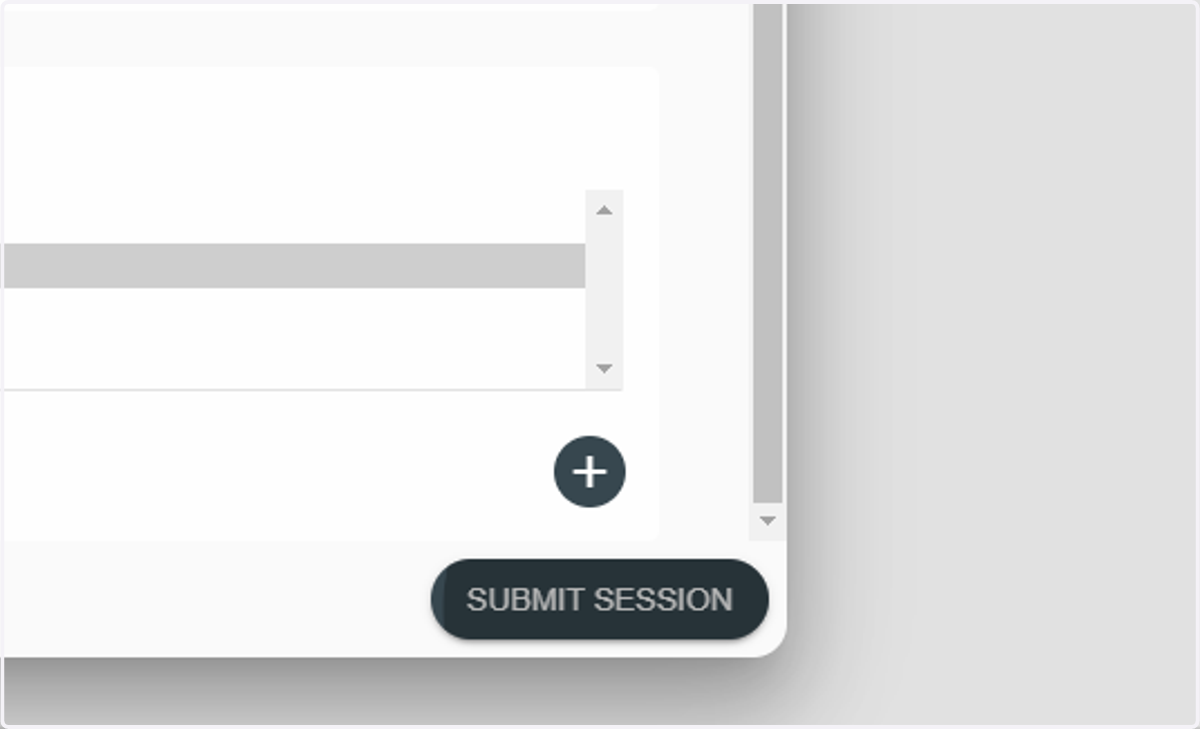
  8. 8. Click on Submit Session

    Click on Submit Session