Locating Microsoft Teams Meeting Recordings
If you selected to record your Teams meeting, use these directions to find, download, and/or share the recording.
Microsoft Teams
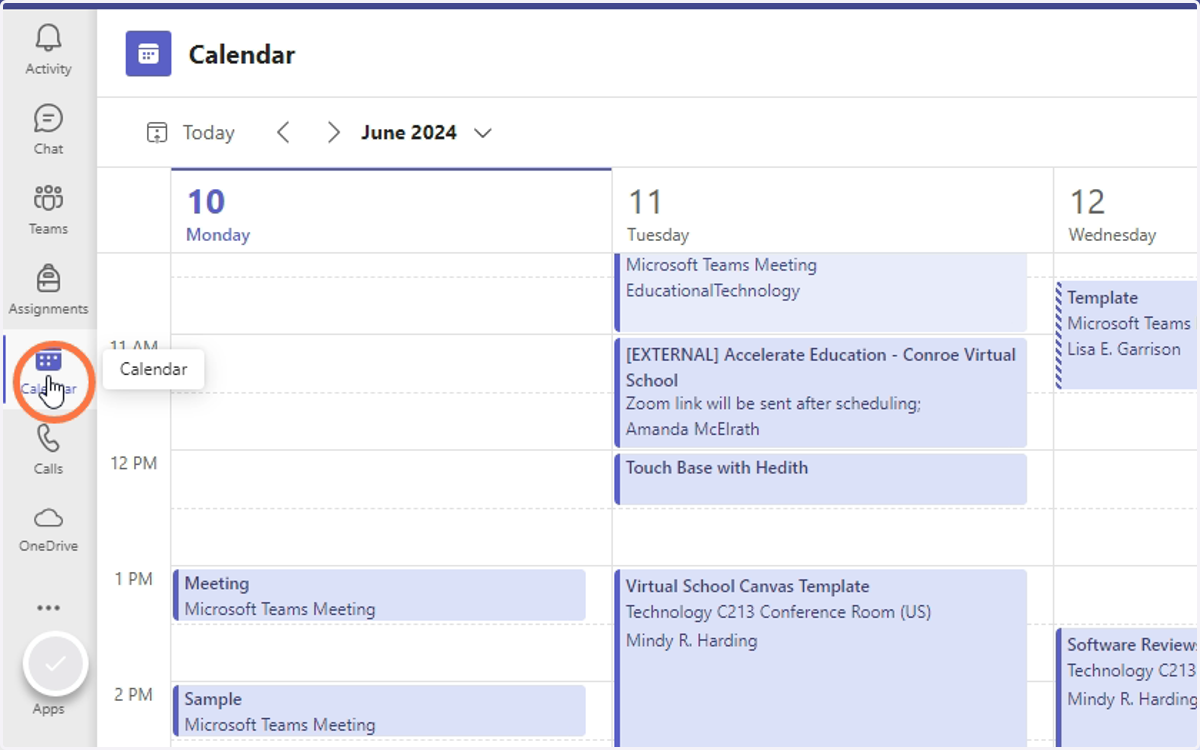
1. In Microsoft Teams, click Calendar.
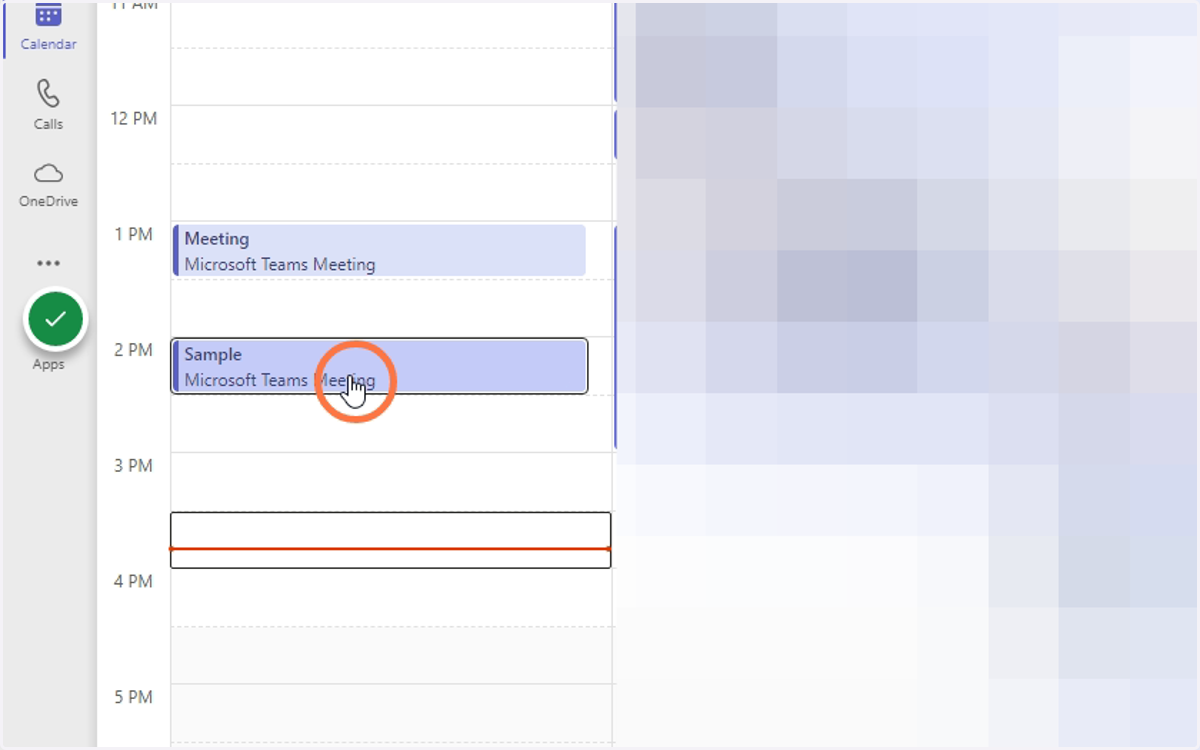
2. Double-click on the recorded meeting.
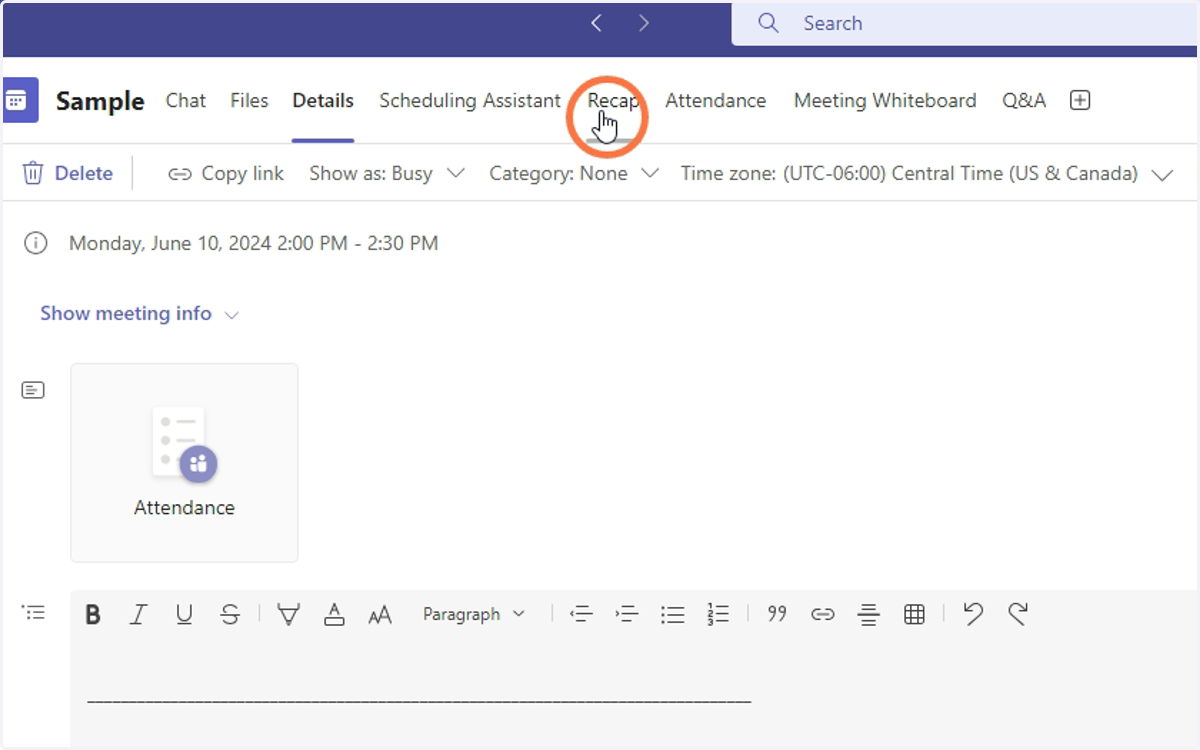
3. Click on Recap.
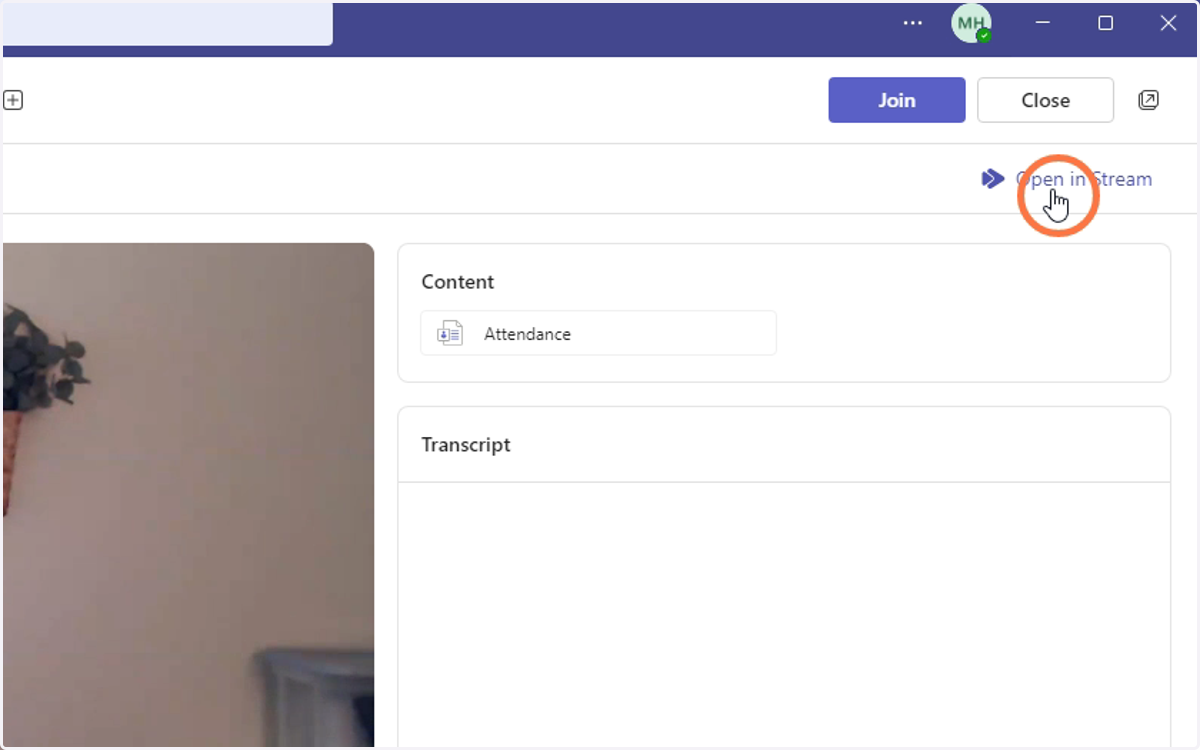
4. Click Open in Stream
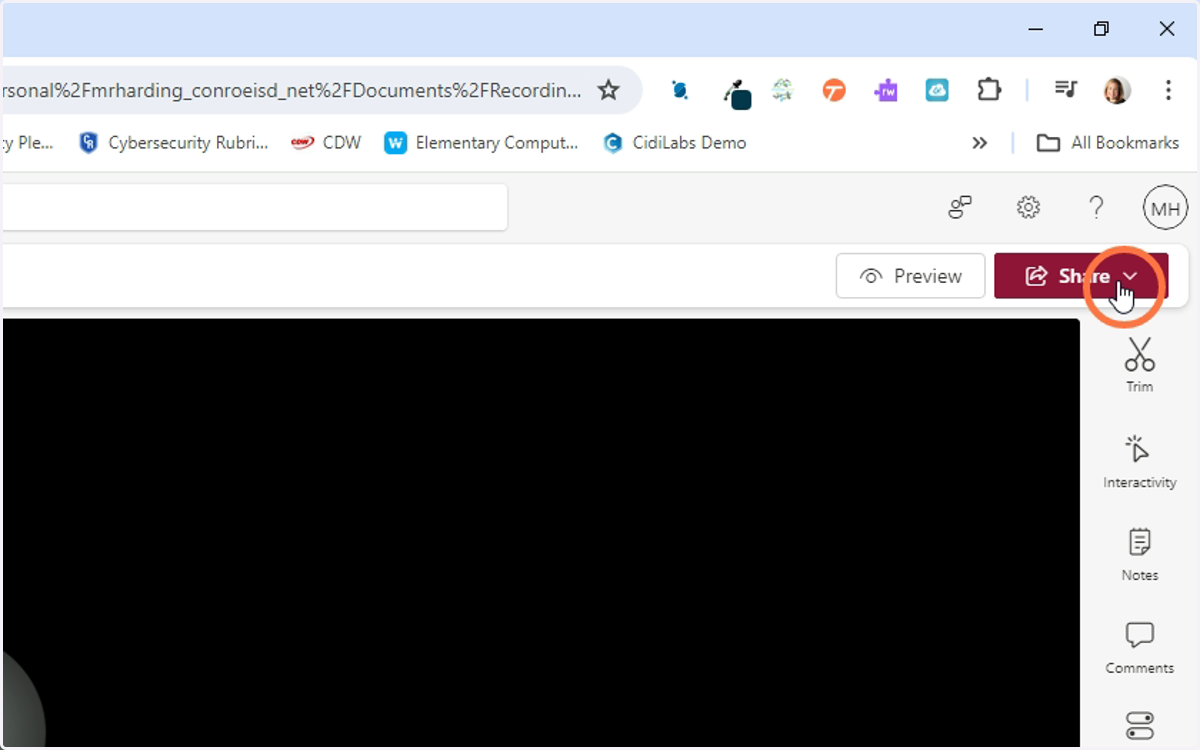
5. To share the meeting link, click Share.
Take caution in who you share meeting recording with!
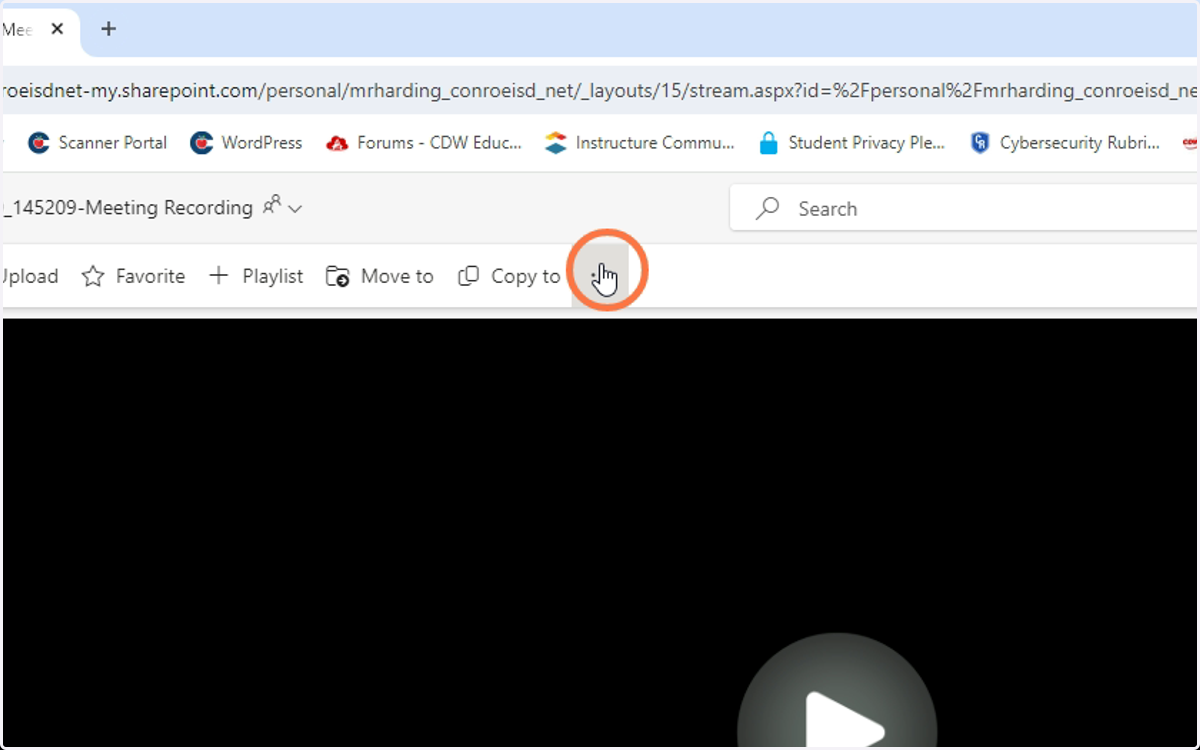
6. To download a recording, click the three dots.
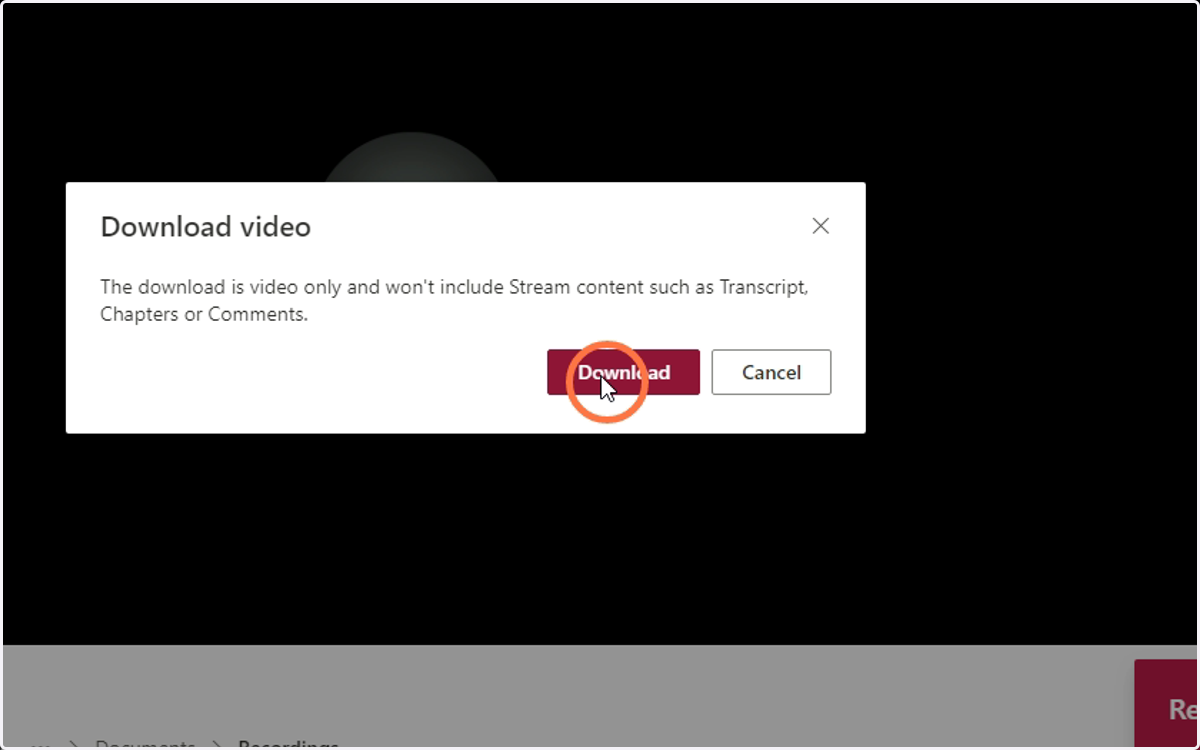
7. Click Download
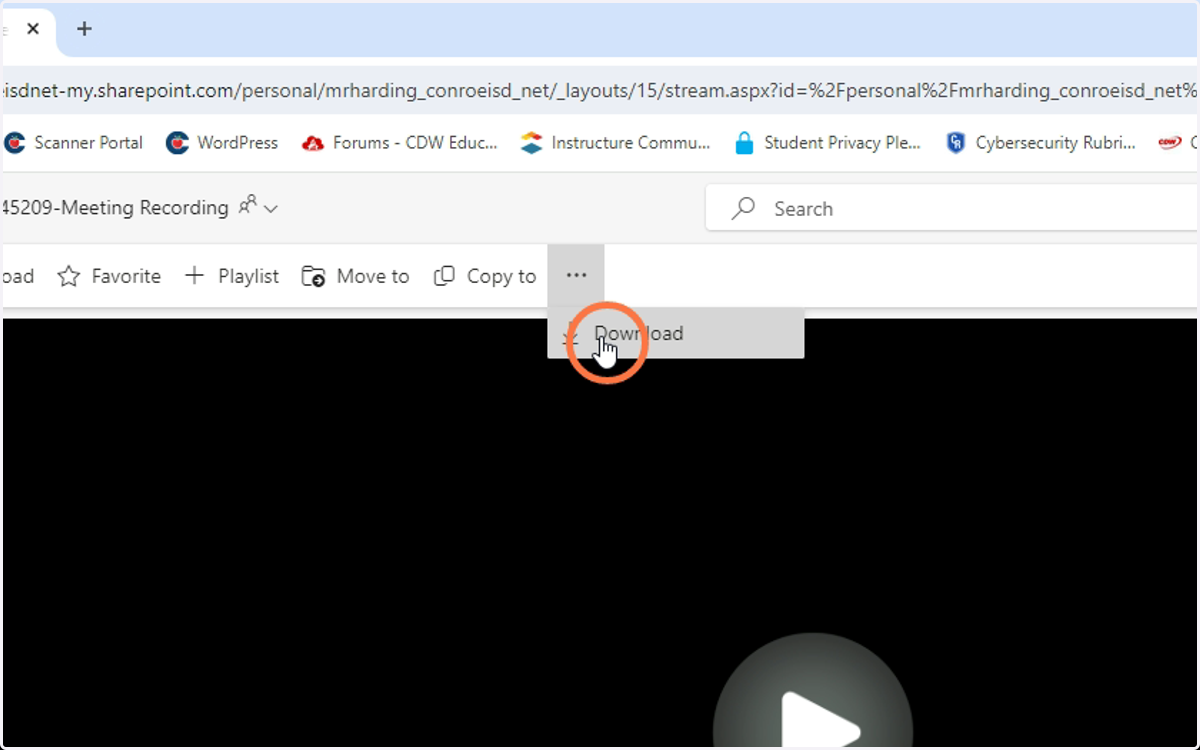
8. Click download and save to your computer.