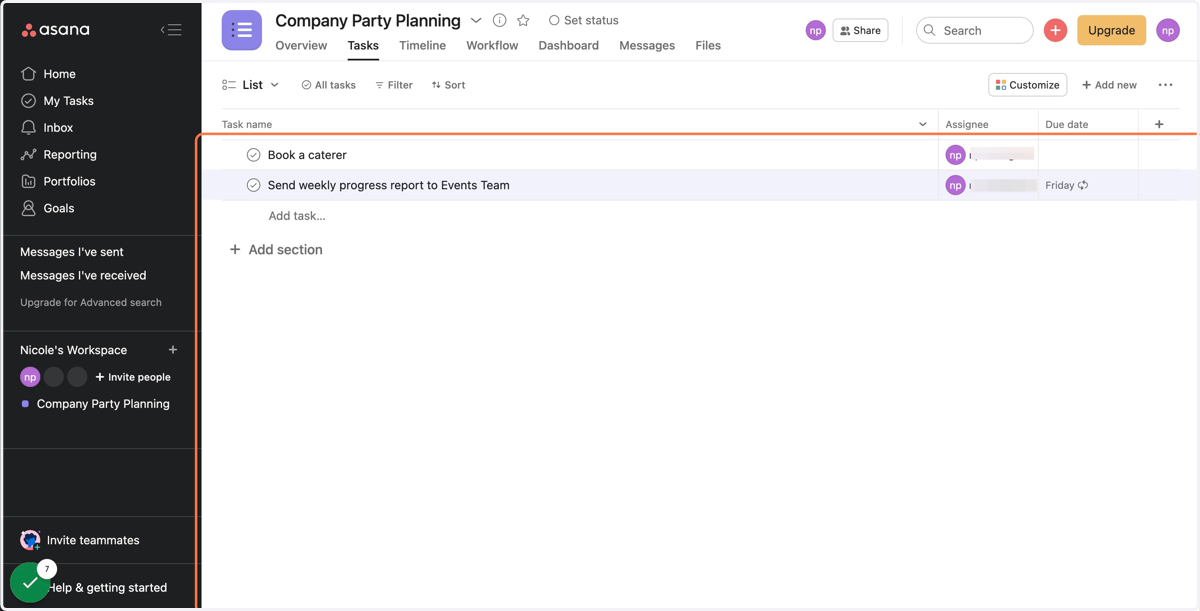
How to Make a Task Recurring in Asana
This step-by-step guide will teach you how to make a task recurring in Asana, a work management platform created to help teams stay on track. Recurring tasks are tasks you need to perform on a regular basis. Making a task recurring in Asana will ensure you are continuously reminded of this repeated task, never letting it slip through the cracks.
Asana
1. Log into your Asana account
2. Select the Asana project you'd like to work in
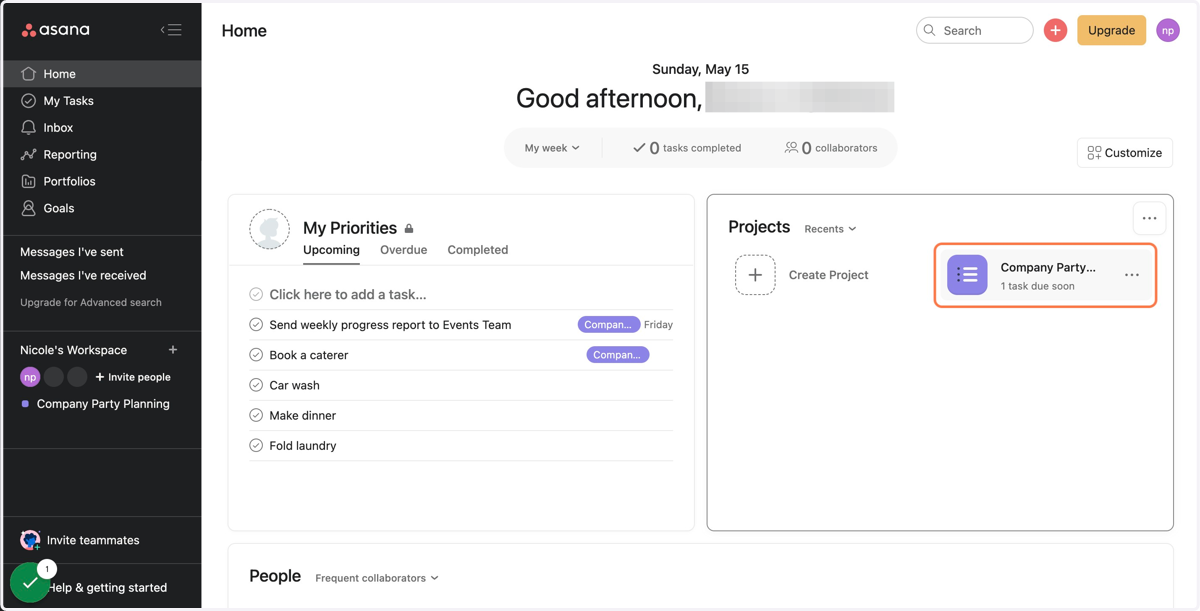
3. Find the task you'd like to make recurring and click into the "Due date" box
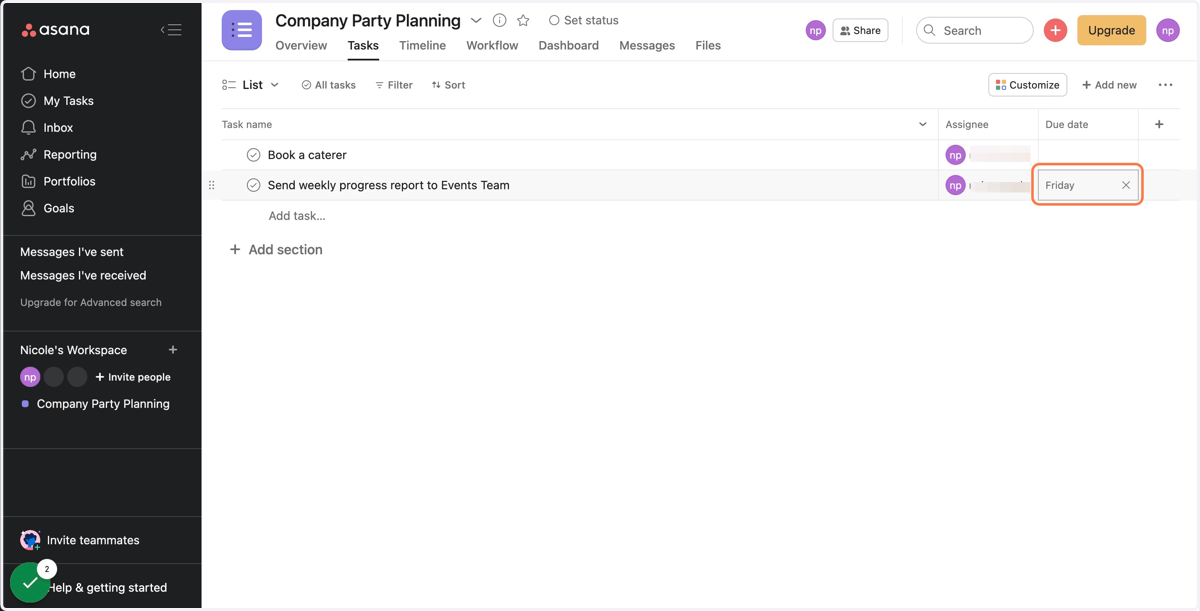
4. Click the "Set to repeat" icon
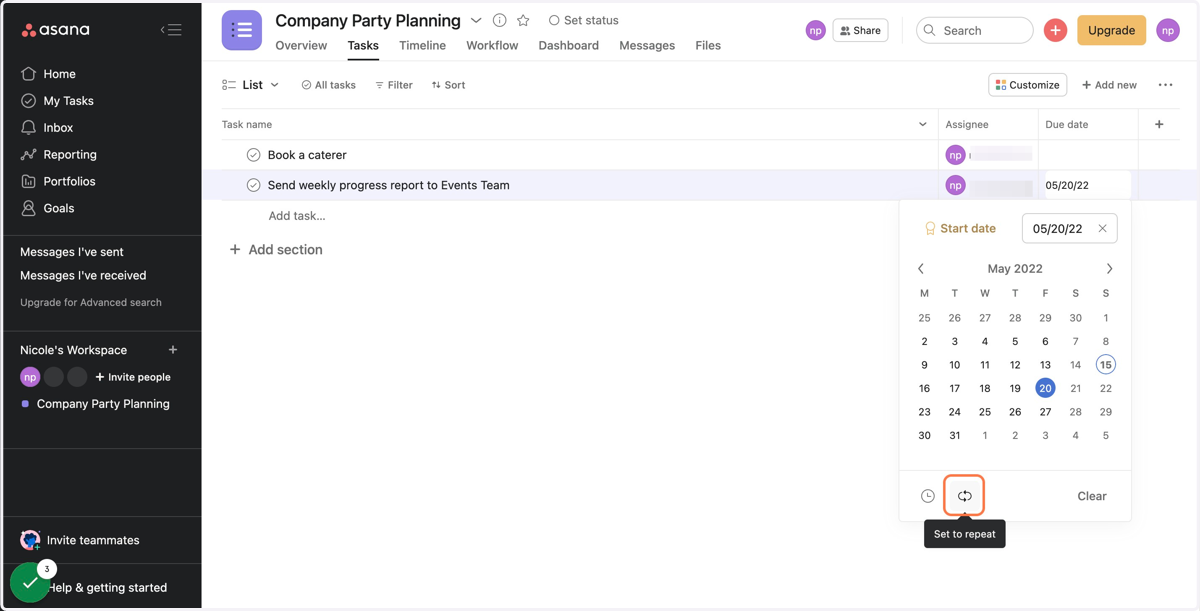
Asana
5. Select the cadence of which you'd like your task to recur
Your options are weekly, monthly, yearly, periodically, and custom.
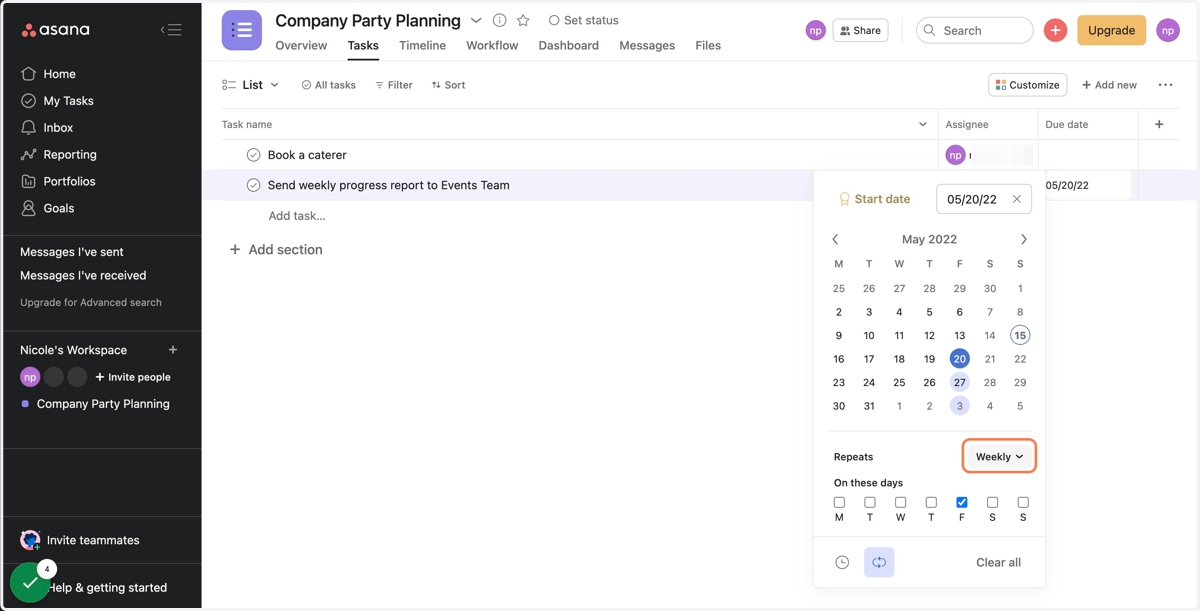
6. Once you've selected your cadence, choose which day(s) you'd like your task to recur
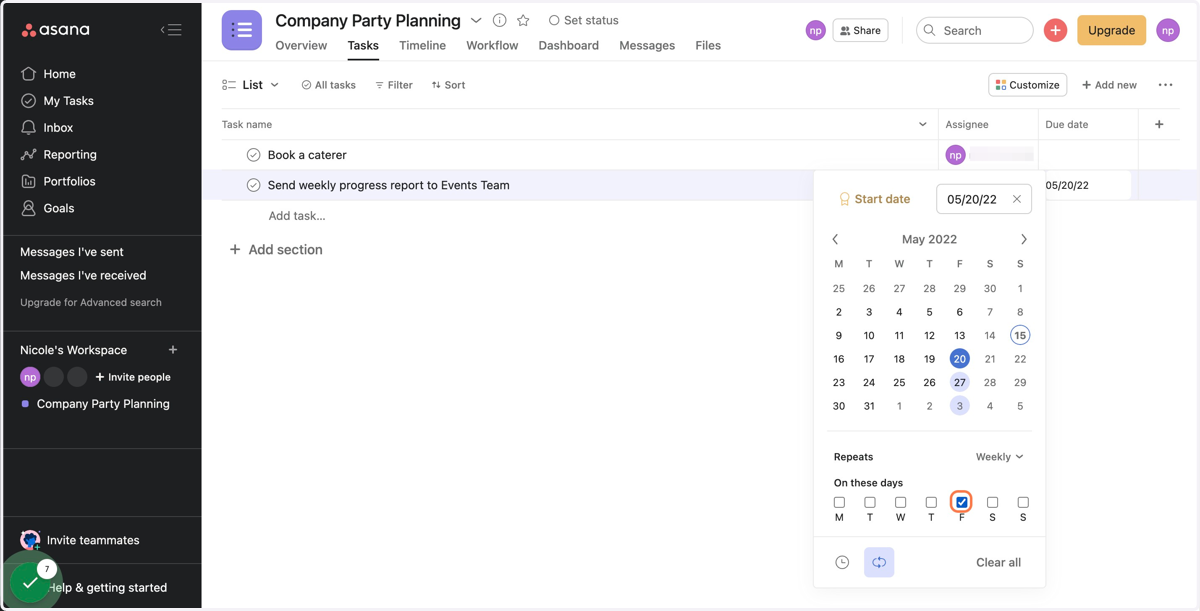
7. Your task is now set to recur!