Refresh Data for QuickBooks Integration
Use the Refresh Data button to sync any updates made in QuickBooks to ensure your records are up to date.
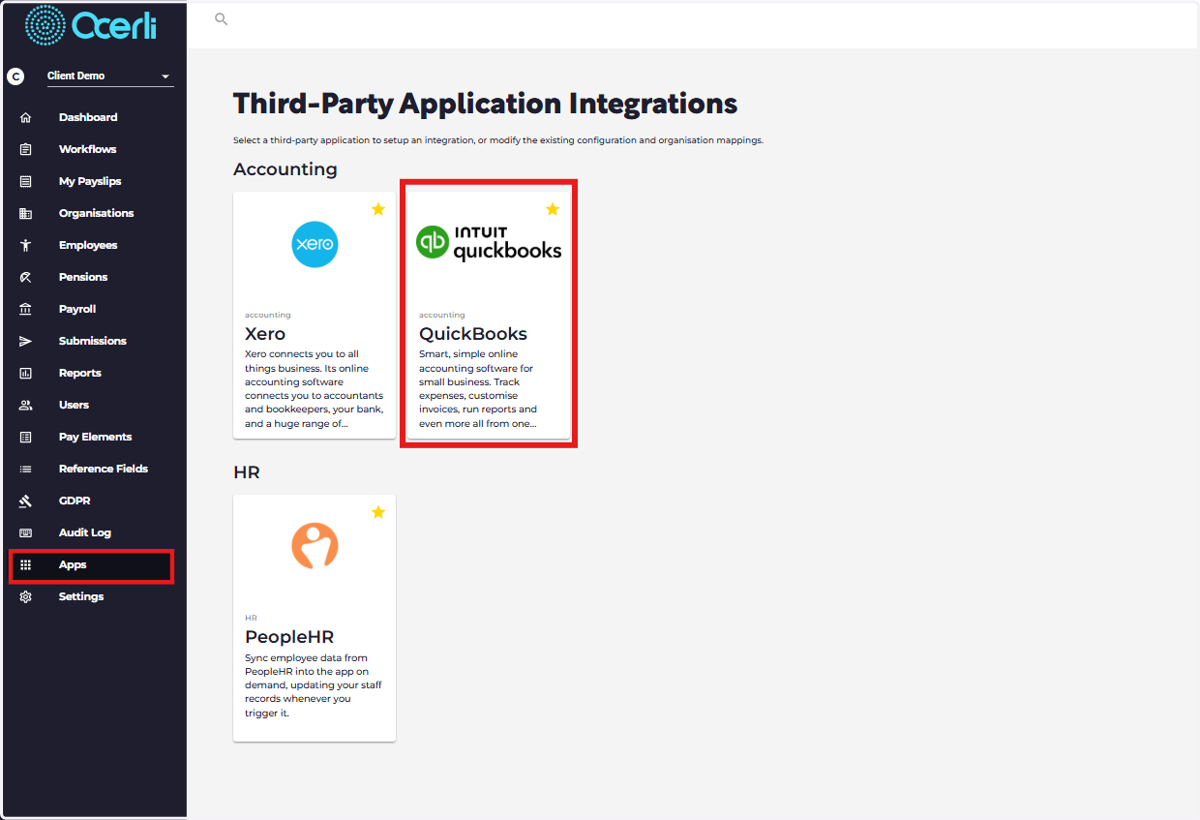
1. Go to Apps Menu
Click QuickBooks
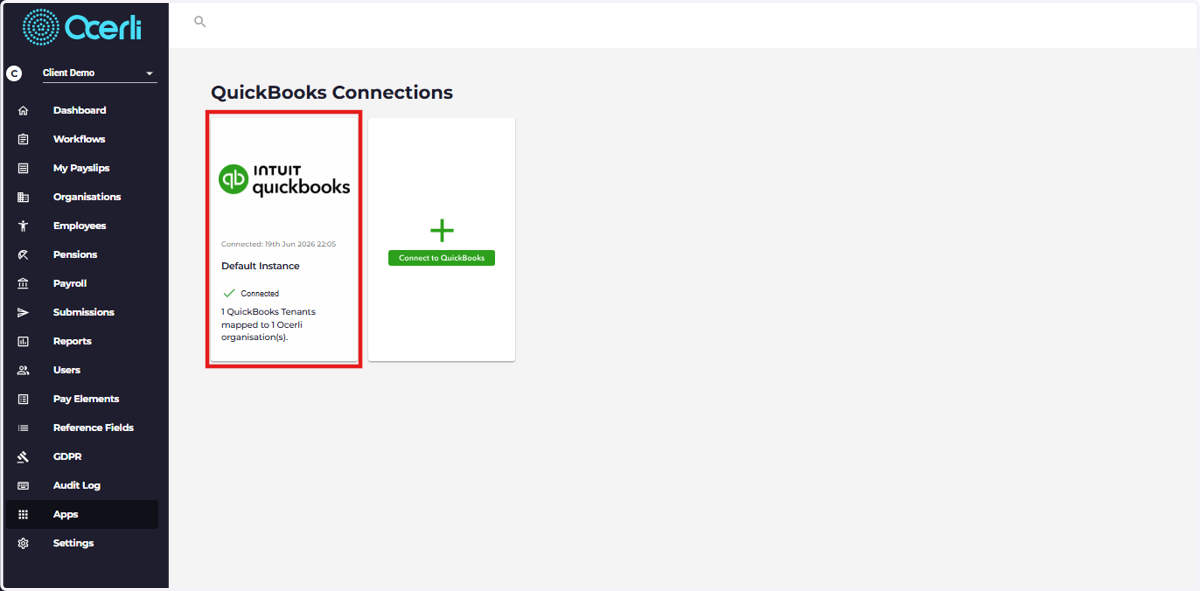
2. Click on your Connected Organisation
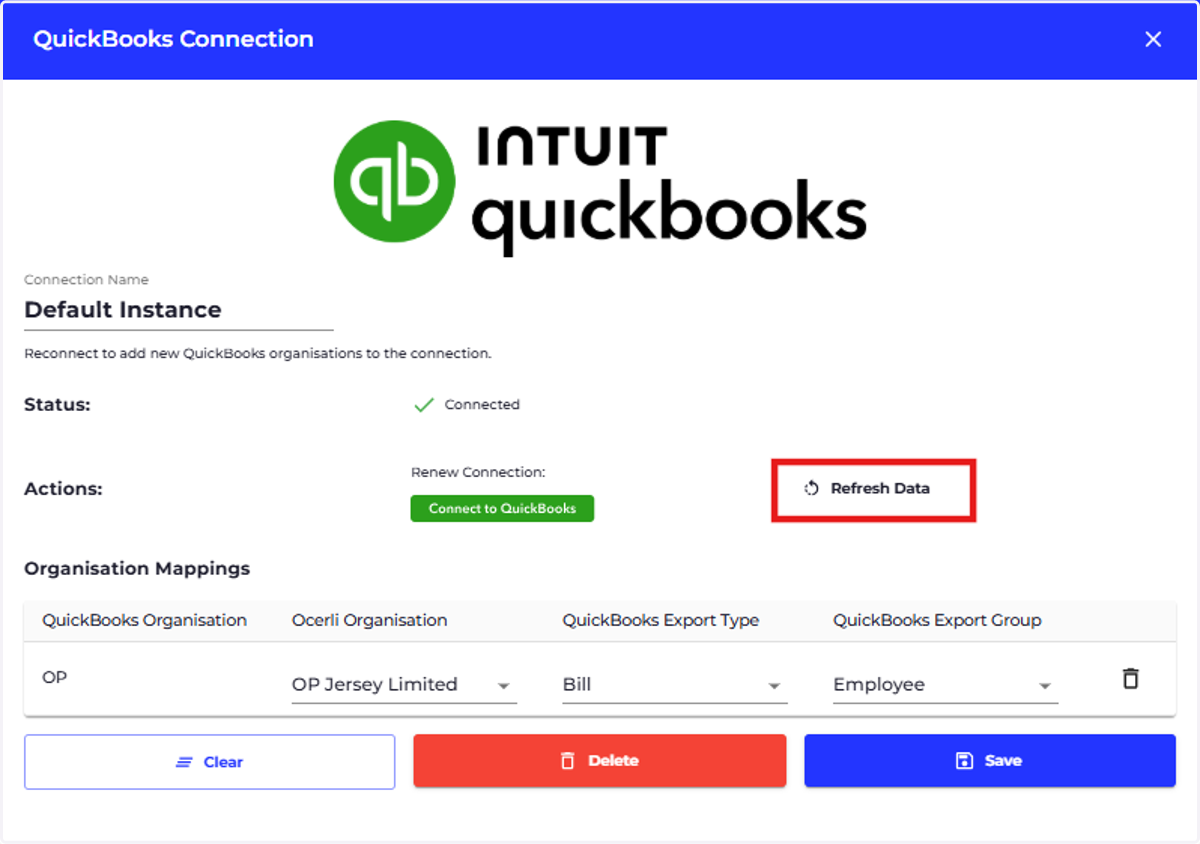
3. Click on 'Refresh Data'
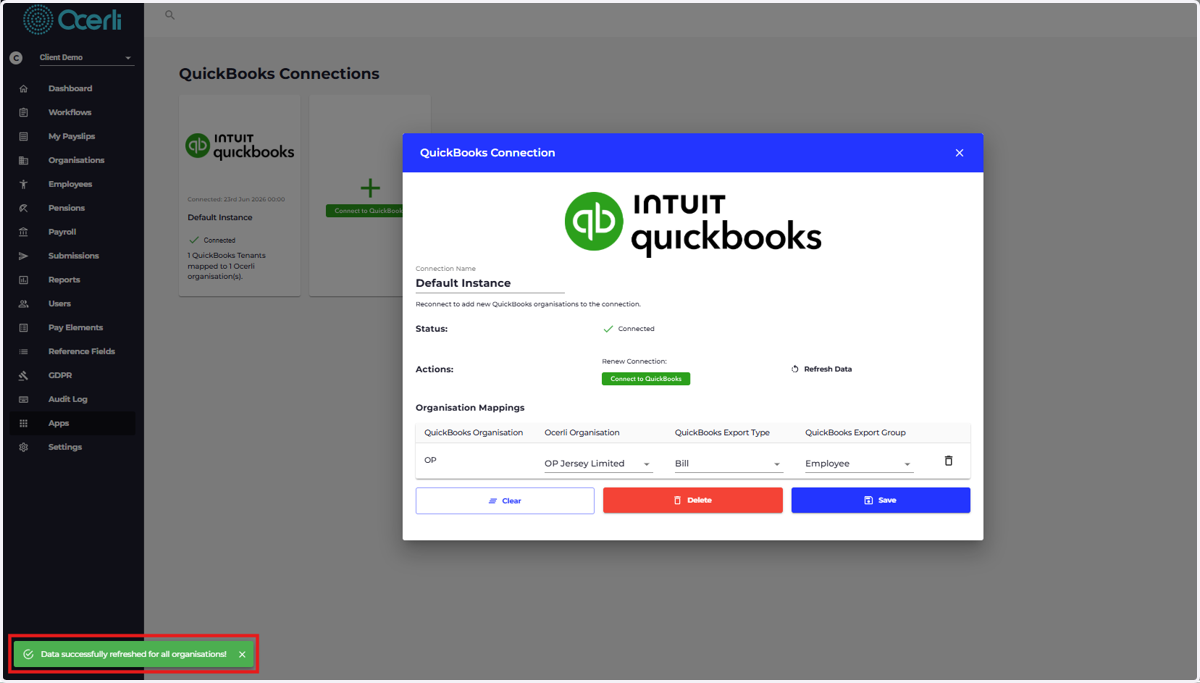
4. A green message will appear at the bottom left of the screen notifying you that the data has been refreshed successfully
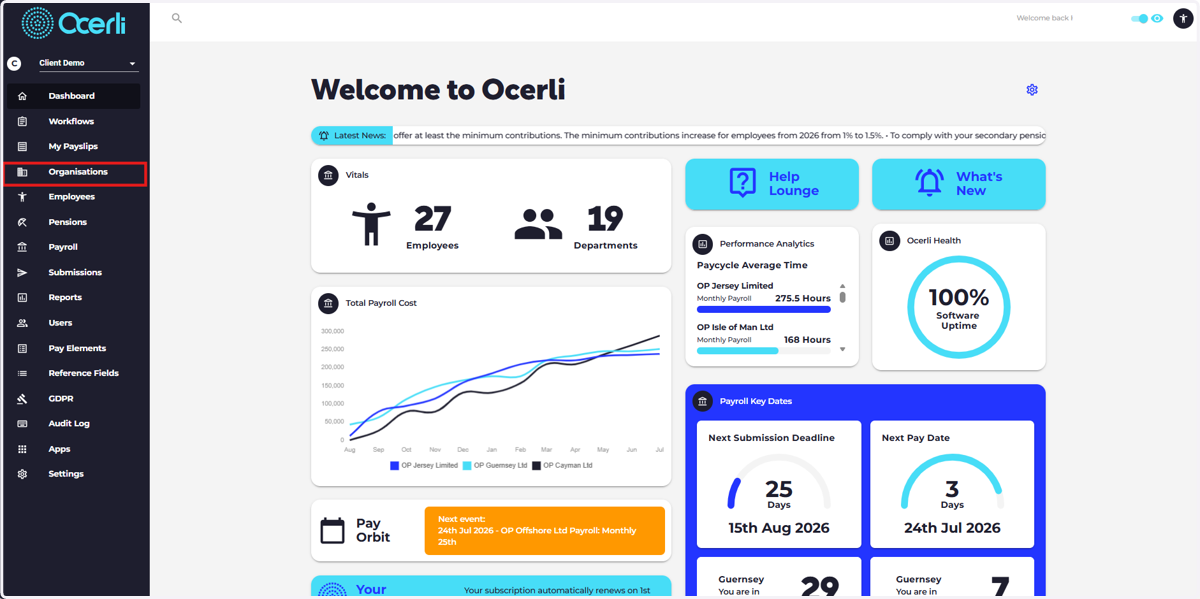
5. Go to 'Organisations'
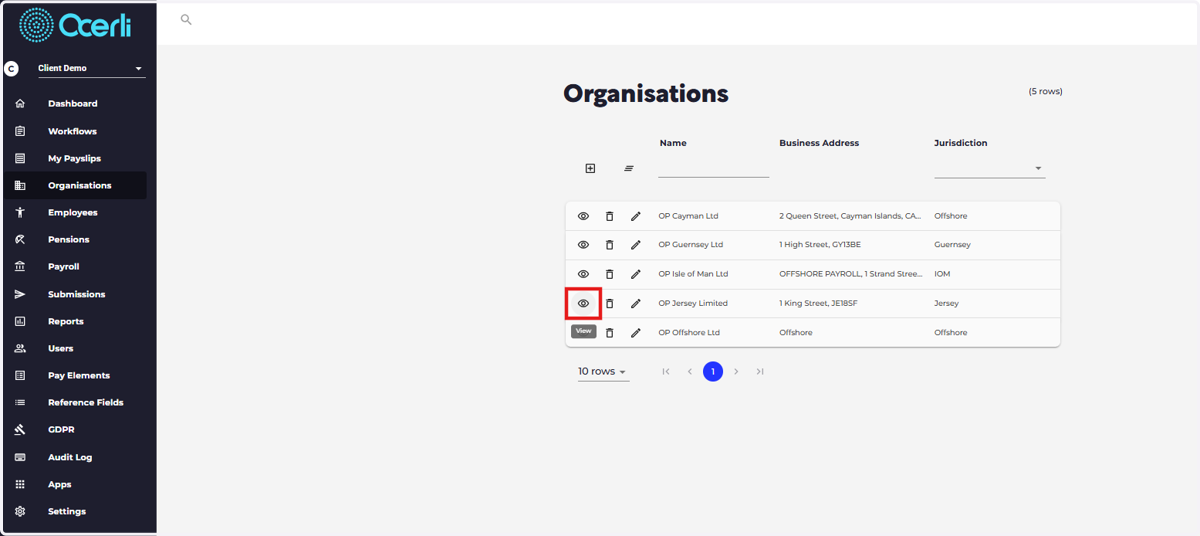
6. Open the relevant organisation
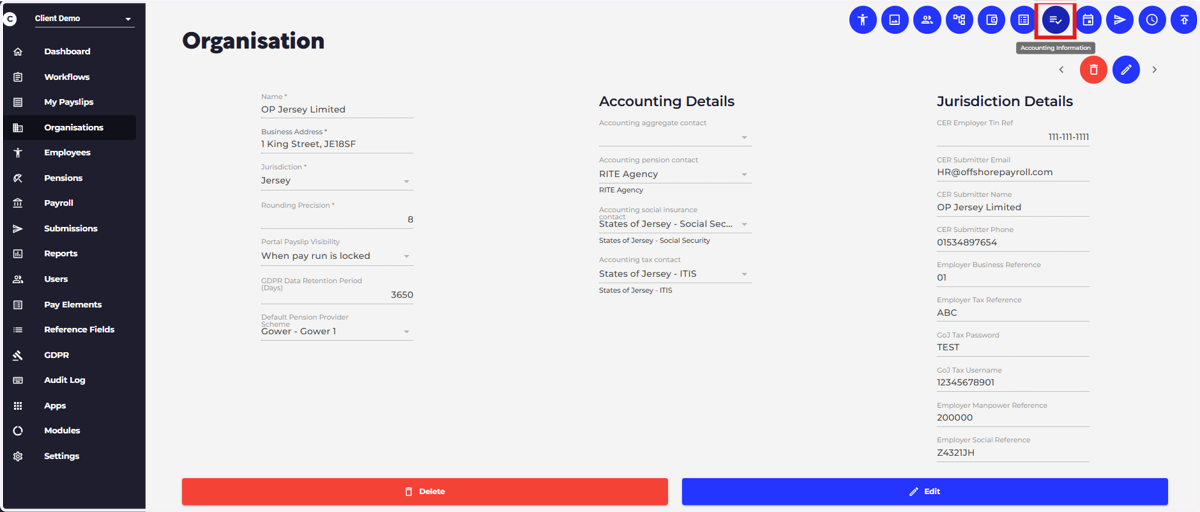
7. Select the Accounting Information
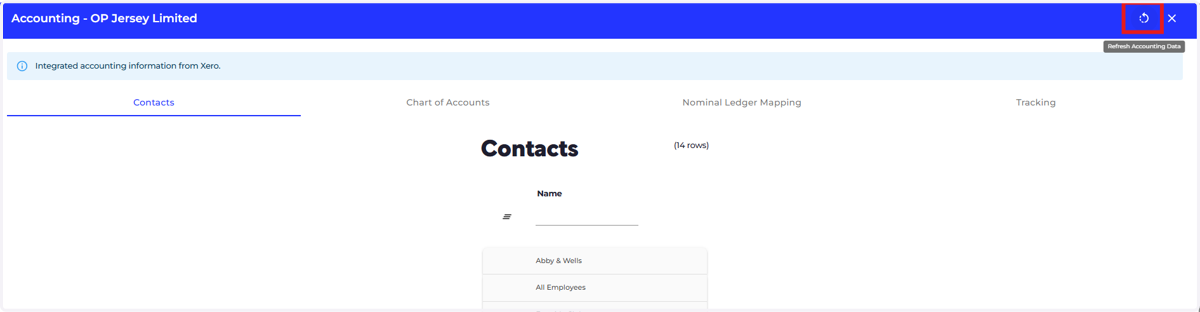
8. Click the 'Refresh Accounting Data' button
9. Important Reminder
*Always click Refresh Data after making changes in QuickBooks
*Refresh before running payroll or generating reports