Log in to Canvas with District Chromebook
1. Log in to your district Chromebook using your Edmonds School District full email address and password
2. Open the Chrome browser

3. Click Edmonds Bookmarks and select Canvas
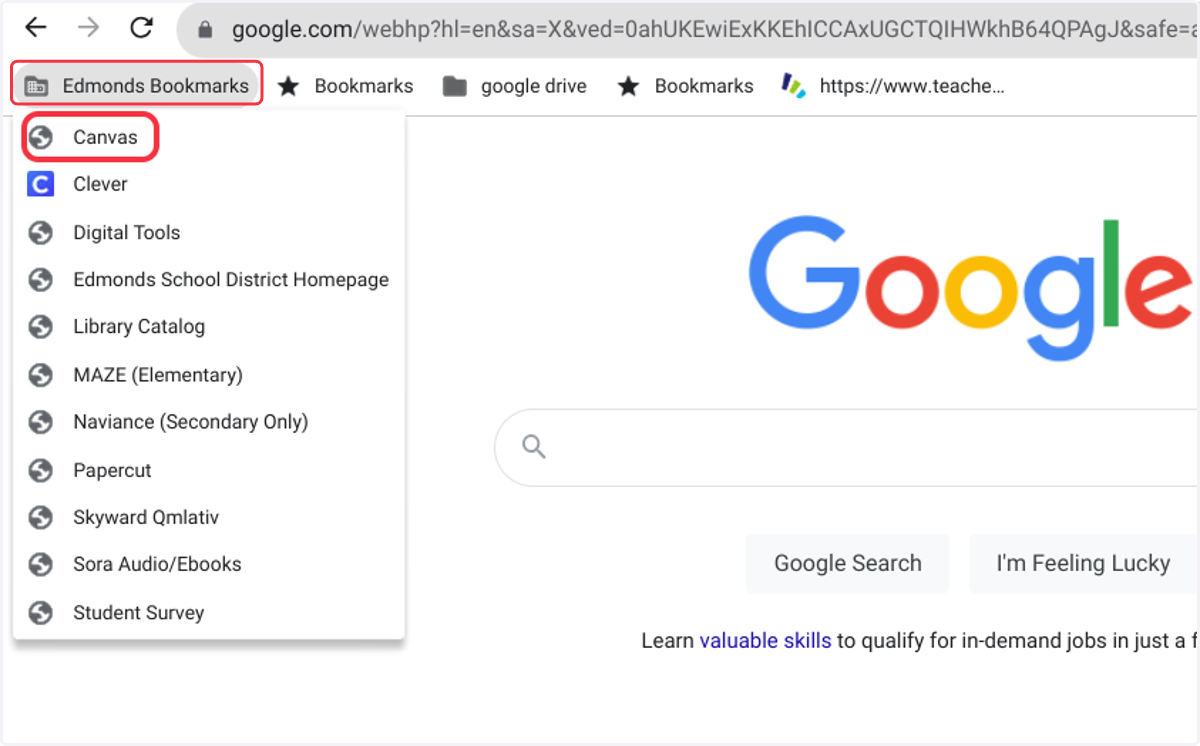
4. If you are logged in to the Chromebook correctly with your student account, you will automatically be directed to your Canvas account!