Create a new user- Role
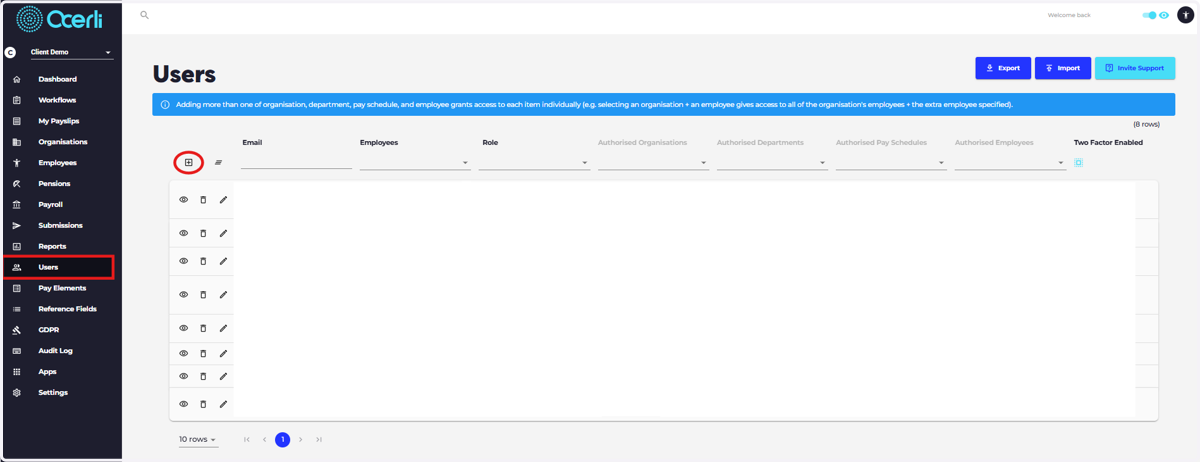
1. Navigate to the Users screen on the main menu on the left and select the 'Add New Record' icon
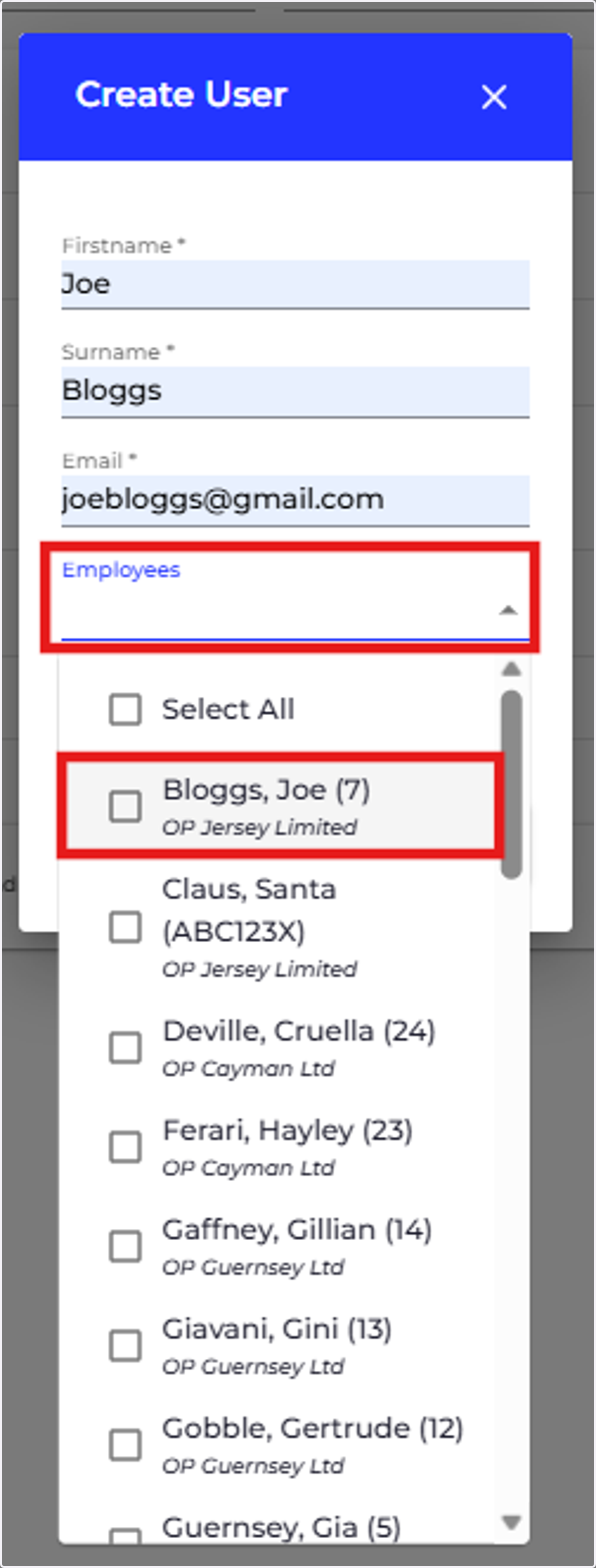
2. If the user would like to view their payslips with this email address, please link the user to their employee record.
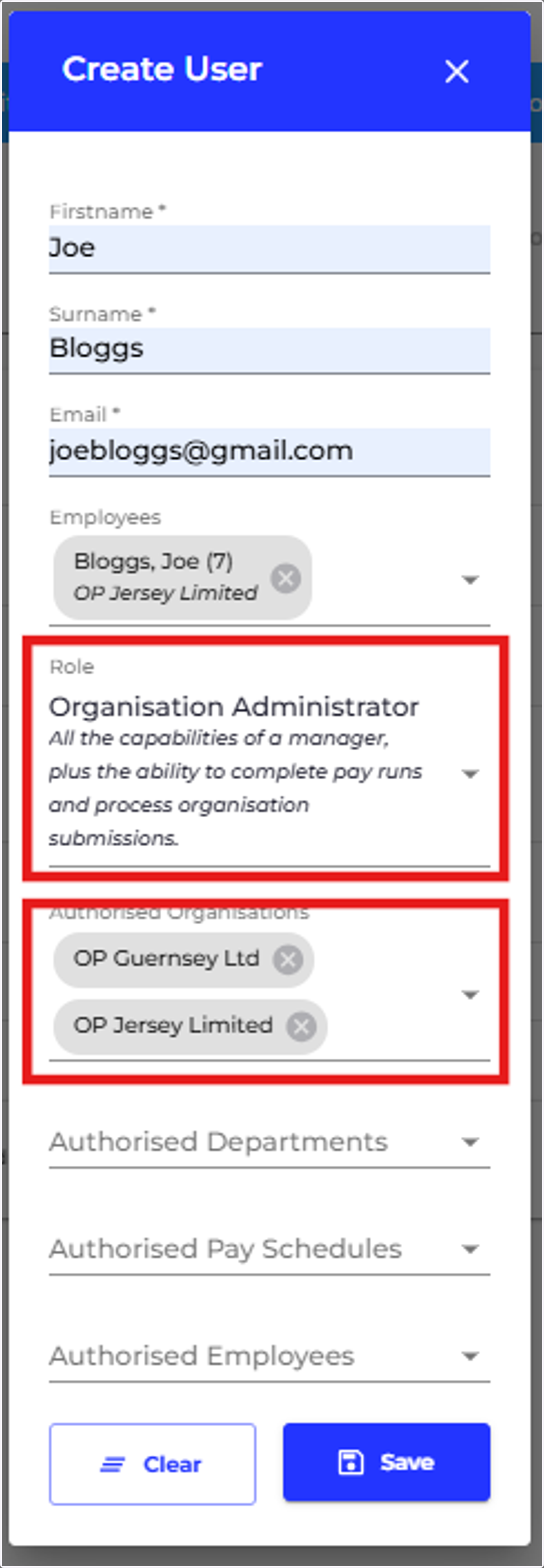
3. Add a role for the user
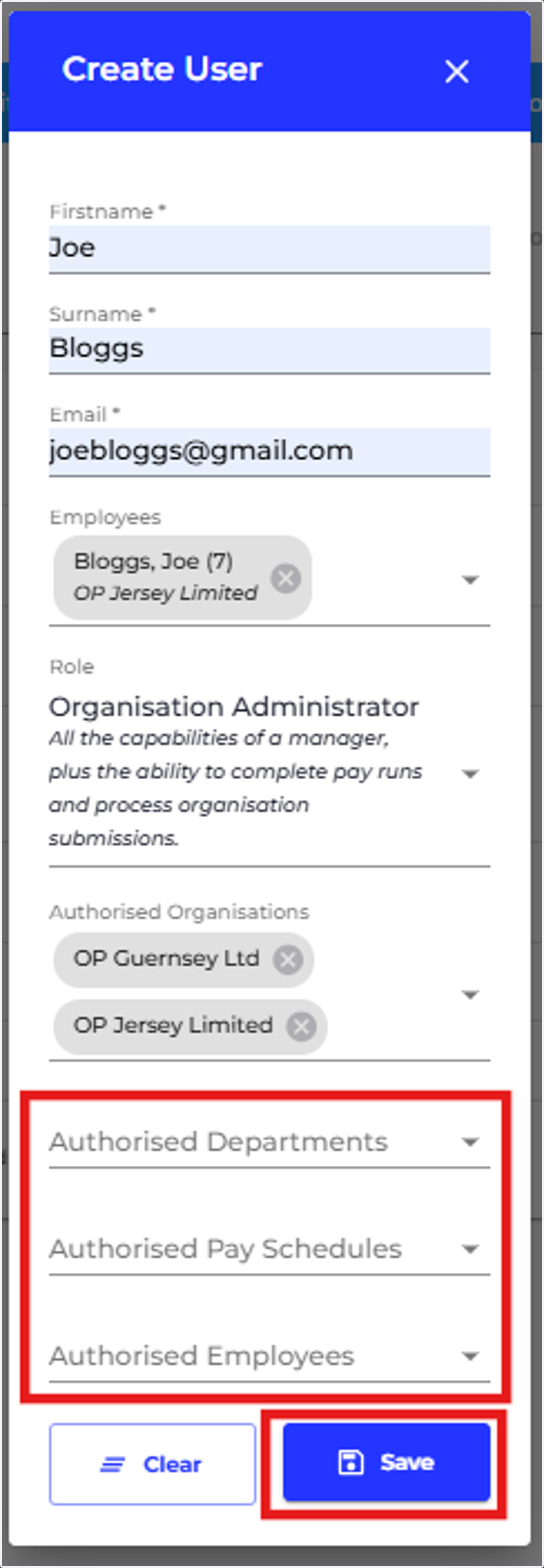
If you would like to add 'authorised departments' for this user you can select which organisations you would like them to have access to.
4. If you would like the user to have access to certain employees, departments or pay schedules, you can specify this in the fields highlighted. Otherwise, please simply press 'Save' to create a new user.