Clearing Cache and Cookies (Chrome)
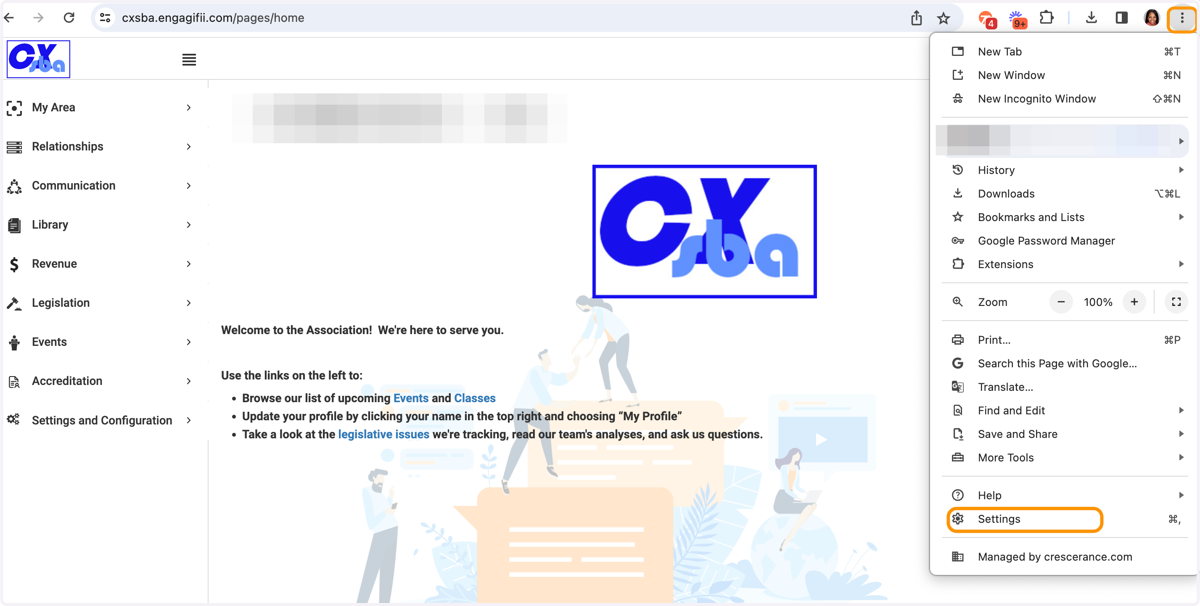
1. Click on the 3 dots at the top right of your browser window and then select Settings
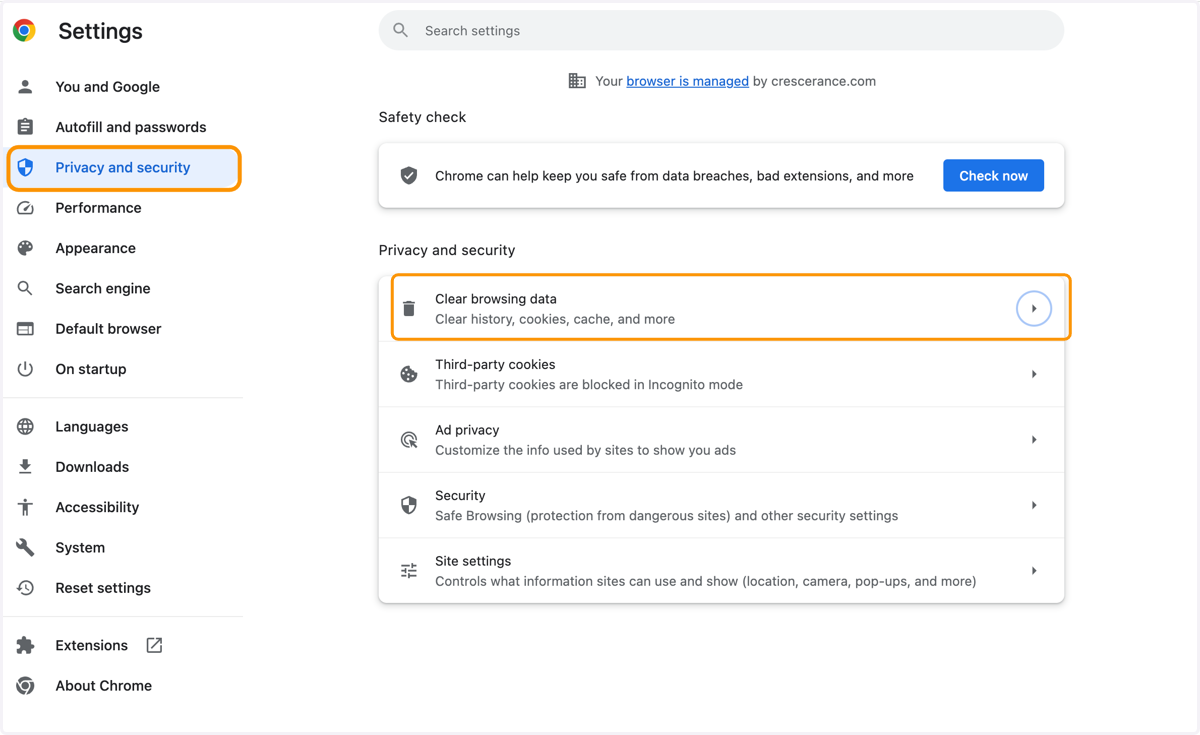
2. Click on Privacy and Security and then Clear Browsing data
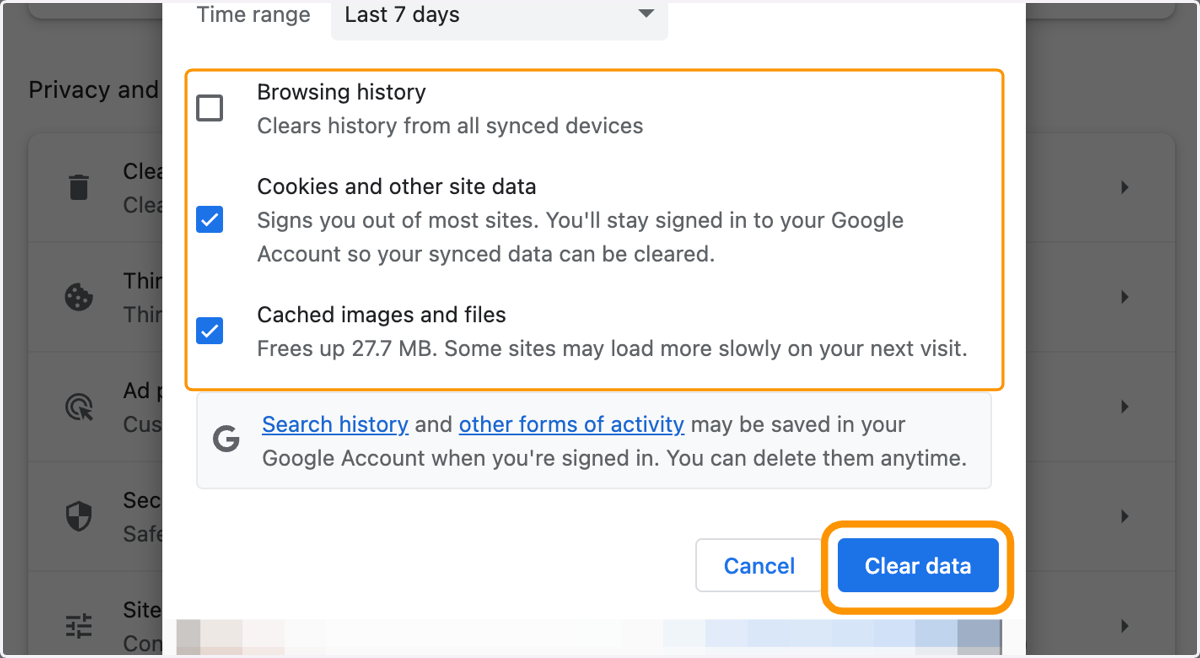
3. Check boxes for Cookies and Cached files and then click on Clear Data