Daily Digest

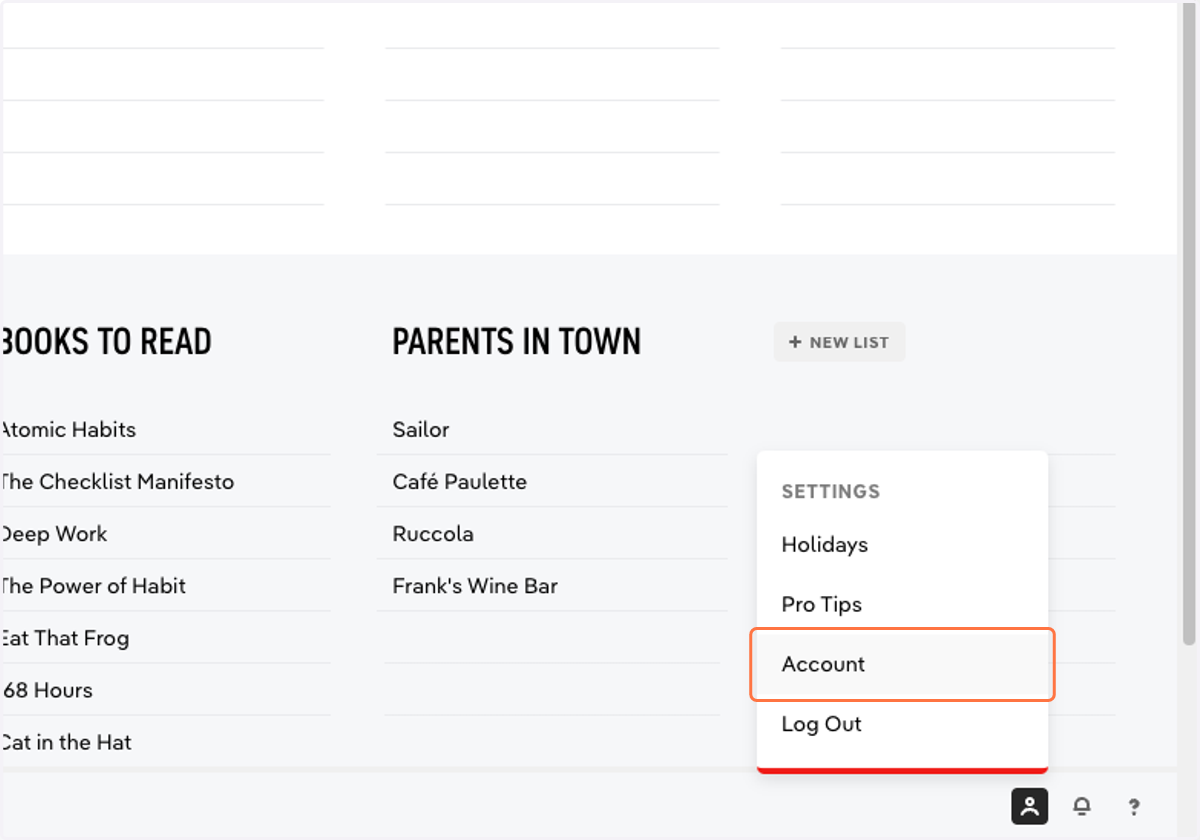
  1. 1. Click Settings > Account

    Click Settings > Account
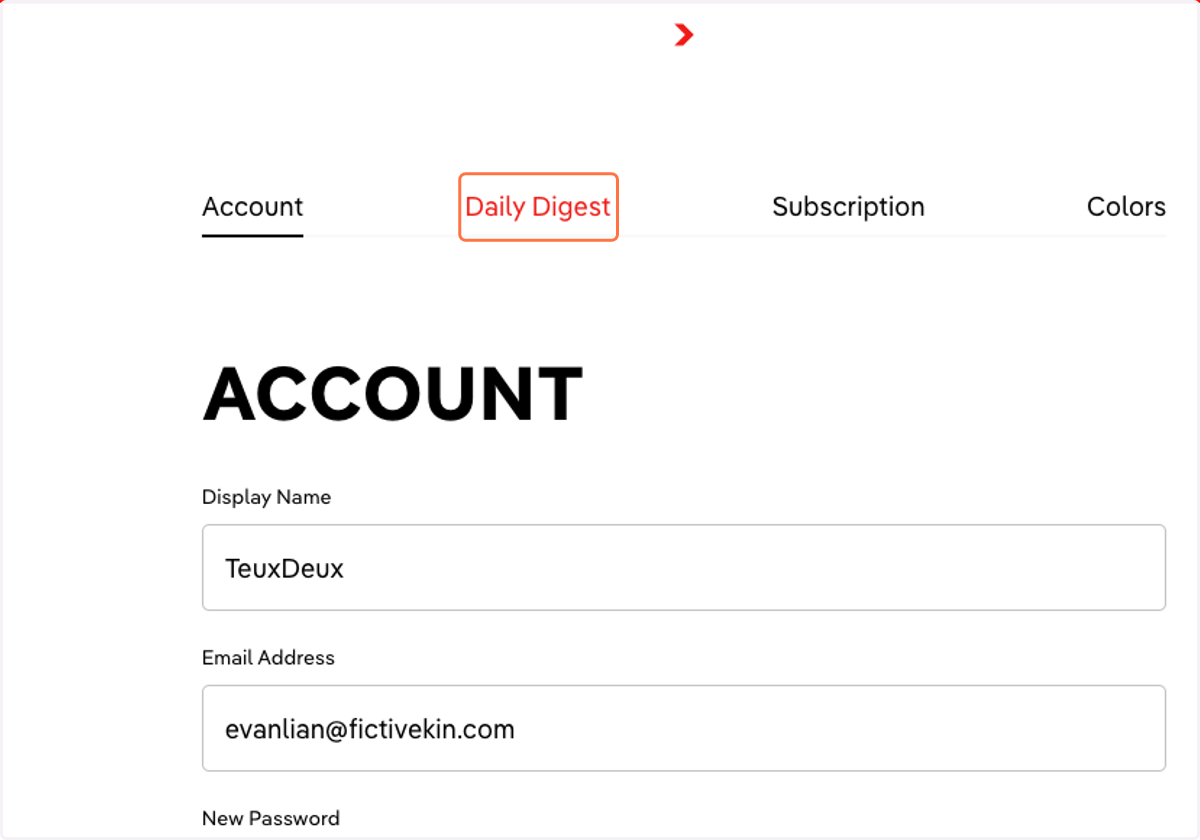
  2. 2. Click into the Daily Digest tab

    Click into the Daily Digest tab
  3. 3. Select when you'd like to receive your Daily Digest from the dropdown
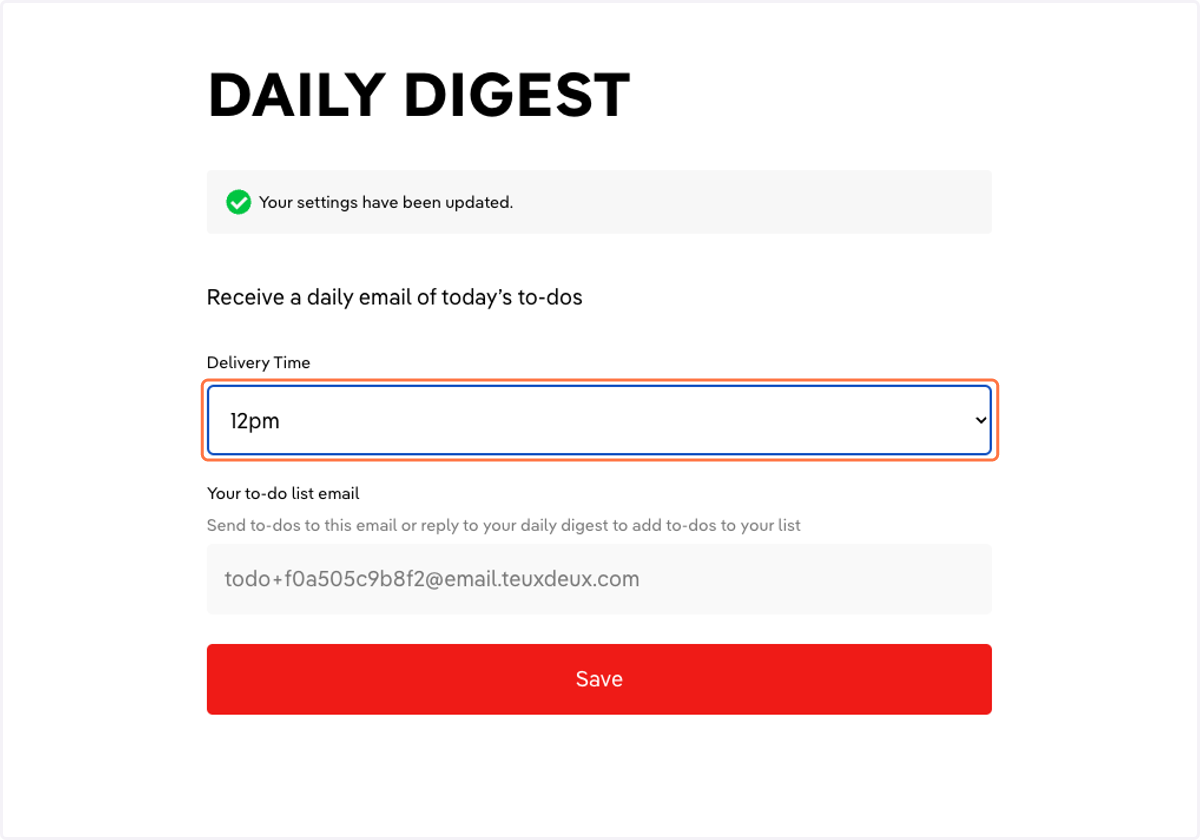
    Select when you'd like to receive your Daily Digest from the dropdown
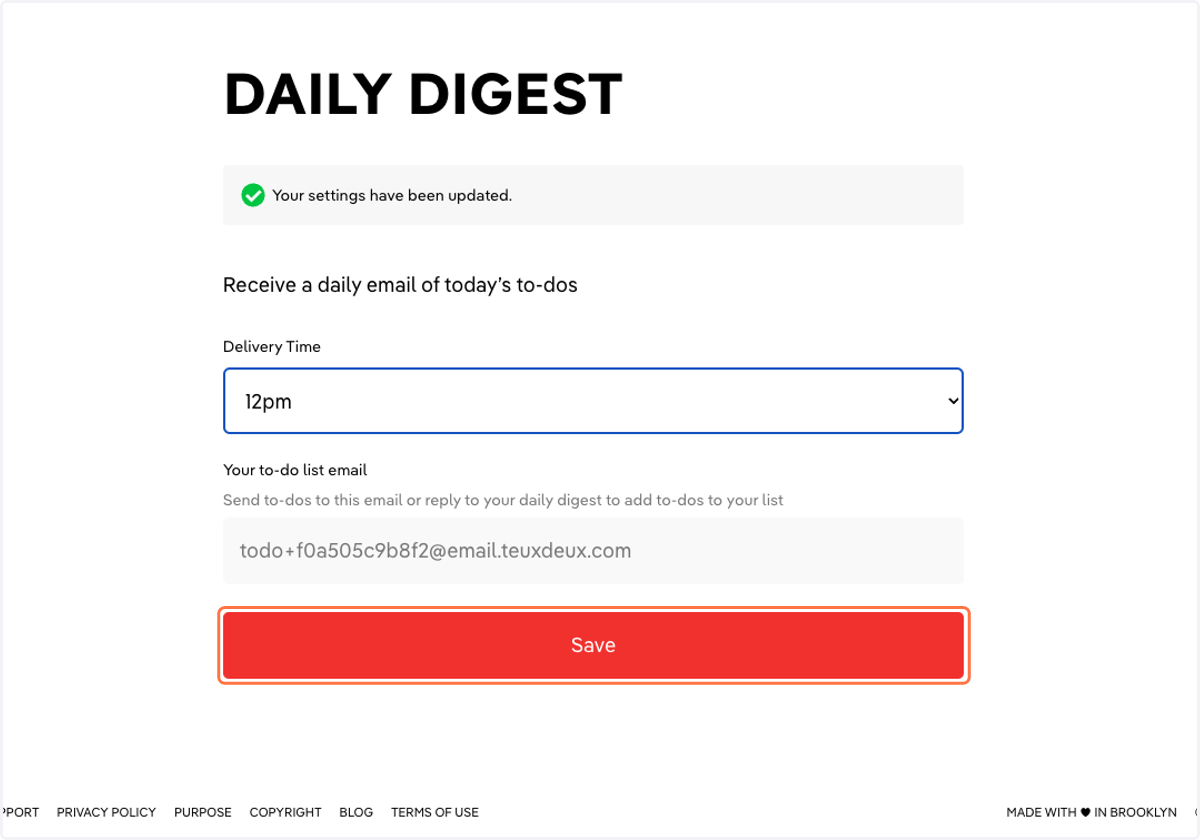
  4. 4. Click 'Save'

    Click 'Save'
  5. 5. Reply to the Daily Digest to add to-dos to your list
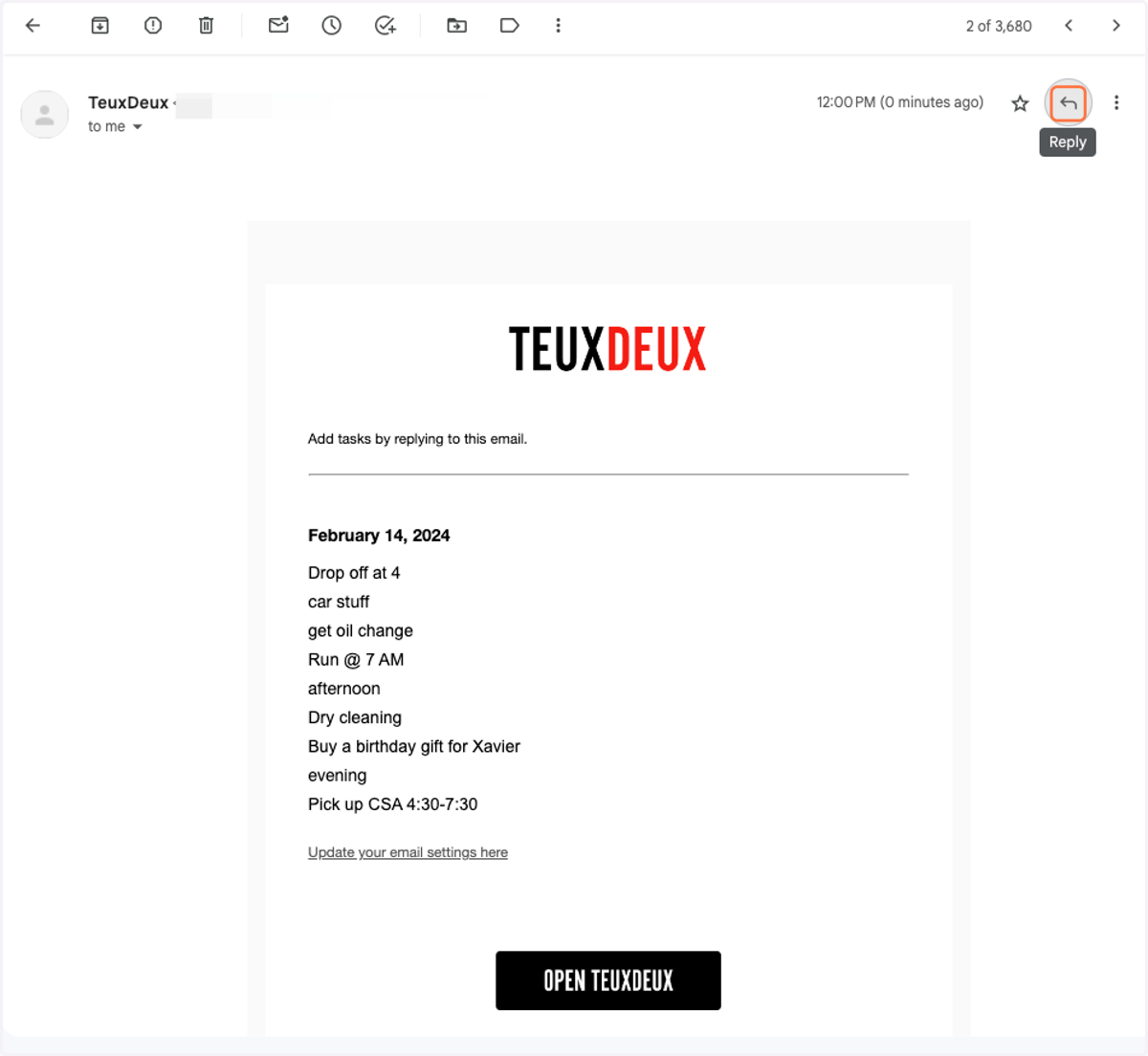
    Reply to the Daily Digest to add to-dos to your list
  6. 6. Or click 'Open TeuxDeux' to manage your to-do lists
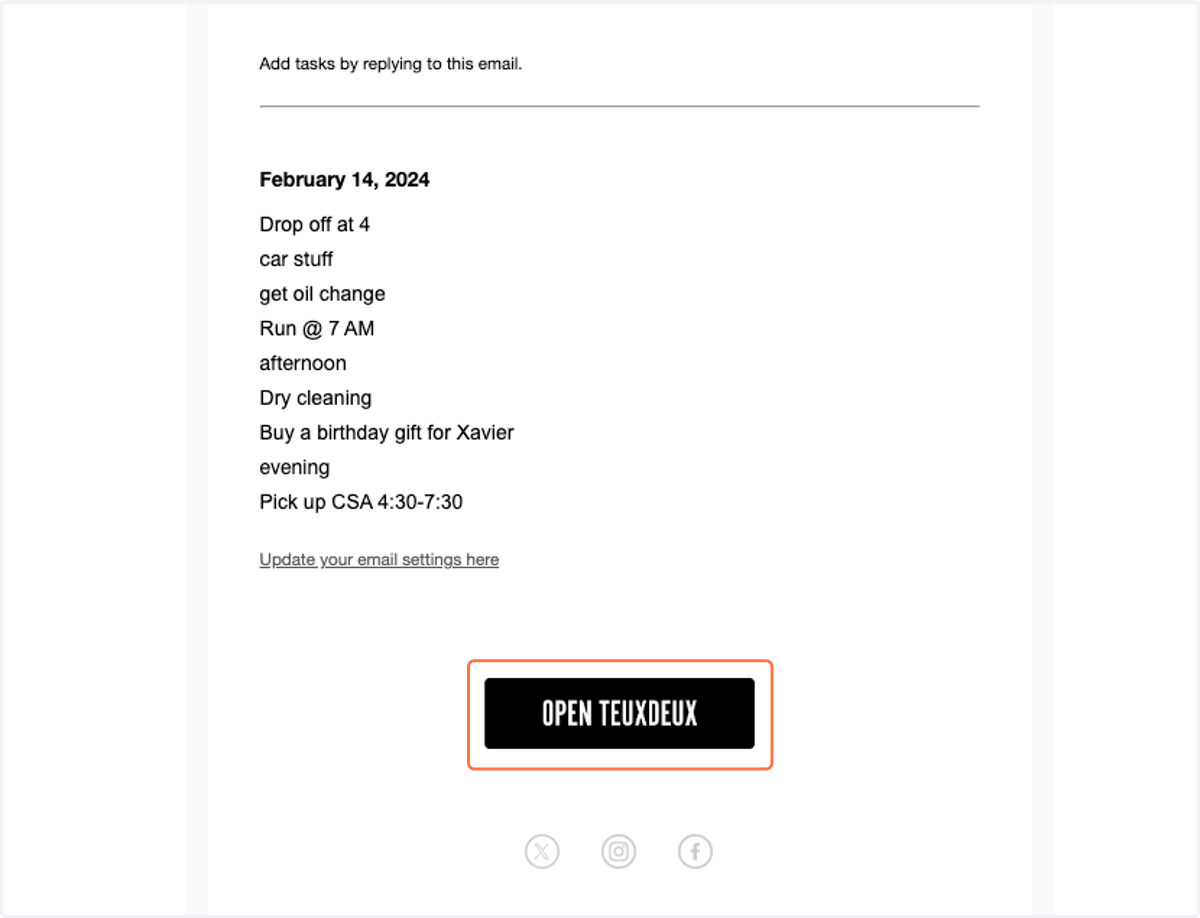
    Or click 'Open TeuxDeux' to manage your to-do lists