Exporting Class Data in Banqer High

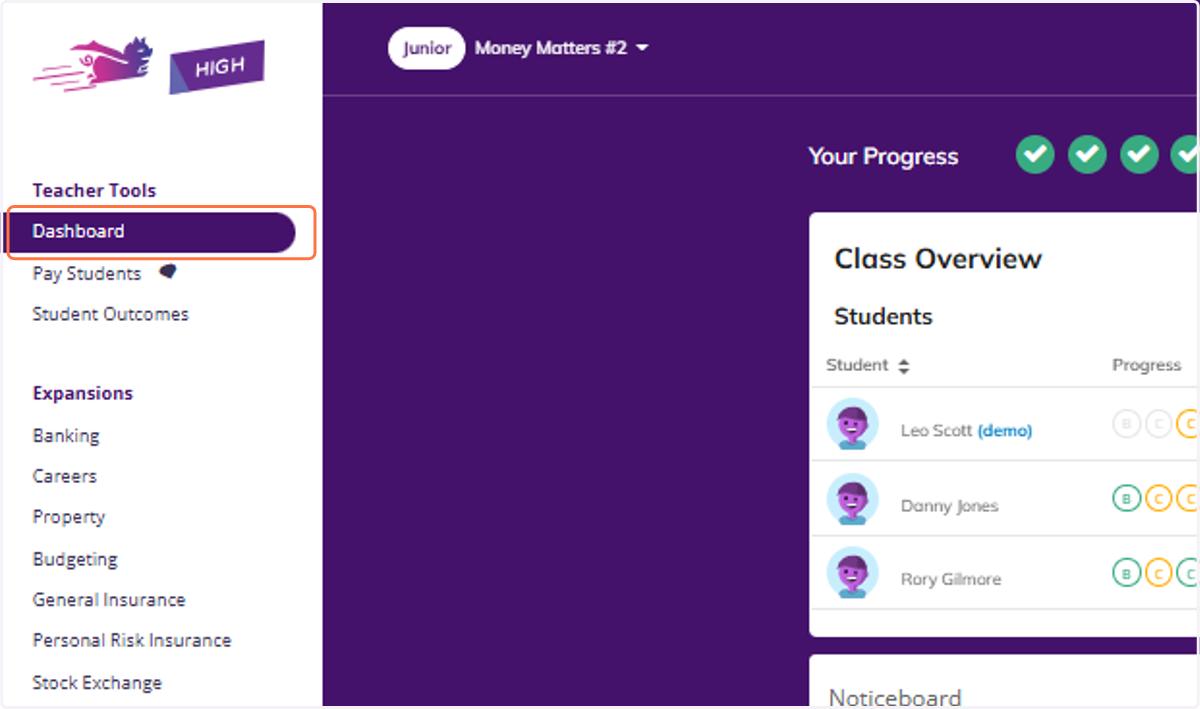
  1. 1. Click on Dashboard

    Click on Dashboard
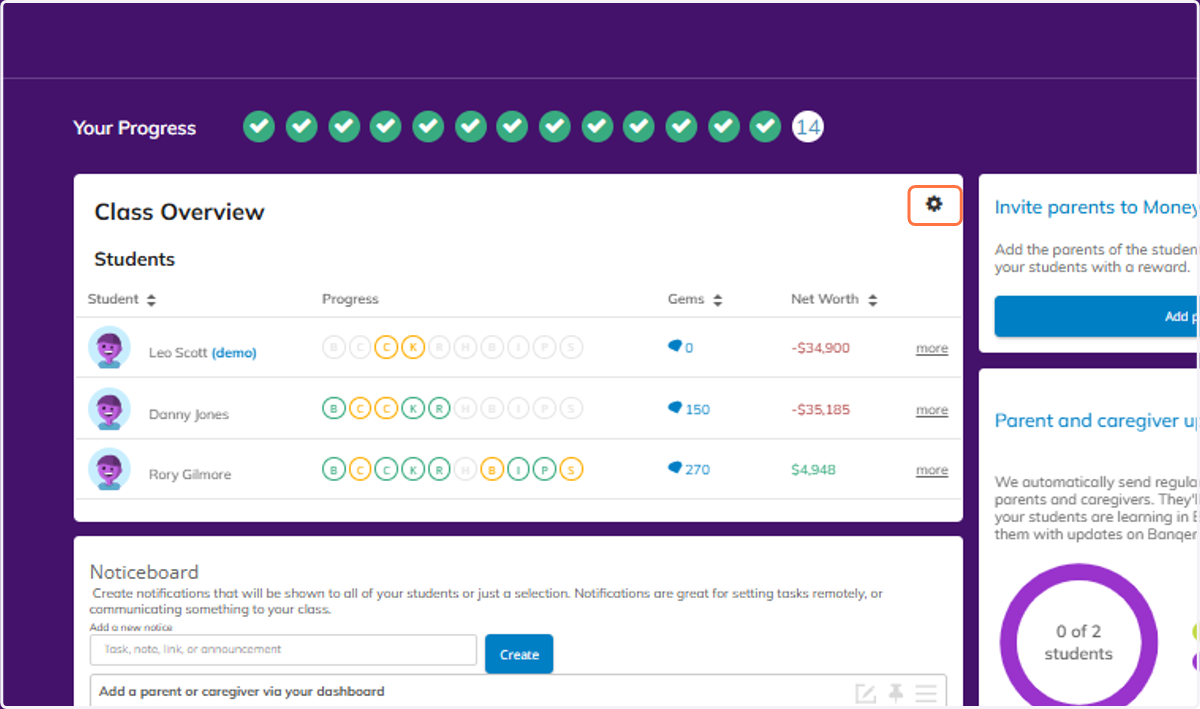
  2. 2. Click on Class Overview

    Click on Class Overview
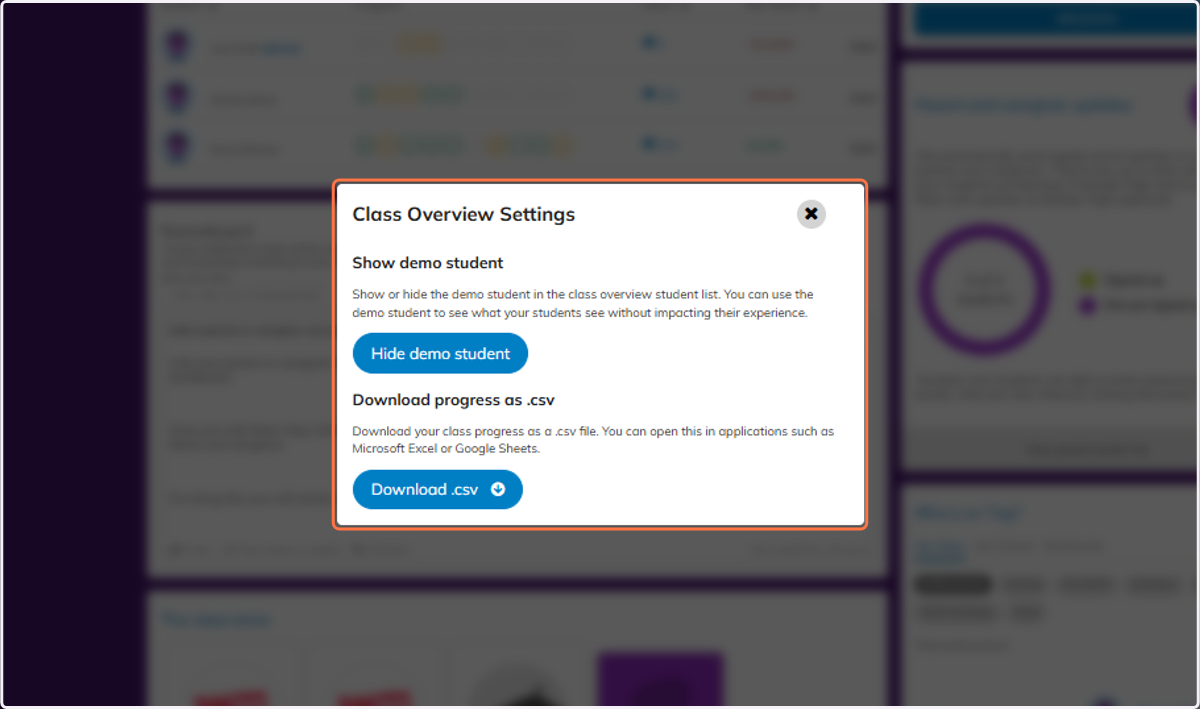
  3. 3. Click on Class Overview Settings…

    Click on Class Overview Settings…
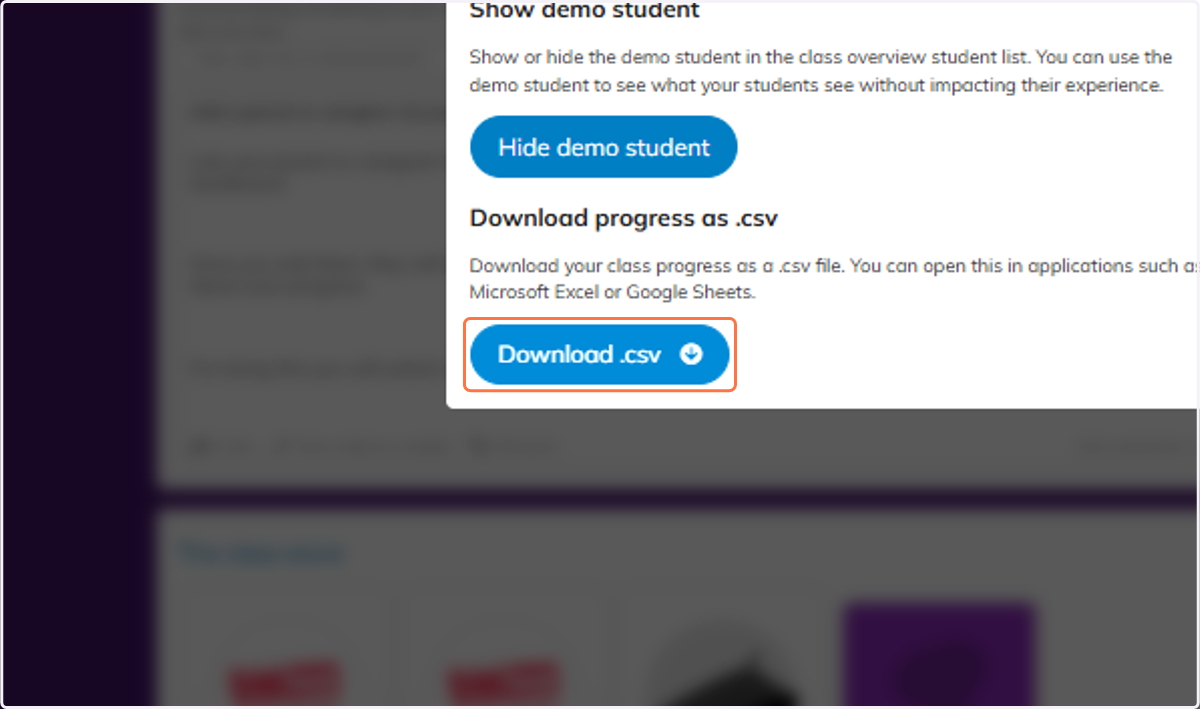
  4. 4. Click on Download .csv

    Click on Download .csv
  5. 5. You can also export the quiz results for your class. Click on Student Outcomes.
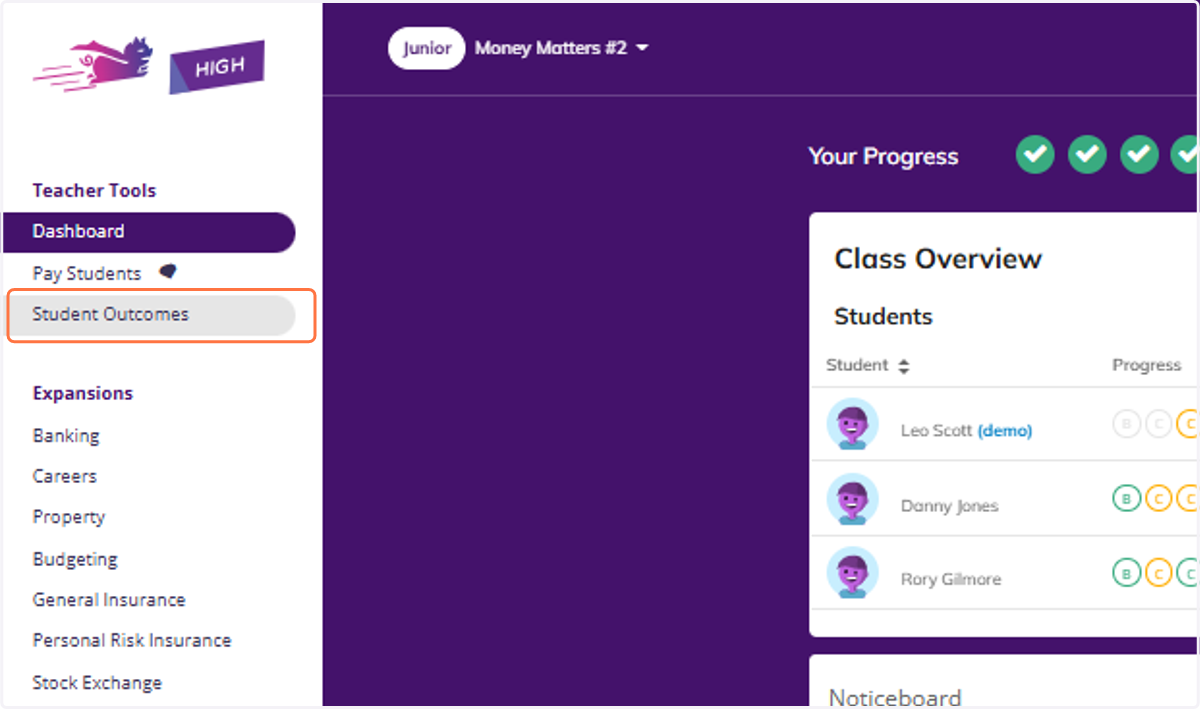
    You can also export the quiz results for your class. Click on Student Outcomes.
  6. 6. You will be able to see the table with all of your class and their quiz results.
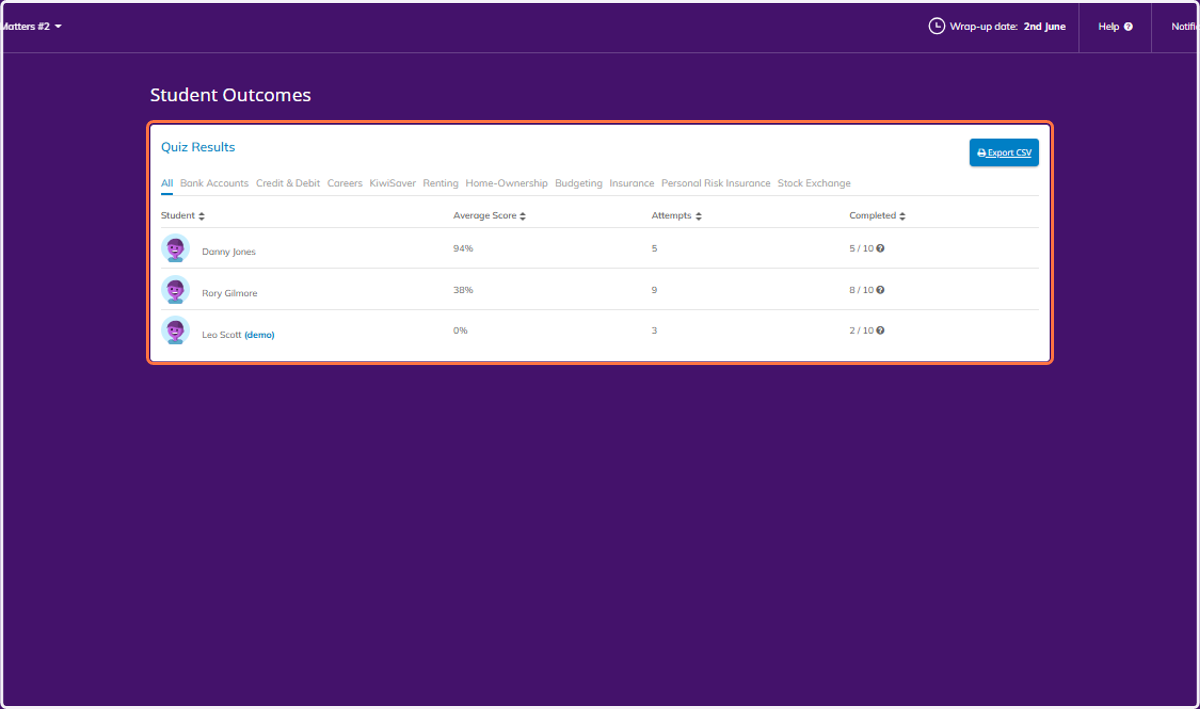
    You will be able to see the table with all of your class and their quiz results.
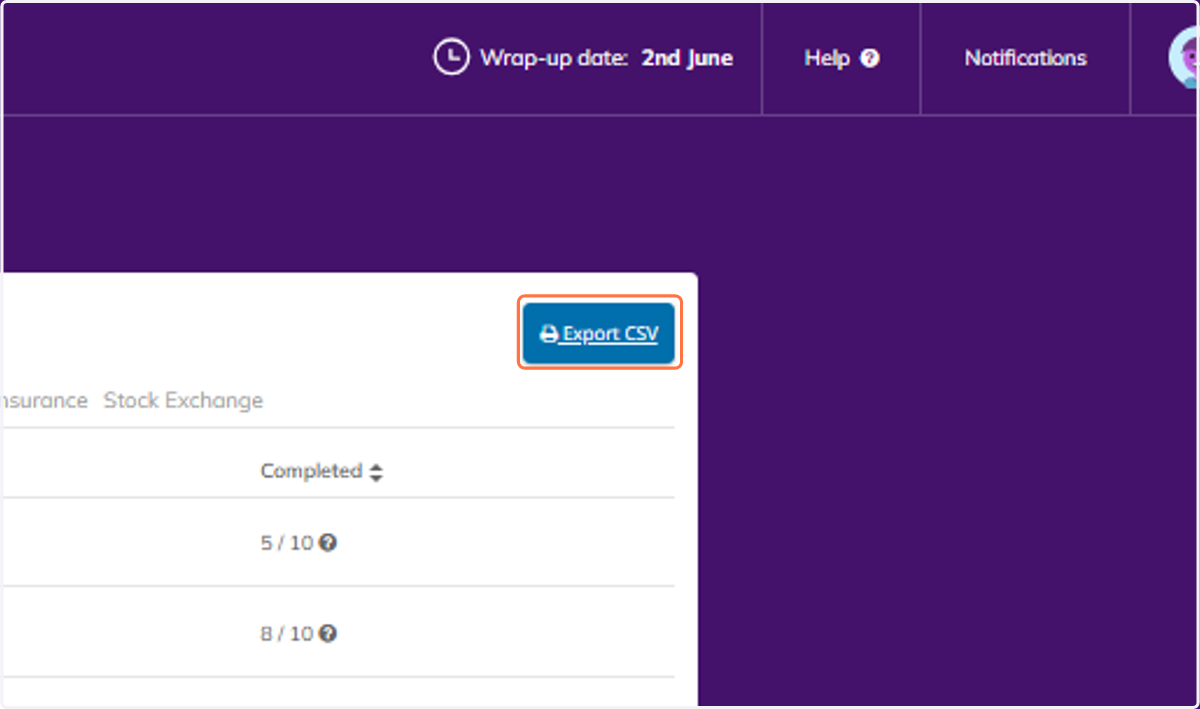
  7. 7. Click on Export CSV

    Click on Export CSV