Pitchpilot Call Coaching: Upload an Audio File
Pitchpilot | Call Coaching
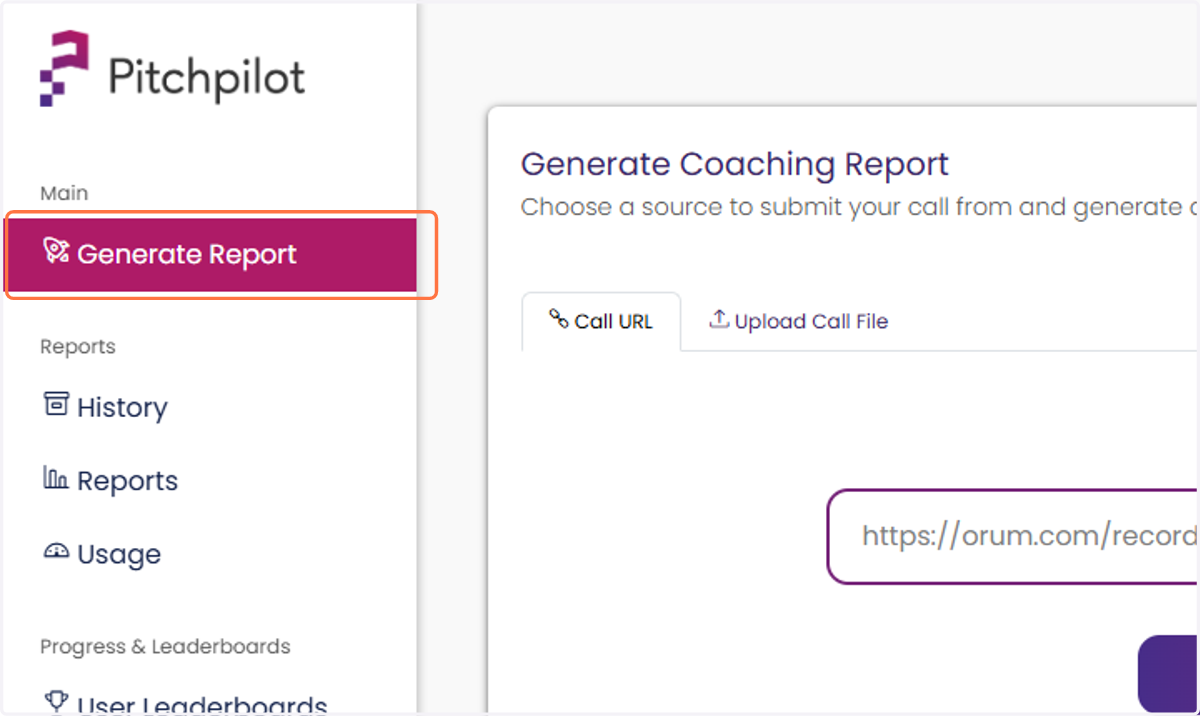
1. Navigate to the Generate Report page
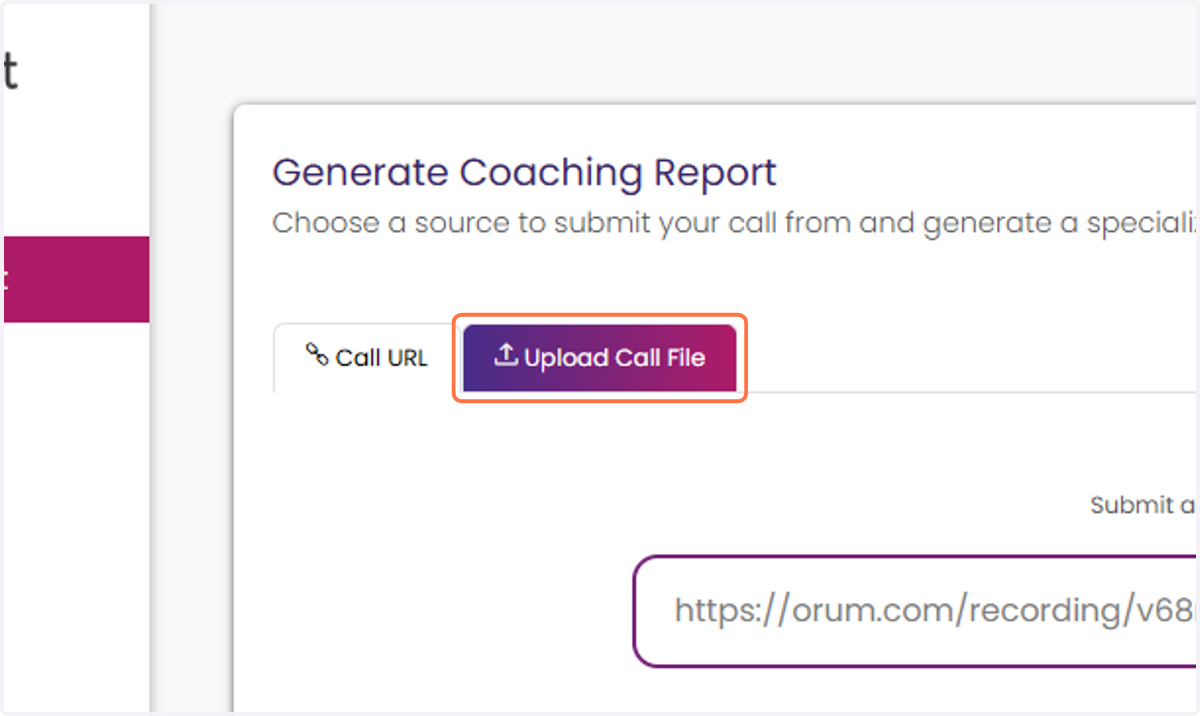
2. Select the Upload Call File tab
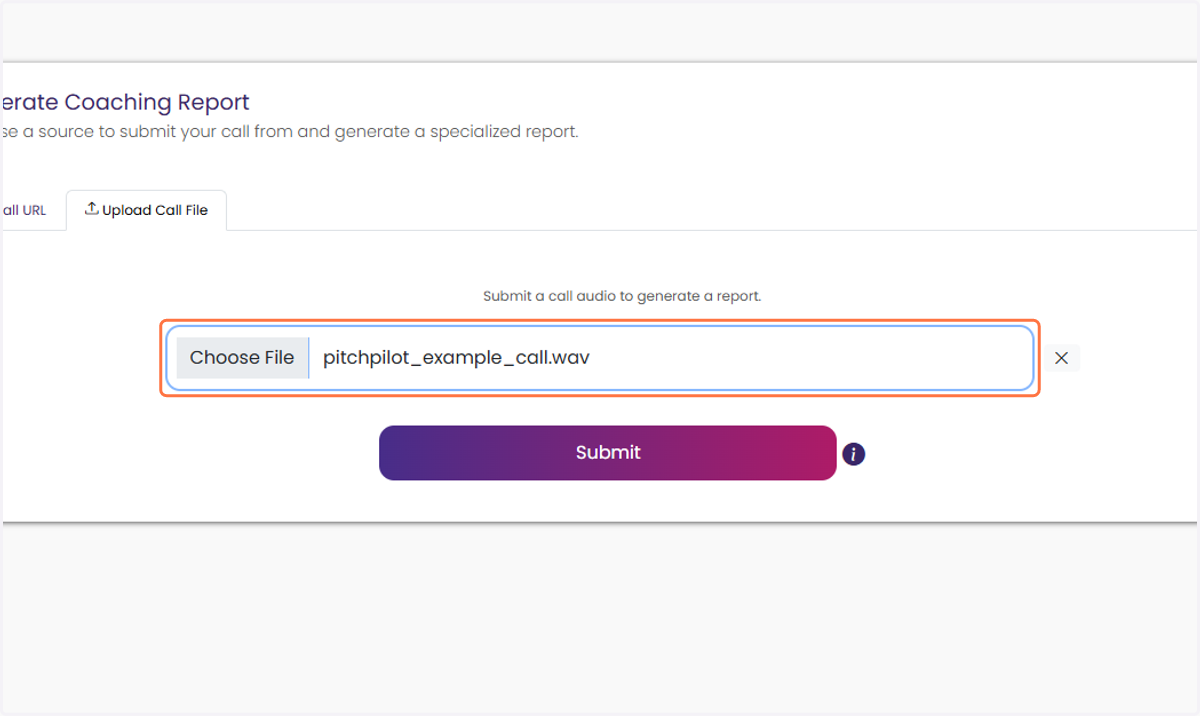
3. Click Choose File and select the audio file you would like to upload
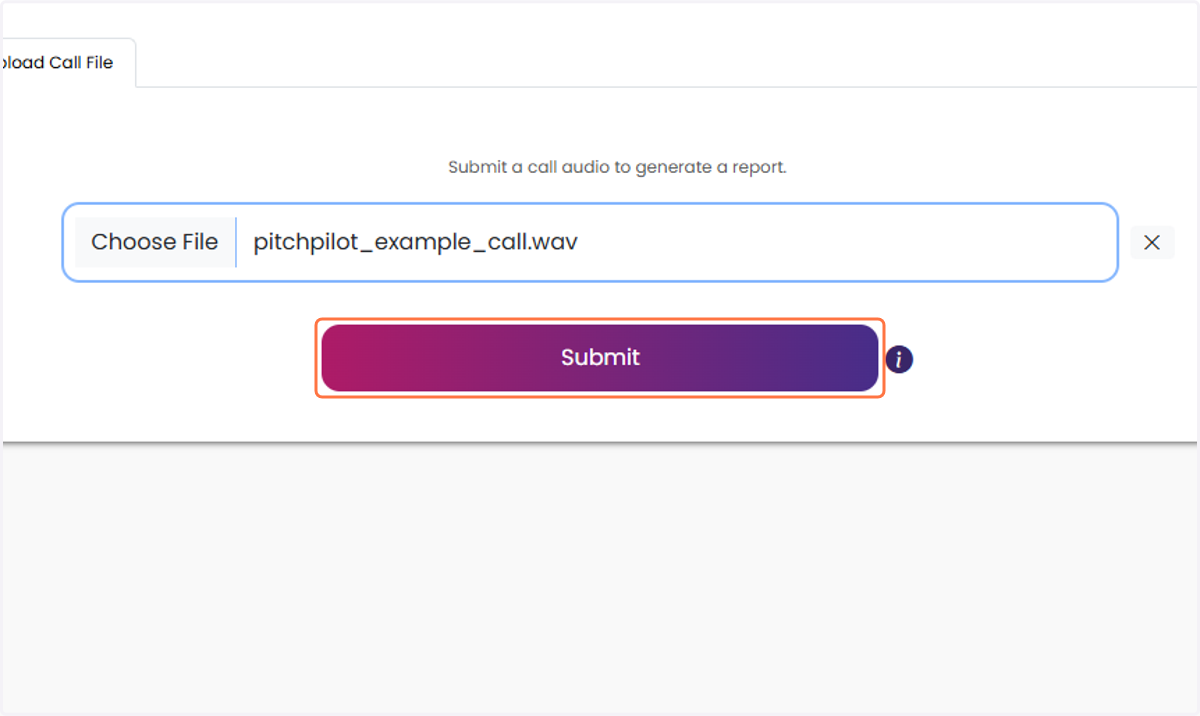
4. Click on Submit
After clicking submit your report will generate!