Tracking your Student Outcomes

  1. 1. From the menu on the left, click on Student Outcomes.
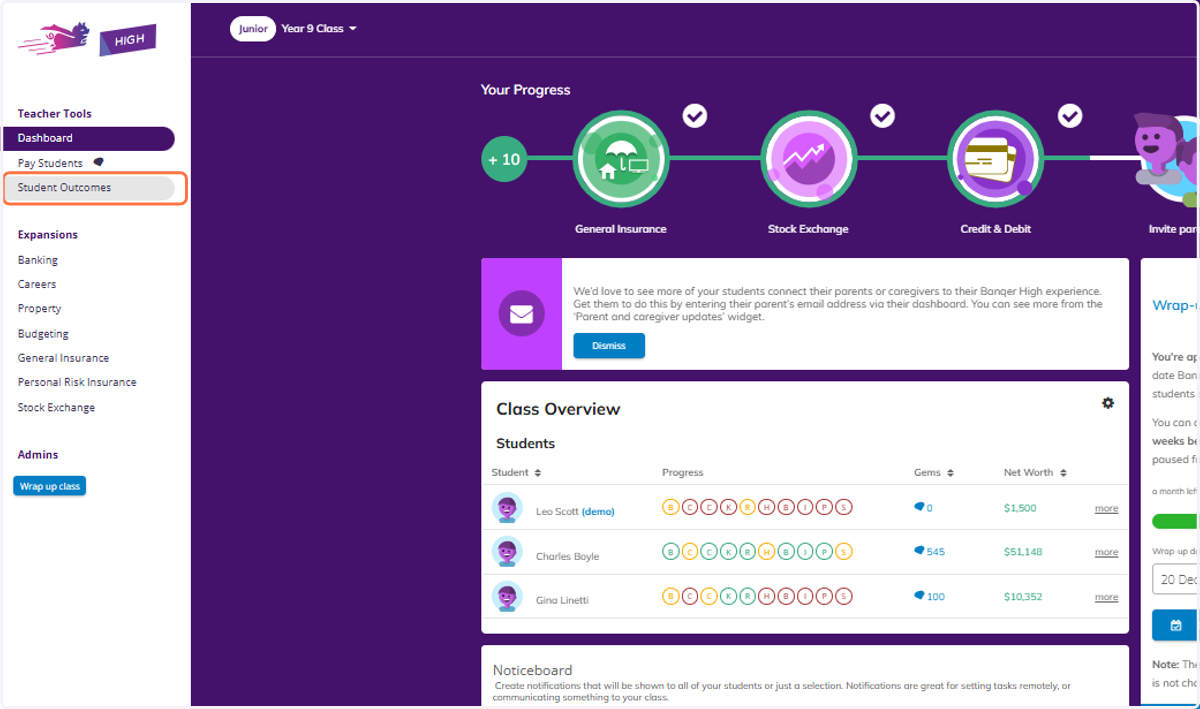
    From the menu on the left, click on Student Outcomes.
  2. 2. You will be taken into your Student Outcomes area, which initially will show you a summary across all quizzes.
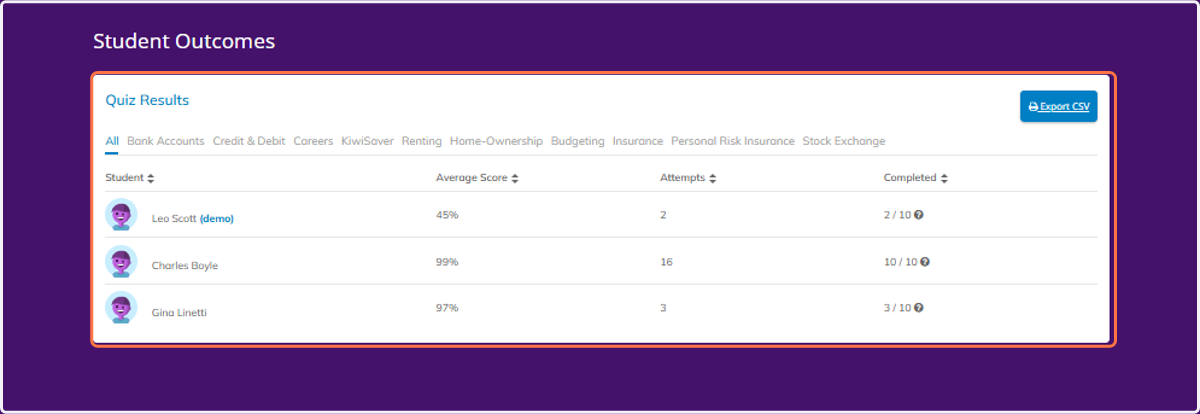
    You will be taken into your Student Outcomes area, which initially will show you a summary across all quizzes.
  3. 3. To view information for a particular expansion, click on your chosen tab.
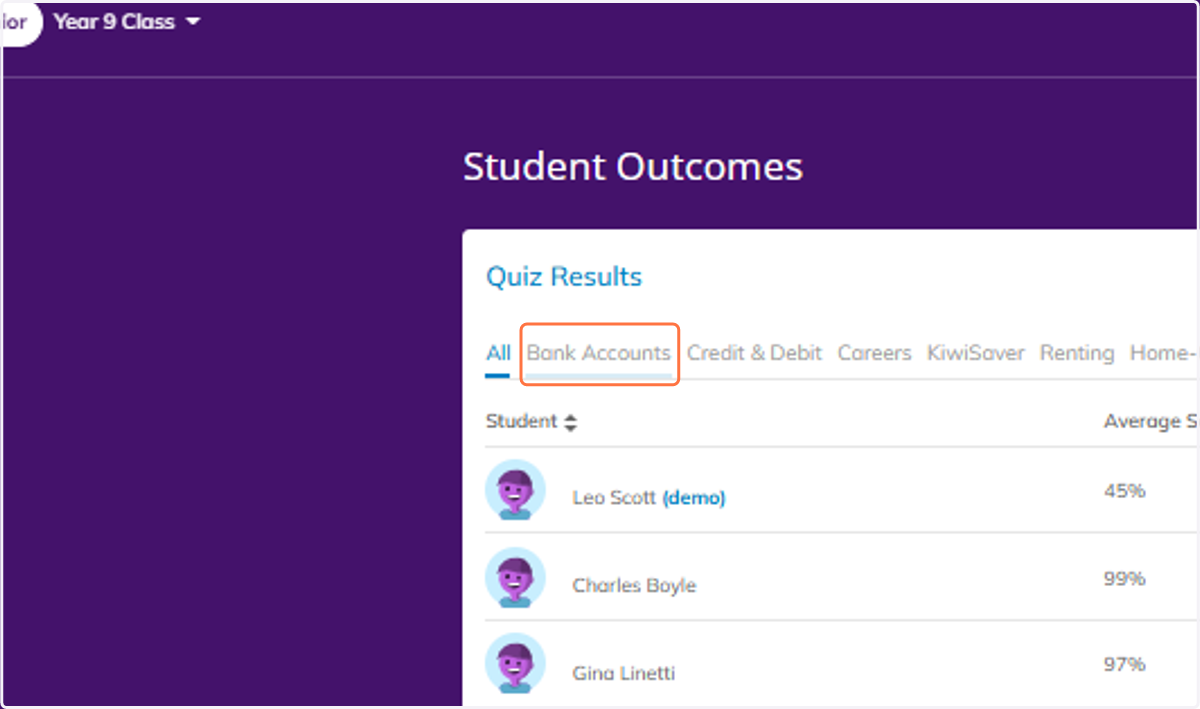
    To view information for a particular expansion, click on your chosen tab.
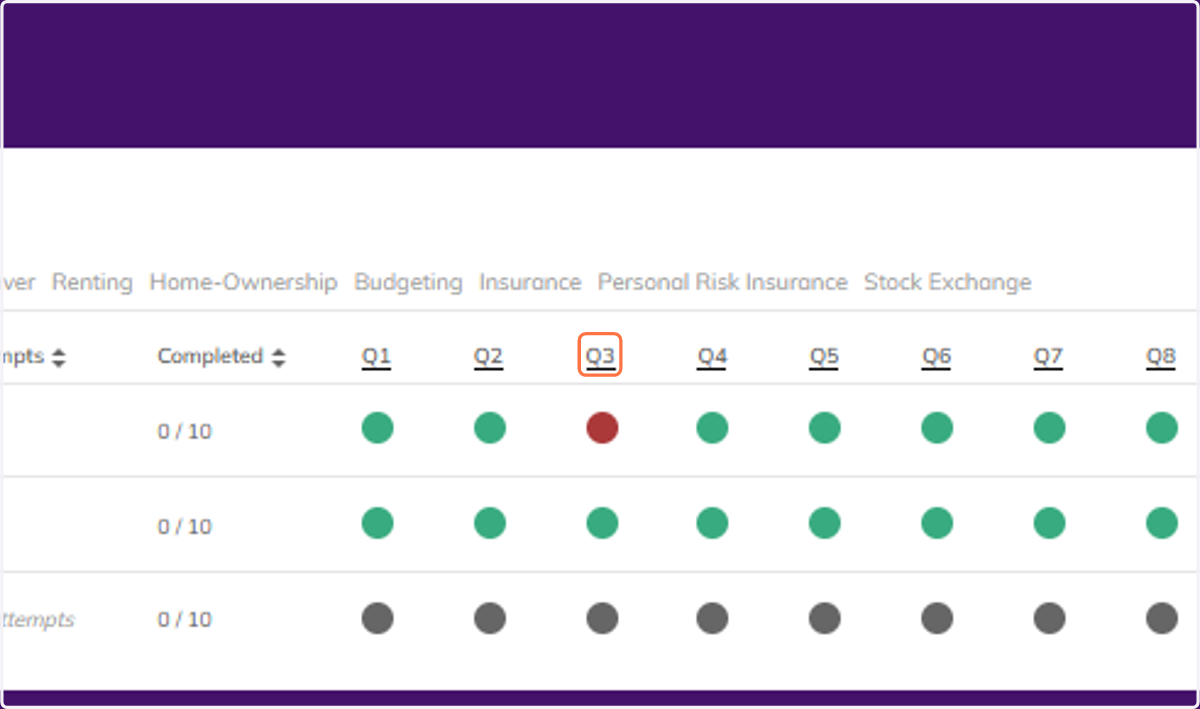
  4. 4. This will then show you the details for each expansions individual quiz, showing if your students got each question correct or not.
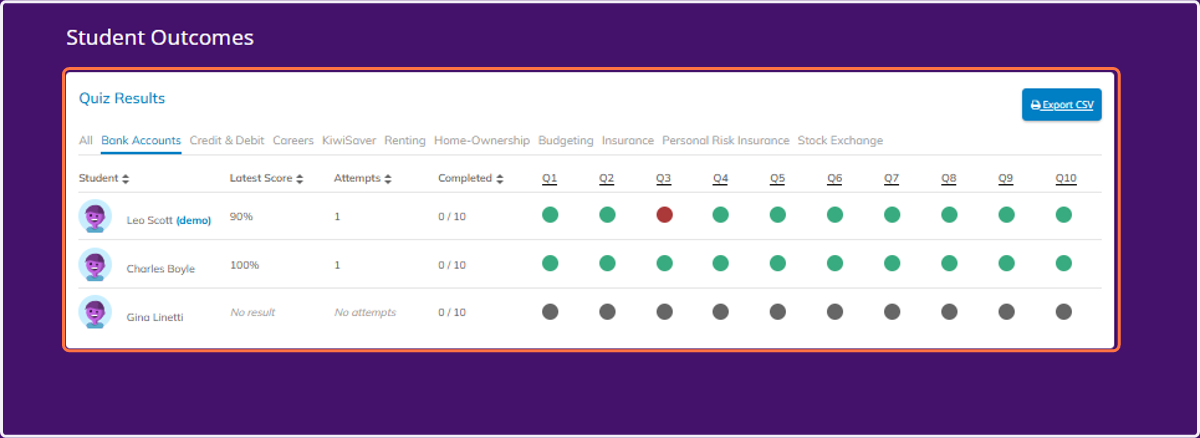
    This will then show you the details for each expansions individual quiz, showing if your students got each question correct or not.
  5. 5. Click on Q3

    Click on Q3
  6. 6. From here you can spot any trends or struggles, and you can click on the question itself to see the content of that particular question.
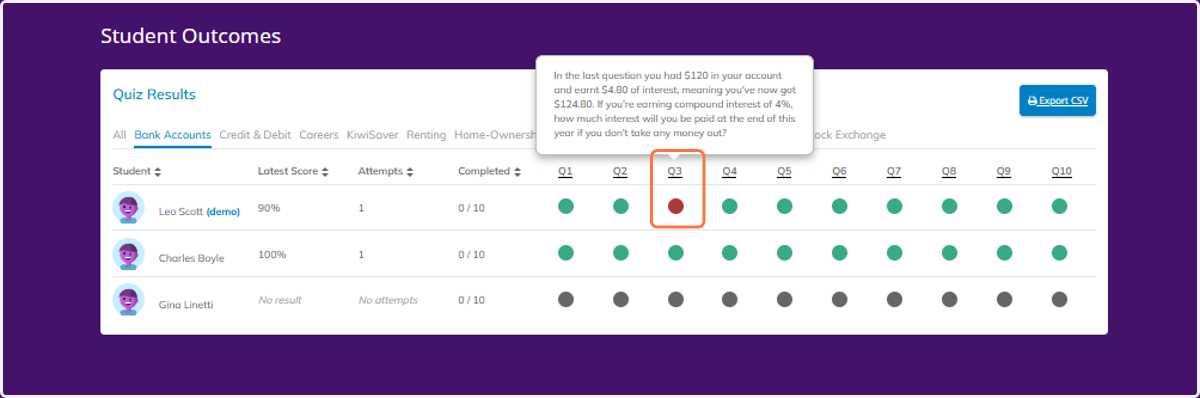
    From here you can spot any trends or struggles, and you can click on the question itself to see the content of that particular question.