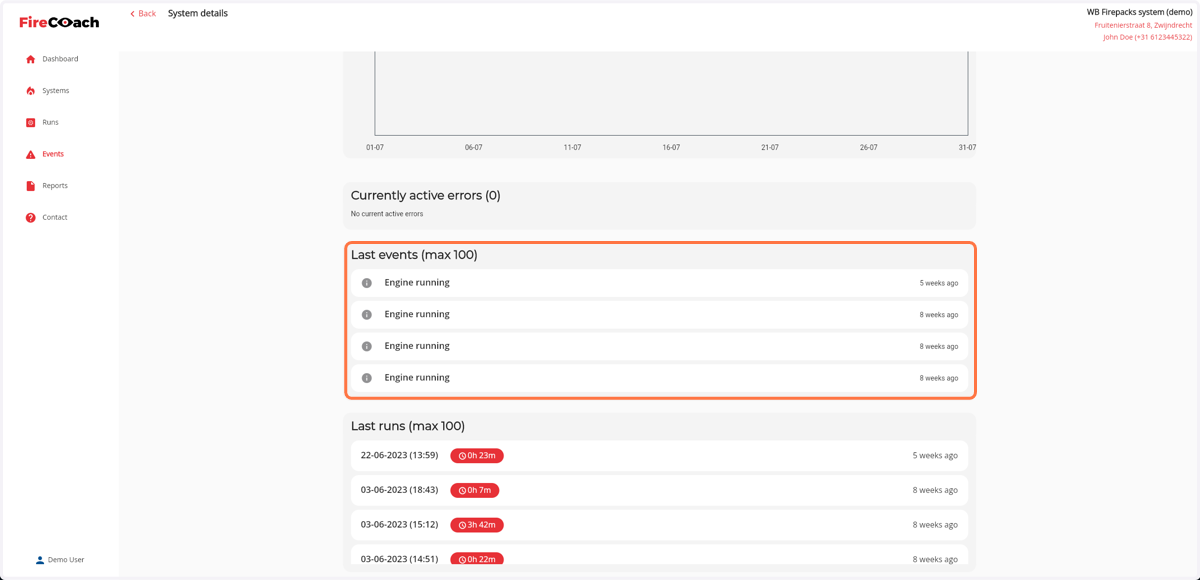
How to search for a recent event of a Firepack
1. Navigate to web.firecoach.app
2. Log in with your Firecoach account
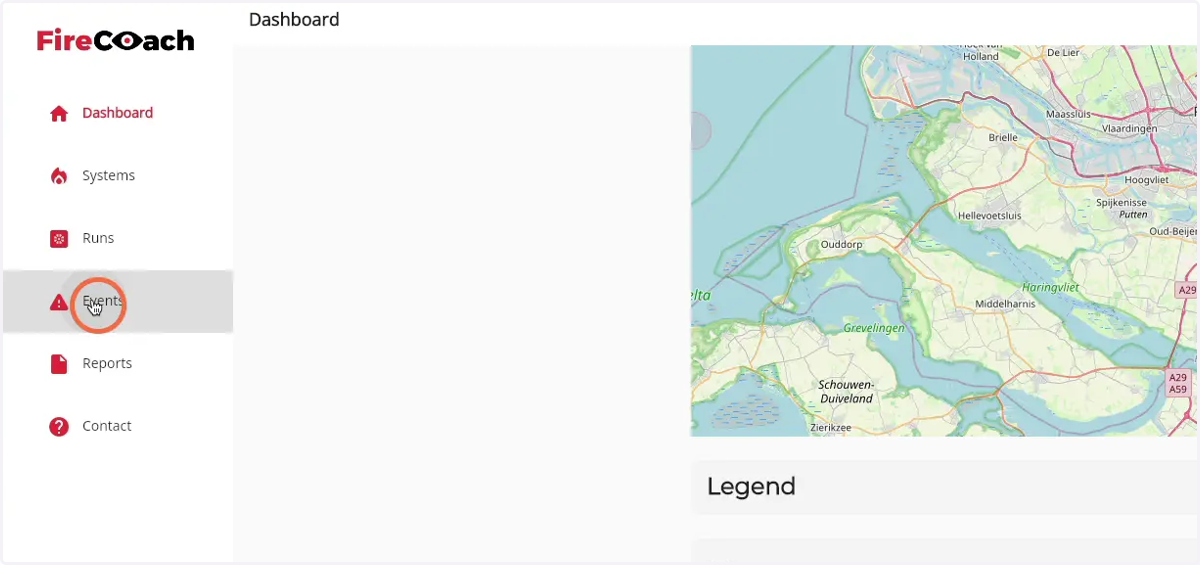
3. Click on 'Events'
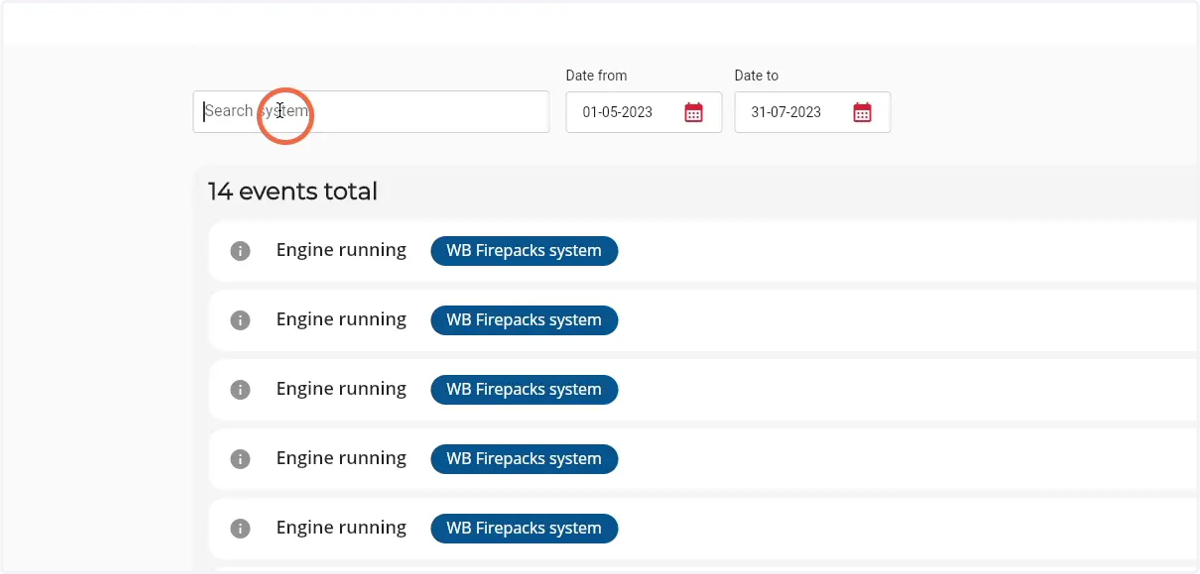
4. Click on the search field to search for a specific Firepack
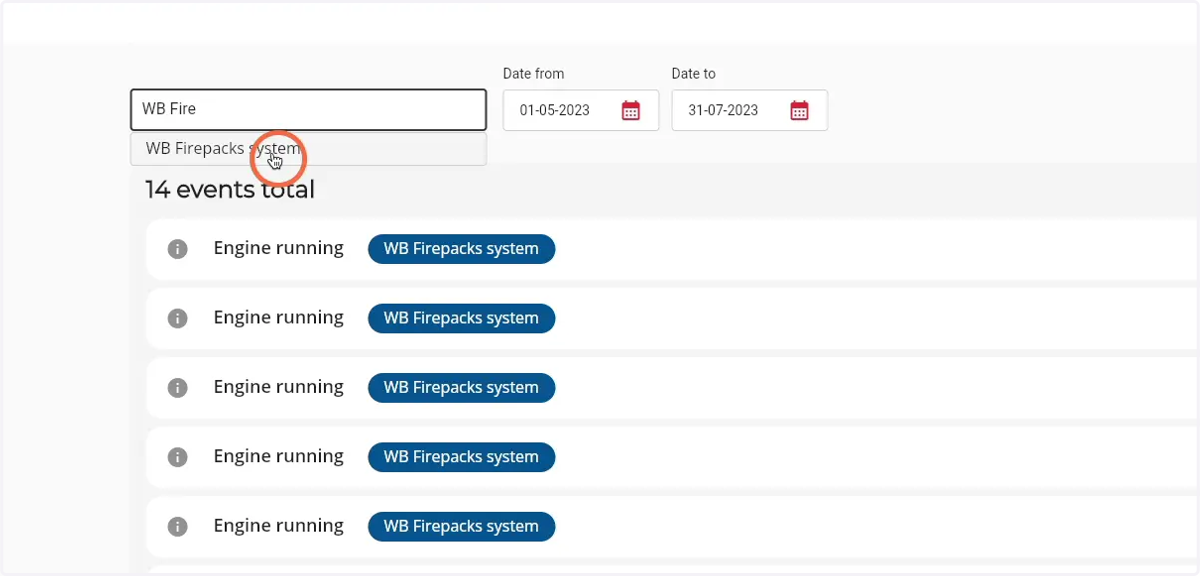
5. Enter the name of the Firepack you are searching
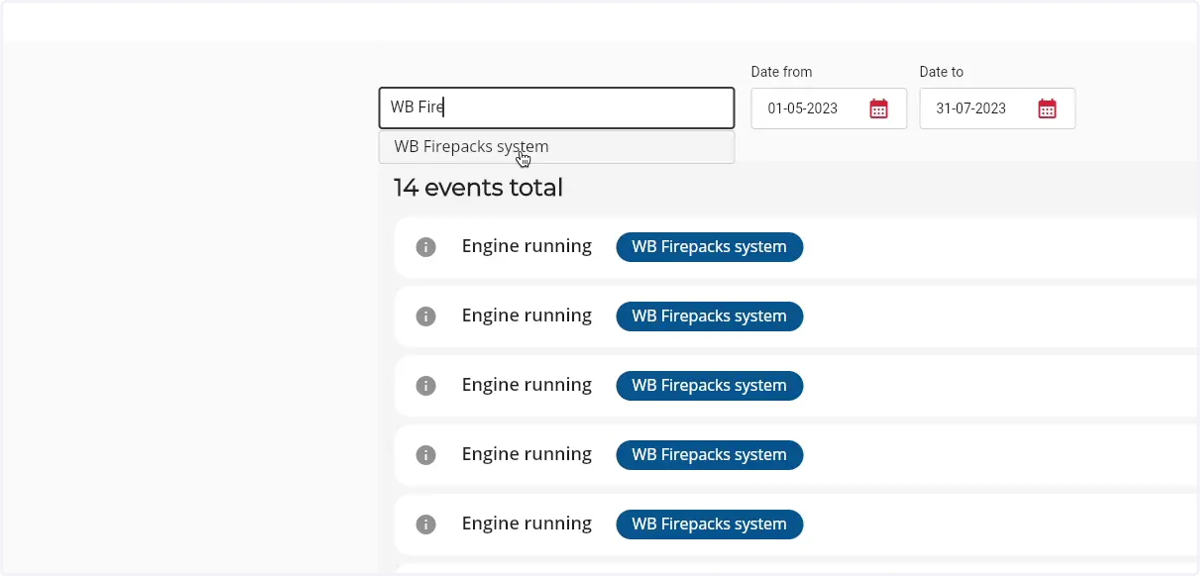
6. Click on the Firepack in the results dropdown
7. Click on a event to go to the Firepack detail page
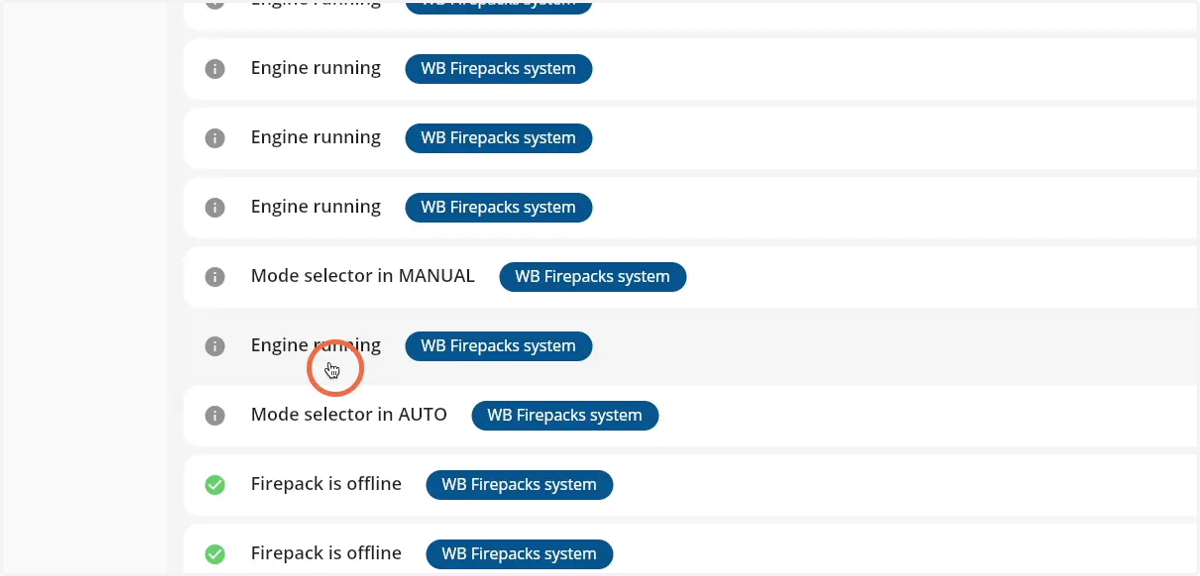
8. The event will be visible in the 'last events' component